Use this template
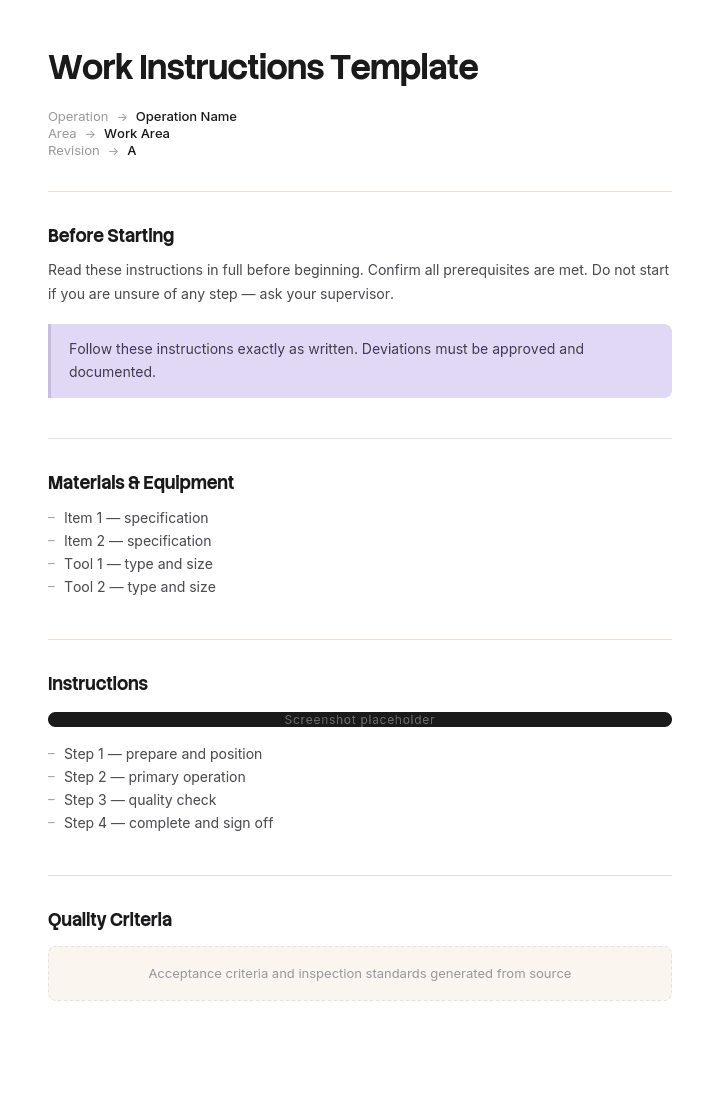
Clear work instructions are the foundation of any consistent operation. With Trupeer, you can save hours on writing work instructions by starting with a free work instructions template, customizing it with your brand guidelines, and turning written instructions into video walkthroughs that workers can watch right at the workstation.
What is a free work instructions template?
A free work instructions template is a reusable structure for describing how one task is performed, in enough detail that the person doing it can follow it without asking anybody.
That definition contains a constraint most documents ignore. One task. Not a process, not a workflow, not everything somebody in a role needs to know. A single task, performed by one person, in one sitting.
Get that wrong and nothing else about the document matters, because an operator who opens a six page document to find out how to do a two minute job closes it and asks a colleague. That is the most common failure in this entire category and it is a scoping error rather than a writing one.
Format follows use. A work instructions template Word file is where most of these are written and approved, and a free work instruction template Word download will give you the standard structure. Any work instruction sample worth studying will use it. A standard work instructions template Excel version suits step tables with times. A work instruction template with pictures is what most tasks actually need, since recognition beats description for anything physical or on screen.
One task, one person, one sitting
Three questions decide whether what you are writing is a work instruction.
Is it one task? Something with a recognisable start and finish that produces one outcome. Sort this trolley. Change this filter. Process this refund. If you cannot state the outcome in five words, it is probably a process.
Is it performed by one person? Count the people who appear in your draft. If a supervisor checks something, a coordinator books something in, and an operator does the work, you have written a procedure covering three roles.
Is it done in one sitting? Start to finish without a handover, a wait or an overnight gap. Anything spanning a shift change is a different document with different requirements.
Three yeses and you are writing a work instruction. Any no and you are writing something else, which is worth knowing before you spend a day on it.
The reason this matters more than any formatting decision is what happens at the point of use. An operator standing at a machine with two minutes of work to do will scan a document for about thirty seconds. If what they need is on page four, beneath the escalation route and the customer reporting requirements, they will not find it, and the next time they will not look.
Count the roles in your existing documents. In most organisations a substantial proportion of what is filed as work instructions fails the second question, and that proportion is the size of the problem.
How to customize this template in Trupeer
Step 1: Open the Templates Section
Go to the Templates section from the main navigation.

Step 2: Select and Open a Template
Click on any template you want to work with to open it.

Step 3: Expand the Template View
If needed, expand the template view to see the full layout and details clearly.

Step 4: Edit the Template
Click on Edit to start modifying the selected template.

Within the editor, you can:
Add new sections
Define or update formatting rules
Add a logo and adjust its position and related settings
Step 5: Save Your Customized Template
After making all necessary changes, click Save to store the updated template as your own.

Step 6: Preview and Fine-Tune the Template
When you want to see how your customized template looks, open the Preview.

From the preview screen, you can continue to make adjustments directly if needed, ensuring the template appears exactly as you want.
With a work instructions template you can:
Save hours on writing: Skip the blank page with a structure built for task-level instructions.
Reduce errors: Clear visual instructions cut mistakes and rework.
Stay on-brand: Apply your logo, fonts and colors using Trupeer's brand kit.
Train workers faster: Pair instructions with video walkthroughs at the work area.
Standardize across shifts: Use the same template for every task on every shift.
Reach global teams: Translate work instructions into 65+ languages with one click.
What to do when it fails the test
Failing the test is not a problem, it just means you need a different document. Five common answers.
More than one role involved. You are writing a standard operating procedure, which describes a process across people and answers who does what in what order. The SOP template covers it, and the usual right answer is one SOP plus several work instructions beneath it.
The reader is already trained and needs a reminder. That is a job aid or a quick reference guide, entered at a point of need rather than followed from the top. The quick reference guide page covers how to make one findable.
The reader does not know what is wrong yet. That is diagnostic, not procedural, and needs a troubleshooting guide, which is entered by symptom rather than followed in order.
It spans a shift change or a long window. That is a runbook, which has to be handed over partway through, and the runbook template covers what that requires.
It is a repeating operation with a required pace. That is standard work, which carries takt time and standard work in process alongside the sequence, covered on the standard work template page.
Splitting one bloated document into an SOP plus three work instructions usually takes an afternoon and is the single highest return action available in most document sets.
Where the document lives at the moment of use
The second question nobody asks, and it decides whether any of this matters.
A work instruction is followed while working. Which means the only relevant question about its location is whether the person performing the task can reach it, at the machine or the desk or the vehicle, in under thirty seconds, with whatever they have on them.
A great many work instructions live in a document management system that requires a login the operator does not have, on a computer in an office two floors away. Those documents are complete, controlled, current and functionally absent.
Three arrangements work. Printed and laminated at the station, which is the most reliable and the hardest to keep current. On a screen at the workstation, which solves currency and requires the screen. On the operator's own device, which works where people have one and where the network reaches, and fails in exactly the places where thick walls and cold stores are involved.
Whichever you choose, the version at the point of use must carry a version number, because the only thing worse than an absent instruction is a superseded one somebody trusts.
One practical test. Stand where the work happens and try to reach the current instruction for the task in front of you. If you cannot, the document set has a distribution problem rather than a content problem, and no amount of rewriting fixes it.
What a work instructions template must contain
Nine components. The step table carries the work.
Component | What it does |
|---|---|
Task and identifier | The task in five words, plus a stable number for referring to it. |
Who may perform it | Any training, authorisation or competence required, and how that is verified. |
Before you start | Access, tools, materials, state. Anything requiring another person is worth flagging, because it is where people stall. |
Numbered steps, one action each | If a step contains "and", it is two steps. |
Expected result per step | What the performer should see, so they can tell whether to continue. |
Images where recognition beats description | Which part, which orientation, what correct looks like. Not a photograph of somebody's hands. |
If it goes wrong | The two or three most common failures, from your own defect or ticket data. |
Warnings before the step they concern | Immediately before, never gathered at the front. |
Version, owner, last verified | On the copy at the point of use, not only on the master. |
The expected result column is the one that most distinguishes a usable instruction from a plausible one. A step saying what to do and not what will happen can only be verified by somebody who already knows the answer.
Free work instructions template: the structure to copy
Filled with a real example rather than placeholders. The task is sorting incoming linen at a commercial laundry.
Copy from here.
Task and identifier. Sort one trolley at the classification station. WI-SRT-02.
Who may perform it. Sort station operators who have completed infection control induction and station training. Verified against the training board at the station.
Before you start. Gloves and apron on. Trolley docked and brake applied. Classification chart visible at the station. Red bag bin within reach. Do not begin if the trolley has no source label.
Warning, applies from step one. Assume all incoming linen may be contaminated. Do not reach into a trolley without looking. Sharps and clinical waste are occasionally present in error and must not be handled, see step 3.
Steps.
# | Do this | You should see | If not |
|---|---|---|---|
1 | Check the source label on the trolley against the docket | Site name and category match | Stop, tag the trolley, tell the supervisor. Do not sort unlabelled trolleys. |
2 | Read the category from the classification chart for this source | A single category, healthcare or hospitality | Two categories on one docket means the trolley is mixed. Tag and tell the supervisor. |
3 | Scan the top layer visually before touching | No sharps, no clinical waste, no personal items | Do not handle. Close the trolley, tag it red, tell the supervisor immediately. |
4 | Sort item by item into the three chutes by fabric class | Each item in one chute, chart matched | If an item does not match any class, place it in the query cage rather than guessing. |
5 | Bag anything marked as infectious in a red bag, sealed, without sorting | Red bag sealed, placed in the infectious cage | Never open or shake an infectious bag. |
6 | Confirm the trolley is empty and log the count on the station tablet | Count entered, trolley marked complete | If the count differs from the docket by more than two items, tell the supervisor before completing. |
If it goes wrong. The three most common issues, from the last quarter's logs. Unlabelled trolley, which is the single most frequent, and always goes to the supervisor. Item with no matching fabric class, which goes to the query cage rather than the nearest chute. Count discrepancy, which is reported before completing rather than after.
Version. WI-SRT-02, version 7, owned by the plant quality lead, last verified at the station on 12 June. Printed copy at the station carries the same version.
Note on regulated work. Handling of healthcare linen is subject to infection control requirements and, in some jurisdictions, specific standards for laundering and segregation. This instruction implements a risk assessment carried out by a competent person and does not replace it. Nothing on this page is a substitute for the applicable standard or for professional advice.
Copy to here.
Work instruction example: sixty one of ninety six
Tarnbeck Laundry Services runs four plants with about four hundred and eighty staff, processing linen for hotels and healthcare contracts.
Its document set contained ninety six documents titled work instruction, averaging six pages each. They were current, controlled and available in the plant document system.
Operators did not use them. Everybody knew this and it was attributed to the usual reasons: turnover, language, reading confidence, the pace of the work.
An audit prompted somebody to count the roles in each document. Sixty one of the ninety six described processes involving two or more people. They were standard operating procedures with the wrong title.
The sorting document was typical. Six pages, twenty four hundred words, covering how soiled linen arrives on site, who books it in, the classification rules, what the supervisor checks, how discrepancies are reported to the customer, and the escalation route for contract breaches.
The actual task of sorting a trolley occupied about four hundred of those twenty four hundred words, and they were on page three.
A new starter had nine days of station training before being assessed as competent on sorting. Misclassification of linen ran at four point two percent, which for hospitality contracts is a cost problem and for healthcare contracts is a compliance one.
The rework took three weeks across the whole document set. Ninety six documents became thirty four standard operating procedures and seventy one work instructions. The sorting document became one SOP describing the classification process across roles, and four work instructions, one per station task, one page each, printed at the station.
Training to competent on sorting went from nine days to four.
Misclassification went from four point two percent to one point one.
And a standing audit finding was closed. For two years assessors had noted that operators could not produce the work instruction relevant to the task they were performing, and the plant had responded each time by improving access to the document system. The problem had never been access. The document had been six pages long and about somebody else's job.
Nothing was rewritten in the sense of new content being created. The same words were redistributed into documents scoped correctly.
How to write a work instruction in six steps
Apply the three questions first. One task, one person, one sitting. Getting this wrong wastes the rest of the effort.
Watch the task performed, twice, by different people. What they do differs from what they describe, and the difference between two people is usually where the instruction needs to be precise.
Write one action per step, splitting anything containing "and". This is where a step-by-step instructions template Word layout is the right starting point, and a step that bundles two actions cannot be resumed after an interruption.
Add the expected result to every step. What the performer will see. This roughly doubles the length and is where most of the value sits.
Add images only where recognition beats description, and photograph the state rather than the action. The visual work instructions page covers this in detail.
Have somebody who has never done it follow it, unaided. Every question they ask is a defect in the document. Write down the answer rather than explaining it.
Step six is the cheapest quality mechanism available and the most commonly skipped, because the author cannot see their own assumptions and a stranger finds them in twenty minutes.
Work instruction variants
The structure holds and the additions differ by context. Five variants have enough specific content to be worth treating separately.
Standard work instructions. Repeating operations with a cycle time, carrying takt time and standard work in process alongside the sequence. A standard work instructions template Excel file is the usual format, and the standard work template covers why the document exists to be improved against rather than only followed.
Safety work instructions. Add hazard and control content per step, with the level of each control in the hierarchy, plus competence requirements and briefing records. Covered on the safety work instructions page, and anything involving regulated hazards belongs there.
Visual work instructions. Image led, where the discriminating detail is what the reader needs. The visual work instructions page covers what the images should actually show, which is usually not what they show.
Project work instructions. One off work performed once, often by somebody unfamiliar with the system, with no second attempt to catch an error. The project work instructions page covers why ambiguity behaves differently when there is no repetition to remove it.
ISO 9001 and quality system instructions. Add document control obligations: version, approval, controlled distribution and retention, so that the copy in somebody's hand can be shown to be current.
Assembly, manufacturing and construction instructions. Broadly the visual variant with sector conventions, and in construction with statutory sequencing duties attached.
Pick the closest variant and keep the three questions from the top of this page, which apply to all of them.
Work instruction or SOP?
The most common confusion in this area and the one two of the ranking pages address directly.
A standard operating procedure describes a process. It usually spans roles, answers who does what in what order, and is read for understanding.
A work instruction describes one task within that process, for one person, and is followed while working.
The practical test is the reader's next action. If they finish reading and know what happens next but not what to physically do, you have written an SOP. If they know exactly what to do and have no idea why or what happens afterwards, you have written a work instruction, which is correct.
A healthy document set has fewer SOPs than work instructions, usually by a factor of two or three, because one process contains several tasks. A set with more SOPs than work instructions, or with everything filed as work instructions, has an altitude problem.
The collection needs its own management once you have more than about a dozen, which the SOP manual page covers, including the arithmetic of how many documents you can actually keep current.
Paper or digital?
Two of the pages ranking for this term are digital work instruction vendors, so it is worth addressing directly rather than leaving it as a product question.
Paper, printed and laminated at the station, is the most reliable at the point of use and the worst for currency. Nobody reprints, so stations end up carrying versions two revisions old, and there is no way to tell from the sheet whether it is current unless the version is printed on it.
A screen at the workstation solves currency, since it always shows the current version, and introduces a dependency on the screen working and on the network reaching the place the work happens.
The operator's own device works well in offices and in field service, and works badly in cold stores, plant rooms and anywhere with poor signal or gloves.
The honest position is that digital solves the currency problem and creates an availability problem, and paper does the reverse. Most organisations end up with both, which is fine provided the printed copy carries a version number and somebody owns replacing it.
What decides the outcome is not the medium. It is whether anybody is responsible for the copy at the point of use being the current one.
What a free work instructions template cannot fix
A document at the wrong altitude. No template prevents you writing a procedure and calling it a work instruction. The three questions do.
An author who does not perform the task. No free step-by-step instructions template Word download compensates for this. They will describe the intended sequence accurately and omit the steps their hands do automatically.
A document nobody can reach. A controlled, current instruction in a system the operator cannot access is functionally absent.
Images nobody maintains. Every picture is a commitment to reshoot it, and this is where instruction sets decay first.
Show the task rather than describing it
Two of the six steps above are expensive, and both are the same expense.
Watching the task performed twice takes time somebody has to find. Producing the images takes longer still, and then takes the same again after any change to the equipment or the system. Which is why so many instructions are written from memory at a desk and illustrated with one photograph at the top.
Trupeer AI collapses both. Somebody performs the task once while recording, and the output is a written step by step instruction with screenshots already captured, annotated and placed, alongside a video, in your own branding. Because it records an actual performance, it contains the steps people forget to mention and the states they assume everybody recognises.
Record it. Brand it. Translate it. Trupeer it.
Three things follow. Recording two operators on the same task shows where they differ, which is exactly the material step two of the method asks for. Re-recording after a change is faster than editing a screenshot set, which is what determines whether an instruction is accurate in year two. And where a workforce includes several first languages, as Tarnbeck's did, the same recording produces the same instruction in each, which matters more than almost anything else in a high turnover operation.
For physical tasks the images still need photographing, and a recording tool does not change that. For anything on a screen, which is a growing share of what work instructions cover, it changes the arithmetic entirely.
The material sits in your knowledge base and doubles as training for new starters. Consistency across your documents is a matter of setting the brand kit once, and setup is covered in the document template setup guide.
Frequently Asked Questions
Is there a work instructions template Word version?
Word suits work instructions, because they are a short prose header plus a step table, they get approved, and they get printed. A work instructions template Word file is the right working format for almost every context.
Two settings prevent a specific problem. Turn off row splitting in the step table so a step and its expected result never separate across a page fold, and put the version and identifier in the footer so they appear on the printed copy at the station.
Is there a free work instruction template Word download?
Widely available and most are broadly identical: task, scope, tools, numbered steps, version block. A free work instruction template Word download will give you that, which is genuinely the easy part.
Two columns are worth adding to any of them. What the performer should see after each step, and what to do if they do not see it. Neither appears in most published templates and together they are what makes an instruction usable by somebody who does not already know the answer.
Is there a work instruction template with pictures?
Most templates leave space for images and the difficulty is never the space. It is producing them and reshooting them after a change.
Use images where recognition beats description: which part, which orientation, what correct looks like. Photograph the state rather than the action, since a picture of somebody's hands usually obscures the feature that matters. Annotate directly on the image and date it, because an out of date photograph is worse than none.
Is there a standard work instructions template Excel version?
Excel suits step tables with times, which is what standard work needs. A standard work instructions template Excel file handles element times, cumulative times and a cycle total, and recalculates when you change one.
Standard work is a specific tradition rather than a synonym for a work instruction. It assumes a repeating operation at a required pace and carries takt time and standard work in process, and it exists to be improved against. Borrow the table and read the standard work page if that is what you actually need.
Is there a step-by-step instructions template Word version?
Yes, and the step structure is the straightforward part. A step-by-step instructions template Word layout gives you numbered steps, which is correct, and one action per step, which is the rule most drafts break.
Split anything containing "and". A step covering two actions cannot be verified, cannot be resumed after an interruption, and hides whichever failure belongs to its second half.
Is there a free step-by-step instructions template Word download?
There are many and they are largely interchangeable. A free step-by-step instructions template Word download saves you about fifteen minutes of table building.
What to check before adopting one is whether it has a column for the expected result. Templates built purely as numbered lists encourage instructions that say what to do and never what will happen, which are only verifiable by somebody who already knows.
Where can I find a work instruction sample?
The filled example above is one. For published examples, manufacturers' service documentation and public sector operational guidance are the most useful sources, because both were written for people who had to follow them rather than for people evaluating a template.
Read a work instruction sample for two things. How many roles appear in it, which tells you whether it is really a work instruction. And whether each step says what the performer should see, which is what distinguishes a followable document from a plausible one.
What is the difference between a work instruction template and a work instruction?
The template is the empty structure and takes fifteen minutes to build. The work instruction is the filled document, and the effort is almost entirely in watching the task, establishing the expected results and producing the images.
That ratio is worth knowing before spending an afternoon comparing templates. Every published work instruction template is adequate. What differs between organisations is whether anybody watched the job being done.

