

Record a process once. Trupeer maps it into a flow your whole team can see.

Require review and approval before content publishes. Reviewers comment on the content itself, every change is saved as a version, and Audit Logs record every step. Set it per workspace.

Doc to Video NEW FEATURE Upload a deck or a document and Trupeer builds the video from it, script and voiceover included, with nothing to record. Learn more

Analytics and Preview for Knowledge Base PRODUCT ENHANCEMENT Watch your knowledge base take shape as you set it up, and see how it is performing from the same page.

Share Pages in Library PRODUCT ENHANCEMENT Every page you share now sits in your Library with the rest of your content, ready to filter, open, or remove.

Your walkthroughs now zoom in on each click and highlight it in your color, so every step shows the reader where to go.

Personal info redacted across every recording.
A lot of what you record is sensitive. Smart Blur handles it for you. As Trupeer processes your video or document, it redacts personal details like names, emails, IP addresses, and dates of birth automatically. You choose what gets hidden, with separate controls for video and docs. Available on Enterprise.
Your Trupeer knowledge now works inside the AI tools you already use.
The Trupeer MCP extends your company's knowledge graph, how your team works and the reasoning behind it, to Claude, ChatGPT, and any tool that supports MCP. One click, and your tools work from your company's context.

Build and ship a guide without leaving the page, with slash commands, movable sections, tables, and image editing in place.

Your video and doc, in every language your users read. Translate once, share one link, and each person follows along in the language they know.

Merge multiple videos into one
You record your work in pieces, and until now those pieces stayed separate. Trupeer can now merge multiple recordings into one. Record a workflow across a few systems, let each person record the step they own, or combine features you recorded one at a time, then merge them into a single walkthrough. And when a step changes later, swap that one recording and keep the rest.

Ask Trupeer is agentic search across everything your team has recorded. Ask a question the way you'd ask a teammate, and get a direct answer drawn from your own videos, guides, and docs, with the exact timestamped moments ready to open.

See your audio as you trim.
Open the trim view and your audio appears as a waveform, with peaks where there's talking and flat stretches where there's a pause. The parts worth cutting are easy to spot, so you can split them out in a couple of clicks. Zoom in on the timeline for finer edits, undo anytime, and work the same way whether you uploaded your video or recorded it in Trupeer.

Precise control over your script.
Edit exactly what you want and leave the rest exactly as it is. Find and replace a word across your entire script in one move, run AI edits on just the chunks you select, and clean filler words from any section with a single prompt. Fine control for longer scripts, so every change lands where you mean it to.

Host your guides on your own website.
Trupeer gathers all your how-to videos and docs into one place people can search.
Now that knowledge base can live on your own website, at an address like docs.yourcompany.com, so it becomes a natural part of your site.
Every video or doc you create on Trupeer adds to your own web presence. The more you publish, the stronger your site grows and the more easily customers discover you.
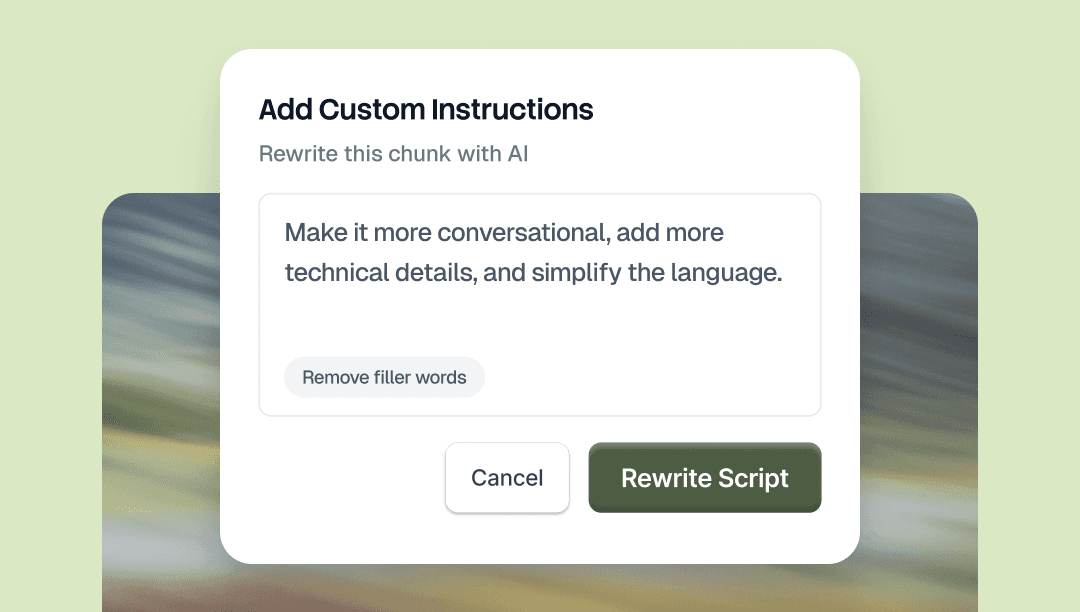
Select any part of your script and tell AI what to change. Ask for it in plain language, whether that means changing the tone, replacing a word, shortening a section, or fixing the grammar. Only the part you select changes.
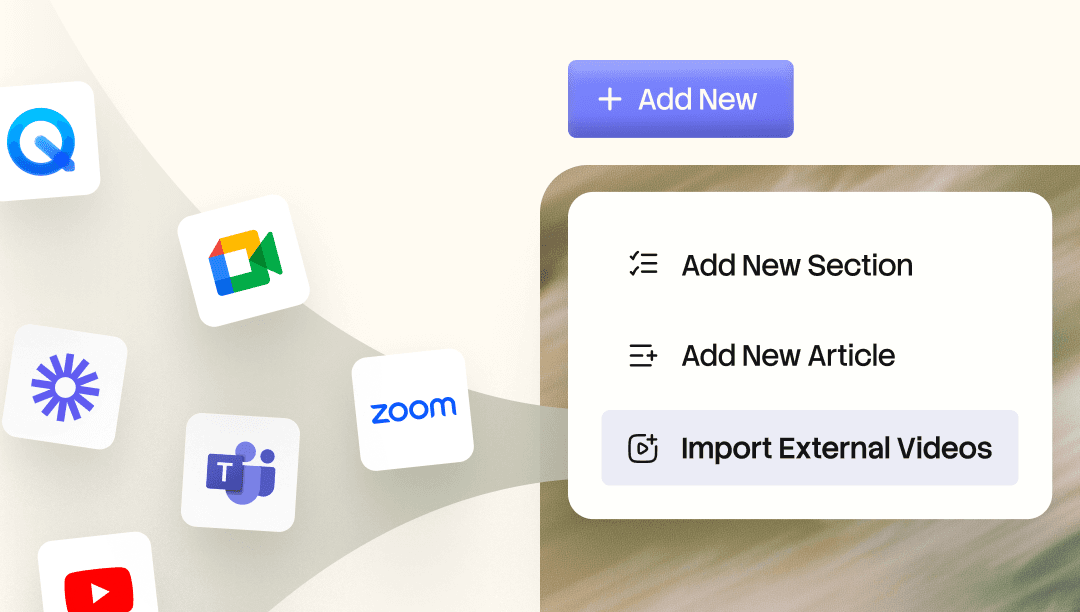
Bring existing Loom and Zoom recordings into your Knowledge Base.AI indexes every word, so you can search across them and jump straight to the moment you need. Turn any recording into a polished video, a chaptered walkthrough, or a written doc.

Host your guides on your own website.
Trupeer gathers all your how-to videos and guides into one place people can search.
Now that knowledge base can live on your own website, at an address like docs.yourcompany.com, so it becomes a natural part of your site.
Every video or doc you create on Trupeer adds to your own web presence. The more you publish, the stronger your site grows and the more easily customers discover you.
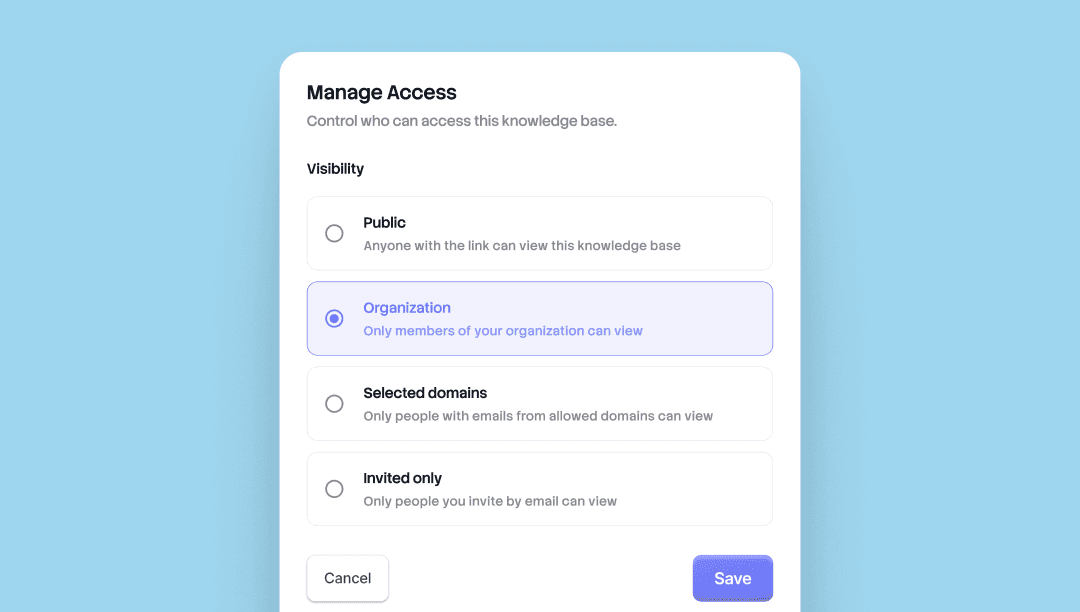
Choose who sees what. Every knowledge base and shared page in Trupeer now ships with four levels of access. Set the visibility per surface, change it whenever.
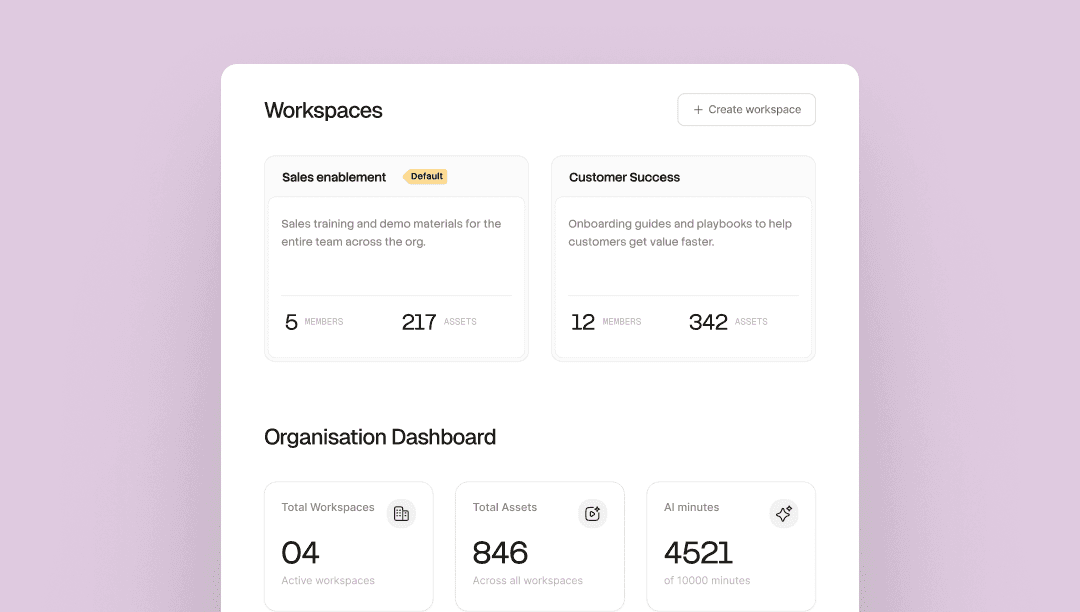
One organization. Each team with its own space. Run multiple teams inside one Trupeer organization, each workspace with its own admins, members, Skills, and library.
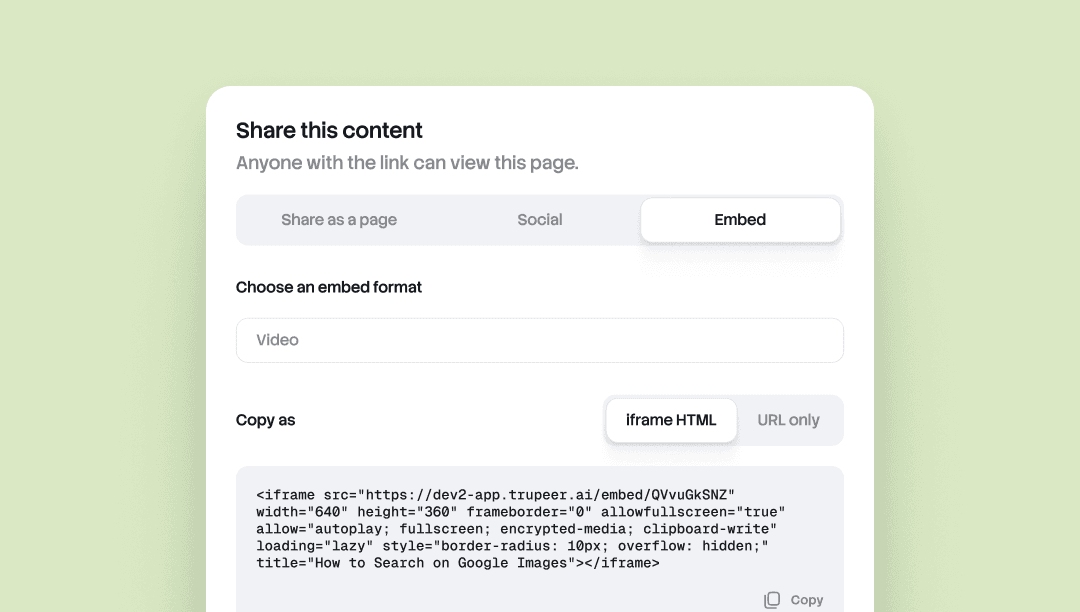
Embed Anywhere lets you drop any Trupeer doc or video into any tool that accepts an iframe.
Notion, Confluence, Zendesk, Webflow, a help center, a CMS, a wiki. Update the source in Trupeer, and every embed updates automatically. No re-export, no re-paste, no version drift across surfaces.
Useful for teams whose content lives in more than one place and needs to stay current everywhere.
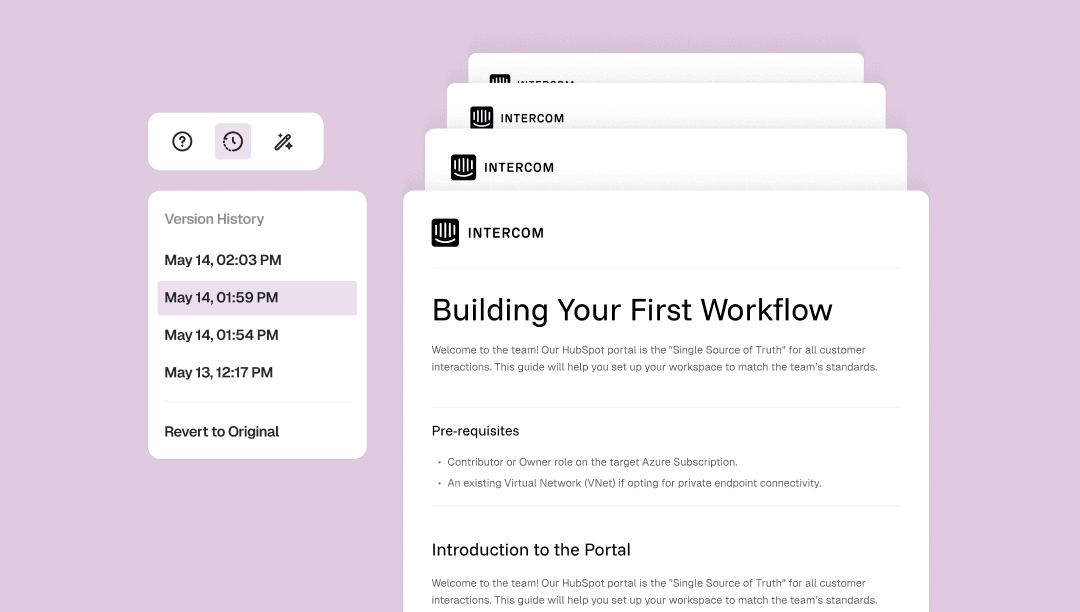
Doc Version History saves every change you make to a document automatically, with a timestamp.
Open the version panel from the doc toolbar to jump back to any earlier version, or revert all the way to the original. One click, no manual checkpoints, no lost work.
Useful for editing without second-guessing yourself, restructuring freely, or recovering the paragraph you wish you hadn't cut.
Precise control over every frame of your video. Land any word on any frame. Trim video and script independently. Reshape sections of your video.
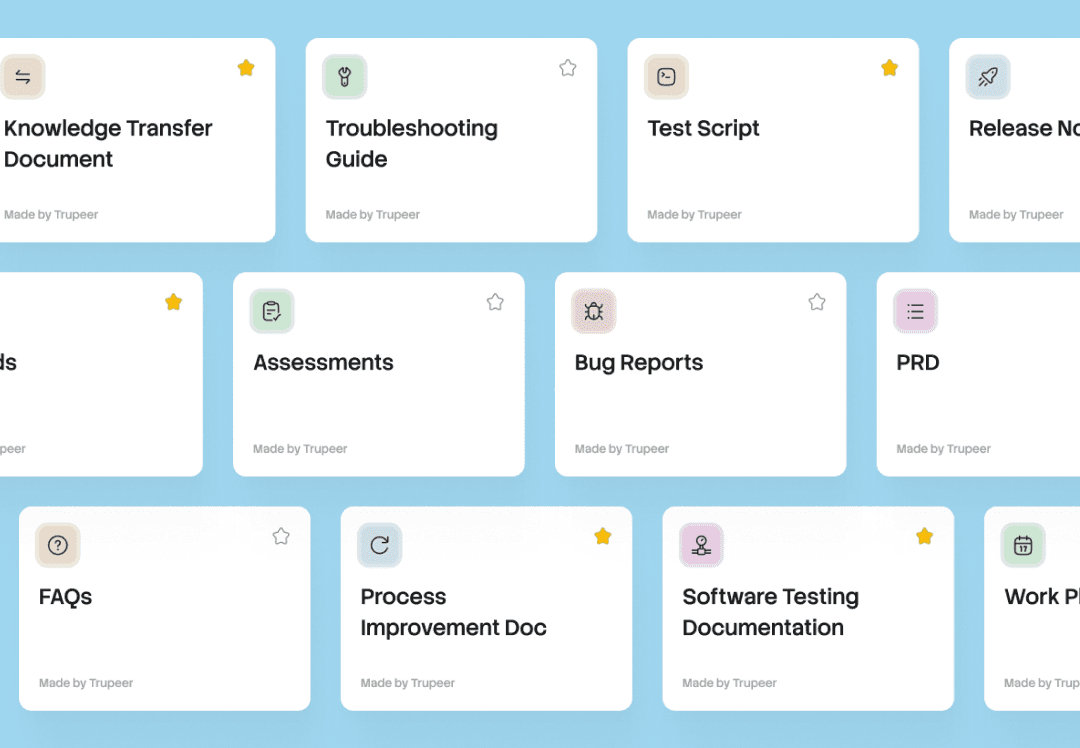
One recording, every document. A Skill bundles your prompts, formatting, and rules. Apply it to any recording and Trupeer generates ready-to-use docs and videos.
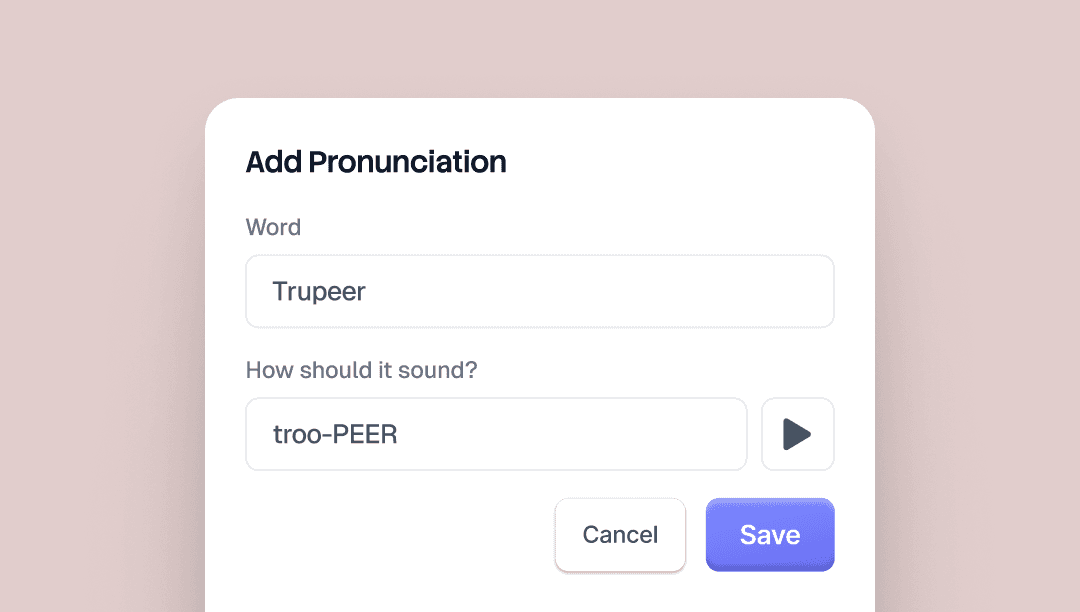
Alias Pronunciations lets you control how Trupeer's AI voice says specific words. Type the word as it's written, then type it again the way it should sound.
For "Trupeer," you'd write "true peer." The AI voice picks it up across every video.
There's a preview button on the brand kit page so you can hear the result before saving.
Useful for brand names, product names, acronyms, and any term the AI voice tends to mispronounce.

