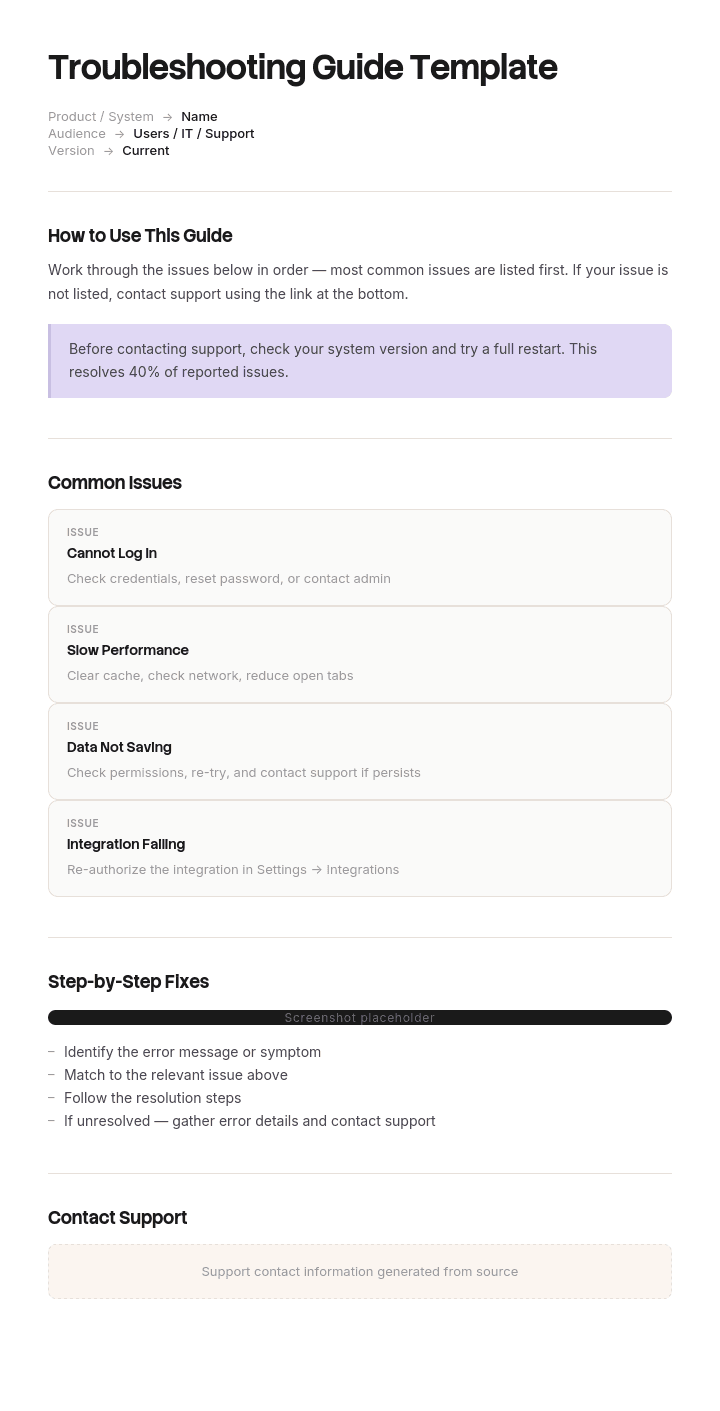
Use this template
A clear troubleshooting guide saves hours of support time and customer frustration. With Trupeer, you can save hours on writing troubleshooting guides by starting with a free template, customizing it with your brand guidelines, and turning troubleshooting flows into video walkthroughs users can follow in real time.
What is a free troubleshooting guide template?
A free troubleshooting guide template is a reusable structure for helping somebody diagnose and fix a problem: the symptoms, the likely causes, the checks that distinguish between them, and the fixes.
It is the only document in the documentation family whose job is narrowing. A procedure tells you how to do something. A reference tells you what something is. A troubleshooting guide starts with an unwanted situation and has to get from there to a cause, which is a different task requiring a different structure.
Almost every published template misses that, because they are all built as lists of problems with solutions beside them, and a list requires the reader to already know which problem they have.
Format follows use. A free troubleshooting guide template Word file suits the guide itself. A free troubleshooting guide template Excel version suits the symptom and cause matrix behind it. A free troubleshooting guide template PDF, or any troubleshooting guide PDF, suits the version somebody carries or prints, which matters where the fault is with the device they would otherwise be reading it on.
Troubleshooting guides are written backwards
Here is the structural fault, and once you have seen it you will see it in every guide you open.
Troubleshooting guides are written by people who know the answer. An engineer who has diagnosed the same fault two hundred times knows it is the air filter. So they write the entry as: if the air filter is fouled, the oven will not reach temperature and the fan will sound louder than usual.
That sentence is completely accurate. It runs from cause to symptom.
The reader has the symptom. They have an oven that will not reach temperature and no idea what an air filter has to do with it. To find that entry, they would have to already suspect the thing the guide is going to tell them.
The same fault shows up as organisation. Guides get structured by subsystem, component or module, because that is how the people who maintain the thing think about it. Water system, heating, control board, door mechanism. To use a guide organised that way, you must first decide which subsystem you are in, which is most of the diagnosis and precisely what the reader cannot do.
So the guide is indexed by cause and entered by symptom, and the gap between those two is where the reader gives up and rings somebody.
The count takes two minutes. Read your headings and mark each as a cause or a symptom. In most guides the causes win comfortably.
How to customize this template in Trupeer
Step 1: Open the Templates Section
Go to the Templates section from the main navigation.

Step 2: Select and Open a Template
Click on any template you want to work with to open it.

Step 3: Expand the Template View
If needed, expand the template view to see the full layout and details clearly.

Step 4: Edit the Template
Click on Edit to start modifying the selected template.

Within the editor, you can:
Add new sections
Define or update formatting rules
Add a logo and adjust its position and related settings
Step 5: Save Your Customized Template
After making all necessary changes, click Save to store the updated template as your own.

Step 6: Preview and Fine-Tune the Template
When you want to see how your customized template looks, open the Preview.

From the preview screen, you can continue to make adjustments directly if needed, ensuring the template appears exactly as you want.
With a troubleshooting guide template you can:
Save hours on writing: Skip the blank page with a structure built for troubleshooting content.
Reduce support tickets: Clear troubleshooting helps users self-serve.
Stay on-brand: Apply your logo, fonts and colors using Trupeer's brand kit.
Resolve issues faster: Built-in diagnostic flows help support agents and users move quickly.
Standardize support: Use the same template for every troubleshooting guide.
Reach global users: Translate troubleshooting guides into 65+ languages with one click.
Index by symptom, order by elimination
Two rules, and they are the whole method.
Every entry point is a symptom, in the words of the person who has it. Not "insufficient airflow" but "oven will not get hot enough". Not "authentication failure" but "it says my password is wrong". The wording matters as much as the structure, because a reader searching or scanning is matching against their own description of what they see.
Where a symptom has several common phrasings, list them all. Customers say the food comes out wet, engineers say the steam generator is over-producing, and both should reach the same entry.
Within each symptom, order the checks by how much they eliminate. This is where guides differ from lists most sharply.
A list of possible causes under a symptom is not much help if there are nine of them. What the reader needs is a sequence, and the right first check is the one that removes the most possibilities for the least effort. A two minute check that resolves a third of cases belongs at step one regardless of which subsystem it sits in. A forty minute strip-down that confirms something rare belongs last, however logically it follows.
The ordering rule is frequency multiplied by ease. How often is this the cause, and how cheap is it to rule in or out. Sort by that product, descending, and the guide starts doing the work the expert does in their head.
Two things follow. Checks from different subsystems end up adjacent, which offends the people who maintain the equipment and helps the people who fix it. And every check needs to say what its result eliminates, not just what it means, because that is what tells the reader where to go next.
Ordering the checks
Three things to record against every check.
What to do, and what you will see. As with any procedure, the observable result rather than an impression.
What each outcome eliminates. If the filter is clean, that rules out airflow restriction entirely, so skip steps four and five. If it is fouled, clean it and retest before going further. Stating the elimination is what makes the guide a diagnostic tool rather than an inventory.
Where to go next, per outcome. Explicitly. A reader mid-diagnosis has a result in hand and needs the next instruction, not a paragraph to interpret.
That third element is what a flowchart provides naturally and a table has to be written carefully to supply. It is also the most common omission: guides that list checks and leave the reader to work out what a negative result means.
One further rule worth adopting. If a check requires stripping something down, put a stop before it. Anything past that point costs real time, and a reader should know they are crossing from cheap checks into expensive ones.
What a troubleshooting guide template must contain
Nine components. The second and fifth are the ones most templates omit.
Component | What it does |
|---|---|
Symptom index | Every symptom in the reader's words, with synonyms, as the way in. |
Checks ordered by elimination | Frequency times ease, not by subsystem. |
Expected result per check | What the reader will see, stated so it can fail. |
What each outcome rules out | The diagnostic content, and what makes it a guide rather than a list. |
Where to go next per outcome | Explicit routing, both for a positive and a negative result. |
Stop points | Before anything expensive, irreversible, or requiring a different competence. |
Escalation | When to stop diagnosing and who to call, with what information to have ready. |
Safety warnings | Immediately before the step they concern, not gathered at the front. |
Version and last verified | Including which equipment or software versions the guide applies to. |
The escalation row is worth its space. A guide with no stopping point encourages somebody to keep going past the limit of their competence, and the information-to-have-ready clause turns a call for help into a useful handover rather than a description of confusion.
Where the equipment involves electrical, pressure, height or other regulated hazards, the guide sits alongside a risk assessment and should be reviewed by a competent person. Nothing on this page substitutes for that.
Free troubleshooting guide template: the structure to copy
Filled with a real example rather than placeholders. The equipment is a commercial combi oven.
Copy from here.
Symptom index. In the reader's words, with synonyms.
Oven will not get hot enough. Also reported as: takes too long to cook, food undercooked, temperature light stays on.
Food comes out wet. Also reported as: too much steam, soggy, steam not shutting off.
Oven will not turn on. Water leaking underneath. Door will not seal. Error code on display, see code index.
Symptom: oven will not get hot enough. Checks ordered by frequency times ease.
# | Check | You should see | If yes | If no |
|---|---|---|---|---|
1 | Remove and inspect the air filter, 2 minutes | Filter visibly clear, light passes through | Filter is fine. Airflow restriction ruled out, go to 2. | Clean or replace, run a 15 minute heat cycle, retest. Resolves about a third of these calls. |
2 | Check the door seal with a paper strip at four points, 3 minutes | Paper grips at all four points | Seal is sound, go to 3. | Replace seal. Retest before continuing. |
3 | Read the display fan speed against the plate rating, 2 minutes | Within 10 percent of rated | Fan is fine, go to 4. Motor and impeller ruled out. | Fan or impeller fault, see section 7. |
4 | Check element resistance at the terminal block, 8 minutes. Isolate first. | All three within tolerance on the plate | Elements fine, go to 5. | Replace failed element. |
5 | Stop point. Beyond here requires removing the rear panel and about 40 minutes. Confirm with the customer before proceeding. | |||
6 | Control board temperature sensor calibration, 40 minutes | Reading within 3 degrees of a calibrated probe | Sensor fine, escalate to technical | Recalibrate or replace sensor |
Warning, before step 4. Isolate at the local isolator and lock off before opening the terminal block. This step involves live electrical components if isolation has not been verified.
Escalation. After step 6, escalate to technical support. Have ready: serial number, error history from the display, results of steps 1 to 6, and the site's water hardness reading.
Version. Version 9. Applies to models from 2019 onward with firmware 4 or later. Earlier models: see the legacy guide. Last verified against a live unit in March.
Copy to here.
Note that step one is a filter and step three is a fan, and those sit in different subsystems in the manufacturer's own documentation. That is deliberate and it is the point of the exercise.
Troubleshooting guide example: sixty one percent first time fix
Marchbank Catering Equipment services about four thousand two hundred commercial kitchen sites with thirty eight field engineers.
Its combi oven troubleshooting guide ran to sixty two pages and was technically excellent. It had been written by two senior engineers and it was organised, sensibly, by subsystem: water system, heating, control board, door mechanism, steam generator.
First time fix rate was sixty one percent. Average time on site before starting any actual repair was forty seven minutes.
Both numbers had been stable for years and were assumed to reflect the difficulty of the equipment.
An engineering manager then followed six engineers for a week and watched how the guide was actually used.
Engineers arrive with a symptom, because that is what the customer reports. The oven will not get hot enough. The food is coming out wet. Something is leaking. To use a guide organised by subsystem, you must first decide which subsystem you are in, and that decision is most of the diagnosis.
Experienced engineers skipped the guide entirely and worked from memory, which is why the fix rate was sixty one percent rather than lower. Newer engineers worked through subsystems in the order the guide presented them, which meant checking the water system on a heating complaint.
The second finding was sharper. The single most common cause of an oven not reaching temperature was a fouled air filter, accounting for about a third of those calls, and the check took two minutes. It appeared on page forty one, in the airflow section, which came after water and heating.
So the most valuable check in the entire document, by a wide margin, was reached fourth or fifth by anybody following the structure.
The rewrite added no new technical content. Fourteen entry symptoms in customer language, with synonyms. Within each, checks ordered by frequency multiplied by ease. Explicit routing for both outcomes of every check, and a stop point before anything requiring more than ten minutes.
First time fix went from sixty one percent to seventy nine. Average diagnostic time before starting a repair went from forty seven minutes to eighteen.
The saving that mattered most was return visits. Each one cost about a hundred and forty pounds plus a lost slot in a schedule that was already tight, and the reduction paid for the rewrite several times over in the first quarter.
The sixty two pages had contained the right answer to every question. It had been organised for the people who wrote it.
How to create a troubleshooting guide in six steps
To create troubleshooting guide content, start from the ticket queue or the call log, in the words they were reported in. Not from the equipment manual, which is organised by component.
Count how often each symptom occurs. Frequency decides which symptoms get the most detailed treatment, and most guides give equal space to everything.
For each symptom, list the possible causes, which is the part experts find easy.
Order the checks by frequency times ease. This is the step that produces the reordering, and it is worth doing with the data rather than by feel, because experts systematically underestimate how often the boring cause is the cause.
Write what each outcome eliminates and where to go next. Both outcomes. A check with only a positive route leaves the reader stuck exactly where they were.
Test it with somebody inexperienced, on a real fault. Every point where they hesitate is a defect, and the fix is in the document rather than in an explanation.
Step four is where the value is and step one is what makes it possible. Both depend on data your organisation already has and rarely uses for this purpose.
Flowchart or table?
Both work and they suit different situations.
A flowchart represents the diagnostic logic naturally, since branching is what a flowchart is for. It is the better format where the diagnosis is genuinely a decision tree with several levels, and it is the format most people picture when they think about troubleshooting.
The cost is maintenance. Diagrams are harder to edit than tables, so a flowchart tends to go out of date and a stale flowchart is harder to correct than a stale paragraph. They also scale badly: a chart covering fourteen symptoms with six checks each is unreadable at any size somebody will actually view it.
A table per symptom, with columns for the check, the expected result, and where to go for each outcome, carries the same information and is far easier to maintain. That is the format in the example above, and for most guides it is the better default.
The practical answer for a guide of any size is a table per symptom, with a flowchart only for the two or three symptoms where the branching is genuinely complex enough to need one.
Troubleshooting guide, runbook or FAQ?
Three documents that overlap and are entered differently.
A troubleshooting guide starts from a symptom and narrows to a cause. Its structure is diagnostic and the reader does not know what is wrong.
A runbook is a sequence executed for a known task or a known fault. The reader knows what they are doing and needs the steps in order, and the runbook template covers it, including how to handle a handover partway through.
An FAQ answers a question somebody has, which may or may not be a fault. Its unit is the question rather than the symptom, and it does not narrow.
A quick reference guide is for somebody who knows what to do and needs a reminder of a specific detail, and the quick reference guide page covers how to make one findable.
The most common confusion is between the first two. A guide that assumes you know the cause is a runbook with the wrong title, and it will be useless to the person who does not.
What a free troubleshooting guide template cannot fix
Symptoms nobody has counted. No free troubleshooting guide template free download contains your call data, and the ordering depends entirely on it.
Expert intuition that was never captured. Your best engineer's first check is the most valuable content you have, and they will not think to write it down because it is obvious to them.
A structure inherited from a download. The best free troubleshooting guide template is the one you can index by symptom, and most cannot be without rewriting.
A guide written from the manual. Equipment manuals are organised by component because that is how the equipment is built. Reusing that structure guarantees the cause-indexed problem.
Faults with no fix at the reader's level. Some diagnoses end in escalation, and a guide should say so early rather than letting somebody spend an hour reaching that conclusion.
Capture what the expert checks first
The whole method above depends on knowing which check eliminates the most, and that knowledge sits with two or three people who cannot easily write it down.
Ask an experienced engineer how they diagnose an oven that will not reach temperature and you get a list of possible causes, because that is what the question sounds like it is asking. Watch them do it and you see something different: they check the filter before they have put their bag down, because two hundred call-outs have taught them where to start. That ordering is the content, and it is invisible in their own description.
Trupeer AI captures it directly. The person performs the diagnosis while recording, and the output is a written step by step walkthrough with images already captured and placed, alongside the video, in your own branding. The sequence in the recording is the sequence to write down, because it is what they actually did rather than what they would say they do.
Record it. Brand it. Translate it. Trupeer it.
Three things follow. Recording two or three engineers on the same fault shows where they differ, and the fastest one's order is usually the right one to standardise on. The video serves a newer engineer preparing for a call and the written guide serves them on site, from one recording. And where a service network spans several languages, the same recording produces the same guide in each, so the diagnostic sequence does not vary by country.
The material sits in your knowledge base and doubles as training for new engineers, which is the population the guide exists for. Step level repair procedures belong in the work instructions underneath. Consistency across your documents is a matter of setting the brand kit once, and setup is covered in the document template setup guide.
Frequently Asked Questions
Is there a free troubleshooting guide template Word version?
Word suits the guide, because it combines a symptom index with tables and needs revising as faults and fixes change. A free troubleshooting guide template Word file is the right working format.
Build one table per symptom rather than one table for everything, and set tables not to split across pages. A diagnostic table broken across a page fold is where readers lose their place, and they are usually holding the document one-handed.
Is there a free troubleshooting guide template Excel version?
Excel suits the analysis behind the guide rather than the guide itself. A free troubleshooting guide template Excel file is the right place to hold one row per fault with its symptom, cause, frequency and check time, and to sort by frequency times ease.
That sort is what produces the order of the checks. Do the analysis in a spreadsheet, then write the guide in a document, because the reader needs prose routing that cells handle badly.
Is there a free troubleshooting guide template PDF?
PDF suits the version somebody carries, prints or keeps offline, which matters more here than for most documents because the fault may be with the device they would otherwise read it on.
Export a free troubleshooting guide template PDF with the symptom index on page one and bookmarks per symptom, so a reader can jump rather than scroll. Include the version and which equipment or software versions it applies to.
Where can I find a troubleshooting guide PDF worth copying?
Equipment manufacturers publish these, and a troubleshooting guide PDF from a manufacturer's service documentation is the most useful source available, because it was written for engineers who bill by the hour.
Read them for two things. Whether the entry points are symptoms or components, which most get wrong. And whether each check states what its result eliminates, which is the part that distinguishes a diagnostic document from a list of possible causes.
Is there a troubleshooting guide example I can adapt?
The filled structure above is one, and it is deliberately a single symptom rather than a whole guide, because the symptom is where the pattern lives.
For a troubleshooting guide example from your own organisation, the fastest route is to take your three most common calls and write them properly, symptom-indexed and elimination-ordered. Those three will cover a surprising proportion of volume, and the exercise will show you what the rest need.
How do I create troubleshooting guide content from scratch?
Start with the call log rather than the manual. Pull the last three months of reported faults, group them by what the customer said rather than by what turned out to be wrong, and count them.
Then take the top symptom and write it properly. To create troubleshooting guide content that works, the two decisions that matter are that the entry point is a symptom and that the checks are ordered by what they eliminate. Everything else is formatting.
Is there a free troubleshooting guide template free download worth using?
The table structure takes twenty minutes to build and every published version is a list of problems and solutions, so a free troubleshooting guide template free download saves little.
Judge any of them on one question. Are the headings symptoms or causes? If they are causes, adopting the template inherits the fault this page describes, and the reader will have to know the answer before they can find it.
What is the best free troubleshooting guide template?
The best free troubleshooting guide template is whichever one lets you index by symptom and record what each check rules out, which in practice means a plain table rather than a designed layout.
If you are comparing options, check for a column recording where to go if a check comes back negative. Almost none have one, and its absence is why readers get three checks in and then ring somebody.

