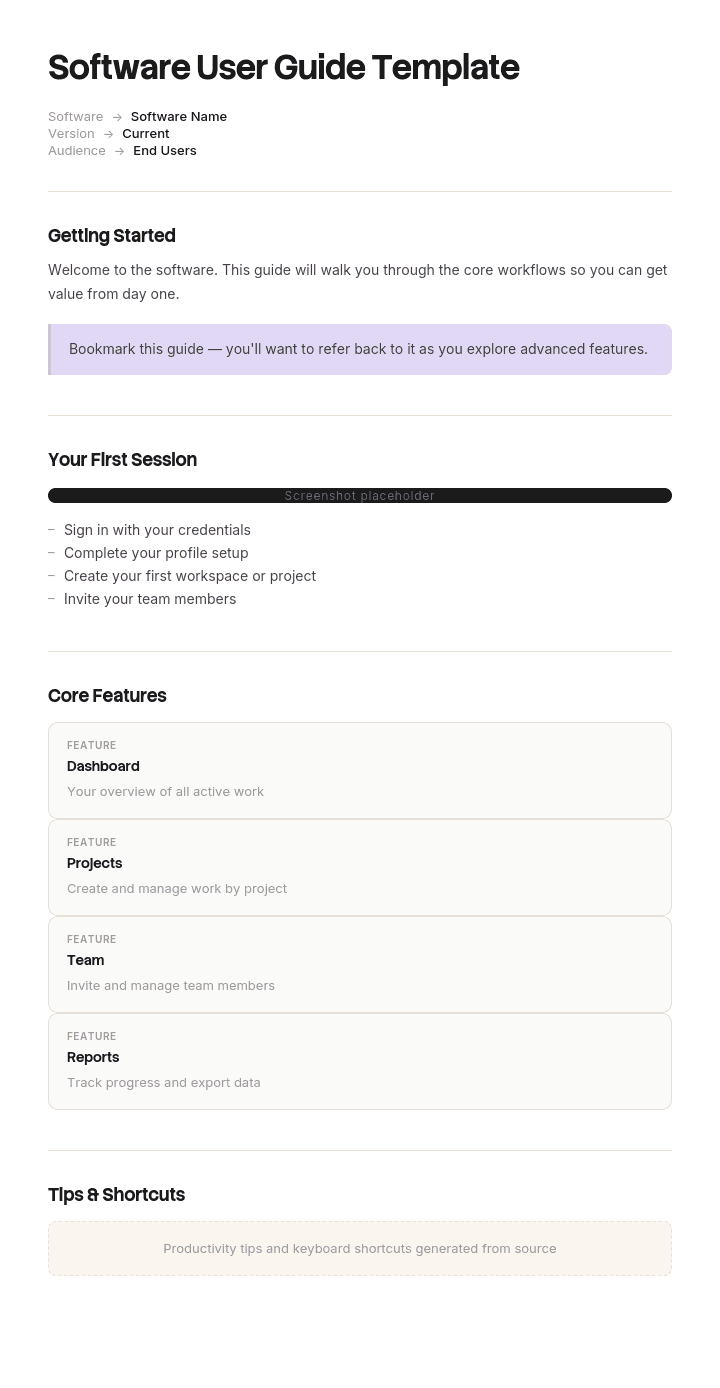
Use this template
A great software user guide is shorter, sharper and more task-focused than a full manual - and often more useful. With Trupeer, you can save hours on writing user guides by starting with a free software user guide template, customizing it with your brand guidelines, and using our AI manual creator to turn product walkthroughs into engaging video guides.
What is a free software user guide template?
A free software user guide template is a reusable structure for the documentation your end users read: how to do the things the software is for, written for the person using it rather than the person building or operating it.
It is one member of a larger family. Reference documentation, architecture records, operational runbooks and release notes all serve different readers, and the software documentation page covers how those divide. This page is about the one your customers actually open.
The template is not the guide. The section list takes twenty minutes to write. What decides whether a user guide works is a structural assumption most templates inherit without noticing, and it is wrong.
Format follows use. A free software user guide template Word file suits a guide delivered as a document, which is now the minority case and still common for on premise software and regulated products, and a user manual template Word file is the same tradition under an older name. A step-by-step user guide template Word free layout is the closest common starting point. A free software user guide template PPT layout suits training material derived from the guide rather than the guide itself, and a free software user guide template Excel file suits the content inventory rather than the guide. Most software user guides now live on a help site, and that changes the structure considerably, for the reason below.
Nobody reads a user guide from the beginning
Look at the analytics for any online help site and one number settles the argument.
The proportion of visits that begin on the home page or the contents page is small. Most users arrive directly on a deep page, from a web search or from a help link inside the product, carrying one specific question.
They did not read the introduction. They do not know what chapter they are in. They have not seen the terminology section, the setup instructions, or the note in chapter two explaining that everything afterwards assumes a configured account.
Yet almost every user guide is structured as a book: a contents page, chapters in a logical order, and pages that assume the reader has travelled through the preceding ones. That structure is inherited from printed manuals, where it was correct, and it survives in online help where it is not.
The result is a document that is coherent to its author and broken for its actual reader. A page beginning "following on from the previous section" is a dead end for the seventy percent of people who did not come from the previous section.
How to customize this template in Trupeer
Step 1: Open the Templates Section
Go to the Templates section from the main navigation.

Step 2: Select and Open a Template
Click on any template you want to work with to open it.

Step 3: Expand the Template View
If needed, expand the template view to see the full layout and details clearly.

Step 4: Edit the Template
Click on Edit to start modifying the selected template.

Within the editor, you can:
Add new sections
Define or update formatting rules
Add a logo and adjust its position and related settings
Step 5: Save Your Customized Template
After making all necessary changes, click Save to store the updated template as your own.

Step 6: Preview and Fine-Tune the Template
When you want to see how your customized template looks, open the Preview.

From the preview screen, you can continue to make adjustments directly if needed, ensuring the template appears exactly as you want.
With a software user guide template you can:
Save hours on writing: Skip the blank page with a structure built for user guides.
Reduce support tickets: Clear guides help users self-serve.
Stay on-brand: Apply your logo, fonts and colors using Trupeer's brand kit.
Improve adoption: Task-focused guides help users get value faster.
Add video walkthroughs: Embed video for steps that are hard to explain in text.
Reach global users: Translate user guides into 65+ languages with one click.
Every page is page one
The design rule follows directly. Write each page as though it is the only page the reader will ever see, because for most of them it is.
Six consequences, and they are all cheap.
State what the page assumes, on the page. Not in a preface. If the task requires an admin role, a configured integration or a completed setup step, say so in the first two lines, where somebody can discover they are in the wrong place before spending five minutes finding out.
Repeat rather than cross reference. Three lines of repeated prerequisite are cheaper than a link a reader has to follow, read, and return from. Repetition offends writers and helps readers, and the reader is the one you are writing for.
Remove every positional reference. As described above, in the previous section, using the method from 5.2. Each of these assumes a reading order that most readers did not follow. Replace with either the actual instruction or a named link.
Title the page as the question, not the feature. Covered further down, because it is the difference between being found and not.
End with one or two chosen next steps. Not a navigation tree. The reader has finished something and there is usually one obvious next thing, so name it.
Merge any page that cannot stand alone. If a page genuinely makes no sense without another, they are one page that has been split for the author's convenience.
The best free software user guide template is therefore whichever one lets you write this way. The test takes seconds. Open any page in your guide cold, as though you arrived from a search, and ask whether you could complete the task. Most guides fail this on the majority of their pages, and the failures are concentrated in the middle chapters where authors had most context in their heads.
What a software user guide page must contain
Components for a single page, since the page rather than the book is the unit.
Component | What it does |
|---|---|
Title as the user's question | What they would type or ask, not what the feature is called internally. |
What this page is for | One line. What you will have achieved at the end. |
What it assumes | Role, permissions, prior setup, prior state. Stated, not linked. |
Numbered steps | One action each, in the order performed. |
What you should see | Per step where the outcome is not obvious, so a reader knows whether to continue. |
Screenshot or short video where recognition beats description | Only where it earns its place, for reasons covered below. |
Common problems | Two or three, taken from support tickets rather than imagined. |
Next steps | One or two, chosen deliberately. |
Last verified date and version | When somebody last performed these steps and which product version. |
Across the set as a whole you also need a search that works, a way for readers to report that a page is wrong, and an owner. The report link is the cheapest quality mechanism available and almost nobody has one.
Free software user guide template: the structure to copy
Filled with a real example rather than placeholders. The software is veterinary practice management.
Copy from here.
Title. How to refund a client. Not: credit note reversal processing.
What this page is for. Return money to a client for an invoice they have already paid, and record it correctly against the practice accounts.
What it assumes. You have the Billing permission. Practices on the Standard plan have this by default for practice managers only. The invoice has been paid and reconciled. If it has not been paid, you are looking for cancelling an invoice, which is a different page and is linked at the end.
Steps.
Open the client record and select the Billing tab. You should see a list of invoices with a status against each.
Find the paid invoice. Paid invoices show a green tick. If it shows an amber clock it has not reconciled yet, and you must wait for reconciliation before refunding.
Select the invoice, then Refund. A refund panel opens showing the full amount.
Enter the refund amount. Partial refunds are allowed. The amount cannot exceed the paid total.
Select a reason from the list. This appears on the client's statement, so choose the one you are willing for them to read.
Select Process refund. You should see a confirmation with a refund reference beginning REF.
What you should see afterwards. The invoice status changes to Refunded or Partially refunded. The refund appears in the day book within fifteen minutes.
Common problems.
The Refund button is greyed out, which usually means the invoice has not reconciled. Wait and refresh.
The refund does not appear in the day book, which usually means it was processed after the day book cut off and will appear tomorrow.
You cannot see the Billing tab at all, which means you do not have the Billing permission. Your practice manager can grant it.
Next steps. Two only. Cancelling an unpaid invoice. Producing a client statement.
Last verified. 7 May, on version 14.2, by a member of the support team following these steps from the beginning.
Copy to here.
Note that the assumptions section duplicates information that also lives on the permissions page. That duplication is deliberate and is the point.
User guide example: a hundred and twelve pages that needed another page
Marlbury Systems supplies practice management software to about four and a half thousand veterinary practices. Its user guide ran to a hundred and eighty pages, published online, structured as a manual: getting started, clients and patients, appointments, clinical, billing, reports, administration.
It was thorough, accurate and well written. It had been produced by a technical writer who knew the product properly.
Two numbers from the analytics started the investigation. Seventy eight percent of visits arrived directly on a deep page, from a search engine or the in product help link. And the average time on page was fourteen seconds.
Fourteen seconds is not reading. It is arriving, scanning, and leaving.
The support team supplied the other half of the picture. The five most visited help pages generated more tickets than any others, which is the opposite of what a help page is for.
Somebody audited the guide against a single question: could a reader arriving cold on this page complete the task.
A hundred and twelve of the hundred and eighty pages contained at least one reference requiring another page. As described above. Following on from the previous section. Using the method in 5.2. Once you have completed the setup in chapter one.
The refund page, one of the most visited in the whole guide, opened with a sentence referring the reader to the preceding section for how to locate an invoice. Most people reading it had never seen the preceding section and had no reason to know it existed.
The rewrite changed no facts. Prerequisites were restated on each page rather than linked. Positional references were replaced with actual instructions. Page titles were rewritten against the site's own search log, which showed users searching for refund while the page was titled credit note reversal. Each page gained a short assumptions block and two chosen next steps.
Four months later, time on page had gone from fourteen seconds to seventy one. Tickets referencing the top twenty topics were down about forty one percent. The proportion of users who opened in product help and did not subsequently contact support went from thirty four percent to fifty eight.
The guide got longer, because repeated prerequisites take space. It also got used.
How to write a software user guide in six steps
Get the list of pages from support and search data, not from the product's menu structure. The tickets tell you what people cannot do and the search log tells you what words they use.
Write one page per task, titled as the question. If a title contains a feature name your users would not say aloud, change it.
Write the assumptions block first, before the steps. It is the section that stops somebody wasting five minutes on the wrong page.
Write the steps by performing them, not from memory. Anything you do automatically will otherwise be missing.
Take common problems from the ticket queue. Three real ones beat ten imagined.
Test by arriving cold. Open the page as a stranger would and try to complete the task without opening anything else.
Step one is what separates a guide organised around users from one organised around the software. The product's menu structure is a map of how the software was built. It is not a map of what people are trying to do.
Naming pages so people find them
Titles matter more in a user guide than in almost any other document, because search is the primary entry point and the title carries most of the matching weight.
Three rules.
Use the user's word, not yours. If your search log shows people typing refund and your page says credit note reversal, the page is invisible to them. Check the log. It is the cheapest research available and most teams never open it.
Start with the verb. How to refund a client. Not: client refunds, overview of. Verb first matches how people ask and reads faster in a list of results.
One task per title. A page titled managing billing covers everything and matches nothing. Split it.
Where an internal term genuinely is the right one, because it appears in the interface, put the user's word in the first line of the page so it is still findable. You are optimising for two audiences at once: the search engine and the person scanning results.
Screenshots and the maintenance problem
Screenshots help most where recognition beats description: identifying one control among many, showing an unfamiliar screen, confirming what a successful result looks like.
They are also the single largest maintenance liability in a user guide. A guide with two hundred screenshots is a guide with two hundred things that break silently the next time the interface changes, and interfaces change every few weeks.
Three rules keep the cost proportionate.
Use them where naming is hard and skip them where the instruction is clear on its own. A screenshot of a button labelled Save adds nothing.
Annotate directly rather than describing where to look in the text. An unmarked screenshot of a busy screen is a puzzle.
Date them and know which product version they show, so a reader can tell whether what they are looking at still exists.
The honest position is that most teams start with good intentions about visual documentation and end with text, because the recapture cost after every release exceeds the time available. That is a production problem rather than a willingness problem, and it is addressed further down.
User guide, user manual or how-to guide?
Three overlapping terms, and the distinctions are useful when choosing a structure.
A user guide covers a software product across the tasks its users perform. Multiple pages, entered at any point, maintained continuously.
A user manual is the same thing in the older, document shaped tradition, and the term is still standard for physical products and for software delivered on premise. Where a manual accompanies physical equipment, safety content and warning placement carry obligations that software guides do not, and the instruction manual tradition covers that ground.
A how to guide is one task, standalone, and is essentially a single page from a user guide published on its own.
The practical implication is that if you write every page to stand alone, as argued above, your user guide is already a collection of how to guides with navigation over the top, which is the correct architecture for online help.
A quick reference guide is different again: a lookup sheet for someone already trained, covered on the quick reference guide page.
What a free software user guide template cannot fix
A guide structured around the product. No template converts a feature organised guide into a task organised one. That requires the support and search data.
Pages nobody can find. A well written page with the wrong title is invisible. Titles are the cheapest thing to fix and the least often revisited.
Screenshots nobody maintains. No free software user guide template free download and no user manual template free download will recapture two hundred images after a redesign.
A product that requires this much guidance. If a task genuinely needs fourteen steps and three warnings, the documentation is doing work the interface should be doing. Write it anyway, and pass the observation to whoever owns the product.
Show the task rather than describing it
A user guide is the document type with the highest image requirement and the highest image maintenance cost, and those two facts together are why so many guides are worse than their authors intended.
The arithmetic is unforgiving. A hundred page guide with three images per page is three hundred captures, crops, annotations and placements. After a redesign, it is three hundred again. Nobody has that time in a release week, so the images go stale, and stale images are worse than none because readers trust them.
Trupeer AI changes the cost base. Somebody performs the task once while recording, and the output is a written step by step page with screenshots already captured, annotated and placed, alongside a short video, in your own branding. A page that took an afternoon takes minutes, and recapturing after a redesign means re-recording rather than reshooting.
Record it. Brand it. Translate it. Trupeer it.
Two further points matter specifically for user guides. The video sits on the page next to the written steps, which serves both the reader who wants to scan and the reader who wants to watch, and those are genuinely different people rather than the same person at different times. And where your users span several languages, the same recording produces the same page in each, so a guide translated once does not drift from the product while the English version keeps pace.
The material sits in your knowledge base and doubles as training for support staff, who are frequently the heaviest users of a user guide. Consistency across your documents is a matter of setting the brand kit once, and setup is covered in the document template setup guide.
Frequently Asked Questions
Is there a free software user guide template Word version?
Word suits a guide delivered as a document, which applies to on premise software, regulated products where a versioned manual is required, and anything handed over contractually. A software user guide template Word file works well for those.
For software with a help site, it works badly. Users arrive by search, they need each page addressable, and a Word document produces one long file with no per page entry point. If you are publishing online, use a documentation system and keep Word for the versioned deliverable.
Is there a step-by-step user guide template Word free version?
Yes, and the structure above pastes into one directly. Build the step-by-step user guide template Word free layout with one task per section, numbered steps of one action each, and an assumptions line at the top of every section.
Keep sections short enough to stand alone. The single most common fault in a Word based guide is a section that only makes sense after the one before it, which is invisible in a document and fatal once the same content is published online.
Is there a free software user guide template PPT version?
Slides suit training derived from a guide rather than the guide itself. A free software user guide template PPT deck is a reasonable format for a walkthrough session or an onboarding webinar.
Do not use it as the reference. Slides are not searchable in the way users need, they cannot be linked to from inside the product, and a deck read alone is missing the narration that carried most of its meaning.
Is there a free software user guide template Excel version?
Excel is not a guide format and is genuinely useful alongside one. A free software user guide template Excel file works well as a content inventory: one row per page, with its title, owner, last verified date, product version, monthly views and associated ticket volume.
That inventory is what tells you which pages to fix first. Pages with high traffic and high associated ticket volume are the ones failing, and without the inventory you will fix whichever page somebody complained about most recently.
Is there a free software user guide template free download worth using?
The page structure takes twenty minutes to build, so a free software user guide template free download saves little, and most published templates are shaped like books with a contents page and numbered chapters.
Adopting that shape is the mistake this page argues against. If you use one, strip the chapter numbering and make every page self contained, which is a change to how you write rather than to the file.
Is a user manual template Word file the same thing?
Broadly yes, with a difference in tradition rather than content. A user manual template Word file comes from the printed manual lineage, so it assumes sequential reading, a contents page and page numbers.
That works for a document that will genuinely be read as a document, including regulated deliverables and manuals accompanying physical equipment. For online software help, the assumptions behind it are the source of the problem described on this page.
Where can I get a user manual template free download?
Widely available and mostly interchangeable, because a numbered list of tasks is not a difficult layout. A user manual template free download will give you a contents page, chapter headings and a page structure.
The two changes worth making to any of them are an assumptions block at the top of each section and the removal of every positional cross reference. Those two edits take an hour on an existing guide and are worth more than changing template.
What is the best free software user guide template?
The best free software user guide template is the one that treats the page rather than the book as the unit, and almost none do.
If you are comparing options, check for one thing: does the template have a place on each page to record what the reader is assumed to already have done? That single field is what makes a page survive being arrived at from a search, which is how the large majority of your readers will reach it.


