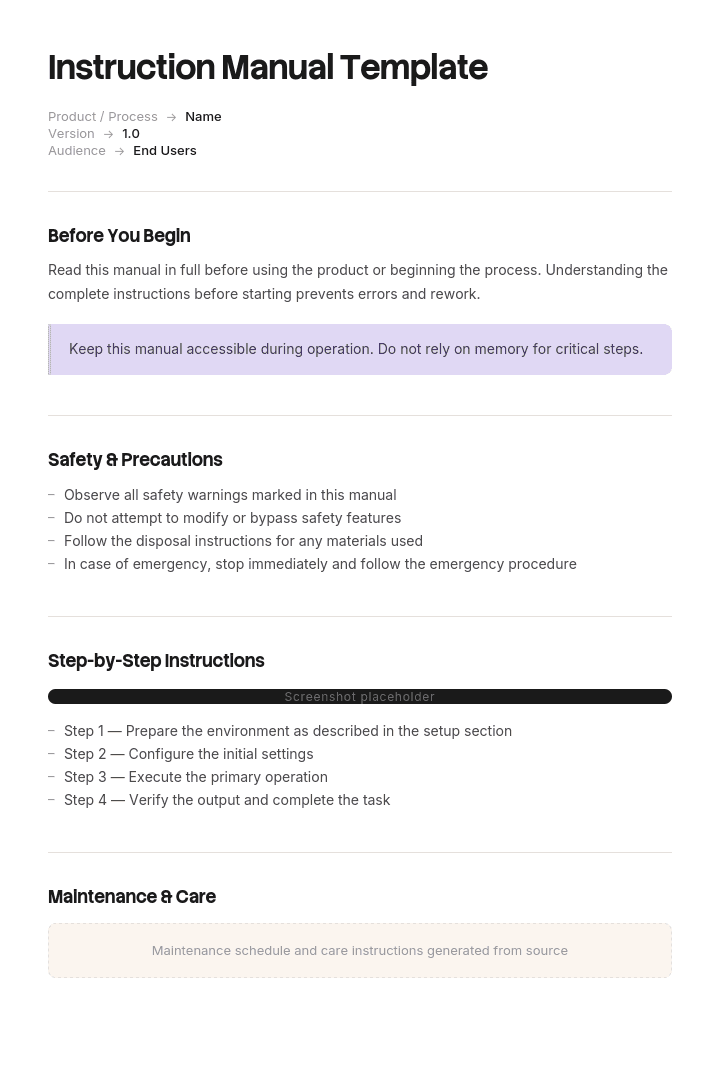
Use this template
A great instruction manual is what helps customers go from new buyer to confident user. With Trupeer, you can save hours on writing instruction manuals by starting with a free instruction manual template, customizing it with your brand guidelines, and using our AI manual creator to turn product walkthroughs into polished video manuals.
An instruction manual is not documentation in the ordinary sense. It travels with a product, it is often legally required, and if something goes wrong with that product the manual is one of the first things examined.
That changes how it should be written. Clarity matters for the same reasons it always does, and completeness of safety information matters for reasons that do not apply to a help article.
Download the instruction manual template
Format | Best for |
|---|---|
Word (.docx) | Writing and revising the manual |
The published version, print and digital supply | |
PowerPoint (.pptx) | Quick-start guides and single-sheet setup instructions |
Excel (.xlsx) | Parts lists, specification tables and the translation matrix |
Google Docs | Review with engineering, safety and legal |
Free, editable, no watermark.
Which manual do you need?
The document covers | Type | Template |
|---|---|---|
Assembling, operating and maintaining a physical product | Instruction manual | This page |
Using a product, often software | User manual | |
Using a software application specifically | Software user manual | |
Teaching someone to do a job | Training manual | |
How a business or facility operates | Operational manual | |
Servicing and maintaining equipment | Operation and maintenance manual | |
One task, in the workplace | Work instruction |
How to customize this template in Trupeer
Step 1: Open the Templates Section
Go to the Templates section from the main navigation.

Step 2: Select and Open a Template
Click on any template you want to work with to open it.

Step 3: Expand the Template View
If needed, expand the template view to see the full layout and details clearly.

Step 4: Edit the Template
Click on Edit to start modifying the selected template.

Within the editor, you can:
Add new sections
Define or update formatting rules
Add a logo and adjust its position and related settings
Step 5: Save Your Customized Template
After making all necessary changes, click Save to store the updated template as your own.

Step 6: Preview and Fine-Tune the Template
When you want to see how your customized template looks, open the Preview.

From the preview screen, you can continue to make adjustments directly if needed, ensuring the template appears exactly as you want.
With an instruction manual template you can:
Save hours on writing: Skip the blank page with a comprehensive manual structure.
Reduce support tickets: Clear manuals help customers self-serve, cutting tickets and returns.
Stay on-brand: Apply your logo, fonts and colors using Trupeer's brand kit.
Improve safety: Built-in sections for warnings, cautions and safety instructions.
Add video tutorials: Embed video for steps that are hard to explain in text alone.
Reach global customers: Translate manuals into 65+ languages with one click.
The manual is part of the product
Worth stating plainly because it changes the priorities.
In many jurisdictions, supplying a product without adequate instructions and safety information is a compliance failure in itself, separate from whether the product is safe. Requirements vary considerably by product category and market, and are stricter for machinery, electrical goods, children's products, medical devices and anything with a foreseeable misuse risk.
Where a product causes injury, the instructions are examined alongside the design. Two questions come up repeatedly: was the hazard warned about, and was the warning adequate given how the product would foreseeably be used.
Please note: this page is general guidance and not legal or safety advice. Requirements differ by product type and by market, and several regimes specify content, format and language obligations. Have your manuals reviewed against the requirements for each market you sell into, by someone qualified in product compliance.
Safety information and the warning hierarchy
There is an established convention for signal words, set out in standards including ANSI Z535 and ISO 3864, and using it correctly is one of the clearest markers of a competently produced manual.
Signal word | Means | Use for |
|---|---|---|
DANGER | Will cause death or serious injury if not avoided | Imminent, specific hazards. Rare, and should be |
WARNING | Could cause death or serious injury | Potential serious hazards |
CAUTION | Could cause minor or moderate injury | Lesser injury risks |
NOTICE | Property damage, no injury risk | Damage to the product or other property |
Three rules that matter.
Do not inflate. Labelling a minor risk as DANGER devalues the word, and once readers learn the warnings are exaggerated they stop reading all of them. That is a worse outcome than under-warning on one item.
Do not use CAUTION for property damage. That is what NOTICE is for. Mixing them blurs the injury versus damage distinction that the hierarchy exists to convey.
Structure each warning consistently. State the hazard, the consequence, and how to avoid it. "WARNING: Rotating blade. Contact will cause serious injury. Disconnect power before removing the guard." Not "WARNING: Be careful."
Where warnings go
Placement matters as much as wording.
A general safety section at the front is expected and necessary, but it is not sufficient. A reader following assembly step seven will not remember a warning from page two.
Put the warning immediately before the step it applies to, in addition to the general section. Repetition is correct here in a way it is not in other documentation.
Use consistent visual treatment so warnings are recognisable at a glance, and never split a warning across a page break in a printed manual.
Language and markets
If you sell into more than one country, translation is frequently a legal requirement rather than a courtesy. Many markets require instructions and safety information in an official language of the country of sale, and this applies to the safety content in particular.
Practical implications for how you write:
Write for translation from the start. Short sentences, consistent terminology, no idiom, no humour. A manual written in plain, repetitive English translates cheaply and accurately.
Use one term per concept. If it is a "guard", it is never a "cover" or a "shield" elsewhere in the manual. Translators cannot know they are the same thing.
Prefer symbols and illustrations where they can carry meaning, since they cross languages without cost.
Leave layout space. Translated text commonly runs longer than English, which breaks tight page designs.
Keep a translation matrix tracking which language versions exist, at which revision, for which markets. The Excel file includes one.
The most common failure is a manual translated at version 1 and revised three times in English only, leaving other markets with instructions that no longer match the product.
The instruction manual structure
Section | Contents |
|---|---|
Cover | Product name, model number, manual revision and date |
Important safety information | General warnings, intended use, foreseeable misuse |
Contents | Page-referenced |
What is in the box | Parts list with quantities and identifiers |
Tools required | Including anything not supplied |
Specifications | Dimensions, weight, power, capacity, operating conditions |
Assembly or installation | Numbered steps with illustrations |
Operation | How to use it, including controls and normal indications |
Maintenance | Routine tasks, frequency, consumables |
Troubleshooting | Symptom, likely cause, action |
Storage and transport | Where relevant |
Disposal | End of life, recycling, hazardous components |
Warranty and support | Terms, contact, what voids it |
Compliance | Declarations, certifications, standards met |
Sections are largely fixed by convention and, in some categories, by regulation. Readers and inspectors both expect this order.
Intended use and foreseeable misuse
A section most manuals write too narrowly.
Intended use states what the product is for, and by whom. Be specific about limits: load capacity, operating environment, age restrictions, required competence.
Foreseeable misuse covers what people will predictably do that they should not. Not every conceivable misuse, but the things that are obviously going to happen: standing on it, using it outdoors, running it without the guard, connecting it to the wrong supply.
Foreseeability is the operative concept. "Nobody should have done that" is a weak position if the thing they did was entirely predictable and the manual said nothing about it.
Assembly and installation
Number every step, one action each.
Illustrate every step where orientation, position or sequence matters. Assembly is the most illustration-dependent section of any manual.
Identify parts by the same label used in the parts list and on the packaging.
State fastener specifications where they matter: torque, sequence, thread engagement.
Include the checkpoint. "The panel should sit flush with no gap" tells the reader whether they did it right.
Warn at the step, not only at the front.
State when help is needed. Two-person lifts, and the weight, so the reader can judge.
Operation
Cover normal use first, then variations, then what to do when something looks wrong.
Include what normal looks and sounds like. A user who does not know the fan is supposed to run for two minutes after shutdown will report it as a fault, or worse, will unplug it.
Describe the controls in the order someone encounters them, with the labels exactly as they appear on the product.
Maintenance
Element | Include |
|---|---|
Task | What to do |
Frequency | Hours, cycles, or calendar |
Who | User, or qualified technician only |
Parts and consumables | With part numbers |
Safety | Isolation, cooling, lockout requirements |
Consequence of skipping | What happens if it is not done |
The "who" column matters. Clearly separating user-serviceable tasks from those requiring a qualified technician is both a safety measure and a warranty one.
Troubleshooting
Symptom, likely cause, action. Written in the words a user would use to describe the problem, not in the vocabulary of the mechanism.
It will not start. Check the power connection. Check the safety interlock is engaged. If the indicator flashes twice, the thermal cut-out has tripped and the unit needs 30 minutes to cool.
Include the point at which the user should stop and contact support rather than continuing to investigate. That boundary is a safety instruction as much as a service one.
Illustrations
More important here than in any other document type, because assembly and operation are spatial.
One illustration per step where position or orientation matters.
Exploded views for assemblies, with parts numbered to match the list.
Consistent viewing angle across a sequence, so the reader is not reorienting each time.
Callouts using the same numbers as the parts list.
Line drawings often beat photographs for assembly, because they remove visual noise and reproduce well in print at low cost.
Symbols to ISO conventions where they exist, since users recognise them across products.
Illustration is usually the largest cost in producing an instruction manual and the largest determinant of whether it works.
A worked example
Assembly, step 4 of 9
⚠ CAUTION · Pinch hazard. The frame can close under its own weight. Keep hands clear of the hinge while positioning.
4. Attach the seat panel to the frame.
Parts: seat panel (A), M6 × 30 bolts (F) × 4, washers (G) × 4.
Tools: 5 mm hex key (supplied).
Position panel A on the frame with the pre-drilled holes aligned and the smooth face upward. Insert a washer (G) onto each bolt (F), then fit all four bolts loosely by hand before tightening any of them.
Tighten in the sequence shown, to 8 Nm. Do not exceed 10 Nm.
Check: the panel should sit flat with no rocking, and no gap greater than 1 mm at any corner. If it rocks, loosen all four bolts and repeat.
[Illustration: exploded view, parts labelled A, F, G, tightening sequence numbered 1 to 4]
Note the elements: a warning at the point of risk, parts identified by the same labels as the list, hand-fit before tightening which is the step people get wrong, a torque figure with an upper limit, a verifiable check, and a recovery instruction if the check fails.
Writing style
Imperative mood. "Tighten the bolts" not "the bolts should be tightened".
One instruction per sentence.
Present tense, active voice.
Concrete measurements, never "firmly" or "securely".
One term per concept, used consistently throughout.
No idiom or humour. Both translate badly and neither belongs in a safety-relevant document.
Short sentences, under about twenty words.
Second person, addressing the user directly.
Testing the manual
Give it to someone who has never seen the product, with the product, and watch them.
Say nothing. Every hesitation marks an unclear step, every question is a defect, and every part they pick up and turn over is an identification problem. Note whether they read the safety section, because if they skip it your warnings need to be at the steps.
Test with someone who matches the actual user, which for consumer products means someone without technical background. Engineers testing an assembly manual will complete it successfully and learn you nothing.
This is the single highest-value hour in producing an instruction manual, and it is routinely skipped.
Versions and revisions
Instruction manuals need stricter version control than most documentation because they are tied to a product that also changes.
Record the manual revision on the cover and relate it to the product model or serial range it applies to. A manual that does not state which version of the product it describes causes real problems in service.
Keep superseded revisions archived rather than deleted. Where a product is in service for years, you may need to produce the instructions supplied at the time of sale.
Update the translations whenever the source changes, and track that in the translation matrix. A revision that reaches only the English version is a compliance gap in every other market.
Best practices
Use the signal word hierarchy correctly and do not inflate.
Warnings at the step, as well as in the safety section.
One term per concept throughout.
Illustrate every step where orientation matters.
Parts labelled consistently across list, illustrations and packaging.
Concrete specifications rather than "firmly".
A verification check after steps that can go wrong.
Write for translation from the first draft.
Test with a genuine novice, holding the product.
Version the manual against the product model, and archive superseded revisions.
Common mistakes
Signal words inflated, so readers discount all warnings.
CAUTION used for property damage instead of NOTICE.
Safety information only at the front, never at the relevant step.
Vague instructions: tighten firmly, ensure correct alignment.
Terminology varying between sections, which also breaks translation.
Parts named differently in the list and the illustrations.
No verification checks, so users cannot tell if a step succeeded.
Foreseeable misuse not addressed.
Translations left at an earlier revision than the source.
Tested only by people who designed the product.
No indication which product version the manual applies to.
Illustrations too few, because they are the expensive part.
Record the assembly once, in every language
Open the template in Trupeer AI, apply your brand kit so manuals match your product documentation, and edit any section directly. Setup is in the template guide.
Two things make instruction manuals expensive. Illustration, which is the largest single cost and the largest determinant of whether the manual works. And translation, which multiplies every revision by the number of markets you sell into.
Recording addresses both. Perform the assembly or the operating procedure once and Trupeer AI produces the written steps with visuals captured from the recording, plus a narrated video walkthrough. Translate it into 65+ languages, which is the cost that scales worst when done conventionally.
A video does not replace a printed manual, and for regulated products it will not satisfy a requirement to supply written instructions. What it does is give you a version customers actually watch, alongside the document that has to exist. Keep both in your knowledge base so support can send the right one.
Record it. Brand it. Translate it. Trupeer it.
Frequently Asked Questions
Is there a free instruction manual template in Word?
Yes. Word is the main format, with all sections structured including safety information, parts list, assembly, operation, maintenance and troubleshooting. Free download, no sign-up, no watermark.
Can I download a free instruction manual template?
Yes, every format is a free download with no account required and no attribution.
Is there a free instruction manual template in PDF?
Yes, both blank and as a completed example showing the level of detail in the assembly and safety sections, which are the two that most distinguish a good manual from a poor one.
Is there a free instruction manual template in PPT or PowerPoint?
Yes. The PowerPoint version suits quick-start guides and single-sheet setup instructions, the fold-out card that ships in the box alongside the full manual. It is not a substitute for the manual itself where written instructions are required.
Is there a free instruction manual template in Excel?
Yes, holding the tabular content: parts lists with quantities and identifiers, specification tables, the maintenance schedule, and a translation matrix tracking which language versions exist at which revision.
Is there a user manual template in Word?
Yes, though it is a different document. A user manual covers how to use a product, frequently software, while an instruction manual covers assembling, operating and maintaining a physical one. See the user manual template or the software user manual template.
Is there a step-by-step user guide template in Word, free?
Yes, on the how-to guide template page, which covers multi-task guides. This page is for manuals that ship with a physical product and include safety, maintenance and compliance content.
What is the best free instruction manual template?
The one that handles safety properly. Most templates give you a contents structure, which is the easy part and largely conventional. What separates a competent manual is correct use of the warning hierarchy, warnings placed at the relevant step rather than only at the front, and foreseeable misuse addressed.
What is an instruction manual?
A document supplied with a product explaining how to assemble, install, operate, maintain and dispose of it safely, together with the safety information and specifications the user needs. In many markets supplying one is a legal requirement rather than a choice.
What should an instruction manual include?
Cover with model and revision, important safety information, contents, what is in the box, tools required, specifications, assembly or installation, operation, maintenance, troubleshooting, storage and transport, disposal, warranty and support, and compliance declarations.
What are the safety warning levels in a manual?
Four signal words by convention: DANGER for hazards that will cause death or serious injury, WARNING for those that could, CAUTION for minor or moderate injury, and NOTICE for property damage with no injury risk. Using them accurately matters, because inflating warnings teaches readers to ignore all of them.
Where should safety warnings go in a manual?
Both in a general safety section at the front and immediately before each step they apply to. A reader on assembly step seven will not recall a warning from page two, and repetition here is correct even though it would be poor practice in other documentation.
Do instruction manuals have to be translated?
In many markets, yes. Requirements vary by product category and country, and safety information in particular is often required in an official language of the country of sale. Write for translation from the first draft, using short sentences and consistent terminology, and keep every language version at the same revision as the source.
How do you test an instruction manual?
Give it to someone who has never seen the product, with the product in front of them, and watch without helping. Every hesitation is an unclear step and every question is a defect. Test with someone matching the real user rather than with engineers, who will complete the assembly successfully regardless of how the manual is written.
How long should an instruction manual be?
As long as safety and completeness require and no longer. Simple products may need four pages, complex equipment several hundred. Length is driven by the number of steps, hazards and maintenance tasks rather than by a target, and padding a manual makes the important content harder to find.
Can I customise this instruction manual template?
Yes, every version is fully editable. The section order is largely conventional and worth keeping, since users and inspectors both expect it. What must be yours is the safety content, which has to reflect your specific product and its foreseeable misuse, and should be reviewed by someone qualified in product compliance for your markets.

