Use this template
A great software user manual turns confused users into confident ones. With Trupeer, you can save hours on writing software documentation by starting with a free software user manual template, customizing it with your brand guidelines, and using our AI manual creator to turn product walkthroughs into polished video manuals.
What is a free software user manual template?
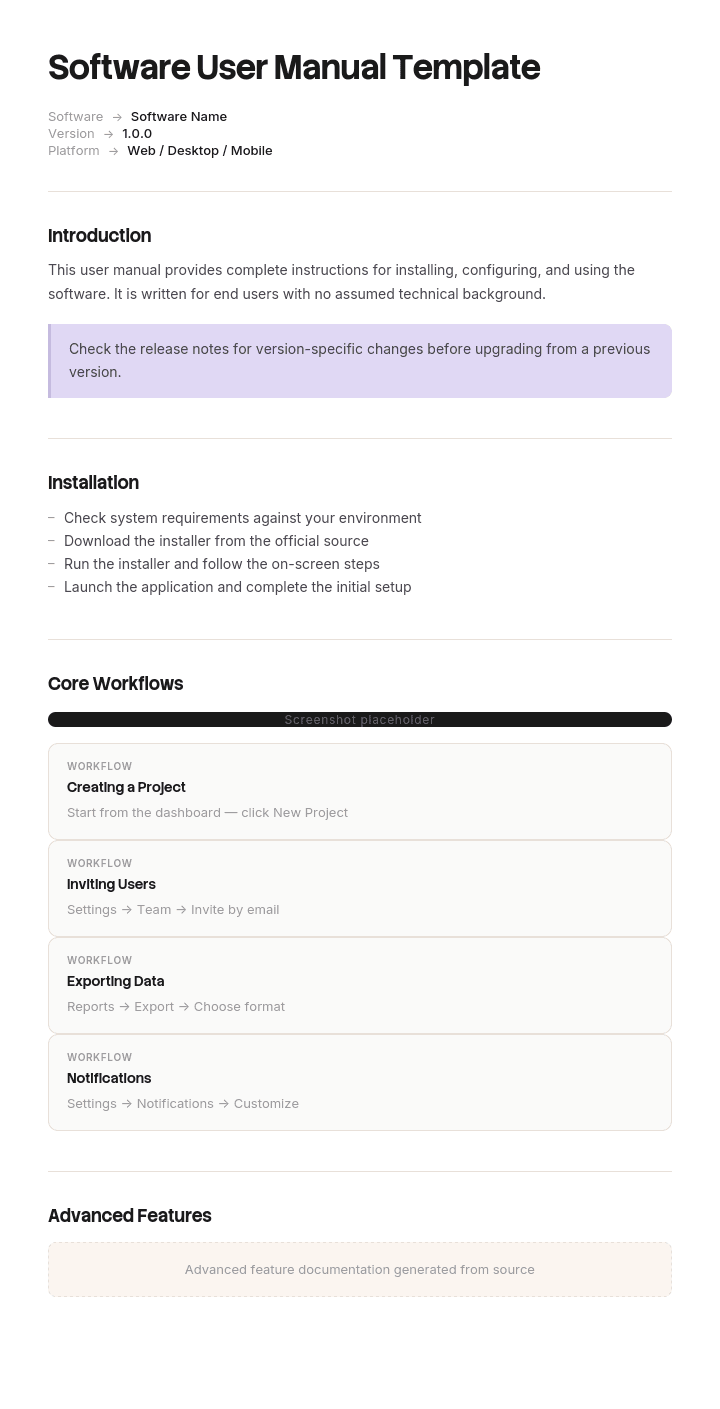
A free software user manual template is a reusable structure for a complete, versioned document describing how to use a piece of software, produced as a deliverable rather than as a living website.
That distinction is the reason this document still exists in a world of help sites. Manuals are produced when the documentation has to be complete, fixed and self contained: software delivered on premise, products sold into regulated environments, systems running in networks with no external access, and contracts where a manual is a named deliverable.
If your software is a hosted product and your users reach documentation through a search engine or an in product help link, you want a help site rather than a manual, and the software user guide page covers how that should be structured.
The template is not the manual. Section lists for manuals are widely published and largely interchangeable. What decides whether a manual works in practice is how it handles the problem below, which help sites never face and almost no template addresses.
Format follows delivery. A free software user manual template Word file is where these are written and reviewed. A free software user manual template PDF is what ships, because a manual is a fixed record and a PDF is the only common format that behaves like one. To pair it with a video version, run the PDF through a PDF to video converter. A free software user manual template PPT layout suits training derived from the manual, and a free software user manual template Excel file suits the content inventory behind it rather than the document.
A manual is a snapshot, a help site is a stream
A help site has one version: the current one. When the software changes, the page changes, and every reader sees the new page. Old versions do not persist because there is only ever one copy.
A manual behaves in the opposite way. You produce it, you ship it, and from that moment copies exist independently of you. They sit on customer file servers, in printed folders, attached to old emails and inside procurement records. You cannot update them and you frequently cannot tell who holds which.
Meanwhile the software moves on. Within a couple of years you have a customer base spread across many releases, all reading documents produced at different moments, and no reliable way of knowing which document any given reader is holding.
This is the defining problem of a software manual and it is entirely absent from a help site. Every design decision below follows from it.
How to customize this template in Trupeer
Step 1: Open the Templates Section
Go to the Templates section from the main navigation.

Step 2: Select and Open a Template
Click on any template you want to work with to open it.

Step 3: Expand the Template View
If needed, expand the template view to see the full layout and details clearly.

Step 4: Edit the Template
Click on Edit to start modifying the selected template.

Within the editor, you can:
Add new sections
Define or update formatting rules
Add a logo and adjust its position and related settings
Step 5: Save Your Customized Template
After making all necessary changes, click Save to store the updated template as your own.

Step 6: Preview and Fine-Tune the Template
When you want to see how your customized template looks, open the Preview.

From the preview screen, you can continue to make adjustments directly if needed, ensuring the template appears exactly as you want.
With a software user manual template you can:
Save hours on writing: Skip the blank page with a structure built for software documentation.
Reduce support tickets: Clear manuals help users self-serve - cutting tickets significantly.
Stay on-brand: Apply your logo, fonts and colors using Trupeer's brand kit.
Improve adoption: Users who understand your software use it more - and stick around longer.
Add video walkthroughs: Embed video for steps that are hard to explain in text.
Reach global users: Translate user manuals into 65+ languages with one click.
The version problem, and what to do about it
Three failures recur, and all three are cheap to prevent at the point of writing.
The reader does not know which version their manual describes. Almost every manual carries the version on the cover and nowhere else. A reader who opens a PDF and searches within it, which is what people do, lands on page ninety four and never sees the cover. Put the software version in the footer of every page. It costs one field in a template and it removes the most common form of the problem.
The reader does not know which version they are running. Say how to check, in the first pages, in one line. Most manuals assume the reader knows and many users do not.
The manual does not say when a feature appeared. A reader on an older release follows an instruction for something that does not exist yet, concludes the software is broken, and contacts support. Mark features with the version that introduced them, and mark anything whose behaviour changed with the version in which it changed. This is more work than the other two and it prevents the expensive failures.
Add one more thing, which is not about the reader but about you. Keep every published version of the manual available on your support site rather than only the latest. A customer on an older release needs the manual for that release, and hosting only the current one guarantees they will use the wrong document.
What a software user manual must contain
Ten components. The first two and the last two are what distinguish a manual from a help site.
Component | What it does |
|---|---|
Version and applicability | Software version, manual revision, publication date. On the cover and in every page footer. |
How to check your version | One paragraph, near the front, so a reader can confirm they have the right manual. |
What changed in this revision | A short list, so a returning reader can find the differences without rereading. |
Intended audience and assumed knowledge | Stated, because a manual is read by people with no way of asking you a question. |
Getting started | The shortest path to one working outcome. |
Task chapters | Organised by what users do rather than by the product's menu structure. |
Reference sections | Settings, fields, error messages, keyboard shortcuts. Looked up rather than read. |
Troubleshooting | Real problems from support tickets, with their resolutions. |
Complete contents and index | A manual is used through search and index, so both must be real rather than decorative. |
Support and contact routes | How to get help, since a shipped manual is often the only thing a user has. |
The completeness requirement is worth stating explicitly. A manual cannot link out to live content for anything a reader genuinely needs, because it may be read in an environment with no network access or after the linked page has moved. Everything essential is inside the document.
Free software user manual template: the structure to copy
Filled with a real example rather than placeholders. The software is a laboratory information system delivered on premise.
Copy from here.
Cover. Product name. Software version 11.2. Manual revision C. Published 14 March. Applies to versions 11.0 through 11.2 only.
Page footer, on every page. Product name, software version 11.2, revision C, page number. This is the single most useful line in the document.
How to check your version. Select Help, then About. The version appears as a number such as 11.2.4. If your first two numbers are not 11.2, this manual does not describe your system, and the correct manual for your version is on the support site under Documentation Archive.
What changed in revision C. Archiving became reversible in version 11.0. On earlier versions archiving is permanent and cannot be undone from within the application. See chapter nine. Specimen re-labelling gained a second confirmation step in 10.4.
Intended audience. Laboratory staff performing routine sample handling and reporting. Assumes you have been given a user account and have completed local induction. Does not cover system administration, which is in the administrator manual.
Getting started. Logging in, the main screen, and completing one specimen registration end to end.
Task chapters. Organised by what people do. Registering specimens. Recording results. Reporting. Searching historic records. Archiving. Each task page states what it assumes and carries the version applicability in the footer.
Feature availability markers. Used throughout, in the form: Available from version 10.4. Behaviour changed in version 11.0. These appear beside the relevant instruction rather than in an appendix.
Reference. Field definitions, status codes, error messages with meanings, keyboard shortcuts.
Troubleshooting. Twelve entries taken from the support queue, each with symptom, likely cause and resolution.
Index. Real, covering the terms users use as well as the terms the interface uses, so a reader searching for refund finds the credit note page.
Support. Telephone, portal, hours, and what information to have ready. Included because a user reading this may have no other route.
Copy to here.
Software user manual example: sixty one percent on a different version
Denholm Clinical Systems, a company of about a hundred and twenty people, supplies a laboratory information system to hospital and private laboratories. The software is installed on customer premises and customers upgrade on their own schedules.
The manual ran to two hundred and forty pages, produced as a PDF and issued with each release. It was well written and complete.
The support site hosted one manual: the latest.
Sixty one percent of the installed base was running a version older than the one the current manual described. Several sites were two major versions behind, which is unremarkable in that sector, where upgrades require validation.
A laboratory running version 8.4 needed to archive fourteen months of historic records. They opened the current manual, revision for version 11.2, and read the archiving chapter. It stated that archived records could be restored from the Archive tab at any time.
That was true from version 11.0 onwards. On 8.4, archiving was permanent.
They archived fourteen months of records. There was no restore. Recovery required restoring from backup, which took three days of laboratory downtime and a supplier engineer on site, and cost around forty six thousand pounds between the recovery work and the disruption. A formal complaint followed, and it was justified.
Nothing in the manual was inaccurate. Every statement in it was true of version 11.2. The cover said 11.2. The reader had searched the PDF, landed on page one hundred and forty one, and read a correct instruction for software they were not running.
Three changes followed and none was expensive.
The version went into the footer of every page. A one line instruction on how to check your own version went near the front. Features and behaviours gained availability markers, so the archiving chapter now reads that restoration is available from version 11.0 and that archiving is permanent on earlier releases.
The fourth change was hosting. Every published manual revision went onto the support site under a documentation archive, so a customer on 8.4 could find the 8.4 manual.
Support tickets attributable to version confusion went from around twenty three a month to four.
The reader had done nothing wrong. They had used the only manual the supplier made available.
How to write a software user manual in six steps
Decide whether you actually need a manual. If your users have network access and reach documentation by search, a help site serves them better. Manuals are for shipped, fixed, complete documents.
Fix the version scheme first. Which software versions this manual covers, and what the manual's own revision numbering is. Both go in the footer.
Structure by task, not by menu. The product's menu structure describes how it was built. Users arrive with something they are trying to do.
Mark availability as you write. Noting that a feature arrived in a particular version is trivial while writing and close to impossible to reconstruct afterwards.
Take troubleshooting from the support queue. Your most common tickets are the chapter, already prioritised.
Build a real index. Including the words users say rather than only the words the interface uses. In a shipped document the index is the search function.
Step four is the one that gets deferred and the one that prevents the failures that cost money.
When you need a manual rather than a help site
Five situations where a manual is the right answer, and outside them a help site usually wins.
Software delivered on premise, upgraded on the customer's schedule. Your users are distributed across versions and cannot all be served by one current page.
Environments without external network access. Secure facilities, industrial control systems, medical devices, defence. The documentation has to be present locally and complete.
Regulated products. Where documentation is part of what was assessed or certified, it must be fixed, versioned and retrievable. Validated environments frequently require the manual for the validated version specifically. Any manual forming part of a regulatory submission or a certified product should be reviewed against the applicable standard by a qualified person, and nothing on this page substitutes for that.
Contractual deliverables. Where a manual is a named item in a contract or a procurement schedule, the contract's requirements govern the format and content.
Products where the user has no support route. Physical distribution, one off sales, long lived equipment. The manual is all they will ever have.
The best free software user manual template for any of these is whichever one survives being reissued four times a year. If none of these apply, the honest answer is that you are producing a manual out of habit, and a help site would serve your users better and cost you less to maintain.
Software user manual, user guide or instruction manual?
Three terms with overlapping usage, and the differences worth knowing when choosing a structure.
A software user manual is complete, versioned and delivered. It assumes the reader may have no other resource and no way of asking a question.
A software user guide is the same content in the online, continuously updated tradition, entered from search and maintained page by page. Different structural rules apply, covered on the software user guide page.
An instruction manual usually accompanies physical equipment, where safety content, warning placement and statutory obligations apply that software documentation does not carry. The instruction manual page covers that tradition.
In practice, teams frequently need both a manual and a help site, with the manual generated from the same source content at release. That is the arrangement worth aiming for, because maintaining two independent sets of documentation produces two sets that disagree.
What a free software user manual template cannot fix
One manual for many versions. No structure resolves this. Only publishing a manual per version and keeping the archive does.
A manual nobody can find. Hosting only the latest revision guarantees that customers on older versions read the wrong document.
Screenshots from a previous release. Every image in a manual is pinned to a version, which is an argument for marking them and for the production approach below.
Version information a template never asked for. No free software user manual template free download and no user manual template free download carries a version applicability field, because manual templates were designed for products that do not change.
A document assembled from a help site without adjustment. Online pages assume links work and content is current. Exported into a fixed document, both assumptions fail, and the result reads as a website printed out because it is.
Show the software rather than describing it
Manuals carry a heavier visual burden than any other documentation format, for a reason specific to how they are delivered.
A help page can link to a video. A manual frequently cannot, because it may be read offline, in a secure environment, or years after the link stopped working. So everything the reader needs has to be inside the document, which means images rather than links, and a two hundred page manual can carry several hundred of them.
Then the version problem multiplies it. Each image is pinned to the release it was captured on, so a new major version means recapturing the set. That is why manuals so often ship with images two releases out of date, and why readers stop trusting them.
Trupeer AI changes the arithmetic. Somebody performs the task once, on the version being documented, while recording, and the output is a written step by step walkthrough with images already captured, annotated and placed, alongside a video, in your own branding. Producing the image set for a new release means re-recording rather than reshooting several hundred screens.
Record it. Brand it. Translate it. Trupeer it.
Two further points matter for manuals specifically. The video version can accompany the manual on the support site for customers who do have network access, so the same production serves both delivery routes without doubling the work. And where a product ships internationally, the same recording produces the same manual content in each language, which matters more here than for a help site, because a shipped manual in the wrong language cannot be quietly corrected later.
The material sits in your knowledge base and doubles as training for support staff and implementation teams. Operational procedures for whoever runs the software belong in the runbook. Consistency across your documents is a matter of setting the brand kit once, and setup is covered in the document template setup guide.
Frequently Asked Questions
Is there a free software user manual template Word version?
Word is where manuals are written, reviewed and revised, and it handles the things manuals need: a real table of contents, an index, cross references, page numbering and footers.
The footer is the setting worth getting right. Put the software version and the manual revision in it before you write anything, so every page carries them. A free software user manual template Word file without version information in the footer will produce the problem described on this page.
Is there a user manual template Word version for general use?
Yes, and general purpose ones are widely available. A user manual template Word file will typically give you a cover, contents, chapters, troubleshooting and an index, which is a reasonable skeleton.
Two additions are needed for software specifically. Version applicability in the page footer, and a way of marking when a feature appeared. Neither is present in general templates because neither matters for a document describing something that does not change.
Is there a free software user manual template PDF?
PDF is what ships. Write in a document, then export a free software user manual template PDF for delivery, with the version and revision visible on every page rather than only on the cover.
Two production details. Generate real bookmarks from your headings, since readers navigate long PDFs that way. And make sure the text is searchable rather than an image, which occasionally happens when manuals are assembled from design tools.
Where can I get a user manual template free download?
Widely available, including from standards bodies and public agencies, whose versions tend to be better structured than commercial template sites because they were written to be used.
Whichever user manual template free download you start from, the first edit is the footer. The second is adding a short section near the front telling the reader how to check which version of the software they are running, which almost no template includes and which prevents the most common category of manual related support contact.
Is there a free software user manual template PPT version?
Slides suit training built from a manual rather than the manual itself. A free software user manual template PPT deck works for an onboarding session or a customer training day.
It is not a substitute for the document. A manual exists to be complete and searchable for somebody with no other resource, and a slide deck is neither.
Is there a free software user manual template Excel version?
Excel suits the inventory behind the manual rather than the manual itself. A free software user manual template Excel file works well as a content register: one row per section, with its owner, the version it was last verified against, whether its images are current, and which product versions it applies to.
That register is what makes a release update manageable. Without it, updating a two hundred page manual for a new version means rereading all of it.
Is there a free software user manual template free download worth using?
The section list takes half an hour to build and most published templates are close to identical, so a free software user manual template free download is not saving much.
Judge any of them on one question. Does it have a place for version applicability on the page rather than only on the cover? Essentially none do, because most manual templates were designed for products that do not change, and software does.
What is the best free software user manual template?
The best free software user manual template is whichever one you can put a version footer into and maintain across releases, which in practice means a plain document rather than a designed one.
Heavily designed templates look better and are considerably harder to update, and a manual that is painful to update is a manual that ships describing the previous release. For a document reissued several times a year, maintainability beats appearance.

