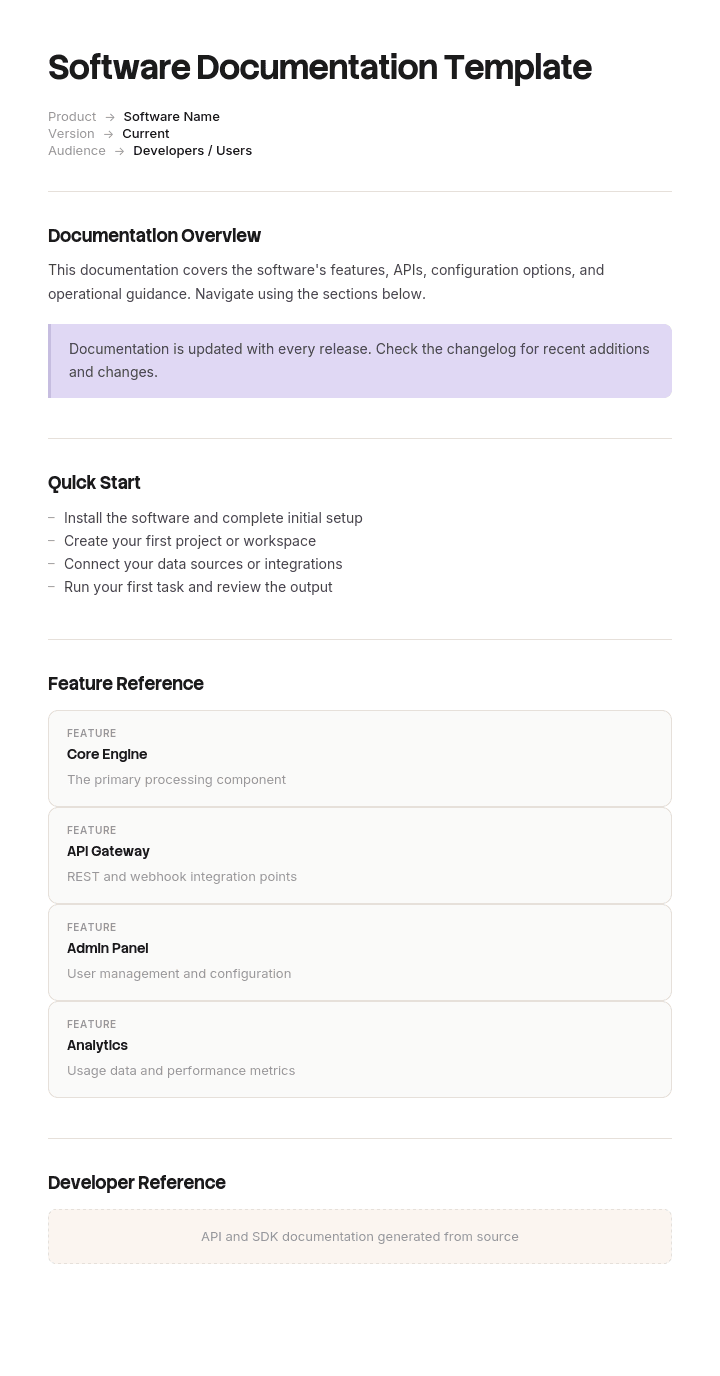
Use this template
Great software documentation drives adoption, reduces support load and helps developers integrate faster. With Trupeer, you can save hours on writing software docs by starting with a free software documentation template, customizing it with your brand guidelines, and turning long technical content into video walkthroughs that engage every audience.
What is a free software documentation template?
A free software documentation template is a reusable structure for writing down how a piece of software works, for the people who need to use, integrate with, operate or maintain it.
The phrase hides a problem that causes most software documentation failures. Software documentation is not one document. It is at least six, written for different readers with different questions, and a team that sets out to write "the documentation" produces something that half serves all of them.
The template is not the documentation. What decides whether yours works is whether you know which of the six you are writing, who reads it, and whether anyone has ever watched that person try to use it.
Format follows the type. A free software documentation template Word doc suits design documents, specifications and anything that gets reviewed and approved. Reference documentation belongs in a documentation system or generated from the code, not in a document at all. A free software documentation template PDF suits a versioned deliverable handed to a customer. A free software documentation template Excel version suits inventories and traceability matrices rather than prose.
Software documentation is six documents, not one
Sorted by reader, because the reader determines everything else.
Getting started. For somebody with nothing, who needs one thing to work. Read start to finish, once. The shortest document you will write and the one that decides whether anybody reads the others.
Reference. For somebody integrating, who needs to know what a specific endpoint, function or setting does. Never read linearly, always searched. Completeness matters more than prose. Frequently generated.
Guides and how tos. For somebody with a task in mind. Organised by what they are trying to achieve rather than by feature, which is the distinction covered on the quick reference guide page.
Architecture and design. For somebody maintaining or extending it, often years later. The only document whose main value is explaining why rather than what, because the what is in the code and the why is in somebody's memory.
Operational documentation. For whoever runs it. Deployment, configuration, monitoring, and what to do when it breaks. The runbook covers the executable part of this.
Release notes and changelog. For everybody. The cheapest documentation to write and the most consistently neglected.
The best free software documentation template is therefore whichever one matches the type you are writing. Two of these are read and four are searched, which is the practical division. Getting started and architecture are read. Reference, guides, operational and release notes are entered at a point of need.
Trying to serve two of these with one document produces the characteristic failure: a page that is too detailed to get started with and too narrative to look things up in.
How to customize this template in Trupeer
Step 1: Open the Templates Section
Go to the Templates section from the main navigation.

Step 2: Select and Open a Template
Click on any template you want to work with to open it.

Step 3: Expand the Template View
If needed, expand the template view to see the full layout and details clearly.

Step 4: Edit the Template
Click on Edit to start modifying the selected template.

Within the editor, you can:
Add new sections
Define or update formatting rules
Add a logo and adjust its position and related settings
Step 5: Save Your Customized Template
After making all necessary changes, click Save to store the updated template as your own.

Step 6: Preview and Fine-Tune the Template
When you want to see how your customized template looks, open the Preview.

From the preview screen, you can continue to make adjustments directly if needed, ensuring the template appears exactly as you want.
With a software documentation template you can:
Save hours on writing: Skip the blank page with a structure built for software docs.
Cover every audience: Sections for end users, admins, developers and support teams.
Stay on-brand: Apply your logo, fonts and colors using Trupeer's brand kit.
Reduce support load: Clear docs help users and developers self-serve.
Update easily: Edit once and Trupeer regenerates the video automatically.
Reach global users: Translate software docs into 65+ languages with one click.
The one test: time to first success
Here is the measurement almost no team takes, and it costs an afternoon.
Find three people who represent your reader and have not used the software. Give them the documentation and a defined first outcome: make one API call succeed, deploy one instance, complete one workflow. Watch them, in silence, and record the time.
Do not help. The urge to help is overwhelming and every intervention destroys the data. Write down where they hesitate, what they open, what they search for, and the exact point at which they give up if they do.
Three things come out of it reliably.
The number itself, which is usually several times what the team expected and is the figure to improve.
The location of the loss, which is almost always concentrated. In most tests a majority of the elapsed time goes on one or two obstacles, and they are rarely the ones the team predicted.
And the nature of the obstacle, which is usually something nobody thought to document because it is not part of the software. A key that has to be requested. A permission that has to be granted. A default that is wrong. Institutional knowledge that has become invisible to everyone who holds it.
Reference documentation cannot be tested this way, since it is entered rather than read. Test it differently: take the ten most common support questions and time how long it takes to find each answer in the docs. Anything over thirty seconds is a finding.
What a software documentation template must contain
Components for the getting started document, since it is the one that decides whether anything else gets read.
Component | What it does |
|---|---|
Who this is for and what it assumes | Stated plainly. Assumed knowledge that goes unstated is the most common cause of a stuck reader. |
What you will have at the end | The first success, described concretely, so the reader knows what they are working towards. |
Prerequisites | Everything needed before step one, including anything requiring a request to another human and how long that takes. |
Numbered steps to one working outcome | One path. Not the options, not the alternatives, one path that works. |
A copyable working example | Real values, not placeholders in angle brackets. |
What success looks like at each step | What the reader will see, so they can tell whether to continue. |
What to do when it fails | The three or four most common failures and their fixes, from your own support tickets. |
Where to go next | One or two links, chosen, not a list of everything. |
Version and last verified date | When somebody last performed these steps and confirmed they worked. |
The prerequisites row is the one that catches out the most teams. Anything requiring a human to grant something is invisible to the people who already have it, and it is the single most common place a new reader stalls.
Free software documentation template: the structure to copy
Filled with a real example rather than placeholders. This is a getting started document for a logistics API.
Copy from here.
Who this is for. A developer integrating shipment tracking into an existing system. Assumes you can make HTTP requests and parse JSON. Assumes no prior knowledge of our platform.
What you will have at the end. One successful call returning live tracking data for a test shipment, in about fifteen minutes.
Prerequisites. A sandbox key, which you generate yourself at the developer portal in about thirty seconds. No approval is required and no email to us is necessary. A shipment reference, for which you can use the test reference provided in step three.
Steps.
Generate a sandbox key at the developer portal. You should see a key beginning with
sk_test_. If you see a key beginning withsk_live_you are in the production portal, which requires a signed contract.Store the key as an environment variable. Do not put it in source control.
Make your first call using the copyable example below, substituting only your key. The test shipment reference is already included.
You should receive a two hundred response with a JSON body containing a status field reading
in_transit. If you receive a four zero one, your key has not been picked up from the environment, which is the most common cause.Change the shipment reference to any other test reference from the test data page and repeat.
Working example. Real values, copyable, with only the key replaced.
Common failures. Four, taken from our support tickets rather than imagined. Four zero one, which is almost always the key not being read from the environment. Four zero three, which means a live key against a sandbox endpoint. Four zero four on a valid reference, which means the sandbox data resets nightly and you are using yesterday's reference. Timeout, which means you are calling the regional endpoint from outside that region.
Where to go next. Two links only. The tracking guide, if you want webhooks rather than polling. The full reference, if you already know which endpoint you need.
Version and last verified. Version 4, steps last performed end to end on 3 June by a developer who had not seen them before.
Copy to here.
That final line is worth adopting generally. A documentation page carrying a date on which somebody actually followed it is considerably more trustworthy than one carrying a date on which somebody edited it.
Software documentation example: three hundred and forty pages and three hours
Portwood Systems, a company of about ninety people selling a logistics API to freight forwarders, had documentation everyone was quietly proud of.
Three hundred and forty pages of reference material, generated from the code, complete and accurate. Every endpoint, every parameter, every response code. It had been a deliberate investment and it was genuinely good reference documentation.
Support tickets from customers still integrating accounted for about forty percent of all tickets.
Somebody eventually ran the test. Three developers at customer sites, none of whom had used the API, each asked to make one successful call while a member of the Portwood team watched and said nothing.
The team's private expectation was twenty minutes.
The first took three hours and ten minutes. The second gave up after two hours and emailed support. The third took an hour and fifty.
All three lost more than forty minutes in the same place, and it was not in the API.
Authentication required a sandbox key. Sandbox keys were issued by emailing the support address, with a turnaround of about two days. This appeared nowhere in the documentation. The reference documented the authentication header format precisely, and nothing anywhere said that you had to obtain a key, still less how.
Every person at Portwood already had a key. Several had never needed to request one. The step had become invisible from the inside, which is what happens to prerequisites in every organisation given enough time.
The three hundred and forty pages were complete as a reference and contained no path from nothing to one working call. The reference answers what does this endpoint do. Nobody had written anything answering I have nothing, how do I make this work once.
The fix was one page and a small piece of engineering. Six steps, self service key generation replacing the email request, one copyable example with real values, and four common failures taken from the ticket history.
Re-tested with three more developers: fourteen minutes, twenty two minutes, eighteen minutes.
Integration support tickets fell by about sixty two percent over the following quarter. Median time from contract signature to a customer's first production call went from thirty one days to nine.
Nothing was wrong with the three hundred and forty pages. There had simply never been a first page.
How to write software documentation in six steps
Decide which of the six documents you are writing, and write it in one place. A document serving two readers serves neither.
Name the reader and what you assume they know. In writing, at the top. This is what makes assumed knowledge visible to the author.
Write the getting started document first, even though it is the shortest. It determines whether anything else is read.
List prerequisites, including anything requiring another human. Then remove as many of those as engineering can remove, because each is a stall point measured in days rather than minutes.
Take the failure cases from support tickets, not from imagination. Your ten most common tickets are your documentation backlog, already prioritised.
Test it by watching somebody, in silence. Everything above is guesswork until you have the number.
Step six is the whole method. The other five are how you respond to what it tells you.
Keeping software documentation current
Documentation goes wrong quietly. Nothing alerts you, and the person who discovers it is usually a customer.
Three mechanisms work, in ascending order of reliability.
Verification dates. Record when somebody last followed the steps, not when the page was last edited. An edit date tells you somebody changed a word. A verification date tells you it worked.
Tie updates to releases rather than to a calendar. A quarterly documentation review finds problems up to three months after they appear. A documentation item on the release checklist finds them before they ship, which is the argument made on the release requirements page, where documentation belongs among the blocking readiness requirements rather than the optional ones.
Generate what can be generated. Reference documentation produced from the code cannot drift from it. This is why reference documentation is usually the most accurate and least useful part of a documentation set, and why the parts humans write are where the errors live.
The parts that cannot be generated are the ones needing the most attention: getting started, guides, and anything containing a screenshot. Those are also the parts that decay fastest, because interfaces change more often than APIs.
Software documentation or project documentation?
These get searched together and are different things.
Software documentation describes the software: how it works, how to use it, how to operate it. Its readers are users, integrators and engineers, and it outlives the project that produced it.
Project documentation describes the project: scope, plan, decisions, risks, status, sign offs. Its readers are stakeholders and auditors, and it is largely finished when the project is. A project documentation template Word free download will give you charters, status reports and decision logs, which are useful and are not software documentation. The project documentation template covers that side.
The two get confused at handover, where a project ends and somebody has to keep running what it built. That transition needs software documentation specifically, and the common failure is delivering a full project archive containing no operational documentation at all.
What a free software documentation template cannot fix
Not knowing who reads it. Every structural decision follows from the reader, and no free software documentation template free download can tell you who yours is.
Prerequisites nobody can see. The Portwood problem. Only watching an outsider reveals these, because everyone inside has already cleared them and forgotten.
Documentation written by whoever has time. The person with capacity is frequently the person furthest from the work. Documentation written by someone who does not perform the task will describe the intended sequence rather than the actual one.
A product that needs this much explaining. Occasionally the documentation problem is a product problem. If getting started genuinely requires forty steps, that is worth raising with whoever owns the product, even though the documentation still has to be written.
Show the software rather than describing it
Software documentation is the category where the gap between describing and showing is widest, and where the maintenance cost of closing it is highest.
Writing a step, capturing the screenshot, cropping and annotating it, placing it correctly, and then doing all of that again when the interface changes is why most software documentation that was meant to be visual is text with one screenshot at the top. Interfaces change every few weeks. Screenshots do not.
Trupeer AI removes that cost. Somebody performs the task once while recording, and the output is a written step by step walkthrough with screenshots already captured and placed, alongside a video, in your own branding. The written version becomes the guide. The video is what a new user watches before attempting it, which is exactly the material that reduces time to first success.
Record it. Brand it. Translate it. Trupeer it.
Three things follow that matter for software specifically. Re-recording after an interface change is faster than re-screenshotting, so the visual documentation can actually be maintained rather than abandoned. The same recording produces the same walkthrough in every language you support, so international users are not working from an older version of the truth. And the recording is made by the person who performs the task, which is the fix for documentation written by whoever had capacity.
The material sits in your knowledge base and doubles as training for support and onboarding. Task level operational detail belongs in the work instructions. Consistency across your documents is a matter of setting the brand kit once, and setup is covered in the document template setup guide.
Frequently Asked Questions
Is there a free software documentation template Word version?
Word suits the documentation types that get reviewed and approved: design documents, architecture records, specifications and anything delivered contractually. A software documentation template Word file works well for those.
It suits user facing documentation badly. Guides and reference material need to be searchable, linkable and updatable by several people, which is a documentation system rather than a document. If your user guide is a Word file emailed to customers, expect several versions of it to be in circulation within a year.
Is there a free software documentation template Word doc version?
Yes, and a free software documentation template Word doc file is the same as a Word file under an older extension. The choice that matters is not the extension but which of the six document types you are producing.
For design and architecture documents, a document is right. For anything a user or an integrator reads, publish rather than send, so there is one current version rather than one per recipient.
Is there a free software documentation template PDF?
PDF suits a versioned deliverable: documentation handed to a customer at a release, attached to a contract, or archived against a regulated version of a product.
Do not use it for anything users read routinely. PDFs are not searchable across pages in the way a documentation site is, they do not link cleanly, and a customer holding a PDF has no way of knowing a newer one exists. Publish the current version and export a free software documentation template PDF only where a fixed record is genuinely needed.
Is there a free software documentation template Excel version?
Excel suits inventories rather than prose. A free software documentation template Excel file works for a documentation coverage matrix, a traceability matrix linking requirements to tests, an API endpoint inventory, or a list of what exists and when it was last verified.
That last use is genuinely valuable and rarely done. One row per document, with its type, owner, reader and last verified date, will tell you more about the state of your documentation than reading any of it.
Is there a free software documentation template free download worth using?
The section list takes twenty minutes to build, so a free software documentation template free download is saving very little, and most of what is published is a generic document skeleton rather than anything specific to software.
If you use one, check whether it distinguishes between document types. Almost none do, and that distinction is the first decision to make. A template offering one structure for all software documentation is proposing the exact mistake this page argues against.
Where can I get a project documentation template Word free download?
That is a different document. Project documentation covers the project: charter, scope, plan, risk log, decision record, status reports and sign offs. Software documentation covers the software and outlives the project.
A project documentation template Word free download will give you the former. If you are at the end of a build and wondering what to hand over, you need both, and the operational documentation is the half most often missing from a project archive.
What is the best free software documentation template?
The best free software documentation template is the one matching the specific document you are writing, which means deciding whether you are producing getting started, reference, a guide, architecture, operational documentation or release notes before you choose anything.
If you want a single test to compare options, look at whether the template asks who the reader is and what knowledge is assumed. Those two fields do more for the finished document than any amount of section structure.
How long should software documentation be?
Getting started should be one page, and if it cannot be, the prerequisites are the thing to fix rather than the writing.
Everything else is as long as the software. Reference documentation for a large API is legitimately hundreds of pages, and that is fine because nobody reads it linearly. The mistake is judging a documentation set by its total size, which tells you nothing. Judge it by how long a newcomer takes to reach their first success.

