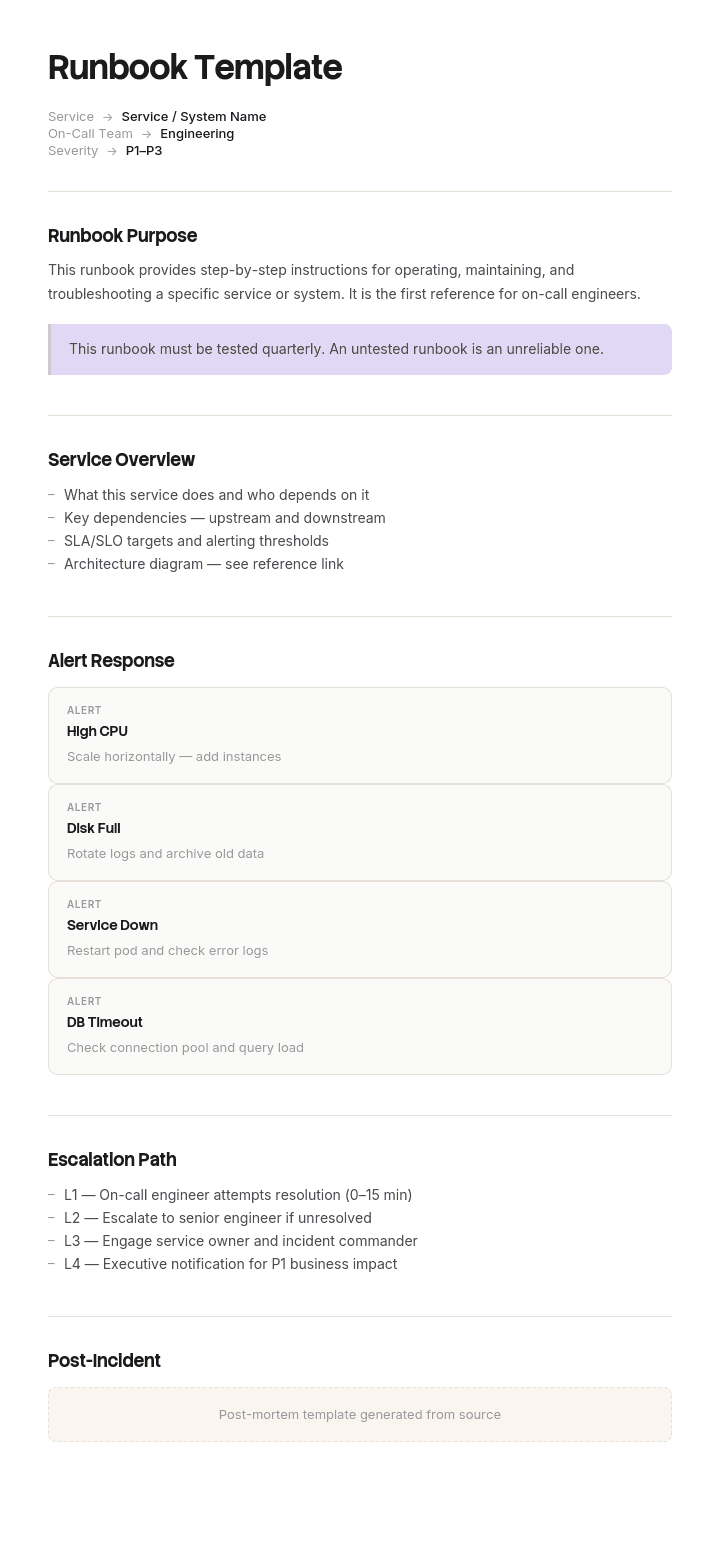
Use this template
A great runbook is the difference between a smooth on-call shift and a 3 AM disaster. With Trupeer, you can save hours on writing IT runbooks by starting with a free runbook template, customizing it with your brand guidelines, and turning long runbooks into video walkthroughs that on-call engineers can scan in seconds.
What is a free runbook template?
A free runbook template is a reusable structure for the sequence of steps that gets a specific operational task done: a deployment, a failover, a migration, a recovery, a scheduled maintenance window.
The word runbook is worth taking literally. This is a document that gets run, not read. It is open on a screen while work happens, it is worked through in order, and its value is entirely in what it does during execution rather than what it says when filed.
That single fact separates a good runbook from a good procedure document, and it is the thing most templates miss. They produce a well organised description of what to do, which is necessary and is roughly half of what a runbook has to be.
The other half is that a runbook is a form. It gets filled in as it is executed, because the record of what actually happened is what makes the difference between an operation somebody can join halfway and one that has to be restarted or guessed at.
Format follows that. A free runbook template Excel file suits the step table with its result and timestamp columns, and is what most teams end up using. A free runbook template Word version suits runbooks with heavy context and prose around the steps, and a free runbook template Microsoft Word file is the same thing under its longer name. A free runbook template PDF is an archived record of a completed run rather than a working document.
Deployment runbook or incident runbook?
Two documents share the name and are used in opposite ways, so decide which you are writing.
A deployment runbook template covers planned work. A release, a migration, a cutover, a scheduled maintenance window. It is executed from step one to the end, in order, at a time everybody knew about, usually by more than one person and often across a shift change. The design problem is sequence, state and handover.
An incident or on call runbook covers unplanned work. Something is wrong and somebody is diagnosing. It is entered at an unpredictable point, by whoever is available, under pressure, and it is not read in order. The design problem is finding the relevant section fast, which makes it closer in kind to a lookup document than to a script.
Most published templates blend the two and serve neither well. A diagnostic runbook forced into a numbered sequence cannot be entered in the middle, and a deployment runbook organised as a set of symptoms loses the ordering that makes it safe.
This page is primarily about the first. Planned work, executed in order, where the expensive failures are about state and handover rather than about diagnosis.
How to customize this template in Trupeer
Step 1: Open the Templates Section
Go to the Templates section from the main navigation.

Step 2: Select and Open a Template
Click on any template you want to work with to open it.

Step 3: Expand the Template View
If needed, expand the template view to see the full layout and details clearly.

Step 4: Edit the Template
Click on Edit to start modifying the selected template.

Within the editor, you can:
Add new sections
Define or update formatting rules
Add a logo and adjust its position and related settings
Step 5: Save Your Customized Template
After making all necessary changes, click Save to store the updated template as your own.

Step 6: Preview and Fine-Tune the Template
When you want to see how your customized template looks, open the Preview.

From the preview screen, you can continue to make adjustments directly if needed, ensuring the template appears exactly as you want.
With a runbook template you can:
Save hours on writing: Skip the blank page with a structure built for ops procedures.
Cut MTTR: Clear runbooks help on-call engineers resolve incidents faster.
Stay on-brand: Apply your logo, fonts and colors using Trupeer's brand kit.
Train new engineers: Pair runbooks with video walkthroughs to onboard ops staff faster.
Standardize across teams: Use the same runbook format for every incident type.
Reach global teams: Translate runbooks into 65+ languages with one click.
Write the runbook to be handed over halfway
Here is the design constraint worth building around. At some point during execution, the person running the runbook will stop being the person who started it.
A shift ends. Somebody is called away. A window runs longer than planned. On any operation lasting more than a few hours this is normal rather than exceptional, and it is the moment where runbooks fail expensively.
The question to design against is precise. Can a second person pick this up at step thirty seven, with no verbal briefing, and proceed safely?
Answering yes requires four things that most templates do not have.
A recorded actual result per step, not just an expected one. A tick means somebody clicked something. It does not tell the next person what happened.
A timestamp per step, because how long ago a step ran is frequently the most diagnostic fact available.
An explicit marking of which steps are safe to re-run. The first question of anyone taking over is whether the previous step actually finished. If the step is safe to repeat, that question stops mattering, which is worth far more than it costs to record.
A stated point of no return. After which rollback is no longer available. Somebody arriving mid execution needs to know which side of that line they are on before they touch anything.
Add those four and the verbal handover stops being the mechanism. The document becomes the handover, which is the only version that survives somebody being tired, rushed or unavailable.
What a runbook template must contain
Nine components. The middle four are the ones that separate a runbook from a procedure.
Component | What it does |
|---|---|
Purpose and window | What this run achieves, the planned window, and the maximum before you abort. |
Roles for this run | Who is executing, who approves the point of no return, who to escalate to, with contact details on the document rather than elsewhere. |
Preconditions | What must be true before step one. Access, backups taken and verified, freeze in effect, people available. |
Status line | Current step, who is running it, since when. Updated as you go, at the top of the document. |
Step table | Step, action, expected result, actual result, timestamp, safe to re-run. |
Point of no return | Marked at the step where it occurs, not only mentioned in the introduction. |
Rollback | Per phase where possible, and confirmation it has been executed rather than written. |
Handover section | Filled in before anyone leaves. What is done, what is in flight, what to watch. |
Verification | How you confirm the run actually worked, in terms specific enough to fail. |
The last one deserves attention. Verification steps written as "confirm the site is up" pass when the site is up and broken, which is the failure described below.
Free runbook template: the structure to copy
Filled with a real example rather than placeholders. This is an extract from an order management system migration.
Copy from here.
Header and window. Run name, date, planned window, abort deadline, and the version of this runbook.
Order management migration. Saturday 14 June. Window 06:00 to 20:00. Abort deadline 16:00, after which we roll back regardless of progress. Runbook v9.
Roles for this run. With numbers on the document.
Executing: K Ferreira 06:00 to 14:00, then D Attwood 14:00 to 20:00. Point of no return approved by: Head of Engineering, 07700 900xxx. Escalation: on call platform lead, 07700 900xxx. Business contact for the go decision: Trading Director.
Preconditions. All confirmed before step one.
Full database backup taken and restore tested on the standby instance. Code freeze in effect since Thursday. Both executors have production access verified today, not assumed. Rollback rehearsed on staging on 7 June.
Status line. Updated as you go, kept at the top.
Currently on step 37. Running since 13:48. Executor: K Ferreira. Point of no return not yet passed.
Step table.
# | Action | Expected result | Actual result | Time | Safe to re-run |
|---|---|---|---|---|---|
33 | Stop order intake workers | Queue depth stops rising, no consumers listed | Confirmed, 4 consumers stopped | 13:12 | Yes |
34 | Re-index product catalogue | Index job reports complete, indexed count matches catalogue count of 84,120 | Job reported complete, count 67,400, mismatch | 13:48 | Yes |
35 | Verify index count matches catalogue count | Counts equal | Not equal, see step 34, re-running | 14:05 | Yes |
36 | Switch read traffic to new cluster | Traffic graph shows new cluster receiving reads | Yes | ||
37 | Migrate order history tables | Row counts match source within zero tolerance | No, partial migration requires cleanup first | ||
38 | POINT OF NO RETURN. Rollback unavailable beyond this step. Cut writes to new cluster | Writes appearing on new cluster only | No |
Rollback. Available up to and including step 37. Restore from the pre run backup, repoint DNS, restart intake workers. Rehearsed on staging on 7 June by D Attwood.
Handover section. Filled before anyone leaves.
Completed to step 35. Step 34 failed silently on the first attempt with a count mismatch and has been re-run successfully, counts now match at 84,120. Watch the index count again after step 36, since it has failed once. Nothing in flight. Point of no return not passed, rollback still available.
Verification. Specific enough to fail.
Site loads. Product count on the category pages sums to 84,120. Ten sample orders placed end to end. Order history visible for five known accounts. Payment reconciliation report runs and matches.
Copy to here.
Runbook example: sixty one steps and a ten minute handover
Tamworth Retail Group, an online retailer, migrated its order management system during a planned fourteen hour window on a Saturday.
The runbook had sixty one steps. It had been reviewed, rehearsed on staging, and it was a genuinely careful document. Its step table had three columns: step number, action, and a tick box.
The first engineer ran steps one to thirty seven, handed over verbally in about ten minutes at the shift change, and went home after a long day.
Step thirty four was re-indexing the product catalogue, a job taking around forty minutes. He had started it, seen no errors, and ticked it. It had in fact failed at about eighty percent and reported nothing.
The second engineer arrived to a list of sixty one steps with ticks against the first thirty seven. There was no record of what any step had produced, no timestamps, and no indication of which steps could be safely repeated. Everything before step thirty eight was, as far as the document was concerned, simply done.
She continued. The catalogue was partially indexed, which meant roughly twelve percent of products were invisible on the site when it reopened.
The smoke test at the end confirmed the site loaded. It did not compare the product count against the catalogue count, so it passed.
Nobody noticed until Monday morning, thirty one hours later, across the busiest trading weekend of the quarter. Estimated lost orders against the same weekend the previous year came to around two hundred and forty thousand pounds.
They could not roll back. The point of no return had been passed at step forty one, and while everybody involved knew that in principle, it was recorded in a paragraph on page one rather than at the step where it happened.
The rewrite did not add steps. It added columns. Actual result, timestamp, and a safe to re-run marking on every step. A status line at the top. The point of no return moved from the introduction to the step itself, in bold. And a handover section that has to be completed before anyone leaves, which converted a ten minute conversation into four written lines.
On the next migration, the shift change happened at hour nine. The handover took four minutes. The engineer taking over re-ran three steps she was not certain about, specifically because they were marked safe to re-run, and the run finished inside the window.
Re-running three steps out of caution costs a few minutes. Not being able to is what costs a weekend.
How to write a runbook in six steps
Write the steps by executing the task, not from memory. A runbook written at a desk contains the steps the author remembers and omits the ones their hands do automatically.
Give every step an expected result. What you will see that means it worked. A step with no expected result cannot be verified by anyone but its author.
Mark every step safe to re-run or not. Covered below. This is the cheapest column to add and the most valuable during a handover.
Put the point of no return at the step, in bold. Not in the introduction, where it will be read once by somebody who is not the person who needs it.
Add the columns you fill in during the run. Actual result and timestamp. If they are not on the document, they will not be recorded anywhere.
Rehearse it, including the rollback. A rollback that has only been written down is an assumption. Rehearse on staging with the person who will execute it, not the person who wrote it.
Step one is the one that separates useful runbooks from plausible ones. Writing while doing catches the undocumented click, the credential that was already in the clipboard, and the tab that had to be open.
Marking steps safe to re-run, and the point of no return
These two markings do most of the work in a handover and neither appears in a typical template.
Safe to re-run. For each step, can it be executed twice without causing harm. Restarting a stopped service, re-running an index, re-applying a configuration that is already applied: usually yes. Sending a customer email, incrementing a counter, migrating rows into a table that does not deduplicate: usually no.
The value is that it removes the question a person taking over cannot answer. Did the previous step finish. If the answer does not matter, because repeating it is harmless, then nobody has to establish it under pressure with incomplete information.
Where a step is not safe to re-run, say what to check first. "No, verify row count before repeating" is far more useful than "No", because the person reading it has already decided they need to do something.
The point of no return. Every run that changes state has one. It is the step after which rollback is no longer available, or is no longer cheaper than going forward.
Mark it at the step, visually distinct, so that someone scrolling can see which side of it they are on. Name who authorises passing it, and record the time it was passed in the actual result column. Many runs have more than one, in which case mark each and say what it closes off.
The reason to record the crossing rather than only mark the step is that after an incident, the question of when the decision became irreversible gets asked, and nobody remembers.
Runbook template variants
The structure holds and the emphasis moves.
Deployment runbook template. The example above. Sequential, planned, frequently spanning a shift, and the variant where handover design matters most.
Disaster recovery runbook. Executed rarely and under the worst conditions, so it decays invisibly between uses. The distinguishing requirement is scheduled rehearsal, since a DR runbook that has not been executed in a year should be assumed wrong.
On call and incident runbook. Entered at an unpredictable point rather than run in order. Organise by symptom rather than by sequence, keep each entry short, and link to the deeper material rather than containing it.
Scheduled maintenance runbook. Repeated regularly, which makes it the one variant that genuinely improves through use, provided somebody updates it during the run rather than intending to afterwards.
Onboarding and offboarding runbook. Often the first runbook a team writes, since the sequence is stable and the cost of missing a step, particularly on offboarding, is a security problem rather than an inconvenience.
For anything covering regulated systems, financial processing or safety related control, a runbook usually sits inside a change management process with its own approval and record keeping requirements, and those govern rather than anything on this page.
Runbook, work instruction or SOP?
Three documents that overlap and are worth separating, since choosing wrongly produces the right content in an unusable form.
A standard operating procedure covers a process at the level of who does what and in what order, usually spanning roles and often spanning days. It is read for understanding.
A work instruction covers one task in detail for the person performing it, and is written to be followed by somebody who may be unfamiliar with it. The work instructions template covers that document.
A runbook is a work instruction that is also an execution record. It is followed and filled in simultaneously, it usually spans several tasks in a defined order, and its columns exist to leave a trace.
If your document is read before the work and filed afterwards, it is a procedure. If it is open during the work and different at the end than it was at the start, it is a runbook.
Keeping runbooks current
Runbooks decay faster than most documentation because they describe systems that change, and the decay is invisible until the run that fails.
The mechanism that actually works is updating during execution rather than after it. Whoever runs the runbook has the document open, has just discovered that step twelve now requires an extra confirmation, and is the only person who will ever know that cheaply. Ten seconds then, or an hour of confusion at the next run.
Make that legitimate by saying so explicitly at the top of the document, and by treating an unchanged runbook after a real execution as slightly suspicious rather than as a sign of quality.
Automation is the other route, and it is worth being clear eyed about it. Automating a runbook step removes the human error and the documentation problem together, which is genuinely better where it applies. What it does not remove is the need for the surrounding document, because someone still has to know what to do when the automation fails, and that person is now less practised than they used to be. Automate the steps, keep the runbook, and make sure the runbook covers the automated portion failing.
What a free runbook template cannot fix
A runbook written from memory. No template surfaces the steps the author does without thinking. Only writing while executing does.
An unrehearsed rollback. A rollback plan that has never been run is a hypothesis, and the middle of a failed migration is a poor place to test one.
A checklist wearing the name. Most of what circulates as a free runbook template free download is a numbered procedure with tick boxes, which is a different and weaker document.
Verification that cannot fail. "Confirm the site is up" passes when the site is up and wrong. Every verification step should be specific enough that you can imagine it failing.
A window with no abort deadline. Without one, a run that is going badly continues, because stopping always feels more expensive than the next step. Set the deadline before you start, when nobody is invested.
Show the run rather than describing it
Runbooks are executed by people who execute them rarely. A migration happens twice a year. A DR test happens annually. The person running it has done it once before, possibly never.
That is exactly the case written procedure serves worst, because the reader has to reconstruct a sequence of screens and console states from prose, and the gap between what the author meant and what the reader pictures is where the undocumented step hides.
Trupeer AI closes it. Somebody performs the run once, on staging, while recording, and the output is a written step by step walkthrough with screenshots already captured and placed, alongside a video, in your own branding. The written version becomes the runbook. The video is what the person executing watches the day before, which is the preparation nobody currently has time to produce.
Record it. Brand it. Translate it. Trupeer it.
Two things follow that matter for runbooks specifically. Rehearsal produces the documentation as a by product rather than as an additional task, which is the only version of documentation that reliably happens. And when the infrastructure changes, re-recording the rehearsal is faster than editing screenshots, so the runbook is more likely to be current at the moment it matters.
The material sits in your knowledge base and doubles as training for whoever is on the rota next. Verification evidence and quality gates around the run belong in the QA plan. Consistency with your other documents is a matter of setting the brand kit once, and setup is covered in the document template setup guide.
Frequently Asked Questions
Is there a free runbook template Excel version?
Excel is what most teams end up using and it suits the document well, because the core of a runbook is a table you fill in while working. A runbook template Excel file handles the step, expected result, actual result, timestamp and safe to re-run columns naturally, and lets several people see the same sheet during a run.
Two practical settings. Freeze the header row, and put the status line in the first two rows above it so it stays visible while scrolling. A free runbook template Excel file where the current step scrolls out of view loses most of its handover value.
Is there a free runbook template Word version?
Word suits runbooks with substantial context around the steps: architecture notes, decision history, escalation detail. Build the free runbook template Word file with the narrative sections first and the step table after.
The limitation is filling it in during a run. A Word table is slower to update than a spreadsheet cell, and during a live migration that friction is enough to stop people recording actual results. Many teams keep the context in a runbook template Word document and the step table in a spreadsheet linked from it.
Is there a free runbook template Microsoft Word version?
Yes, and the same trade off applies. A free runbook template Microsoft Word file is the right choice when the runbook is reviewed and approved as part of a change process, since documents fit approval workflows better than spreadsheets do.
If you go that route, add the actual result and timestamp columns anyway. A runbook approved without them will be executed without them, and the record you needed will not exist.
Is there a deployment runbook template?
A deployment runbook template is the sequential variant covered throughout this page: planned work, executed in order, usually spanning a shift.
Four things distinguish a good one from a generic template. A point of no return marked at the step rather than in the introduction. A safe to re-run marking on every step. Actual result and timestamp columns. And a handover section that gets completed before anyone leaves. Almost no published template has any of the four.
Is there a free runbook template PDF?
PDF is the archive rather than the working document. Once a run is complete, export the filled runbook as a free runbook template PDF and attach it to the change record, since a completed runbook with timestamps and actual results is the best evidence of what happened that you will ever have.
Do not execute from a PDF. The document has to be written in during the run, and anything you cannot type into will not be recorded.
Is there a free runbook template free download worth using?
The table itself takes ten minutes to build, so a free runbook template free download is saving little, and most published ones are procedure documents with a runbook label.
Check one thing before adopting any of them. See whether the step table has a column for what actually happened. If it only has a tick box, you have a checklist, and the whole argument of this page is that the difference between those two is what a handover depends on.
How long should a runbook be?
As long as the run, which for a substantial migration is genuinely dozens of steps. Length is not the problem with runbooks.
The thing to control is step size. A step should be one action with one observable result. Steps that bundle several actions cannot be handed over partway, because the next person cannot tell how much of the bundle happened, and that is the exact situation the document exists to prevent.
Who should write the runbook?
Whoever will execute it, writing while performing it on a non production environment. A runbook written by an architect and executed by an engineer will be missing precisely the steps the architect does not personally perform.
Then have a second person execute the draft on staging without help from the author. Every question they have to ask is a defect, and the fix is to write it down rather than to answer it.

