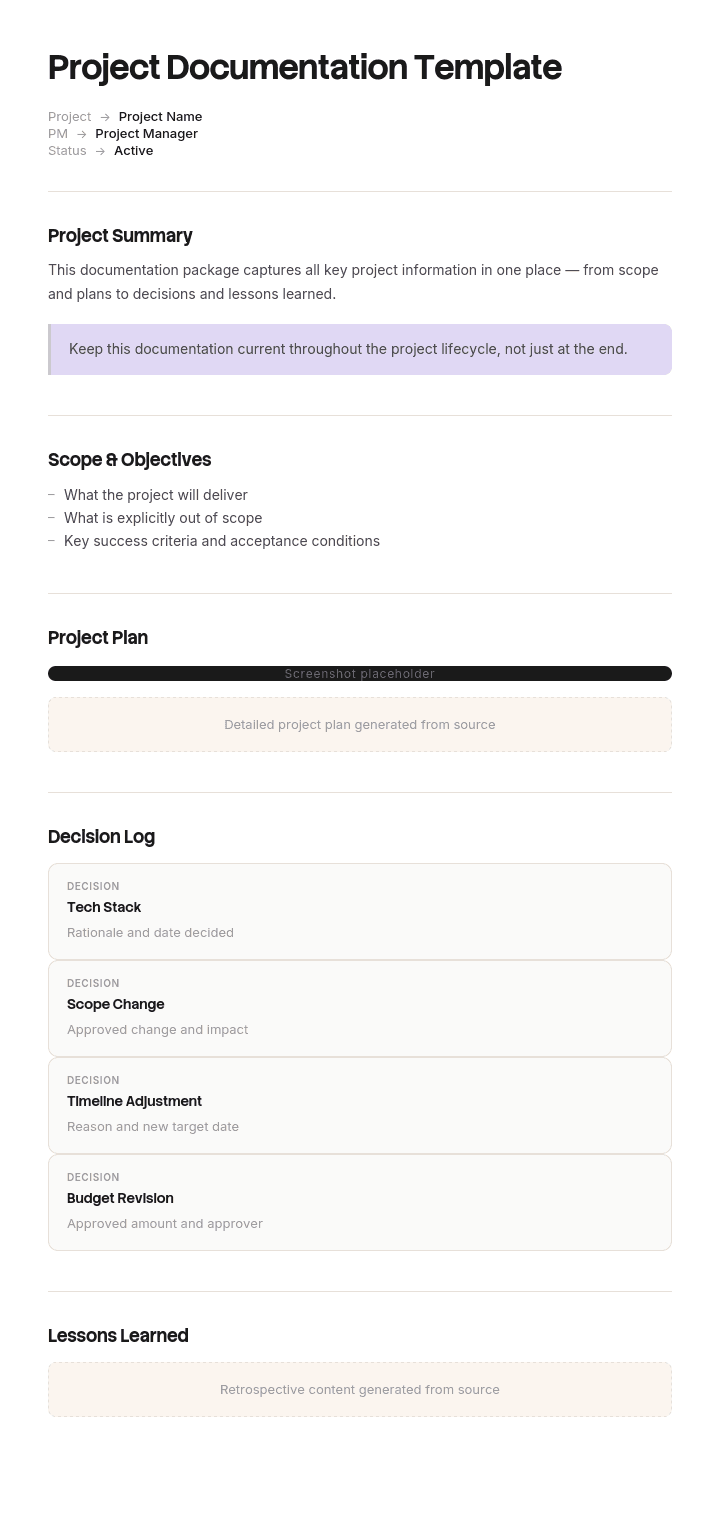
Use this template
Good project documentation is what keeps a project from going sideways - and what helps the next team learn from yours. With Trupeer, you can save hours on writing project docs by starting with a free project documentation template, customizing it with your brand guidelines, and turning the documentation into a clear video walkthrough that stakeholders actually watch.
What is a project documentation template, and who reads it?
Project documentation is everything a project writes down: the brief, the plan, the requirements, the status reports, the risk and issue logs, the change requests, the test results, the handover material and the closure report.
A template gives you the set and the structure for each. Search for one and you will be offered either a folder structure or a single document with sections, depending on whether the source thinks documentation is a library or a report.
The more useful question is who reads it, because there are two audiences and they are separated by years.
The first audience is the project itself: the team, the sponsor, the governance forum. They need status, decisions and approvals, and they need them this week.
The second audience is whoever operates, supports or changes the thing afterwards. They arrive eighteen months to five years later, when nobody involved is still available, and they need to know what was built, why it was built that way, and what was considered and rejected.
Almost all project documentation is written for the first audience. Almost all of the value is with the second.
Project documentation has two audiences separated by years
The first audience's needs are well served, because they are mandated. Governance requires a plan, a status report, a risk log and a change process, so those get produced whether or not anybody finds them useful.
The second audience's needs are not mandated at all, and it shows.
Ask somebody maintaining a system built three years ago what they wish existed and the answer is remarkably consist. Why is it like this. What else was considered. What did the original team know that we do not. What was deliberately left out. Who agreed to this.
None of those questions is answered by a status report, a plan or a RAID log. Status reports record progress against a plan that changed. Plans record intent that was superseded. Risk logs record what people worried about, which is rarely what happened.
So a project can produce three hundred documents and answer none of the questions that get asked of it later.
How to customize this template in Trupeer
Step 1: Open the Templates Section
Go to the Templates section from the main navigation.

Step 2: Select and Open a Template
Click on any template you want to work with to open it.

Step 3: Expand the Template View
If needed, expand the template view to see the full layout and details clearly.

Step 4: Edit the Template
Click on Edit to start modifying the selected template.

Within the editor, you can:
Add new sections
Define or update formatting rules
Add a logo and adjust its position and related settings
Step 5: Save Your Customized Template
After making all necessary changes, click Save to store the updated template as your own.

Step 6: Preview and Fine-Tune the Template
When you want to see how your customized template looks, open the Preview.

From the preview screen, you can continue to make adjustments directly if needed, ensuring the template appears exactly as you want.
With a project documentation template you can:
Save hours on writing: Skip the blank page with a structure designed for any project type.
Align stakeholders: Built-in sections for scope, goals and deliverables keep everyone on the same page.
Stay on-brand: Apply your logo, fonts and colors using Trupeer's brand kit - perfect for client deliverables.
Onboard faster: New team members ramp up quickly when project context is captured clearly.
Capture lessons: Built-in retrospective sections make it easy to learn from every project.
Reach global teams: Translate project documentation into 65+ languages with one click.
The documents nobody mandates are the ones people need
Sort project documents by whether anyone reads them after closure and the pattern is stark.
Mandated and worthless afterwards: status reports, plan versions, RAID log versions, meeting minutes, change request forms, timesheets, steering papers.
Optional and valuable afterwards: the decision record, the as-built description, the rejected options, the known limitations, the handover material, the reasons behind anything unusual.
That asymmetry is not a coincidence. Mandated documents exist to satisfy governance, which is a process concerned with control during the project. Nothing in that process asks what the next person will need, because the next person is not in the room and will not complain for two years.
The practical response is to add one document to the mandated set and to be ruthless about what gets archived. The document to add is a decision log, and it is the subject of the next section.
The decision log, and why a RAID log is not one
Most projects believe they have this covered, because they keep a RAID log. They do not, and the distinction matters.
A RAID log records risks, assumptions, issues and dependencies. All four are forward-looking states of concern. None of them records a choice.
A decision log records choices. Five fields per entry, and none of them is optional.
What was decided, stated so somebody outside the project understands it.
When, with a date.
Who decided, by name and role, not "the project board".
What was rejected, meaning the other options that were genuinely on the table.
Why, in one or two sentences.
The fourth field is the one that makes the log worth keeping. Anybody can eventually reverse-engineer what was decided by looking at what exists. Nobody can reverse-engineer what was considered and rejected, and that is precisely what somebody changing the system three years later needs, because their first instinct will be to propose the option you already ruled out.
Maintain it weekly, in one place, appended rather than revised. Ten minutes a week produces something that outlives the project by years, and it is the only project document that reliably gets read after closure.
How to sort your document list by post-closure value
Document | Read during the project | Read after closure | Archive it? |
|---|---|---|---|
Decision log | Occasionally | Constantly | Always, and make it findable |
As-built description | Rarely | Constantly | Always |
Known limitations and workarounds | Sometimes | Constantly | Always |
Handover material | At the end | For years | Always |
Brief and success criteria | Frequently | At benefits review | Yes, one version |
Requirements | Constantly | Occasionally, for context | Yes, final version only |
Test results | Constantly | Rarely, except for regulated work | Final set only |
Plans | Constantly | Almost never | Final baseline only |
Status reports | Weekly | Never | No |
RAID log versions | Constantly | Almost never | Final version only |
Meeting minutes | Sometimes | Almost never | No, extract decisions instead |
Change requests | Constantly | Occasionally, for the reasoning | Extract the decisions, discard the forms |
Run this on your own set at closure rather than archiving everything, which is the default and which produces an archive nobody searches because the signal is buried.
The row that changes behaviour is meeting minutes. Minutes record that a topic was discussed. They almost never record what was concluded, which is why searching sixty mentions of a subject in minutes tells you nothing. Extract decisions into the log as they happen and the minutes stop mattering.
Free project documentation template: the set worth keeping
Copy from here. Seven documents rather than a folder structure.
One. Brief. The problem, constraints and success criteria, per our project brief template. One version, archived.
Two. Decision log. The five fields above, appended weekly, never revised. The single most valuable artefact the project will produce.
Three. Plan. Scope, schedule, resources and dependencies, per our IT project plan template. Live during delivery, final baseline archived.
Four. Requirements or specification. What was to be built. Final version archived, earlier drafts discarded.
Five. As-built description. What actually exists now, as distinct from what was specified. Includes anything that differs from the requirements and why. This is the document that does not get written and the one operations teams ask for first.
Six. Known limitations. What the thing does not do, what breaks it, and any workarounds in use at handover. Short, honest, and enormously valuable.
Seven. Handover pack. Who now owns it, what they received, operating and maintenance material, and support arrangements. Where the project delivered a physical asset, our operation and maintenance manual template covers this properly.
Governance documents, meaning status reports, steering papers and RAID versions, exist during the project and do not enter the archive except where a standard requires them.
Copy to here.
The building society that could not explain its own system
Calderbank, a building society of about fourteen hundred staff, replaced its mortgage origination platform in 2022. Fourteen months, roughly three point one million pounds.
The project produced around three hundred and forty documents: fifty eight weekly status reports, forty one versions of the RAID log, seventy six change requests, a hundred and twelve sets of meeting minutes, twenty three plan versions, plus requirements, test scripts and training material. It closed with a documentation complete sign-off.
In 2025 a regulatory change required an alteration to how one affordability calculation treated a particular category of income. The existing system excluded it, and nobody could establish why. Was it a deliberate policy decision, a limitation of the vendor's product, or an error nobody had noticed?
The answer mattered, because a deliberate exclusion made for a documented reason is a different regulatory position from an accidental one.
They searched all three hundred and forty documents. The requirement appeared as a single line in the requirements document. No change request mentioned it. The word affordability appeared sixty one times across the minutes, always as a topic of discussion and never as a decision.
The answer was eventually found in a personal email chain, forwarded by a contractor who had left in 2023, and only because somebody remembered he had been involved.
Seven weeks passed before they could scope the change. The change itself took four. External counsel was engaged to confirm the regulatory position, because they could not evidence the original rationale, at around twenty eight thousand pounds. And because the rationale could not be established, the change was scoped conservatively and more was rebuilt than necessary, which the programme afterwards put at roughly a hundred and forty thousand pounds of avoidable work.
Of the three hundred and forty documents, none was a decision record. Every decision that mattered had been taken in a meeting, minuted as a discussion, and implemented.
The next programme, an eleven month savings platform replacement, kept a decision log from week one. Five fields, appended weekly, seventy four entries by closure. It produced a hundred and ninety documents in total and archived thirty one of them.
Eighteen months after that programme closed, three separate why-is-it-like-this questions arose. All three were answered from the log within a day.
How to create project documentation, step by step
Decide at the start which documents will exist and which will be archived. Doing this at closure means archiving everything, and an archive of everything is unsearchable.
Start the decision log in week one, before there are decisions worth logging, because a log started later never gets backfilled.
Write the brief and the success criteria before the plan, so the plan serves the problem rather than the reverse.
Extract decisions from meetings into the log as they happen, in the meeting. Ten minutes a week. Relying on minutes means relying on somebody later reading sixty mentions of a topic and inferring a conclusion.
Build the as-built description during delivery rather than at the end, updating it as things change. Written at closure it is written from memory, and it is the document most likely to be quietly wrong.
Write the known limitations honestly. There is a temptation to omit them at handover, and it damages the receiving team's trust in everything else in the pack.
At closure, sort the set using the table above, archive what earns its place, and discard the rest.
Project documentation for software and student projects
A large proportion of searches for this term are students documenting a software or website project for submission, and the requirements are genuinely different, so it is worth addressing directly rather than pretending otherwise.
Academic project documentation usually follows the software development lifecycle and expects a defined set: an introduction and problem statement, a literature or existing-system review, requirements analysis, system design with diagrams, implementation notes, testing with results, and conclusions with future work. Your institution's specification is authoritative and it will differ from any template you find online, so start from the marking criteria rather than from a sample.
Two things from the professional side transfer usefully.
The decision log. Marking schemes reward justified choices, and a record of what you rejected and why is precisely the evidence that distinguishes a considered design from an arbitrary one. Most student documentation asserts choices without justifying them.
The known limitations section. Explicitly stating what your system does not do, and why, reads as competence rather than as weakness, and it is where the future work section comes from.
What does not transfer is the governance material. Status reports and RAID logs are not what an academic submission needs.
What to archive at closure, and what to delete
Archiving everything is the default and it is a decision not to decide. The result is a folder nobody searches, because searching returns a hundred and twelve sets of minutes and forty one versions of a risk log.
Archive: the decision log, the as-built description, the known limitations, the handover pack, the brief, the final requirements, the final plan baseline, and whatever your regulatory or contractual obligations specify.
Discard: status reports, superseded plan and RAID versions, meeting minutes once decisions are extracted, change request forms once the decisions in them are logged, and drafts of anything.
Where a standard, regulator or contract requires retention of governance material, retain it separately from the archive people are expected to search. Compliance retention and usable documentation are different purposes and mixing them defeats the second.
Put the archive somewhere findable by the team that inherits the thing rather than in the project office, which is where projects naturally file things and where nobody looks two years later. Our IT documentation template covers the ongoing home for the as-built material.
Project documentation or process documentation?
Two different documents with similar names, and the distinction is about whether the thing ends.
Project documentation describes a piece of work with a start and a finish. It is written once, archived at closure, and read afterwards by people who inherit the output. Its value is historical: what was built, why, and what was rejected.
Process documentation describes work that repeats. It is maintained continuously, read by people performing the work, and its value is current. Our process documentation template covers it, including why the exceptions matter more than the steps.
A project frequently produces process documentation as an output. The project documents how the new system was built; the process documents how it is now operated. Those are different documents with different owners and different lifespans, and combining them means the operational half is archived along with the project, which is how a live process ends up described only in a closed project folder.
Where the project's output is handed to another team entirely, our knowledge transfer SOP covers the handover that documentation alone will not achieve.
Can I get a project documentation template in Word or Excel?
Word or Google Docs for the narrative documents: brief, as-built description, known limitations and handover pack. These are prose and they get read rather than sorted.
Excel for two things. The decision log, which is a table and needs to be searchable, filterable and appendable without anybody reformatting it. And the document register, listing every document with its owner, version, and whether it is archived at closure or discarded.
The decision log in a spreadsheet rather than a document is worth insisting on, because the value is entirely in being able to search it later, and a decision log in a document becomes a wall of prose within three months.
PDF for the archived set at closure, exported from the sources, with the date and version stamped.
How to capture what was built as it is built
The document with the highest post-closure value and the lowest completion rate is the as-built description, and the reason is mundane. Writing it means somebody describing configuration and screens they have just spent months building and are entirely tired of, at the point when the project has no time left.
So it gets written from memory at closure, or ticked and not written.
Trupeer AI changes that by making the capture happen during delivery. Whoever configures or builds something records it once as they go, and the output is a written description with the steps and screens already captured. The as-built document accumulates rather than being manufactured at the end, and it is accurate because it was recorded at the time rather than recalled afterwards.
Record it. Brand it. Translate it. Trupeer it.
The same recordings serve the handover pack and the operating material, which is usually needed at the same moment and rarely ready. Technical documentation covers the internal record and the material lives in your knowledge base in consistent branding. Setup instructions are in the document template setup guide.
Frequently Asked Questions
Is there a free project documentation template in Word?
The seven document set above works in Word or Google Docs, and the narrative documents belong there. There is no gated download and no form. Keep the decision log in a spreadsheet rather than a document, because its whole value is being searchable two years later.
Is there a free project documentation template in Excel?
Excel suits the decision log and the document register. The log needs five columns: decision, date, decided by, options rejected, and reason. The register needs document, owner, version and whether it is archived or discarded at closure. Both are more useful than any narrative template.
Where can I find a project documentation sample in PDF?
Published samples are easy to find and vary enormously in quality, because project documentation standards differ by organisation and by method. Read them for the document list rather than for content, and check whether any of them includes a decision record, since most do not and that absence is the point of this page.
Is there a website project documentation sample in PDF?
If this is for a course or a final-year project, work from your institution's marking criteria rather than from a sample, since the required sections vary and the criteria are what you are assessed against. The section on software and student projects above covers what transfers usefully from professional practice, principally the decision log and an honest limitations section.
How much project documentation is enough?
Fewer documents than most projects produce, and one more type than most projects have. Seven documents is a workable set for a substantial project. The test is not volume but whether somebody arriving in two years can answer why is it like this, and that question is answered by one document rather than by three hundred.
Who should write project documentation?
The project manager owns the set and the decision log specifically, since they are in every meeting where decisions are taken. The as-built description should be written by whoever built it, during delivery. Documentation written entirely by a project office at closure describes the project's paperwork rather than its output.
How long should project documentation be kept?
The decision log, as-built description and known limitations for as long as the thing exists, which is usually far longer than any retention policy assumes. Governance material for whatever your standards, contracts or regulator require, stored separately from the material people are expected to search.
Project documentation or project plan: what differs?
The plan is one document within project documentation, covering how the work will be delivered. Project documentation is the whole set, including what was decided, what was built and what was handed over. A project with an excellent plan and no decision log is well managed and unexplainable afterwards, which is the more common failure.

