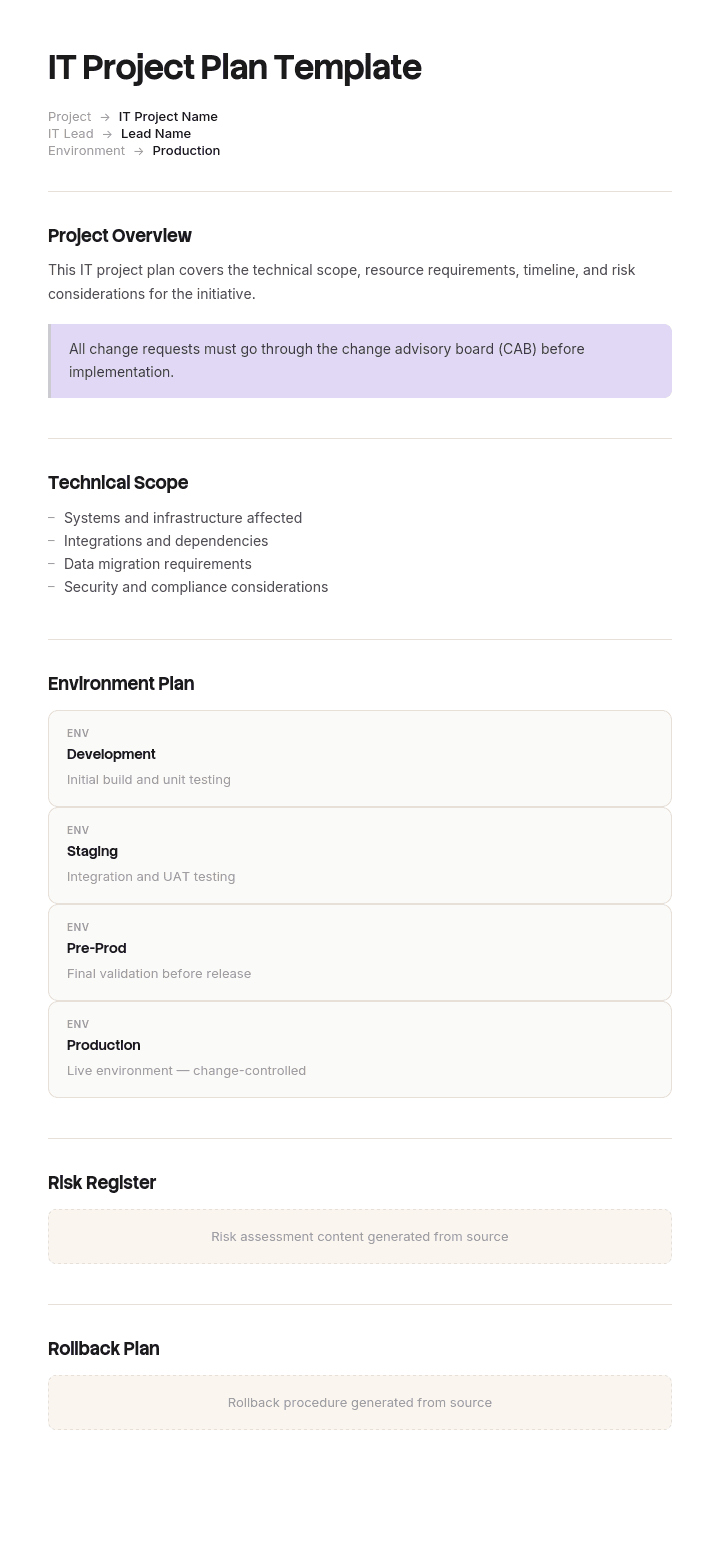
Use this template
IT projects fail more often than any other type - usually because of unclear scope, missed dependencies or weak communication. With Trupeer, you can save hours on planning by starting with a free IT project plan template, customizing it with your brand identity, and turning the plan into video updates that keep technical and business stakeholders aligned.
What an IT project plan is, and why generic templates slip
A project plan is the document that says what will be delivered, by when, by whom, and what has to be true for that to happen. Every template that ranks for this search will give you that, usually as a task list with start dates, end dates, owners and a Gantt bar.
The task list is not the problem. The problem is the order in which you fill it in.
Generic templates start with your work. List the tasks, estimate the durations, sequence them, add owners, and the end date falls out at the bottom. Dependencies get added afterwards, in a column, as a note.
IT projects rarely slip because those estimates were wrong. They slip because something arrived that was never in the plan and could not be argued with: a change freeze covering the go-live week, a security review with a six week queue, a vendor whose implementation consultants are booked to the end of the quarter, a licence that renews before the replacement is ready, an audit that locks the environment for a month.
None of those are risks. A risk is something that might happen. These are already true on the day you start planning, and every one of them is knowable in the first week if somebody asks.
So this template inverts the order. You draw the dates you cannot move first. Then you find out how wide the remaining window actually is. Then you schedule work into it. The task list still exists, it just stops being the first thing you write.
How to customize this template in Trupeer
Step 1: Open the Templates Section
Go to the Templates section from the main navigation.

Step 2: Select and Open a Template
Click on any template you want to work with to open it.

Step 3: Expand the Template View
If needed, expand the template view to see the full layout and details clearly.

Step 4: Edit the Template
Click on Edit to start modifying the selected template.

Within the editor, you can:
Add new sections
Define or update formatting rules
Add a logo and adjust its position and related settings
Step 5: Save Your Customized Template
After making all necessary changes, click Save to store the updated template as your own.

Step 6: Preview and Fine-Tune the Template
When you want to see how your customized template looks, open the Preview.

From the preview screen, you can continue to make adjustments directly if needed, ensuring the template appears exactly as you want.
With an IT project plan template you can:
Save hours on planning: Skip the blank page with a structure built for IT initiatives.
Manage technical complexity: Built-in sections for architecture, dependencies and risks.
Stay on-brand: Apply your logo, fonts and colors using Trupeer's brand kit.
Align business and IT: Convert technical plans into video updates business stakeholders can understand.
Standardize across projects: Use the same template for every IT initiative.
Reach global teams: Translate plans and updates into 65+ languages with one click.
The immovables, and where to find them
An immovable is any date or duration set by somebody who does not report to the project. You cannot negotiate it inside the project, and discovering it late converts it from a constraint into a crisis.
Here is the inventory to run in week one. Ask each owner two questions: what is your date, and what is your lead time.
Immovable | Who owns it | Typical lead time or window | Where to find it |
|---|---|---|---|
Change freeze | Change board or retail, finance operations | Two to ten weeks, often peak trading and fiscal close | Published freeze calendar, usually annual |
Security and architecture review | Security | Two to six weeks, longer in the last quarter | Ask for current queue depth, not the stated SLA |
Procurement and contracting | Procurement, Legal | Three to eight weeks | Your IT procurement policy approval routing |
Vendor delivery and professional services | The vendor | Four to twelve weeks, often booked a quarter ahead | Ask for named consultant availability, not a generic yes |
Hardware and circuits | Procurement, telco | Four weeks to six months | Current quoted lead time, in writing |
Another team's release train | That team | Fixed cadence, two to twelve weeks | Their release calendar |
Licence or support contract renewal | Finance, vendor manager | Hard date, plus a notice period before it | Contract, and your technology register |
Audit, regulatory or statutory dates | Compliance | Fixed | Compliance calendar |
Data remediation in the source system | The data owner | Unknown until the data is profiled | Profile it in week one, not at migration |
People availability | Line managers | Holiday, notice periods, on-call rotations | The team calendar, before you commit |
Two of these deserve special attention because they are the ones most often missed. Notice periods on contracts are immovable dates that sit before the renewal date, which means the real deadline is earlier than the one in the diary. And data quality in the source system is the only immovable whose size you cannot look up. You have to go and measure it, which is why profiling the source data belongs in week one rather than in the migration phase.
Draw these on a single calendar before you estimate anything. What you are looking for is the shape of the gap. Very often the gap is far narrower than the project duration, and the honest conversation about scope happens in week two rather than in month seven.
What goes in the plan
Once the immovables are drawn, the plan itself has twelve sections. Copy the headings, fill them in this order.
1. Summary. One sentence: what changes, for whom, and what stops being true afterwards.
2. Outcome and success criteria. Measurable, and dated. Include at least one criterion about the thing being replaced, for example that the legacy system has no traffic and no licence cost by a stated date. Plans that end at go-live are how companies end up paying for two systems.
3. Constraint calendar. The immovables table above, filled in, with the resulting delivery window stated as a date range in plain words.
4. Scope. Three lists: in, out, and deferred. The deferred list is the useful one, because it is where scope goes when it is cut, and it stops the same conversation happening four times.
5. Phases and milestones. Milestones are events with an observable answer, for example "security review passed" or "first store live", not "design phase complete".
6. Work breakdown. Tasks, owners, estimates, sequence. This is the part every other template starts with.
7. Dependencies. Split internal from external. Every external dependency gets a named person at the other organisation and a date they have agreed to, not a date you have assumed.
8. Environments and data. Which environments exist, what data is in each, how production data is protected in test, and the result of source data profiling.
9. Cutover and rollback. The hour by hour sequence for the switch, the decision point at which you stop, who makes that call, and how you get back. Write this as a runnable procedure, which is where a method of procedure template belongs.
10. Risks with triggers. Not a likelihood and impact grid. Each risk gets an observable trigger and the action that fires when the trigger is seen. "Vendor consultant not confirmed by 12 May" is a trigger. "Vendor may be late" is not.
11. Communications, training and adoption. Who is told what and when, and what users are expected to be able to do on day one.
12. Governance and closure. Who decides, who escalates, what a decision record looks like, and the conditions under which the project is declared finished and handed to run.
A worked example, and what it cost
Ashmore Retail, eighty four stores and three distribution centres, set out in February to replace the warehouse management system in all three DCs. Nine months of work, go-live planned for mid November, described in the kickoff deck as landing comfortably ahead of peak.
Two immovables existed on the day of that kickoff. Both were published. Neither was on the plan.
The first was the change freeze. Retail operations publish it every January and it runs from 1 November to 15 January, covering peak trading. No production change of any kind goes in during those eleven weeks.
The second was the legacy contract. It renewed on 31 December for a further twelve months at one hundred and eighty six thousand pounds, with ninety days notice required, which put the real deadline at 2 October.
The project ran to plan through the spring. Security review took four weeks against a stated SLA of two. The vendor's implementation consultants were not available until October, because they had been asked in July. Both slips were absorbed by moving the go-live from mid November to late November, which nobody flagged because nobody was looking at the freeze calendar.
The freeze surfaced in a change advisory board meeting in early September. Go-live in November was not possible, and the next workable window opened on 16 January.
That left one choice to make by 2 October. Give notice on the legacy contract and run from 1 January with no support on the system the entire business depended on, or let it renew and pay for a year of a system they had planned to switch off in November.
They let it renew. The new system went live on 4 March. The legacy contract was used for nine weeks of its fifty two week term, which is about thirty two thousand pounds of value against a hundred and eighty six thousand pound bill. Roughly a hundred and fifty four thousand pounds bought nothing.
The instructive part is that the project was never late in the way people mean when they say late. The work was done to a reasonable standard at a reasonable pace. What went wrong is that the window was six weeks narrower than anybody had drawn, and the two dates that defined it had been sitting in a published calendar and a signed contract since before the project existed.
Had the constraint calendar been drawn in February, the sequence would have been obvious. Go-live before 1 November, working back through a four week security review that was really six, a six week procurement path and consultants who needed a quarter of notice, meant the vendor contract had to be signed by mid April. It was signed in July. The project did not need to move faster. It needed to start its immovable dependencies eleven weeks earlier.
Five shapes of IT project, and which sections carry the weight
Lists of twenty IT project templates are common in this search, covering everything from ITSM implementation to infrastructure upgrades to PMO establishment. In practice they collapse into five shapes, and the shape tells you which sections above deserve the detail.
Replacement. Swapping a running system for a different one. Includes WMS, ERP, ITSM tooling, help desk platforms, HR systems. Sections 3, 9 and 2 carry the weight, because the hard parts are the window, the cutover and proving the old thing is actually off.
Implementation. Something new with no predecessor. Includes SLA management, IT governance and compliance programmes, asset management, knowledge management. Sections 11 and 2 carry the weight, because nothing was broken before, so adoption is the only thing that makes it real. Our digital adoption implementation guide goes deeper on this.
Migration or upgrade in place. Same system, new version, new host or new region. Includes virtualisation, consolidation, cloud migration, database upgrades. Sections 8 and 9 carry the weight, because rollback is the whole game.
Build. Software development and process automation. Section 4 carries the weight, because scope is the variable that moves and acceptance criteria are what stop it moving quietly.
Programme and assurance. PMO establishment, IT audits, portfolio management, risk management, security compliance. Section 12 carries the weight, because the deliverable is evidence and sign-off rather than a working system, and the milestones are review dates set by somebody else.
If your project does not fit one of these cleanly, it is usually two projects that have been given one name.
Building the plan in a day
Morning, draw the immovables. Send the two questions to each owner in the table, chase the vendor and security answers first because those have the longest tails, and put every date you get back on one calendar. State the resulting window in a sentence.
Afternoon, write sections 1, 2 and 4, then the milestones. Leave the detailed work breakdown for the delivery team to fill in during the week. A plan is useful the moment the window and the scope are agreed, and it is not more useful for having four hundred rows in it.
Review it against the window at every governance meeting. The single question worth asking is not "are we on track" but "has any immovable moved". Freezes get extended, audits get rescheduled, and vendors lose consultants. Those changes reshape the plan in a way that a slipped task never does.
What to leave out
A Gantt chart of every task does not belong in the plan document. It belongs in whatever tool you schedule with, and duplicating it into a document creates two versions that disagree within a fortnight.
A full risk register with scores does not belong here either. Keep the risks that have triggers and dates, and put the rest in the register.
Detailed procedures for how the work gets done belong in an IT SOP, and the description of what you have built belongs in IT documentation rather than in the plan. Handover to the run team is worth planning properly, which is what a knowledge transfer SOP is for.
When to stop using a document and use software
A document is the right container while the plan is being argued about, which is most of the first month. It stops being the right container when three things become true at once: more than about thirty tasks are live, more than four people are updating status, and dependencies between tasks start changing weekly.
At that point move the work breakdown into scheduling software and keep the document for sections 1 to 5 and 12, which are the parts that get read by people who will never open the tool. The document holds the agreement. The tool holds the schedule.
Turning the plan into something the delivery team actually follows
The plan gets read at kickoff and at the steering meeting. The cutover runbook gets read at two in the morning by somebody who was not in either.
Trupeer AI turns a screen recording into a documented process, so the cutover steps in section 9 and the day one tasks in section 11 become walkthroughs of your real systems rather than paragraphs describing them. Record the sequence once and you get a step by step guide, a video and a document in your knowledge base, in your own branding.
Record it. Brand it. Translate it. Trupeer it.
For the adoption work in section 11, change management and training videos cover the rollout side, and documentation keeps the plan, the runbook and the handover material together. Setup instructions are in the document template setup guide.
Frequently Asked Questions
Is there a free IT project plan template in Excel?
Not as a file from us, and it is worth being straight about the trade. Excel is genuinely the better container for the work breakdown in section 6, because dates, dependencies and rollups belong in cells. Build that sheet yourself with columns for task, owner, start, end, dependency, status, and immovable flag. Keep sections 1 to 5, 9 and 12 as a document, because they are argued over in prose and nobody negotiates scope in a spreadsheet.
Is there a Word version, or a Word doc free download?
The twelve section structure above is written to be copied straight into Word or Google Docs. Paste the headings, keep the numbering, and fill them in the order given. There is no gated download, which also means there is no form between you and the structure.
Is there a PDF version?
Paste the sections into your editor and export to PDF when the plan is agreed. A plan is worth freezing as a PDF at the point it is signed off, and worth keeping editable before that, so exporting your own copy at the right moment is better than starting from a fixed file.
Is there a PPT version for the kickoff deck?
The deck is a different document with a different job. Six slides is usually right: the outcome, the delivery window from your constraint calendar, scope in and out, milestones, the named external dependencies, and who decides what. Do not put the work breakdown in the deck. Nobody reads a Gantt bar on a projector.
Can I download it for free?
The structure, the immovables table and the worked example are free and unrestricted. Use them, edit them, put them in your own template library under your own name.
Is a project delivery plan the same as a project plan?
Close enough that the distinction rarely earns its keep. Where organisations separate them, the project plan covers the whole life of the project including business case and closure, and the delivery plan covers only the build and release portion. If your governance asks for both, write the plan above and treat sections 5 to 9 as the delivery plan.
Do I need a separate project management report template as well?
Yes, and keep it much shorter than you expect. A status report that repeats the plan is ignored within a month. Report four things: has any immovable moved, is the window still wide enough, what decision do you need from this group today, and what triggered from the risk list since last time.
How detailed should an IT project plan be?
Detailed enough that a new joiner can tell what happens next, and no more. In practice the plan document runs about eight to fifteen pages for a nine month project, most of which is sections 8 and 9. If the document is longer than the cutover runbook, the balance is wrong.
How often should the plan be updated?
Sections 6 and 7 change weekly and belong wherever your team already works. Sections 1 to 5 should change rarely, and every change to them is a decision that somebody has to approve. If your scope section is being edited quietly each week, you do not have a plan, you have a diary.

