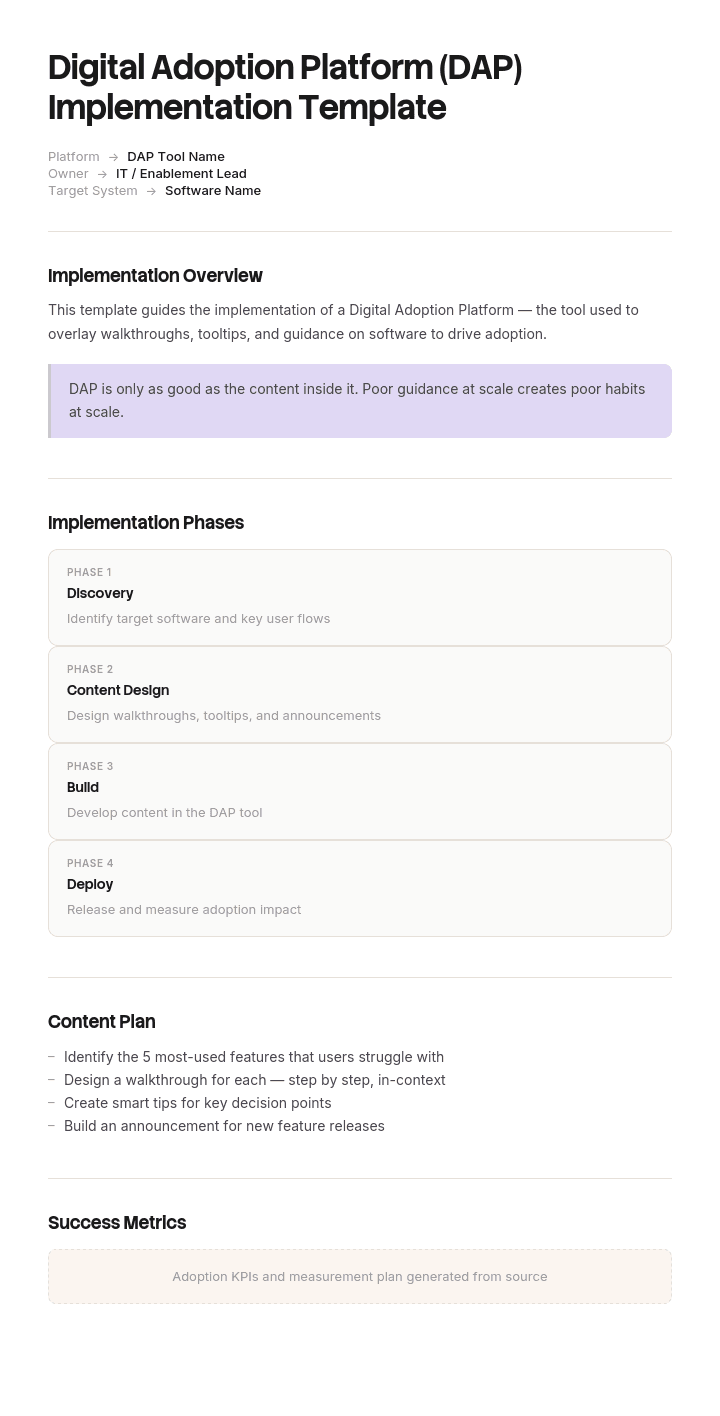
Use this template
Digital adoption platforms can transform how users learn and adopt software - if they're rolled out well. With Trupeer, you can save hours on DAP implementation planning by starting with a free template, customizing it with your brand guidelines, and turning the plan into video walkthroughs that align stakeholders behind the rollout.
Digital adoption platforms rarely fail technically. They fail because nobody decided which problem the platform was solving, so guidance got built for everything, went stale within a quarter, and users learned to dismiss it.
This template covers the six decisions that determine whether an implementation works, then the four phases of actually doing it.
Download the DAP implementation template
Format | Best for |
|---|---|
Excel (.xlsx) | The implementation plan, RACI, flow inventory and adoption tracker |
Word (.docx) | The written plan for stakeholders and the business case |
The approved version and steering group circulation | |
PowerPoint (.pptx) | Presenting the plan and progress to sponsors |
Google Sheets | Live tracking during rollout |
Free, editable, no watermark.
Before you implement: do you actually need a DAP?
Worth asking honestly, because DAPs are expensive to buy and more expensive to maintain badly.
A DAP is the right answer when you have complex software used by hundreds or thousands of people, high turnover meaning constant re-onboarding, processes where the cost of doing it wrong is high, or systems your users cannot avoid and did not choose.
A DAP is probably overkill when the software is used by a few dozen people, the workflows are stable, users are motivated, or the real problem is that nobody wrote anything down. In those cases documentation and recorded walkthroughs solve most of it at a fraction of the cost, and without the ongoing burden of maintaining in-app guidance against a changing interface.
The test: is your problem that people cannot find instructions, or that they will not read instructions even when they can find them? The first is a documentation problem. Only the second needs guidance embedded in the product.
How to customize this template in Trupeer
Step 1: Open the Templates Section
Go to the Templates section from the main navigation.

Step 2: Select and Open a Template
Click on any template you want to work with to open it.

Step 3: Expand the Template View
If needed, expand the template view to see the full layout and details clearly.

Step 4: Edit the Template
Click on Edit to start modifying the selected template.

Within the editor, you can:
Add new sections
Define or update formatting rules
Add a logo and adjust its position and related settings
Step 5: Save Your Customized Template
After making all necessary changes, click Save to store the updated template as your own.

Step 6: Preview and Fine-Tune the Template
When you want to see how your customized template looks, open the Preview.

From the preview screen, you can continue to make adjustments directly if needed, ensuring the template appears exactly as you want.
With a DAP implementation template you can:
Save hours on planning: Skip the blank page with a structure built for DAP rollouts.
Drive real adoption: Built-in fields ensure content strategy and governance are clear.
Stay on-brand: Apply your logo, fonts and colors using Trupeer's brand kit.
Communicate the rollout: Convert the plan into video updates for stakeholders.
Standardize across applications: Use the same template for every DAP implementation.
Reach global users: Translate DAP plans and content into 65+ languages with one click.
The six decisions that determine success
Make these before you configure anything.
Decision 1: which problem
Name one. Reducing support tickets for a specific process, cutting time to competence for new starters, improving data quality in a specific form, or driving completion of a specific workflow.
Implementations that begin with "improve adoption of the new system" produce guidance on everything and value nowhere. The problem statement should be specific enough that you could tell within a quarter whether it improved.
Decision 2: which flows to guide
The single biggest determinant of whether users tolerate the DAP.
Guide the flows that are high-volume and error-prone, infrequent enough that people forget, or new and unfamiliar. Leave alone anything users do daily and already do correctly.
Every unnecessary tooltip trains people to dismiss guidance without reading it, and once that habit forms it applies to the guidance that mattered. Start with three to five flows, not thirty.
Decision 3: who owns the content
DAP content decays. Interfaces change, processes change, and guidance that points at a button which moved is worse than no guidance at all.
Name a person, not a department, with time allocated. The most common cause of a DAP being abandoned in year two is that the person who built it moved on and nobody inherited it.
Decision 4: what adopted means
Define it as a task outcome, not as an interaction with the DAP.
Guide views, tooltip impressions and walkthrough starts measure your guidance, not adoption. The measure that matters is whether the underlying task gets completed, correctly, without help. Decide this before rollout and take a baseline, because retrofitting a baseline is impossible.
Decision 5: build or document
For each flow, decide whether it genuinely needs in-app guidance or whether a documented walkthrough would serve better.
In-app guidance wins where the user is already in the product and the action is on screen. Documentation and video win where the user needs to understand something before acting, where the process spans multiple systems, or where they need to refer back later. Most implementations need both, and treating the DAP as the answer to everything is what makes them expensive.
Decision 6: how you keep it current
Decide the trigger and the process now. Every product release should prompt a guidance review, with a named owner and a defined turnaround. Without that, decay is invisible until users complain, and by then they have already stopped trusting it.
The implementation template
Field | Enter |
|---|---|
Problem statement | One specific problem, with a baseline number |
Success measure | Task outcome, not guidance engagement |
Scope | Which application, which flows, which user groups |
Out of scope | Explicitly, so it stays out |
Sponsor and owners | Executive sponsor, project owner, content owner |
Flow inventory | Each flow, priority, guidance type, owner, status |
Baseline data | Current state per measure, before anything changes |
Phases and dates | Discovery, pilot, rollout, sustain |
Risks and dependencies | With owners |
Maintenance plan | Trigger, owner, turnaround |
Review points | With dates and criteria |
Phase 1: discovery and baseline
Two to four weeks.
Confirm the problem statement and get the sponsor to agree it in writing.
Take the baseline. Support ticket volume by category, task completion rates, time to complete, error or rework rates, time to competence for new starters.
Interview users, and watch them work. What people say they struggle with and what actually slows them down are usually different.
Build the flow inventory: every candidate process, with volume, error rate and who performs it.
Prioritise ruthlessly to three to five flows for the pilot.
Confirm technical prerequisites: browser extension deployment, single sign-on, analytics access, any security review.
Agree the content ownership model before anything is built.
The security and IT review is the step most often underestimated. In regulated environments it can take longer than the entire rest of the implementation.
Phase 2: pilot
Four to six weeks.
Build guidance for the pilot flows only. Resist scope expansion, which will be requested immediately.
Pick a pilot group of real users, ideally a mix of confident and struggling ones rather than volunteers, who are always the enthusiasts.
Run for long enough to see behaviour rather than novelty. Two weeks is not enough.
Measure against the baseline, on the task outcome.
Collect qualitative feedback specifically on intrusiveness. Users will tolerate guidance that helps and resent guidance that interrupts, and they rarely volunteer the distinction unless asked.
Decide go, adjust or stop. Building in a stop option is what keeps a pilot honest.
Phase 3: rollout
Six to twelve weeks, phased.
Roll out by group rather than all at once, so you can correct between waves.
Communicate before deployment. Users encountering unannounced overlays on their software assume something is broken.
Brief managers first, so they can answer questions.
Deploy guidance in priority order, not everything simultaneously.
Keep a feedback route open and visibly act on it.
Monitor dismissal rates. A high dismissal rate on a specific guide means that guide is wrong, not that users are resistant.
Report against the baseline at each wave.
Phase 4: sustain
Ongoing, and the phase most implementations skip.
Review guidance at every product release, with a named owner.
Retire guidance for flows that no longer need it. Guidance is not permanent, and leaving it in place after users have learned the task is how you train them to ignore all of it.
Add new flows deliberately, one at a time, against the same prioritisation criteria.
Report adoption quarterly against the original problem statement.
Re-baseline annually, since the comparison degrades as everything else changes.
Filled-in implementation example
Problem statement. Expense claim submissions require rework 31% of the time, generating 40 support tickets a month and delaying reimbursement by an average of nine days.
Success measure. Rework rate below 10% and expense-related tickets below 15 a month, within one quarter of full rollout.
Scope. Expense system only. Claim submission, receipt upload and approval flows. All 340 employees. Out of scope: reporting, admin configuration, the finance team's own processes.
Phase | Weeks | Key activities | Owner | Exit criteria |
|---|---|---|---|---|
Discovery | 1 to 3 | Baseline, user observation, flow inventory, IT review | Project owner | Baseline agreed, IT sign-off, 4 flows selected |
Pilot | 4 to 9 | Build 4 flows, 40 pilot users, measure | Content owner | Rework rate improved, dismissal rate under 20% |
Rollout | 10 to 18 | 4 waves by department, comms before each | Change lead | 100% deployed, no wave regressions |
Sustain | Ongoing | Release reviews, quarterly reporting | Content owner | Guidance current within 5 days of each release |
Flow inventory, pilot scope.
Flow | Volume/month | Current error rate | Guidance type | Owner |
|---|---|---|---|---|
Submit a claim with receipts | 380 | 31% | In-app walkthrough | Content owner |
Split a claim across cost centres | 45 | 62% | In-app walkthrough plus doc | Content owner |
Approve a claim over threshold | 90 | 18% | Tooltip plus doc | Content owner |
Correct a rejected claim | 118 | n/a | In-app walkthrough | Content owner |
Notice the second flow: low volume, very high error rate. Those are the best candidates, because the pain per instance is high and users have no chance to learn through repetition.
The implementation checklist
Before you buy
Problem stated specifically, with a number
Baseline measurable, and measured
Content owner identified with allocated time
Security and IT review scoped
Success measure defined as a task outcome
Before the pilot
Three to five flows selected on volume and error rate
Pilot group chosen, mixed ability not volunteers
Deployment method tested
Analytics access confirmed
Stop criteria agreed
Before rollout
Pilot results measured against baseline
Intrusiveness feedback collected and acted on
Communication plan agreed, managers first
Wave plan defined
Feedback route live
Before you call it done
Maintenance trigger and owner confirmed
Retirement criteria agreed for each guide
Quarterly reporting scheduled
Re-baseline date set
Measuring digital adoption
Measure | What it tells you | Trap |
|---|---|---|
Task completion rate | Whether people finish what they start | The one that matters most |
Error or rework rate | Whether they finish it correctly | Often improves before completion does |
Time to complete | Efficiency gain | Can rise initially as people follow guidance properly |
Support tickets by category | Where confusion remains | Segment by flow or it tells you nothing |
Time to competence | New starter ramp | Slow to move, but the most valuable long term |
Guide dismissal rate | Whether guidance is welcome | High dismissal means bad guidance, not bad users |
Guide views | Nothing useful on its own | The vanity metric every DAP dashboard leads with |
Report against the problem statement, not against the platform. A quarterly report showing 40,000 guide views and no change in rework rate is a failed implementation described favourably.
Common DAP use cases
New system rollout. Guiding users through unfamiliar workflows during a migration, then retiring the guidance as competence builds.
Onboarding new employees. Reducing time to competence on systems, particularly where turnover is high.
Reducing support volume on specific, repetitive, self-serviceable tasks.
Improving data quality by guiding form completion at the point of entry.
Compliance-critical processes where the cost of an error is high and the steps are infrequent.
Feature adoption in your own product, where the DAP is customer-facing rather than internal.
Process change, where the system stayed the same and the correct way of using it changed.
Choosing a platform
Match to the use case rather than the feature list.
Ask whether it works on your actual applications, since coverage of desktop, legacy and heavily customised systems varies enormously. Ask how guidance survives an interface change, because that determines your maintenance burden more than anything in a demo. Ask what analytics you get on task outcomes rather than guide engagement. Ask about deployment, since browser extensions have real implications for IT and security. And ask who builds the content, because if it requires developer time your content will not stay current.
Then ask for a reference customer with a comparable estate, and ask them specifically about year two.
Where a DAP is not the answer
Worth being direct, because this is where implementations waste the most money.
If your users cannot find instructions, you have a documentation and findability problem, and in-app guidance is an expensive way to solve it. If your process is genuinely confusing, guidance makes a bad process survivable rather than fixing it. If the software is used occasionally by a small group, documented walkthroughs cost a fraction and never break when the interface moves. And if your problem is that people need to understand something rather than click something, guidance overlaid on a screen is the wrong medium entirely.
Trupeer AI is not a digital adoption platform and does not overlay in-app guidance. What it does is produce documentation and narrated video walkthroughs from a single screen recording, which covers a substantial share of what organisations buy DAPs hoping to achieve, without the deployment, the extension, or the maintenance burden. For many teams the honest sequence is to document properly first, measure what that fixes, and buy a DAP only for what remains.
Best practices
One problem statement, with a number.
Baseline before you build anything.
Three to five flows to start.
Prioritise on error rate, not volume alone.
Name a content owner with allocated time.
Define adoption as a task outcome.
Communicate before deployment.
Treat high dismissal rates as feedback on your guidance.
Retire guidance once the task is learned.
Review at every release.
Common mistakes
Buying before defining the problem.
Guiding everything, so users dismiss everything.
Measuring guide views and calling it adoption.
No baseline, so improvement cannot be demonstrated.
Content ownership unassigned, leading to decay within two quarters.
Guidance left in place permanently, training users to ignore it.
Pilot group made of volunteers, who are never representative.
Rollout all at once, so a problem hits everyone simultaneously.
Underestimating the IT and security review.
Using a DAP to paper over a broken process.
No plan for what happens when the interface changes.
Document it first, then decide what needs guiding
Open the template in Trupeer AI, apply your brand kit so implementation documents match your standards, and edit any section directly. Setup is in the template guide.
Every DAP implementation needs the flows documented before they can be guided, and most teams discover during discovery that documentation is the actual gap. Record each flow once and Trupeer AI produces the written walkthrough and a narrated video walkthrough from the same pass, which gives you the content inventory the implementation needs and, frequently, resolves several flows without guidance at all.
Translate it into 65+ languages, which is usually cheaper than multilingual in-app guidance. Keep the set in your knowledge base as the reference layer beneath the DAP, and use it for onboarding and training. See how teams approach system rollouts in change management.
Record it. Brand it. Translate it. Trupeer it.
Frequently Asked Questions
Is there a free digital adoption platform implementation template?
Yes, on this page, in Excel, Word, PowerPoint and PDF. It covers the six pre-implementation decisions, the four phases with exit criteria, the flow inventory, a RACI, the adoption tracker and the rollout checklist. Free, no sign-up, no watermark.
What is a digital adoption platform?
Software that sits over your other applications and guides users through tasks inside them, using walkthroughs, tooltips, checklists and in-context help. The aim is that people learn the software while using it rather than being trained separately beforehand.
How do you implement a digital adoption platform?
Define one specific problem with a baseline number, select three to five high-error flows, name a content owner with allocated time, pilot with a mixed group of real users, measure against the baseline on task outcomes, then roll out in waves with communication ahead of each. Then maintain it at every product release, which is the phase most implementations skip.
How long does a DAP implementation take?
Typically three to six months from decision to full rollout: two to four weeks of discovery, four to six weeks of pilot, and six to twelve weeks of phased rollout. Enterprise environments with security review and complex estates run longer, and the security review is the step most often underestimated.
What should a DAP implementation plan include?
A specific problem statement with a baseline, the success measure defined as a task outcome, scope and explicit exclusions, named sponsor and content owner, a flow inventory with volumes and error rates, phase dates with exit criteria, risks, the maintenance plan and scheduled review points.
How do you measure digital adoption?
On task outcomes: completion rate, error or rework rate, time to complete, support tickets by category, and time to competence for new starters. Guide views and tooltip impressions measure your guidance rather than adoption, and reporting them as success is the most common way a failed implementation gets described favourably.
Which processes should you guide with a DAP?
High-volume and error-prone flows, infrequent tasks people forget, and genuinely new workflows. Leave alone anything users do daily and already do correctly, because unnecessary guidance trains people to dismiss all guidance, including the parts that matter.
Why do DAP implementations fail?
Almost always decisions made before configuration. No specific problem, so guidance gets built for everything. No content owner, so it decays within two quarters. Adoption measured as guide engagement, so nobody notices it is not working. And no plan for interface changes, so guidance quietly starts pointing at buttons that moved.
How much does a digital adoption platform cost?
Pricing varies widely by vendor, user count and application coverage, and published pricing is rare in this category. The larger cost for most organisations is ongoing content maintenance, which is routinely underestimated in the business case and is the reason implementations stall in year two.
Do I need a DAP or better documentation?
Ask whether your users cannot find instructions or will not read them. If they cannot find them, that is a documentation and findability problem, and in-app guidance is an expensive fix. If they will not read them even when available, in-app guidance is genuinely the right answer. Most organisations have some of both, and documenting first tells you which flows actually need guiding.
Is Trupeer AI a digital adoption platform?
No. Trupeer AI does not overlay guidance inside your applications. It produces documentation and narrated video walkthroughs from a screen recording, which covers a large share of what teams buy DAPs to achieve, without deployment or maintenance against a changing interface. For a full DAP with in-app overlays and behavioural analytics, you need a dedicated platform, and this page will help you implement one properly.
Can I customise this DAP implementation template?
Yes, every version is fully editable. Adjust the phases to your governance, add stage gates, and change the metrics to match your problem statement. In Trupeer AI you can also apply your brand kit so implementation documents match your other project documentation.

