Use this template
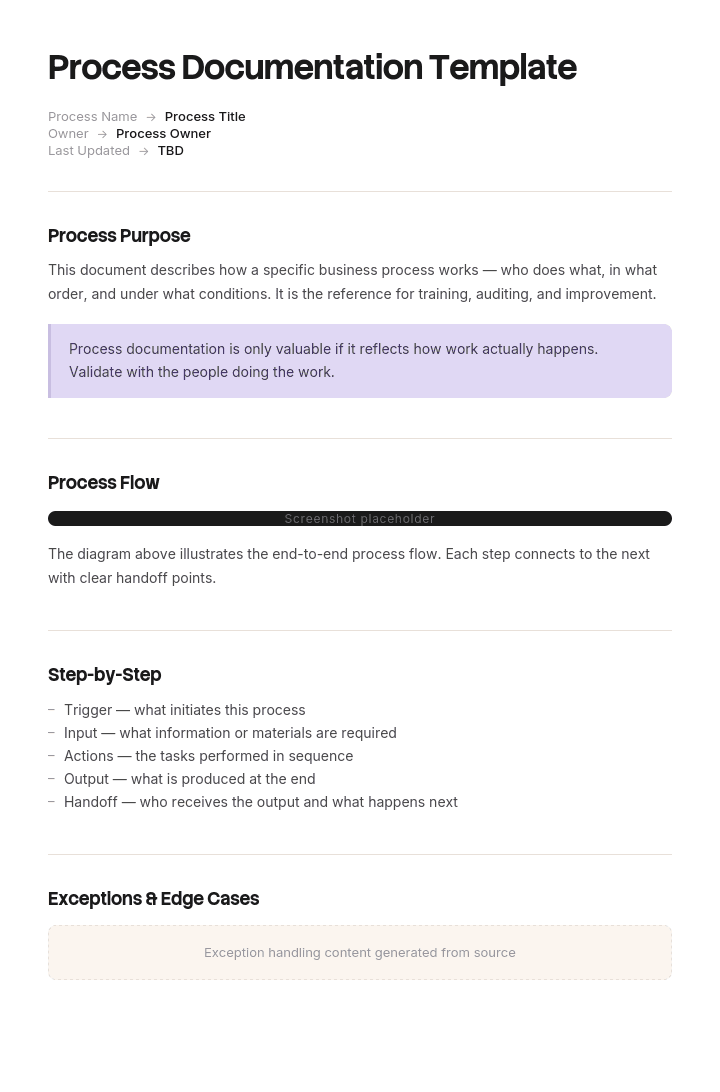
Process documentation is what turns tribal knowledge into organizational knowledge. With Trupeer, you can save hours on capturing how work gets done by starting with a free process documentation template, customizing it with your brand guidelines, and turning written process docs into clear video walkthroughs that teams actually use.
What is a process documentation template?
Process documentation is the written record of how work actually gets done: the steps, who performs them, in what order, with what inputs and what the finished result looks like.
A process documentation template is the reusable structure for capturing it. Header fields, step format, and the surrounding information that makes a document usable by somebody who has not done the work before.
Every template you will find offers roughly the same thing: a purpose, a scope, a list of numbered steps with owners, and somewhere to put a flowchart. That structure is fine. What it produces is a document describing the version of the process where everything goes to plan, which is not the version anybody needs help with.
Why the happy path is the part nobody needed
Ask somebody to document a process and they will describe how it works. That is the natural answer to the question and it is the wrong content.
The person who will read the document can usually manage the standard case within a week. They watch somebody do it twice, they pick it up, and they are fine. What they cannot do is handle the order with a missing purchase order number, the customer whose price does not match the contract, the part that has been discontinued, the account that has just gone over its credit limit.
Those situations are not rare. In most operational processes they are the majority of the work by time, even when they are a minority by volume, because each one takes several times longer than a clean case.
They are also the hardest content to write, for a reason that is worth understanding. The person documenting the process has handled each exception hundreds of times, and long ago stopped experiencing them as decisions. Asked how the process works, they honestly and accurately describe the happy path, because that is what the question invites.
So the document ends up covering the part that needed no documenting, and omitting the part that was the entire reason for the exercise.
How to customize this template in Trupeer
Step 1: Open the Templates Section
Go to the Templates section from the main navigation.

Step 2: Select and Open a Template
Click on any template you want to work with to open it.

Step 3: Expand the Template View
If needed, expand the template view to see the full layout and details clearly.

Step 4: Edit the Template
Click on Edit to start modifying the selected template.

Within the editor, you can:
Add new sections
Define or update formatting rules
Add a logo and adjust its position and related settings
Step 5: Save Your Customized Template
After making all necessary changes, click Save to store the updated template as your own.

Step 6: Preview and Fine-Tune the Template
When you want to see how your customized template looks, open the Preview.

From the preview screen, you can continue to make adjustments directly if needed, ensuring the template appears exactly as you want.
With a process documentation template you can:
Save hours on documentation: Skip the blank page with a structure designed for any business process.
Capture tribal knowledge: Document how work actually gets done - so the knowledge stays even when people leave.
Stay on-brand: Apply your logo, fonts and colors using Trupeer's brand kit - perfect for cross-functional process docs.
Build SOPs from process docs: Use our AI SOP creator to turn each step into a detailed work instruction.
Identify improvements: Documenting a process is the first step to improving it - the template makes inefficiencies visible.
Reach global teams: Translate process documentation into 65+ languages with one click.
How to count your exception rate before you write
Before writing anything, find out what proportion of real work follows the standard path. This takes an afternoon and it changes what you write.
Pull a sample of recent instances of the process. Thirty is enough to be indicative, two hundred is better if the data is easy to get. Consecutive rather than selected, because selected samples are always cleaner than reality.
For each one, ask a single question: did this go straight through, or did something have to be decided, chased, corrected or escalated?
Then sort the ones that did not into groups and count them.
Two numbers come out. The proportion that ran clean, which tells you how much of the work a happy path document would cover. And the ranked list of exception types, which is your writing order.
Most teams are surprised by both. A process everyone describes as straightforward routinely turns out to run clean on a third or a half of instances, and the top three exception types usually account for most of the rest. Those three are worth more written attention than all fourteen standard steps combined.
The and if not line that every step needs
The lightest version of this discipline costs almost nothing and can be applied to a document you already have.
Take each step. Each one implies a condition being satisfied: the field is populated, the price matches, the stock exists, the approval is in place. Underneath each step, write one line beginning "and if not".
Step: check the purchase order number is present and in the customer's format. And if not: request it from the requester by email using the template, hold the order in the pending queue, and do not proceed to allocation.
That single line does three things. It surfaces the exception, which is often the first time anybody has written it down. It forces a decision about what should happen, which frequently turns out not to be agreed. And it tells the reader what to do instead of leaving them to invent something or interrupt somebody.
Where the "and if not" answer runs longer than about two lines, it belongs in a separate exception section with its own decision rules, and the step just points there. Where the answer is genuinely "ask a supervisor", say so explicitly and name the role, because an unstated escalation is what produces the interruptions you were trying to eliminate.
Free process documentation template: the structure to copy
Copy from here.
Header. Process name, stated as an outcome rather than a department. Owner, as a role. Last verified date, meaning when somebody last ran the process against this document. Version. Estimated frequency and volume.
What this process produces. The finished result, described so a reader can tell when they have it.
Trigger and boundary. What starts it, what finishes it, and what sits immediately either side that this document does not cover. Boundaries are where duplicated and contradictory documents come from.
Who is involved. Roles rather than names, with what each is accountable for.
Inputs and systems. What has to exist before you start, and which systems and access are needed.
Steps. Numbered, one action each, with the expected result and an and if not line beneath each.
Exceptions. The ranked list from your sample, each with the condition, the decision rule, who can authorise, and what happens next. This section usually ends up longer than the steps, which is correct.
What this process does not cover. Named explicitly, with a pointer to where those cases go.
Measures. How long it usually takes, what the volume is, and what proportion runs clean. That last figure is worth tracking, because it moves when the process changes.
Copy to here. The two additions to a conventional template are the and if not lines and the exception section. Everything else you will find in any decent structure.
What to include in a process documentation template
The header, boundary, roles, steps and exceptions above. Three fields are worth defending against anybody who wants to trim the document.
Last verified, not last updated. Editing the wording is not the same as confirming the process still runs this way. A date that means somebody watched it happen is worth several that mean somebody fixed a typo.
The boundary. Most duplicated documentation exists because two teams documented overlapping slices of the same process without agreeing where each stopped.
The clean run rate. It is the only measure that tells you whether the document is describing the work or an idealised version of it.
Three things are worth leaving out. Screenshots of interfaces that change, since they date the document faster than the words do. Explanations of why the process exists, which belong in a policy. And detail about systems that lives in your IT documentation and should be referenced rather than restated.
The distributor whose document covered 31% of orders
Pellowe Trading, a business to business distributor, documented its order processing when two experienced coordinators resigned within a month of each other.
The documentation was thorough by any normal standard. Fourteen steps, a flowchart, screenshots, twenty two pages, signed off before both coordinators left.
Two replacements started. Within six weeks the order backlog had gone from about forty orders to around three hundred and ten, and the finance close slipped by nine days.
The investigation pulled two hundred consecutive orders and checked how many had followed the documented fourteen steps without deviation.
Sixty three had. The other hundred and thirty seven had hit at least one exception.
Ranked, those exceptions were: a missing or wrongly formatted customer purchase order number, forty one times. A price on the order not matching the contract price list, twenty nine. A discontinued part needing a substitute, twenty two. A credit limit exceeded, eighteen. A delivery address not held on the account, fourteen. A split delivery requested, thirteen.
Not one of the six appeared anywhere in the twenty two pages.
The two departing coordinators had each handled these several times a week for years. Neither had raised any of them during handover, and neither was withholding anything. They had been asked how the order process works, and they had answered that question accurately.
The backlog took eleven weeks and a temporary hire to clear. Two customers moved their accounts. The finance team put the carrying cost of delayed invoicing plus the lost margin at roughly sixty four thousand pounds.
The rewrite took four days. Same fourteen steps, each with an and if not line, plus a separate exception section covering the six named cases with the actual decision rules: who can authorise a price override and up to what value, the substitution rule and who approves it, the credit limit escalation path.
It was written by the two new coordinators and one person from finance, working from the two hundred order sample rather than from anybody's memory. That detail mattered, because the people who could have written it from memory had left, and the sample turned out to be a better source than they would have been.
Six months later, median exception handling time per order had fallen from twenty two minutes to seven, the backlog was stable under fifty, and a fresh sample of two hundred orders showed eighty four percent could be resolved from the document without escalating to anyone.
How to create process documentation, step by step
Pull the sample and count the exceptions first. Everything else is easier once you know what you are actually documenting.
Watch the process being performed, twice, by different people if you can. Two people performing the same documented process differently is itself a finding.
Write the boundary and the outcome before the steps, because they are what stop the document sprawling.
Write the steps from what you watched rather than from what the process is supposed to be. Where those differ, note the difference rather than smoothing it over, since the difference is usually either an improvement worth adopting or a problem worth fixing.
Add the and if not line to each step. Expect this to take longer than writing the steps did.
Write the exception section from your ranked list, top down, and stop when you have covered the ones that account for most of the volume. Perfect coverage is not the goal and it is not achievable.
Then have somebody who has not done the work run a real instance from the document while you watch and say nothing. Every question they ask is a defect, and the questions will cluster in the exceptions.
The effects of poor process documentation
The visible cost is onboarding time, and it is the smallest of them.
The larger costs are quieter. Interruptions, where the people who know the process spend their week being asked, which is invisible because it never appears as a ticket. Inconsistency, where two people produce different outcomes from the same input and nobody notices until a customer compares. Key person risk, where the process cannot run when one person is away, which stays hidden until they are.
And decision drift. Where the document does not say what to do, people decide for themselves, reasonably, and the decisions diverge over time until there is no single process left to document at all.
The pattern in all four is that poor documentation does not produce failures. It produces slow degradation that gets attributed to workload, staffing or system problems, which is why it rarely gets fixed by the people experiencing it.
What makes a good process documentation template?
Three things, and none of them is the layout.
It asks for the exceptions. A template with a steps table and nothing else will produce a happy path document every time, because that is what it invites.
It has a last verified field rather than a last updated one, which changes what maintenance means.
And it forces a boundary statement, so that the same process does not get documented three times by three teams with different edges.
Beyond that, the format matters far less than most template comparisons suggest. A plain document that covers the exceptions beats an elegant one that does not.
Process documentation formats: text, flowchart or checklist
Three formats, and the choice should follow the shape of the work rather than preference.
Numbered steps suit linear processes with a known start and finish and few branches. Most administrative and operational processes fit here, and this is what the template above assumes.
Flowchart or swimlane suits processes that branch genuinely, or that cross several roles with handoffs between them. A swimlane earns its place specifically when the question "whose job is this bit" keeps coming up. It is a poor container for detail, so pair it with the text version rather than replacing it.
Checklist suits processes where completeness matters more than order, and it works well as a companion artefact rather than the main document.
A useful rule: if your process has more than about three genuine decision points, draw it as well as writing it. If it has fewer, the flowchart is decoration and the numbered list is the document.
Process document, SOP or work instruction: which is it?
Three terms, used interchangeably, with a real distinction underneath.
Process documentation describes how work flows, often across roles, and is descriptive. It answers how this gets done here.
An SOP is authoritative and prescriptive. It states the approved way to perform a task, it is controlled, and deviation from it is a deviation. Our SOP template covers the structure.
A work instruction is the most granular, covering one operation at one station by one role, and in regulated or manufacturing settings it is a controlled document, which our manufacturing work instructions template covers.
The practical test is consequence. If departing from the document is simply a different way of working, it is process documentation. If departing from it is a nonconformance, it is an SOP or a work instruction, and it needs version control, approval and a review cycle that process documentation does not.
Where the process was held in one person's head and that person is leaving, the documentation exercise is really a handover, and our knowledge transfer SOP covers how to run that properly, including why asking somebody how their job works produces the happy path.
Can I get a process documentation template in Word or Excel?
Word or Google Docs for the document. Steps with and if not lines and an exception section are prose with structure, and they read better in a document than in cells.
Excel for two supporting artefacts. The exception log, meaning your sample with one row per instance and the exception type recorded, which is what produces the ranked list and can be rerun later to see whether anything changed. And the process register, listing every documented process with its owner, last verified date and clean run rate, which is how you manage a library of them.
PowerPoint suits the flowchart or swimlane if you are presenting the process, and not the document itself.
PDF for the version issued once it has been verified, exported from the live copy.
How to document a process without writing it
The exception content is the part that never gets written, and the reason is time rather than reluctance. Somebody has to sit with the person who knows, capture what they do, then spend an evening turning notes into something readable.
Recording removes most of that. Trupeer AI turns a screen recording into a written procedure with the steps and screens already captured, so the person who knows the process performs it once rather than describing it.
The useful trick is to record the exceptions rather than the standard case. Next time a price mismatch or a missing purchase order comes through, have whoever handles it record themselves handling it. Six recordings over a fortnight covers most of what a year of trying to write it down would not.
Record it. Brand it. Translate it. Trupeer it.
The output becomes guides and documents in your knowledge base in consistent branding, the SOP creator covers the procedures that need controlling, and our job aid template covers the short reference for the one step people keep getting wrong. Setup instructions are in the document template setup guide.
Frequently Asked Questions
Is there a free process documentation template in Word?
The structure above pastes straight into Word or Google Docs, including the and if not lines and the exception section that standard templates omit. There is no gated download and no form. Add the exception section before you write the steps, because writing the steps first tends to consume the available effort.
Is there a free process documentation template in Excel?
Excel suits the exception log and the process register rather than the document. The log is one row per sampled instance with the exception type, which produces your ranked list. The register lists every process with owner, last verified date and clean run rate, which is how you tell which documents have gone stale.
Is there a free process documentation template in PDF?
Export once the document has been verified by somebody running the process from it, and keep the working version editable. Exceptions get added continuously as new ones appear, so a frozen process document goes out of date faster than most.
Is there a process documentation template in PowerPoint?
Use slides for the flowchart or swimlane view when presenting a process to people who need to understand it rather than perform it. It is the wrong container for the detail, so build it from the document rather than instead of it.
Is there a step-by-step process template in Word?
That is the steps section of the structure above: numbered actions, one per line, each with its expected result and an and if not line. Keep it to about twelve steps before considering whether it is two processes, and put anything longer than two lines into the exception section.
How long should a process document be?
However long the exceptions require, which usually means the steps run to a page or two and the exception section is longer. Documents that are all steps and no exceptions tend to be short and unused. Judge length by whether somebody new can complete a real instance from it, not by page count.
Who should write process documentation?
Whoever performs the process, working from a sample of real instances rather than from memory. The worked example above is the argument: two people with years of experience documented their own process thoroughly and left out every exception, not through carelessness but because the question they were asked invited the happy path.
How often should process documentation be reviewed?
On triggers rather than a schedule. When the system changes, when a new exception type appears twice, when somebody who owns the process leaves, and when the clean run rate moves. Re-sampling twenty instances once a year takes an hour and tells you more than a scheduled read-through.

