Use this template
A great process plan is what turns "we should fix this" into actual change. With Trupeer, you can save hours on process planning by starting with a free process plan template, customizing it with your brand guidelines, and turning the plan into video updates that align stakeholders behind the change.
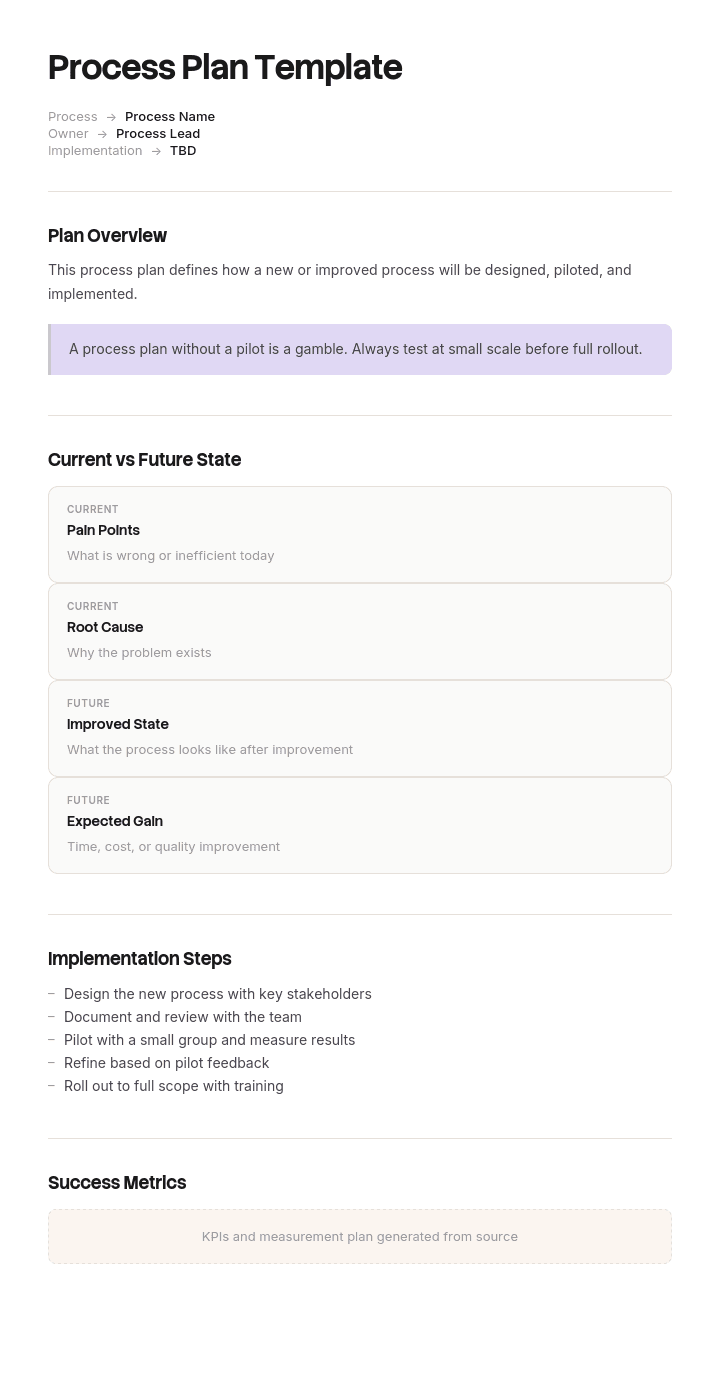
This process plan template provides a structured framework to capture process scope, current state, target state, root causes, planned changes, owners, timeline and success metrics - useful for Lean and Six Sigma initiatives, digital transformation and operational improvements. Pair it with our AI SOP creator to update procedures, generate AI video walkthroughs, and translate into 65+ languages for global teams.
How to customize this template in Trupeer
Step 1: Open the Templates Section
Go to the Templates section from the main navigation.

Step 2: Select and Open a Template
Click on any template you want to work with to open it.

Step 3: Expand the Template View
If needed, expand the template view to see the full layout and details clearly.

Step 4: Edit the Template
Click on Edit to start modifying the selected template.

Within the editor, you can:
Add new sections
Define or update formatting rules
Add a logo and adjust its position and related settings
Step 5: Save Your Customized Template
After making all necessary changes, click Save to store the updated template as your own.

Step 6: Preview and Fine-Tune the Template
When you want to see how your customized template looks, open the Preview.

From the preview screen, you can continue to make adjustments directly if needed, ensuring the template appears exactly as you want.
With a process plan template you can:
Save hours on planning: Skip the blank page with a structure built for process change.
Drive measurable improvement: Built-in sections for current state, target and metrics.
Stay on-brand: Apply your logo, fonts and colors using Trupeer's brand kit.
Roll out changes faster: Pair plans with video walkthroughs - perfect for change management.
Standardize improvement: Use the same template for every process improvement.
Reach global teams: Translate process plans into 65+ languages with one click.
A great process plan turns ideas into measurable change. Use this template to drive disciplined process improvement across the organization.
Frequently Asked Questions
What is a process plan?
A process plan is a structured document that defines how a team will move a process from its current state to a desired future state. It captures the scope, current performance, target performance, planned changes, owners, timeline and success metrics for the improvement.
What should a process plan include?
A complete process plan includes the process being changed, current state metrics and pain points, root cause analysis, target future state with measurable goals, planned changes, owners, timeline, resources required, risks and a measurement plan to track success.
What is the difference between a process plan and a project plan?
A project plan covers a project end-to-end - scope, schedule, budget, resources, risks. A process plan focuses specifically on changing how a process works - current state, target state and the actions needed to bridge the gap. Process plans often live inside larger project plans.
How do you create a process plan?
Start by mapping the current process and measuring its performance. Identify root causes of issues. Define a measurable target state. List the changes needed. Assign owners and timelines. Build a measurement plan. Validate with stakeholders before execution begins.
How do you measure process improvement?
Establish baseline metrics before changes go live - cycle time, error rate, cost per transaction, throughput, customer satisfaction. Measure the same metrics after the change. The difference is your improvement. Be honest about what worked and what didn't - then iterate.

