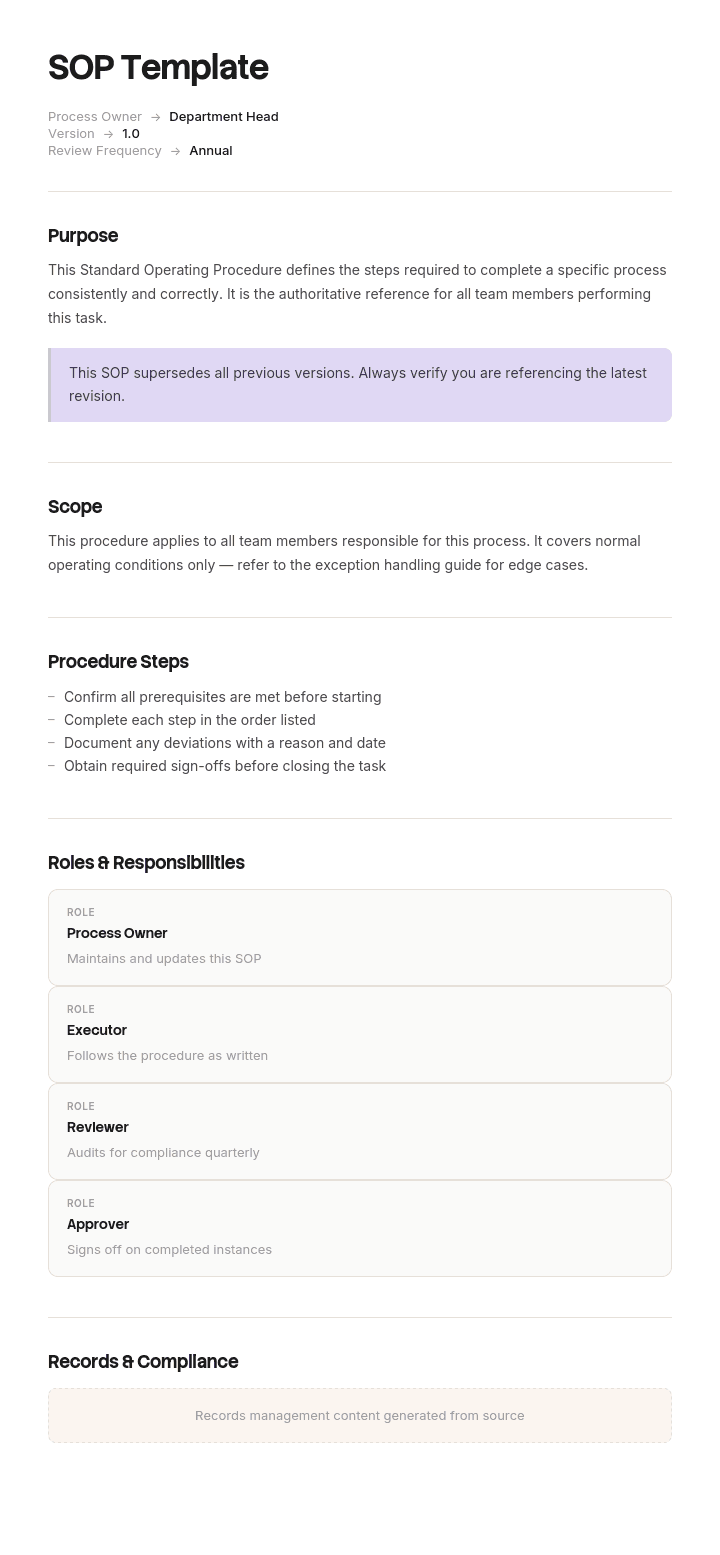
Use this template
Standard operating procedures (SOPs) are the backbone of consistent operations - in manufacturing, healthcare, software, services and beyond. With Trupeer, you can save hours on writing SOPs by starting with a free SOP template, customizing it with your brand guidelines, and turning written SOPs into clear video walkthroughs that teams actually use.
What is a free SOP template?
A free SOP template is a reusable structure for writing a standard operating procedure: a document setting out how a specific process is performed, by whom, in what order, so that it is done the same way every time.
Templates for this are everywhere and they are close to identical. Purpose, scope, roles, steps, and a version box. That structure is correct and it takes fifteen minutes to reproduce.
What separates a procedure people follow from one that sits unread is not in the template. It is a decision about what to document, and almost everybody gets it the wrong way round.
Format follows use. A free SOP template Word file is where most procedures are written, reviewed and approved, and a simple standard operating procedure template Word layout is the right starting point for most teams. For teams who learn better by watching, here's how to turn an SOP into a training video. A free SOP template Excel version suits procedures that are essentially tabular, such as checklists and recurring schedules. A free SOP template PDF is the issued and controlled copy, which is why most publishers offer a Standard Operating Procedure template Word PDF pairing.
What is a standard operating procedure?
A documented, repeatable method for performing a process, written so that different people at different times produce the same result.
Three things distinguish it from other documents. It describes a process rather than a task, so it usually spans more than one person or role. It is prescriptive rather than advisory, meaning it says what to do rather than what to consider. And it is controlled, meaning it has a version, an owner and a date, because a procedure nobody maintains stops being a standard fairly quickly.
The related documents sit above and below it. A policy states what must be true and why. A procedure states how the process runs. A work instruction states how one task inside it is performed. Getting the level wrong is the most common structural error, covered further down.
Where several procedures exist together, the collection needs its own management, which the SOP manual covers.
How to customize this template in Trupeer
Step 1: Open the Templates Section
Go to the Templates section from the main navigation.

Step 2: Select and Open a Template
Click on any template you want to work with to open it.

Step 3: Expand the Template View
If needed, expand the template view to see the full layout and details clearly.

Step 4: Edit the Template
Click on Edit to start modifying the selected template.

Within the editor, you can:
Add new sections
Define or update formatting rules
Add a logo and adjust its position and related settings
Step 5: Save Your Customized Template
After making all necessary changes, click Save to store the updated template as your own.

Step 6: Preview and Fine-Tune the Template
When you want to see how your customized template looks, open the Preview.

From the preview screen, you can continue to make adjustments directly if needed, ensuring the template appears exactly as you want.
With an SOP template you can:
Save hours on documentation: Skip the blank page with a proven structure for any standard operating procedure.
Standardize across teams: Use the same SOP template for every process, region and shift.
Reduce errors: Clear, consistent procedures cut mistakes and rework - especially in regulated industries.
Stay on-brand: Apply your logo, fonts and colors using Trupeer's brand kit - so every SOP looks consistent.
Train faster: Pair SOPs with AI-powered video walkthroughs to onboard new hires and contractors quickly.
Reach global teams: Translate SOPs into 65+ languages with a single click.
People open an SOP when something is unusual
Watch how procedures are actually used and one pattern dominates.
Nobody consults a procedure on an ordinary day doing something they have done fifty times. They work from habit, correctly, and the document sits in a folder.
They reach for it when something is different. A step will not complete. A document has not arrived. The customer has said something unexpected. The system is showing a status nobody recognises. Somebody new is covering and has never done this before.
In other words, procedures are opened precisely at the moments they are least likely to help, because almost every SOP documents the path where everything goes as intended.
That path is the one nobody needs written down. Experienced people already know it, and it is the easiest thing to write, which is why it is what gets written.
The consequence is not that the document is wrong. It is that it runs out. Somebody follows steps one to six, hits a situation the procedure does not mention, and improvises. If that situation recurs, and it usually does, everyone improvises separately, and within a year the same process is performed several different ways by people who all believe they are following the procedure.
Documenting the branches
The correction is to treat the ordinary path as the spine and the variations as the content.
For each step, ask one question: what could be different here? Then document the two or three most common answers, with what to do about each.
Three sources tell you what the branches actually are, and none of them is imagination.
Watch the process performed several times. Not once. Deviations only show up across repetitions, and the person performing will not mention them because they no longer register as deviations.
Ask what happened the last five times this went wrong. People remember incidents vividly and processes vaguely, so this question returns better information than asking how the process works.
Read the complaints, errors and escalations. Every one of them is a branch somebody hit without guidance.
Then write each branch beside the step it belongs to rather than in an appendix. A person who has hit a problem at step four will not find an exceptions section on page nine, and if they do, they have to reconstruct where they were.
Two rules keep this from bloating the document. Only document branches that recur, because a genuinely one off situation needs a person rather than a procedure. And for each branch, say who decides if the answer is not obvious, since half of what looks like a missing instruction is actually a missing permission.
What an SOP template must contain
Nine components. The branches column is the one that changes how the document is used.
Component | What it does |
|---|---|
Title and number | A stable identifier people can refer to in conversation and training. |
Purpose | One sentence on what this procedure achieves and why it matters. |
Scope | What it covers and explicitly what it does not, including adjacent processes with their own procedures. |
Who may perform it | Roles, permissions and any required training or authorisation. |
What you need before starting | Access, information, equipment, approvals. Anything requiring another person is worth flagging, because it is where people stall. |
Steps | One action each, in order, with what the result should look like. A step-by-step standard operating procedure template Word layout is the usual starting point. |
Branches | Beside each step where things commonly differ, with what to do and who decides. |
Escalation | Who to go to when the branches run out, and how quickly. |
Owner, version and last reviewed | In the footer of every page, so a reader can judge whether to trust it. |
The last row does more work than its size suggests. Readers assess whether to follow a document partly on whether it looks maintained, and an undated procedure is assumed to be old, usually correctly.
Free SOP template: the structure to copy
Filled with a real example rather than placeholders. The process is handing a newly purchased vehicle over to a customer at a dealership.
Copy from here.
Title and number. Vehicle handover to customer. SOP-SLS-004.
Purpose. Complete the handover of a purchased vehicle so the customer leaves with the correct vehicle, correct documentation and a clear understanding of what happens next.
Scope. Covers handover of new and used vehicles to retail customers. Does not cover fleet deliveries, which follow SOP-SLS-009, or handover of courtesy vehicles.
Who may perform it. Sales executives who have completed handover training. A sales manager must be present for any handover involving a finance agreement over a stated value.
What you need before starting. Vehicle valeted and fuelled. Registration confirmed. Finance documentation returned and signed. Any agreed rectification work completed and signed off. Handover pack printed.
Steps and branches.
# | Step | You should see | If it is different |
|---|---|---|---|
1 | Confirm the vehicle is ready and matches the order | Vehicle on the handover bay, valeted, correct specification | Not valeted: offer the customer a drink and a fifteen minute wait, or rebook. Do not hand over an unvalet ed vehicle. Manager approval not required for a rebooking. |
2 | Confirm registration is complete | Registration document or confirmation reference present | Registration not through: handover may proceed on trade plates only with manager approval. Explain to the customer what this means before they arrive, not on the day. |
3 | Confirm finance documentation is returned | Signed agreement in the pack | Not returned: do not release the vehicle. Contact the lender, and tell the customer the same day rather than at the appointment. |
4 | Confirm any agreed work is complete | Rectification sheet signed off | Part on back order: offer handover with the work booked, in writing, with a date. Sales manager may authorise a goodwill gesture up to the stated limit. |
5 | Inspect the part exchange with the customer | Condition matches the appraisal | Condition worse than declared: reappraise before completing. Any adjustment above the stated threshold is a manager decision, not a sales executive one. |
6 | Walk the customer through the vehicle | Customer has operated the key controls themselves | Customer in a hurry: offer a follow up call within forty eight hours and note it. Do not skip the safety related controls. |
7 | Hand over documentation and keys | Customer holds both, checklist signed | |
8 | Book the follow up contact | Contact scheduled in the system |
Escalation. Anything not covered above goes to the sales manager on duty. Anything involving a dispute over money goes to the general manager the same day.
Owner, version, review. Owned by the Group Sales Manager. Version 6, last reviewed 11 April, next review April next year. Reviewed immediately on any change to the finance process or the handover system.
Copy to here.
Six branches across eight steps. The original version of this procedure had eight steps and no branches, which is the point of the example below.
SOP example: forty percent of handovers left the procedure
Ravenglass Motor Group operates nine dealerships with about four hundred and eighty staff. Its vehicle handover procedure ran to fourteen steps, was well written, and was laminated at every handover desk.
It described a handover in which everything was ready.
Somebody eventually observed sixty handovers across three sites and logged every point at which the procedure stopped applying.
In roughly forty percent of handovers, at least one thing was not as the procedure assumed. The vehicle had not been valeted in time. Finance documentation had not come back from the lender. A part was on back order. The part exchange was in worse condition than declared. The registration had not come through.
None of these was rare. Several were weekly at every site. And the procedure said nothing about any of them, so at step four or step six the document ran out and the sales executive improvised.
Nine sites improvised nine ways.
The consequences showed up in places nobody had connected to the procedure. Customer satisfaction on handover varied by thirty four points between the best and worst sites, and complaints clustered almost entirely on the exception cases rather than the ordinary ones. One site routinely offered fuel vouchers when a vehicle was not ready and another offered nothing, which customers discovered by talking to each other.
The rewrite added no steps. It added eleven documented branches, drawn from the sixty observations, each stating what to do, what the customer is told, and what may be offered without asking a manager.
That last element mattered more than expected. A significant part of what had looked like inconsistent service was actually inconsistent authority. Nobody had written down what a sales executive could offer, so some offered generously and some offered nothing, and both were reasonable in the absence of guidance.
Twelve months later, the satisfaction gap between sites had narrowed from thirty four points to nine, and handover complaints were down about fifty two percent.
The procedure got longer by roughly a page. What changed was that it no longer stopped being useful at the exact moment somebody picked it up.
How to write an SOP in six steps
Watch the process performed, several times, by different people. Not once, and not by asking. People describe the intended process and perform the actual one.
Write the ordinary path first, one action per step, with what the result should look like.
Find the branches. From your observations, from asking what went wrong the last five times, and from the complaint and error records.
Write each branch beside its step, including who decides where a decision is involved.
Have somebody who has never done it follow it. Every question they ask is a defect. Write down the answer rather than explaining it.
Put owner, version and date in the footer, and set a review date before you publish it rather than afterwards.
Step five is the cheapest quality mechanism available and the most commonly skipped. An author cannot see their own assumptions, and a stranger finds them in twenty minutes.
SOP formats: steps, hierarchical and flowchart
Three formats, and the choice should follow the process rather than preference.
Simple step format. A numbered list. Correct for short, linear processes with few decisions. Most procedures should be this, and many are made complicated for no reason.
Hierarchical format. Numbered steps with numbered substeps. Suits longer processes where some steps need detail and others do not, and where different roles perform different parts. The format most large organisations settle on.
Flowchart format. A diagram. Genuinely better where the process is decision heavy and the branches matter more than the sequence, which by the argument of this page is more processes than usually get drawn. The cost is maintenance, since a diagram is harder to edit than a list, and an out of date flowchart is harder to correct than an out of date paragraph.
A practical hybrid works well: steps as a table, with a branch column beside them, as in the example above. It keeps the editability of a list while capturing the decisions a flowchart would show.
Whichever you choose, use the same one across your procedures. Readers learn a format, and a manual containing three different ones costs everybody a moment of reorientation every time.
SOP templates by department
Every function needs procedures and the emphasis shifts considerably between them.
Sales and business development. Procedures cover pipeline handling, quoting and handover, and the branches usually involve permission rather than method. The business development SOP covers that ground.
Marketing. Approval and publication steps dominate, and the critical branches are around anything irreversible once published, which the digital marketing SOP addresses.
Customer service. Procedures are read at the moment of use, mid conversation, which changes how they must be laid out. Covered in the customer service SOP.
IT. Access, change and incident procedures, with heavy escalation content. The IT SOP covers those.
HR. Consequences vary by severity and the procedure needs to distinguish them clearly, and employment law applies throughout.
Manufacturing, warehouse and construction. Procedures sit above detailed work instructions and safety documentation, and the boundary between the three should be stated explicitly or all three end up in one document.
Healthcare, pharmaceutical, food and financial services. Procedure control is a regulatory requirement rather than good practice in these sectors, with defined obligations for approval, distribution, training records and retention. Build to the applicable standard with qualified input. Nothing on this page substitutes for that.
SOP, work instruction, policy or process map?
Four documents at four altitudes, and choosing the wrong one is the most common structural mistake.
A policy states what must be true and why. Short, rarely changed, and it does not tell anyone how to do anything.
A standard operating procedure states how a process runs: who does what, in what order. It usually spans roles and it is the level this page covers.
A work instruction states how one task inside that procedure is performed, in enough detail for somebody unfamiliar to do it. The work instructions template covers it.
A process map is a diagram of the same process, useful for seeing handoffs and delays rather than for following.
The test is who reads it and what they do next. If the reader needs to know what is permitted, that is policy. If they need to know what happens in what order, that is a procedure. If they need to know which button to press, that is a work instruction.
Writing task detail into an SOP produces a forty page document too long to read as an overview and too general to follow as instructions, which is the single most common fault in procedure sets.
What a free SOP template cannot fix
A process nobody agrees on. If three people perform it three ways and all believe theirs is correct, writing one down is a decision rather than a documentation exercise, and it needs to be made by somebody with authority before anything is written.
Procedures describing intentions. A document written from how the process should work will be quietly ignored by the people doing it, and you will find out during an audit or an incident.
Missing authority. Half of what looks like a gap in a procedure is a gap in permissions. No free SOP template will tell you what a person is allowed to decide.
No maintenance. A procedure is only standard while it is current, and currency costs time. What that means at the level of a whole procedure set is covered on the SOP manual page.
Show the process rather than describing it
The hardest part of writing an SOP is not the writing. It is finding out what actually happens.
Ask somebody how they do something and you get the intended process, compressed, with the awkward parts smoothed out and the workarounds omitted because they no longer notice them. That is why procedures written at a desk describe the happy path: the happy path is what people remember.
Trupeer AI closes that gap directly. Somebody performs the process while recording, and the output is a written step by step procedure with screenshots already captured, annotated and placed, alongside a video, in your own branding. Because it is a recording of the actual performance rather than a description of it, the deviations are visible: the extra confirmation, the field that has to be filled twice, the step that only works in a particular order.
Record it. Brand it. Translate it. Trupeer it.
Three consequences follow for procedures specifically. Recording the same process performed by two or three people surfaces the branches faster than any interview, because the differences between them are the branches. Re-recording after a system change is faster than editing, which is what makes a procedure current when somebody needs it. And where teams work across languages or sites, the same recording produces the same procedure in each, so a standard operating procedure is genuinely standard rather than nine local variations sharing a title.
The material sits in your knowledge base and doubles as training for new starters, which is what most procedure sets are quietly used for anyway. Consistency across your documents is a matter of setting the brand kit once, and setup is covered in the document template setup guide.
Frequently Asked Questions
Is there a free SOP template Word version?
Word is where most procedures are written, because they are prose plus numbered steps, they go through review, and they get approved and issued. A free SOP template Word file is the right working format for almost every team.
One setting is worth getting right before you write anything. Put the procedure number, owner, version and last reviewed date in the page footer so they appear on every page. A reader who lands on page three of a procedure needs to know whether to trust it, and the cover page does not help them.
Is there a simple standard operating procedure template Word version?
Yes, and simple is the correct default rather than a compromise. A simple standard operating procedure template Word layout of one page, with purpose, who may perform it, what you need first, and numbered steps, covers most processes properly.
Add one column to it: what to do if this step is different. That single addition is the difference between a procedure that helps when somebody actually opens it and one that stops applying at step four.
Is there a step-by-step standard operating procedure template Word version?
The step structure is the easy part and every published template has it. A step-by-step standard operating procedure template Word file gives you numbered steps, which is correct, and one action per step, which is the rule most drafts break.
Split anything containing the word "and". A step covering two actions cannot be verified, cannot be resumed after an interruption, and hides whichever branch belongs to its second half.
Is there an SOP template Word file worth downloading?
Most published ones are broadly identical, so an SOP template Word download saves you about fifteen minutes rather than an afternoon.
Judge any of them on one question. Does it have anywhere to record what happens when things are not as expected? Essentially none do, and that is the part of a procedure that determines whether it gets used.
Is there a Standard Operating Procedure template Word PDF pairing?
Most publishers offer both, and the pairing reflects how procedures are actually managed. The Standard Operating Procedure template Word PDF arrangement means the Word file is the working draft and the PDF is the issued, controlled copy.
In regulated environments that distinction carries weight. The issued PDF is the controlled version, the Word file is not, and people working from an uncontrolled draft is a common audit finding.
Is there a free SOP template PDF?
PDF is the issued version. Export a free SOP template PDF at approval with the version and date on every page, and keep the editable source, because procedures change and a document you can only reissue by rebuilding will not be reissued.
Where an auditor may ask what procedure was in force on a given date, keep the superseded PDFs rather than overwriting them.
Is there a free SOP template Excel version?
Excel suits procedures that are genuinely tabular: recurring checklists, schedules, and anything with a sign off column per occurrence. An SOP template Excel file works well for those and poorly for prose.
It is also the right place for the register of all your procedures, with owner, version and review date per row, which matters once you have more than about a dozen.
What is the difference between an SOP and a work instruction?
An SOP describes a process, usually spanning several roles, and answers who does what in what order. A work instruction describes one task within it and answers how to physically perform that task.
The practical test is the reader's next action. If they finish reading and know what happens next but not what to do with their hands, you have written an SOP where a work instruction was needed. Both are legitimate documents and they should not be the same document.

