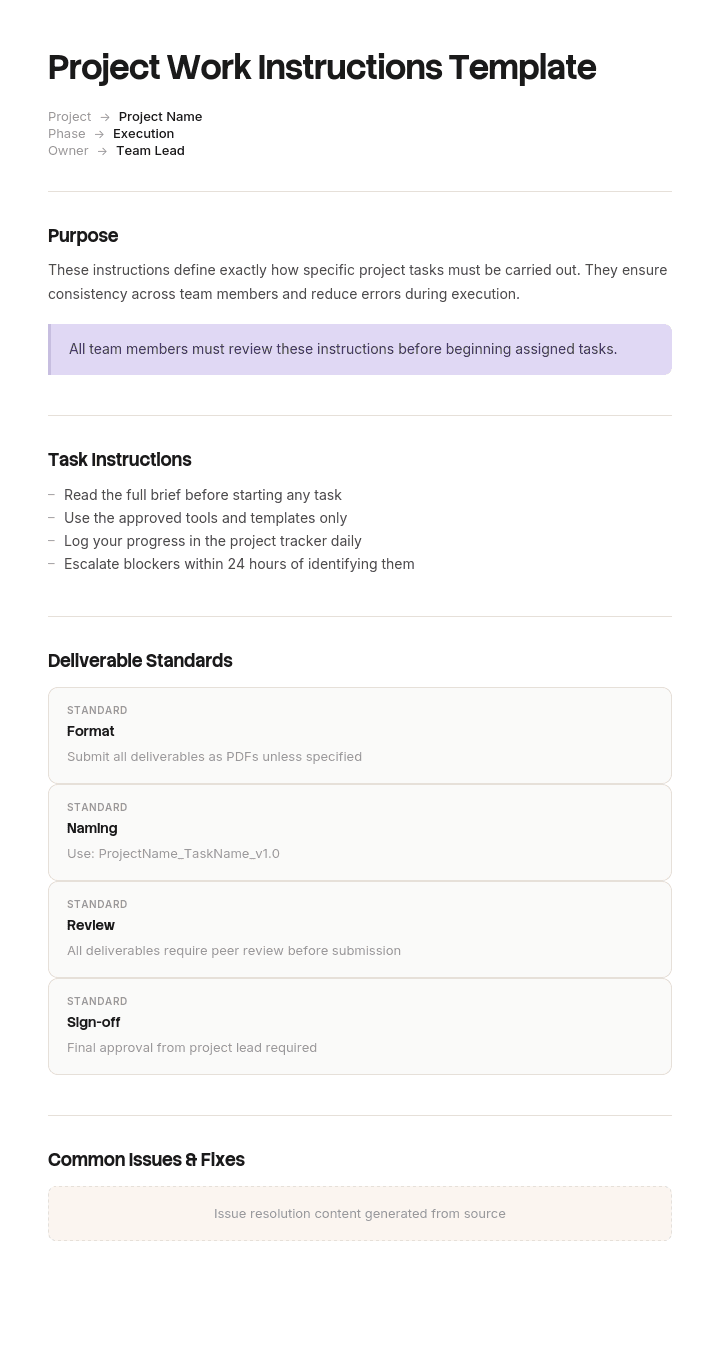
Use this template
Project work instructions guide teams through the specific tasks, sequences and standards required to complete a project successfully. With Trupeer, you can save hours on documentation by starting with a ready-to-use work instructions template, customizing it with your brand guidelines, and turning written standard work instructions into clear, video-based SOPs and walkthroughs.
What is a free project work instructions template?
A free project work instructions template is a reusable structure for writing down exactly how a specific task is performed, step by step, in enough detail that someone who has not done it before can carry it out correctly.
The word project is doing real work in that phrase. Most work instruction material online is written for manufacturing, where the same task is performed hundreds of times by people who get better at it. Project work instructions cover the opposite case. A cutover, a migration, a commissioning, a decommissioning, a one weekend changeover. Performed once, often at an inconvenient hour, frequently by somebody who has never seen the system and never will again.
That difference changes how the document has to be written, and it is the reason a manufacturing work instruction template will not serve a project without modification.
Format follows use. A work instruction template Word free download suits the drafting and the printed copy someone carries. A work instruction template Excel version suits step lists with sign off columns. A work instruction template with pictures is usually the one that actually gets followed, for reasons covered below.
Project work instructions are not standard work instructions
Worth separating clearly, because the two are written to opposite assumptions and the search results mix them freely.
Standard work instructions describe repeated work. A standard work instructions template Excel file for a production line assumes the reader will perform the task again tomorrow, that they have been trained, that they share the vocabulary of the workplace, and that errors will be caught by the next cycle. Ambiguity is tolerable because repetition removes it. The document improves through use.
Project work instructions describe work performed once. The reader has no training specific to this task, may not share your vocabulary, has no next cycle in which to correct a mistake, and is frequently working at an unusual time under time pressure. Ambiguity is not tolerable, because nothing downstream will catch it.
The practical consequences are three.
Every step must state its own success condition, in terms of something observable. Standard work can say "confirm shutdown" because everyone knows what that looks like. Project work has to say what the reader will see.
Judgement cannot be delegated to the reader. "Use appropriate settings" works for a trained operator and fails for a contractor at two in the morning.
And the document cannot be improved by iteration, because there is only one performance. Whatever quality it has when it is used is the quality it will ever have.
If your work is repeated rather than one off, the general work instructions template is the better fit.
How to customize this template in Trupeer
Step 1: Open the Templates Section
Go to the Templates section from the main navigation.

Step 2: Select and Open a Template
Click on any template you want to work with to open it.

Step 3: Expand the Template View
If needed, expand the template view to see the full layout and details clearly.

Step 4: Edit the Template
Click on Edit to start modifying the selected template.

Within the editor, you can:
Add new sections
Define or update formatting rules
Add a logo and adjust its position and related settings
Step 5: Save Your Customized Template
After making all necessary changes, click Save to store the updated template as your own.

Step 6: Preview and Fine-Tune the Template
When you want to see how your customized template looks, open the Preview.

From the preview screen, you can continue to make adjustments directly if needed, ensuring the template appears exactly as you want.
With a project work instructions template you can:
Save hours on documentation: Skip the blank page and use a structure built for project work.
Ensure quality and safety: Built-in sections for standards and safety protocols reduce errors and incidents.
Stay on-brand: Apply your logo, fonts and colors using Trupeer's brand kit - so instructions look consistent across teams, contractors and clients.
Onboard contractors quickly: Bring vendors and contractors up to speed with the same video walkthrough used internally - perfect for change management rollouts and team training.
Standardize across sites: Deliver the same standard work instructions to every site, region or shift.
Localize for every team: Translate instructions into 65+ languages so language is never a barrier.
Why project work instructions fail
They are written by the person who already knows how to do it.
That sounds like a strength and it is the central problem. An author who has performed a task cannot easily see which of their words carry meaning that the reader does not have. Every ambiguous instruction was unambiguous to the person who wrote it, which is precisely why it survived the draft, and usually why it survived review as well, since reviewers are typically chosen for expertise in the same area.
The gap is not knowledge. It is that the author has a mental picture of the task and the document is a compressed pointer to that picture. The reader has no picture and receives only the pointer.
Three phrasings do most of the damage, and they appear in almost every draft.
Verbs of confirmation with no stated observation. Confirm, check, verify, ensure. Each assumes the reader knows what a satisfactory result looks like.
Adjectives of degree. Tighten securely. Allow sufficient time. Set to an appropriate level. These are ratings, not instructions, and the scale exists only in the author's head.
Steps that name an outcome rather than an action. "Isolate the unit" describes a state to reach without saying what to do to reach it, which is fine for someone who knows the three ways of doing it and useless for someone who knows none.
What a project work instructions template must contain
Eight components. The success condition column is the one most templates omit and the one that matters most.
Component | What it does |
|---|---|
Purpose and scope | What this instruction covers and, explicitly, what it does not. One short paragraph each. |
Preconditions | What must be true before step one. Access, permissions, isolations, people on site, systems in a known state. |
Tools, parts and access | Everything needed, listed before the steps rather than discovered during them. |
Warnings and safety | Before the step they apply to, never after, and never collected only at the front. |
Numbered steps | One action per step. If a step contains "and", it is usually two steps. |
Success condition per step | What the performer will observe that means the step worked. Stated in terms of a reading, a light, a sound, a message or a physical state. |
What to do if it does not work | For the steps where failure is plausible. Who to call, at what number, and whether to stop or continue. |
Sign off and version | Who performed it, when, and which version of the document they used. |
The last column of the step table earns its keep on the night. A performer who can tell whether a step succeeded does not need to guess, and a performer who cannot is going to guess, because stopping to ask at two in the morning is socially expensive.
Free project work instructions template: the structure to copy
Filled with a real example rather than placeholders. The task is part of a refrigeration control system changeover performed over one weekend.
Copy from here.
Header. Task name, document version, date, author, and who this instruction is written for.
Secondary compressor isolation, part of refrigeration control changeover. Version 4. 11 October. Author: R Delaney, Controls Engineer. Written for: contract engineer unfamiliar with this site.
Purpose. One paragraph. Take the secondary compressor out of service so that the control panel can be replaced without the unit restarting during the work.
Not covered. Explicit. Primary compressor isolation, which is a separate instruction. Electrical isolation at the distribution board, which is performed by the site electrician. Anything requiring entry to the plant room roof.
Preconditions. All must be true before step one.
Site engineer present and contactable. Stock temperature logged and within specification. Primary compressor running and carrying full load. Permit to work issued and in the performer's possession.
Tools and access. Panel key, 8mm hex driver, torch, printed copy of this instruction, phone with site engineer's number stored.
Warning. Placed here because it applies from step one onward. This system operates at pressure and the plant is subject to statutory safety requirements. Work must be carried out only by a competent person under a valid permit. This document is not a substitute for site specific safety training or for a risk assessment carried out by a qualified person.
Steps.
# | Action | You should see | If not |
|---|---|---|---|
1 | Open the control panel using the panel key | Green power lamp lit, display showing the main status screen | Stop. Call the site engineer. |
2 | Press MENU, then select COMPRESSOR 2 | Display header reads COMP 2 STATUS | Press ESC twice and repeat step 2 |
3 | Select MODE, then select OFF | Display reads COMP 2 MODE OFF | Do not continue. Call the site engineer. |
4 | Wait for the run down cycle to complete | Display reads COMP 2 STOPPED and the run hours field stops incrementing. This takes up to nine minutes. The indicator light on the unit itself goes out before the run down completes and is not a reliable sign. | If the display still reads RUN DOWN after fifteen minutes, stop and call the site engineer. |
5 | Confirm the compressor is stopped at the unit | Suction line no longer cold to the touch through a glove, and no audible motor noise | Do not proceed to isolation. Call the site engineer. |
Sign off. Performed by, date, time, document version used, and any step where the observed result differed from the expected one.
Copy to here.
Note step 4. Almost all of its length exists to correct one specific wrong assumption, and that sentence was added after the incident described below.
Work instruction example: what a fifty minute walkthrough found
Bevington Cold Store, a chilled logistics operation, replaced the control system on its refrigeration plant over a single weekend.
The changeover instruction ran to thirty four steps. It was written by the controls engineer who had designed the replacement, reviewed by a second engineer, and approved. By any normal standard it was a careful document.
Step nineteen read: isolate the secondary compressor and confirm shutdown.
To the author that sentence was completely specific. Confirming shutdown meant watching the panel display until it read stopped and the run hours stopped incrementing, which takes several minutes.
The work was performed at two in the morning by a contract engineer who had never been on the site. He confirmed shutdown the obvious way, by looking at the indicator light on the unit itself, which had gone out. The unit was still in its run down cycle.
It restarted eleven minutes later, part way through the panel replacement, and tripped the plant. By the time the primary system was recovered, about forty tonnes of chilled stock had been outside specification long enough to be written off. Sixty two thousand pounds, plus the weekend running into Monday.
Nobody had written anything untrue. The instruction said confirm shutdown, and the contractor had confirmed shutdown by the only means available to someone who did not know there was a display to look at.
What Bevington changed afterwards was one rule and one habit.
The rule: any step containing confirm, check, verify or ensure must state the observation that counts as success. If the author cannot name what the performer will see, the step is not finished being written.
The habit: before use, someone who did not write the instruction reads it aloud and walks the task without performing it, saying what they would do at each step. The author listens and does not help.
On the next changeover, that walkthrough took fifty minutes and found nine ambiguities in thirty four steps, in a document that had already been reviewed and approved by two engineers. Three of the nine would have stopped the job. One of them would have repeated the compressor problem in a different form.
Fifty minutes, nine defects, in a document everybody already thought was finished.
How to write a work instruction in six steps
Name the performer. Not a role, a level of familiarity. Somebody who has done this before, somebody who knows the site but not the task, or somebody who knows neither. Everything else follows from this.
Write the preconditions before the steps. Anything discovered mid task that should have been arranged beforehand becomes an incident.
Write one action per step. Split anything containing "and". This is what separates a usable step-by-step instructions template Word file from a paragraph with numbers on it, since numbered steps exist so that a person can be interrupted and resume.
Add the success condition to every step. State what will be observed. This roughly doubles the length of the document and is where most of its value sits.
Add failure routes where failure is plausible. Not everywhere, which produces noise, but on the steps where a wrong result is both possible and consequential.
Walk it through with a non author. Covered below. This is not the same as review and does not replace it.
Step four is the one that gets skipped under time pressure, and it is the one that would have prevented the Bevington incident.
The walkthrough that replaces repetition
Standard work improves because it is performed repeatedly and every performance is a test. Project work gets one performance, so the test has to happen beforehand.
A walkthrough is not a review. A reviewer reads for correctness and usually shares the author's expertise, which means they read the same meaning into the same ambiguous words. A walkthrough asks a different person to state, aloud, what they would physically do at each step, without performing it.
Three rules make it work.
The walker must not be the author, and ideally should be closer to the actual performer in familiarity than to the author.
The author listens without helping. Every time the author has to explain something, that is a defect in the document, and it gets written down rather than explained again.
Every point where the walker hesitates gets recorded, even where they eventually got it right. Hesitation at a desk becomes a guess at two in the morning.
It takes under an hour for a document of thirty or forty steps and it is the highest return hour in the whole process, because it is the only point at which the gap between the author's picture and the reader's is directly observable.
Work instruction template with pictures: when images earn their place
Images are worth including where the thing being described is difficult to name and easy to recognise. A specific connector among six similar ones. A display screen. An orientation. A control among many on a panel.
They are not worth including as decoration, and a free step-by-step instructions template Word file with a general photograph of the equipment at the top and nothing thereafter has added weight without adding clarity.
Four rules keep them useful. Show the state the reader should reach rather than the action of getting there, since a photograph of a hand turning something is harder to interpret than a photograph of the result. Annotate directly on the image, because an unmarked photograph of a busy panel does not tell the reader where to look. Keep them next to the step they belong to rather than in an appendix. And date them, because equipment changes and an old photograph is worse than none, having the authority of evidence and the accuracy of a memory.
The practical obstacle is production. Taking, annotating, laying out and later updating dozens of images is slow enough that most teams start with good intentions and end with a text document, which is covered further down this page.
Work instruction format for production and other variants
The variants differ in reader and in regulatory weight rather than in structure.
Work instruction format for production. Repeated work, trained operators, shared vocabulary. Shorter steps, heavier visual content, usually laminated at the station. This is standard work rather than project work, and the assumptions above reverse.
Assembly and manufacturing. Sequence and orientation dominate, images carry most of the meaning, and text serves the images rather than the other way round.
Construction work instruction. Frequently briefed verbally before work starts, with a sign on sheet. The document supports the briefing rather than replacing it, and statutory duties apply.
Engineering and commissioning. Closest to the project case described on this page. One off, high consequence, performed by someone who may be unfamiliar with the specific installation.
ISO 9001 work instruction. Adds document control obligations. Version, owner, review date, approval and controlled distribution, so that the copy in someone's hand can be shown to be the current one.
Safety work instruction. Warnings sit immediately before the step they apply to. A hazard listed only on the front page has not been communicated to somebody following step twelve.
Any instruction covering regulated work, plant, electrical systems or anything with statutory safety obligations should be reviewed by a competent person and sits alongside a risk assessment rather than replacing one. Nothing on this page is a substitute for that.
Work instruction, SOP or job aid?
Three documents at different altitudes, routinely confused.
A standard operating procedure covers a process end to end, including who does what and in what order, and it usually spans roles. It answers how this process runs.
A work instruction covers one task within that process, in detail, for the person performing it. It answers how I do this specific thing.
A job aid is a short reference for someone who has been trained and needs a reminder. A card, a checklist, a diagram. It answers what was that setting again.
The common error is writing an SOP when a work instruction is needed, which produces a document that describes the process accurately and leaves the performer unable to act. The reverse error, writing task detail into an SOP, produces something too long for anyone to read as an overview.
If the reader will perform the task without supervision and has not done it before, you need a work instruction.
What a free work instruction template cannot fix
An author who cannot see their own assumptions. No template surfaces this. Only a walkthrough with a non author does.
Work that should not be documented at all. If a task is performed once and never again by an expert who designed it, a document may be less valuable than that expert being present. Write instructions for work somebody else will perform.
A missing warning. No work instruction template free download knows which hazards apply to your task. The template supplies the place, you supply the content, and a competent person confirms it.
A document nobody has in their hand. An instruction stored on a system the performer cannot reach at two in the morning does not exist. Print it, or check the device situation before the night.
Out of date pictures and steps. Instructions decay silently when equipment or software changes. Date them, own them, and review them when the thing they describe changes rather than on a calendar.
Show the task rather than describing it
This is the document type where the gap between describing and showing is widest, and where the cost of closing it by hand is highest.
Writing a step, taking a screenshot or photograph, annotating it, placing it next to the right step, and doing that forty times is a day of work. Doing it again when the interface changes is another day. Which is why most work instructions that were meant to be visual end up as text.
Trupeer AI removes that cost. Somebody performs the task once while recording, and the output is a written step by step walkthrough with screenshots already captured and placed, alongside a video of the same task, in your own branding. The written version is what somebody carries and follows. The video is what they watch beforehand to build the picture the author has and the reader does not.
Record it. Brand it. Translate it. Trupeer it.
Two things follow that matter for project work specifically. Where a contractor or a site team works in another language, the same recording produces the same instruction in each one, so nobody is following a translation of uncertain accuracy at two in the morning. And when the system changes, re-recording is faster than editing, so the instruction is more likely to be current when it is needed.
The finished instructions sit in your knowledge base and become training material for whoever performs the task next. Consistency with your other project documents is a matter of setting the brand kit once, and setup is covered in the document template setup guide.
Frequently Asked Questions
Is there a work instruction template Word free download?
Word suits this document, because instructions are prose plus a step table, they go through review, and they get printed. A work instruction template Word free download will usually give you a workable skeleton.
Check one thing before adopting it. Look at whether the step table has a column for what the performer should observe. Almost none do, and adding that column is the single change that most improves the finished document.
Is there a free step-by-step instructions template Word version?
Yes, and the structure above pastes into one. Build the step-by-step instructions template Word file with one action per numbered step, a success condition beside each, and warnings immediately before the steps they apply to rather than gathered at the front.
The most common fault in a free step-by-step instructions template Word download is steps containing multiple actions joined by "and". Split those. A person who is interrupted mid step needs to know exactly where they stopped.
Is there a work instruction template Excel version?
A work instruction template Excel file suits the step table specifically, especially where you want sign off columns, timestamps per step, or a long sequence performed by several people in turn.
It suits the surrounding prose less well. Purpose, scope, preconditions and warnings read badly in cells. If the task is long and procedural, Excel is reasonable. If it needs context and caution, use a document.
Is there a standard work instructions template Excel version?
Yes, and standard work is a different case from project work. A standard work instructions template Excel file is built for repeated tasks with cycle times, takt, and a trained operator, so it assumes shared vocabulary in a way a project instruction cannot.
If your work is genuinely repeated, use that model and let repetition remove the ambiguity. If it is performed once by someone unfamiliar, borrow the structure but write every success condition out in full.
Is there a work instruction template with pictures?
Most templates leave a space for images and the difficulty is never the space, it is producing and maintaining the pictures.
Use images where something is easier to recognise than to name, annotate them directly, place them beside their step, and date them. If a task involves software, recording the task once and generating the screenshots from it is far faster than capturing them individually, and considerably faster to redo when the interface changes.
What is the correct work instruction format for production?
A work instruction format for production is built around repetition. Short numbered steps, heavy use of images, minimal prose, displayed at the workstation rather than filed, and written for a trained operator who will perform the task many times.
That format transfers badly to one off project work, where the reader has no training specific to the task and no second attempt. Keep the visual density and add the explicit success conditions that production instructions leave implicit.
Is there a work instruction template free download that covers safety?
Templates provide a place for warnings. They cannot tell you which warnings apply, and no work instruction template free download should be treated as a safety document in itself.
Warnings go immediately before the step they concern rather than only at the front. For any task involving plant, electrical systems, pressure, height or other regulated hazards, the instruction sits alongside a risk assessment and should be reviewed by a competent person. This page is not a substitute for that review.
What is the difference between a work instruction and an SOP?
An SOP describes a whole process and usually spans several roles, answering how this process runs. A work instruction describes one task within it in enough detail for the person doing it to act without supervision.
A useful test is the reader. If your document tells somebody what happens next but not what to physically do, it is an SOP. Project level sequencing and dates belong in the project schedule rather than in either document.


