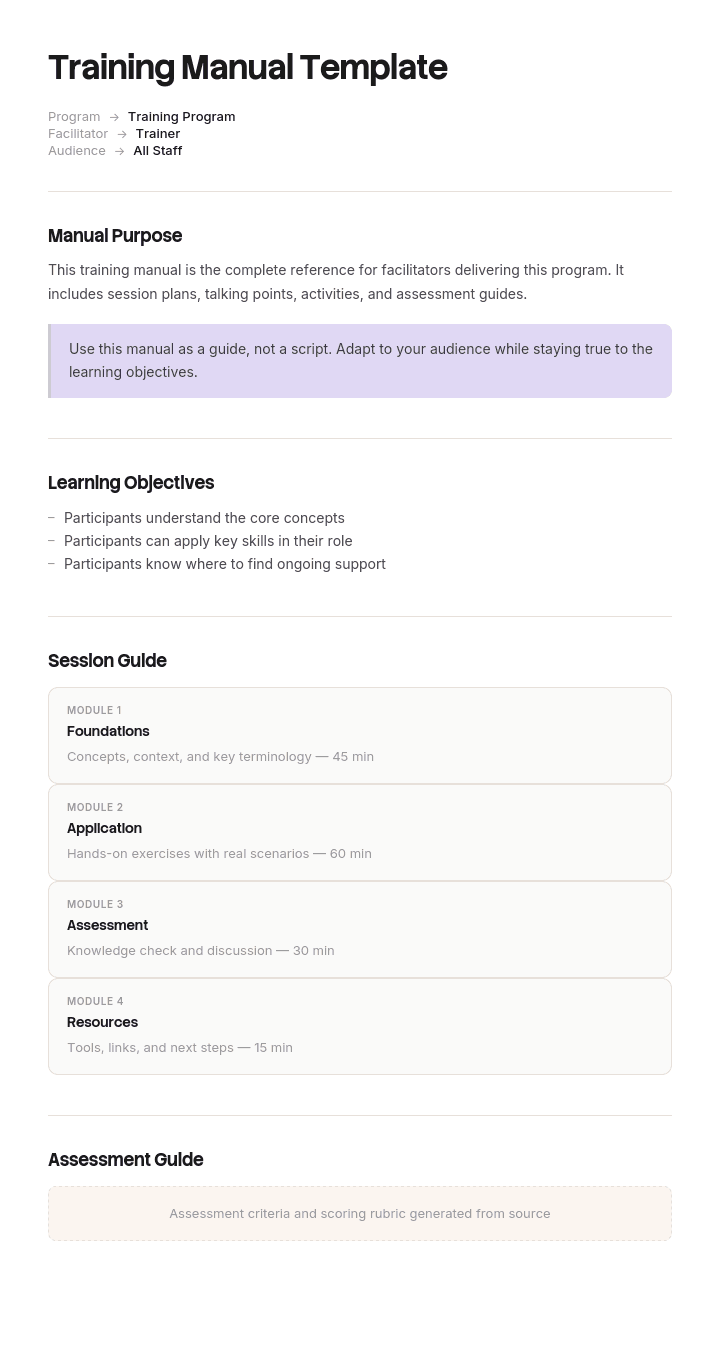
Use this template
A great training manual is the difference between training that builds skills and training that wastes time. With Trupeer, you can save hours on manual design by starting with a free training manual template, customizing it with your brand guidelines, and using our AI manual creator to turn the manual into engaging video modules.
What is a free training manual template?
A free training manual template is a reusable structure for the document used to train somebody to do a job: what they need to know, in what order, with the procedures they will follow.
The section list is well established. Introduction, learning objectives, modules, procedures, assessments, appendices. Every published template has some version of it and it works perfectly well for the purpose most people have in mind when they start writing.
The trouble arrives about four months later, and it arrives because the document has a second reader nobody designed for.
The template is not the problem. What determines whether a training manual is still earning its keep in month six is whether it was written for one reader or two.
Format follows use. A free training manual template Word file is where these are written, and a training manual template Word PDF pairing is the normal arrangement, with the document edited and the PDF issued. A free training manual template PDF suits distribution and printing. To give trainees a video version of the same manual, upload the finished file to a PDF to video tool. A free manual template of almost any kind will give you the section list, which takes twenty minutes to reproduce.
A training manual has two readers
They are the same person at two different moments, and they need opposite things.
The trainee, reading it once. New, with no vocabulary, working through the manual in order during induction or in their first weeks. They need context, explanation, and a sensible sequence. Why before how. This reader is served well by almost every training manual ever written, because this reader is the one the author had in mind.
The same person, four months later. They know the job. They have hit something unusual, or forgotten a step they perform rarely, and they need one specific fact in under a minute, mid shift, probably while somebody waits.
That second reader needs the opposite of what the first one needed. No explanation, no context, no sequence. A way in, and a short answer.
Almost every training manual serves the first reader and is then used, for years, mostly by the second. That mismatch is why manuals that were rated highly during induction end up unopened, with the questions they answer arriving instead at a supervisor's desk.
The test takes two minutes. Find somebody who completed training four months ago, give them the manual, and ask them to find one specific fact. Time it. If it takes more than about thirty seconds, your manual has one reader.
How to customize this template in Trupeer
Step 1: Open the Templates Section
Go to the Templates section from the main navigation.

Step 2: Select and Open a Template
Click on any template you want to work with to open it.

Step 3: Expand the Template View
If needed, expand the template view to see the full layout and details clearly.

Step 4: Edit the Template
Click on Edit to start modifying the selected template.

Within the editor, you can:
Add new sections
Define or update formatting rules
Add a logo and adjust its position and related settings
Step 5: Save Your Customized Template
After making all necessary changes, click Save to store the updated template as your own.

Step 6: Preview and Fine-Tune the Template
When you want to see how your customized template looks, open the Preview.

From the preview screen, you can continue to make adjustments directly if needed, ensuring the template appears exactly as you want.
With a training manual template you can:
Save hours on design: Skip the blank page with a comprehensive structure.
Improve learning: Built-in sections ensure objectives, content and assessments align.
Stay on-brand: Apply your logo, fonts and colors using Trupeer's brand kit.
Engage learners: Convert text-heavy manuals into video modules learners actually finish.
Standardize training: Use the same template across programs and departments.
Reach global learners: Translate training manuals into 65+ languages with one click.
Writing for both: layers, not chapters
The fix is not to write two documents, which nobody maintains. It is to layer each topic so both readers can enter at the level they need.
Three layers per topic.
The explanation. Why this matters, what the underlying logic is, what happens if it goes wrong. Read once, during training, and rarely again. This is where the teaching happens.
The procedure. The steps, numbered, with what the person should see at each. Used during training and again whenever the task is performed infrequently.
The reference. One line, or one row in a table. What the setting is, what the code means, which button. This layer is what the second reader is looking for and it is what almost no manual contains.
Then extract the third layer into its own short document. A two sided card, a laminated sheet, an intranet page. It contains nothing new, it is entirely derived from the manual, and it is what people will actually use for the following three years.
Two rules make the extraction work. Order it by what people ask rather than by chapter, because the second reader has a question and not a chapter number. And title everything in the words they use rather than the words the manual uses, which is covered in the quick reference guide page.
What a training manual template must contain
Nine components, and the last two are what most templates omit.
Component | What it does |
|---|---|
Who this is for and what it assumes | Role, and whether it assumes any prior experience. |
What you will be able to do | Objectives written as capabilities rather than topics. Not "understanding payments" but "take a payment split across two cards". |
How to use this manual | Two lines. Whether it is worked through in order, and where the reference material is. |
Modules in sequence | The learning path, ordered so each builds on the last. |
Explanation and procedure per topic | The first two layers above. |
Practice and assessment | What the trainee does to demonstrate they can, rather than that they have read. |
Reference section or card | The third layer, extracted, ordered by question. |
Index | Real, covering the words people use, not only the headings. |
Version, owner and last verified | With when somebody last confirmed the procedures still match the system. |
The objectives row is worth getting right because it changes everything below it. Objectives written as topics produce a manual organised by subject. Objectives written as capabilities produce one organised by task, which is closer to how it will be used.
Free training manual template: the structure to copy
Filled with a real example rather than placeholders. The manual trains front of house staff in a pub and dining group.
Copy from here.
Who this is for. New front of house team members in their first two weeks. Assumes no previous experience with our till system. Does not cover kitchen procedures, cellar work or licensing responsibilities, which have their own manuals.
What you will be able to do. Written as capabilities.
Take an order at the table and send it to the kitchen. Take payment by card, cash, split across cards, and with a voucher. Handle a returned dish. Process a refund with a manager's authorisation. Open and close a table. Find a booking and amend it.
How to use this manual. Work through modules one to six in order during your first two shifts with your trainer. The card at the back is what you keep on you afterwards. Everything on the card is in the manual, so if the card does not cover it, the manual will.
Module four, worked as an example of the three layers.
Explanation. Payments are the point where mistakes cost money and take the longest to unwind, because a wrong payment has to be corrected through a manager and appears on the end of day reconciliation. The till is built around the idea that a table stays open until it is fully settled, which is why a partly paid table still shows as open. Understanding that one idea prevents most payment confusion.
Procedure: taking a payment split across two cards.
Open the table and select Pay.
Select Split, then By amount.
Enter the first amount and select Card. The screen shows the remaining balance in red.
Take the first payment. The screen returns to the split view with the balance updated.
Enter the second amount and select Card.
Take the second payment. The table closes automatically and the screen returns to the floor plan.
If the table does not close, the amounts do not sum to the total. Select Balance to see the difference.
Reference row, extracted to the card. Split a bill across two cards: Pay, Split, By amount, enter each amount separately. Table closes itself when the balance reaches zero.
Practice and assessment. Demonstrate a split payment, a voucher payment and a refund to your trainer, on a live table, not a demonstration mode. Signed off by the trainer rather than by the trainee.
The reference card. Two sides, thirty eight rows, ordered A to Z by what the situation is. Customer wants to pay separately. Card declined. Voucher will not scan. Wrong item sent to kitchen. Table shows open after payment.
Index. Includes refund under refund, void, cancel and mistake, because those are the four words people use for the same thing.
Version. Version 6, owned by the training manager, procedures last verified against the till system in April.
Copy to here.
Training manual example: seventy one percent of interruptions
Ravensmere Group operates twenty three pubs and dining sites with around nine hundred staff and the turnover typical of the sector.
Its front of house training manual ran to eighty six pages. It was well written, used across a two day induction, and rated highly by trainees on their feedback forms. There was nothing wrong with it as a teaching document.
Four months into the year, duty managers were being interrupted constantly with the same questions. Somebody logged them for a month across four sites: about six hundred interruptions, of which roughly seventy one percent were questions the manual answered.
The reason was not that people had forgotten. It was that finding the answer was harder than asking somebody.
To learn how to split a bill across two cards, you needed to know it lived in chapter five, Payments, in a subsection called complex transactions, on page forty one. The chapter titles were pedagogical rather than practical: understanding the payment journey, the philosophy of table service. There was no index. And nobody carries eighty six pages on a shift.
The manual had been written entirely for its first reader and was being used almost entirely by its second.
The fix kept the manual intact, because it worked for what it was designed to do. What was added was the missing layer: a two sided card with thirty eight rows, ordered by what the situation is rather than by chapter, phrased in the words the interruption log actually contained. Chapter titles were rewritten in task language and an index was added covering the synonyms people use.
Nothing new was written. Every row on the card was already in the manual.
Duty manager interruptions fell by about fifty eight percent over the following three months. Induction feedback did not change, because the part that had been working was left alone.
How can I create a training manual for free?
Entirely feasible, and the cost is time rather than software.
Copy the structure above into any document editor. Write objectives as capabilities. Write each topic in the three layers. Extract the reference layer into a card at the end.
Four things make it faster and better.
Watch the job being done before writing. Not once, and not by the best performer. The person who has been there six months makes the mistakes a manual needs to prevent.
Take the contents list from questions, not from the system. What do new starters ask in weeks one to six. Those questions are your chapters, already prioritised.
Write the procedures while performing them. Anything you do automatically will otherwise be missing, and that is the step the trainee gets stuck on.
Have somebody new follow it without help. Every question they ask is a defect. Write down the answer rather than explaining it.
The genuinely expensive part of a training manual is the images, and that is covered further down.
What is the best format for a training manual?
There is no single best format, and the honest answer is that the format follows the reader.
Word or a document editor for writing and maintaining. Procedures change, and a format you cannot edit easily produces a manual that goes out of date rather than one that stays stable.
PDF for issuing and printing. A training manual template Word PDF pairing is the normal arrangement in most organisations: edit the document, issue the PDF, keep both.
An intranet or knowledge base page for anything that changes often, since a manual on a shared system has one current version rather than one per recipient.
Printed and laminated for the reference layer specifically. This is the part people carry, and paper survives a kitchen or a shop floor better than a phone.
Video for anything where seeing beats reading, which is most physical tasks and most software.
The mistake is choosing one format for everything. A single eighty six page PDF is a reasonable induction document and a poor reference, which is the whole argument of this page.
Can you give me an example of a training manual?
The filled structure above is one, and it is deliberately a single module rather than a whole manual, because the module is where the pattern lives.
For published examples worth studying, three sources are better than commercial templates. Public sector and healthcare organisations publish real staff training material. Manufacturers publish operator manuals with strong visual conventions. And franchise operating manuals, where they are public, are unusually rigorous because the whole business model depends on somebody in another town doing it the same way.
When reading any training manual sample PDF, look at two things. Whether the chapter titles are tasks or topics, and whether a reference layer exists anywhere. Most published examples fail both, which is why they are useful mainly as a source of section structure rather than as models.
Training manual, training plan or user manual?
Three documents that get confused, and one of them is a different thing entirely.
A training manual is the content. What somebody needs to know and do, with the procedures. It belongs to the role and it outlives any individual.
A training plan is the schedule. Who is trained on what, in what order, by when, and how it is assessed. It answers when and to whom rather than what. If you are looking for a free training plan template, that is the document you want, and the training plan template covers it.
A user manual describes a product for the people who use it, and a user manual template Word file will be organised by product feature rather than by job task. If you are documenting software for customers rather than training staff, the software user manual covers that.
The most common error is building the plan before the content exists, which produces a schedule for material somebody is writing the night before each session.
Training manual variants
The structure holds and the emphasis moves.
Employee training manual. The general case. A free employee training manual template Word file will give you the standard sections, and the additions worth making are capability-based objectives and the extracted reference layer.
Customer service training manual. Heavier on judgement and phrasing than on procedure, because the variation is in the conversation rather than the system. The customer service training manual covers that difference.
Software or system training manual. Screenshot heavy, and the fastest to go out of date. The reference layer matters most here and the explanation layer least, since users learn the logic quickly and forget the specifics.
Manufacturing and operational training. Sits alongside work instructions and safety documentation rather than replacing them. Anything with a safety dimension belongs in a controlled document with the appropriate warnings, and the work instructions template covers that.
Franchise and multi site manuals. Consistency is the whole point, which raises the value of the reference layer and of anything that removes local interpretation.
Compliance and regulatory training. Where completion has to be evidenced, the assessment and record keeping sections carry weight, and requirements may be prescribed. Take advice on what your sector requires rather than relying on a general template.
What a free training manual template cannot fix
A manual written by somebody who does not do the job. They will produce an accurate description of the intended process and omit everything that makes it hard.
Objectives written as topics. Understanding payments is not something anybody can demonstrate. Taking a split payment is.
No reference layer. No free training manual template free download contains one, because templates are built around the teaching document, and the teaching document is the half that works already.
Images nobody maintains. Every screenshot and photograph is a commitment to recapture it, and this is where training manuals decay first.
Show the task rather than describing it
The three layer structure has an obvious weakness, which is that producing it properly is more work than writing a manual straight through, and the extra work is concentrated in exactly the part that helps most.
The explanation layer is prose and costs nothing extra. The procedure layer needs images, and the reference layer needs the procedures to exist first. So the layers that serve the second reader are the ones that get cut when the manual is due on Friday.
Trupeer AI changes that arithmetic. Somebody performs the task once while recording, and the output is a written step by step procedure with screenshots already captured, annotated and placed, alongside a video, in your own branding. The procedure layer arrives finished, and the reference row is a one line summary of something that already exists rather than something written from scratch.
Record it. Brand it. Translate it. Trupeer it.
Three things follow for training specifically. The video serves the first reader and the written procedure serves the second, from a single recording, which is the cleanest available answer to the two readers problem. Re-recording after a system change is faster than recapturing a screenshot set, which is what decides whether a manual is still accurate in year two. And where a workforce includes people whose first language is not the language of the workplace, the same recording produces the same manual in each, which matters more in high turnover sectors than almost anywhere.
The material sits in your knowledge base and doubles as training material for every intake after the first. Consistency across your documents is a matter of setting the brand kit once, and setup is covered in the document template setup guide.
Frequently Asked Questions
Is there a free training manual template Word version?
Word suits the manual itself, because it is prose plus procedures, it gets reviewed, and it needs revising as systems change. A free training manual template Word file is the right working format.
Two settings save trouble later. Use real heading styles so the contents page generates and an index is possible, and put the version, owner and last verified date in the footer of every page rather than only on the cover.
Is there a free employee training manual template Word version?
Yes, and a free employee training manual template Word download will give you the standard sections: introduction, objectives, modules, procedures, assessment.
Two additions are worth making to any of them. Rewrite the objectives as things somebody can demonstrate rather than topics they will cover. And add a reference section at the back, extracted from the procedures, ordered by the questions people ask rather than by chapter.
Is there a free training manual template PDF?
PDF is the issued and printed version. Export a free training manual template PDF once the content is settled, with the version and date visible on the page rather than only in the file name.
Keep the editable source. Training manuals describe systems and procedures that change, and a manual you can only revise by rebuilding will quietly stop being true rather than staying stable.
Is there a training manual template Word PDF pairing?
Most publishers offer both and the pairing reflects how manuals are actually managed. The training manual template Word PDF arrangement means the document is the working copy and the PDF is what gets issued to trainees.
Keep the two clearly distinguished. People working from an old PDF while the document has moved on is the most common way a manual becomes wrong without anybody noticing.
Where can I find a training manual sample PDF?
Public sector organisations, healthcare providers and some franchise operators publish real ones, and a training manual sample PDF from those sources is more instructive than a commercial template because it was written for people who had to use it.
Read it for the chapter titles and for whether any reference material exists. Those two tell you whether the manual was designed for its first reader only, which most are.
Is a user manual template Word file the same as a training manual?
No. A user manual template Word file documents a product for the people who use it and is organised by feature. A training manual documents a job for the people doing it and is organised by task.
They get confused when the job is mostly operating one system, at which point the two overlap heavily. Even then the difference holds: the user manual tells you what the software does, and the training manual tells you what you do in this role, which includes plenty the software knows nothing about.
Is there a free manual template that covers any kind of manual?
There are many, and a free manual template is usually generic enough to cover training manuals, user manuals and instruction manuals at the cost of serving none of them well.
Generic templates give you a cover, contents, chapters and an index, which is the easy part. What differs between manual types is what goes in the chapters, and a training manual specifically needs capability objectives, an assessment section and a reference layer, none of which a generic template will prompt for.
Where can I find a free training plan template?
That is a different document. A training plan is the schedule of who is trained on what, in what order and by when, with assessment points. The manual is the content the plan delivers.
Build the manual first where you can. A plan built around content that does not yet exist tends to become a calendar of sessions somebody prepares the night before.
Is there a free training manual template free download worth using?
The section list is well established and every published version offers roughly the same one, so a free training manual template free download saves you an afternoon at most.
Judge any of them on one question. Is there anywhere for a reference layer, meaning short answers ordered by what people ask rather than by chapter? None have it, and it is the part of a training manual that gets used for years after the training is over.

Understand how work happens.
Carry it into your next transition.
Start Free Trial
Book a Demo
Resources

