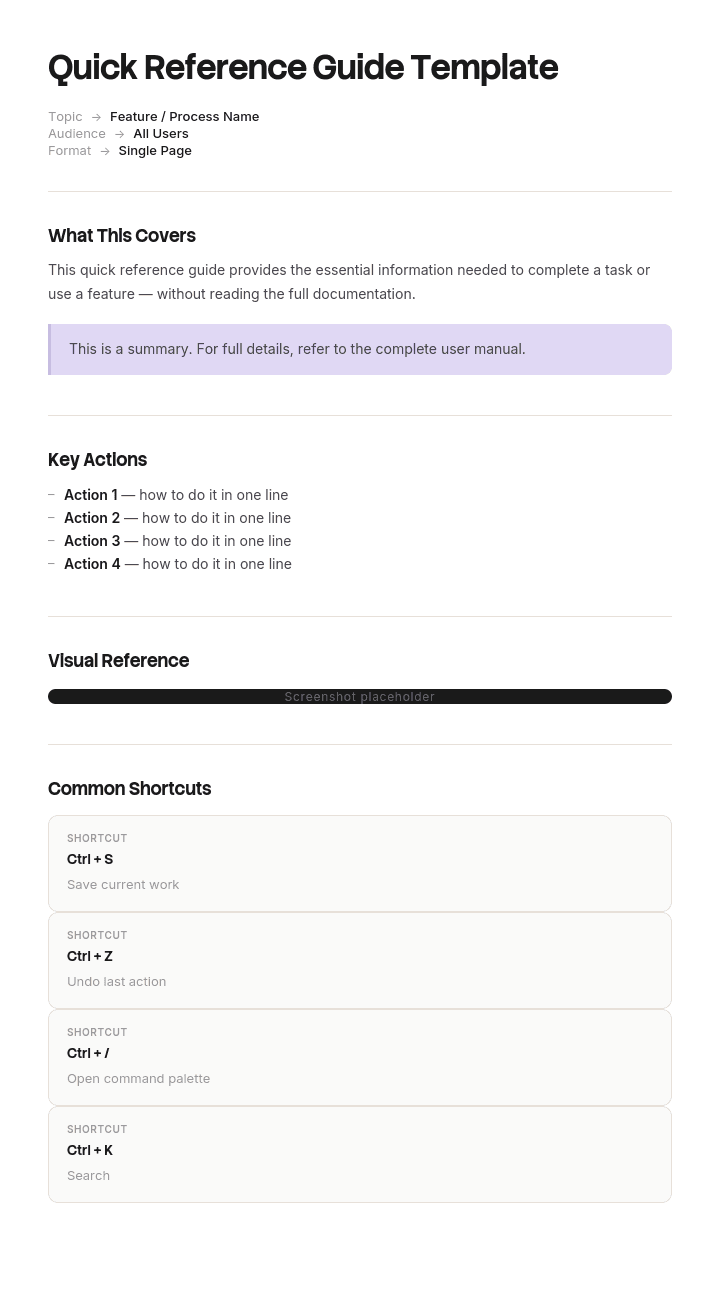
Use this template
A quick reference guide is the perfect format for information your team needs in the moment - shortcuts, checklists, troubleshooting steps, command references. With Trupeer, you can save hours on creating quick reference guides by starting with a free template, customizing it with your brand guidelines, and turning each guide into a short video tutorial.
What is a free quick reference guide template?
A free quick reference guide template is a reusable structure for compressing what someone needs at the moment they need it onto as little paper as possible, usually one page or one double sided sheet.
The definition hides the hard part. A quick reference guide is not a short document. It is a lookup device, and it is used in a way no other document is used: the reader arrives already knowing what they want, spends a few seconds looking for it, and leaves. They never read it. They search it.
That single behavioural fact should drive every design decision, and in most guides it drives none of them.
The template is not the guide. It supplies the layout, which is the part you least need help with. What determines whether the finished article gets used is how its entries are ordered and what words each one begins with.
Format follows use. A free quick reference guide template Word file suits drafting and updating. A free quick reference guide template PDF is the version that gets printed and pinned up. A free quick reference guide template PPT layout suits a designed one page card where the visual arrangement matters, and a free quick reference guide template PowerPoint file is the same thing under its longer name. All of them will fail equally if the entries are in the wrong order.
Why most quick reference guides go unused
Open any quick reference guide for a piece of software and look at its section headings. They will almost always match the software's own menu structure. Policies. Claims. Payments. Admin. Settings.
That ordering is inherited without anybody deciding on it, because the person writing the guide learned the system by exploring its menus and the structure is now how they think about it.
The reader does not think that way. A person reaching for a quick reference guide is not thinking "I need the Admin module". They are thinking "the customer has moved house" or "the payment bounced" or "this form will not submit". They are holding a problem, and they are looking for their problem in your document.
If your headings are your system's nouns and their questions are verbs and situations, they cannot find their line. And they only try twice. A guide that fails a reader twice is a guide they stop opening, and what replaces it is asking the person sitting next to them, which costs two people's time instead of one.
The failure is invisible from the inside. The guide is accurate, complete, well formatted, and correct in every particular. It simply cannot be entered by anyone who does not already know where the answer lives, which is exactly the population it was written for.
How to customize this template in Trupeer
Step 1: Open the Templates Section
Go to the Templates section from the main navigation.

Step 2: Select and Open a Template
Click on any template you want to work with to open it.

Step 3: Expand the Template View
If needed, expand the template view to see the full layout and details clearly.

Step 4: Edit the Template
Click on Edit to start modifying the selected template.

Within the editor, you can:
Add new sections
Define or update formatting rules
Add a logo and adjust its position and related settings
Step 5: Save Your Customized Template
After making all necessary changes, click Save to store the updated template as your own.

Step 6: Preview and Fine-Tune the Template
When you want to see how your customized template looks, open the Preview.

From the preview screen, you can continue to make adjustments directly if needed, ensuring the template appears exactly as you want.
With a quick reference guide template you can:
Save hours on creation: Skip the blank page with a proven scannable structure.
Improve performance: Quick reference guides cut errors by giving users the right info at the right time.
Stay on-brand: Apply your logo, colors and fonts using Trupeer's brand kit - perfect for printable cheat sheets.
Reduce support tickets: Self-service quick references deflect common questions.
Train faster: New hires reach proficiency faster when key info is one page away.
Reach global users: Translate quick reference guides into 65+ languages with one click.
The left edge is the interface
Readers scan the first two or three words of each row and nothing else until something matches. Whatever sits in that left edge is your navigation, whether you designed it as navigation or not.
Four rules follow, and they are most of what separates a used guide from a filed one.
Start every entry with the trigger, not the answer. "Customer has moved house" then the answer. Not "Address changes: navigate to Policies, then Amend." The first two words are the only ones being read on the way past.
Use the reader's words, not the system's. If your users say "bounced payment" and the software says "failed direct debit collection", the entry starts with bounced payment. You can put the official term afterwards. Writing the official term first optimises for the vocabulary of the person who does not need the guide.
Order by something the reader can predict. Alphabetical by trigger phrase is unglamorous and works, because it requires no learning. Frequency ordering works if a handful of items dominate. Grouping by workflow stage works where the reader knows which stage they are in. Grouping by system module almost never works.
One line of answer, or a pointer. If the answer needs a paragraph, the entry points somewhere else. A quick reference guide that tries to contain full procedures becomes a manual with cramped margins.
The uncomfortable consequence is that a good guide often contains less information than the bad one it replaces, and works better. That is not a paradox. The bad one contained everything and could not be entered.
What a quick reference guide template must contain
Six components. Two of them are usually missing and one is usually oversized.
Component | What it does |
|---|---|
Title and audience | What this covers and who it is for, in one line. A guide for two audiences serves neither. |
Entry rows | Trigger phrase, then answer. The body of the document and usually ninety percent of its area. |
Ordering that is stated | Tell the reader how the entries are sorted. One line at the top. Readers scan faster when they know the rule. |
Escalation route | What to do when the answer is not here. Who to ask, which channel, and when. Frequently omitted, and it is what turns a dead end into a next step. |
Version and date | Small, in a corner. Quick reference guides decay faster than any other document because they describe interfaces. |
Owner | One name. A guide nobody owns will be wrong within a release cycle and nobody will notice. |
The escalation route matters more than its size suggests. Every guide is incomplete by design, so the reader will fall off the end of it regularly. Telling them where to go next is the difference between a guide that handles ninety percent and a guide that handles ninety percent and gracefully hands over the rest.
Free quick reference guide template: the structure to copy
Filled with a real example rather than placeholders. This is a contact centre guide for a policy administration system, on one double sided sheet.
Copy from here.
Header. One line of title and audience, one line stating the sort order, and the version in a corner.
Policy system quick reference. For contact centre agents taking inbound calls. Sorted A to Z by what the customer says. v6, 14 March. Owner: N Farrow.
Entry rows. Trigger first, answer second, kept to one line each.
What the customer says | What you do |
|---|---|
Cancel my policy | Policies, Amend, Cancel. Reason code required. Refund calculates automatically. |
Card details changed | Payments, Manage mandate. Takes effect next collection, not this one. |
Didn't receive my documents | Documents, Resend. Check email on file first, it is the most common cause. |
I've moved house | Policies, Amend, Address. Premium may change, quote it before saving. |
Payment bounced | Payments, Collection history. Retry available for seven days, after that it is Arrears. |
Someone else needs to speak for me | Admin, Authorised contacts. Needs the policyholder on the call to authorise. |
Wrong name on the policy | Admin, Correct details. Spelling correction only. A genuine name change needs evidence, see escalation. |
Escalation. When it is not here.
Anything involving a claim in progress goes to Claims on extension 2140. Anything requiring evidence goes to the team leader queue. If the system will not let you save, take a screenshot and post it in the support channel with the policy number.
Footer. Version, date, owner, and where the current version lives.
v6, 14 March. Owner N Farrow. Current version always at the intranet link on the wall card. If your printed copy is older than the one online, use the online one.
Copy to here.
Seven rows shown, thirty eight in the real one, and it fits on one double sided sheet because every answer is a single line.
Quick reference guide example: fourteen pages replaced by one sheet
Kelbrook Insurance, a broker with a sixty seat contact centre, moved to a new policy administration system.
The training team produced a fourteen page quick reference guide. It was thorough and it was well made, with screenshots, a contents page and sections for each module of the system: Policies, Claims, Payments, Documents, Admin. It mirrored the software's own menu structure, which felt like the obvious organising principle and was never questioned.
Average handling time before the rollout was four minutes ten. In the first week after go live it went to five minutes fifty, which everybody expected. What nobody expected was that it stayed there for eleven weeks.
The guide had stopped being opened by about week three. Team leaders noticed agents turning to the person beside them instead, which took two people off calls rather than one, and the escalation queue was carrying questions that were answered on page nine.
The reason was visible once somebody watched an agent use it. A customer says they have moved house. The agent needs to know whether an address change lives under Policies or under Admin. The guide was organised so that you could only find the answer if you already knew which module it was in, and knowing which module it was in was the actual question.
The rewrite took two days. One double sided sheet, thirty eight rows, each starting with the words a customer actually says, sorted alphabetically by that phrase. No screenshots. No contents page. Considerably less information than the fourteen pages contained.
Handling time came back to four minutes fifteen within three weeks, and the escalation queue dropped by roughly a third.
The part worth keeping is the counterintuitive one. The version that worked contained less than the version that did not. The fourteen pages had every answer in them and could not be entered. The sheet had fewer answers and could be entered in four seconds, and a guide that answers eighty percent of questions in four seconds beats one that answers all of them in ninety.
How to write a quick reference guide in six steps
Collect the actual questions. From the support queue, the team chat, or an hour spent listening. Do not write them from the system. The wording matters and you will not guess it.
Count them. A free quick reference guide template Excel file is the fastest way to do this, since frequency decides what earns a row. The top thirty questions usually cover most of the volume, and the tail belongs in the full documentation.
Write the trigger phrase first, in their words. Before you write any answer. This forces the ordering decision while it is still cheap.
Write each answer in one line. If it will not fit, either the task needs breaking into two entries or it belongs in the manual with a pointer here.
Pick a sort order and state it at the top. Alphabetical by trigger unless you have a strong reason otherwise.
Watch someone use it. Give it to a person who was not involved, ask them a real question, and time them. Anything taking more than ten seconds to find is in the wrong place or starts with the wrong words.
Step one is the one that gets skipped, and skipping it is what produces guides organised by menu structure, because the system is the only source of headings available to someone writing from memory.
How long should a quick reference guide be?
One page, or one double sided sheet. That is not a stylistic preference, it is what distinguishes the document from a manual.
Treat the page limit as a specification rather than a constraint. If the content does not fit, the answer is almost never a smaller font. It is that the scope is wrong, and the usual fix is splitting by audience rather than shrinking by design. Two guides of one page each, for two roles, will both get used. One guide of three pages covering both roles will get used by neither.
This is also why a quick reference guide template free download rarely survives contact with real content. The template assumes your entries will fit its grid, and the grid is not what decided how many entries you have. The other legitimate fix is moving depth out. A quick reference guide is allowed to point at the manual, and pointing is cheap. What it must not do is contain the manual in smaller type.
If you find yourself needing four pages, check whether you are writing a guide or a condensed training course. Those are different documents with different readers, and the second one is read once rather than searched repeatedly.
Quick reference guide, job aid or user manual?
Three documents that overlap and are worth separating, since choosing wrongly produces the right content in a form nobody uses.
A user manual is comprehensive and read rarely. It exists so that every answer is somewhere, and its organising principle can reasonably be the system's own structure, because the reader arrives with time and a contents page.
A job aid supports somebody performing a specific task, usually while they perform it. It is procedural and sequential, and it guides action step by step. A laminated card showing how to run a machine start up is a job aid.
A quick reference guide supports somebody who already knows roughly what they are doing and needs to recall a specific thing. It is non sequential and it is entered at any point. Nobody starts at the top.
The practical difference between the second and third is direction of travel. A job aid is followed from beginning to end. A quick reference guide is jumped into in the middle. That is why a job aid can be organised by sequence and a quick reference guide cannot.
If your readers need both, write both. Compressing a procedure into a lookup table produces steps too terse to follow, and expanding a lookup table into a procedure produces something nobody can scan.
Quick reference guide template variants
The structure holds and the trigger column changes with the reader.
Software quick reference guide. Triggers are user goals and error messages. Include the literal text of common error messages as trigger phrases, because a user facing an error will search for its exact wording.
Onboarding quick reference guide. Triggers are the questions new starters ask in weeks two to six. Not week one, which is training. This is the variant most often written too early and pitched too broad.
Keyboard shortcut or cheat sheet. Triggers are the actions. The one variant where grouping by function genuinely works, because the reader is browsing to learn rather than searching to solve.
Safety or emergency quick reference. Triggers are situations. Ordering should be by likelihood or severity rather than alphabetically, because the reader is under pressure. Anything covering regulated hazards, first aid or emergency response should be reviewed by a competent person and must not contradict your statutory obligations or your formal procedures.
Retail and front line quick reference. Triggers are what the customer says, as in the example above. The single highest return variant, because the population using it is large and every second is multiplied.
Policy quick reference. Triggers are situations a manager will face. Keep the answers to what to do and who to involve, and point at the policy for anything that could be disputed, since a compressed summary of a policy is not the policy and should never be relied on as one.
Where the guide lives and when it decays
Quick reference guides decay faster than any other document, because they describe interfaces and interfaces change without announcement.
Three habits keep them alive. Name an owner, singular. Put the version and date on the artefact itself, including the printed copy, so a stale one is identifiable at a glance. And tie a review to the thing being described rather than to the calendar, which means the guide gets checked when the system releases, not every six months.
Printed copies are the difficulty. A wall card is the format most likely to be used and the one most likely to be out of date, since nobody reprints. The workable compromise is to keep the current version at a stable link and put that link on the printed copy, so anybody who doubts what they are holding has somewhere to check.
A guide that has been wrong once loses most of its authority. Readers who find one stale entry stop trusting the rest, and they are right to.
What a free quick reference guide template cannot fix
Content organised for the author. The central failure, and no template addresses it because ordering is a decision rather than a layout.
Too many audiences. One sheet for agents, supervisors and back office will be entered by none of them. Split it.
A system that needs a guide this badly. If thirty entries are needed for basic operation, some of that is a design problem being papered over. Worth noting to whoever owns the system, even if the guide still has to be written.
A missing list of questions. No free quick reference guide template free download contains your readers' wording, and that is the input the whole document depends on.
Answers that were never verified. Guides get written quickly and from memory. Have someone perform each entry once before it goes out, because a wrong line in a quick reference guide is worse than a missing one, since it is trusted and acted on immediately.
Show the task rather than describing it
A quick reference guide deliberately holds one line per entry, which means it can point but cannot demonstrate. The pointing only works if there is something worth pointing at, and for most teams there is not, because producing a screenshotted walkthrough for each of thirty tasks is days of work that nobody has.
Trupeer AI removes that cost. Somebody performs the task once while recording, and the output is a written walkthrough with screenshots already captured and placed, alongside a video of the same task, in your own branding. Do that for the entries that need more than a line, and your one page guide gains a set of destinations that actually exist.
Record it. Brand it. Translate it. Trupeer it.
Two things follow that matter here. Where a front line team works in several languages, the same recording produces the same walkthrough in each, so a guide translated once does not drift from the procedure it points at. And when the interface changes, re-recording is faster than re-screenshotting, which is what determines whether the linked material is current when somebody follows the link.
The walkthroughs sit in your knowledge base and double as training material for new starters, which is the population that needs the depth. Task level procedures belong in the work instructions underneath. Consistency with your other documents is a matter of setting the brand kit once, and setup is covered in the document template setup guide.
Frequently Asked Questions
Is there a free quick reference guide template Word version?
Word suits the drafting and the updating, which is most of a guide's life. Build the quick reference guide template Word file as a two column table, trigger phrase on the left and answer on the right, with the sort order stated in one line above it.
Two settings matter more than they sound. Set the table to repeat the header row, and turn off row splitting across pages. A free quick reference guide template Word file that breaks an entry across a page fold is a guide that will be misread at the fold.
Is there a free quick reference guide template PPT or PowerPoint version?
Slides suit a designed one page card where visual arrangement carries meaning, such as a layout matching the physical positions of controls or a colour coded grid. A free quick reference guide template PPT layout gives you precise control over placement that a document does not.
The cost is maintenance. A free quick reference guide template PowerPoint file has every element positioned by hand, so adding one row means moving everything below it. Use slides for a guide that is designed once and printed, and a document for one that changes with each release.
Is there a free quick reference guide template PDF?
PDF is the distribution format. Draft in a document, then export a free quick reference guide template PDF for printing and for the intranet, with the version and date visible on the page itself rather than only in the file name.
Put the link to the current version inside the PDF. Printed copies outlive their accuracy, and a reader holding paper needs somewhere to check whether what they are holding is still true.
Is there a free quick reference guide template Excel version?
Excel is genuinely good for building one and poor for issuing one. A free quick reference guide template Excel file lets you sort thirty entries by trigger phrase in one click, filter by audience while you are deciding what to include, and count how many rows you actually have.
Do the work there, then export to a document or a PDF for the version people use. A spreadsheet printed as a reference sheet almost always paginates badly and loses the ordering that made it work.
Is there a free quick reference guide template free download worth using?
Most of what a quick reference guide template free download gives you is a two column table, which takes ninety seconds to build. The part you cannot download is the list of trigger phrases in your readers' own words, and that is the part that decides whether the guide is used.
If you do adopt one, check a free quick reference guide template free download for two things before committing. Whether it has a place for an escalation route, and whether it has a version and owner on the artefact. Most have neither, and both are quick to add.
How do I stop a quick reference guide going out of date?
Name one owner, put the version and date on the artefact including printed copies, and tie the review to the system's release cycle rather than to a calendar reminder.
The practical trick is the stable link. Keep the current version at an address that never changes and print that address on every copy, so anybody unsure of what they are holding has a way to check in five seconds. Guides do not usually fail because nobody updated them. They fail because nobody could tell that the copy on the wall was three versions old.
What is the difference between a quick reference guide and a job aid?
Direction of travel. A job aid is followed from top to bottom while performing a task, so it can be ordered by sequence. A quick reference guide is entered in the middle by someone looking for one specific thing, so it must be ordered by something they can predict.
The same content in the wrong form fails in a specific way. A procedure compressed into lookup rows becomes too terse to follow, and a lookup table expanded into a procedure becomes impossible to scan.

