Use this template
The clearest path to a better business is documenting how it actually runs today. With Trupeer, you can save hours on business process documentation by starting with a free business process template, customizing it with your brand guidelines, and turning processes into video walkthroughs that bring every step to life for the team.
Every business runs on processes nobody has written down. They work fine until the person who knows them is on leave, leaves, or gets promoted, and then the same questions get answered from scratch by three different people who each guess differently.
This free business process template fixes one process at a time. The hard part isn't the document, it's deciding how much detail to capture, so that's where this starts.
Download the business process template
Format | Best for |
|---|---|
Word (.docx) | The written procedure. Free download, no sign-up |
Excel (.xlsx) | Step registers, RACI matrices, process inventories |
PowerPoint (.pptx) | Presenting a process to stakeholders, or an as-is versus to-be comparison |
The approved version, and printing for training | |
Google Docs | Collaborative review before sign-off |
Free, editable, no watermark. Word and Excel cover most needs. PowerPoint is for when you're presenting the process rather than following it.
Which process document do you actually need?
The most common mistake is picking the wrong artifact and then fighting the format. Start here.
You need to... | Use | Trupeer template |
|---|---|---|
Show the shape of a process at a glance | Process map or flowchart | |
Show who hands off to whom across teams | Swimlane diagram | |
Write down how a process runs, step by step | Business process document | This page |
Document a repeatable procedure with owners | Standard operating procedure | |
Tell one person exactly how to do one task | Work instruction | |
Clarify who is responsible for what | RACI matrix | Included in the Excel version |
Give someone a quick reference at their desk | Job aid | |
Plan a change to an existing process | Process improvement plan | |
Control quality on a defined process | Control plan |
If you're not sure, write the process document first. You can always draw the map from it, and drawing a map of a process you haven't described tends to produce a tidy diagram of something nobody actually does.
How to customize this template in Trupeer
Step 1: Open the Templates Section
Go to the Templates section from the main navigation.

Step 2: Select and Open a Template
Click on any template you want to work with to open it.

Step 3: Expand the Template View
If needed, expand the template view to see the full layout and details clearly.

Step 4: Edit the Template
Click on Edit to start modifying the selected template.

Within the editor, you can:
Add new sections
Define or update formatting rules
Add a logo and adjust its position and related settings
Step 5: Save Your Customized Template
After making all necessary changes, click Save to store the updated template as your own.

Step 6: Preview and Fine-Tune the Template
When you want to see how your customized template looks, open the Preview.

From the preview screen, you can continue to make adjustments directly if needed, ensuring the template appears exactly as you want.
With a business process template you can:
Save hours on documentation: Skip the blank page with a structure for any business process.
Capture how work happens: Built-in sections for inputs, steps, decisions and outputs.
Stay on-brand: Apply your logo, fonts and colors using Trupeer's brand kit.
Standardize execution: Use the same template across teams and functions.
Identify improvements: Mapping a process is the first step to improving it.
Reach global teams: Translate process docs into 65+ languages with one click.
The three levels of process documentation
Most documentation projects stall because someone tries to capture everything at maximum detail. Processes document cleanly at three levels, and you only need the level that answers the question in front of you.
Level 1: the process map. The whole thing on one page. Stages, handoffs, decision points, and where it starts and ends. Audience is managers and anyone new to the area. Answers "how does this work?"
Level 2: the process document. Each stage described: inputs, steps, outputs, owner, systems, timing. Audience is the person running the process. Answers "what happens, in what order, and who does it?" This is what the template on this page produces.
Level 3: the work instruction. One task, in full detail, including specifications and screenshots. Audience is the person performing that specific task, possibly on their first day. Answers "how exactly do I do this?"
Going straight to Level 3 for an entire process is why documentation projects get abandoned. Do Level 1 for everything, Level 2 for the processes that matter, and Level 3 only where errors are expensive or turnover is high.
The business process template
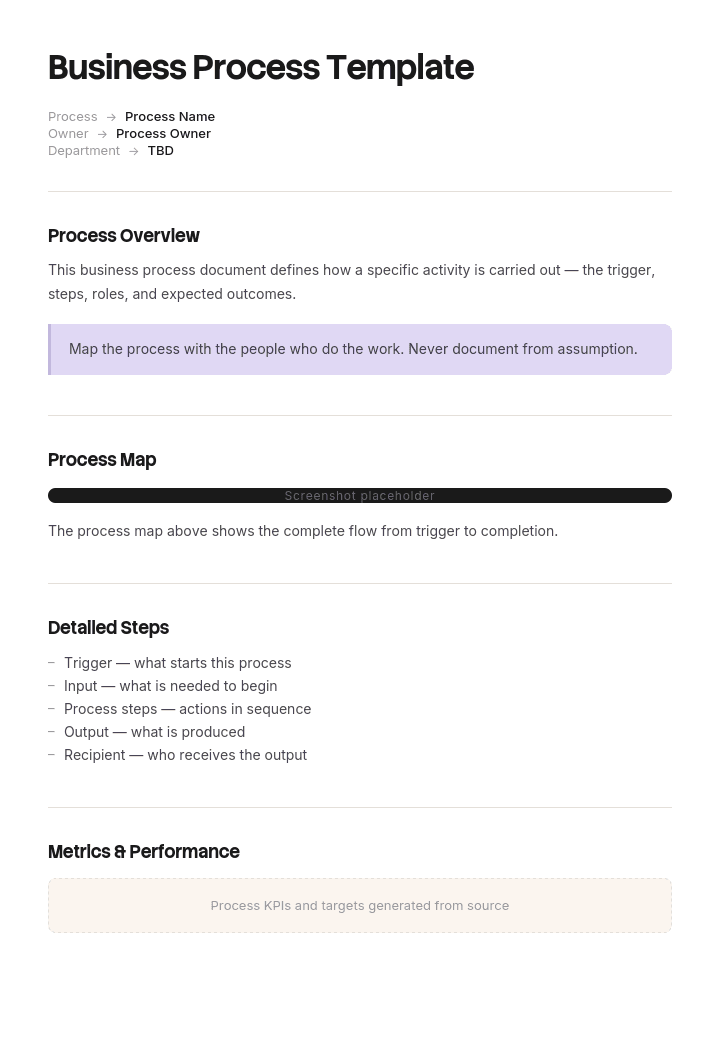
Header block
Field | Enter |
|---|---|
Process name and ID | Expense claim approval, PR-014 |
Version and date | v1.3, [date] |
Process owner | Role accountable for the process working |
Author and approver | Names and dates |
Purpose | One sentence on what the process achieves |
Scope | Where it starts, where it ends, what's excluded |
Trigger | The event that starts it |
Inputs | What must exist before it can begin |
Outputs | What exists when it's done |
Systems | Tools and systems involved |
Roles involved | Every role that touches it |
Cycle time | Target end to end |
Review cadence | And date last reviewed |
Step block, repeated per step:
Element | Enter |
|---|---|
Step number | 4 of 9 |
Action | One action, active voice |
Owner (role) | Who performs it |
Input | What they need to start |
Output | What exists afterwards |
System | Where the work happens |
Decision point | Any branch, with both paths named |
Timing | Target duration or deadline |
Exception | What happens when it can't proceed normally |
Footer block: exceptions and escalation, related documents, revision history.
Filled-in business process example
PR-014 · Expense claim approval · v1.3 · Owner: Finance Manager
Purpose: Reimburse valid employee expenses within one payroll cycle.
Scope: Starts when an employee submits a claim, ends when payment is released. Excludes corporate card reconciliation.
Trigger: Claim submitted in the expenses system.
Cycle time target: 10 working days.
# | Action | Owner | System | Output | Timing | Exception |
|---|---|---|---|---|---|---|
1 | Submit claim with receipts attached | Employee | Expenses system | Claim in Submitted status | By the 25th for that month's payroll | Missing receipt over £25 returns to employee |
2 | Auto-validate against policy limits | System | Expenses system | Pass, or flagged for review | Immediate | Flagged claims go to step 3, clean claims skip to 4 |
3 | Review flagged items | Line manager | Expenses system | Approved or queried | 2 working days | No action in 2 days escalates to the manager's manager |
4 | Approve or reject | Line manager | Expenses system | Claim in Approved status | 3 working days | Rejection requires a written reason |
5 | Decision: over £500? | System | Expenses system | Routed | Immediate | Yes goes to step 6, no skips to step 7 |
6 | Second approval | Finance Manager | Expenses system | Countersigned | 2 working days | Above £2,000 also needs Director approval |
7 | Verify coding and VAT treatment | Finance assistant | Accounting system | Coded and posted | 2 working days | Unclear coding queried with the claimant |
8 | Include in payment run | Finance assistant | Banking | Payment scheduled | Next scheduled run | Urgent claims can be paid off-cycle with Finance Manager approval |
9 | Notify employee and close | System | Expenses system | Claim Paid, employee notified | On payment | None |
Escalation: Any claim open beyond 15 working days is reported to the Finance Manager in the weekly review.
Related documents: Expenses policy, VAT coding guide, delegated authority matrix.
Notice that every step has an owner, a system and an exception path. The exception column is the one most templates omit, and it's where undocumented processes actually break, because people improvise when the normal path doesn't work.
What to include in a business process document
Purpose and scope, with the start and end points stated explicitly. Scope ambiguity is the most common cause of process disputes.
The trigger. A process with no defined trigger never starts reliably.
Inputs and outputs, so handoffs between processes line up.
Steps in sequence, one action each, in active voice with a role attached.
Decision points with both branches named. "If approved" needs an "if not" beside it.
Systems, so the process survives a tool change with a documented edit rather than a rewrite.
Timing per step and a target cycle time. Otherwise you can't tell a slow process from a broken one.
Exceptions and escalation. The most valuable section and the most frequently missing.
Roles, not names. People change jobs.
Version, owner and review date. An undated process document is assumed stale.
How to document a business process
Pick one process and define its boundaries first. Where it starts, where it ends. Do this before writing a single step or scope will drift as you go.
Watch it being done, ideally by two different people. The differences between them are the undocumented decisions, and those are the most valuable thing you'll capture.
Record the screen while you watch. You won't remember which field they updated or which report they checked.
Draft the as-is, not the ideal. Document reality first. Improving it is a separate exercise and mixing the two produces a document nobody recognises.
Write one action per step, active voice, role named.
Find the decision points and name both branches.
Ask what goes wrong. Then write the exception path for each answer. This is where the real knowledge lives.
Add timings. Even rough ones expose the bottleneck immediately.
Have someone unfamiliar follow it. Every question they ask marks a gap.
Assign an owner and a review date, then publish it where the work happens.
As-is and to-be
Two versions of the same process, and confusing them wastes a lot of effort.
As-is is how the process runs today, including the workarounds and the step everybody skips. Its purpose is a shared, honest picture. Documenting the as-is is uncomfortable precisely because it exposes things people would rather not write down, which is also why it's useful.
To-be is how it should run after a change. Its purpose is agreement on the target and a basis for measuring improvement.
Document as-is first, always. To-be maps drawn without an honest as-is tend to solve problems the business doesn't have, while leaving the actual bottleneck untouched. Once you have both, the gap between them is your process improvement plan.
Process maps, flowcharts and swimlanes
The written document and the diagram do different jobs, and most processes benefit from both.
Flowchart. Steps and decisions as boxes and diamonds. Best for showing branching logic at a glance.
Swimlane diagram. Same flow, split into rows by role or team. Best when the problem is handoffs, which it usually is.
Process map. The higher-level view, stages rather than steps, on one page.
BPMN. A formal notation with defined symbols, used where processes are automated or audited. Overkill for most internal documentation.
If you want the diagram rather than the written procedure, use the process flow template or the workflow template. For a flowchart in Word specifically, build it with SmartArt or shapes, keeping it to one page: Word handles simple linear flows well and complex branching badly, so past about fifteen boxes a dedicated diagram tool will save you time.
The practical order is to write the document first and draw from it. Diagrams drawn first tend to be tidier than the process they describe.
Best practices
One process per document. Combined documents get skimmed and then ignored.
Same structure every time. Familiarity makes documents faster to use, which is most of whether they get used.
Let the practitioner write the draft. Documents written by managers who don't do the work describe the process as imagined.
Document the exceptions. They're 20% of the content and 80% of the value.
Store it where the work happens. In the system people already use, not a separate wiki.
Version and date everything.
Review after any system change. A tool migration invalidates more process documentation than anything else.
Keep it to two pages. Longer usually means you've merged several processes.
Common mistakes
Documenting the ideal instead of the actual. Produces a document nobody follows because nobody recognises it.
No defined start and end. Scope creeps and the document never finishes.
Missing exception paths. People improvise, and improvisation is where variation and errors enter.
Decision points with one branch. Leaves the reader stuck on the "no" path.
Names instead of roles. Out of date at the first reorganisation.
Everything at work-instruction detail. The most common reason documentation projects are abandoned.
No owner. Nobody notices when the process changes and the document doesn't.
Diagram without a document. Looks complete, answers almost nothing about how to actually do it.
Document processes by recording them
Open the template in Trupeer AI, apply your brand kit so every process document matches your internal standards, and edit any section directly. Setup is in the template guide.
The reason process documentation stays undone is that writing it takes an afternoon per process and there are forty of them. Record the process once instead and Trupeer AI produces the written document with the steps in the order they actually happened, screenshots captured automatically, and a narrated video walkthrough from the same pass. That last part matters, because a written step describing a system action is always more ambiguous than watching it.
Record it. Document it. Translate it into 65+ languages. Store it in your knowledge base and use it for team training. Trupeer it.
Frequently Asked Questions
Is there a free business process template in Word?
Yes. Word is the format most teams write process documents in, since procedures get revised often. Free download, no sign-up, no watermark.
Can I download a business process template in Word for free?
Yes. Every format is a free download with no account required and no watermark, and you can use them internally as often as you need.
Is there a free business process template in PowerPoint or PPT?
Yes. The PowerPoint version is built for presenting a process rather than following it, with a stage-per-slide layout and an as-is versus to-be comparison slide. Use it for stakeholder reviews and change proposals, and use the Word version as the document people actually work from.
Is there a free business process template in Excel?
Yes. Excel suits the step register, the RACI matrix and a process inventory listing every process with its owner and review date. That inventory is usually the most useful single artifact when you're starting documentation from nothing.
Is there a step-by-step process template in Word, free to download?
Yes, that's the main Word template on this page. Numbered steps with an owner, system, output, timing and exception path for each, plus header fields for scope, trigger and process owner.
Is there a free Word flowchart template?
For diagrams specifically, use the process flow template, which is built for flowcharts and swimlanes rather than written procedures. If you want to build one directly in Word, SmartArt handles simple linear flows well. Past roughly fifteen boxes or any real branching, Word becomes slower than a dedicated diagram tool, and the written document plus a simple map usually serves people better than one complicated chart.
What is a business process template?
A pre-structured document for capturing how a process runs: its purpose, scope, trigger, inputs, ordered steps with owners, decision points, outputs and exception paths. It gives you the fields so you're describing the process rather than designing a format.
What's the difference between a business process document and an SOP?
Largely one of scope and detail. A process document describes how work flows end to end across roles, often spanning teams. An SOP documents one procedure in enough detail to be followed precisely. In practice the terms overlap heavily, and what matters is that the document answers the question its reader has.
What's the difference between a process document and a work instruction?
Level of detail. A process document covers a whole process at the level of "who does what, in what order". A work instruction covers one task in full detail, including specifications and screenshots, for the person performing it. A process document might have one step reading "assemble the unit", where the work instruction for that step runs to eleven steps of its own.
What should a business process document include?
Process name, version and owner, purpose, scope with explicit start and end points, trigger, inputs and outputs, systems, numbered steps with role, timing and exception per step, decision points with both branches, escalation, related documents and a revision history.
How do I document a business process?
Define the boundaries first, then watch it being done by two different people and record the screen. Draft what actually happens rather than the ideal, one action per step with a role attached. Name both branches at every decision. Ask what goes wrong and write the exception paths. Add timings, then have someone unfamiliar follow it and fix every gap they find.
How long should a business process document be?
One to two pages for most processes. If it runs longer you've probably merged several processes, or dropped to work-instruction detail when the process level was enough.
Which processes should I document first?
The ones where a single person is the only one who knows how, and the ones that go wrong most often. Those two lists usually overlap. Documenting the process nobody has trouble with feels productive and changes nothing.
How often should process documentation be reviewed?
Annually at minimum, and immediately after any system change, reorganisation or process improvement. System migrations invalidate more documentation than anything else, so tie a documentation review to every one.
Can I customize this business process template?
Yes, every version is fully editable. Add or remove fields to match how you work. In Trupeer AI you can also apply your brand kit so all process documents carry your standards automatically.

