Use this template
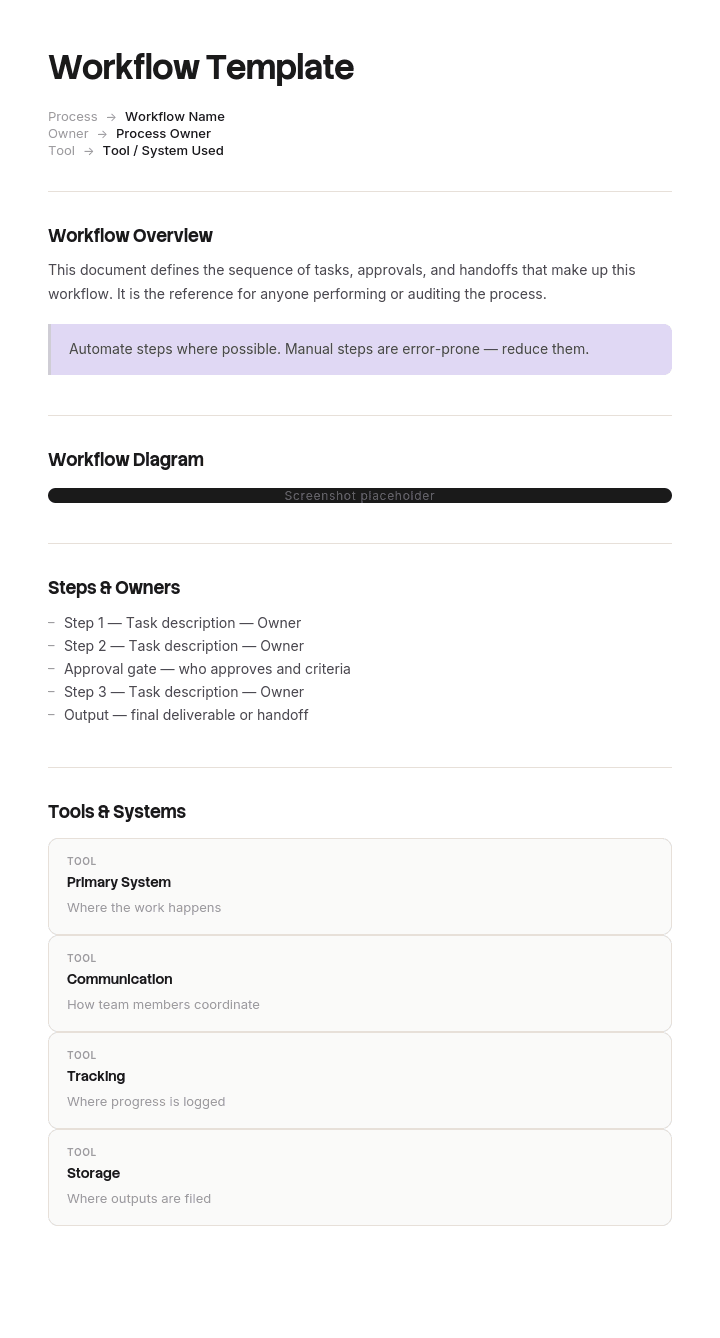
Great workflows are the difference between teams that scale and teams that scramble. With Trupeer, you can save hours on workflow design by starting with a free workflow template, customizing it with your brand guidelines, and turning workflows into video walkthroughs that bring every step to life.
What is a free workflow template?
A free workflow template is a reusable structure for describing how work moves through a series of stages, from a trigger to a finished outcome.
Almost every published version is a diagram: boxes for the stages, arrows between them, sometimes swimlanes for the people involved. Those are genuinely useful and there are thousands of them, in every tool, free.
The template is not what determines whether the exercise is worth anything. What determines that is which part of the diagram you put effort into, and nearly everybody puts it into the wrong part.
Format follows use. A free workflow template PPT layout is the most common, since a workflow is a diagram and presentation software draws them. A free workflow template Excel version suits the stage table and the timings behind it. A free workflow template Word file suits a workflow embedded in a procedure document, and a free workflow template PDF suits the agreed version for circulation.
Which kind of workflow do you mean?
The word covers three different things and the searches for it mix them freely, so it is worth deciding which you need.
A workflow diagram. A visual map of how work moves: stages, sequence, decision points, who does what. Drawn in a workflow maker or workflow design tool, of which there are many and most are workflow free at the level a team needs. Used to understand or agree a process, and what most of this page is about. A workflow diagram is often called a process workflow template, and it overlaps heavily with a flowchart.
A documented workflow. The same information written as a procedure rather than drawn, with owners, timings and rules. Frequently what an organisation actually needs when it says it wants a workflow.
An automated workflow. A configured sequence in a tool that moves work between people or systems without anybody carrying it. This is what a workflow maker, a workflow design tool or an automation platform provides, and there are thousands of prebuilt ones available. That is a different exercise and the last section of this page covers when it helps.
The order matters. Mapping before automating is what prevents you automating a bad process, which makes it faster and no better.
How to customize this template in Trupeer
Step 1: Open the Templates Section
Go to the Templates section from the main navigation.

Step 2: Select and Open a Template
Click on any template you want to work with to open it.

Step 3: Expand the Template View
If needed, expand the template view to see the full layout and details clearly.

Step 4: Edit the Template
Click on Edit to start modifying the selected template.

Within the editor, you can:
Add new sections
Define or update formatting rules
Add a logo and adjust its position and related settings
Step 5: Save Your Customized Template
After making all necessary changes, click Save to store the updated template as your own.

Step 6: Preview and Fine-Tune the Template
When you want to see how your customized template looks, open the Preview.

From the preview screen, you can continue to make adjustments directly if needed, ensuring the template appears exactly as you want.
With a workflow template you can:
Save hours on design: Skip the blank page with a structure for any workflow.
Visualize complex work: Built-in fields for triggers, decisions and handoffs.
Stay on-brand: Apply your logo, fonts and colors using Trupeer's brand kit.
Train teams faster: Pair workflows with video walkthroughs to onboard new hires.
Standardize across teams: Use the same template for every workflow.
Reach global teams: Translate workflows into 65+ languages with one click.
The arrows are the workflow
Here is what almost every workflow map gets wrong.
Look at any workflow diagram. The boxes will be carefully described: raise the requisition, check the budget, technical approval, commercial approval, raise the purchase order. Each box represents work somebody does, and the person mapping the process asked what happens in each one.
Now look at the arrows. They will be plain lines with nothing written on them.
That is precisely the wrong way round, because the boxes are where the work happens and the arrows are where the time goes.
Everything inside a box is under one person's control. They know how to do it, they do it, and it takes as long as it takes, usually minutes. The arrow is different in kind. It represents work leaving somebody's hands and arriving in somebody else's, and in between it sits in an inbox, a queue, a tray, a system state or a weekly meeting agenda.
Add up the work time in your boxes. Then compare it against the elapsed time from trigger to outcome. In most processes the ratio is startling, and all of the difference is in the arrows.
That has a direct practical consequence. Improving the work inside the boxes, which is where process improvement effort usually goes, cannot touch the majority of the elapsed time. Only attention to the handoffs can.
Labelling a handoff
Four things to record against every arrow. It takes a few minutes each and it is the whole method.
Who to whom. Named roles, not departments. Work passing from a role to a department has nowhere to land.
How it is triggered. What causes the next person to know there is something for them. An email, a system notification, a status change, a physical tray, or nothing at all, which is more common than people expect and is the worst case, because it means the next stage begins when somebody happens to look.
Where it waits. A named place. A shared inbox, an approval queue, a folder, a meeting agenda. If you cannot name the place, nobody owns what is in it.
How long it typically waits. A real figure, from data or from asking. This is the number that identifies which two arrows to fix.
Two patterns show up almost immediately when you do this.
Handoffs into a shared inbox or an unnamed queue are usually the slowest, because responsibility for looking is diffuse. Naming an owner for the queue frequently halves the wait without changing anything else.
And handoffs into a periodic event, a weekly meeting or a fortnightly panel, carry a wait of up to a full cycle regardless of how quick the work itself is. A five minute approval on a weekly agenda is a five day approval.
What a workflow template must contain
Eight components. The handoff table is the addition, and it is the part no published template has.
Component | What it does |
|---|---|
Trigger | What starts the workflow, stated as an observable event. |
Outcome | What exists when it is finished, and who receives it. |
Stages | Five to nine. More than nine and the map is unreadable; fewer and it is hiding something. |
Owner per stage | One role per stage, named. Not a department. |
Handoff table | For every arrow: from whom to whom, the trigger, where it waits, the typical wait. |
Decision points | Where the path branches, with the rule and who applies it. |
Work time and elapsed time | Total work time in the stages against total elapsed time. The comparison that shows where to look. |
Exceptions | The two or three most common ways work leaves this workflow, and where it goes. |
The work time against elapsed time row is worth calculating even if you do nothing else. It takes an afternoon and it usually reframes the conversation from how do we make the stages faster to why does this take eleven days.
Free workflow template: the structure to copy
Filled with a real example rather than placeholders. The workflow is purchase requisition to purchase order at an engineering services company.
Copy from here.
Trigger. An engineer identifies a required part or service and submits a requisition.
Outcome. A purchase order issued to a contracted supplier, with the requisitioner notified.
Stages, with work time.
# | Stage | Owner | Work time |
|---|---|---|---|
1 | Raise requisition | Requisitioning engineer | 6 min |
2 | Check against budget | Finance assistant | 4 min |
3 | Technical approval | Engineering manager | 8 min |
4 | Commercial approval | Commercial manager | 5 min |
5 | Supplier and contract check | Procurement officer | 9 min |
6 | Raise purchase order | Procurement officer | 7 min |
7 | Send to supplier | Procurement officer | 3 min |
8 | Confirm acknowledgement | Procurement officer | 5 min |
Total work time: 47 minutes.
Handoff table. The part that matters.
Arrow | From, to | Triggered by | Waits where | Typical wait |
|---|---|---|---|---|
1 to 2 | Engineer to finance assistant | System notification | Finance approval queue | 0.4 days |
2 to 3 | Finance to engineering manager | Email to shared engineering inbox | Shared inbox, no named owner | 2.8 days |
3 to 4 | Engineering manager to commercial manager | Commercial manager's inbox, reviewed Tuesdays | 4.1 days | |
4 to 5 | Commercial to procurement | System status change | Procurement queue | 0.6 days |
5 to 6 | Same person | None needed | Not applicable | 0 |
6 to 7 | Same person | None needed | Not applicable | 0 |
7 to 8 | Procurement to supplier and back | Email to supplier | Supplier's inbox | 2.1 days |
Work time against elapsed time. 47 minutes of work. 11.4 working days elapsed. Roughly ninety nine percent of the elapsed time is waiting, and eighty five percent of that sits in two arrows.
Decision points. Requisitions over ten thousand pounds require director approval, which adds a stage and one further handoff. Requisitions for non-contracted suppliers route to a sourcing sub-process.
Exceptions. Urgent requirements bypass the workflow via a verbal authorisation, which is the largest source of off-contract spend and is tracked separately. Requisitions rejected at stage 3 return to the engineer with no notification, which is why some are never resubmitted.
Copy to here.
Workflow example: forty seven minutes over eleven days
Lensfield Group provides facilities and engineering services and employs about seven hundred and fifty people.
Its purchase requisition workflow had been mapped two years earlier during a process improvement exercise. The map was neat: nine boxes, clearly labelled, with the owner of each stage named. It hung in the procurement office.
The improvement work that followed had focused on the boxes. The requisition form was simplified. The budget check was moved to a dashboard view. Approval screens were rationalised.
Total work time across all stages came to forty seven minutes.
Average elapsed time from requisition to purchase order was eleven point four working days.
Nobody had put those two numbers next to each other, because the map had no field for either.
When somebody finally measured the arrows, two of the nine accounted for most of it.
The handoff from budget check to technical approval averaged two point eight days. The requisition arrived by email into a shared engineering inbox with no named owner, and was picked up when somebody happened to look.
The handoff from technical to commercial approval averaged four point one days, because the commercial manager reviewed requisitions on Tuesdays. A five minute approval on a weekly cycle is a five day approval, and if it arrived on a Wednesday it was seven.
The consequence was not slow purchasing. It was that engineers stopped using the process. Parts were needed on site and eleven days was not available, so people ordered directly using the urgent verbal authorisation route.
Off-contract spend was running at about one point two million pounds a year, at an estimated fourteen percent price premium against contracted rates. Roughly a hundred and seventy thousand pounds, plus no visibility of committed spend, which was the finance director's actual complaint.
The fix addressed two arrows and nothing else.
Commercial approval moved from Tuesdays to a twenty minute daily slot, with authority delegated to the engineering manager below five thousand pounds, which covered seventy one percent of requisitions and removed the handoff entirely for those.
The shared engineering inbox was replaced with direct assignment to a named manager, with a deputy.
Elapsed time went from eleven point four days to two point three.
Off-contract spend in the following year came to about three hundred and ten thousand pounds, and the residual was mostly genuine emergencies rather than people routing around a slow process.
Two years of work on the boxes had improved forty seven minutes. Six weeks of attention to two arrows removed nine days.
How to map a workflow in six steps
Name the trigger and the outcome. Both as observable events. A workflow with a fuzzy start point cannot be measured.
List the stages, five to nine. If you have twenty, you are mapping several workflows or including task detail that belongs in a work instruction.
Assign one role per stage. A stage owned by a department is a stage owned by nobody.
Label every arrow. From whom to whom, the trigger, where it waits, and how long. This is the step everybody skips and it is where the answer is.
Add up work time and compare it to elapsed time. The gap is your improvement opportunity and it is almost never in the stages.
Fix the two worst arrows before touching anything else. In most workflows two handoffs account for the majority of the delay.
Step four is worth insisting on even when people resist it, and they will, because the data does not exist and gathering it feels like a project. Asking each stage owner how long things typically sit before they get to them takes an afternoon and is accurate enough to identify the two arrows that matter.
Notation: boxes, swimlanes and symbols
Three conventions, and the choice matters less than most guides suggest.
Simple boxes and arrows. Adequate for most purposes and the easiest to maintain. A simple workflow template of this kind is the right default, and anybody can read one without training.
Swimlanes. Rows or columns per role, with stages placed in the lane of whoever performs them. Genuinely valuable for one specific reason: every time a line crosses a lane boundary, that is a handoff, so swimlanes make the arrows that matter visually obvious. If you take one thing from formal notation, take this.
Formal flowchart symbols. Diamonds for decisions, cylinders for data, and the rest. Useful where the audience already knows the convention and a source of confusion where they do not. Most internal workflow maps do not need more than boxes, arrows and diamonds.
Two practical points. Keep the diagram to one page or one screen, because a workflow spanning three pages will not be read as a whole and the handoffs between pages are exactly the ones that get lost. And put the timings on the arrows in the diagram itself if the tool allows, since a diagram showing a four day wait beside a five minute approval makes the argument without anybody having to explain it.
Workflow, process map or SOP?
Four related documents, and the differences decide which you should be building.
A workflow or process workflow template shows how work moves between stages and people. Its value is in the sequence and the handoffs.
A process map is broadly the same artefact, usually drawn in more detail and sometimes with timings, and the terms are used interchangeably in most organisations.
A SIPOC is the one page summary that establishes where a process starts and stops before anybody maps it, and the SIPOC analysis template covers why that boundary question causes so much wasted effort.
A standard operating procedure describes how the process is performed rather than how work moves, and it usually spans roles. The SOP template covers it.
Beneath all of them, the detail of how one person performs one task belongs in a work instruction.
The sequence that works is SIPOC to agree the boundary, workflow to see the handoffs, SOP to define the process, work instructions for the tasks. Skipping the first two and going straight to an SOP produces a document describing a process nobody has looked at.
Workflow automation
The related searches for this term are largely tool searches, so it is worth addressing directly.
A workflow maker or workflow design tool draws the diagram. An automation platform goes further and moves the work: routing items, sending notifications, changing statuses, escalating on a timer. Thousands of prebuilt automation templates exist for common processes.
Automation is unusually well suited to the problem this page describes, because the arrows are exactly what automation removes. A handoff that depends on somebody noticing an email becomes a handoff that depends on nothing.
Two cautions, both learned expensively by a lot of organisations.
Map before you automate. Lensfield's slowest arrow was a weekly review cycle, and automating the notification into that queue would have saved a few hours out of four days. The fix was changing the cycle, which no automation would have found.
And automation does not remove a queue, it only removes the delay in noticing. If work arrives instantly in a queue that one person processes weekly, the elapsed time is unchanged and you have built something that reports faster.
Where automation genuinely helps is a handoff with a real wait caused by notification or visibility rather than by capacity. Those are common, and they are worth automating once you know which they are.
What a free workflow template cannot fix
Unlabelled arrows. No free workflow template free download and no best free workflow template prompts you for handoff data, because every published template treats the arrow as a line rather than as a field.
A queue with no owner. Diagrams show work arriving somewhere. Whether anybody is responsible for looking is a management question.
Approval cycles. A weekly approval meeting sets a floor on elapsed time that no mapping exercise reduces. Changing it requires somebody senior to agree to a different rhythm.
People routing around the process. Lensfield's off-contract spend was a rational response to an eleven day workflow. Enforcing the process without fixing the duration moves the problem rather than solving it.
Show what actually happens at the handoff
Mapping a workflow relies on asking people what they do, and the answers are reliable about the boxes and unreliable about the arrows.
People can describe their own stage accurately. What they cannot describe is what happens between stages, because it is nobody's stage. Ask how work gets from technical approval to commercial approval and you will be told that it is emailed over, which is true and omits that it lands in an inbox alongside two hundred other emails and is looked at on Tuesdays.
Trupeer AI helps with the half that is observable. Recording somebody working through their stage captures what they actually do, including where they check for incoming work, what they do when something is missing, and the workaround nobody mentions because it has stopped registering as one. The output is a written walkthrough with screenshots already captured and placed, alongside a video, in your own branding.
Record it. Brand it. Translate it. Trupeer it.
Two uses follow. Once a workflow is agreed, each stage needs a procedure the owner can follow, and recording produces it as a by product of mapping rather than as a separate documentation project. And where a workflow spans sites or languages, the same recording gives every location the same version of a stage, which removes one common source of variation in how long a stage takes.
For the arrows themselves there is no substitute for measurement. Ask each stage owner how long things sit before they reach them, or pull the timestamps from whatever system holds the work.
The material sits in your knowledge base and doubles as training. Consistency across your documents is a matter of setting the brand kit once, and setup is covered in the document template setup guide.
Frequently Asked Questions
Is there a free workflow template PPT version?
Slides are the most common home for a workflow, because presentation software draws boxes and arrows easily and the result is shareable. A free workflow template PPT layout is a reasonable default.
Add the timings to the arrows. A diagram showing a four day wait beside a five minute approval makes the case for changing something without anybody needing to explain it, and no published slide template includes the field.
Is there a free workflow template Excel version?
Excel suits the tables behind the diagram rather than the diagram itself. A free workflow template Excel file is the right place for the stage list with work times and, more importantly, the handoff table with typical waits.
That handoff table is where the improvement opportunity is identified. Sort it by typical wait, descending, and the top two rows are usually most of the elapsed time.
Is there a free workflow template Word version?
Word suits a workflow embedded in a larger document, such as a procedure, a quality manual or an induction pack. A free workflow template Word file works for that, with the diagram as an image and the handoff table as a table.
Keep the editable diagram elsewhere. A workflow pasted into a document as a picture cannot be updated, and workflows change more often than the documents containing them.
Is there a free workflow template PDF?
PDF suits the agreed and circulated version, particularly where the workflow forms part of a quality system or has been signed off by several functions. Export a free workflow template PDF once agreed, with the date and version on it.
Keep the source, because the handoff timings should be remeasured periodically. A workflow map with two year old wait times is describing a process that no longer exists.
Is there a simple workflow template worth using?
Yes, and simple is usually correct. A simple workflow template of five to nine boxes with labelled arrows will serve almost every purpose, and formal notation adds precision that most internal audiences do not need.
The complexity worth adding is not more symbols. It is swimlanes, because they make every handoff visible as a line crossing a boundary, which is the thing you are looking for.
What is a process workflow template?
The same document under a slightly different name. A process workflow template maps how work moves through a process: stages, sequence, decisions and handoffs.
The distinction occasionally drawn is that a workflow covers the movement of work and a process covers the whole activity including the work itself. In practice the terms are interchangeable, and both are improved by labelling the arrows.
Is there a best free workflow template?
The best free workflow template is whichever one has a field for what happens between stages, and essentially none do.
If you are comparing options, the diagram quality is not the variable. Every tool draws boxes adequately. Pick whichever you can update easily, because a workflow map is only useful while it is current, and add the handoff table yourself.
Is a workflow maker or workflow design tool the same as a template?
No. A workflow maker or workflow design tool is the software you draw in. A template is a starting layout you draw with. Most tools ship with both, which is why searches for one return the other.
The tool choice matters less than people expect, since every one of them draws boxes and arrows adequately. Pick whichever your team already has, because a workflow map is only useful while it is current and currency depends on whether updating it is easy.
Is there a free workflow template free download, or is workflow free anywhere?
Both, in large numbers. Every major template site, diagramming tool and presentation platform offers a free workflow template free download, and several tools are workflow free at the tier most teams need.
Which is why the download is not the constraint. The layout takes ten minutes in any tool. What no free version supplies is the handoff data, and that is the entire difference between a diagram and a document that changes something.
What is the difference between a workflow diagram and workflow automation?
A diagram describes how work moves. Automation makes it move without anybody carrying it, by routing items, sending notifications and changing statuses.
Draw the diagram first. Automation removes the delay in noticing that work has arrived, which is genuinely most of the problem in many workflows, and it does nothing about a queue processed weekly or a stage with no capacity. Knowing which of those you have is what the mapping exercise is for.


