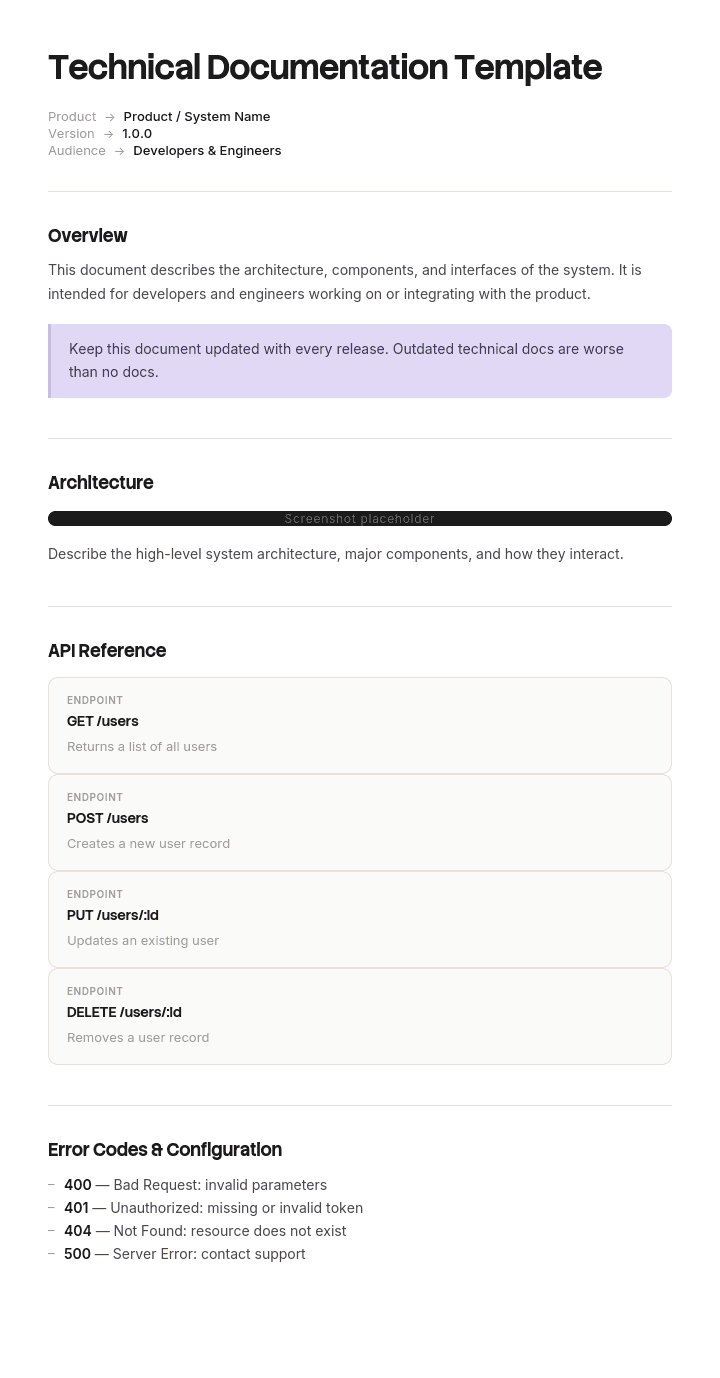
Use this template
Technical documentation is essential for anyone using, supporting or building on top of your product. With Trupeer, you can save hours on writing dense technical content by starting with a ready-to-use technical documentation template, customizing it with your brand identity, and turning it into clear, engaging technical documentation videos that are easier to consume than walls of text.
What is a free technical documentation template?
A free technical documentation template is a reusable structure for describing how a technical system, product or component works, for the people who have to build, maintain, integrate with, operate or assess it.
It differs from user documentation in one respect that changes everything about how it should be written. Its reader is frequently not present yet. A user guide is read by somebody using the thing today, who can ask a colleague if it is unclear. Technical documentation is read by a maintenance engineer in four years, an integrator at another company, an auditor, or the person who takes the job after you leave.
None of them can ask you anything.
The template is not the documentation. Section lists for this are widely published and largely identical. What determines whether your documentation is worth having in five years is a category of content that almost no template prompts for, covered below.
Format follows use. A free technical documentation template Word doc suits documents that get reviewed and approved, and a technical documentation template DOCX file is the same thing under its full extension. A free technical documentation template Excel version suits registers, parameter lists and traceability matrices. A free technical documentation template PDF suits issued and versioned deliverables, which matters more here than in most documentation because technical documents are frequently contractual or regulatory.
Which technical documentation do you mean?
The term covers two quite different things and it is worth settling which you need before adopting any structure.
Technical documentation in the general sense. Describing how a system, product or piece of software works, for engineers and technical users. Architecture, specifications, interfaces, configuration, test evidence, maintenance procedures. This is what most people mean and it is what this page is mainly about.
Technical documentation as a regulatory artefact. In several jurisdictions the term names a specific mandatory deliverable with prescribed contents. Products placed on the European market under CE marking, medical devices, machinery, and various other regulated categories all require a technical file or technical documentation with defined scope, retention periods and availability requirements.
If you are in the second case, no template from any website will satisfy the requirement. The applicable regulation or standard specifies the contents, conformity assessment bodies have expectations beyond the text, and getting it wrong prevents you selling the product. Work from the regulation and take qualified advice. Nothing on this page is a substitute for either.
The two overlap in practice, since the engineering content that forms part of a technical file is documentation you should have anyway. The structure below will help you produce good technical content. It will not tell you what a regulator requires.
How to customize this template in Trupeer
Step 1: Open the Templates Section
Go to the Templates section from the main navigation.

Step 2: Select and Open a Template
Click on any template you want to work with to open it.

Step 3: Expand the Template View
If needed, expand the template view to see the full layout and details clearly.

Step 4: Edit the Template
Click on Edit to start modifying the selected template.

Within the editor, you can:
Add new sections
Define or update formatting rules
Add a logo and adjust its position and related settings
Step 5: Save Your Customized Template
After making all necessary changes, click Save to store the updated template as your own.

Step 6: Preview and Fine-Tune the Template
When you want to see how your customized template looks, open the Preview.

From the preview screen, you can continue to make adjustments directly if needed, ensuring the template appears exactly as you want.
With a technical documentation template you can:
Save hours on writing: Skip the blank page and use a structure designed for technical content.
Standardize across teams: Use the same structure across products, modules or features for consistent documentation.
Stay on-brand: Apply your logo, fonts and colors using Trupeer's brand kit - so documentation looks consistent with your product identity.
Reduce support load: Clear videos and docs help users self-serve, reducing tickets and support time.
Localize for global users: Translate technical content into 65+ languages with a single click.
Update without friction: Edit once and Trupeer regenerates the video automatically.
Everything except the reasons is recoverable
Here is the argument that should shape how you spend your documentation effort.
Almost everything in technical documentation describes state. What the architecture is, what the parameters are set to, how the interfaces are defined, what the sequence does. All of that is genuinely useful, and all of it can be recovered by somebody sufficiently determined, because the system itself is the source of truth. Read the code, inspect the configuration, trace the wiring, run the test.
Recovering state is expensive and slow. It is not impossible.
The reasoning is different in kind. Why this approach rather than the obvious one. Why this value and not the default. Why this component was chosen when a cheaper one exists. Why a step that looks redundant is there.
None of that is in the system. It existed in a conversation, in somebody's head, and if it was not written down it is gone the moment they leave, and no amount of determination recovers it.
The practical consequence is specific and expensive. Somebody competent looks at a system, sees something that appears wasteful or unnecessary, has no way of finding out why it is there, and removes it. They are behaving reasonably. The documentation described the state, which they could already see, and said nothing about the reason, which they could not.
So the highest value content in technical documentation is the part almost no template asks for.
The decision record
The mechanism is short and old, and it works.
Whenever something is decided that a future reader would not guess, write a short record. Five fields, no more than half a page.
What was decided. In one sentence.
Why. The reasoning, including what was rejected and on what grounds. This is the field that matters and it should be the longest.
What happens if this is reversed. The consequence somebody would face if they undid it without knowing. This field converts a historical note into a warning.
Who decided, and when. So a future reader can judge whether the reasoning still applies.
Status. Current, superseded, or unknown. The third value is discussed below and is more useful than it sounds.
Write one for every deviation from a standard approach, every non obvious parameter, every rejected alternative that somebody will propose again, and every workaround.
Do not write one for decisions a competent reader would make the same way. A record for every choice produces a volume nobody reads, and the point is that these are the entries worth finding.
Where the reasoning is genuinely unknown, because the person who decided has gone, record that explicitly. A note saying that this value is deliberate, the reason is not known, and it should not be changed without testing is far more useful than silence. It tells the next person that they have found a real question rather than an oversight.
What a technical documentation template must contain
Nine components. The decision records are the addition.
Component | What it does |
|---|---|
Scope and audience | What this covers, and who it is written for. Maintainer, integrator, operator or assessor. |
System overview | What it does and how the pieces fit, in enough depth that the detail sections make sense. |
Architecture and interfaces | Components, dependencies, and how anything external connects. |
Configuration and parameters | Settings, with their values, and a pointer to the decision record for any that are not obvious. |
Decision records | Why the non obvious choices were made, and what happens if they are reversed. |
Operating and maintenance procedures | What has to be done, by whom, at what interval. |
Test and verification evidence | What was tested, when, with what result. Frequently a contractual or regulatory requirement. |
Known limitations and open issues | What does not work, what was deferred, what is fragile. |
Version, owner and last verified | On every document, with when somebody last confirmed it was still true. |
The known limitations row is the second most commonly omitted and the second most valuable. Documentation that describes only what works implies that everything works, and the next person discovers the limitations by encountering them.
Free technical documentation template: the structure to copy
Filled with a real example rather than placeholders. The system is a batching and weighing control system installed at a food production site.
Copy from here.
Scope and audience. Control system for the batching line at the customer's site. Written for control engineers maintaining or modifying the system, and for the customer's engineering team. Does not cover the mechanical installation, which is in the mechanical file, or the recipe data, which the customer owns.
System overview. Two paragraphs on what the line does, the batch sequence, and how the control system, weighing instruments and plant systems relate.
Architecture and interfaces. Controller model and firmware version. Weighing instruments and their addresses. Interface to the customer's production system, protocol and data exchanged. Interface to the site alarm system.
Configuration and parameters. Full parameter list with values. Any parameter carrying a decision record is marked, so a reader changing a value knows to look.
Parameter | Value | Decision record |
|---|---|---|
Valve V3 open delay | 3.0 seconds | DR-014 |
Weigh settle time | 1.2 seconds | Standard |
Batch tolerance | 0.4 percent | DR-007 |
Discharge sequence order | 2, 1, 3 | DR-014 |
Decision records. One example of the format.
DR-014. What was decided: a three second delay is applied before valve V3 opens, and the discharge sequence runs 2, 1, 3 rather than 1, 2, 3.
Why: during commissioning in the sixth year of the original installation, product carryover was observed between consecutive batches of different recipes. Investigation found residual pressure in line 1 was not fully equalised when V3 opened, carrying material from the previous batch. The delay allows equalisation and the sequence change ensures line 1 discharges before V3 opens. Alternative considered and rejected: a mechanical check valve, which was rejected on cleaning and inspection grounds in a food environment.
What happens if this is reversed: product carryover between batches. In a plant handling allergens this is a contamination risk, not an efficiency question. It does not reproduce on a workshop test rig because the condition depends on line length and product viscosity.
Decided by two named engineers, with the date. Status: current.
Operating and maintenance. Calibration interval and procedure. Firmware update process. What to check after any recipe change.
Test and verification. Factory acceptance test results, site acceptance test results, with dates and signatures. Calibration certificates.
Known limitations. The system does not support recipes with more than eight ingredients. The interface to the customer's production system is one directional and does not receive confirmation. Batch history is retained for ninety days only.
Version, owner, last verified. Version 7. Owned by the lead control engineer. Content last verified against the installed system in March, by site visit.
Copy to here.
Technical documentation example: three seconds nobody had written down
Trenholm Systems, a company of about a hundred and fifty people, designs and installs weighing and batching systems for food production plants.
Its technical documentation was extensive: more than four hundred documents across drawings, specifications, configuration listings and test reports. It described the state of every system accurately.
One installed system had a three second delay before a valve opened, and a discharge sequence that ran in an order that looked wrong.
Both had been specified six years earlier by two engineers after a commissioning problem, for a reason that made complete sense and appeared nowhere in any document. The parameter list recorded the value. Nothing recorded why.
Both engineers had since left the company.
A newer engineer, reviewing cycle times to find efficiency, identified the three second delay as three seconds of nothing happening on every batch. That was a correct observation. He tested the change on the workshop rig, where it made no difference to anything, because the condition that produced the original problem depends on pipe run length and product viscosity and does not occur on a test rig. He deployed it.
At the customer plant it produced carryover between consecutive batches. Because the plant handles allergens, this was not an efficiency matter. Eleven tonnes of product were quarantined and destroyed, production stopped for four days while the cause was found, and the customer conducted its own investigation. The total cost including the customer's claim came to around three hundred and forty thousand pounds.
Nobody had behaved carelessly. The engineer had reviewed the documentation, which told him what the value was, and tested the change, which is more than many would do. What he could not do was find out why the value existed, because that had been a conversation in a plant room six years earlier.
Afterwards, Trenholm reviewed sixty configuration deviations from their standard approach across their installed base. Nine had a written reason.
They introduced a decision record requirement. Any deviation from standard gets five fields: what, why, what happens if reversed, who decided, and when.
Retrospectively, they reconstructed forty one of the sixty by finding people who remembered. Nineteen could not be reconstructed and were recorded as reason unknown, do not change without testing on site, which is a genuinely useful entry.
Three years on there have been no further reversal incidents, and the unknown reason list is down to six, as deviations get tested during planned work and either confirmed or removed.
The four hundred documents had described everything about the system except the only thing that mattered.
How to write technical documentation in six steps
Name the reader and what they will not have. A maintainer in four years has the system and no colleagues who remember it. That absence is the design constraint.
Write the overview before the detail. Detail sections are unreadable without a mental model, and the person who has the model is you.
Document state once and accurately. Parameters, interfaces, architecture. This is the bulk and it is the easy part.
Write a decision record for anything a competent reader would question. Deviations, non obvious values, rejected alternatives, workarounds.
Write down the limitations. What does not work and what was deferred. Documentation describing only successes implies there are no failures.
Record when it was last verified against reality, not when it was last edited.
Step four is the one that would have prevented the example above and the one that gets skipped because it feels like extra work at the moment when the decision is obvious to everybody present.
Types of technical documentation
Four broad categories, useful because they have different readers and therefore different rules.
Product and system documentation. Architecture, specifications, interfaces, configuration. Written for people who will build on it or maintain it. This is where decision records belong.
Process and operational documentation. How the thing is run, maintained and recovered. Overlaps with runbooks and procedures, and the runbook template covers the executable form.
User facing technical documentation. API references, integration guides, technical user guides. Written for people outside your organisation, which raises the bar on clarity considerably.
Compliance and evidence documentation. Test reports, certificates, traceability, conformity assessment material. Frequently the part with retention requirements attached, and the part that must survive audits years later.
Most organisations do the first and third reasonably and the second and fourth badly, usually because the first and third have obvious readers who complain and the second and fourth have readers who arrive years later. The best free technical documentation template for you is therefore the one matching the category you are weakest in rather than the one you already do well.
Technical documentation, software documentation or IT documentation?
Three overlapping terms, and the boundaries are worth setting because the same organisation frequently needs all three.
Technical documentation is the broadest. It covers any technical system: hardware, software, plant, instruments, integrated products. Where a physical or regulated product is involved, this is the right term and the right structure.
Software documentation covers a software product specifically, and divides into getting started, reference, guides, architecture, operational documentation and release notes. The software documentation template covers those divisions and the test for whether they work.
IT documentation covers an organisation's own infrastructure and estate: what is running, where, who owns it, how it is configured. Its characteristic problem is staleness rather than absence.
If you are documenting a product you sell, you want technical or software documentation. If you are documenting the systems your own organisation runs on, you want IT documentation. The decision record argument on this page applies to all three, and applies most strongly wherever a non obvious configuration exists.
What a free technical documentation template cannot fix
Reasoning that was never captured. Once the people who decided have gone, no template recovers it. The only remedy is writing it down while they are still there, and recording that it is unknown when they are not.
Documentation written by somebody who did not do the work. They can describe the state accurately and cannot supply the reasons, which is the half that matters.
Content that is never verified. No free technical documentation template free download will tell you whether what it says is still true. A last verified date and somebody checking is the only mechanism.
Regulatory sufficiency. Where technical documentation is a legal requirement, the regulation defines the contents, and a general template will not meet it.
Capture the reasoning before it leaves
The hardest content to capture is the reasoning, and the reason is not that people are unwilling. It is that explaining is a conversation and documenting is a task, and the conversation is easy while the task is not.
Ask an engineer to write down why a system is configured a particular way and you get three lines. Ask them to walk you through it, and they explain the commissioning problem, the alternative they rejected, and the two other places the same issue could appear. The knowledge comes out when they are talking, and it does not come out when they are typing.
Trupeer AI captures it in that form. Somebody walks through the system while recording and explaining, and the output is a written walkthrough with screenshots already captured and placed, alongside the video, in your own branding. The reasoning arrives as speech, which is how it exists, and becomes a document without anyone having to sit down and write one.
Record it. Brand it. Translate it. Trupeer it.
The moment to do this is before somebody leaves, and it is the most obvious use with the least obvious prompting. A departing engineer with two weeks of notice can record their unusual systems in a few hours, which is a far better handover than a written summary produced under time pressure. Trenholm's two engineers left with six years of context and nobody asked them to explain the three seconds.
Where teams span sites or languages, the same recording produces the same material in each, so a system maintained in one country and built in another is understood the same way.
The material sits in your knowledge base and doubles as training for whoever inherits the system. Task level procedure belongs in the work instructions. Consistency across your documents is a matter of setting the brand kit once, and setup is covered in the document template setup guide.
Frequently Asked Questions
Is there a free technical documentation template Word version?
Word suits technical documents that get reviewed, approved and issued, which describes most of them outside pure software contexts. A technical documentation template Word file is the right format for specifications, design documents and anything contractual.
Two settings are worth getting right. Put the version, owner and last verified date in the page footer rather than only on the cover, and use real heading styles so the contents page generates and the document remains navigable at a hundred pages.
Is there a free technical documentation template Word doc version?
Yes, and a free technical documentation template Word doc file is the same thing as a Word file, with the older extension.
More useful than the format question is what you add to whichever template you use. A decision record section, and a known limitations section. Neither appears in any general template I have seen and both are where the value of technical documentation sits over time.
Is there a technical documentation template DOCX version?
DOCX is simply the current Word format, so a technical documentation template DOCX file and a Word file are the same document.
Where the distinction occasionally matters is in toolchains that generate documents automatically, since DOCX is a structured format that can be produced programmatically. If your technical documentation is generated from a source of truth rather than written by hand, that is worth exploring, because generated content cannot drift from the system it describes.
Is there a free technical documentation template PDF?
PDF is the issued version, and it matters more here than for most documentation because technical documents are frequently contractual deliverables, regulatory evidence, or both. Export a free technical documentation template PDF at each issue with the version and date on every page.
Keep the editable source and keep superseded issues rather than overwriting them. Being able to show which version of a technical document was in force at a given date is often the point of having it.
Is there a free technical documentation template Excel version?
Excel suits the registers rather than the prose. A free technical documentation template Excel file works well for parameter lists, interface registers, traceability matrices linking requirements to tests, and a document register recording what exists and when it was last verified.
That last one is worth building even if you build nothing else. One row per document with owner, version and last verified date will tell you more about the state of your documentation than reading any of it.
Is there a free technical documentation template free download worth using?
The section list is well established and every published version offers roughly the same one, so a free technical documentation template free download saves you an afternoon at most.
Judge any of them on one question. Is there anywhere to record why something was done a particular way? Essentially none have it, because templates are built around describing state, and state is the part that can be recovered without them.
What is the best free technical documentation template?
The best free technical documentation template is whichever one you will keep verified, which usually means the plainest.
If you are comparing options, the two sections to look for are decision records and known limitations. A template with both, however plain, will produce documentation that is still useful in five years. A polished template with neither will produce an accurate description of a system that nobody dares change.
What should technical documentation include that most templates leave out?
Three things. The reasoning behind non obvious choices, including what was rejected and why. What breaks if a decision is reversed, which turns a historical note into a warning. And what does not work, meaning known limitations and deferred items.
All three share a property: they cannot be recovered by inspecting the system. Everything else in technical documentation can be, given enough time, which is why these are the sections worth protecting when the documentation effort gets cut.

