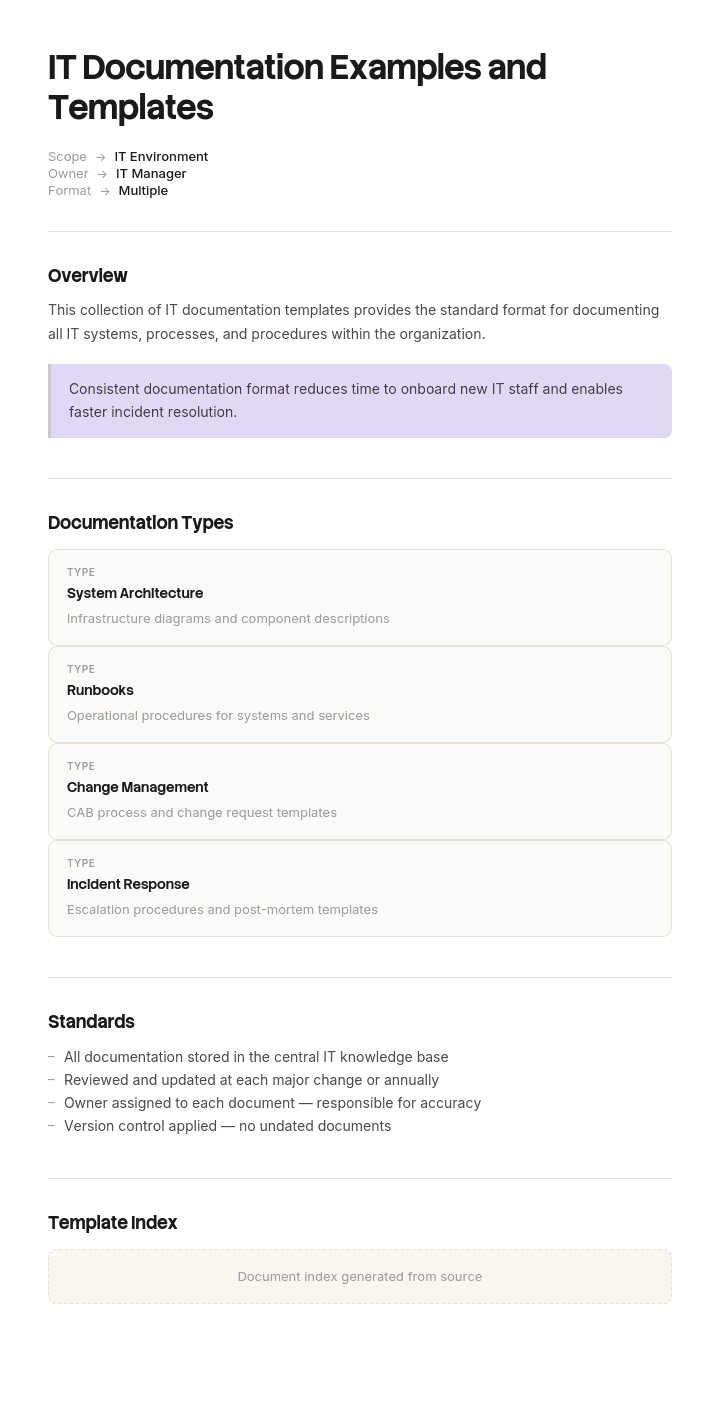
Use this template
The fastest path to great IT documentation is starting from proven examples. With Trupeer, you can save hours on writing IT documentation by starting with free IT documentation examples and templates, customizing them with your brand guidelines, and turning long IT docs into video walkthroughs that engineers and support teams actually use.
Every IT team has documentation and almost none trusts it. The wiki has four hundred pages, three of which are current, and nobody can tell which three.
That is not a discipline problem. It is a design problem: IT documentation describes systems that change continuously, and most of it is written as though it describes something fixed.
Download the IT documentation templates
Format | Best for |
|---|---|
Word (.docx) | Runbooks, policies, architecture overviews, procedures |
Excel (.xlsx) | Inventories, dependency matrices, registers, review trackers |
Approved versions and anything auditors request | |
Google Docs and Sheets | Documentation the team edits collaboratively |
Free, editable, no watermark.
How to customize this template in Trupeer
Step 1: Open the Templates Section
Go to the Templates section from the main navigation.

Step 2: Select and Open a Template
Click on any template you want to work with to open it.

Step 3: Expand the Template View
If needed, expand the template view to see the full layout and details clearly.

Step 4: Edit the Template
Click on Edit to start modifying the selected template.

Within the editor, you can:
Add new sections
Define or update formatting rules
Add a logo and adjust its position and related settings
Step 5: Save Your Customized Template
After making all necessary changes, click Save to store the updated template as your own.

Step 6: Preview and Fine-Tune the Template
When you want to see how your customized template looks, open the Preview.

From the preview screen, you can continue to make adjustments directly if needed, ensuring the template appears exactly as you want.
With IT documentation examples and templates you can:
Save hours on writing: Start from proven structures instead of a blank page.
Cover every IT artifact: Templates for architecture, runbooks, change, security, DR and SOPs.
Stay on-brand: Apply your logo, fonts and colors using Trupeer's brand kit.
Onboard engineers faster: Pair docs with video walkthroughs to ramp new techs.
Stay audit-ready: Built-in sections support SOC 2, ISO 27001 and similar audits.
Reach global teams: Translate IT docs into 65+ languages with one click.
The seven categories of IT documentation
Category | Answers | Example documents |
|---|---|---|
Infrastructure | What exists and how it connects | Inventory, network diagrams, dependency maps |
Operational | How to run and fix it | Runbooks, procedures, escalation paths |
Process | How IT work gets done | SOPs, change management, incident process |
Architecture | How things are designed and why | Diagrams, decision records, standards |
Application | How software works and is used | Technical docs, API references, user guides |
Governance | The rules | Policies, compliance evidence, access control |
Knowledge | How to solve recurring problems | Knowledge base articles, how-tos, FAQs |
Most teams have some of all seven and complete coverage of none. That is fine. What matters is that the critical parts of each are current, rather than that every category is exhaustively populated.
Decay rate
The property that should drive every decision about IT documentation, and the one nobody plans around.
Decay speed | Types | Implication |
|---|---|---|
Continuous | Inventories, configurations, IP addresses, certificate expiry | Automate or accept it will be wrong |
Per release | API references, application docs, screenshots, UI instructions | Tie updates to the release process |
Per change | Runbooks, dependencies, network topology | Tie updates to change management |
Slow | Architecture decisions, standards, policies, process definitions | Annual review is enough |
The mistake is treating all four the same, usually with a quarterly review of everything. That is far too slow for the first row and unnecessary overhead for the last.
The practical consequence: for anything in the top row, do not maintain it by hand. Either generate it or do not have it, because handwritten inventories are wrong within weeks and being wrong is worse than being absent.
Fast-decaying documentation
Inventories, configurations, addresses, versions, capacity, certificates.
Automate it. Cloud provider inventories, configuration management databases, infrastructure-as-code repositories, network discovery and monitoring systems can all generate this continuously and accurately.
Where you cannot automate, reduce to the minimum that has to be true and date it prominently. A short list with a visible last-verified date is more useful than a comprehensive one with no date, because readers can calibrate their trust.
Never duplicate a system of record. If the cloud console knows which instances exist, do not maintain a parallel list. Two sources means one is wrong and nobody knows which.
Slow-decaying documentation
Architecture decisions, standards, policies, process definitions, why things are the way they are.
This is the documentation most worth writing by hand and least often written, because it is the part machines cannot produce. Nothing can infer why you chose one database over another, why a service must not be restarted between 2am and 4am, or which constraint drove an unusual design.
Architecture decision records are the format worth adopting: what was decided, when, what the alternatives were, and why. Short, dated, never edited after the fact, superseded rather than updated. They answer the question that consumes the most time when someone new joins, which is "why is it like this".
What to automate and what to write
Machines document | Humans document |
|---|---|
What exists | What it is for |
Current configuration | Why it is configured that way |
Topology and connections | Which dependencies are hard and which are soft |
Versions and patch levels | Which upgrades are risky and why |
Who has access | Who should have access, and how to request it |
Alert history | What each alert actually means |
Certificate expiry | Who renews it and how |
The split is clean and worth making explicit in your documentation standard. Teams that ignore it end up hand-maintaining the discoverable half and never writing the half that only they know.
Infrastructure documentation
What exists, where, and how it connects. The inventory, network details, dependencies, capacity.
Highest decay rate of any category, so automate everything possible and hand-write only dependencies, criticality and purpose. Full detail on the internal infrastructure documentation template.
Operational documentation
Runbooks, restart procedures, escalation paths, incident response, disaster recovery.
The documentation that gets used under pressure, so it should be written for someone competent but unfamiliar, at three in the morning. Include what not to do, which is the section that prevents a short incident becoming a long one, and keep it accessible when the systems it describes are down.
Process documentation
How IT work happens: change management, incident management, request fulfilment, access provisioning, procurement.
Slow decay, so annual review is usually enough. The value is consistency rather than currency. Use the IT SOP template for procedures and the business process template for the wider flows.
Change management deserves particular attention, because it is also the mechanism that keeps the rest of your documentation current.
Architecture documentation
Diagrams, standards, decision records, technology choices, target state.
Slowest decay and highest long-term value. One good current-state diagram is worth more than fifty pages of description, and one decision record explaining an unusual choice saves a recurring argument.
Keep diagrams simple enough to read at a glance, date them, and prefer diagrams-as-code where the team will maintain it, since a diagram in version control gets updated with the change rather than months later.
Application documentation
Technical documentation, API references, integration guides, user guides.
Decays per release, so tie updates to the release process rather than to a review schedule. An API reference that is a release behind causes real problems for anyone integrating with you.
Templates: technical documentation, software documentation, user manual.
Governance documentation
Policies, standards, compliance evidence, access control, audit trails.
Slow decay but high consequence when wrong, and the category most likely to be examined by someone external. Version everything, record approval, and keep superseded versions rather than deleting them, since you may need to show what applied at a given date.
Templates: IT procurement policy, data protection policy, company policy.
Knowledge documentation
Knowledge base articles, how-tos, troubleshooting guides, FAQs.
The category with the clearest return, because each article can deflect repeated tickets. Source articles from ticket data rather than from guesses, and measure whether ticket volume on that topic falls.
Templates: knowledge base, how-to article, FAQ page.
Governance: who owns what
Documentation without ownership decays silently, and one nominated documentation owner chasing everyone else works for about two months.
The team that operates a system owns its documentation. Not a documentation team, not the person who happened to write it first.
One person owns the standard: templates, where things live, the review cadence, naming conventions.
The change process enforces updates. A change is not complete until the documentation reflects it. This is the only mechanism that reliably works at scale.
Every document names an owner and a review date, both visible to readers.
Reviews scheduled by decay rate, not uniformly.
Where to keep it
Fewer places than most organisations use.
The common failure is documentation spread across a wiki, a shared drive, a ticketing system, several repositories and people's notes. Nobody knows where to look, so they ask a person, which is the outcome documentation exists to prevent.
Pick one primary location and be strict. Where documentation genuinely belongs elsewhere, such as API docs in the code repository, link to it from the primary location rather than copying it.
Make sure operational documentation is reachable when systems are down. A runbook hosted on the infrastructure it covers is a familiar and avoidable problem.
Documentation culture
Mechanisms rather than exhortation.
Make updating faster than asking. If editing a page takes four clicks and asking a colleague takes one message, people will ask.
Let anyone fix anything. Approval workflows for a typo correction guarantee typos stay.
Fix it during the incident. The moment someone finds documentation wrong is the moment they have the knowledge to correct it. Make that a two-minute task.
Recognise it. Documentation work is invisible in most performance conversations, which tells people what is actually valued.
Do not demand documentation of everything. A team told to document comprehensively produces volume, and volume is what makes documentation untrustworthy.
The behaviour to design for is small, frequent corrections by many people, not large periodic efforts by one.
Measuring it
Percentage of tier 1 systems with a current runbook. Simple and honest.
Age distribution. How much of the estate has not been verified in a year.
Documentation-related incident time. How often incidents were extended by missing or wrong documentation, captured in post-incident reviews.
Tickets answered by an existing article versus escalated.
Time to competence for new starters, which documentation affects directly.
Edits per month by number of distinct people, which measures whether documentation is a shared habit or one person's job.
That last one is the best cultural indicator available. Documentation edited by three people is a team practice. Documentation edited by one is a dependency.
The starter set
If you have nothing, this is the order.
System inventory with owners and criticality. Everything else references it.
Runbooks for tier 1 systems. What breaks, how to restart, who to escalate to.
Dependency map for critical systems, in both directions.
Access and escalation. Who to contact, how to get emergency access.
Change process. The mechanism that keeps everything above current.
Knowledge base articles for your top ten ticket topics.
Architecture decision records, started from now rather than backfilled.
Policies, as compliance requires.
Six weeks of focused effort produces the first four for most mid-sized environments, and those four cover the majority of what anyone actually needs.
Best practices
Sort documentation by decay rate and treat each rate differently.
Automate anything discoverable, hand-write only what machines cannot infer.
Never duplicate a system of record.
Owner and last-verified date visible on everything.
Updates enforced by the change process.
One primary location, with links rather than copies.
Operational documentation reachable when systems are down.
Anyone can edit anything, immediately.
Document less, and keep it true.
Architecture decisions recorded when made, not reconstructed later.
Common mistakes
Everything reviewed on the same cadence.
Handwritten inventories that are wrong within weeks.
Duplicating what the cloud console already knows.
Documentation as a project deliverable, never updated after go-live.
Volume mistaken for coverage.
No dates, so readers cannot judge what to trust.
Approval workflows that make small corrections not worth making.
Spread across five locations.
Runbooks stored on the systems they describe.
One person nominally responsible for all documentation.
Credentials written into documentation.
Only what exists documented, never why.
The half that machines cannot capture
Open the templates in Trupeer AI, apply your brand kit so documentation is consistent, and edit any section directly. Setup is in the template guide.
Automation covers the fast-decaying half well. What it cannot produce is the operational knowledge: the order services come back in, the check before a failover, the reason nobody deploys on a Friday to that one system.
That knowledge sits with one or two people, is never written down because they are the busiest people you have, and leaves when they do.
Have them walk through it while recording, and Trupeer AI produces the written runbook and a narrated video walkthrough from the same pass, captured in the order they actually work rather than the order they would remember writing. It takes less of their time than writing, which is the only reason it gets done.
Translate it into 65+ languages for distributed teams, and keep the set in your knowledge base alongside the generated documentation.
Record it. Brand it. Translate it. Trupeer it.
Frequently Asked Questions
Are there free IT documentation templates?
Yes, on this page and across the linked templates, covering infrastructure, runbooks, procedures, architecture, application documentation, policies and knowledge base articles. All free with no account required and no watermark.
Is there an IT documentation template in Word?
Yes. Word suits the narrative documents: runbooks, procedures, architecture overviews and policies. Excel suits the inventories, registers and dependency matrices, which is most of the rest.
Can I download free IT documentation templates?
Yes, every format is a free download with no sign-up and no attribution required.
Are there free IT documentation templates in PDF?
Yes, for approved versions and anything you need to provide to an auditor. Keep working copies editable, since documentation that is awkward to update does not get updated.
Is there a free IT documentation template in Excel?
Yes, and Excel carries the heaviest load here: system inventories with criticality and last-verified dates, dependency matrices, certificate expiry tracking, access registers and the review schedule.
Are there IT documentation examples and templates for students?
The templates are free to use for coursework and study. Worth knowing that real IT documentation looks different from most academic examples: it is shorter, heavily tabular, and judged on whether someone unfamiliar could use it during an incident rather than on completeness. If you are documenting a project for assessment, the project documentation template is usually the closer fit.
What is the best free IT documentation template?
The system inventory, because everything else references it and most teams do not have a current one. After that, runbooks for your most critical systems. Those two cover the majority of what anyone actually needs during an incident.
What is IT documentation?
The record of an organisation's technology: what exists, how it works, how to operate and fix it, how IT work is done, and the rules that govern it. It spans seven categories from infrastructure through to knowledge base articles, and each decays at a different rate.
What are the types of IT documentation?
Seven: infrastructure covering what exists, operational covering how to run it, process covering how IT work happens, architecture covering design and decisions, application covering software and APIs, governance covering policies and compliance, and knowledge covering how to solve recurring problems.
What should IT documentation include?
At minimum, a system inventory with owners and criticality, runbooks for critical systems, dependency mappings in both directions, access and escalation information, the change process, and knowledge base articles for your most common tickets. Add architecture decision records from now on rather than trying to reconstruct past decisions.
How do you keep IT documentation up to date?
Sort it by how fast it decays and treat each type differently. Automate anything discoverable, hand-write only what machines cannot infer, tie updates to the change process so a change is incomplete until documentation reflects it, put visible last-verified dates on everything, and let anyone correct anything immediately.
Why does IT documentation always go out of date?
Because the systems it describes change without anyone touching the document, and because most teams document comprehensively rather than selectively. Volume and accuracy trade off directly: fifteen accurate pages are worth more than two hundred stale ones, and the two hundred take longer to maintain badly than the fifteen take to maintain well.
Who should own IT documentation?
The team that operates each system owns its documentation, with one person owning the overall standard and cadence. A single documentation owner chasing everyone else is the pattern that fails, usually within a couple of months. The change process, not a person, is what enforces updates at scale.
Where should IT documentation be stored?
One primary location, with links rather than copies where content genuinely lives elsewhere. The common failure is documentation spread across a wiki, a drive, tickets and repositories, so nobody knows where to look and asks a person instead. Make sure operational documentation is reachable when the systems it covers are down.
How much IT documentation is enough?
Enough that someone competent but unfamiliar could handle an incident on a critical system without the expert. Tier 1 systems need full runbooks and dependency maps. Low-criticality systems need one inventory row and an owner. Documenting everything to the same depth is the most common reason documentation ends up stale.
Can I customise these IT documentation templates?
Yes, all versions are fully editable. Adapt the fields to your environment, and keep two things regardless: the last-verified date on every record, and the split between what you automate and what you write by hand.

