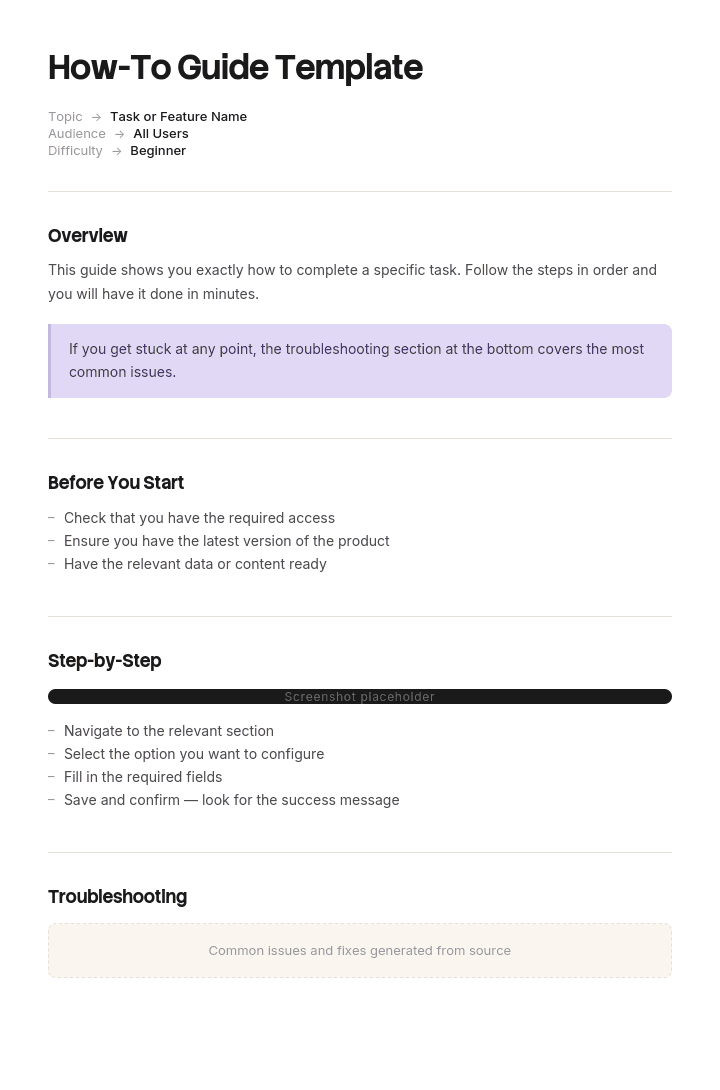
Use this template
How-to guides are one of the most useful and most-searched content formats on the web. With Trupeer, you can save hours on writing how-to guides by starting with a free how-to guide template, customizing it with your brand guidelines, and turning each guide into an engaging video tutorial.
Writing individual steps is the easy part of a guide. The hard part is deciding what belongs in it, in what order, and where it stops.
Get those three wrong and you produce the common failure: a forty-page document covering everything, which nobody reads, replaced within a month by someone asking a colleague.
Download the how-to guide template
Format | Best for |
|---|---|
Word (.docx) | The guide itself, with contents, sections and step formatting |
The distributed version, printing, and handing to someone | |
PowerPoint (.pptx) | Delivering the guide as a training session |
Excel (.xlsx) | The task inventory used to scope and sequence before writing |
Google Docs | Drafting with the person who does the work |
Free, editable, no watermark. The Excel file is worth using first, because scoping is the part that determines whether the guide works.
How to customize this template in Trupeer
Step 1: Open the Templates Section
Go to the Templates section from the main navigation.

Step 2: Select and Open a Template
Click on any template you want to work with to open it.

Step 3: Expand the Template View
If needed, expand the template view to see the full layout and details clearly.

Step 4: Edit the Template
Click on Edit to start modifying the selected template.

Within the editor, you can:
Add new sections
Define or update formatting rules
Add a logo and adjust its position and related settings
Step 5: Save Your Customized Template
After making all necessary changes, click Save to store the updated template as your own.

Step 6: Preview and Fine-Tune the Template
When you want to see how your customized template looks, open the Preview.

From the preview screen, you can continue to make adjustments directly if needed, ensuring the template appears exactly as you want.
With a how-to guide template you can:
Save hours on writing: Skip the blank page with a structure built for how-to content.
Improve SEO: Well-structured how-to guides rank well in search results.
Stay on-brand: Apply your logo, fonts and colors using Trupeer's brand kit.
Reduce support tickets: Clear how-to guides help users self-serve.
Add video walkthroughs: Embed video for steps that are hard to explain in text.
Reach global readers: Translate how-to guides into 65+ languages with one click.
Guide or article?
Two different documents, and picking wrong wastes the effort.
How-to guide | How-to article | |
|---|---|---|
Covers | Several related tasks | One task |
Reader arrives | At the start, to learn an area | Mid-task, stuck |
Reader state | Has set aside time | Impatient |
Length | Multiple sections, contents page | Under ten steps |
Lives | A document, or a section of a help centre | One page in a help centre |
Found by | Being given it, or browsing | Searching for the specific task |
Success | They can now do the whole job | They got unstuck |
If someone searching for a single task lands on your guide, they have to find their bit inside it, which is a worse experience than an article would have given them.
The practical approach for most teams is both: a guide for onboarding someone into an area, and separate articles for each task, cross-linked. Use the how-to article template for the individual pieces.
Define the start state and the end state
Before writing anything, answer two questions precisely.
Where does the reader start? What do they already know, what access do they already have, what have they already done? A guide written for someone with more context than the actual reader fails in the first two pages.
Where do they finish? Not "they understand the system", but something observable. "They can process a refund end to end, including the exceptions" is a finishing state. "They are familiar with the refunds module" is not.
Everything in the guide either moves the reader from the first to the second or comes out. That single test removes about a third of the content from most first drafts.
Scoping the guide
The task inventory in the Excel file exists for this. List every task in the area, then decide for each.
Task | Frequency | In this guide? | Why |
|---|---|---|---|
Process a standard refund | Daily | Yes | Core to the end state |
Process a partial refund | Weekly | Yes | Common variant |
Refund to a different card | Monthly | Yes, briefly | Rare but goes wrong |
Reverse a completed refund | Twice a year | Link only | Too rare, needs its own article |
Bulk refunds | Never, ops only | No | Different role |
Refund reporting | Monthly | No | Different job, different guide |
Three outcomes per task: include it, link to it, or leave it out. Writing the reason down is what stops scope creeping back in later, because someone will ask.
The most common scoping error is including everything anyone might ever need, which produces a guide too long to read and therefore worse at the core tasks than a shorter one would have been.
Sequencing
Order matters more in a guide than in any other document type, because the reader goes through it linearly.
Prerequisites and access first. Nobody can follow anything until they can log in.
Simplest complete task next. Getting one thing done end to end early builds confidence and context for everything after.
Then the common variants, building on what they now know.
Exceptions and edge cases last. They only make sense once the normal path is understood.
Reference material at the back, not scattered through.
The instinct to explain everything before letting anyone do anything is the most common sequencing mistake. Readers retain more when they have done something first.
The guide structure
Section | Contents |
|---|---|
Title | What the reader will be able to do |
Who this guide is for | Role, and assumed starting knowledge |
What you will be able to do | The end state, stated as capabilities |
Before you start | Access, accounts, information, anything needed |
Contents | With page or section links |
Section 1 to n | One task or task group each |
Common problems | Across the whole guide, not per section |
Reference | Values, options, glossary |
Where to get help | A person or channel, named |
Version and owner | With last reviewed date |
The contents page is not optional in a guide. It is how a reader who has already read it once comes back to find one thing.
Section anatomy
Each section of the guide follows the same shape, which makes the whole document navigable.
Section title. The task, as the reader would describe it.
When you would do this. One line of context. Guides differ from articles here: the reader is learning, so a little framing helps.
Steps. Numbered, one action each, verb first, exact interface labels.
What you should see. The expected result.
Watch out for. Anything specific to this task that commonly goes wrong.
Consistency across sections matters more than the perfect structure for any individual one. A reader who learns the pattern in section one navigates section seven faster.
A worked outline
Guide: Processing refunds. For: New support agents, first two weeks. End state: Can process any standard or partial refund unaided, and knows when to escalate.
Section | Content | Why here |
|---|---|---|
Before you start | Access needed, permissions, who grants them | Nothing works without this |
1. How refunds work | Two paragraphs on the flow: authorisation, processing, settlement | Minimum context needed to understand errors later |
2. Process a standard refund | Full steps, screenshots | Simplest complete task, done early |
3. Process a partial refund | Steps, noting only what differs from section 2 | Builds on the known |
4. Refunds over your limit | Escalation route, what to tell the customer | Common, and gets improvised without guidance |
5. When a refund fails | The four common causes and what to do | Exceptions, once the normal path is understood |
6. Refund to a different card | Steps, plus the fraud checks required | Rare, high risk, needs to be written down |
Common problems | Consolidated troubleshooting | One place to look |
Reference | Limits by role, timescales, the codes table | Lookups, at the back |
Getting help | Named person, escalation channel | Explicit |
Note section 3. It only covers what differs from section 2, rather than repeating the whole flow. Guides that repeat every step for each variant become long, and length is the main reason they go unread.
Writing the steps
The same rules as any instructional writing, covered in more depth on the how-to article template.
One action per step. Verb first. Exact interface labels in exact capitalisation. Say where before what. Number them. State the expected result at the end.
The one difference in a guide: you can assume the reader has read the earlier sections. Section 6 does not need to explain how to open the refunds screen if section 2 covered it. That assumption is what keeps a guide shorter than the sum of its articles, and it is also why a guide serves a linear reader well and a searching reader badly.
Screenshots and visuals
More in a guide than in an article, because the reader is learning rather than executing and has more attention available.
Crop tightly and annotate lightly, one box or arrow.
Show the result, not just the button, for anything where the outcome is not obvious.
A diagram for the overall flow, once, near the front. Guides benefit from a picture of the whole thing in a way single articles do not.
Consider the maintenance. Every screenshot is a future update. A forty-screenshot guide is a substantial recurring commitment, and stale screenshots undermine the whole document.
Where a guide should stop
Three natural boundaries.
At the role boundary. If the next task belongs to someone else, stop and say who does it.
At the frequency boundary. Anything done less than a few times a year belongs in a separate article rather than in the guide, because it will not be retained anyway and it inflates the length.
At the reference boundary. Lists of values, codes, limits and options are lookups, not learning. Put them at the back or in a separate reference document.
A guide that keeps going past all three becomes a manual, which is a legitimate document but a different one with a different reader.
Guide, manual, SOP or work instruction
Guide | Manual | SOP | Work instruction | |
|---|---|---|---|---|
Purpose | Make someone competent | Cover everything about a product or system | Standardise a procedure | Perform one task correctly |
Read | Once, then referenced | Referenced | Followed | Followed at the point of work |
Scope | An area of work | A whole product | One procedure | One task |
Audience | Someone learning | Anyone, occasionally | The team performing it | The operator |
Includes reasoning | Some | Yes | Some | No |
The overlap between a guide and a manual is real, and the practical difference is whether it is designed to be read through. A guide is. A manual is a reference you dip into. If your document has both jobs, split it, since the structure that suits one is wrong for the other.
For the others: training manual template, SOP template, work instructions templates.
Formats
Word for writing and reviewing, since a guide goes through more revision than an article and comments matter.
PDF for distribution, particularly where the guide is handed to someone at onboarding or used away from a screen.
PowerPoint when the guide is also delivered as training. One section per slide group, and the guide document becomes the leave-behind.
Your help centre if it needs to be findable by search, though a long guide in a help centre is usually better split into articles with a contents page linking them.
Excel for the task inventory, before writing.
Testing the guide
The step people skip, and the only one that reliably improves it.
Give the draft to someone who matches the start state, meaning genuinely new to the area rather than an experienced colleague. Ask them to work through it without help. Sit with them and say nothing.
Every question they ask is a defect. Every hesitation marks a step that is unclear. Every point where they scroll back is a sequencing problem. Note them all rather than answering.
One test with one genuinely new person will improve a guide more than three rounds of review by people who already know the material, because reviewers who know the task cannot see what is missing.
Maintaining it
Guides decay faster than they look, because they cover several tasks and any one of them changing makes part of the guide wrong.
Name an owner. Record the product version. Review after any release affecting the area, and on a fixed cycle otherwise.
Version by section where you can, so a change to one task does not require reissuing the whole document. And keep a change note at the front, since someone who read it three months ago needs to know what moved.
The signal that a guide has gone stale is people asking questions it covers. Track that, since it means either the content is wrong or the guide is not being given to the people who need it.
Best practices
Define the start and end states before writing.
Scope with a task inventory, recording why each task is in or out.
Simplest complete task early, exceptions late.
Variants cover only what differs from the main path.
Contents page, always.
Consistent structure across sections.
Reference material at the back, not scattered.
Stop at the role, frequency and reference boundaries.
Test with someone who genuinely matches the start state.
One owner, one review cycle, version noted.
Common mistakes
No defined end state, so the guide has no natural stopping point.
Everything included, producing a document nobody reads.
All the theory before any of the doing.
Every variant written out in full, tripling the length.
No contents page, so it cannot be used as a reference afterwards.
Reference tables scattered through the sections.
Written for someone with more context than the actual reader.
Tested only by people who already know the task.
Screenshots everywhere, then never updated.
A guide used where an article was needed, so searchers land inside a forty-page document.
No named owner, so it decays quietly.
Record the work once and get the guide from it
Open the template in Trupeer AI, apply your brand kit so guides match your other documentation, and edit any section directly. Setup is in the template guide.
The two expensive parts of a guide are the screenshots and the fact that it was written from memory. Writing from memory skips the steps the author performs automatically, which are exactly where a new reader stops. And a guide covering six tasks needs enough screenshots that updating them after an interface change becomes a project.
Record each task once and Trupeer AI produces the written steps with screenshots captured automatically, plus a narrated video walkthrough from the same pass. That gives you the raw material for every section, in the order the work actually happens, and re-recording after a change is faster than re-screenshotting.
Translate it into 65+ languages, and keep the set in your knowledge base so the guide and the individual walkthroughs live together. Useful for onboarding and training, which is where most guides get used.
Record it. Brand it. Translate it. Trupeer it.
Frequently Asked Questions
Is there a free how-to guide template in Word?
Yes. Word is the main format, with the contents page, section structure and step formatting already set up. Free download, no sign-up, no watermark.
Is there a free step-by-step guide template in Word?
Yes, that is the same template. It includes the numbered step format with space for screenshots, expected results and a watch-out note per section.
Is there a free step-by-step guide template?
Yes, in Word, PDF, PowerPoint and Excel. If you only need one task rather than a full guide, the how-to article template is the shorter fit.
Is there a free step-by-step user guide template in Word?
Yes. A user guide is a how-to guide aimed at the end user of a product, so the same structure applies. Add a product overview section near the front and keep the reference material, meaning settings, limits and options, at the back rather than mixed into the tasks.
Is there a free how-to guide template in PDF?
Yes, as the distribution format and as a completed example so you can see a finished guide before writing your own.
Is there a free how-to guide template in PPT or PowerPoint?
Yes. The PowerPoint version is for delivering the guide as training, with one slide group per section. Most teams need the Word version alongside it, since a deck is poor reference material afterwards.
Is there a free how-to guide template in Excel?
Yes, though Excel holds the task inventory rather than the guide. You list every task in the area, mark each as include, link or exclude, and record why. Scoping is the part that determines whether the guide works, and doing it in a spreadsheet before writing saves rewriting later.
Can I download a free how-to guide template?
Yes, every format is a free download with no account required and no attribution.
What is a how-to guide?
A document that takes a reader from not knowing how to do something to being able to do it, covering several related tasks in sequence. It differs from an article, which covers one task for someone already mid-job, and from a manual, which is reference material rather than something read through.
What should a how-to guide include?
A title stating what the reader will be able to do, who it is for and what knowledge is assumed, the end state as capabilities, prerequisites, a contents page, sections covering one task each, consolidated troubleshooting, reference material at the back, a named source of help, and version and owner details.
How do you write a step-by-step guide?
Define where the reader starts and finishes, build a task inventory and decide what is in or out, sequence from simplest complete task to exceptions, write one action per step with exact interface labels, add expected results, then test it with someone who genuinely matches the start state and fix everything they stumble over.
How long should a how-to guide be?
As long as it takes to reach the end state and no longer. The discipline is scoping rather than word count: every section should move the reader toward the defined finishing capability, and anything that does not comes out. Most first drafts lose about a third to that test.
What is the difference between a guide and a manual?
A guide is designed to be read through and makes someone competent. A manual is reference material covering everything about a product, dipped into rather than read. If your document is trying to do both, split it, because the structure that suits reading through is wrong for looking things up.
What is the difference between a how-to guide and an SOP?
A guide teaches someone an area of work and includes some reasoning. An SOP standardises how a specific procedure is performed, is followed rather than learned, and usually carries owners, approval and a review cycle. A guide might reference several SOPs.
How do you test a how-to guide?
Give it to someone who genuinely matches the assumed starting knowledge, ask them to work through it unaided, and watch without helping. Every question is a defect and every hesitation marks an unclear step. Reviewers who already know the task cannot see what is missing, which is why one test with a newcomer beats several rounds of expert review.
How often should a how-to guide be updated?
After any change affecting the tasks it covers, and on a fixed cycle otherwise, typically every six to twelve months. Version by section where possible so one task changing does not require reissuing the whole guide.
Can I customise this how-to guide template?
Yes, every version is fully editable. The section structure is worth keeping consistent even if you change what is in it, since a predictable shape is what makes a multi-section guide navigable.


