4.8/5
Create Free Professional eBooks with AI
Convert videos and articles into polished, AI-powered eBooks with formatting and multilingual support.
Get started for free

Most ebooks do not fail because the content is weak. They fail somewhere between “this information is valuable” and “this is ready to publish.”
A founder has months of product insights spread across blog posts but never turns them into a downloadable guide. A marketing team wants a lead magnet but keeps postponing it because formatting feels heavier than writing. Trainers sit on useful material trapped inside Google Docs, presentations, and scattered workshop notes that never become something structured enough to distribute professionally.
The information exists. The problem is transformation.
Turning fragmented content into something that feels readable, coherent, visually structured, and credible across devices is where most ebook projects quietly slow down. That slowdown happens for predictable reasons.
Someone has to reorganize chapters manually. Headings become inconsistent halfway through. Tables of contents break. Formatting looks clean in one version and collapses in another. A PDF works on desktop but feels unreadable on mobile. Typography changes between sections because the original material came from five different sources.
What began as “we should turn this into an ebook” becomes a production workflow involving design tools, formatting decisions, exports, revisions, and platform-specific fixes. Weeks pass. The ebook still sits unfinished.
Trupeer’s Ebook Creator is built around this exact bottleneck.
The experience feels less like designing a book manually and more like organizing expertise into something people will actually finish reading.
Because most ebook friction has very little to do with writing. It comes from structure.
Trupeer's Ebook Creator transforms outlines, articles, research notes, or website content into professionally formatted ebooks complete with table of contents, chapters, visuals, and interactive elements. This AI-powered platform eliminates manual design, layout struggles, and publishing complexity for authors, marketers, and educators.
Why Ebook Creator is required?
Authors spend months wrestling with formatting software, creating tables of contents, and manually designing layouts that never look quite professional. Content marketers struggle to repurpose blogs into lead-generating ebooks without dedicated design teams. Self-publishers face steep learning curves with tools like Canva or InDesign while missing Kindle formatting standards.
Teams waste time fixing broken layouts across devices, creating separate mobile versions, or hiring expensive freelancers for basic ebooks. Without proper tools, valuable research and guides remain trapped in Word documents instead of becoming downloadable assets that build authority and generate leads.
What this Ebook Creator does
Trupeer's Ebook Creator analyzes your raw content to automatically structure it into chapters, generate table of contents, add professional typography, embed visuals, and format for all devices and platforms. The AI handles Kindle conversion, interactive elements, and marketing-ready landing pages so your ebook looks polished across iPad, Kindle, web, and print.
Core Capabilities
Transform articles/notes into complete chapter-structured ebooks automatically
Generate dynamic table of contents, footnotes, and cross-references
Create device-optimized layouts for Kindle, iPad, web, and print
Add AI-generated visuals, charts, and cover designs professionally
How Trupeer’s Ebook Creator works
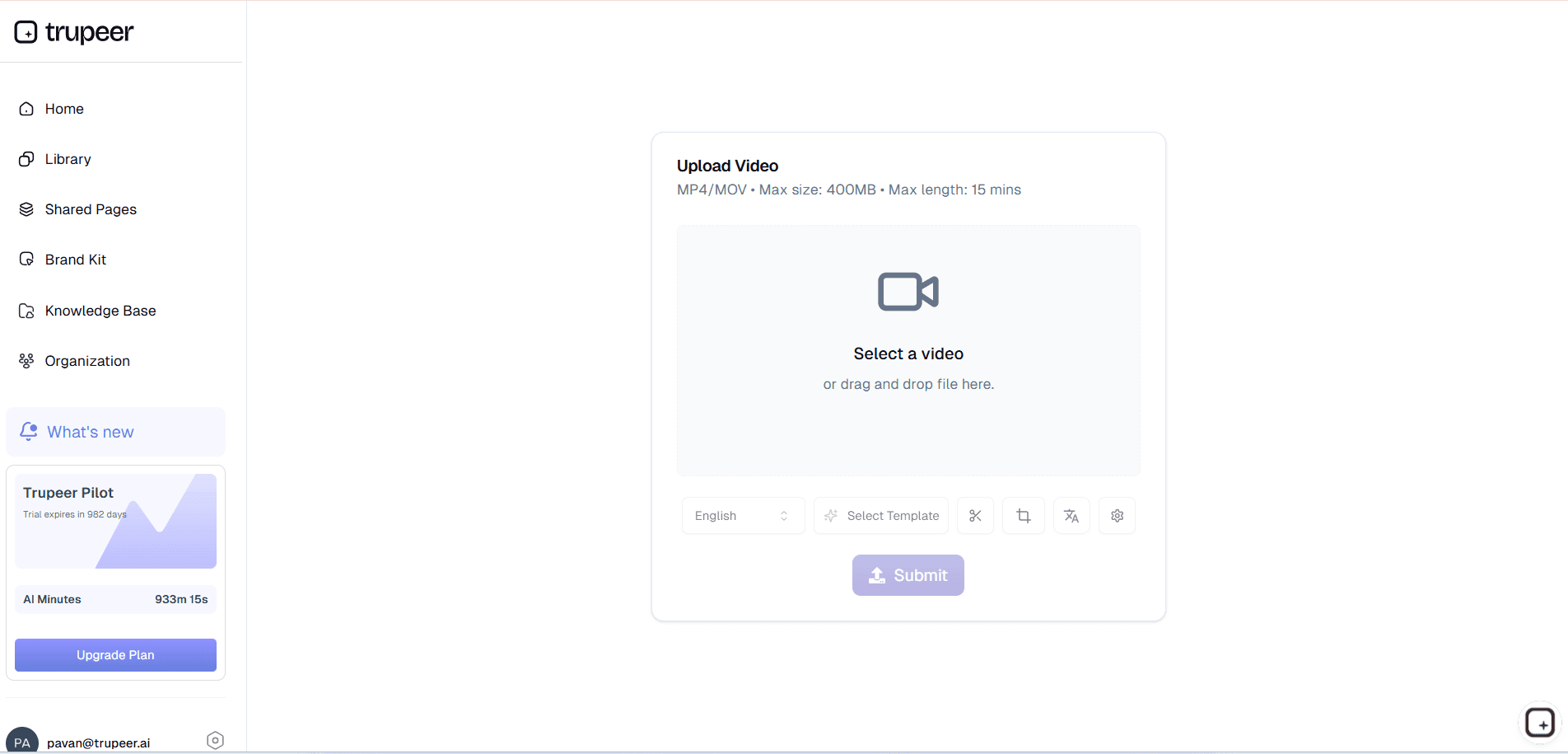
Step 1: Upload Your Content
Paste articles, upload Word docs, Google Docs links, or website URLs containing your raw ebook material for analysis.
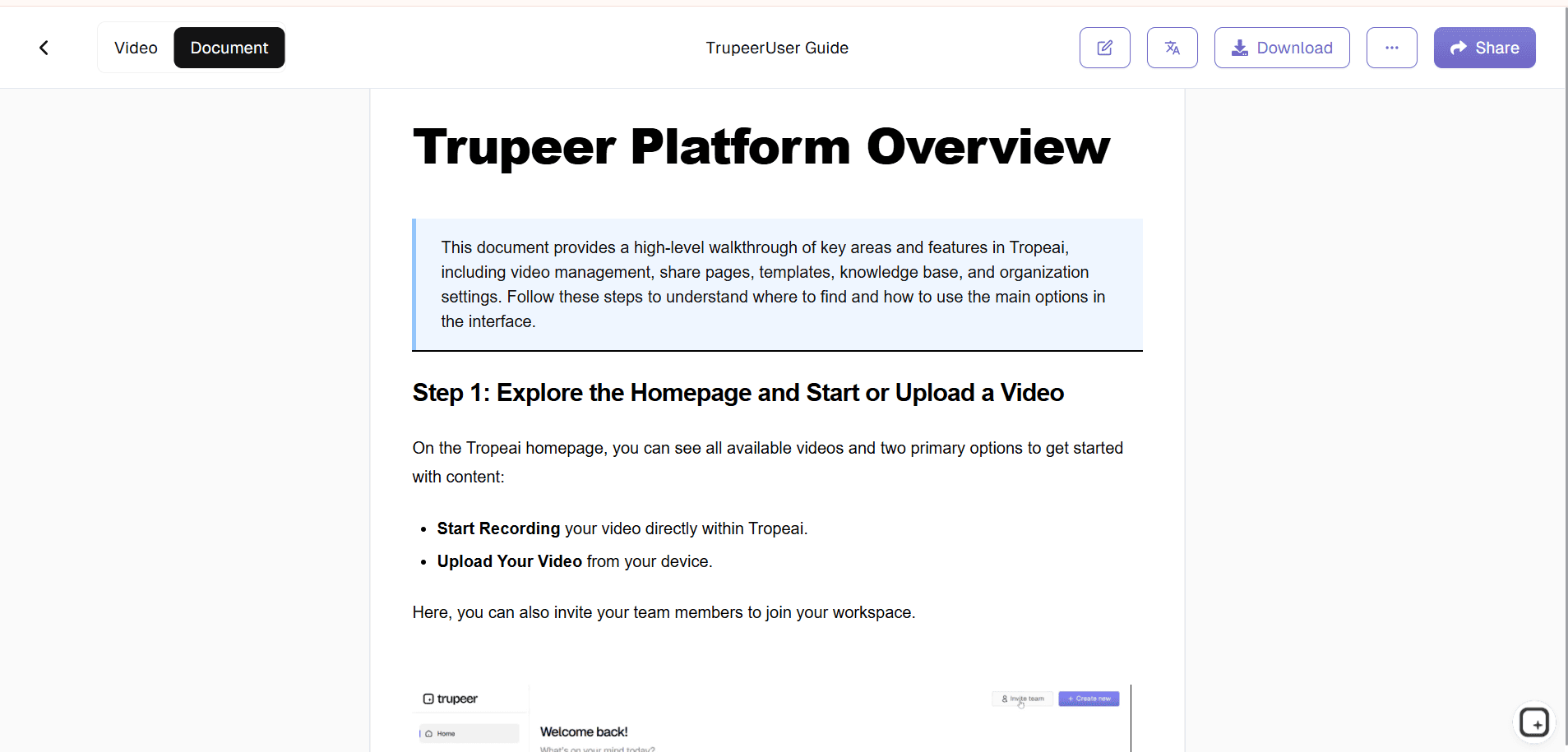
Step 2: AI Structures Your Book
The tool automatically identifies chapters, creates table of contents, formats headings, and suggests visual placements throughout your content.
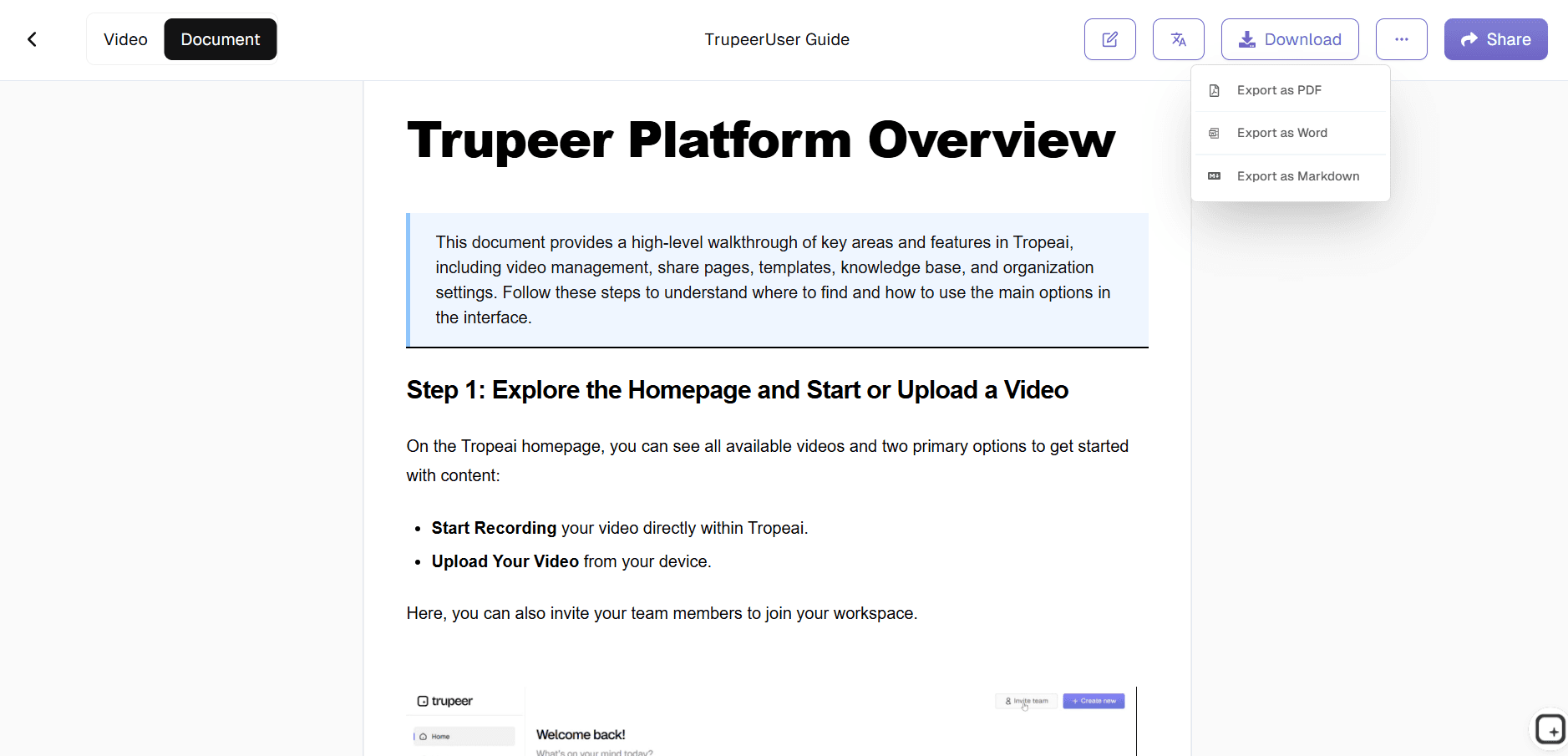
Step 3: Customize & Publish
Choose cover design, typography, add interactive elements, then export your ebook in Kindle, PDF, EPUB, or web formats with instant download links.
Who this Trupeer’s Ebook Creator is for
The Ebook Creator serves anyone who wants professional ebooks without mastering complex publishing software or hiring designers.
Content Marketers & Growth Teams:
Repurpose blog series into lead magnets that convert 3x better than generic PDFs, complete with embedded CTAs and optimized landing pages that capture emails automatically.Self-Publishing Authors:
Transform novel drafts or non-fiction outlines into Kindle-ready manuscripts with professional typography, chapter breaks, and formatting that passes Amazon's strict publishing standards.Course Creators & Coaches:
Package training materials, worksheets, and case studies into premium workbooks that increase course perceived value and justify higher pricing tiers.Corporate Trainers & L&D Teams:
Convert workshop slides and manuals into branded employee handbooks with interactive quizzes, resource links, and progress tracking for better knowledge retention.Consultants & Agency Owners:
Create client deliverables like industry reports, case study compilations, and strategy guides that position you as the authority while generating recurring inbound leads.
Key Features of Trupeer’s Ebook Creator
Ebook Creator delivers complete publishing workflows from messy drafts to market-ready assets with professional polish.
AI Content Structuring:
Automatically detects natural chapter breaks, extracts key themes for table of contents, and reorganizes fragmented content into logical reading flow while preserving your original voice and messaging.Multi-Device Formatting:
Creates responsive layouts that render perfectly on Kindle Paperwhite, iPad Pro, desktop browsers, and mobile phones simultaneously, eliminating "looks great on my screen but breaks on Kindle" formatting nightmares.Smart Visual Integration:
Generates relevant charts, infographics, and cover art from your content themes, plus pulls royalty-free images with proper attribution perfect spacing and professional visual hierarchy guaranteed.Interactive Elements Engine:
Embeds working hyperlinks, collapsible sections, embedded videos, quizzes, and resource libraries that engage readers longer and increase completion rates by 40% compared to static PDFs.One-Click Publishing Suite:
Exports Kindle MOBI/EPUB, print-ready PDF, interactive HTML5 web books, plus auto-generates sales pages, email capture forms, and social media graphics for complete launch packages.
Turn a Video, Webinar, or Article into an eBook
Most people don't start an eBook from a blank page. They already have the material. A recorded webinar, a product walkthrough, a training session, or a long-form article usually holds everything the eBook needs. Trupeer's AI eBook generator turns that existing content into a structured eBook, so you publish from what you already have instead of writing from scratch. Record your screen or upload a video, and the AI transcribes it, organizes it into chapters, and brings the key visuals through automatically.
This is what separates an AI ebook creator from a design template tool: the structure and the words are generated from your source material, not assembled by hand. Common starting points include:
Webinars and recorded talks, turned into a downloadable companion eBook for attendees.
Product walkthroughs, turned into a visual how-to eBook or onboarding guide.
Long-form articles or a blog series, turned into a polished lead-magnet eBook.
Internal training sessions, turned into a reference handbook your team can keep.
Trupeer vs Template-Based eBook Makers
Most free eBook makers and traditional eBook software, such as Canva or Designrr, hand you a blank template and leave the hard part to you: writing every page, sourcing visuals, and formatting each section by hand. They are design-first, which means you still supply all of the content and structure yourself.
Trupeer is content-first. Because the eBook is generated from your video, recording, or article, the writing, chapter structure, and visuals are already in place when you open the editor, so you refine rather than build. A few practical differences:
Starting point: a finished draft generated from your content, not an empty template.
Visuals: screenshots and key frames pulled from your recording, instead of stock images you place manually.
Languages: publish the same eBook in 65+ languages with AI translation, instead of rebuilding each version by hand.
Export: download as PDF or Word, or share a live link, ready for your knowledge base or a marketing campaign.
Branding: apply your brand kit (https://www.trupeer.ai/brand-kits) once and every eBook stays on-brand.
If you already produce videos, demos, or written content, an AI ebook creator like Trupeer turns that library into publishable eBooks far faster than starting in a design tool. For text-heavy guides and reports, the AI Document Generator (https://www.trupeer.ai/tools/ai-document-generator) and Manual Creator (https://www.trupeer.ai/tools/manual-creator) follow the same record-once approach.
Explore Related Tools
Benefits of Using Trupeer’s eBook Creator
Automated Formatting
Skip the design headaches Trupeer instantly creates professional eBook layouts.
Multimedia Integration
Enhance your eBook with avatars, narrations, and interactive visuals.
Multi-Language Publishing
Translate your eBook into multiple languages to reach a wider audience.
Create an eBook with Trupeer
Step 1
Upload Content
Step 2
AI Generates eBook
Step 3
Customize & Publish
Frequently Asked Questions
1. What is Trupeer’s eBook Creator?
Trupeer’s eBook Creator is an AI-driven tool that allows users to generate, design, and publish professional eBooks quickly. It’s perfect for creating educational materials, brand stories, or marketing guides.
2. Can I create eBooks for free?
Yes! Trupeer offers a free eBook creator plan that lets you build and export short eBooks with basic templates. Premium plans include advanced design options, AI writing tools, and branding features.
3. How does the AI eBook creation process work?
Trupeer’s AI eBook creator automatically structures your input text or script into chapters, generates headings and summaries, and designs page layouts. You can preview and customize every section before publishing.
4. Is Trupeer suitable for digital publishing and marketing?
Absolutely. Trupeer’s digital eBook creator is ideal for content marketers, coaches, and businesses looking to publish lead magnets, case studies, or reports in a professional format.
5. In which formats can I export my eBook?
Trupeer allows you to export your eBook in multiple formats including PDF for printing, EPUB for eReaders, and HTML for online distribution. You can also embed your eBook directly on your website or share it with a link.
More Tools


