4.8/5
Free Operations Manual Generator
Streamline Your Operations Documentation Process
Create Operations Manual Free

Trupeer's operations manual generator revolutionizes how businesses create comprehensive standard operating procedures and documentation. Unlike traditional methods that require hours of writing and formatting, this AI-powered tool transforms your screen recordings into polished operations manuals automatically. You simply record your workflow once or upload an existing recording, and Trupeer's advanced AI processes the content to generate detailed, professional documentation that your team can follow with ease. The core challenge many organizations face is maintaining up-to-date operations manuals. Trupeer's generator solves this by capturing the actual process as it happens, ensuring accuracy and completeness in your documentation.
What sets Trupeer's operations manual generator apart from other documentation tools is its dual-output capability. When you record your screen or upload an existing recording, you don't just get written documentation. The system also produces enhanced video content with professional editing, noise removal, and zoom effects applied automatically. This means your team gets both visual and written references for any procedure, catering to different learning styles and preferences. The technology behind Trupeer's operations manual generator leverages advanced AI to analyze screen recordings frame by frame, identifying key actions, interface elements, and workflow patterns. This analysis is then transformed into structured, readable documentation that follows professional formatting standards.
How Does Operations Manual Generator Work?
The operations manual generation process begins when you either record your screen using Trupeer's built-in screen recorder or upload an existing recording you've already captured. The system accepts various video formats and processes both new recordings and existing footage with equal effectiveness. This flexibility means you can start creating manuals immediately, regardless of whether you have existing recordings or need to capture new processes.
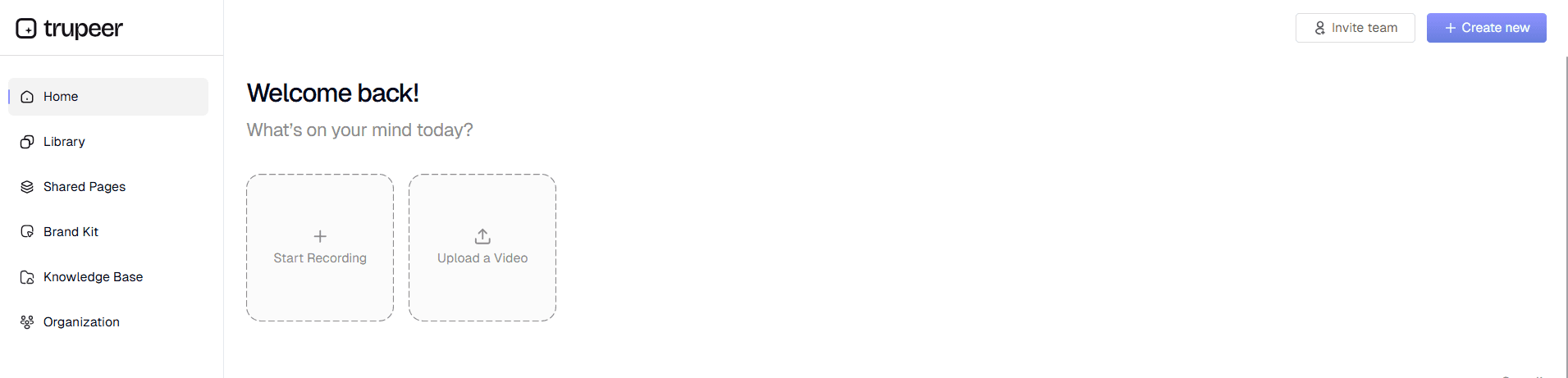
Step 1: Record or Upload Your Process
Begin by capturing your workflow using Trupeer's aiscreen record feature or uploading an existing video file. The recording captures every click, navigation, and action you take while performing the procedure. You can record full workflows, partial processes, or specific techniques depending on your documentation needs.
Step 2: AI Processing and Enhancement
Once your recording is uploaded, Trupeer's AI automatically analyzes the content, removing background noise, eliminating filler words if you've included narration, and applying intelligent zoom effects to highlight important interface elements. The AI identifies key moments in your workflow and prepares them for documentation conversion.

Step 3: Automatic Documentation Generation
The system converts your processed recording into structured written documentation, breaking down your workflow into clear, sequential steps. Each action is described in detail, with context provided for decision points and alternative paths through the process.

Step 4: Template Application and Formatting
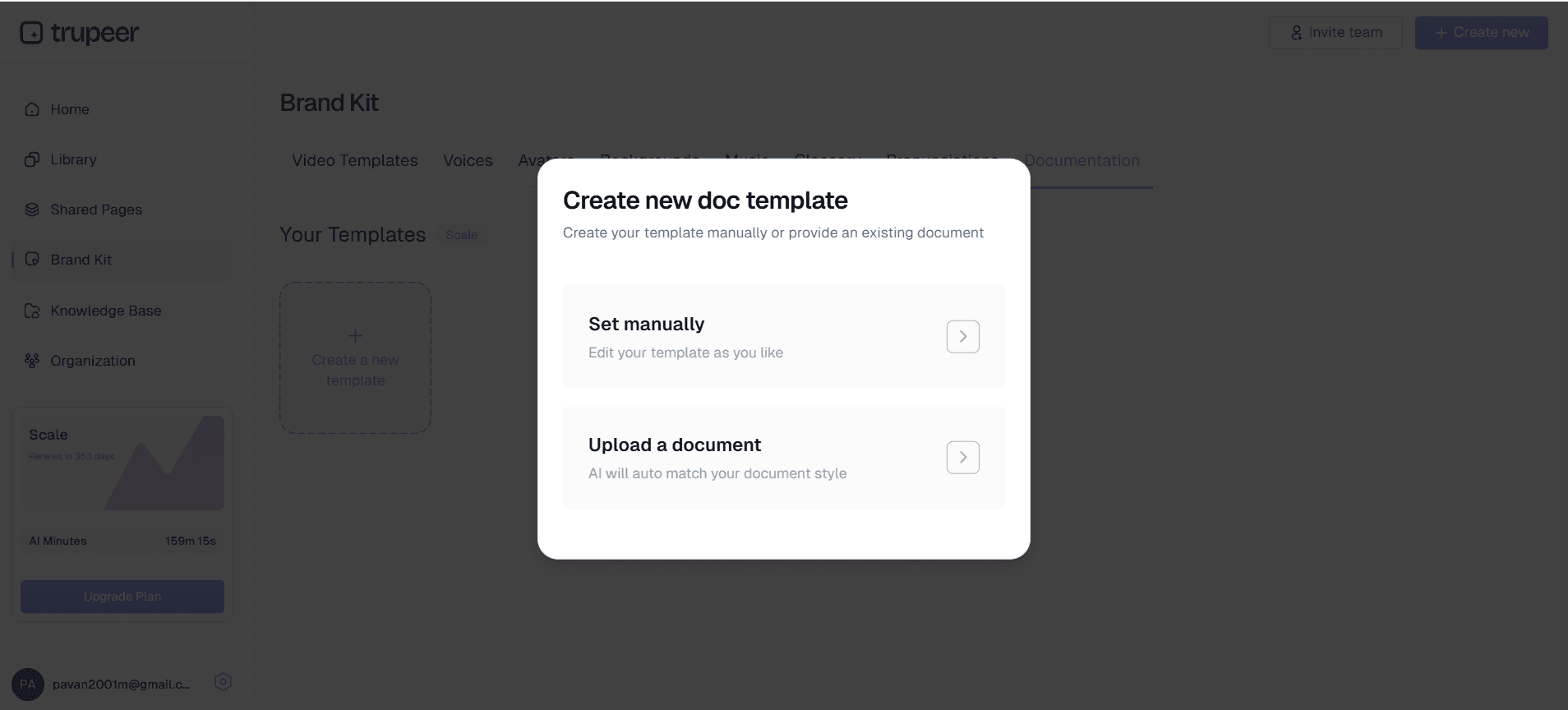
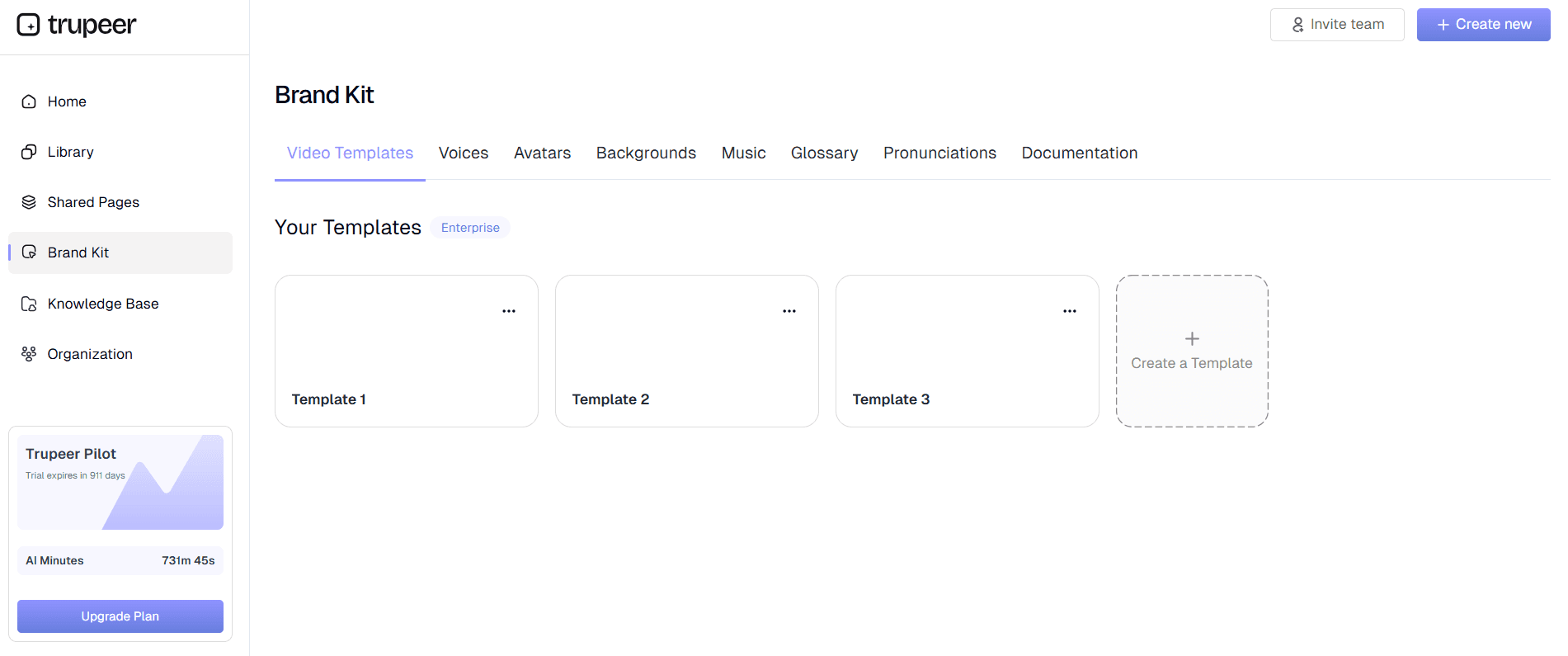
Your generated content is automatically formatted using professional documentation templates. You can customize these templates to match your organization's style guide, ensuring consistency across all operations manuals. The technical documentation templates include standard sections like prerequisites, step-by-step procedures, troubleshooting tips, and quality checkpoints.
Step 5: Brand Application and Distribution
Apply your organization's brand kits to ensure consistent visual identity across all documentation. Once finalized, you can distribute your operations manual through sharing links, embed codes for internal websites, or export as standalone documents for offline use.
Key Features and Capabilities
AI-Powered Content Analysis stands as the cornerstone of Trupeer's operations manual generator. The system doesn't simply transcribe what happens on screen; it understands the context and purpose of each action. When you navigate through software interfaces, the AI recognizes menu selections, form completions, and workflow transitions, translating these into clear, actionable instructions. This intelligent analysis ensures that generated manuals include not just what to do, but why certain steps are necessary and what outcomes to expect.
Customizable Documentation Templates provide the foundation for consistent, professional-looking operations manuals. These templates can be saved and reused across different procedures, maintaining formatting standards throughout your organization's documentation library. The templates include sections for process overview, prerequisites, detailed procedures, quality checks, and troubleshooting guidance. You can modify template structure, styling, and content organization to match your company's documentation standards perfectly.
Multi-Modal Output Generation: sets Trupeer apart by creating both video and written documentation from a single recording session. Your team receives comprehensive AI Screen Recorder alongside detailed written procedures, accommodating different learning preferences and use cases. Video content is automatically enhanced with professional editing, while written documentation follows structured formatting that's easy to follow and update.
Automated Enhancement Features improve both video and documentation quality without manual intervention. The AI removes background noise, eliminates verbal fillers, and applies strategic zoom effects to highlight important interface elements. These enhancements ensure that your operations manuals present information clearly and professionally, regardless of original recording quality.
Version Control and Update Management help maintain current, accurate documentation as processes evolve. When procedures change, you can easily re-record specific sections and update your operations manual accordingly. The system tracks changes and maintains historical versions, ensuring you can reference previous procedures if needed while keeping current documentation accessible.
Integration Capabilities allow your operations manuals to work seamlessly with existing business systems. Generated documentation can be embedded in knowledge bases, shared through collaboration platforms, or integrated with Training Manual Generator. This flexibility ensures your operations manuals become active resources rather than static documents.
Why Should You Use Operations Manual Generator?
Time Efficiency: represents the most immediate benefit of using Trupeer's operations manual generator.
Traditional documentation: methods can take hours or days to complete, requiring multiple rounds of writing, reviewing, and formatting.
With Trupeer's: system, you can generate comprehensive operations manuals in minutes, freeing up valuable time for other critical business activities.
This efficiency: gain is particularly valuable for organizations that need to document multiple processes or frequently update existing procedures.
Accuracy and: Completeness improve dramatically when documentation is generated directly from actual process recordings.
Manual documentation: often misses subtle but important steps, relies on memory that may be incomplete, or fails to capture the actual sequence of actions.
Who Can Use Operations Manual Generator?
Content Creators and Digital Marketers benefit significantly from operations manual generation when documenting their creative processes, client workflows, and Documentation Generator procedures. These professionals often work with complex software tools, multi-step campaigns, and detailed client deliverables that require precise documentation. Using Trupeer's operations manual generator, they can capture their creative workflows, client onboarding processes, and campaign execution procedures, creating valuable resources for team training and client communication.
Marketing Teams utilize operations manual generation to document campaign procedures, software workflows, and client communication processes. Modern marketing involves numerous platforms, tools, and procedures that require consistent execution across team members. Marketing teams can create comprehensive manuals for social media management, email campaign setup, analytics reporting, and client presentation development. These manuals ensure consistent quality across campaigns and enable efficient team scaling during busy periods.
Educators and Corporate Trainers find operations manual generation invaluable for creating comprehensive learning materials that combine visual demonstrations with detailed written procedures. Educational content often requires step-by-step guidance that students can reference at their own pace. With Trupeer's system, educators can record their software demonstrations, process explanations, and technique tutorials, automatically generating written guides that students can follow independently. This approach is particularly valuable for technical subjects, software training, and procedural learning.
Product Teams and Software Companies use operations manual generation to create user documentation, internal procedures, and AI Video Editor resources. Product development involves complex workflows, testing procedures, and feature documentation that must be maintained accurately as products evolve. Teams can document feature usage, testing protocols, bug reproduction steps, and user onboarding flows, ensuring that all team members and customers have access to current, detailed guidance.
Sales Professionals and AI Screen Recorder Teams leverage operations manual generation to create consistent sales processes, product demonstration procedures, and client onboarding workflows. Sales success often depends on following proven processes and maintaining consistent communication approaches. Sales teams can document their discovery processes, demonstration workflows, proposal development procedures, and client handoff protocols, ensuring that all team members deliver consistent, professional experiences.
Small Business Owners and Entrepreneurs gain particular value from operations manual generation because it enables them to systematize their operations without significant time investment. Small businesses often rely on key individuals who hold critical process knowledge, creating vulnerability if those individuals are unavailable. By using Trupeer's operations manual generator, business owners can capture essential procedures, create training materials for new employees, and build systematic approaches to business operations that support sustainable growth.
Operations Managers and Process Improvement Teams use the tool to document current procedures, identify improvement opportunities, and create standardized workflows across departments. Operations roles require deep understanding of how work flows through organizations and where bottlenecks or inconsistencies occur. By recording and documenting actual workflows, operations teams can analyze processes more effectively, identify improvement opportunities, and create standardized procedures that enhance organizational efficiency.
Best Practices for Using Operations Manual Generator
Plan Your Recording Sessions carefully to ensure comprehensive documentation coverage. Before starting your recording, outline the complete process you want to document, identifying natural break points and decision branches that might require separate documentation. Consider whether your process includes alternative paths or exception handling that should be captured in additional recordings. This planning ensures that your generated operations manual covers all scenarios users might encounter.
Prepare Your Recording Environment to minimize distractions and ensure clear capture quality. Close unnecessary applications, clear your desktop of confidential information, and ensure your screen resolution provides clear visibility of interface elements. If you plan to include narration, test your microphone setup and minimize background noise. These preparation steps contribute to higher-quality source material, which directly improves the quality of your generated documentation.
Use Clear, Deliberate Actions during recording to help the AI better understand and document your process. Move your cursor purposefully, pause briefly after important actions, and avoid rapid clicking or navigation that might be difficult to follow. When possible, include brief verbal descriptions of what you're doing and why, as this context helps create more comprehensive written documentation.
Leverage Template Customization to maintain consistency across your organization's documentation library. Spend time initially setting up templates that match your company's style guide, including standard sections, formatting preferences, and terminology conventions. These customized templates can be reused across all future operations manuals, ensuring consistent quality and presentation standards.
Review and Refine Generated Content to ensure it meets your specific needs and includes necessary context. While Trupeer's AI generates comprehensive documentation automatically, reviewing the output allows you to add organization-specific context, clarify decision points, or emphasize critical safety or quality considerations. This review process helps bridge the gap between automated generation and organization-specific requirements.
Implement Version Control Practices to maintain current, accurate documentation as your processes evolve. Establish procedures for updating operations manuals when processes change, and maintain clear version history so team members know they're referencing current procedures. Regular review cycles help identify documentation that needs updating and ensure your operations manual library remains a reliable resource.
Explore Related Tools
Why Choose Operations Manual Generator
Instant Documentation Creation
Generate comprehensive operations manuals automatically from any screen recording in minutes
Professional Template System
Customizable templates ensure consistent formatting and structure across all documentation
Multi-Format Output
Create both enhanced videos and detailed written manuals from single recordings
How to Use Trupeer's Operations Manual Generator
Step 1
Record workflow or upload video
Step 2
Let AI process and enhance
Step 3
Review and customize documentation
Frequently Asked Questions
What types of processes can I document with an operations manual generator?
You can document any computer-based workflow, including software procedures, administrative processes, customer service workflows, training procedures, and technical troubleshooting steps. The tool works with any application or system that can be screen recorded.
How does AI-generated documentation compare to manually written operations manuals?
AI-generated documentation is typically more accurate and complete because it captures actual workflow execution rather than relying on memory. It's also significantly faster to create and easier to update when processes change.
Can I customize the format and style of generated operations manuals?
Yes, Trupeer provides customizable templates that allow you to control formatting, structure, and styling. You can create templates that match your organization's documentation standards and reuse them across multiple manuals.
How do I keep operations manuals updated when processes change?
Simply re-record the updated process or specific changed sections, and the AI will generate updated documentation. The system maintains version history, so you can track changes and ensure team members access current procedures.
What file formats can I export my operations manuals to?
Generated operations manuals can be shared via links, embedded on websites, or exported as standalone documents. The system supports multiple distribution methods to fit your organization's workflow and systems.
More Tools


