4.8/5
Free Knowledge Base Generator
Turn your training videos, product demos, and tutorials into searchable, AI-powered knowledge bases with Trupeer.
Get started for free

Trupeer’s Knowledge Base Generator turns raw content like help docs, training videos, SOPs, and FAQs into a structured, searchable knowledge base in minutes. It organizes information into clear categories, articles, and step-by-step guides so teams and customers can find answers quickly without manual setup.
Why Knowledge Base Generator is required?
Most companies let knowledge live in scattered places emails, Slack threads, PDFs, slide decks, and one-off Loom videos. When someone has a question, they either ping a “go-to person” or dig through multiple systems, wasting time and interrupting others. Writing and maintaining help center articles manually takes hours that support and product teams rarely have. That's also where the knowledge base article fits in: it takes the knowledge you already have and turns it into something you can share.
As products evolve, existing documentation quickly becomes outdated, but updating it across wikis, portals, and internal docs is tedious. This leads to duplicate content, conflicting instructions, and frustrated customers or employees. A Knowledge Base Generator removes this manual overhead by continuously structuring and refreshing content for self-service.
What this Knowledge Base Generator does
Trupeer’s Knowledge Base Generator ingests your existing materials and automatically builds categorized knowledge base articles with titles, summaries, tags, and step-by-step instructions. It structures content for both internal teams and external customers, so you can launch or update a full help center without starting from a blank page.
Core Capabilities
Convert videos, documents, and FAQs into organized knowledge base articles.
Auto-generate article titles, sections, and summaries for fast scanning.
Tag and categorize content so users can browse topics logically.
Keep content fresh by regenerating or updating articles when source materials change.
How Trupeer’s Knowledge Base Generator works
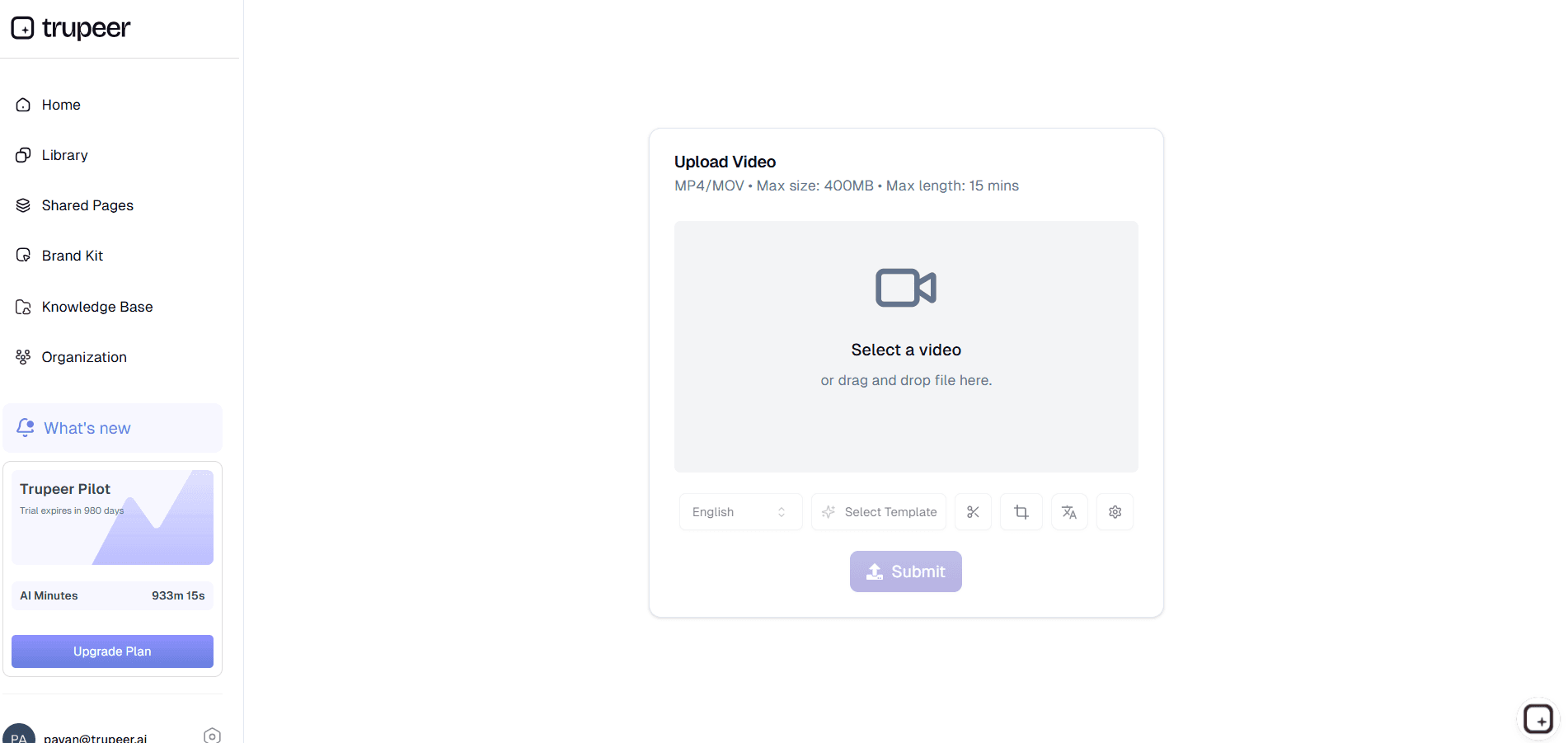
Step 1: Import Your Content
Upload existing docs, paste FAQs, or connect to recordings and SOPs that you want to turn into a structured knowledge base.
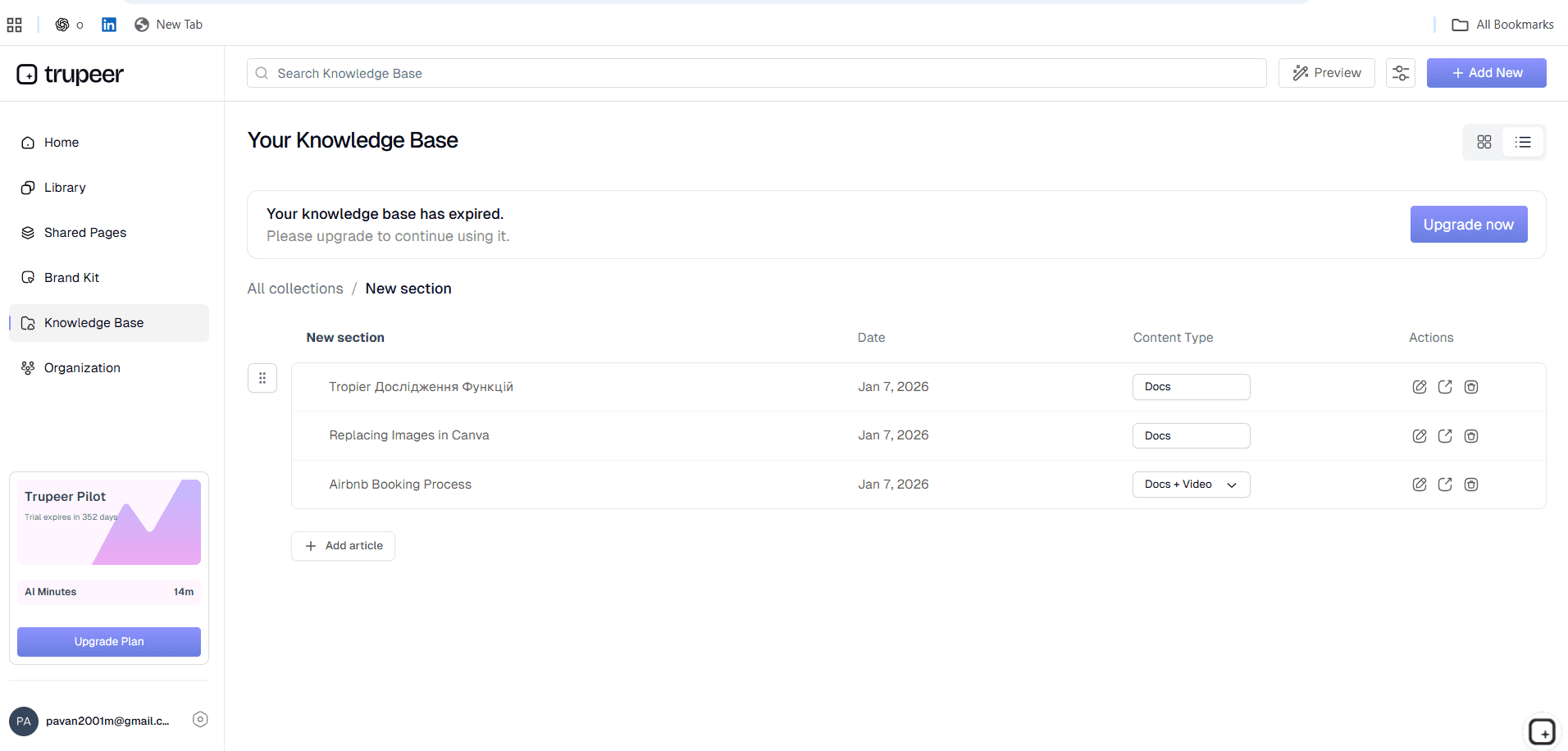
Step 2: Let AI Generate the Knowledge Base
The tool analyzes your content, groups it into topics, and drafts articles with headings, steps, and related links, forming a complete knowledge base structure.
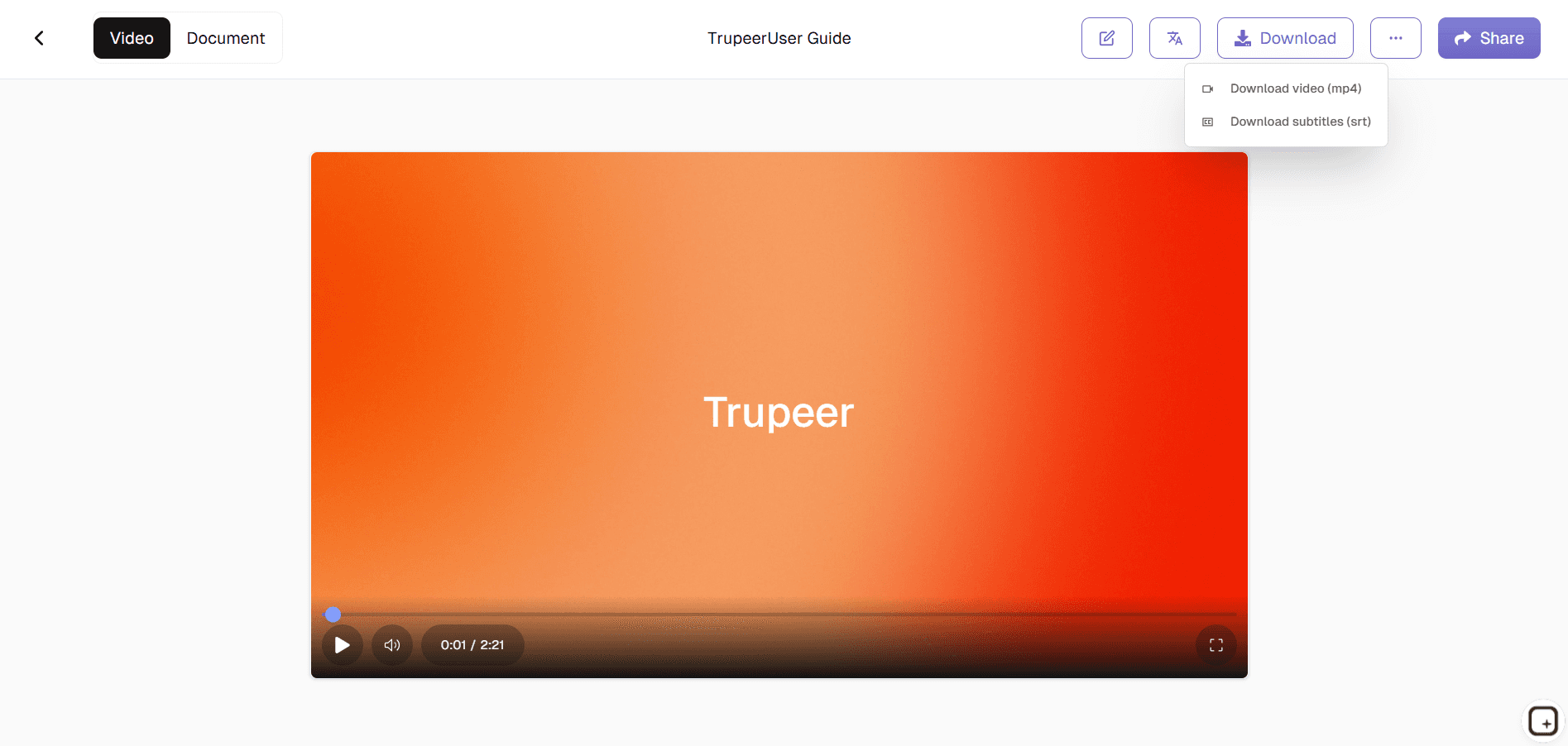
Step 3: Review, Customize & Publish
You review and tweak wording, categories, and visibility, then publish your knowledge base for employees or customers with a few clicks.
Who this Trupeer’s Knowledge Base Generator is for
The Knowledge Base Generator is built for teams that want reliable self-service support and internal documentation without spending weeks writing and formatting articles.
Customer Support & Success Teams:
Turn repetitive ticket answers and how‑to responses into polished help center articles so customers can solve common issues themselves, reducing ticket volume and response times.Product & UX Teams:
Document new features, release changes, and edge cases in one place so stakeholders, internal teams, and power users always have an up‑to‑date reference instead of relying on scattered release notes.IT & Operations:
Capture internal processes, access instructions, and troubleshooting steps in a central knowledge base, making onboarding easier and reducing dependency on a few “knowledge keepers.”HR & People Teams:
Create an internal hub for policies, benefits, onboarding materials, and FAQs so employees can quickly find answers without chasing long email threads.Learning & Development / Training:
Transform training decks and sessions into searchable articles and guides that learners can revisit anytime, supporting continuous learning and reinforcement.
Key Features of Trupeer’s Knowledge Base Generator
The Knowledge Base Generator provides everything needed to go from scattered information to a clean, navigable knowledge hub.
Automated Article Creation:
AI reads your raw inputs and drafts complete articles with headings, bullet points, and step-by-step sections, drastically cutting the time needed to produce usable documentation.Smart Categorization & Tagging:
Content is grouped into logical topics (e.g., onboarding, billing, troubleshooting), with tags that improve search and browsing so users can locate relevant articles in a few clicks.Search-Optimized Structure:
Articles are formatted with clear titles, summaries, and internal links, making it easier for users to scan and for search engines or in-app search to surface the right content.Update from Source Content:
When your product or policies change, you can re-run generation from updated docs or recordings to refresh affected knowledge base articles instead of editing everything manually.Access Controls & Audience Targeting:
Choose which articles are public, internal-only, or role-specific so the right people see the right content customers, partners, or specific internal teams.
Explore Related Tools
Benefits of Using Trupeer’s Knowledge Base Generator
Automated Knowledge Creation
Skip manual article writing Trupeer generates searchable entries directly from videos.
Multimedia-Ready
Enhance your knowledge base with avatars, voiceovers, and interactive videos.
Multi-Language Support
Translate your knowledge base into multiple languages to serve a global audience.
How to Generate a Knowledge Base with Trupeer
Step 1
Upload Your Videos
Step 2
Auto-Generate Knowledge Entries
Step 3
Customize & Publish
Frequently Asked Questions
Is this Knowledge Base Generator free?
Yes, the Knowledge Base Generator includes a free tier that lets you create and publish a core set of articles and categories.
What inputs does Knowledge Base Generator support?
You can use text documents, PDFs, FAQs, transcripts, and training videos as source material for generating knowledge base content.
What formats can Knowledge Base Generator export or publish to?
Articles can be hosted directly in the generated knowledge base, or exported to formats like HTML, Markdown, or DOCX for use in other systems.
Can I customize the Knowledge Base Generator output to match our brand?
Yes, you can adjust tone, structure, and apply branding elements like article layout standards, terminology, and internal style guidelines.
Does Knowledge Base Generator support both internal and external knowledge bases?
It can generate documentation for internal use (employees, partners) as well as public-facing help centers, with controls to manage visibility and access.
More Tools


