4.8/5
Free Technical Documentation Generator
Transform Screen Recordings into Professional Technical Documentation
Generate Documentation Free

Trupeer's technical documentation generator revolutionizes how teams create comprehensive documentation by automatically converting screen recordings into detailed written guides. Instead of spending hours manually writing step-by-step instructions, you can simply record your screen while performing a task, and our AI transforms that recording into professional technical documentation complete with screenshots, detailed steps, and clear explanations.
What sets Trupeer apart from other documentation tools is our dual-output approach. While other platforms focus solely on text-based documentation or video creation, Trupeer's AI screen recorder captures your workflow and automatically generates both formats. This means your team gets video tutorials for visual learners and detailed written guides for those who prefer text-based instructions, all from a single recording session. The technology behind our technical documentation generator combines advanced AI video processing with natural language generation.
How Does Technical Documentation Generator Work?
Our technical documentation generator follows a streamlined five-step process that transforms raw screen recordings into polished documentation. The system works whether you're creating fresh recordings or uploading existing footage, making it flexible for various workflow preferences. That's also where the technical documentation template fits in: it takes the documentation you already have and turns it into something you can share.
Step 1: Record or Upload Your Content
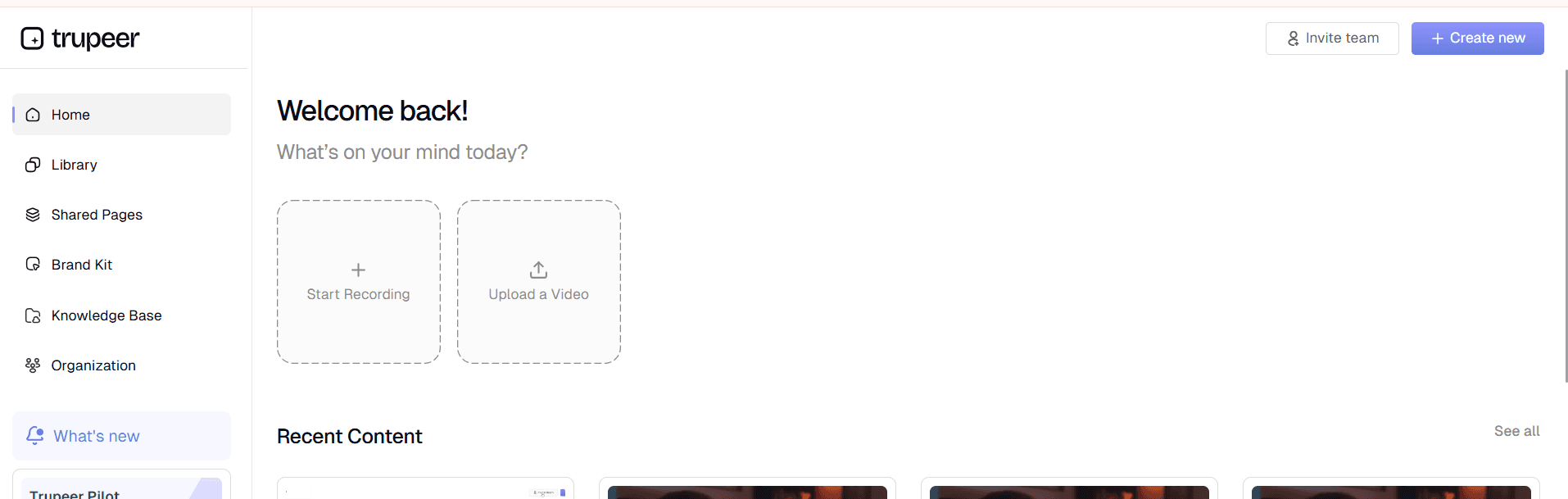
Begin by either recording your screen using Trupeer's built-in recorder or uploading an existing screen recording. The system supports multiple video formats and resolutions, ensuring compatibility with footage from any source. When recording live, our AI screen recorder captures not just visual elements but also cursor movements, clicks, and system interactions that provide context for the documentation generation process.
Step 2: AI Analysis and Processing
Once your recording is in the system, our AI begins analyzing every frame, identifying interface elements, user actions, and workflow patterns. The technology recognizes different software interfaces, menu structures, and common interaction patterns. This analysis phase is crucial because it allows the system to understand the logical flow of your process and identify key decision points that need detailed explanation in the final documentation.

Step 3: Automatic Content Generation
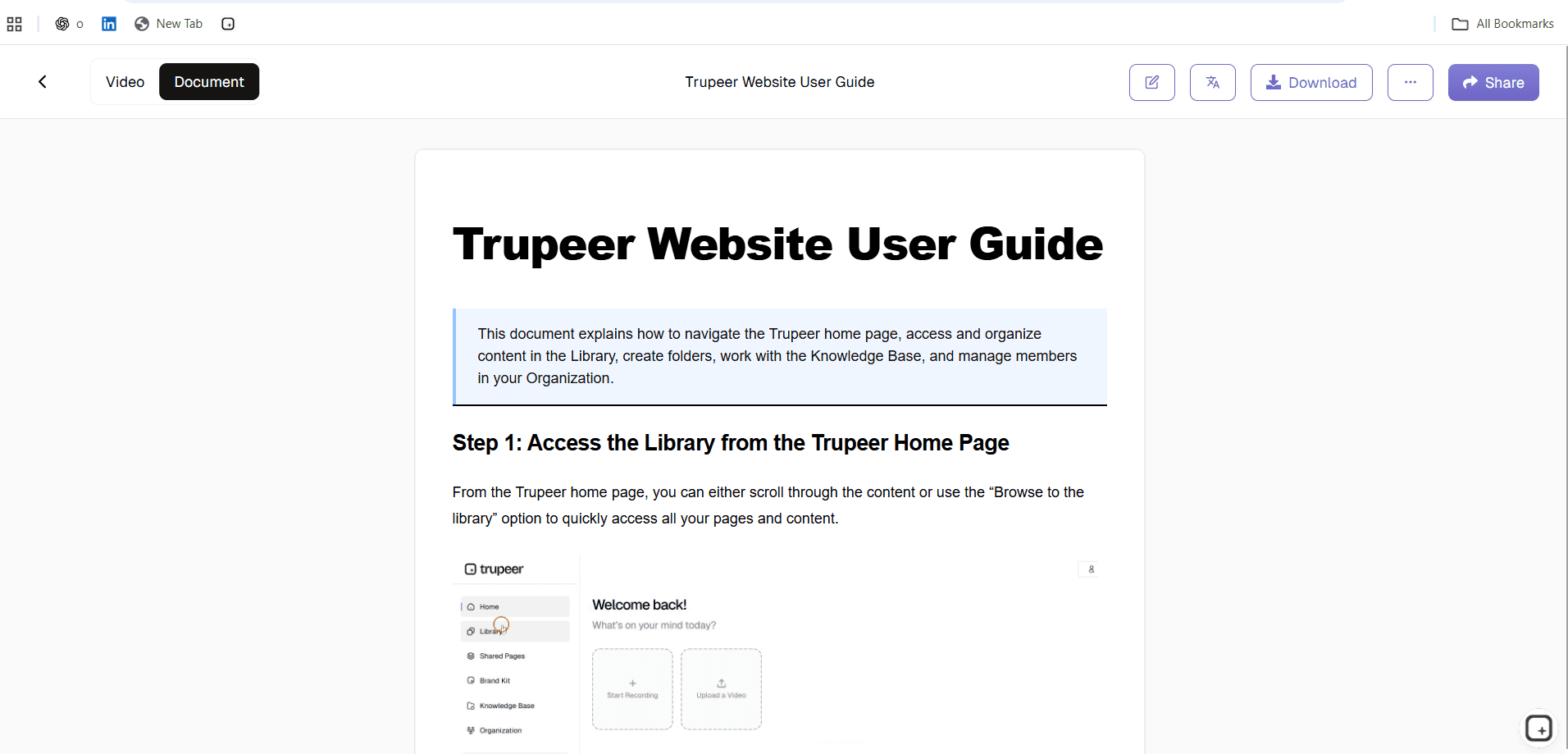
Based on the analysis, the AI generates comprehensive written documentation that includes step-by-step instructions, screenshots at key moments, and explanatory text that provides context for each action. The system automatically creates logical section breaks, adds appropriate headings, and ensures the documentation follows a coherent narrative structure that's easy to follow.
Step 4: Enhancement and Customization
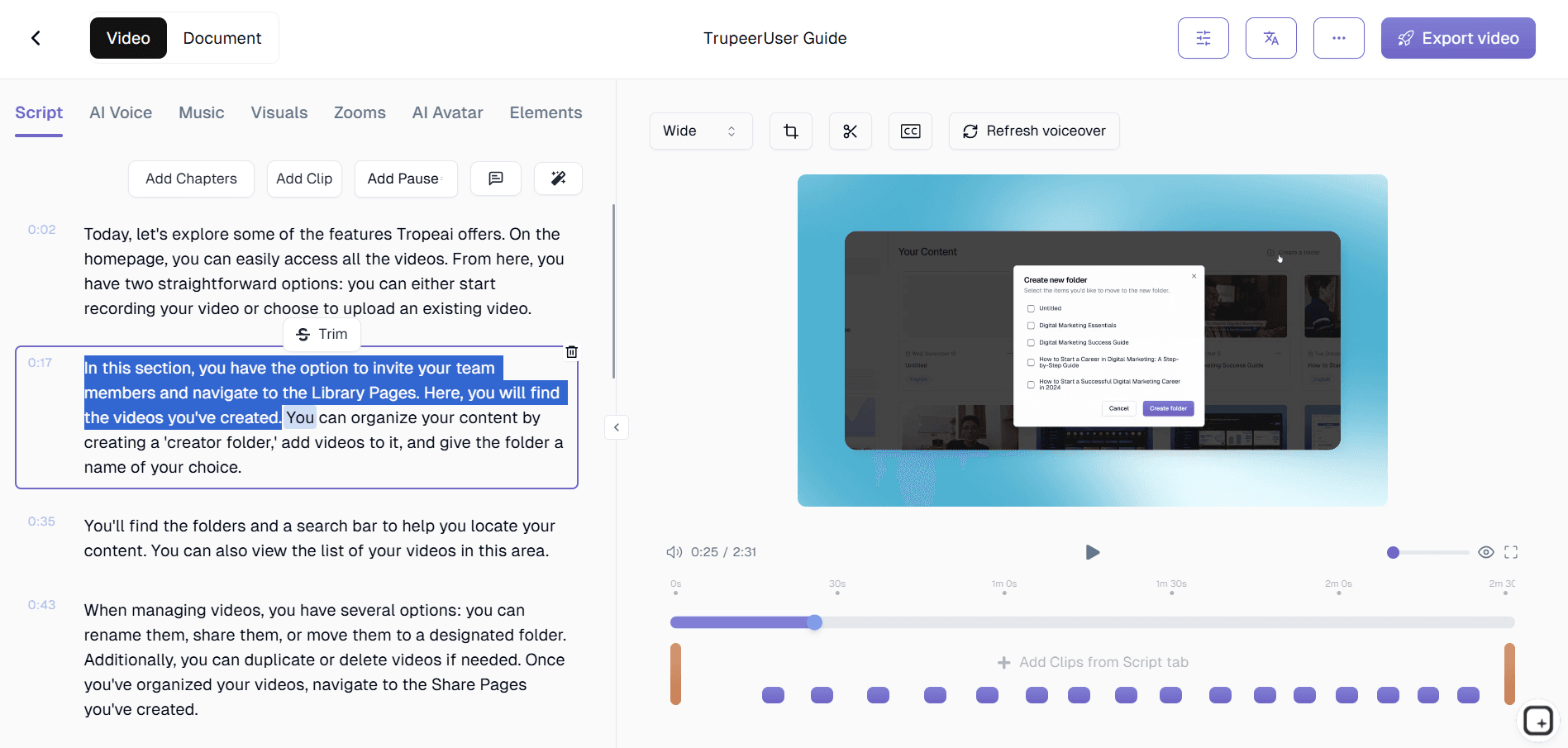
The generated documentation can be customized using our template system, allowing you to apply consistent formatting, styling, and brand elements across all your technical documents. You can modify the tone, add additional context, insert custom sections, and ensure the documentation meets your organization's specific standards and requirements.
Step 5: Export and Distribution
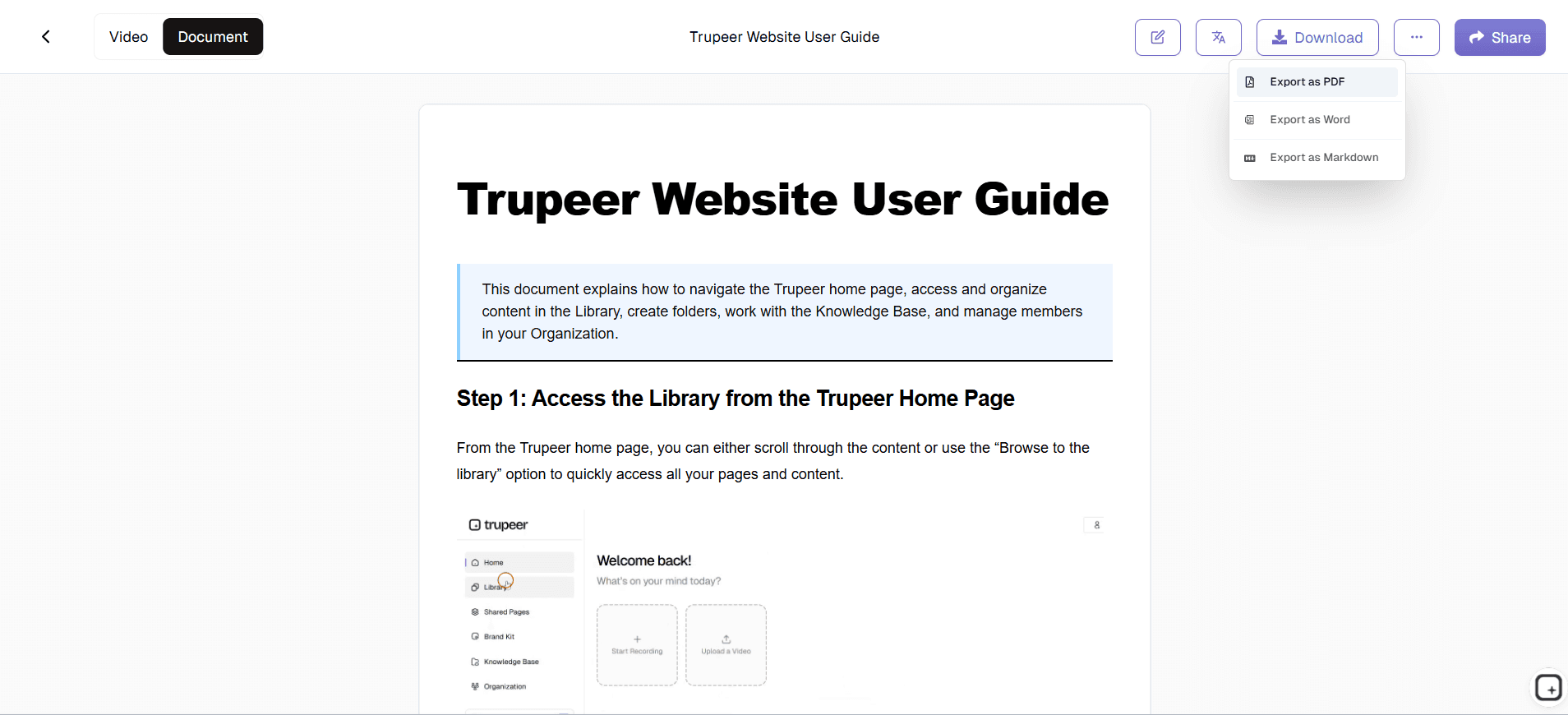
Finally, export your completed documentation in multiple formats or share it directly through our platform. The system generates both standalone documents and web-ready content that can be embedded in knowledge bases, wikis, or training materials. You can also maintain both video and written versions for comprehensive learning resources.
Key Features and Capabilities
Trupeer's technical documentation generator offers powerful features designed to streamline the entire documentation creation process. Our AI-powered approach ensures consistency, accuracy, and professional formatting across all your technical documents.
Intelligent Content Recognition: The system automatically identifies software interfaces, menu items, buttons, and workflow elements within your screen recordings. This smart recognition allows for accurate step-by-step documentation that includes proper terminology and contextual explanations. When combined with our AI video editor, you get both enhanced video content and comprehensive written guides.
Template-Based Formatting: Create and save custom documentation templates that maintain consistent styling, formatting, and structure across all your technical documents. Templates can include your organization's branding, preferred section layouts, and specific formatting requirements. This feature integrates seamlessly with brand kits to ensure professional, consistent documentation that matches your company's visual identity.
Multi-Format Export Options: Generate documentation in various formats including PDF, HTML, markdown, and web-ready content. This flexibility ensures your technical documentation can be used across different platforms, from internal wikis to customer-facing help centers. The export options work particularly well for creating comprehensive knowledge base articles.
Automatic Screenshot Integration: The system automatically captures and integrates relevant screenshots at key points in your process, eliminating the need to manually take and insert images. Screenshots are optimized for clarity and annotated with callouts and highlights where necessary to guide readers through complex interfaces.
Version Control and Updates: When processes change, simply record the updated workflow and the system generates revised documentation while maintaining version history. This feature is particularly valuable for teams managing multiple software updates or evolving procedures that require frequent documentation updates.
Collaborative Review Process: Team members can review, comment on, and approve generated documentation before publication. The collaborative features ensure accuracy and completeness while distributing the review workload across subject matter experts who can validate technical accuracy.
Why Should You Use Technical Documentation Generator?
Trupeer's technical documentation generator delivers significant time savings and quality improvements that transform how your team approaches documentation creation. The benefits extend beyond simple efficiency gains to include better knowledge retention, improved process standardization, and enhanced team productivity.
Massive Time Savings: Traditional technical documentation can take 3-5 hours per process when done manually. With Trupeer's automated approach, you can create comprehensive documentation in under 30 minutes. This dramatic time reduction means your technical team can focus on core development tasks rather than spending entire days on documentation. The time savings multiply across your organization, especially when creating AI Screen Recorder and accompanying written materials simultaneously.
Improved Accuracy and Consistency: Manual documentation often contains gaps, inconsistencies, or outdated information. Our AI-generated documentation captures every step exactly as performed, ensuring nothing is missed or misrepresented. The automated process eliminates human error in transcription and ensures consistent formatting and terminology across all your technical documents.
Enhanced Team Onboarding: New team members can access both video demonstrations and detailed written guides, accommodating different learning styles and preferences. This dual-format approach significantly reduces onboarding time and ensures new hires have comprehensive resources for understanding complex technical processes. The documentation works excellently for SOP Generator teams who need to quickly train new staff on product features.
Better Knowledge Retention: When team members leave or change roles, their process knowledge often goes with them. By recording and documenting procedures while they're being performed, you create permanent knowledge assets that preserve institutional expertise. This documentation becomes invaluable for maintaining continuity and reducing dependency on individual team members.
Who Can Use Technical Documentation Generator?
Trupeer's technical documentation generator serves diverse professional needs across multiple industries and team types. The versatility of our platform makes it valuable for anyone who needs to create clear, comprehensive technical documentation from visual processes.
Software Development Teams: Create API documentation, feature specifications, and deployment procedures by recording development workflows. Development teams use our platform to document complex coding processes, database configurations, and software architecture decisions. The ability to generate both Documentation Generator and detailed written specifications streamlines communication between developers, product managers, and stakeholders.
IT Support and Operations: Document troubleshooting procedures, system configurations, and maintenance workflows that can be shared across support teams. IT professionals find particular value in creating step-by-step guides for complex system procedures that junior team members can follow confidently. The documentation serves as a knowledge base that reduces ticket resolution time and improves support consistency.
Product Marketing Teams: Generate comprehensive product documentation, feature guides, and user manuals that support AI Video Editor initiatives. Marketing professionals can quickly create both promotional videos and detailed feature documentation that helps prospects understand product capabilities. This dual-content approach supports both high-level marketing messaging and detailed technical evaluation processes.
Training and Education Professionals: Create comprehensive learning materials that combine visual demonstrations with detailed written instructions. Educators and corporate trainers use our platform to develop course materials, certification programs, and professional development resources. The automated documentation generation allows for rapid curriculum development and easy updates when software or processes change.
Quality Assurance Teams: Document testing procedures, bug reproduction steps, and quality control processes that ensure consistent testing methodologies. QA teams benefit from having both video evidence of testing procedures and written documentation that can be followed by different team members across various testing cycles.
Sales and Customer Success Teams: Generate AI Screen Recorder materials that demonstrate product features while providing detailed implementation guidance. Sales professionals can create compelling product demonstrations alongside comprehensive technical documentation that addresses prospect questions and concerns during the evaluation process.
Best Practices for Using Technical Documentation Generator
Maximize the effectiveness of your technical documentation by following proven strategies that ensure comprehensive, accurate, and useful output. These practices help you create documentation that truly serves your team's needs and maintains long-term value.
Plan Your Recording Session: Before recording, outline the complete process you want to document, including any variations or edge cases. Prepare your screen environment by closing unnecessary applications, clearing desktop clutter, and ensuring all required software is properly configured. This preparation results in cleaner recordings and more focused documentation that doesn't include irrelevant information or distracting elements.
Record at Optimal Settings: Use consistent screen resolution and recording quality to ensure clear, professional output. Speak clearly if you're adding voice narration, as the AI can use audio cues to enhance the generated documentation. Consider recording multiple short sessions for complex processes rather than one long session, as this makes the documentation easier to navigate and update.
Leverage Template Consistency: Develop and use standardized templates for different types of technical documentation. Whether creating API guides, user manuals, or troubleshooting procedures, consistent templates ensure your documentation maintains professional appearance and familiar structure. Explore our tutorials section for guidance on creating effective documentation templates.
Review and Enhance AI Output: While our AI generates comprehensive documentation, always review the output to add context, clarify technical terminology, and ensure accuracy for your specific use case. The AI provides an excellent foundation, but your domain expertise adds the nuanced explanations that make documentation truly valuable for your team and users.
Explore Related Tools
Why Choose Trupeer's Technical Documentation Generator
Automated Content Creation
Transform screen recordings into comprehensive written guides automatically without manual transcription
Professional Templates
Consistent formatting and branding across all documentation with customizable template options
Dual Output Format
Generate both polished videos and detailed written documentation from single recording
Create Technical Documentation in 3 Simple Steps
Step 1
Record your screen workflow
Step 2
AI generates written documentation
Step 3
Customize and share instantly
Frequently Asked Questions
What types of screen recorder work best for technical documentation generation?
Trupeer works best for recording or uploading any screen recording of software workflows, system configurations, or step-by-step processes to convert into technical documentation. The AI performs best with recordings that show complete workflows from start to finish with clear mouse movements and interface interactions.
How accurate is the AI-generated technical documentation?
Trupeer generates highly accurate documentation by analyzing every screen action and interface element. The system captures 95%+ of workflow steps correctly, though we recommend reviewing output to add context and verify technical terminology for your specific use case.
Can I edit the generated documentation after creation?
Yes, all generated documentation is fully editable. You can modify text, add sections, insert additional screenshots, adjust formatting, and customize content to match your organization's specific needs and standards.
What file formats are available for exporting technical documentation?
You can export documentation in multiple formats including PDF, HTML, markdown, and web-ready content. This flexibility allows integration with various platforms like wikis, knowledge bases, and internal documentation systems.
How does the technical documentation generator handle complex software interfaces?
Trupeer AI is trained to recognize common software patterns, menu structures, and interface elements across hundreds of applications. It automatically identifies buttons, forms, navigation elements, and workflow patterns to create accurate, contextual documentation.
More Tools



