4.8/5
Free Work Instructions Generator
Transform Your Processes into Professional Work Instructions

Trupeer's work instructions generator revolutionizes how organizations create and maintain their process documentation. Instead of spending hours writing step-by-step guides from scratch, you can simply record your screen while performing a task and let AI automatically generate comprehensive work instructions. This powerful tool combines screen recording technology with advanced AI processing to produce both video tutorials and written documentation simultaneously.
What sets Trupeer's work instructions generator apart is its dual-output capability. With our AI screen recorder, you capture your workflow once and receive both polished video instructions and detailed written guides. This approach ensures consistency between your video content and documentation while saving significant time and resources. The AI automatically identifies key actions, generates clear descriptions, and structures your content for maximum clarity.
How Does the Work Instructions Generator Work?
Creating professional work instructions with Trupeer follows a streamlined five-step process that transforms raw screen recordings into polished documentation. This is why it pairs well with the work instruction template the documentation and the documentation come from the same source.
Step 1: Record or Upload Your Process
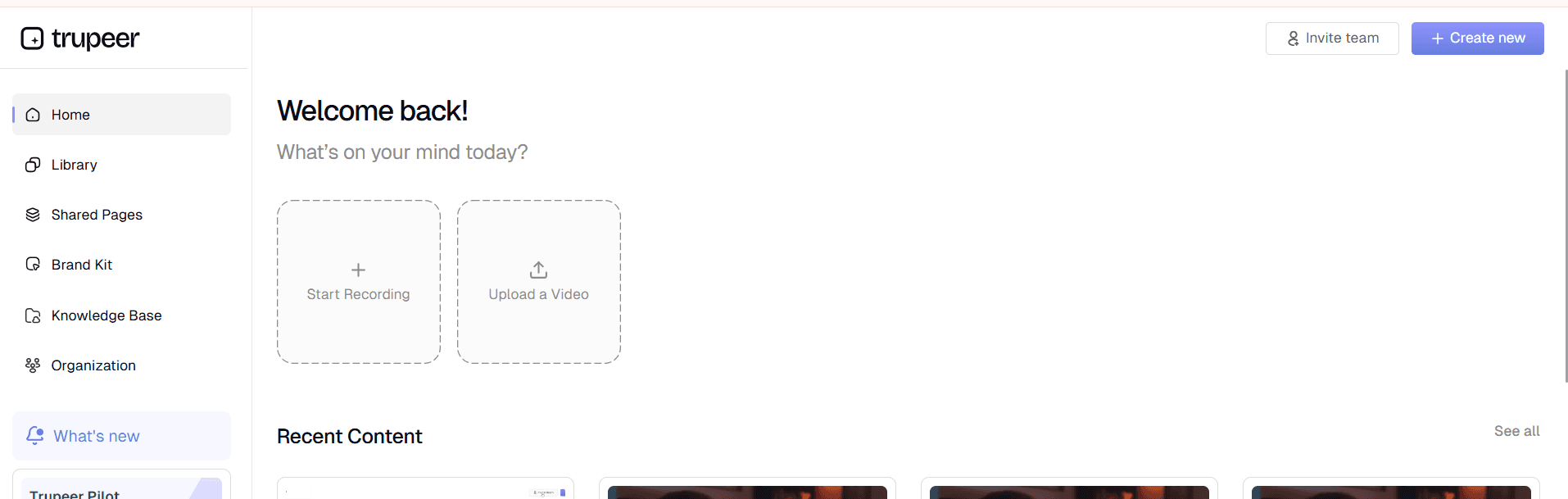
Begin by capturing your workflow using Trupeer's built-in screen recorder or upload an existing recording. The AI Screen Recorder captures everything happening on your screen while you perform the task naturally. You can narrate as you work, explaining decision points and providing context that will enhance the final instructions.
Step 2: AI Processing and Enhancement
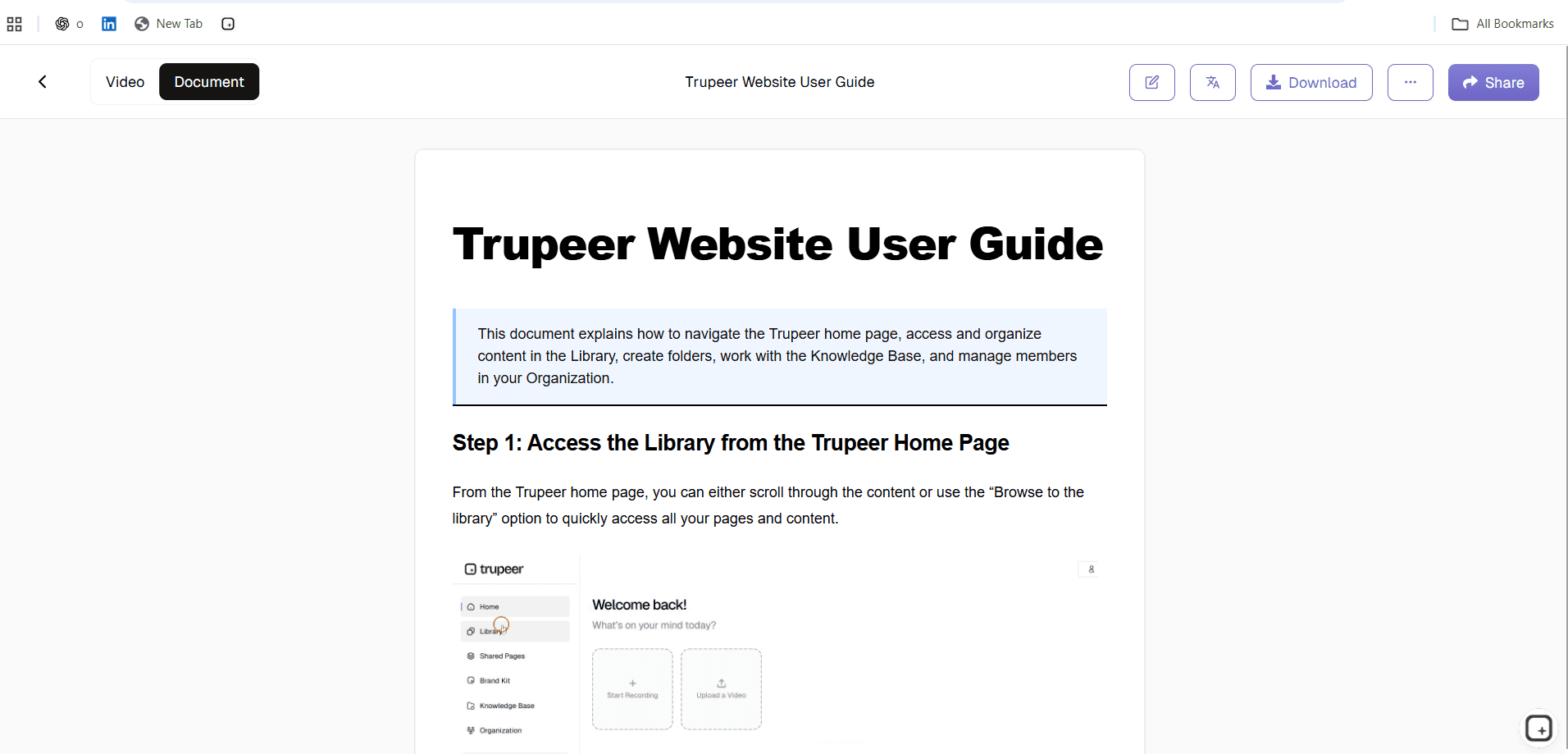
Once your recording is complete, Trupeer's AI immediately begins processing the content. The system identifies distinct steps, removes background noise and filler words, and applies intelligent zoom effects to highlight critical interface elements. This automated editing ensures your work instructions are professional and easy to follow, without requiring manual video editing skills.

Step 3: Automatic Documentation Generation
Simultaneously with video processing, the AI analyzes your recording to generate written work instructions. The system creates step-by-step text descriptions, identifies key actions, and structures the content with appropriate headings and formatting. This written documentation complements your video content and provides an alternative format for users who prefer text-based instructions.
Step 4: Customization and Branding
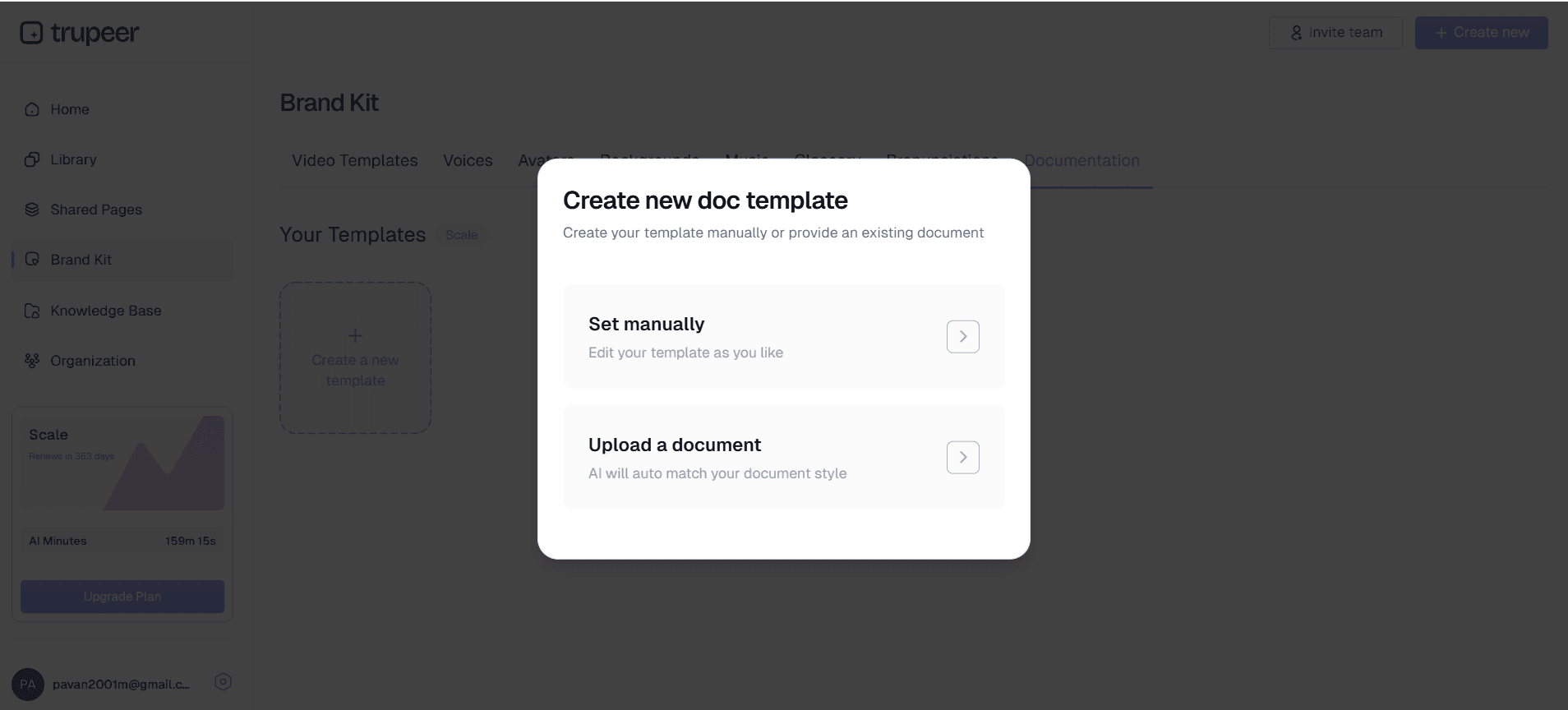
Apply your organization's branding using Trupeer's brand kit feature. Add your logo, corporate colors, and standard intro/outro elements to ensure all work instructions align with your brand guidelines. You can also customize documentation templates to maintain consistent formatting across all your instructional content.
Step 5: Distribution and Sharing
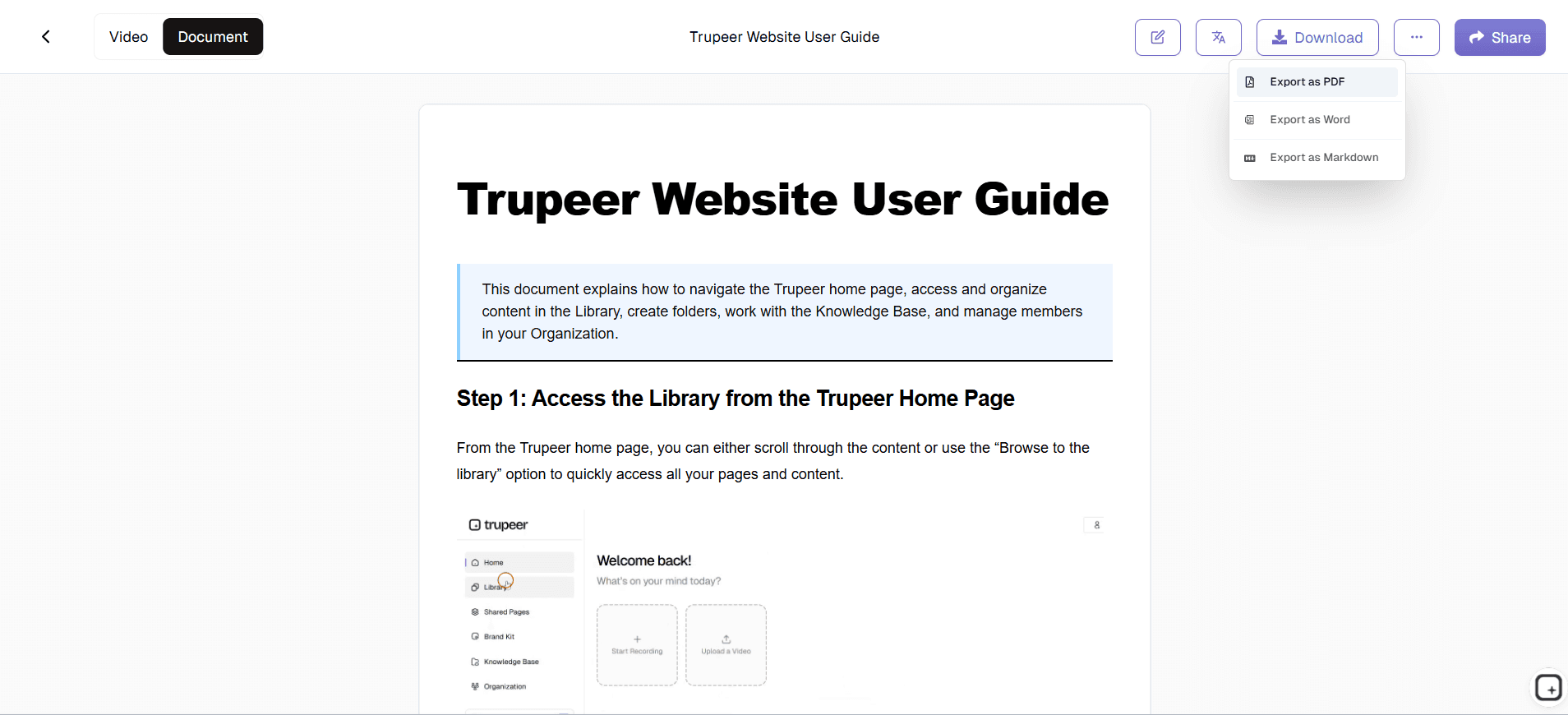
Once your work instructions are complete, share them via direct links or embed them on your website or learning management system. The platform generates both video and text formats, allowing recipients to choose their preferred learning style. Updates to processes can be easily managed by recording new versions and replacing existing content.
Key Features and Capabilities
Trupeer's work instructions generator includes several powerful features designed to streamline the documentation creation process while ensuring professional results.
AI-Powered Content Recognition: The platform's advanced AI analyzes your screen recording to automatically identify distinct process steps, user interface elements, and key actions. This intelligent recognition eliminates the need to manually segment your recording or write descriptions from scratch. The AI understands context and creates logical breakpoints that make sense for instructional content. Our Guide Generator can also enhance your narration with professional scripting suggestions.
Template-Based Documentation: Save time and ensure consistency with customizable documentation templates. Create templates with your preferred formatting, styling, and structural elements, then reuse them across multiple work instructions. This feature is particularly valuable for organizations that need to maintain specific documentation standards or comply with regulatory requirements. Templates can include company branding, legal disclaimers, and standardized section headers.
Multi-Format Export Capabilities: Generate work instructions in multiple formats to accommodate different learning preferences and use cases. Export as polished video content, comprehensive written guides, or both simultaneously. The written documentation includes screenshots automatically extracted from your recording, creating illustrated step-by-step guides that mirror your video content perfectly.
Automatic Audio Enhancement: Professional-quality audio is crucial for effective work instructions. Trupeer's AI automatically removes background noise, eliminates filler words like "um" and "uh," and normalizes audio levels. If you prefer, you can also add professional voiceovers or translate your content into multiple languages using our Training Manual Generator feature.
Integration with Existing Workflows: The work instructions generator integrates smoothly with your existing documentation and training systems. Content can be easily shared via links, embedded in websites, or exported to other platforms. This flexibility ensures your work instructions can be distributed through whatever channels your team already uses for training and reference materials.
Collaborative Features: Multiple team members can contribute to work instruction creation and review. The platform supports collaborative editing, version control, and approval workflows, making it easy to maintain accurate and up-to-date process documentation across large organizations.
Why Should You Use Trupeer's Work Instructions Generator?
Implementing Trupeer's work instructions generator delivers significant benefits that extend far beyond simple time savings, transforming how your organization approaches process documentation and training.
Dramatic Time Reduction, Traditional work instruction creation can take hours or even days per document when accounting for writing, formatting, screenshot capture, and review cycles.
With Trupeer, you can create comprehensive work instructions in a fraction of that time.
Simply record yourself performing the task once, and the AI handles the rest.
This efficiency gain allows your team to document more processes and keep instructions current as procedures evolve.
Organizations typically see 70-80% time savings compared to manual documentation methods.
Who Can Use Trupeer's Work Instructions Generator?
Trupeer's work instructions generator serves diverse users across industries and organizational roles, each benefiting from the platform's unique combination of video and written documentation capabilities.
Operations and Process Managers: Operations teams use the platform to document standard operating procedures, quality control processes, and workflow optimizations. The ability to quickly capture and share process improvements helps maintain operational excellence while reducing training overhead. Process managers particularly value the consistency that AI-generated instructions provide, ensuring every team member follows identical procedures regardless of who created the original documentation.
Human Resources and Training Teams: HR professionals leverage the work instructions generator for employee onboarding, policy communication, and compliance training. New hire orientation becomes more efficient when supported by clear, professional video and written instructions covering everything from software usage to safety procedures. The platform's Training Manual Generator capabilities integrate seamlessly with existing learning management systems, creating comprehensive training programs that scale with organizational growth.
Customer Success and Support Teams: Support teams create work instructions to help customers use products effectively, reducing support ticket volume and improving customer satisfaction. The dual-format output allows customers to choose between video tutorials and written guides based on their preferences and situational needs. Customer success managers use these materials for onboarding new clients and ensuring consistent product adoption across accounts. Integration with Documentation Generator workflows streamlines the entire support process.
Product and Engineering Teams: Technical teams document software features, API usage, and system administration procedures using the work instructions generator. The platform excels at capturing complex technical processes with multiple steps and decision points. Engineering teams particularly appreciate the automatic screenshot generation and step identification, which eliminates the tedious manual work typically associated with technical documentation. The technical documentation features ensure comprehensive coverage of complex procedures.
Sales and Marketing Teams: Sales professionals create work instructions for product demonstrations, proposal processes, and client onboarding procedures. Marketing teams document campaign execution, content creation workflows, and tool usage instructions. The platform's AI Video Editor features help maintain consistency across sales presentations and ensure all team members can deliver professional product demonstrations.
Consultants and Service Providers: Independent consultants and service organizations use the work instructions generator to create deliverables for clients, document proprietary methodologies, and standardize service delivery. The professional output quality helps consultants demonstrate expertise while providing clients with valuable documentation they can reference after engagements conclude.
Educational Institutions: Schools and training organizations create instructional content for students and faculty. The platform supports both synchronous and asynchronous learning environments by providing multiple content formats. Educators can quickly create lesson materials, lab instructions, and software tutorials that accommodate different learning preferences and accessibility needs.
Best Practices for Using Trupeer's Work Instructions Generator
Maximizing the effectiveness of your work instructions requires strategic planning and attention to detail throughout the creation process.
Plan Your Recording Session: Before starting your screen recording, outline the process you'll demonstrate and gather any necessary materials or information. Close unnecessary applications and browser tabs to minimize distractions in your recording. Practice the process once to identify potential issues or decision points that require explanation. This preparation ensures smooth recording sessions and higher-quality final instructions.
Provide Clear Narration: Speak clearly and at a moderate pace while recording, explaining not just what you're doing but why you're doing it. Include context about decision points, alternative approaches, and common mistakes to avoid. The AI will use your narration to generate more comprehensive written instructions, so detailed verbal explanations translate into better final documentation. Remember that our AI Screen Recorder can help you prepare talking points in advance.
Leverage Template Consistency: Develop standardized templates for different types of work instructions within your organization. Create separate templates for software tutorials, safety procedures, administrative processes, and customer-facing instructions. Consistent templates improve user experience and make it easier for team members to find specific information quickly. Templates also ensure important elements like disclaimers, contact information, and branding appear consistently across all documentation.
Regular Review and Updates: Schedule periodic reviews of your work instructions to ensure they remain accurate as processes and tools evolve. The platform's version control features make it easy to update existing instructions by recording new versions and replacing outdated content. Assign ownership for different instruction sets to specific team members who can monitor for changes and initiate updates as needed.
Optimize for Your Audience: Consider who will use your work instructions and tailor the content accordingly. Instructions for technical users can include more detailed explanations and advanced features, while end-user instructions should focus on essential steps and common use cases. Use appropriate terminology for your audience and include definitions for specialized terms that might be unfamiliar to some users.
Visual Work Instructions: Why Screenshots Beat a Wall of Text
A work instruction is only useful if the person doing the job can follow it without guessing. Plain text rarely gets there. Visual work instructions, where each step is paired with a screenshot of exactly what to click or do, remove the ambiguity and cut training time. Because Trupeer builds your instructions from a screen recording, it captures a screenshot at every click automatically and adds annotations, so the output is visual by default. You are not pasting images in one by one, they are generated alongside the steps.
A clear, standard work instruction usually includes a title and purpose, the tools or access required, numbered steps with a screenshot for each, the expected result or definition of done, and any safety or compliance notes. Trupeer drafts these elements from the recording, and you refine the wording, so you get a complete template filled in rather than a blank one to populate.
Work Instructions vs SOPs: What Is the Difference?
The two terms are often used interchangeably, but they sit at different levels. A standard operating procedure describes a whole process and the policy around it, the what and the why. A work instruction is the task-level how, the exact steps to complete one specific task inside that process. A single SOP might reference several work instructions.
Trupeer can generate either from a recording. Use this Work Instructions Generator for task-level, step-by-step detail, and the SOP Generator or Process Generator when you need to document the broader procedure. They share the same record-once workflow, so your task instructions and your process documents stay consistent. When instructions need to reach a multilingual workforce, translate them into 65+ languages while keeping the same screenshots and layout.
Explore Related Tools
Why Choose Trupeer's Work Instructions Generator
Dual-Format Output
Get both video tutorials and written instructions from single recording
AI-Powered Editing
Automatic enhancement with noise removal and professional formatting
Brand Consistency
Apply your branding across all work instructions effortlessly
Create Professional Work Instructions in 3 Steps
Step 1
Record your screen workflow
Step 2
AI generates documentation automatically
Step 3
Share instructions instantly
Frequently Asked Questions
What is the difference between work instructions and an SOP?
An SOP describes a whole process and the policy around it: the what and the why. A work instruction is the task-level how, the exact steps to complete one specific task within that process. A single SOP often references several work instructions. Trupeer can generate either from a recording.
Can I use existing recordings with the work instructions generator?
Yes, you can upload existing screen recordings and let Trupeer's AI process them into professional work instructions. The platform supports various video formats and can enhance raw recordings with noise removal, editing, and automatic documentation generation.
Can I create work instructions in multiple languages?
Yes. Once your instructions are generated, translate them into 65+ languages while keeping the same screenshots and layout, so a multilingual workforce follows the same steps in their own language.
How long does it take to generate work instructions from a recording?
Processing time depends on recording length, but most work instructions are generated within minutes of upload completion. The AI simultaneously creates video enhancements and written documentation, delivering both formats quickly for immediate use.
Can I customize the formatting and branding of my work instructions?
Absolutely. Trupeer offers customizable templates, brand kits, and formatting options to ensure your work instructions match your organization's standards. You can save templates for consistent formatting across all your documentation.
More Tools


