4.8/5
Generate ChatGPT User Manuals with AI
Transform ChatGPT Workflows into Professional User Manuals
Generate User Manual Now

Trupeer's chat gpt user manual generator is a revolutionary AI-powered platform that transforms screen recordings of your ChatGPT workflows into comprehensive, professional user manuals and documentation. Whether you're demonstrating how to craft effective prompts, showcasing advanced ChatGPT features, or documenting complex AI workflows, this tool automatically converts your recordings into polished guides that your team and users can follow. The challenge with ChatGPT documentation isn't just about writing instructions. It's about capturing the nuanced interactions, the iterative prompt refinement process, and the visual context that makes AI workflows truly understandable.
Trupeer's approach differs fundamentally from generic documentation tools. Instead of starting with blank pages or text templates, you record your actual ChatGPT workflow or upload an existing recording, and our AI processes the visual and audio information to generate contextually accurate user manuals. This means your documentation reflects real usage patterns, includes actual prompts and responses, and provides authentic examples that users can immediately apply. Our AI script generator can create narration scripts for your recordings, while our video processing algorithms automatically identify key interface elements, prompt structures, and response patterns to generate comprehensive documentation.
How Does ChatGPT User Manual Generator Work?
The process of creating ChatGPT user manuals with Trupeer is straightforward yet powerful, designed to minimize your effort while maximizing the quality of your output documentation.
Step 1: Record or Upload Your ChatGPT Workflow
Start by either recording your ChatGPT session using Trupeer's built-in screen recorder or uploading an existing recording of your workflow. The beauty of our system is its flexibility - whether you prefer to create fresh recordings or work with existing footage, our AI handles both scenarios seamlessly. During recording, demonstrate your ChatGPT workflow naturally, including prompt crafting, response evaluation, and iterative refinements.

Step 2: AI Analysis and Processing
Once your recording is uploaded, our AI begins comprehensive analysis of your ChatGPT interaction. The system identifies interface elements, extracts prompt text, captures response patterns, and understands the logical flow of your workflow. This isn't just simple transcription - our AI understands ChatGPT's interface, recognizes different types of prompts, and can distinguish between user inputs and AI responses.

Step 3: Automatic Content Enhancement
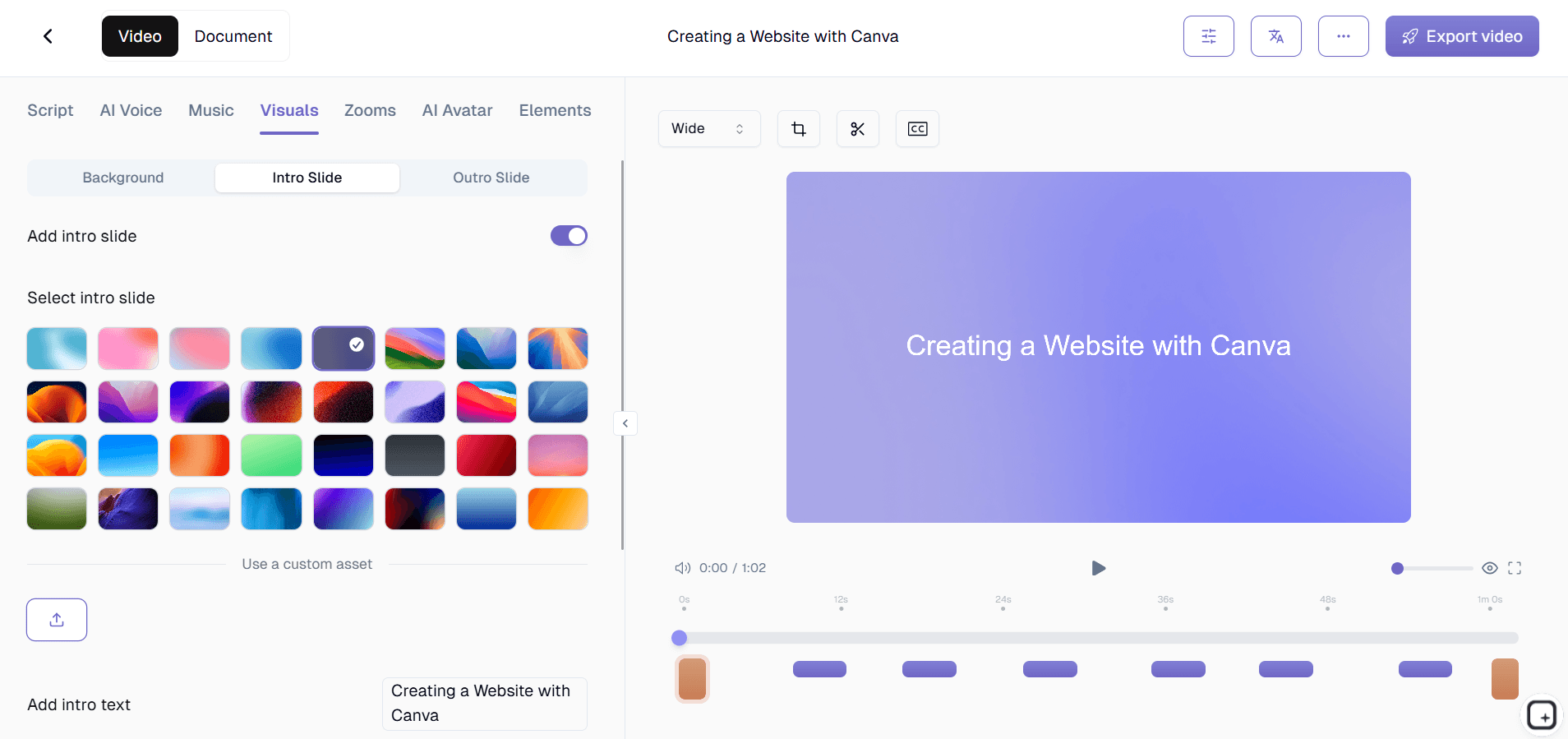
Our AI video editing capabilities automatically enhance your recording by removing filler words, adjusting pacing, and adding zoom effects to highlight important interface elements. The system cleans up audio, removes background noise, and ensures your video flows smoothly from one step to the next.
Step 4: Documentation Generation
Simultaneously, our AI generates comprehensive written documentation from your recording. This includes step-by-step instructions, actual prompt examples, expected response formats, troubleshooting tips, and best practices. The documentation captures not just what you did, but the reasoning behind each action and the expected outcomes.

Step 5: Customization and Branding
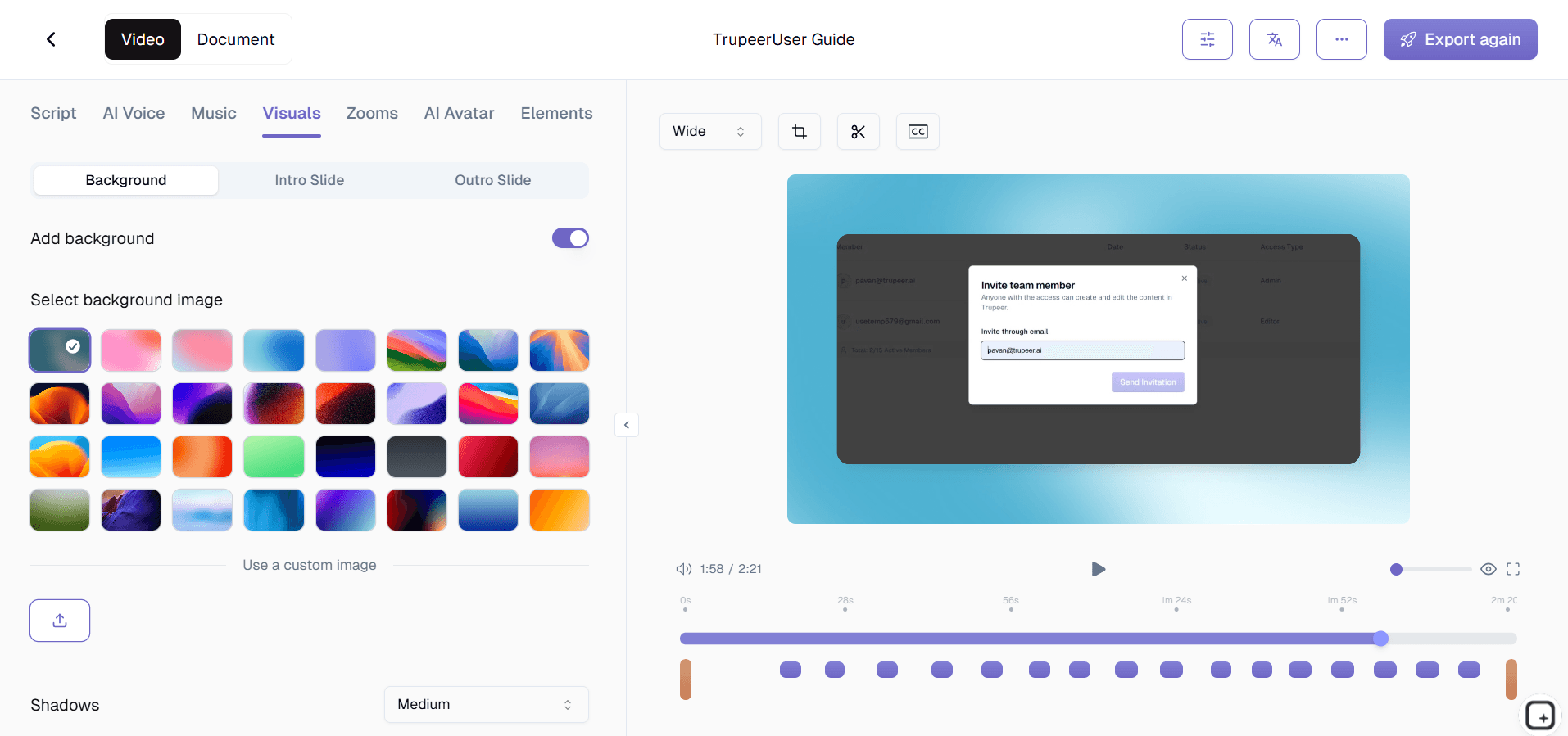
Apply your organization's branding using our brand kit system, customize the documentation format with reusable templates, and add any additional context or explanations. You can also use our AI Screen Recorder feature to create multilingual versions of your user manuals, making them accessible to global teams.
Key Features and Capabilities
The chat gpt user manual generator offers a comprehensive suite of features designed to streamline your documentation creation process while ensuring professional, usable output.
Intelligent Interface Recognition: Our AI specifically understands ChatGPT's interface elements, automatically identifying prompt boxes, response areas, conversation threads, and various ChatGPT features. This specialized recognition ensures accurate documentation that reflects actual user interactions rather than generic screen capture descriptions. The system works with both the web interface and desktop applications, adapting to different ChatGPT versions and layouts.
Prompt Pattern Analysis: The system analyzes the structure and patterns of your ChatGPT prompts, identifying effective techniques, formatting approaches, and conversation strategies. This analysis gets incorporated into the generated documentation, providing users with not just the steps but the underlying prompt engineering principles that make interactions successful. Combined with our technical documentation capabilities, you get comprehensive guides that teach both the how and the why.
Multi-Format Output Generation: Every recording generates both polished video content and detailed written documentation, giving you flexibility in how you share knowledge. The video maintains visual context and flow, while the written guides serve as quick reference materials. You can use these materials for Training Manual Generator, onboarding resources, or comprehensive user manuals depending on your needs.
Template-Based Consistency: Create and save documentation templates that match your organization's standards, including preferred formatting, section structures, and styling approaches. This ensures all your ChatGPT user manuals maintain consistent appearance and organization, regardless of who creates them. Templates can include standard disclaimers, usage policies, and organizational guidelines.
Conversation Flow Documentation: Unlike simple screen recording tools, our system understands the conversational nature of ChatGPT interactions. It documents the iterative process of prompt refinement, tracks conversation context, and explains how previous responses influence subsequent prompts. This creates user manuals that teach effective ChatGPT communication patterns rather than just mechanical steps.
Integration Capabilities: The generated documentation integrates smoothly with existing knowledge bases, learning management systems, and documentation platforms. Export options include various formats suitable for internal wikis, external help centers, or Training Manual Generator resources.
Why Should You Use ChatGPT User Manual Generator?
The benefits of using Trupeer's chat gpt user manual generator extend far beyond simple time savings, offering strategic advantages for organizations implementing AI tools.
Accelerated Documentation Creation: Traditional methods of creating ChatGPT user manuals require extensive writing, screenshot capture, editing, and formatting work. Our platform reduces this process from days or weeks to minutes. You demonstrate your workflow once, and our AI handles the heavy lifting of generating comprehensive documentation. This efficiency gain allows you to focus on refining your ChatGPT strategies rather than documenting them, while still maintaining high-quality user resources.
Improved Knowledge Transfer: Screen-recorded demonstrations combined with AI-generated written guides create superior learning experiences compared to text-only documentation. Users can watch the visual workflow while referencing detailed written steps, accommodating different learning styles and preferences. This dual-format approach significantly improves knowledge retention and reduces support requests. When combined with our SOP Generator capabilities, you can create comprehensive training programs.
Consistency Across Teams: Manual documentation creation often results in inconsistent formats, varying levels of detail, and different explanation styles across team members. Our AI-generated approach ensures consistent structure, terminology, and depth across all your ChatGPT user manuals. This consistency reduces confusion, improves user adoption, and creates a more professional impression of your organization's AI initiatives.
Real-World Accuracy: Because documentation is generated from actual ChatGPT interactions rather than theoretical examples, your user manuals reflect real usage patterns and authentic scenarios. This accuracy helps users understand not just the ideal workflow, but how to handle variations, unexpected responses, and common challenges they'll encounter in practice. The documentation includes actual prompts that work, rather than hypothetical examples that might not perform well.
Scalable Knowledge Management: As your organization's ChatGPT usage evolves, you can quickly update documentation by recording new workflows and generating updated manuals. This scalability ensures your documentation stays current with ChatGPT updates, new use cases, and refined organizational practices. The system supports creating specialized manuals for different departments, roles, or use cases while maintaining overall consistency.
Enhanced Collaboration: Standardized, professional user manuals facilitate better collaboration between teams using ChatGPT. Marketing teams can share their prompt strategies with sales teams, customer success can document their AI-powered support workflows, and product teams can create guidelines for AI-assisted development processes. This cross-functional knowledge sharing accelerates AI adoption across your organization while maintaining quality standards.
Who Can Use ChatGPT User Manual Generator?
Trupeer's chat gpt user manual generator serves diverse users across industries who need to create, share, and maintain ChatGPT documentation.
Content Creators and Marketing Teams: Marketing professionals use ChatGPT for content ideation, copywriting, social media planning, and campaign development. Our tool helps them document their proven prompt strategies, create templates for common content types, and share successful approaches across their team. They can generate user manuals for specific content workflows, brand voice guidelines for AI-generated content, and best practice guides for various marketing applications. These teams particularly benefit from our Documentation Generator features when creating materials that showcase their AI-powered processes.
Training and Development Professionals: Organizations implementing ChatGPT need comprehensive training materials for their workforce. Training managers can record demonstrations of effective ChatGPT usage, generate professional user manuals for different skill levels, and create standardized training resources that ensure consistent AI adoption across the organization. The ability to create both video and written materials supports diverse learning preferences and creates more effective training programs than single-format approaches.
Customer Success and Support Teams: Support teams using ChatGPT for customer interactions, knowledge base creation, or internal problem-solving need documented workflows that maintain quality and consistency. They can create user manuals for new team members, document escalation procedures involving AI assistance, and develop guidelines for customer-facing AI usage. Our AI Video Editor tools help them maintain high service standards while leveraging AI capabilities.
Product and Development Teams: Technical teams integrating ChatGPT into products or using AI for development assistance need detailed documentation of their workflows. They can document API integration patterns, prompt engineering techniques for specific use cases, and testing procedures for AI-powered features. This documentation becomes crucial for maintaining consistency as teams scale and new developers join projects requiring AI integration knowledge.
Consultants and Professional Services: Consultants helping clients implement ChatGPT solutions need professional, branded documentation that they can deliver as part of their services. Our platform enables them to quickly create customized user manuals for each client's specific use cases, maintain professional branding across all deliverables, and build a library of reusable documentation templates. The AI Screen Recorder features help them demonstrate value and close deals more effectively.
Educational Institutions and Corporate Trainers: Schools, universities, and corporate training departments teaching AI literacy need comprehensive, accurate materials for their students and employees. They can create user manuals that combine theoretical knowledge with practical application, document ethical AI usage guidelines, and develop assessment materials based on real ChatGPT interactions. The ability to create multilingual documentation supports diverse learning populations and global organizations.
Best Practices for Using ChatGPT User Manual Generator
Maximizing the effectiveness of your chat gpt user manual generator requires strategic planning and attention to detail during the recording and generation process.
Plan Your Recording Session: Before starting, outline the specific ChatGPT workflow you want to document. Prepare example prompts, identify key decision points, and consider edge cases or variations users might encounter. This preparation ensures your recording covers all necessary elements and results in comprehensive documentation. Practice your workflow beforehand to ensure smooth demonstration without unnecessary pauses or corrections that might confuse the final documentation.
Use Clear, Professional Communication: When recording your ChatGPT interactions, speak clearly and explain your reasoning for prompt choices, response evaluation, and workflow decisions. Our AI uses this audio context to generate more detailed and helpful written documentation. Avoid jargon without explanation, and consider your target audience's knowledge level when demonstrating techniques.
Leverage Template Consistency: Develop and save documentation templates that match your organization's standards and user needs. Consistent formatting, section structures, and information hierarchy make your user manuals more professional and easier to navigate. Consider creating different templates for different types of ChatGPT documentation, such as beginner guides, advanced techniques, or department-specific workflows.
Incorporate Iterative Improvement: Use feedback from manual users to refine your recording and generation approach. If users frequently ask questions about certain steps, record more detailed demonstrations of those areas. Our platform makes it easy to update documentation by recording new versions and regenerating improved manuals. Check our tutorials section for additional guidance on optimizing your documentation creation process.
Explore Related Tools
Why Choose Trupeer's ChatGPT User Manual Generator
AI-Powered Accuracy
Automatically generates precise documentation from your actual ChatGPT workflows
Dual-Format Output
Creates both polished videos and detailed written guides simultaneously
Brand Consistency
Apply your branding with customizable templates for professional results
Create ChatGPT User Manuals in 3 Simple Steps
Step 1
Record your ChatGPT workflow
Step 2
AI generates comprehensive documentation
Step 3
Customize and share instantly
Frequently Asked Questions
How does the ChatGPT user manual generator work with existing recordings?
Simply upload your existing ChatGPT screen recordings and our AI will process them to generate comprehensive user manuals. The system works with various video formats and can enhance audio quality while creating documentation.
Can I create user manuals for different ChatGPT use cases?
Yes, you can create specialized manuals for marketing, customer support, content creation, coding assistance, or any other ChatGPT application. Each manual is tailored to the specific workflow you demonstrate.
What formats can I export my ChatGPT user manuals in?
You can export as polished videos, written documentation, or both formats simultaneously. Multiple file formats are supported for integration with various platforms and systems.
How does the AI understand ChatGPT-specific interactions?
Our AI is trained to recognize ChatGPT interfaces, prompt patterns, and conversation flows. It understands the iterative nature of AI conversations and documents both the technical steps and strategic approaches.
Can I translate ChatGPT user manuals for global teams?
Absolutely. Our platform includes automatic video and document translation capabilities, allowing you to create multilingual user manuals for international teams and diverse user bases.
More Tools


