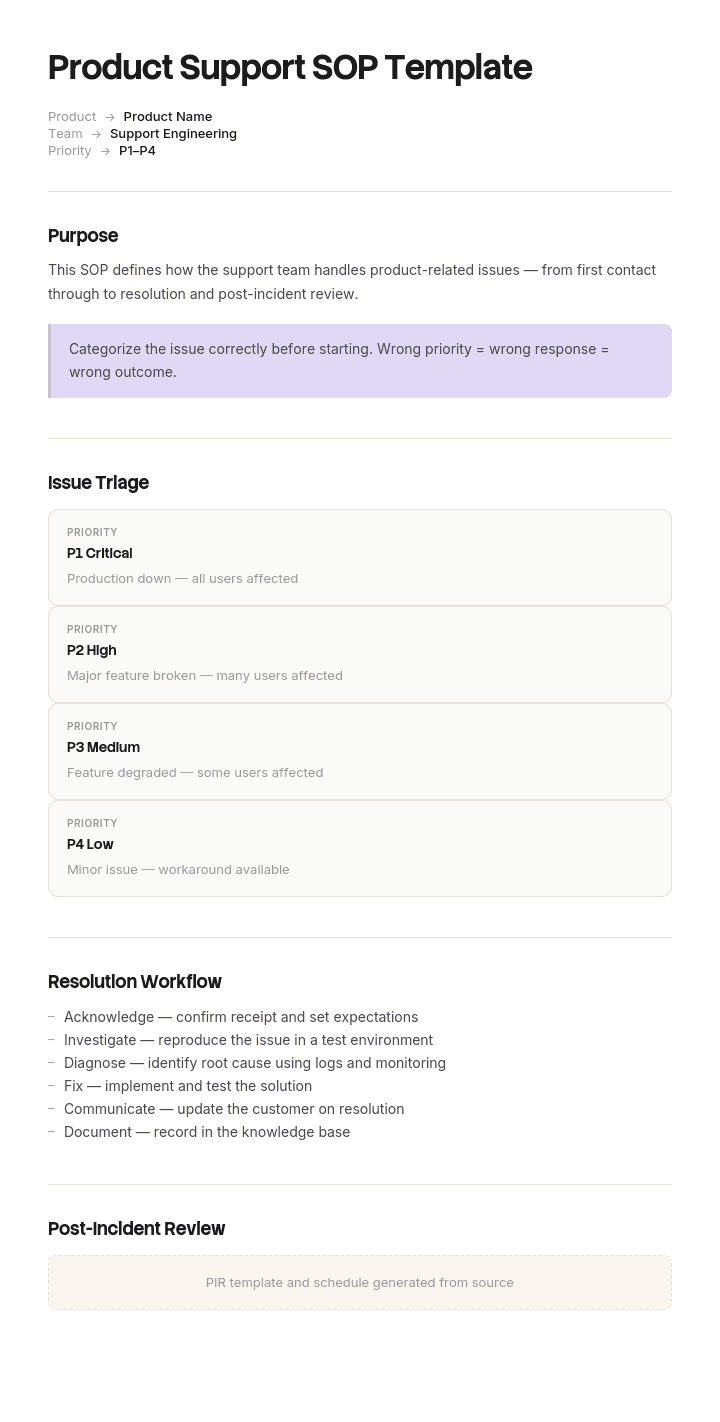
Use this template
Product support is where customers form their lasting impression of your company. With Trupeer, you can save hours on support documentation by starting with a free product support SOP template, customizing it with your brand guidelines, and using our AI SOP creator to turn each procedure into a clear video walkthrough.
What is a product support SOP template used for?
A product support SOP is the written procedure for handling a recurring type of customer contact about a product: what to ask, what to check, how to resolve it, when to escalate and what to tell the customer.
A template gives you the reusable shell. Trigger, prerequisites, steps, resolution, escalation, customer wording.
It is closely related to a customer service SOP and it is not the same document, for one reason that shapes everything on this page. In product support there is a product, and the product can be wrong. A customer service procedure handles a situation. A product support procedure frequently handles a fault, and what it does with that fault determines whether your contact volume goes up or down over the next two years.
For the general structure, our SOP template covers it, and our IT SOP template covers internal technical operations. This page covers what changes when the thing you are supporting is a product somebody else can fix.
Every support procedure has two outputs, not one
A support SOP is normally judged by one thing: does it resolve the contact quickly and consistently. That is a reasonable measure and it is half the job.
The other half is the signal. Support sits at the only point in the organisation where every fault surfaces, at volume, with evidence attached. Nobody else sees the pattern. Engineering sees the bugs it was told about. Product sees the roadmap. Support sees what actually happens to customers, four hundred times a month.
So every procedure has two possible outputs. The resolution for this customer, and the report for the people who could stop it happening.
Almost no support SOP has the second one. The steps end at "confirm the customer is happy and close the ticket". There is no field saying what to raise, to whom, with what evidence, or at what point a recurring resolution should stop being a resolution and become a defect.
Add that exit to every procedure and the library changes function. Without it, support becomes a very efficient absorber of faults, and efficiency at absorbing faults is indistinguishable from not having them until somebody looks at the volume.
How to customize this template in Trupeer
Step 1: Open the Templates Section
Go to the Templates section from the main navigation.

Step 2: Select and Open a Template
Click on any template you want to work with to open it.

Step 3: Expand the Template View
If needed, expand the template view to see the full layout and details clearly.

Step 4: Edit the Template
Click on Edit to start modifying the selected template.

Within the editor, you can:
Add new sections
Define or update formatting rules
Add a logo and adjust its position and related settings
Step 5: Save Your Customized Template
After making all necessary changes, click Save to store the updated template as your own.

Step 6: Preview and Fine-Tune the Template
When you want to see how your customized template looks, open the Preview.

From the preview screen, you can continue to make adjustments directly if needed, ensuring the template appears exactly as you want.
With a product support SOP template you can:
Save hours on writing: Skip the blank page with a structure built for support procedures.
Standardize support quality: Every agent handles common issues the same way.
Stay on-brand: Apply your logo, tone and colors using Trupeer's brand kit.
Cut resolution time: Clear procedures help agents resolve issues faster.
Onboard agents faster: Pair SOPs with video walkthroughs to ramp new hires quickly.
Reach global teams: Translate support SOPs into 65+ languages with one click.
Your workaround library is an uncounted bug backlog
Here is the version of that argument you can act on this week.
Go through your support procedures and look for the phrases that indicate a workaround. As a temporary measure. This is a known issue. Advise the customer to. Have them reset and retry. If that does not work, try.
Every one of those is a product defect that somebody decided to live with. Not deliberately, in most cases. Somebody wrote a good procedure to help colleagues handle a problem, the procedure worked, contacts got handled efficiently, and the fault stopped generating any pressure to fix it.
Count them and you have a bug backlog that exists nowhere else in the organisation. Cross-reference each against contact volume and handling time and you have that backlog ranked by cost, which is more than most product teams have for their actual backlog.
The uncomfortable insight is that writing a very good workaround SOP actively delays the fix. The better the procedure, the less noise the fault makes, and the longer it survives.
How to find the workarounds already in your SOPs
An afternoon's work, and it does not require anybody's cooperation.
Search the procedure library for the phrases above. In most libraries this finds between fifteen and thirty percent of procedures.
For each hit, record: which procedure, what the underlying fault is, how many contacts it generated in the last twelve months, the average handling time, and whether it has ever been raised as a defect.
That last column is the one that surprises people. A large share of documented workarounds have never been formally reported at all, because the person who wrote the procedure solved the problem in the way available to them, which was to write a procedure.
Multiply contacts by handling time to get hours, and hours by your loaded cost to get a number. Sort descending. The top five will usually account for most of the total, and they are your case for the register described below.
Do not present this as a failure of the support team. They did the thing that was in their power and they did it well.
The recurrence trigger that turns a fix into a defect
The mechanism that prevents this recurring is a threshold written into the procedure itself.
Contacts per quarter on one root cause | What the procedure should say | Who acts |
|---|---|---|
Under 10 | Resolve using the documented steps | Support only |
10 to 50 | Resolve, and log against the known issue record | Support, with the record visible to product |
Over 50 | Resolve, and the procedure automatically triggers a defect review | Product and engineering, within a stated period |
Over 50 for two consecutive quarters | The workaround requires a fix date or an explicit decision to accept it permanently, recorded and signed | Product leadership |
The numbers should be set against your own volumes. What matters is that a threshold exists and that crossing it produces an action nobody has to be brave enough to initiate.
The final row is the one that changes behaviour. Accepting a permanent workaround is a legitimate decision and it should be made explicitly, by somebody with the authority to make it, and recorded. What is not legitimate is that decision being made by default, through nobody ever raising it.
Free product support SOP template: the structure to copy
Copy from here. The fields marked with an asterisk are the additions to a standard SOP.
Header. Procedure number and title, written as the customer's symptom rather than as the internal cause. Owner. Last verified date. Products and versions affected. Estimated handling time. Known issue reference, where one exists.
Symptom. How the customer describes it, in their words, including the common variations. This is what agents search on.
Do not use this procedure if. The conditions where it is the wrong procedure, with a pointer to the right one.
Diagnostic questions. What to establish before doing anything, in the order that eliminates the most cases fastest.
Resolution steps. Numbered, one action each, with the expected result. Where a step is a workaround for a known fault, mark it as such rather than presenting it as the intended behaviour.
Customer wording. What to say, including what not to promise. This is the section that stops twelve agents giving twelve different accounts of the same fault, and our help desk response template covers the wording layer in more depth.
Escalation. To whom, at what point, and with what information attached.
Defect route. What to raise with product or engineering, in what form, and the evidence required. Include the recurrence threshold that makes this mandatory rather than optional.
Verification. How you confirm it is actually resolved for the customer, including anything that only becomes visible after a delay.
Copy to here. The two fields that matter most are the known issue reference and the defect route, and they are the two no general SOP template will give you.
The audio company with thirty one hidden defects
Vantree Audio makes consumer wireless speakers and headphones. About ninety support agents across two sites handle roughly fourteen thousand contacts a month.
By conventional measures the support function was in good shape. A hundred and forty documented procedures, well maintained, resolution times inside target, customer satisfaction at four point two out of five.
The number that did not fit was contacts per unit sold, which had risen for three consecutive years.
Somebody searched the procedure library for workaround language. Thirty one of the hundred and forty procedures contained a documented workaround for a known product fault.
Cross-referenced against ticket volume, those thirty one procedures accounted for thirty eight percent of all contacts.
The largest single one was a Bluetooth pairing fault on one model, where the workaround was a six step reset sequence. Two thousand nine hundred contacts over twelve months at an average handling time of eleven minutes, which is around five hundred and thirty agent hours on one fault.
That procedure had been written in month three after the model launched, by a senior agent, to help colleagues. It was still in the library twenty six months later. Engineering had never been told, because the procedure worked. Contacts were handled efficiently and consistently, so the fault generated no pressure anywhere.
Of the thirty one workarounds, nineteen had never been raised as a defect at all. Eight had been raised once and never followed up. Four were known to engineering and had been deliberately deferred.
Across all thirty one, the annual cost came to roughly five thousand three hundred agent hours, somewhere around a hundred and six thousand pounds in handling alone, before counting returns or the effect on satisfaction.
Three changes followed. Every procedure gained a defect route. A recurrence trigger was written in, so any procedure containing a workaround and invoked more than fifty times in a quarter generated an automatic defect review. And a workaround register was created, reviewed monthly with product and engineering, ranked by contacts multiplied by handling time.
The rule attached to the register was the important one: a workaround may exist for two quarters, after which it needs either a fix date or a recorded decision to accept it permanently.
Twelve months later, eleven of the thirty one had been fixed in product or firmware. Contacts on those eleven fell by about seventy four percent. Contacts per unit sold across the whole range fell nineteen percent. The register stood at fourteen open workarounds, nine of which had fix dates against them.
The Bluetooth fault was fixed in a firmware release four months after the register started, having survived twenty six months of being handled well.
Which product support SOPs to write first
Not the complicated ones. Write the procedures where volume is high or where agents currently improvise, since those are the two places consistency pays.
Rank your contact reasons by volume and write the top ten. In most support operations the top ten account for well over half of all contacts, and they are usually unglamorous: setup and first use, connectivity, account and login, billing queries, returns and warranty, firmware or software updates, compatibility questions, and the two or three faults specific to your current products.
Then add the ones where getting it wrong is expensive rather than frequent. Safety-related contacts, anything involving a recall or a regulatory obligation, data or privacy requests, and any contact where the wrong answer creates a legal commitment.
For the short references agents need at the point of a call rather than a full procedure, a job aid usually works better than lengthening the SOP.
Ten to fifteen procedures covering your volume list plus the high consequence cases is a working library. Attempting a hundred and forty from a standing start is how these projects stall.
How to write a support SOP, step by step
Start from real contacts rather than from the product documentation. Read the last twenty tickets on the topic and take the customer's own words for the symptom, because that is what agents will search on.
Write the diagnostic questions in the order that eliminates the most cases fastest. Most procedures ask them in the order the product is built rather than the order that resolves quickest.
Write the steps from watching somebody resolve a live case, not from how it is supposed to work.
Mark every workaround as a workaround. This single habit is what makes the audit above possible later.
Write the customer wording, including what not to say, and get it agreed with whoever owns the product's external messaging.
Set the defect route and the recurrence threshold before you publish, rather than as a follow-up.
Then have somebody who has not handled this contact type resolve a real one from the procedure while you watch and say nothing.
Escalation, severity and when to stop troubleshooting
The other field support procedures routinely lack is a stopping rule.
Agents keep troubleshooting because stopping feels like giving up, and because escalating has a social cost in most support teams. So a contact that should have been escalated after twelve minutes gets forty, and the customer experiences both the delay and the eventual handover.
Write the stopping rule into the procedure. After a stated number of diagnostic steps, or a stated elapsed time, or on a specific finding, the procedure ends and escalation begins. Make it an instruction rather than a judgement.
Pair it with severity definitions that are observable rather than descriptive. Not "high impact" but something like: the customer cannot use the core function, or a safety concern is reported, or more than one customer has reported the same symptom today.
And define what travels with the escalation. An escalation with no diagnostic history attached gets sent back, which costs the customer another cycle. Our ticket and resolution template covers the fields that need capturing for that handover to work.
Product support SOP or customer service SOP?
Both exist, they overlap, and the distinction is worth keeping because they fail differently.
A customer service SOP handles the relationship and the transaction: orders, complaints, refunds, account changes, general enquiries. The variable is the customer's situation, and a good procedure produces a consistent, fair outcome.
A product support SOP handles a technical issue with a product. The variable is the product's behaviour, and a good procedure produces a resolution and, when the product is at fault, a signal.
Most support organisations need both, and the procedures should live in one library with a clear marker for which type each is, because agents do not experience the distinction and should not have to.
If your team handles no technical faults, the customer service structure is what you want. If your team regularly documents workarounds, this page is the more relevant one and the workaround audit is worth running this week.
Can I get a product support SOP template in Word or Excel?
Word or Google Docs for the procedure itself. It is prose with numbered steps and customer wording, and it gets read rather than sorted.
Excel for two things that matter more than the individual procedure. The procedure register, listing every SOP with owner, last verified date, contact volume, average handling time and whether it contains a workaround. And the workaround register, with the fault, the contacts, the hours, whether a defect has been raised, and the fix date or accepted decision.
That second sheet is the artefact this whole page exists to produce. It takes an afternoon to build and it is usually the first time anybody in the business has seen the cost of unfixed faults in one place.
PDF for anything shared outside the support team, such as a procedure attached to a partner agreement or shown during an audit.
How to keep support procedures current as the product ships
Product support procedures go out of date faster than any other kind, because the thing they describe changes on someone else's release schedule. A firmware update alters a menu, a software release removes a setting, and forty procedures become subtly wrong in a week that nobody in support was told about.
The practical consequence is that maintaining the library competes with handling contacts, and handling contacts always wins.
Trupeer AI removes most of the cost. An agent resolves the contact once with a recording running, and the output is a written procedure with the steps and screens already captured, ready to check rather than compose. Updating forty procedures after a release becomes a day rather than a project nobody starts.
Record it. Brand it. Translate it. Trupeer it.
The same recording produces the customer-facing version, which is usually needed at the same moment and rarely written, and our knowledge base article templates cover that structure. The SOP creator covers the internal procedures and both live in your knowledge base in consistent branding. Setup instructions are in the document template setup guide.
Frequently Asked Questions
Is there a free product support SOP template in Word?
The structure above pastes straight into Word or Google Docs, including the known issue reference and defect route fields that general SOP templates omit. There is no gated download and no form. The field worth adding first to whatever you already use is a marker on every step that is a workaround.
Is there a free product support SOP template in Excel?
Excel suits the two registers rather than the procedure. The procedure register with volume and handling time, and the workaround register with the fault, its cost and its fix date. Building the second one is the single highest return afternoon available to most support functions.
Is there a free product support SOP template in PDF?
Export procedures to PDF for anything shared outside the team, and keep the working versions editable. Support procedures change with every product release, so a frozen library goes wrong faster than most.
Where can I find a general SOP template in Word or PDF?
If you want the standard structure without the product support fields, our SOP template covers it, and the IT SOP template covers internal technical operations including how to decide which procedures are worth writing at all.
How many product support SOPs does a team need?
Ten to fifteen covering your highest volume contact reasons, plus the high consequence cases regardless of volume. Beyond about forty, maintenance becomes the binding constraint, and a smaller library that is genuinely current beats a large one agents have learned not to trust.
Who should write product support SOPs?
Experienced agents, edited by whoever owns the library, with product or engineering signing off anything describing a known fault. That last review is what turns a workaround into a visible defect rather than a local fix, which is the whole argument of this page.
How often should support SOPs be reviewed?
On product releases rather than on a calendar. Every firmware or software release should trigger a check of the procedures touching what changed. Add a rolling review of the top twenty by volume each quarter, and re-verify anything that has generated an escalation.
Support SOP or knowledge base article: what differs?
The SOP is internal and tells an agent how to handle the contact, including what to escalate and what not to promise. The article is customer facing and tells the customer how to resolve it themselves. They usually come from the same investigation and should be written together, since a good article removes the contact entirely.

