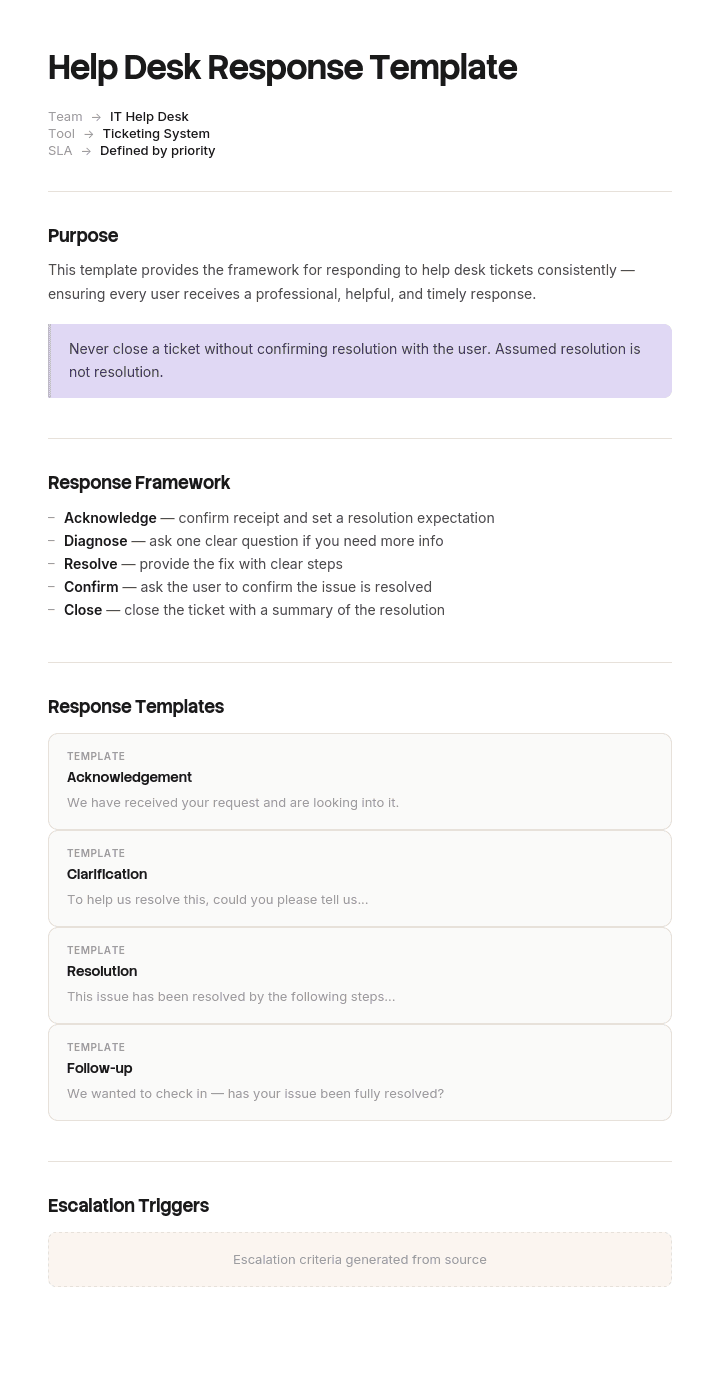
Use this template
Great help desk responses balance speed, accuracy and empathy. With Trupeer, you can save hours on writing response templates by starting with a free help desk response template, customizing it with your brand guidelines, and turning common responses into video answers customers can watch instead of read.
Canned responses solve a real problem. Support agents type the same five sentences forty times a day, and consistency matters more than originality on most of them.
They also create a real problem, which is that customers can tell. A reply that is entirely templated reads as a reply nobody wrote, and on a ticket where someone is annoyed that is worse than a slower, clumsier human answer.
The templates below are structured for that. Skeleton templated, specifics written.
Download the help desk response templates
Format | Best for |
|---|---|
Word (.docx) | The full library, ready to adapt and paste into your helpdesk |
Printable quick reference for the desk, and the phrases-to-avoid card | |
Excel (.xlsx) | The template register: name, trigger, owner, last reviewed, usage |
Google Docs | Drafting with the support team who will use them |
Free, editable, no watermark. Adapt the wording before you load them. A template library that sounds like a different company is the fastest way to make your support sound generic.
What to template and what never to template
The rule that makes canned responses work: template the structure and the sentences that are hard to get right. Write the specifics every time.
Template these
The opening and closing of any reply.
Anything with a legal, compliance or policy implication, where exact wording matters.
Refusals, because the difference between a good and bad no is entirely in the phrasing.
Escalation notices, so the customer always gets the same information.
Standard procedural instructions, such as password resets or access requests.
Anything you send more than ten times a week.
Never template these
The description of what actually went wrong in their specific case.
The apology, when something genuinely failed. A templated apology is detectable and it reads as contempt.
Anything responding to an emotional message. If someone has written three paragraphs about how frustrated they are, a canned reply confirms their suspicion that nobody is listening.
The first reply on a complex or unusual issue.
Anything to a customer who has already had a bad experience with you this month.
The practical test: if the customer wrote something specific and personal, at least one sentence of your reply must reference it in words that could not have been written in advance.
How to customize this template in Trupeer
Step 1: Open the Templates Section
Go to the Templates section from the main navigation.

Step 2: Select and Open a Template
Click on any template you want to work with to open it.

Step 3: Expand the Template View
If needed, expand the template view to see the full layout and details clearly.

Step 4: Edit the Template
Click on Edit to start modifying the selected template.

Within the editor, you can:
Add new sections
Define or update formatting rules
Add a logo and adjust its position and related settings
Step 5: Save Your Customized Template
After making all necessary changes, click Save to store the updated template as your own.

Step 6: Preview and Fine-Tune the Template
When you want to see how your customized template looks, open the Preview.

From the preview screen, you can continue to make adjustments directly if needed, ensuring the template appears exactly as you want.
With a help desk response template you can:
Save hours on writing: Agents reuse proven responses instead of writing from scratch.
Improve consistency: Built-in templates ensure every customer gets the same quality response.
Stay on-brand: Apply your logo, tone and fonts using Trupeer's brand kit.
Cut response times: Templates dramatically reduce time-to-first-response.
Standardize across the team: Use the same templates across every channel and shift.
Reach global customers: Translate responses into 65+ languages with one click.
The three variables
Every response is determined by three things, and most template libraries only handle the first.
Stage. Where the ticket is: acknowledged, in progress, blocked, escalated, resolved.
Temperature. How the customer is feeling: routine, mildly inconvenienced, frustrated, angry, or distressed. The same stage needs different wording at different temperatures.
Whether you can help. Yes, partly, not yet, or no. The hardest responses are the last two.
A library organised only by stage gives an agent the right structure and the wrong tone. Each template below notes where the temperature changes the wording.
Acknowledgment
The first reply, and the one most likely to be fully automated.
Thanks for getting in touch. Your reference is [ID] and this is with [name or team] now. I'll come back to you by [time] with an update, even if I don't have the full answer by then.
Promise an update, not a resolution. A promise you can keep is worth more than an optimistic one you cannot.
If the customer is frustrated, add one line acknowledging it before the logistics: That sounds frustrating, and I can see why. Let me look properly and come back to you by [time].
Do not send an automated acknowledgment and then nothing until the target time expires. The acknowledgment starts a clock in the customer's head.
Requesting information
To move this forward I need [one specific thing]. Once I have that, I should be able to [outcome]. If it's easier, [alternative way to send it].
One request per message. Three questions in one email reliably produces one answer and another round trip.
Say what you will do with it. "Can you send a screenshot" is a chore. "A screenshot of the error will tell me whether this is the caching issue or something else" is a reason.
Status update
A quick update on [ID]. I've [what you've done] and I'm now [what's next]. I expect to have this resolved by [time]. Nothing needed from you.
Send this before they chase. An unprompted update is worth several fast replies to a chase, because it demonstrates the ticket is being worked rather than sitting.
If there is no progress, say so plainly rather than skipping the update: No progress to report yet, which I know isn't what you want to hear. [Reason]. Next update from me by [time].
Silence is the thing that turns patience into a complaint.
Turnaround or delay
This is taking longer than I told you it would, and I'm sorry. [Honest reason.] The revised timeline is [new date]. If that causes you a problem, tell me and I'll see what we can do about prioritising it.
Name the new date. "As soon as possible" is not a date and it will be read as evasion.
Apologise once, briefly, and move to the facts. Repeated apology without information reads as management rather than service.
Escalation notice
I've escalated this to [name or team], because [reason]. They'll be in touch by [time]. Your reference stays the same at [ID], and I'll stay copied in so nothing gets lost.
Always say why. Escalation without a reason reads as being passed around, which is the exact feeling escalation is supposed to fix.
Staying copied in matters. The most common escalation failure is the original agent disappearing and the customer having nobody to chase.
Resolution
This is now resolved. The cause was [cause], and I've [what you did]. You should see [expected outcome]. If it happens again, reply here and it comes straight back to me.
Name the cause. "It's fixed now" leaves the customer with no confidence it will stay fixed, and it is the most common weakness in resolution messages.
If the fix is a workaround rather than a fix, say so: That's working again now, though I should be straight with you: this is a workaround rather than a proper fix. The underlying issue is logged as [reference]. You may see it again, and if you do, reply here.
Resolution follow-up
Checking in on [ID] from [date]. Is everything still working as expected? If not, just reply here.
Two to three days later, and only for anything significant or recurring. Following up on every routine ticket is noise, and it teaches people to ignore your messages.
Closing an unresponsive ticket
I haven't heard back on [ID], so I'm going to close it for now. Nothing is lost, and replying to this message reopens it straight away with all the history. If you'd rather start fresh, that's fine too.
Never close silently. A ticket that vanishes without notice is a customer who assumes you gave up.
State clearly that replying reopens it, because most people assume a closed ticket is gone.
When you cannot help
The hardest category and where template quality matters most.
Not something you support
That's outside what we can help with, unfortunately. [If you know who can, say so.] I'm sorry not to be more useful.
Short is kinder than a long explanation of your support boundaries.
A feature that does not exist
Not currently, and I don't want to give you a vague maybe. It isn't scheduled. What some people do instead is [workaround], which may or may not work for you. I've logged your request, and we do track these, so it does count for something even though I can't promise anything.
Never promise a roadmap you do not control. A vague "we'll look into it" that leads nowhere costs more trust than an honest no.
A policy decision they dislike
I understand why that's frustrating. The reason we [policy] is [genuine reason]. I can't make an exception on this one, and I don't want to pretend I'm checking when I already know the answer. What I can do is [alternative, if any].
Explain the reason. "That's our policy" without a reason is the phrase most likely to escalate a ticket.
When you got it wrong
You're right, and I'm sorry. [What went wrong], and that's on us rather than anything you did. I've [action taken] and [what prevents it recurring]. If there's anything still outstanding from this, tell me and I'll deal with it directly.
Four things make this work. Agree quickly rather than defending. Say specifically what went wrong. Do not blame another department to the customer. And say what stops it recurring, since that is what determines whether they stay.
This is the template most worth writing carefully and least worth using verbatim.
Outage and incident
During
We're aware of [issue] affecting [scope] and are working on it now. I'll update you by [time] regardless of whether it's fixed. You don't need to do anything.
Proactive, to everyone affected, before they contact you. One outage message prevents dozens of tickets.
After
This is resolved as of [time]. The cause was [plain-language cause] and it affected [scope] for [duration]. [What you're doing to prevent recurrence.] I'm sorry for the disruption.
Publish a plain-language cause. Vagueness after an outage reads as concealment, and customers who work in technology will notice.
Adjusting for temperature
The same message at four different temperatures.
Routine: That's sorted now. [Cause and fix.] Anything else, just reply.
Mildly inconvenienced: Sorry about that, it's sorted now. [Cause and fix.] Shouldn't happen again, and if it does, reply here.
Frustrated: Sorry, that shouldn't have taken this long. It's fixed now. [Cause and fix.] I've also [what prevents recurrence], because you shouldn't have had to chase this.
Angry: You were right to push on this and I'm sorry it took getting annoyed to get it resolved. [Cause and fix.] I've [action], and I've raised internally why this wasn't caught earlier. If anything is still wrong, come straight back to me.
The information is identical in all four. What changes is how much acknowledgment comes before it, and whether you name the failure explicitly. Getting this wrong in either direction is costly: over-apologising on a routine ticket is odd, and under-acknowledging on an angry one guarantees escalation.
Phrases to avoid
Instead of | Say |
|---|---|
I'm sorry you feel that way | I'm sorry, that shouldn't have happened |
Unfortunately, as per our policy | We don't do that, and the reason is [reason] |
Your call is important to us | Nothing. Just answer |
We're experiencing higher than normal volumes | We're behind. Your ticket is with me and I'll update you by [time] |
Please be advised | Nothing. Start the sentence |
I'll look into it and get back to you | I'll [specific action] and come back to you by [time] |
As soon as possible | A date |
That's a known issue | That's a known issue, logged as [ref], and here's the current status |
Another team handles that | I've passed this to [team] and they'll respond by [time] |
Kindly do the needful | Anything else |
The pattern in all of them: replace the phrase that avoids commitment with the specific thing.
Building your own library
Pull your last 200 outbound replies and look for what agents actually write repeatedly.
Start with ten templates, not thirty. Coverage matters less than quality, and unused templates clutter the picker.
Write them in your team's voice, not the template's. Read them aloud.
Mark the variable parts clearly, so it is obvious what must be personalised.
Name them by trigger, not by content. "Customer hasn't replied in 5 days" beats "Follow-up 2".
Have your best agent review them. They already write these well and their phrasing is the source material.
Test on real tickets before rolling out.
Keep a register with owner, last reviewed date and usage.
Review quarterly, removing anything unused and updating anything referencing changed products or policies.
Maintaining the library
The failure mode is a library of forty templates where twelve are current.
Track usage. Anything unused for a quarter either is not needed or cannot be found, and both are worth knowing. Anything used constantly is worth polishing further.
Review after any product, pricing or policy change, since templates referencing the old state will be sent by an agent who did not notice.
And watch for the drift where agents stop using a template and write their own version. That usually means the template is wrong, and the version they wrote instead is the better one. Ask them for it.
Measuring
Response time, which templates should reduce.
Reopen rate, which templates should not increase. A rising reopen rate on templated resolutions means the answers are too generic.
CSAT on templated versus written responses, if you can segment it. A significant gap tells you where templating is hurting.
Template usage distribution. A handful used constantly and the rest never is normal. Prune accordingly.
Escalation rate after a refusal. If refusals routinely escalate, the refusal wording is the problem rather than the refusal.
Best practices
Template the skeleton, write the specifics.
Never template an apology for a real failure.
Promise an update, not a resolution.
One request per information-gathering message.
Always name the cause in a resolution.
Always name a date instead of "as soon as possible".
Say why when escalating.
Tell people that replying reopens a closed ticket.
Adjust acknowledgment to temperature, keep the information identical.
Review quarterly and prune what nobody uses.
Common mistakes
Fully templated replies to emotional messages.
Templated apologies, which customers detect immediately.
Libraries of forty templates where a third are out of date.
Templates written by someone who does not handle tickets.
Named by content rather than by trigger, so agents cannot find them.
No indication of which parts must be personalised.
"As per our policy" with no reason attached.
Closing tickets silently.
Resolution messages that say fixed without saying what was wrong.
Workarounds presented as fixes.
Vague outage causes, which read as concealment.
Templates adopted verbatim from a competitor's library, so support sounds like a different company.
Reply with a link to something they can watch
Open the templates in Trupeer AI, apply your brand kit so customer-facing responses match your other materials, and edit any section directly. Setup is in the template guide.
Look at which templates your agents use most. In most teams a large share are procedural: how to reset this, where to find that, how to complete a setup step. Those are the ones where a written reply is always slightly inadequate, because describing an interface in a paragraph is harder than showing it.
Record the process once and Trupeer AI produces the written guide and a narrated video walkthrough from the same pass, so the template becomes two sentences and a link rather than nine numbered steps. That shortens the reply, reduces the follow-up questions, and gives you an article the next customer finds before contacting you at all.
Translate it into 65+ languages, and keep the set in your knowledge base so it doubles as self-service.
Record it. Brand it. Translate it. Trupeer it.
Frequently Asked Questions
Is there a free help desk response template in Word?
Yes. The Word file contains the full library organised by ticket stage, with the variable parts marked so it is clear what must be personalised. Free download, no sign-up, no watermark.
Is there a free help desk response template in PDF?
Yes, as a printable quick reference for the desk, including the phrases-to-avoid card, which is the page most worth pinning up.
Is there a free help desk response template in Excel?
Yes, though Excel holds the template register rather than the responses themselves: template name, trigger, owner, last reviewed date and usage. It is what stops a library drifting into forty templates where a third are out of date.
Can I download free help desk response templates?
Yes, every format is a free download with no account required and no attribution.
What is the best free help desk response template?
The acknowledgment and the resolution, because they bracket every ticket and they are the two most often written badly. The acknowledgment should promise an update rather than a resolution, and the resolution should name the cause rather than just confirming the fix.
Is there a help desk ticket response template?
Yes, that is what this page provides, covering acknowledgment, information requests, status updates, delays, escalation, resolution, follow-up and closing unresponsive tickets, plus the harder cases where you cannot help or you got something wrong.
Is there a help desk ticket template in Word?
Yes, though that is a different document. The ticket form, the fields to capture and resolution codes are on the customer ticket and resolution template. This page covers what you send the customer.
Is there a free ticketing system template?
Yes, on the customer ticket and resolution template page, including an Excel ticket log for teams without a helpdesk tool.
What is a help desk response template?
A pre-written reply for a situation that recurs, loaded into your helpdesk as a canned response. Used well it gives agents a consistent structure and correct wording for the difficult sentences. Used badly it produces replies customers can tell nobody wrote.
What should you never use a canned response for?
An apology for a genuine failure, the description of what specifically went wrong in that customer's case, a reply to an emotional message, the first reply on an unusual issue, and anything to a customer who has already had a bad experience recently. In each of those a templated reply confirms that nobody is really listening.
How many help desk response templates do you need?
Ten to fifteen covers most teams. Libraries of thirty or more tend to contain templates nobody can find and several that are out of date. Coverage matters less than quality and findability, so start small and add only what agents actually write repeatedly.
How do you write a good support response?
Answer or acknowledge in the first sentence, name a specific time rather than "as soon as possible", say what you have done rather than that you are looking into it, name the cause when resolving, and make the route back to you obvious. Adjust how much acknowledgment comes first based on how annoyed the person is.
What phrases should support agents avoid?
"I'm sorry you feel that way", which is not an apology. "As per our policy" without a reason. "As soon as possible" instead of a date. "We're experiencing higher than normal volumes", which everyone recognises. And "I'll look into it and get back to you", which commits to nothing.
How do you respond when you cannot help?
Say no clearly and give the reason. Offer an alternative if one exists. Do not promise to look into it if you already know the answer, and do not promise a roadmap you do not control. An honest no is remembered better than a vague maybe that leads nowhere.
How often should you update your response templates?
Quarterly, plus immediately after any product, pricing or policy change, since a template referencing the old state will be sent by an agent who did not notice. Track usage and remove anything unused for a quarter.
Can I customise these help desk response templates?
Yes, and you should before using any of them. A library adopted verbatim will make your support sound like a different company. Read each one aloud in your team's voice and rewrite anything that does not sound like you.


