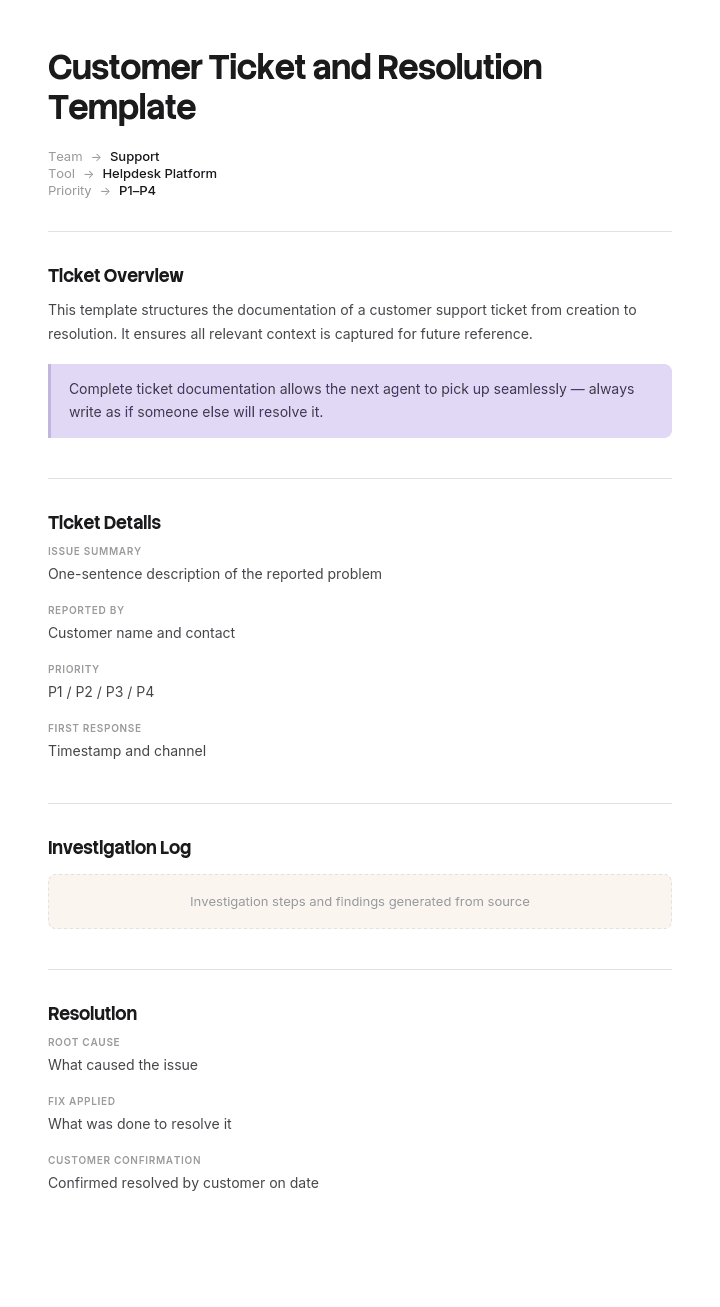
Use this template
Great support starts with great ticket documentation. With Trupeer, you can save hours on support documentation by starting with a free customer ticket and resolution template, customizing it with your brand guidelines, and turning resolved tickets into video case studies for the support knowledge base.
Most support teams have a ticketing system full of tickets and no idea what is actually going wrong. Everything is categorised as Other, resolution notes say "fixed", and the monthly report shows volume and nothing else.
That is a field design problem, not a reporting one. This template covers both halves of a ticket: the record you capture, which determines what you can learn, and the responses you send, which determine what the customer experiences.
Download the ticket and resolution template
Format | Best for |
|---|---|
Excel (.xlsx) | The ticket log, with categories, resolution codes and reporting tabs |
Word (.docx) | The ticket form, the resolution report, and the response templates |
Printable and fillable ticket forms for walk-up or field service | |
Google Sheets | A shared log for small teams without a helpdesk tool |
Google Docs | The response templates, for copying into your helpdesk canned replies |
Free, editable, no watermark. If you already have a helpdesk tool, use the field list and response wording and ignore the log.
How to customize this template in Trupeer
Step 1: Open the Templates Section
Go to the Templates section from the main navigation.

Step 2: Select and Open a Template
Click on any template you want to work with to open it.

Step 3: Expand the Template View
If needed, expand the template view to see the full layout and details clearly.

Step 4: Edit the Template
Click on Edit to start modifying the selected template.

Within the editor, you can:
Add new sections
Define or update formatting rules
Add a logo and adjust its position and related settings
Step 5: Save Your Customized Template
After making all necessary changes, click Save to store the updated template as your own.

Step 6: Preview and Fine-Tune the Template
When you want to see how your customized template looks, open the Preview.

From the preview screen, you can continue to make adjustments directly if needed, ensuring the template appears exactly as you want.
With a customer ticket and resolution template you can:
Save hours on writing: Skip the blank page with a structure built for ticket documentation.
Standardize support quality: Built-in fields ensure every ticket captures key information.
Stay on-brand: Apply your logo, fonts and colors using Trupeer's brand kit.
Build a stronger KB: Resolved tickets become future help articles and runbooks.
Spot trends: Standardized tickets make it easy to identify recurring issues.
Reach global teams: Translate ticket templates into 65+ languages with one click.
The two halves of a ticket template
The record. What gets captured: who, what, when, how urgent, which category, what fixed it. This half is invisible to the customer and determines everything you can learn later.
The responses. What the customer receives at each stage: acknowledgment, updates, escalation notice, resolution, follow-up. This half is what they judge you on.
Teams tend to invest in the second and neglect the first, which is why support reporting so often produces volume charts and no insight. Both are in this template.
The ticket form fields
Every field should earn its place. Each one you add slows intake, and fields nobody uses get filled with junk.
Captured at intake
Field | Why it exists |
|---|---|
Ticket ID | Reference for everything downstream |
Date and time raised | Starts the SLA clock |
Channel | Email, phone, chat, portal, walk-up. Tells you where demand actually arrives |
Requester name and contact | Who to reply to |
Account or organisation | Groups tickets by customer, which is where patterns show |
Product, service or system | The thing that is not working |
Category | See below. The single most important field |
Description | In the customer's words, not paraphrased |
Priority | Derived from impact and urgency, not chosen freely |
Assigned to | One name, never a team |
Status | Open, in progress, waiting on customer, resolved, closed |
Captured at closure
Field | Why it exists |
|---|---|
Resolution code | What actually fixed it. See below |
Resolution notes | Enough that the next person could repeat it |
Root cause | Where known. Optional per ticket, essential in aggregate |
Time to first response | Measured, not estimated |
Time to resolution | Excluding time waiting on the customer |
Reopened | Yes or no. A reopened ticket was not resolved |
Knowledge article created or updated | The field that compounds |
Customer confirmation | Did they agree it was fixed |
That last intake field and the knowledge article field are the two most commonly missing, and both are the ones that make the difference between a queue and a system that improves.
Categorisation that actually works
Category is the field that decides whether your ticket data is worth anything, and it is nearly always broken.
Two levels, not four. Category and sub-category. Deeper hierarchies produce inconsistent tagging, because agents stop reading past the second dropdown.
Between eight and fifteen top-level categories. Fewer and everything is Other. More and nobody can find the right one.
Name categories after what the customer experienced, not your internal team structure. "Cannot log in" rather than "Identity platform".
No Other. Or if you must have one, review it monthly and turn the recurring items into real categories. An Other bucket above five per cent means your taxonomy is wrong.
Categorise at first touch, and let the agent change it at closure if it turns out to be something else. Retrospective categorisation is always done in a rush and always wrong.
Review the taxonomy quarterly. Categories go stale as the product changes.
A workable starting set for most support teams: access and login, billing and payments, setup and configuration, how do I, not working as expected, data issue, integration, performance, feature request, bug, account change, cancellation.
Resolution codes
The closure-side equivalent, and even more often neglected. Resolution notes written as free text cannot be counted.
Code | Means | What it tells you |
|---|---|---|
Fixed by support | Agent resolved it directly | Normal resolution |
Fixed by engineering | Required a code or config change | Product defect volume |
User error or misunderstanding | Product worked, expectation did not match | Documentation or UX gap |
Documentation provided | Answer already existed | Findability problem, not a knowledge problem |
Workaround provided | Underlying issue remains | Hidden backlog. Watch this one |
Duplicate | Same issue as another ticket | Inflates volume if not tracked |
No fault found | Could not reproduce | Needs a threshold before it becomes a pattern |
Withdrawn by customer | Resolved itself or no longer needed | Often means slow response |
Out of scope | Not something you support | Check whether it should be |
Two of those are diagnostic gold. A high rate of documentation provided means your help content exists and cannot be found. A high rate of workaround provided means you are accumulating unresolved problems that will return.
Priority, and how to set it
Priority should be derived, not chosen. Agents left to select freely will mark everything high, because every customer is urgent to themselves.
Low urgency | Medium urgency | High urgency | |
|---|---|---|---|
Low impact | P4 | P4 | P3 |
Medium impact | P4 | P3 | P2 |
High impact | P3 | P2 | P1 |
Impact is how many people are affected and how badly. One user inconvenienced is low. A whole team blocked is high.
Urgency is how quickly it needs resolving. A cosmetic issue is low regardless of how many people see it. A blocked deadline is high.
Publish the matrix and the response targets against each level, so priority is a calculation rather than a negotiation.
The ticket lifecycle
Stage | What happens | What the customer receives |
|---|---|---|
Raised | Ticket created, categorised, prioritised | Acknowledgment with reference and expected timing |
Assigned | Owner named | Nothing, unless the owner changes |
In progress | Being worked | Update if it exceeds the promised timeframe |
Waiting on customer | Blocked pending information | Clear request, plus a stated auto-close window |
Escalated | Passed up per the matrix | Notice of who now owns it and when they will respond |
Resolved | Fix applied, awaiting confirmation | Resolution message describing what was done |
Closed | Customer confirmed or auto-close elapsed | Optional satisfaction survey |
Reopened | Problem recurred or was not fixed | Acknowledgment that it was not resolved |
The waiting-on-customer state needs a defined auto-close window, usually five to ten working days with a reminder before. Without it, tickets sit open forever and your resolution time metrics become meaningless.
Response templates by stage
The wording customers actually see. Keep each short, and replace placeholders with real values rather than leaving them generic.
Acknowledgment
Thanks for getting in touch. Your reference is [ID] and I'm looking into this now. I'll come back to you by [time] with an update, even if I don't have a full answer by then.
The last clause matters. Promising an update rather than a resolution is a promise you can keep.
Status update
A quick update on [ID]. I've [what you have done] and I'm now [what is next]. I expect to have this resolved by [time]. Nothing needed from you at this stage.
Send this before the customer chases. An unprompted update is worth more than a fast reply to a chase.
Request for information
To move this forward I need [specific thing]. Once I have that I should be able to [outcome]. If I don't hear back by [date] I'll close the ticket, and you can reply any time to reopen it.
Ask for one thing. Three requests in one message reliably produce one answer.
Escalation notice
I've escalated this to [name or team] because [reason]. They'll be in touch by [time]. Your reference is unchanged at [ID], and I'll stay copied in.
Say why. Escalation without a reason reads as being passed around.
Resolution
This is now resolved. The cause was [cause] and I've [what you did]. You should now see [expected outcome]. If it happens again, reply to this message and it'll come straight back to me.
Name the cause. "It's fixed now" leaves customers with no confidence it will stay fixed.
Resolution follow-up
Checking in on [ID] from [date]. Is everything still working as expected? If not, just reply here.
Two to three days later, and only for anything that was significant or recurring.
Outage or widespread issue
We're aware of [issue] affecting [scope] and are working on it now. I'll update you by [time] regardless of progress. You don't need to do anything.
Proactive, to everyone affected, before they contact you.
Apology after a service failure
You were right to raise this and I'm sorry. [What went wrong], and that's on us. I've [action taken] and [what prevents recurrence]. If there's anything else outstanding, tell me and I'll deal with it.
Specific, no defensiveness, and states what stops it recurring.
The resolution report
For anything significant, the closure record needs more than a note. The template includes a resolution report covering:
Ticket reference and dates. What the customer reported, in their words. What was actually happening, which is often different. Root cause. What was done to fix it. Whether a workaround was used and whether the underlying issue remains. Time to first response and to resolution. Whether it recurred. What was changed to prevent recurrence, or a note that nothing was. Knowledge article created or updated.
That last pair is what turns a resolved ticket into an improvement. Most closure notes stop at what was done, which helps the next person only if they find the ticket.
What the ticket data lets you do
Assuming the fields are filled properly:
Find the top five categories by volume and fix the biggest. Usually the largest is a documentation or product problem rather than a support one.
Compare volume against resolution code. High volume with a documentation-provided code is content findability, not support capacity.
Watch the workaround rate, which is your hidden backlog.
Check the reopen rate by agent and by category. High reopens mean tickets are being closed rather than resolved.
Look at channel mix over time. Growth in phone often means self-service has broken somewhere.
Cross-reference by account. One customer raising tickets in the same category repeatedly is a training or configuration problem, not bad luck.
Track first response versus resolution separately. They have different causes and different fixes.
None of this is possible without disciplined categorisation at intake, which is why that field gets the most attention in this template.
Help desk, service desk and ticket templates
Help desk | Service desk | Customer support | |
|---|---|---|---|
Serves | Internal staff, usually IT | Internal staff, broader service catalogue | External customers |
Focus | Break-fix | Requests, incidents, changes, problems | Product questions and issues |
Framework | Informal | Often ITIL-aligned | Varies |
Extra fields | Asset, device | Service, change reference, CI | Account, subscription, order |
The field list and response wording on this page work for all three. Service desks running ITIL will need to add change and problem references, and the distinction between incident and request matters there in a way it does not for customer support.
How to set this up
Design the categories first, with the people who will use them. Eight to fifteen, two levels, named for what the customer experienced.
Decide the required fields at intake, and keep the list short. Every field slows the first response.
Build the priority matrix and publish it with response targets.
Define resolution codes before go-live, not after six months of free text.
Set the auto-close window for waiting-on-customer.
Load the response templates as canned replies and edit the wording to sound like your team.
Train on categorisation specifically. It is the field most often done badly and the one that matters most.
Review the Other bucket monthly for the first quarter.
Report on categories and resolution codes, not just volume.
Revisit the taxonomy quarterly.
Best practices
Categorise at first touch, correct at closure.
Keep required intake fields to the minimum that makes the ticket workable.
Derive priority from impact and urgency rather than letting agents choose.
Use resolution codes, not free text, for anything you want to count.
Promise an update rather than a resolution.
Send updates before the customer chases.
Name the cause in the resolution message.
Set an auto-close window on waiting-on-customer.
Record whether a knowledge article was created.
Report by category and resolution code.
Common mistakes
An Other category that absorbs a third of tickets.
Four-level category hierarchies that agents stop reading.
Categories named after internal teams rather than customer symptoms.
Priority chosen freely, so everything is high.
Free-text resolution notes with nothing countable.
No workaround tracking, so unresolved issues disappear.
Waiting-on-customer with no auto-close, inflating open ticket counts indefinitely.
Resolution messages that say fixed without saying what was wrong.
No follow-up on significant issues.
Reporting volume only, which shows how busy you are and nothing about why.
Retrospective categorisation at month end.
Turn resolved tickets into things customers can solve themselves
Open the template in Trupeer AI, apply your brand kit so anything customer-facing matches, and edit any section directly. Setup is in the template guide.
Look at the resolution code table again. Documentation provided means the answer existed and could not be found. Fixed by support, repeatedly, in the same category, means the answer does not exist yet. Both are content problems appearing as support volume, and both are fixed the same way.
When an agent resolves something for the fourth time, record it once. Trupeer AI produces the written article and a narrated video walkthrough from the same pass, so the next customer can watch the fix rather than raise a ticket. Translate it into 65+ languages, and keep the set in your knowledge base so it is findable at the moment someone is stuck. Use the same recordings for agent training.
Record it. Brand it. Translate it. Trupeer it.
Frequently Asked Questions
Is there a free ticketing system template?
Yes. The Excel version works as a complete ticket log for small teams without a helpdesk tool, with categories, priority, resolution codes and reporting tabs. If you already have a helpdesk system, take the field list and response templates and ignore the log.
Is there a help desk ticket template in Word?
Yes. The Word file contains the ticket intake form, the resolution report and all the response templates, so you can print the form or copy the wording into your helpdesk canned replies.
Is there a service ticket template in Excel?
Yes, and Excel is the version most teams find useful. One row per ticket with intake and closure fields, dropdowns for category, priority and resolution code, plus tabs that summarise volume by category and resolution type.
Is there a service ticket template in Word?
Yes. The Word version includes a printable service ticket suitable for field service or walk-up support, with signature lines for work completed and customer acceptance.
Is there an IT service ticket form template?
Yes. The IT version of the intake form adds asset or device reference, system affected, and a change reference field for service desks running a formal change process.
Is there a free support ticket system HTML or Bootstrap template?
No, and it is worth being direct about it. Those queries are for front-end code to build a ticketing interface, which is a web development asset rather than a document. Look for a Bootstrap admin dashboard theme, or use an existing helpdesk platform, since building a ticketing system from a template is usually more expensive than it looks once you account for authentication, email routing and SLA logic. What this page gives you is the field design and the response wording, which you would need regardless of what the interface is built in.
What is a ticket resolution template?
Two things depending on context. The resolution message sent to the customer explaining what was wrong and what was done, and the resolution record captured internally with the resolution code, root cause and time to resolve. Both are included here, and the second one is what makes your ticket data usable.
What fields should a support ticket have?
At intake: ticket ID, date, channel, requester, account, product or service, category, description in the customer's words, priority, owner and status. At closure: resolution code, resolution notes, root cause where known, response and resolution times, whether it was reopened, and whether a knowledge article was created.
How should support tickets be categorised?
Two levels, eight to fifteen top-level categories, named after what the customer experienced rather than your internal team structure. Categorise at first touch and allow correction at closure. Avoid an Other bucket, or review it monthly and promote the recurring items into real categories.
What are resolution codes and why do they matter?
A fixed set of values describing how a ticket was resolved: fixed by support, fixed by engineering, documentation provided, workaround provided, user error, duplicate, no fault found. They matter because free-text resolution notes cannot be counted, and two of those codes in particular tell you where your real problems are.
How do you set ticket priority?
Derive it from impact and urgency using a published matrix rather than letting agents choose freely. Impact is how many people are affected and how badly. Urgency is how quickly it must be resolved. Publish the matrix with response targets so priority is a calculation rather than a negotiation.
What should a ticket resolution message say?
What the cause was, what you did, what the customer should now see, and how to get back to you if it recurs. Naming the cause is the part most often missed, and it is what gives the customer confidence the fix will hold.
How long should you wait before closing a ticket?
Five to ten working days on waiting-on-customer, with a reminder before closing and a clear statement that replying will reopen it. Without an auto-close window, open ticket counts inflate indefinitely and resolution time metrics stop meaning anything.
Can I customise this ticket and resolution template?
Yes, all versions are fully editable. The categories and resolution codes are the parts that must be yours, and they ship as a starting set to edit rather than adopt wholesale. In Trupeer AI you can also apply your brand kit so customer-facing messages and articles match.


