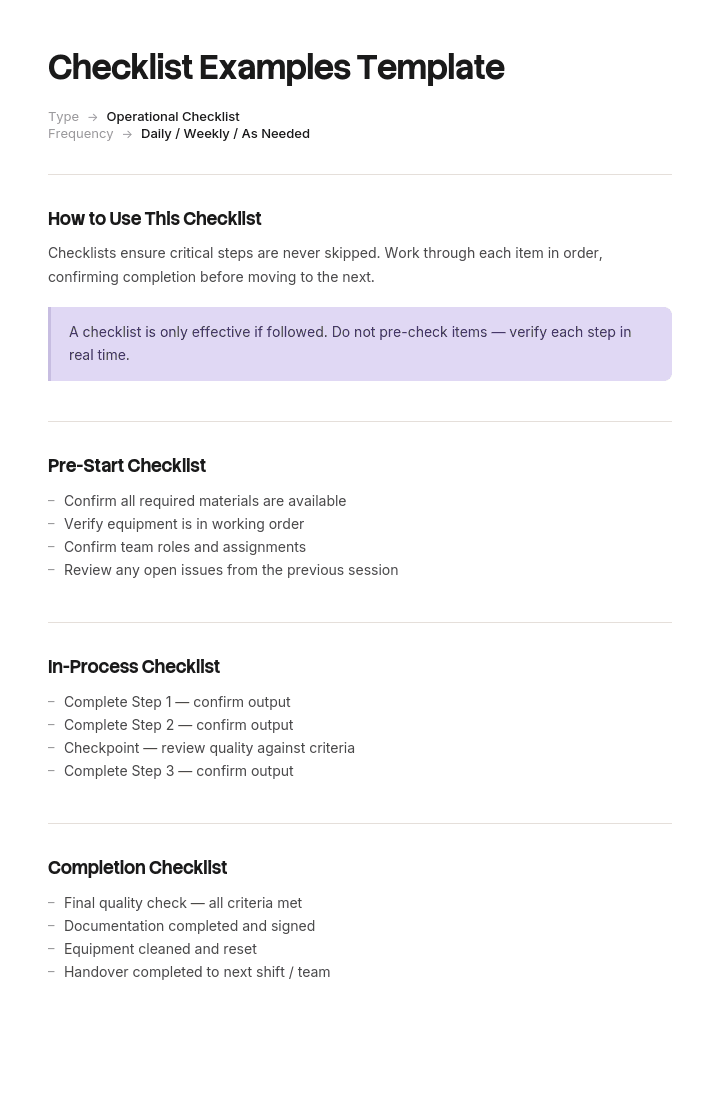
Use this template
Checklists save lives in surgery, prevent crashes in aviation and reduce errors everywhere they're used. With Trupeer, you can save hours on creating checklists by starting with proven checklist examples and templates, customizing them with your brand guidelines, and turning each checklist into a video tutorial for training and onboarding.
A checklist is the cheapest quality control there is, and most of them do not work. They are too long, they list steps nobody forgets, and they get signed off in one pass at the end of the day without being read.
The ones that do work follow rules developed in aviation and surgery, where the cost of a missed step is high enough that people studied what actually helps. This free checklist template applies those rules, with worked examples you can adapt.
Download the checklist template
Format | Best for |
|---|---|
Word (.docx) | Editable checklists you print or share. Free download, no sign-up |
Excel (.xlsx) | Repeating checklists, completion tracking, multiple runs in one sheet |
Printable and fillable versions, and the format for anything signed | |
Google Docs | Shared checklists a team edits together |
Google Sheets | Live tracking where several people tick items in the same run |
Free, editable, printable, no watermark.
The checklist template
Field | Enter |
|---|---|
Checklist name | Website launch checklist |
Version and date | v2.1, [date] |
Owner | Role responsible for keeping it current |
Used when | The trigger that means someone should be holding this |
Type | Read-do or do-confirm |
Item | One check, phrased as a verifiable condition |
Owner per item | Where more than one person is involved |
Done | Checkbox |
Notes | Exceptions, deviations, who was consulted |
Sign-off | Name and date, where accountability matters |
Read-do or do-confirm
Two kinds of checklist exist and they are used at different moments. Almost every ineffective checklist is one type being used as though it were the other.
Read-do. You read an item, then do it, then move to the next. Used for unfamiliar or infrequent tasks, and in emergencies where working memory is unreliable. An engine-failure checklist in a cockpit is read-do. So is a first-time software release.
Do-confirm. You perform the task from memory and expertise, then pause at a defined point and confirm the critical items were done. Used for familiar work by competent people. A surgical team confirming patient, site and procedure before incision is do-confirm.
Getting this wrong has predictable results. Read-do lists given to experienced people feel patronising and get ignored, so the items that genuinely matter get skipped with everything else. Do-confirm lists given to someone doing a task for the first time leave them without the instructions they needed.
Decide which type you are writing before you write any items, and mark it on the checklist. The two also have different length limits.
How to customize this template in Trupeer
Step 1: Open the Templates Section
Go to the Templates section from the main navigation.

Step 2: Select and Open a Template
Click on any template you want to work with to open it.

Step 3: Expand the Template View
If needed, expand the template view to see the full layout and details clearly.

Step 4: Edit the Template
Click on Edit to start modifying the selected template.

Within the editor, you can:
Add new sections
Define or update formatting rules
Add a logo and adjust its position and related settings
Step 5: Save Your Customized Template
After making all necessary changes, click Save to store the updated template as your own.

Step 6: Preview and Fine-Tune the Template
When you want to see how your customized template looks, open the Preview.

From the preview screen, you can continue to make adjustments directly if needed, ensuring the template appears exactly as you want.
With checklist examples and templates you can:
Save hours on creation: Skip the blank page with proven checklist structures.
Reduce errors: Checklists prevent skipped steps in critical processes.
Stay on-brand: Apply your logo, fonts and colors using Trupeer's brand kit.
Cover every use case: Examples for daily ops, safety, onboarding, projects and quality.
Train teams faster: Pair checklists with video walkthroughs to onboard new hires quickly.
Reach global teams: Translate checklists into 65+ languages with one click.
A great checklist is the simplest, most cost-effective quality tool there is. Use these examples to build checklists that protect quality, safety and consistency.
How many items should a checklist have
Fewer than you think.
For do-confirm checklists, the practical ceiling is five to nine items at any single pause point. Beyond that people stop reading and start ticking, which produces the appearance of a check with none of the substance. The WHO Surgical Safety Checklist, one of the most studied examples in existence, runs to around nineteen items split across three separate pause points, so no single pause exceeds that limit.
Read-do checklists can be longer because you are working through them item by item, but they should still be broken into phases with a clear boundary between them.
If your list is at thirty items, one of three things is true. You have merged several checklists. You are documenting a process, in which case use a business process template or an SOP instead. Or you have included steps nobody forgets, which is the most common problem and the subject of the next section.
Killer items
The single most useful discipline in checklist design. A killer item is a step where omission causes real harm and which is genuinely forgettable.
The test has two parts, and both have to be true.
Does forgetting it matter? If the consequence is minor or immediately obvious, it does not belong on a do-confirm checklist.
Is it actually forgotten? If nobody has ever missed it, listing it adds length and dilutes attention from the items that are missed.
Steps that fail the second test are why checklists get long and then ignored. Nobody deploying a website forgets to upload the files. People do forget to remove the staging robots.txt, and that one belongs on the list.
The way to find killer items is to look at what has actually gone wrong. Post-incident reviews, support tickets, near misses and the things people apologise for are your source material. A checklist built from imagination lists the obvious. A checklist built from incident history lists what gets missed.
Pause points
A do-confirm checklist needs a defined moment when it is used, otherwise it becomes an end-of-day formality.
Good pause points are natural boundaries where stopping costs little and proceeding past an error costs a lot. Before the site goes live. Before the claim is paid. Before the patient is anaesthetised. Before the customer is told it is ready.
Name the pause point on the checklist itself, and put it where the transition happens rather than at the end. A checklist completed after the irreversible step has already happened is a record, not a control.
What makes a checklist work
It is short enough to be read rather than ticked.
Every item is a verifiable condition, not a vague intention. "Backups verified restorable" rather than "check backups".
It is used at a defined moment, not whenever someone remembers.
It was built from what has actually gone wrong.
It has an owner and a version, so it improves rather than ossifies.
It is available where the work happens, not in a folder.
Someone is accountable for the sign-off, where the stakes justify one.
It fits on one page. Two pages means people read the first one.
A daily checklist example
Do-confirm, six items, used at the start of a shift. Deliberately short.
# | Item | Done |
|---|---|---|
1 | Overnight alerts reviewed, none outstanding | ☐ |
2 | Yesterday's failed jobs re-run or escalated | ☐ |
3 | Support queue triaged, anything over 24 hours flagged | ☐ |
4 | Today's priorities confirmed with the team | ☐ |
5 | Blockers from yesterday either cleared or escalated | ☐ |
6 | Anything due today that has not started | ☐ |
Note what is absent. No "check email", no "log in", no "attend standup". Those are never forgotten, so listing them would add length and reduce the attention paid to items one and two, which are the ones that get missed.
An onboarding checklist example
Read-do, phased, because the person using it is doing it for the first time.
Before day one
# | Item | Owner | Done |
|---|---|---|---|
1 | Accounts and system access provisioned and tested | IT | ☐ |
2 | Equipment delivered and confirmed working | IT | ☐ |
3 | First week calendar populated | Manager | ☐ |
4 | Buddy assigned and briefed | Manager | ☐ |
5 | Contract signed and returned | HR | ☐ |
Week one
# | Item | Owner | Done |
|---|---|---|---|
6 | Manager one-to-one booked as recurring | Manager | ☐ |
7 | Introductions held with the immediate team | Manager | ☐ |
8 | Product or service walkthrough completed | Buddy | ☐ |
9 | Access to documentation and recorded training confirmed | Buddy | ☐ |
10 | Day 30 success criteria written down and shared | Manager | ☐ |
For the full version, use the onboarding checklist and plans template, and pair it with a 30-60-90 day plan for the capability side.
A quality assurance checklist example
Do-confirm, used at a pause point before release rather than at the end.
# | Item | Done |
|---|---|---|
1 | Acceptance criteria met for every requirement in scope | ☐ |
2 | Regression suite passed, failures triaged | ☐ |
3 | Tested on the two lowest-spec supported configurations | ☐ |
4 | Rollback tested, not merely documented | ☐ |
5 | Error monitoring and alerting confirmed live | ☐ |
6 | Support briefed on what changes and likely questions | ☐ |
Item four is the killer item on most release checklists. Rollback plans that exist on paper and have never been executed fail at the moment they are needed.
A website launch checklist example
# | Item | Done |
|---|---|---|
1 | Staging robots.txt and noindex tags removed | ☐ |
2 | Redirects from every old URL tested, not just listed | ☐ |
3 | Analytics and conversion tracking firing on live | ☐ |
4 | Forms tested end to end, including the notification email | ☐ |
5 | SSL valid, and http redirecting to https | ☐ |
6 | Checked on a real phone, not just a resized browser | ☐ |
7 | 404 page works and links somewhere useful | ☐ |
Every item there is something that has been shipped broken by competent teams. That is what qualifies it. The full version is the website launch checklist template.
Types of checklists
Type | Purpose | Read-do or do-confirm |
|---|---|---|
Daily or shift checklist | Routine starts and handovers | Do-confirm |
To-do list | Personal task capture, not really a checklist | Neither |
Process checklist | Confirming a multi-step process completed | Do-confirm |
Onboarding checklist | First-time sequences | Read-do |
Quality or QA checklist | Verification before release | Do-confirm |
Safety checklist | Confirming controls before a hazardous task | Do-confirm |
Audit or compliance checklist | Evidence gathering against a standard | Read-do |
Handover checklist | Nothing dropped when ownership moves | Read-do |
Launch checklist | Pre-release verification | Do-confirm |
Troubleshooting checklist | Working an issue under pressure | Read-do |
Emergency checklist | Rare, high-stakes, memory unreliable | Read-do |
Inspection checklist | Recorded physical or system condition | Read-do |
Simple checklist template
If you want the minimum that works, it is three columns: item, done, notes. Plus a title and the moment it is used.
That is genuinely enough for most personal and small-team checklists. The elaborate versions add owner columns, sign-off blocks and version control, which matter when several people share the checklist or when someone might later ask whether it was completed. For a checklist you use yourself, they are overhead.
Start simple, and add a field only when its absence has caused a problem.
Checklist examples for students
Checklists work well for coursework because the failure mode in student work is rarely capability. It is submitting without doing the last few things.
Assignment submission checklist. Word count within range, referencing style consistent, citations matched to the bibliography, name and student number present, correct file format, submitted to the right portal before the deadline.
Revision checklist. One row per topic, with columns for read, practised, tested myself, still weak. The last column is the useful one.
Group project checklist. Who owns which section, agreed deadline per section, one person accountable for merging, and a check that formatting is consistent across contributors.
Exam preparation checklist. Materials permitted, location and time confirmed, equipment ready the night before.
The same design rules apply. Do not list what you never forget. List what cost you marks last time.
How to create a checklist
Decide the purpose in one sentence. What error is this preventing?
Choose read-do or do-confirm, and write it on the checklist.
Define the pause point. When exactly is this used?
Gather candidate items from what has actually gone wrong, not from imagination.
Apply the killer item test to each. Does forgetting it matter, and is it genuinely forgotten?
Cut to nine items per pause point, or split into phases.
Phrase each item as a verifiable condition rather than an action.
Assign owners where more than one person is involved.
Test it in real conditions with someone who was not involved in writing it.
Give it a version and an owner, and revisit it after every incident it failed to catch.
Step ten is what separates a living checklist from a laminated one. Every escape is information about a missing item.
Testing your checklist
Run it with someone who did not write it, under real conditions rather than in a review meeting. Watch for three things.
Items they skip without reading tell you the list is too long or contains obvious steps. Items they have to interpret tell you the phrasing is not verifiable. Items they cannot check at that moment tell you the pause point is in the wrong place.
Then run it against your last three incidents. If the checklist would not have caught them, it is checking the wrong things.
Checklist, SOP, work instruction or to-do list
Frequently confused, and picking the wrong one produces a document that fits nothing.
Checklist | To-do list | SOP | Work instruction | |
|---|---|---|---|---|
Answers | Did we do the critical things | What do I need to do | How does this procedure run | How exactly do I do this task |
Reused | Every time, unchanged | Once, then discarded | Every time | Every time |
Assumes competence | Yes, for do-confirm | Yes | Partly | No |
Length | Under one page | Whatever it is | Two to ten pages | One to two pages |
Fails when | Too long | Nothing, it is disposable | Too vague | Not specific enough |
The clearest signal you need an SOP rather than a checklist: your checklist items have started acquiring sub-steps. The moment an item needs explaining, it belongs in a procedure, and the checklist should reference it rather than absorb it.
Best practices
Name the checklist type and the pause point on the document itself.
Build items from incident history rather than imagination.
Keep any single pause point to nine items or fewer.
Phrase items as verifiable conditions.
Version everything, and put the owner's role on it.
Store it where the task happens.
Review it after every miss it failed to catch.
Delete items that have never once been forgotten. This is the hardest discipline and the most valuable.
Common mistakes
Listing everything instead of what gets missed. The primary reason checklists get ignored.
No defined moment of use, so it becomes an end-of-day tick exercise.
Wrong type for the audience. Read-do for experts, do-confirm for beginners.
Unverifiable items. "Check the site works" cannot be confirmed or refuted.
Too long, so people tick without reading.
Used after the irreversible step, making it a record rather than a control.
Never updated, so the same escapes keep happening.
Turning it into a process document, at which point it stops being usable at the moment of work.
No owner, so it decays without anyone noticing.
Turn a checklist into something people can follow
Open the template in Trupeer AI, apply your brand kit so checklists match your other operational documents, and edit any section directly. Setup is in the template guide.
The limit of a checklist is that it confirms rather than instructs. "Rollback tested" is a fine item for someone who knows how to test a rollback, and useless for someone who does not, which is why read-do checklists for unfamiliar work get abandoned partway through.
Record the task once and Trupeer AI produces both: the checklist for the person who knows the work, and a narrated video walkthrough for the person who does not. Same recording, so they cannot drift apart. Translate it into 65+ languages for distributed and multi-site teams, and keep both in your knowledge base at the point of use.
Record it. Brand it. Translate it. Trupeer it.
Frequently Asked Questions
Is there a free editable checklist template in Word?
Yes. Word is the most flexible version, with editable items, checkboxes and space for owners and notes. Free download, no sign-up, no watermark.
Is there a free checklist template to download as a PDF?
Yes. Two PDF versions are included: a printable one for clipboard and wall use, and a fillable one you can complete on screen and keep as a record.
Is there a PDF checklist template I can fill in on screen?
Yes, the fillable PDF has form fields for each item plus the notes and sign-off blocks, so completed runs can be saved and filed without printing.
Is there a checklist template for Excel?
Yes, and Excel is the right choice for anything repeating. One column per run means a month of daily checklists sits in a single sheet, and completion rates become visible, which is how you find the item everyone skips.
Is there a simple checklist template?
Yes. The simple version is three columns: item, done, notes, plus a title and the moment it is used. That is enough for most personal and small-team checklists, and adding fields before you need them is the fastest way to make a checklist feel like admin.
Is there a free daily checklist template?
Yes. The daily version is built as do-confirm with six to eight items, sized for a shift start or end. The example above shows the level to aim for, and the discipline is leaving out the things you never forget.
Where can I find a free checklist template?
On this page, in Word, Excel, PDF, Google Docs and Google Sheets. All free with no account required. Specific versions are available for project checklists, handovers, website launches and onboarding.
What is a checklist example for students?
The most useful ones are an assignment submission checklist covering word count, referencing, file format and portal, and a revision checklist with a column for topics still weak. Both work because they target the things that cost marks through omission rather than through lack of understanding.
What is the difference between read-do and do-confirm checklists?
In a read-do checklist you read each item and then perform it, which suits unfamiliar tasks and emergencies. In a do-confirm checklist you do the work from expertise and then pause to confirm the critical items were completed, which suits routine work by competent people. Using the wrong one is why checklists get ignored or leave people stranded.
How many items should a checklist have?
Five to nine at any single pause point for a do-confirm checklist. Read-do checklists can be longer if broken into phases. Past about thirty items in total you are almost certainly writing a process document rather than a checklist.
What is a killer item?
An item where forgetting it causes real harm and which is genuinely forgotten in practice. Both conditions have to hold. Steps nobody ever misses add length and dilute attention from the ones that matter, which is why cutting items is usually more valuable than adding them.
What is the difference between a checklist and an SOP?
A checklist confirms the critical things happened and assumes the person knows how to do them. An SOP describes how the procedure runs in enough detail to be followed. If your checklist items are acquiring sub-steps, you need an SOP, and the checklist should reference it rather than absorb it.
What is the difference between a checklist and a to-do list?
A checklist is reused unchanged every time the same situation arises. A to-do list is created once for a particular day or project and then discarded. Confusing them produces checklists cluttered with one-off tasks.
How do I make a checklist that people actually use?
Keep it under nine items per pause point, build it from what has actually gone wrong rather than what could, phrase items as verifiable conditions, define the moment it is used, and delete anything nobody has ever forgotten. Then test it with someone who did not write it.
Can I customize these checklist templates?
Yes, all versions are fully editable. Add owner columns and sign-off blocks where accountability matters, or strip back to three columns where it does not. In Trupeer AI you can also apply your brand kit so checklists match your other operational documents.

