Use this template
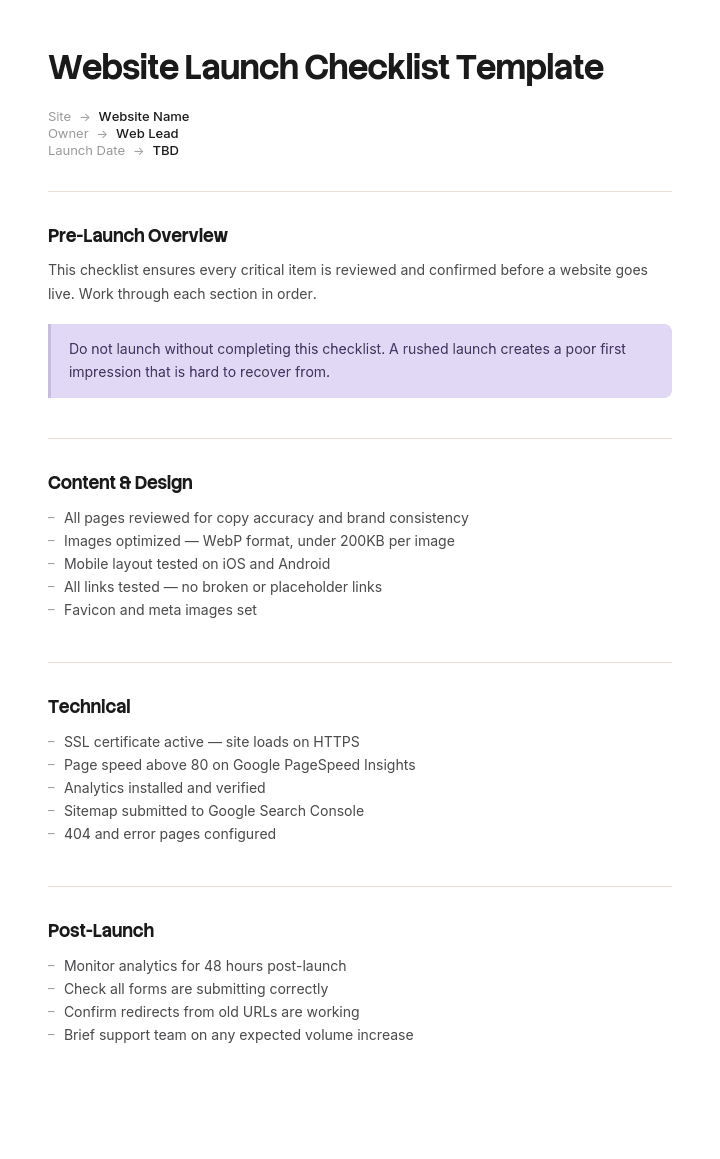
A website launch is one of the highest-stakes events for any marketing team. With Trupeer, you can save hours on launch coordination by starting with a free website launch checklist template, customizing it with your brand guidelines, and turning the checklist into a video walkthrough that aligns design, dev, SEO and content teams.
What is a free website launch checklist template?
A free website launch checklist template is a list of everything that needs to be true before, during and after a website goes live.
There is no shortage of them. The published ones run to fifteen, seventeen, fifty eight items, grouped by area: content, design, SEO, technical, legal, analytics. They are largely accurate, and between them they cover almost everything that can go wrong.
The problem is not coverage. It is that every item on the list looks the same weight.
Checking image alt text sits next to configuring redirects. Proofreading the about page sits next to verifying that the production robots.txt is not the staging one. Under time pressure, which every launch has, somebody works down the list and gets through most of it, and which items get skipped depends on where they happened to be placed.
The template is not the problem. What determines whether a launch goes badly is knowing which nine of your sixty items actually gate it.
Format follows use. A free website launch checklist template Excel version is the natural home, since a checklist is a list with owners, statuses and evidence. A free website launch checklist template Word file suits a printed version for a launch meeting, and a free website launch checklist template PDF suits the signed-off record of what was verified.
Fifty eight items, all weighted the same
Grouping a launch checklist by area is the standard approach and it obscures the only distinction that matters.
Consider four items that appear on almost every published list.
A spelling mistake on a product page. A missing image alt attribute. An unmapped redirect from an old URL. A staging robots.txt deployed to production with a global disallow.
Grouped by area, the first two are content, the third is SEO and the fourth is technical. Three different sections, no indication of relative consequence.
In practice they are not remotely comparable. The typo is noticed within a day and fixed in five minutes. The missing alt attribute is a minor accessibility and SEO issue with no urgency. The unmapped redirect quietly loses whatever authority that URL had, recoverable over months if anybody notices. And the robots.txt removes the entire site from search results, produces no error, breaks nothing a human visitor would see, and can run for weeks.
Two properties separate them, and neither appears on any published checklist.
Can you undo it? Some mistakes are fully reversible once found. Others cost time you cannot recover, because rankings and indexing recover on their own schedule rather than yours.
Would you notice? Some failures announce themselves. Others are silent, and the silent ones are dangerous in proportion to how long they can run.
How to customize this template in Trupeer
Step 1: Open the Templates Section
Go to the Templates section from the main navigation.

Step 2: Select and Open a Template
Click on any template you want to work with to open it.

Step 3: Expand the Template View
If needed, expand the template view to see the full layout and details clearly.

Step 4: Edit the Template
Click on Edit to start modifying the selected template.

Within the editor, you can:
Add new sections
Define or update formatting rules
Add a logo and adjust its position and related settings
Step 5: Save Your Customized Template
After making all necessary changes, click Save to store the updated template as your own.

Step 6: Preview and Fine-Tune the Template
When you want to see how your customized template looks, open the Preview.

From the preview screen, you can continue to make adjustments directly if needed, ensuring the template appears exactly as you want.
With a website launch checklist template you can:
Save hours on coordination: Skip the blank page with a structure built for launches.
Catch issues early: Built-in checks cover content, design, tech, SEO and analytics.
Stay on-brand: Apply your logo, fonts and colors using Trupeer's brand kit.
Avoid embarrassment: Comprehensive checklists prevent broken links, missing tracking and SEO disasters.
Standardize launches: Use the same template for every site, microsite and redesign.
Reach global teams: Translate launch checklists into 65+ languages with one click.
Sort by reversibility and detectability
Take your checklist, however long, and put every item into one of four boxes.
Irreversible and invisible. The gate. These must be verified before launch by somebody other than the person who did the work, with evidence attached. There are usually fewer than ten of them, and they are the reason to have a checklist at all.
Irreversible and visible. Important, and self-announcing. A botched DNS cutover or a deleted old site is obvious within minutes, so the risk is the recovery plan rather than the detection. Have a rollback and know who can trigger it.
Reversible and invisible. Check within forty eight hours rather than gating on them. Structured data, sitemap submission, tag firing on secondary events. Missing these costs a little and is fully fixable.
Reversible and visible. Fix after launch. Typos, spacing, image compression, alt text. Genuinely worth doing and not worth delaying a launch for, and treating them as launch blockers is how the first category gets rushed.
The value of this sort is not the taxonomy. It is that it produces a short list somebody senior will actually read, and a much longer list that can be worked through calmly in the following week.
The items that usually gate
The first quadrant is smaller than people expect and reasonably consistent across launches. On a rebuild, these are the ones that recur.
The production robots.txt. Not that the file exists and is valid, but that its contents are the production contents. Staging disallow rules deployed to production is the single most common invisible catastrophic launch error.
Noindex meta tags. Same failure in a different place, and it survives even where robots.txt is correct.
The redirect map, checked against a crawl of the old site. Not against the list of URLs somebody remembers. A crawl, or the server logs, or an export from the old sitemap. Long tail content URLs are where the gap always is.
Canonical tags pointing at production. Canonicals still referencing the staging domain will be honoured.
Analytics and tag firing on the pages that matter. Not just the homepage. If conversion tracking is broken, you lose the data permanently and cannot reconstruct it.
Form submissions arriving somewhere a human reads. Forms that appear to submit and deliver nowhere are silent and can run for weeks. Test the actual delivery, not the success message.
Transactional email sending from production. The same failure, and worse on an e-commerce site.
SSL covering every hostname, including the www and non-www variants and any subdomain in use.
DNS TTL lowered in advance of the cutover. Not verifiable afterwards, which is what makes it a gate item rather than a check.
That is nine, and on most launches it will be close to your own list. Everything else on your sixty item checklist belongs in one of the other three quadrants.
What a website launch checklist must contain
Seven components. The quadrant and evidence columns are the additions.
Component | What it does |
|---|---|
Item | What must be true, stated as a checkable condition rather than an activity. |
Quadrant | Which of the four. Determines whether it gates the launch. |
Owner | One name. Not a team. |
Verified by | For gate items, somebody other than the owner. |
Evidence | For gate items, what was attached. A screenshot of the live file, a crawl comparison, a received test email. |
Phase | Pre-launch, launch day, or post-launch, with post-launch split into forty eight hours and two weeks. |
Rollback trigger | For the irreversible and visible items, what would cause you to revert and who decides. |
The evidence column is what distinguishes a checklist from a ticked list. A typo will be found by anybody. Whether the production robots.txt was actually checked, by whom, and what they saw, is a question that gets asked after a bad launch and usually cannot be answered.
Free website launch checklist template: the structure to copy
Filled with a real example rather than placeholders. The launch is a rebuild of an e-commerce and content site.
Copy from here.
Gate items. Irreversible and invisible. All must be verified by a second person with evidence attached before the cutover proceeds.
Item | Owner | Verified by | Evidence required |
|---|---|---|---|
Production robots.txt contents correct, no disallow of site | Dev lead | Marketing lead | Screenshot of live file at production URL, after cutover, before announcement |
No noindex meta tags on any indexable template | Dev lead | SEO consultant | Crawl of staging with production config, zero noindex on indexable pages |
Redirect map covers every URL in a crawl of the old site | SEO consultant | Dev lead | Crawl of old site exported, matched against redirect map, zero unmapped 200-status URLs |
Canonical tags reference the production domain | Dev lead | SEO consultant | Sample of twenty pages checked, screenshot |
Analytics and conversion tracking firing on product, basket, checkout, confirmation | Analytics owner | Marketing lead | Real-time report showing each event, screenshot |
All forms deliver to a monitored inbox or CRM | Marketing lead | Dev lead | Test submission received and shown |
Transactional email sending from production | Dev lead | Marketing lead | Test order confirmation received |
SSL valid for www, non-www and all subdomains in use | Dev lead | External check | SSL report for each hostname |
DNS TTL reduced to 300 seconds at least 48 hours before cutover | Dev lead | Dev lead | DNS query output, dated |
Irreversible and visible. Rollback plan applies.
DNS cutover. Old site decommissioning, which does not happen for thirty days regardless. Payment gateway switched to live keys. Each has a named person who may trigger a rollback without seeking approval.
Reversible and invisible. Checked within forty eight hours.
Sitemap generated and submitted. Structured data valid. Search Console and Bing Webmaster verified for the new property. Secondary event tracking. Page speed baseline recorded. Internal link audit for links to old URLs.
Reversible and visible. Worked through in the following two weeks.
Proofreading pass on all pages. Image alt attributes. Image compression. Print stylesheet. Cross-browser cosmetic issues. 404 page content. Cookie banner wording.
Rollback. DNS can be reverted within the TTL window. Old site remains live and unchanged on its original host for thirty days. Decision to revert sits with the dev lead without needing approval.
Post-launch monitoring. Organic sessions compared against the same period last year, not against last week. Indexed page count checked daily for the first fortnight. Form submissions counted daily against the previous month's average.
Copy to here.
That last line about year-on-year comparison exists because of the example below.
Website launch checklist example: nineteen days
Merrowdale Garden Centres operates eleven sites with an e-commerce and content website turning over around fourteen million pounds online.
The rebuild launched with a sixty one item checklist, grouped by area, and every item was ticked.
Two of the sixty one had been ticked incorrectly.
The staging robots.txt, containing a global disallow, was deployed to production. The checklist item read "check robots.txt". A developer checked that the file existed and was syntactically valid, which it was, and ticked it. Nothing in the item said to check what it contained or to check it on the production domain after cutover.
Separately, the redirect item read "set up redirects". A hundred and ninety were configured, covering every URL the marketing team could name. Three hundred and forty long tail content URLs, mostly older growing guides and seasonal advice articles, had no redirect. Nobody had crawled the old site, so nobody knew those URLs existed.
Nineteen days passed before anybody noticed.
The reason was the monitoring rather than the mistake. Traffic was being compared against the previous week, which included the pre-launch content freeze and a deliberate pause on paid activity, so a decline looked expected. Organic sessions were down seventy one percent and it read as launch noise.
It was found when a seasonal campaign underperformed and somebody looked at a year-on-year view.
Recovery took about four months to return to previous organic levels. Estimated lost revenue over that period was around two hundred and forty thousand pounds, and the largest single component was the content URLs, which had been quietly earning traffic for years and were the ones nobody had inventoried.
The rebuild of the checklist changed no items and changed how they were sorted.
Sixty one items were assessed on two questions: could we undo this, and would we notice. Nine landed in the irreversible and invisible box. Those nine became a gate requiring verification by a second person, one of whom had to be outside the team that had done the work, with evidence attached.
The robots.txt item was rewritten from "check robots.txt" to "screenshot the live production robots.txt after cutover and confirm no disallow of the site". The redirect item was rewritten to require a crawl of the old site matched against the redirect map, with zero unmapped URLs returning a 200 status.
And the monitoring changed to a year-on-year comparison, which is the only view in which a seventy one percent decline is unmistakable.
Six months later they launched a sister brand. The crawl comparison found forty one unmapped URLs two days before go-live, which took an hour to fix and would otherwise have been found in a quarterly report.
How to build the checklist in six steps
Start from any published list. The fifteen, seventeen or fifty eight item versions are genuinely comprehensive and there is no value in reinventing them. Theme and page builder vendors publish good ones too, which is why a search for a launch checklist often returns results about Astra templates for Elementor alongside them.
Sort every item by reversibility and detectability. Four boxes. This takes about half an hour for sixty items and is the entire intervention.
Rewrite the gate items as conditions with evidence. Not "check robots.txt" but what specifically must be seen, where, and when.
Assign a second verifier for gate items, from outside the team that did the work. Not as a slight, but because the person who configured something is the worst person to confirm it.
Set the monitoring before you launch, including the comparison period. Year-on-year, not week-on-week.
Keep the old site live for thirty days. It costs almost nothing and it is the difference between a rollback and a rebuild.
Step two is the whole method and step three is what makes it work. A gate item phrased as an activity gets ticked when the activity happens, which is not the same as the condition being true.
Pre-launch, launch day and post-launch
The phase structure every published checklist uses, and it is a useful second axis rather than a replacement for the first.
Pre-launch, weeks out. Content complete, redirect map built from a crawl, tracking configured on staging, SSL provisioned, DNS TTL lowered, rollback plan agreed, old site retention arranged.
Launch day. Cutover, then the gate verifications in order, then the announcement. The announcement goes last, after the gate items are confirmed, which sounds obvious and is frequently reversed because marketing schedules are set weeks in advance.
First forty eight hours. Sitemap submitted, indexing checked, forms counted, the reversible and invisible items worked through, and daily monitoring against year-on-year.
First two weeks. The reversible and visible list. Cosmetic issues, proofreading, accessibility improvements, performance tuning.
First quarter. Indexing recovery tracked, 404 reports reviewed for URLs the crawl missed, and internal links to old URLs cleaned up.
One sequencing point is worth stating. Do not schedule the launch announcement automatically. If a gate item fails, the announcement has to be held, and an email that has already gone out cannot be recalled.
What a free website launch checklist template cannot fix
Items phrased as activities. "Check redirects" gets ticked when somebody looks at redirects. Only a condition with evidence gets ticked when it is true.
A launch date that cannot move. Where the date is fixed regardless, the checklist documents what was skipped. That is occasionally the right business call and should be stated rather than disguised as a completed check.
Monitoring against the wrong baseline. No free website launch checklist template free download will set your comparison period, and Merrowdale's nineteen days came from that rather than from the checklist.
URLs nobody knows about. Only a crawl or the server logs find these. A list of URLs assembled from memory will always be short, and it will be short in exactly the long tail where the accumulated value sits.
Make the verification repeatable
The gate items depend on somebody checking something correctly, and that is a narrower skill than it appears.
Merrowdale's developer checked robots.txt and ticked it. He was not careless. He checked the thing he understood the item to mean, which was that the file was present and valid. What "verified" meant had never been written down, so it meant whatever each person assumed.
The fix is to define the check rather than the task, and the cheapest way to define a check is to show it being done.
Trupeer AI covers that. Whoever knows how to verify each gate item performs it once while recording, and the output is a written walkthrough with screenshots already captured and placed, alongside a video, in your own branding. The person doing it on launch night follows the same nine procedures every time, and the evidence requirement becomes obvious rather than interpretive.
Record it. Brand it. Translate it. Trupeer it.
Two points follow. Launches are infrequent, which is exactly the case written procedure serves worst, since nobody has done it recently enough to remember. And where an agency and a client both hold parts of the checklist, a recorded verification means both sides are checking the same thing to the same standard rather than each assuming the other has it.
The cutover sequence itself belongs in a runbook, which covers how to handle a launch that spans a shift change. The material sits in your knowledge base and doubles as training for whoever runs the next one. Consistency across your documents is a matter of setting the brand kit once, and setup is covered in the document template setup guide.
Frequently Asked Questions
Is there a free website launch checklist template Excel version?
Excel is the natural format, because a launch checklist is a list with owners, statuses, verifiers and evidence, and you will want to filter it. A free website launch checklist template Excel file handles that well.
Add two columns to whatever you download. A quadrant column recording whether the item is reversible and whether a failure would be visible, and an evidence column for the gate items. Sorting by the first produces the short list that actually gates the launch.
Is there a free website launch checklist template Word version?
Word suits the printed version for a launch meeting and the record that gets signed off. A free website launch checklist template Word file works for that.
Keep the working copy in a spreadsheet. On launch day items get updated by several people at once, and a document passed around by email produces three versions with different ticks.
Is there a free website launch checklist template PDF?
PDF suits the record of what was verified. Export a free website launch checklist template PDF once the gate items are confirmed, with the names of both the owner and the verifier against each and the date.
That record is worth keeping for at least a year. When a ranking problem surfaces four months after a launch, the first useful question is what was actually checked, and a PDF with names against nine gate items answers it.
Is there a free website launch checklist template free download worth using?
Yes, and this is one of the few document types where the published lists are genuinely good. A free website launch checklist template free download from a reputable agency or SEO source will be comprehensive, and reinventing it adds nothing.
What none of them does is distinguish the items that gate a launch from the items that can be fixed next week. Take a good list and spend half an hour sorting it, which is where the value is.
What are the most important items on a website launch checklist?
The ones you cannot undo and would not notice. Production robots.txt contents, noindex tags, the redirect map checked against a crawl of the old site, canonical tags pointing at production, analytics and conversion tracking, form delivery, transactional email, SSL across all hostnames, and DNS TTL lowered before the cutover.
Nine items, and on most launches they are the whole risk. Everything else on a sixty item list is worth doing and will not cost you four months.
How do I check redirects properly before a launch?
Crawl the old site and export every URL that returns a 200 status. Match that export against your redirect map and confirm zero unmapped URLs. Server logs and the old XML sitemap are useful supplements.
The method that fails is asking the team which URLs matter. That produces the pages people think about, and the gap is always in the long tail of older content, which is usually where years of accumulated authority sits.
Are Astra templates for Elementor relevant to a launch checklist?
Not really, and this search appears alongside launch checklist queries because one of the pages ranking for the term belongs to a WordPress theme company that publishes both.
Astra templates for Elementor are starter designs for building WordPress sites, which is a different task from verifying one before it goes live. If you are building on that stack, the checklist above still applies unchanged, since robots.txt, redirects and tracking behave the same regardless of what built the pages.
How long should the old site stay live after launch?
Thirty days on its original host, unchanged. It costs very little and it is the difference between reverting a DNS record and rebuilding something.
It also gives you a reference for anything that turns out to be missing. Merrowdale's three hundred and forty unmapped URLs were only reconstructable because the old site was still there to crawl.

