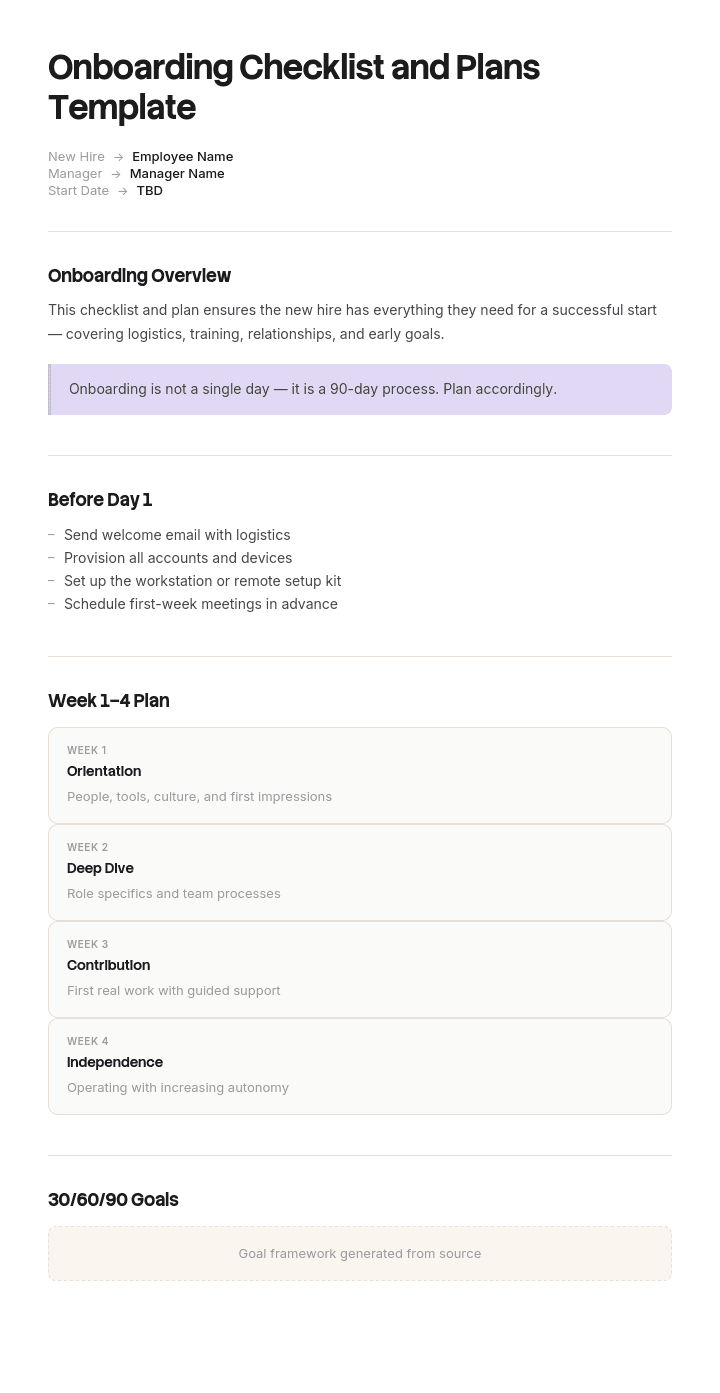
Use this template
Whether it's an employee, customer or partner, onboarding is where every long-term relationship begins. With Trupeer, you can save hours on onboarding planning by starting with a free onboarding checklist and plans template, customizing it with your brand guidelines, and turning checklists into video walkthroughs that bring onboarding to life.
What is an onboarding checklist, and what should it contain?
An onboarding checklist is the operational list of everything that must happen for a new starter to be legally employed, equipped and able to work. It is an employer-side document, owned across several functions, and its job is to make sure nothing is forgotten across dozens of hires a year.
The plans that usually sit beside it are different artefacts. A plan sets out what the person will achieve or learn over a period. The checklist sets out what has to be done to them and for them before and around their arrival.
Both are useful and they answer to different owners. The checklist is a control. The plan is an agreement. Keeping them in one document is common and it tends to produce something that is neither, because the audiences and the review cadences do not match.
Why onboarding checklists fail without making a sound
Most operational processes announce their own failures. A missed step in a deployment breaks the build. A missed step in dispatch produces an angry customer. Something bounces.
Onboarding produces no signal at all. If nobody provisions the new starter's access to the second system on their list, nothing happens. No alarm, no ticket, no complaint. The person finds out in week three, quietly asks their buddy, and works around it. Often the manager never hears.
This is why onboarding checklists report completion rates in the high nineties and onboarding still feels broken. Every item was genuinely done by somebody who genuinely did it. The tick is not a lie.
The tick is just answering a different question from the one you care about. It says an action was performed. It does not say the intended state now exists, and in a process with four owners and a dozen handoffs, those two come apart constantly.
How to customize this template in Trupeer
Step 1: Open the Templates Section
Go to the Templates section from the main navigation.

Step 2: Select and Open a Template
Click on any template you want to work with to open it.

Step 3: Expand the Template View
If needed, expand the template view to see the full layout and details clearly.

Step 4: Edit the Template
Click on Edit to start modifying the selected template.

Within the editor, you can:
Add new sections
Define or update formatting rules
Add a logo and adjust its position and related settings
Step 5: Save Your Customized Template
After making all necessary changes, click Save to store the updated template as your own.

Step 6: Preview and Fine-Tune the Template
When you want to see how your customized template looks, open the Preview.

From the preview screen, you can continue to make adjustments directly if needed, ensuring the template appears exactly as you want.
With an onboarding checklist template you can:
Save hours on planning: Skip the blank page with a structure built for onboarding.
Cover every step: Built-in fields ensure no setup, training or sign-off gets missed.
Stay on-brand: Apply your logo, fonts and colors using Trupeer's brand kit.
Ramp faster: Pair checklists with video walkthroughs to accelerate time-to-productivity.
Standardize across onboarding types: Use the same template for employees, customers and partners.
Reach global teams: Translate onboarding plans into 65+ languages with one click.
How to record what is true, not what was done
Add a second completion column, and put it in the hands of the person the work was done for.
The owner's column stays as it is. IT ticks accounts created. Facilities ticks desk allocated. HR ticks contract returned. Those are claims about actions, made by the people who performed them, and they are useful.
The second column is a confirmation, made by the new starter, that the resulting state exists. I can log in to all the systems on my list. I have somewhere to sit. I have been told when I will be paid. I have work assigned.
Nothing else about the checklist changes. But you now have two numbers instead of one, and the gap between them is your real failure rate. Most organisations have never seen it and are surprised by its size.
The mechanism works because it changes who is asked. An owner reporting on their own action has every reason to believe it worked. The person on the receiving end is the only one in a position to know whether it did.
The day five confirmation the new starter completes
Keep it to about nine statements, phrased so they can only be answered honestly, and send it on day five rather than day one, so that the things which quietly fail have had time to fail.
I can log in to my email and to every system on the list I was given. I have working equipment. I know who my manager is and I have met them. I know when and how I will be paid. I have somewhere to work. I have had an induction for this site or team. I have been assigned actual work. I know who to ask when I am stuck. I know what I am expected to have achieved by the end of my first month.
Two design points make it work rather than becoming another form. Any unconfirmed line should automatically raise a ticket to whoever owns the corresponding checklist item, so confirming is a route to getting the problem fixed rather than a complaint about it. And it must be clear that a negative answer reflects on the process rather than on the person answering, which in practice means the manager is told and the new starter is not asked to chase.
Send the same nine statements again at day thirty for anything that was unconfirmed at day five. Items that fail twice are structural rather than accidental.
Free onboarding checklist and plans template: the structure to copy
Copy from here. One row per item, with the fields most templates leave out marked.
Checklist header. Starter name, role, site, start date, manager, and the offer acceptance date, since that is what actually triggers the process.
Checklist rows. Item. Owner, a named role not a department. Lead time in working days. Due date, calculated from the start date minus the lead time. Owner complete, yes or no. Starter confirmed, yes or no. Notes.
Grouping. By phase rather than by department: on acceptance, two weeks out, one week out, day one, first week, first month. Departmental grouping is how these documents get written and it hides the dependency order.
Handoffs. Where an item needs one function to supply something before another can act, name both sides and the deadline for the first. The manager specifying which systems, before IT can provision them, is the single most common example and the most common failure.
Confirmation block. The nine statements above, with dates for day five and day thirty.
Plans section. Three named documents rather than content: the onboarding guide the starter receives, the training plan, and the thirty, sixty and ninety day plan. Reference them rather than embedding them, because they have different owners and change at different rates.
Exceptions. Which variant applies to this hire, from the list further down.
Copy to here. Keep it to about thirty five items. Beyond roughly forty, people start skipping, and once skipping is normal the checklist has stopped being a control.
How to build the checklist backwards from lead times
The reason so many day-one failures happen is that checklists record due dates and not lead times, so nobody knows when an item actually had to start.
Go through your list and put a lead time against each item in working days. Equipment procurement. Account provisioning. Background or right-to-work checks. Building access cards. Payroll cutoff. Software licences that need buying. Anything involving a third party.
Some of those numbers will be uncomfortable. Background checks measured in weeks, hardware measured in a fortnight, payroll with a hard monthly cutoff that determines whether someone gets paid on time.
Now work backwards from the start date. The trigger for the whole process is offer acceptance, not the start date, and the gap between them is your available runway. If your longest lead time exceeds your typical notice period, you have a structural problem that no amount of chasing will fix, and the honest response is either to shorten the lead time or to accept that item will land late and plan around it.
Recruiters and hiring managers should see this arithmetic, because it is what makes the case for confirming a start date early rather than leaving it flexible.
The company with 97% completion and 61% readiness
Ardenmoor Group employs about nine hundred people across eleven sites and hires roughly two hundred a year. Its onboarding checklist ran to thirty eight items across four owners: HR, IT, facilities and the line manager. Reported completion sat at ninety seven percent and had done for two years.
They added the day five confirmation, nine statements, completed by the starter.
In the first quarter, forty seven new starters completed it. Twenty nine of them, sixty one percent, could confirm all nine.
Nineteen of the forty seven could not access at least one core system. Eleven had not had an induction for their specific site. Nine had no work assigned by day five. Six did not know who to ask when stuck.
The system access failure traced to one structural fault. Managers were supposed to list the required systems on a pre-start form. About forty percent left that field blank. IT then provisioned the default set, ticked accounts created, and were entirely correct to do so. HR had ticked pre-start form sent, also correct. Two items complete, no failure anywhere on the checklist, and the new starter could not do their job.
Estimated at around two and a third days of lost productivity per affected starter, that is roughly forty four days a quarter across the business, or something like a hundred and seventy days a year.
Three changes followed. The two completion columns. The pre-start form made impossible to submit with the systems field empty. And any unconfirmed line at day five automatically raising a ticket to the item owner.
Over the next two quarters, confirmed readiness rose to eighty nine percent and system access failures fell from forty percent to seven.
Reported checklist completion fell to ninety one percent, which was the point. The failures had always been there. They had simply never been recorded anywhere.
Onboarding checklist template variants for remote and contract hires
A single list written for the median hire produces items that do not apply, and items that do not apply teach people to skip.
Use one core checklist plus named variants, and record on the header which variant applies.
Remote or hybrid. Equipment shipped rather than issued, with a delivery confirmation. Home working assessment. Explicit first-week meeting schedule, because a remote starter has no corridor to absorb things in. Buddy assignment matters more here than anywhere else.
Contractor or temporary. Different right to work and status checks, no payroll setup, restricted access by default, and a defined end date that should generate an offboarding trigger at the point of onboarding.
Internal transfer. Most equipment and access items drop out and are replaced by revoking the old ones, which is the item almost always missed. Add a handover from the previous manager.
Rehire. Check what still exists rather than creating it. Dormant accounts, retained records and previously issued equipment all need checking rather than reissuing.
Executive. Fewer equipment items, considerably more introduction and context items, and a stakeholder map rather than a team introduction.
Multi-site or field-based. Site-specific induction for each location they will work at, which is the item Ardenmoor was failing on.
How to create an onboarding program, step by step
List everything that currently happens, from every function, in one place. Most organisations have never seen the full list, because each function holds its own.
Put an owner and a lead time against each item, then sort by phase rather than by department.
Find the handoffs, meaning any item where one function must supply something before another can act. Make each one explicit with a named deadline on the supplying side.
Write the nine confirmation statements from the outcomes that matter rather than from the items. The statements describe the state you want, not the tasks that produce it.
Run it for one quarter, then look at the gap between owner completion and starter confirmation, and fix the largest cause. There is almost always one cause producing most of the gap, as in the example above.
Then review the item count. Anything that has been ticked complete for four consecutive quarters without ever failing is a candidate for removal or automation.
Customer and client onboarding are a different thing
The word covers two unrelated processes and search results for onboarding templates mix them freely, so it is worth being explicit.
Employee onboarding is what this page covers. Its constraints are legal employment, equipment, access and integration into a team.
Client or customer onboarding is a commercial process: getting a new account set up, configured, trained and reaching value. Its constraints are contractual, technical and about time to first value. The documents share almost nothing beyond the name, and a client onboarding form is a data collection artefact rather than a checklist of internal tasks.
If you arrived here looking for the commercial version, the structures are genuinely different and the employee checklist above will not adapt well.
Common onboarding challenges, and what actually fixes them
Challenge | Usual explanation | What actually fixes it |
|---|---|---|
Access not ready on day one | IT was slow | The manager did not specify what was needed, so make the field mandatory |
Checklist complete, starter not productive | The role is complex | Two completion columns, confirmed by the starter |
Items skipped | People are careless | The list is too long or full of items that do not apply, so use variants |
Manager not engaged | Managers are busy | Their items have no deadline or owner, only "before day one" |
Everything happens in week one | That is when people are free | Lead times worked backwards, and triggers for the rest |
Remote starters disengage | Remote is harder | No work assigned in the first three days, which is fixable |
Nobody knows if onboarding is working | It is hard to measure | Confirmed readiness at day five, which takes one form |
The pattern across most of these is the same. The usual explanation blames a person, and the fix is almost always a missing field, a missing deadline or a missing owner.
Which onboarding success metrics are worth tracking?
Confirmed readiness at day five, meaning the proportion of starters who can confirm all statements. This is the operational measure and the one that moves fastest when you fix something.
Time to first meaningful contribution, defined per role. It varies enormously and is only comparable within a role, which is fine, because you are looking at the trend rather than the absolute.
Ninety day and twelve month retention, split by manager and by site. Early leaver patterns concentrate, and the concentration is the finding.
Manager time spent on rework, asked quarterly rather than tracked, since an estimate you actually collect beats a precise number you do not.
Satisfaction scores are worth collecting and worth treating carefully. A high score alongside low confirmed readiness usually means the experience was warm and the logistics failed, and people rate the welcome rather than the outcome.
One compliance note. Right to work checks, background screening, health and safety induction and data protection obligations are legal requirements rather than checklist convenience, and the checklist is not the compliance record. Keep the evidence where your HR and legal functions require it, and have them confirm what applies in your jurisdiction and sector.
Can I get an onboarding checklist template in Excel or Word?
Excel for the checklist, and it is not a close call. The useful version calculates its own due dates from the start date minus each item's lead time, and it needs two completion columns you can compare. Conditional formatting on rows that are owner-ticked but unconfirmed by the starter does more for the process than any redesign.
Word for the plans that sit beside it: the guide the new starter reads and the thirty, sixty and ninety day agreement. Those are prose, they are discussed rather than tracked, and they belong in a document.
PDF for the closed record at the end of the onboarding period, exported from the live version. What does not work is running the checklist itself from a PDF or a printed sheet, since the whole value is in comparing two columns across a cohort.
How to stop rewriting the same onboarding content
Most of the content a new starter needs is a walkthrough of a system somebody already knows. Writing those is what nobody has time for, which is why the checklist ends up pointing at a folder of links rather than at anything usable.
Trupeer AI turns a screen recording into a written guide and a video from one pass, so the person who already knows the tool records it once and every future starter gets the same thing. The systems induction stops being a meeting that has to be rescheduled for every hire.
Record it. Brand it. Translate it. Trupeer it.
The same recordings populate your knowledge base in consistent branding, which is where the guide should link rather than duplicating content. Our new hire onboarding guide template covers the document the starter reads, our new hire training template covers capability sequencing, and the 30-60-90 day template covers the outcome agreement. Training videos cover delivery, and setup instructions are in the document template setup guide.
Frequently Asked Questions
Is there a free onboarding checklist template in Excel?
Excel is the right container for the checklist. One row per item with columns for item, owner, lead time in working days, calculated due date, owner complete, starter confirmed and notes. Add a formula that derives the due date from the start date and the lead time, and conditional formatting that flags anything ticked by the owner but unconfirmed by the starter.
Is there a free onboarding checklist template in Word?
Word suits the plans rather than the checklist, meaning the guide the starter reads and the thirty, sixty and ninety day agreement. If you do want the checklist in Word, keep it as a table and accept that the lead time arithmetic will be manual, which is the main reason most teams end up moving it to a spreadsheet.
Is there a free onboarding checklist template in PDF?
Export at the end of the onboarding period as the record of what was completed and confirmed. Keep the working version editable, since lead times change and variants get added, and a frozen checklist quietly stops matching how hiring actually works.
Is there a new employee onboarding checklist template in Excel?
Same structure, and the fields that matter are the two completion columns and the lead time. If you take only one thing from this page into your existing spreadsheet, add the starter confirmation column, because it costs nothing and it is the one that shows you what your current reporting is hiding.
Where can I find a client onboarding form?
That is the commercial process rather than the employment one, and it collects information from a new customer rather than tracking internal tasks. The employee checklist above will not adapt to it usefully, since the constraints, owners and success measures are all different.
How many items should an onboarding checklist have?
Around thirty five, with variants for the cases that do not fit. Past forty, people begin skipping, and once skipping is established the list has stopped functioning as a control. If yours is at sixty, the usual cause is that variant-specific items have been added to the core list rather than kept separate.
Who should own the onboarding checklist?
One named person owns the checklist itself, usually in HR or people operations, and every individual item has its own named owner. What does not work is departmental ownership, because departments do not notice deadlines and people do. The manager should own the largest share of items, which surprises most managers.
Onboarding checklist or onboarding plan: what is the difference?
The checklist is a control listing tasks with owners and dates, used across every hire and reviewed for completion. The plan is an agreement about what one person will learn or achieve, used once and reviewed for outcomes. Combining them produces a document too operational to discuss with the new starter and too personal to run as a process.

Understand how work happens.
Carry it into your next transition.
Start Free Trial
Book a Demo
Resources

