4.8/5
Free AI SOP Generator
Create Professional SOPs Without the Manual Work

Trupeer's SOP generator revolutionizes how organizations create standard operating procedures by transforming screen recordings into comprehensive documentation. Instead of spending hours writing step-by-step procedures from scratch, you can simply record your process once and let AI generate both polished video tutorials and detailed written SOPs automatically.
What sets Trupeer's approach apart from traditional documentation tools is the dual-output capability. While other platforms require you to create videos and documents separately, our AI screen recorder captures your process once and generates both formats simultaneously. This means your team gets video tutorials for visual learners and written procedures for reference, all from a single recording session.
What Is an SOP Generator?
An SOP generator is a tool that produces a standard operating procedure automatically instead of requiring someone to write one. You supply the process, usually as a screen recording, and the generator returns ordered steps with screenshots, ready to review.
The distinction that matters is where the content comes from. A template gives you an empty structure to fill in. A document editor gives you a blank page. An SOP generator derives the procedure from the process itself, which means the first draft already reflects how the work is genuinely done rather than how somebody remembers doing it. That difference shows up later: a procedure written from memory starts with a gap that widens, while one derived from a recording starts accurate.
An AI SOP generator goes further than screenshot capture. It reads the sequence of actions, decides where one step ends and the next begins, writes the instruction text for each, and cleans up the narration.
Input, Processing, Output
Every SOP generator works on the same three-part model, and it is worth knowing which part a given tool is actually good at.
Input:
a live screen recording, an uploaded video file, or a process you run while the tool watchesProcessing:
step detection, a screenshot per step, drafted instruction text, and removal of filler words and dead air from any narrationOutput:
a written procedure with screenshots, and in Trupeer's case a narrated video generated from the same capture
What You Can Generate an SOP From
Generate an SOP From a Screen Recording
The most common route, and the most accurate, because the recording is made for the purpose. You run the task once at a normal pace, and every click is available to the generator as a candidate step. If you are starting from scratch, this is the option to use. There is a dedicated walkthrough on converting a screen recording to an SOP if that is your specific situation.
Generate an SOP From an Existing Video
You do not have to record fresh. Upload a video you already have and the generator works from that instead: a training session someone recorded months ago, a walkthrough sent to a client, a handover call, or a demo. Most organisations have more of this footage than they realise, sitting in a drive nobody has opened since it was made. Quality of output tracks quality of input, so a recording where the screen is clearly visible and the narration is intelligible will generate a better procedure than a wide-angle meeting capture.
Generate an SOP From a Workflow You Are About to Run
The practical version for busy teams: instead of scheduling documentation as separate work, start the recorder the next time the task comes up in the ordinary course of the day. The task gets done and the procedure gets generated from the same twenty minutes. This is the habit that moves teams from four documented procedures to forty, because it removes the need to find dedicated time for documentation at all.
How Does Trupeer AI SOP Generator Work?
Trupeer's SOP generator streamlines the documentation process through an intelligent five-step workflow that requires minimal manual intervention. The system handles the technical complexity while you focus on demonstrating your actual process. If the documentation changes often, the ai sop generator is easy to keep current because it's built from the recording rather than written by hand.
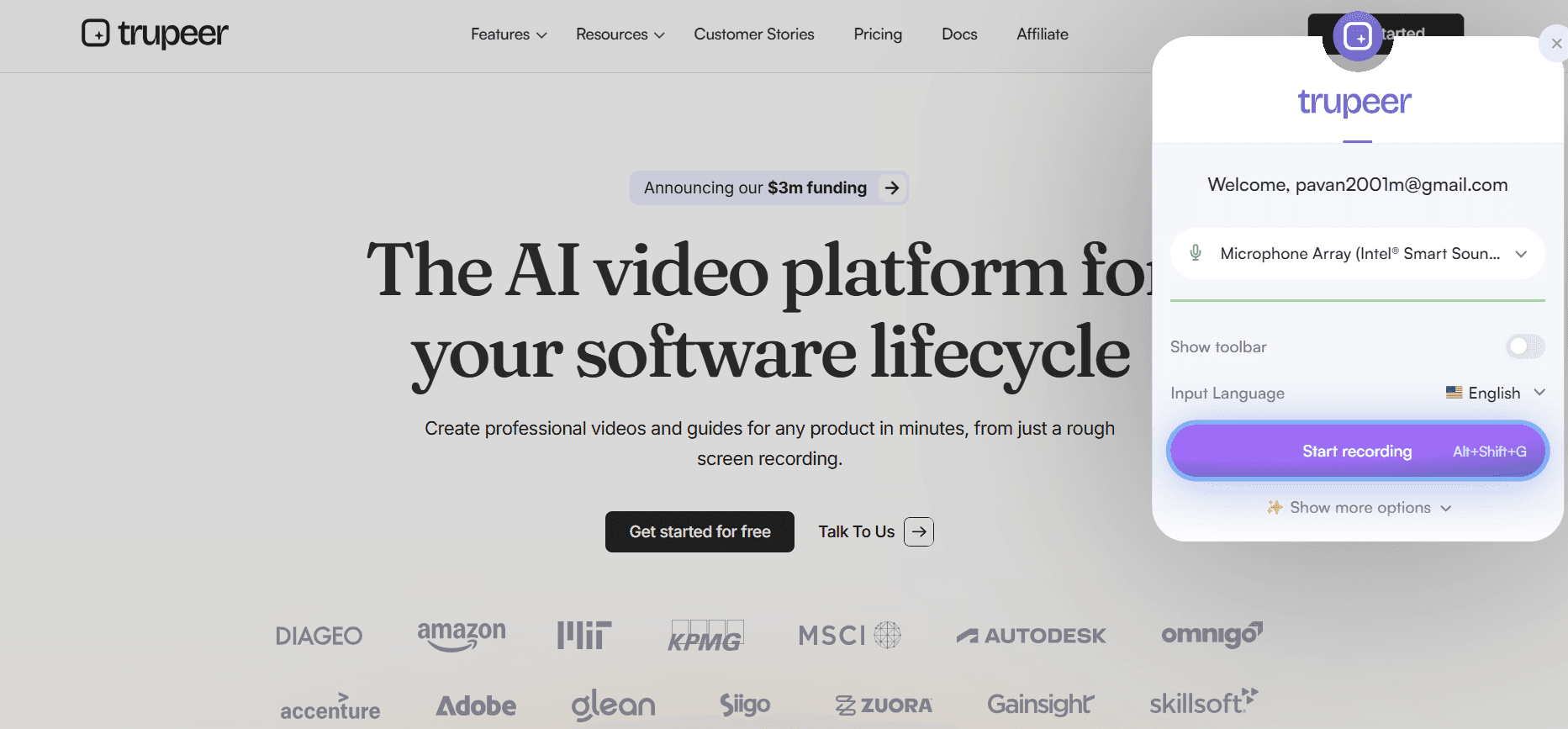
Step 1: Record Your Process
Start by using Trupeer's built-in screen recorder or upload an existing recording of your workflow. The screen recorder captures not only your screen actions but also audio narration, providing comprehensive input for the AI to process. You can record software tutorials, administrative processes, or any workflow that involves digital tools.
Step 2: AI Processing and Enhancement
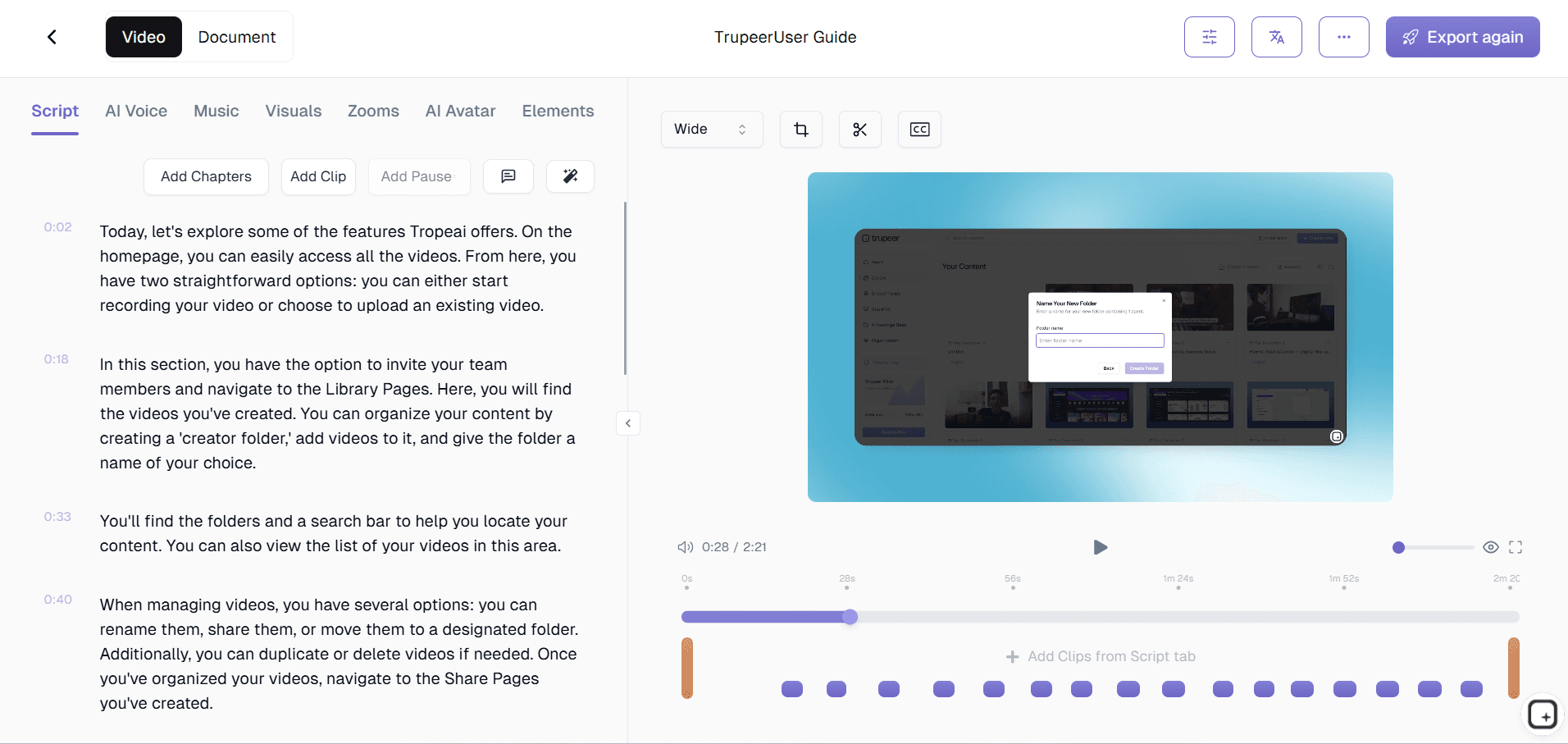
Once your recording is complete, Trupeer's AI automatically processes the content, removing background noise, eliminating filler words, and applying smart zoom effects to highlight important areas. The system transcribes your narration and identifies key actions, creating the foundation for both video and written documentation.
Step 3: Automatic Documentation Generation
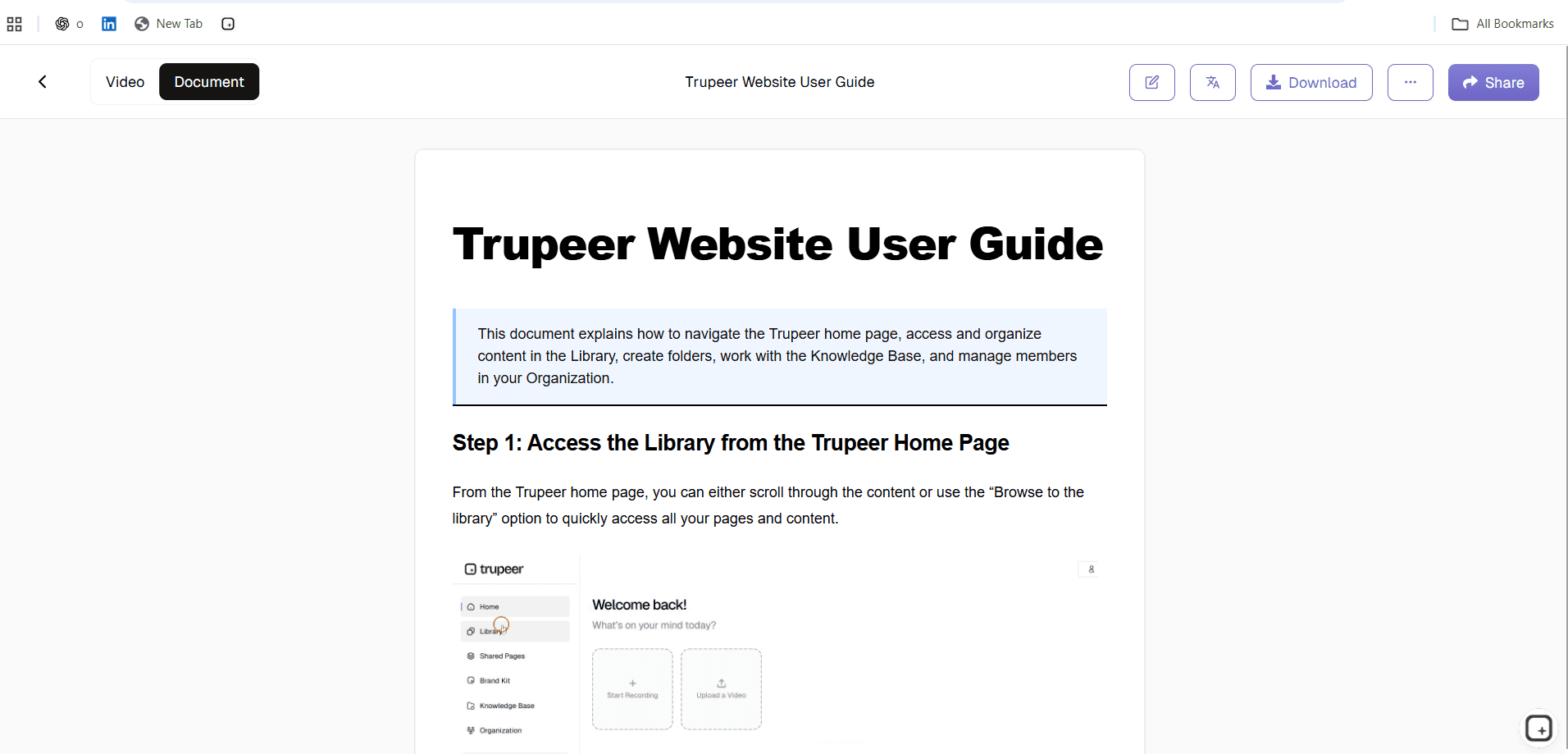
The AI converts your recording into structured written procedures, breaking down your workflow into clear, numbered steps. It automatically generates section headings, identifies decision points, and creates logical flow between procedures. The system understands common software interfaces and can provide context-specific descriptions for various applications.
Step 4: Template Application and Branding
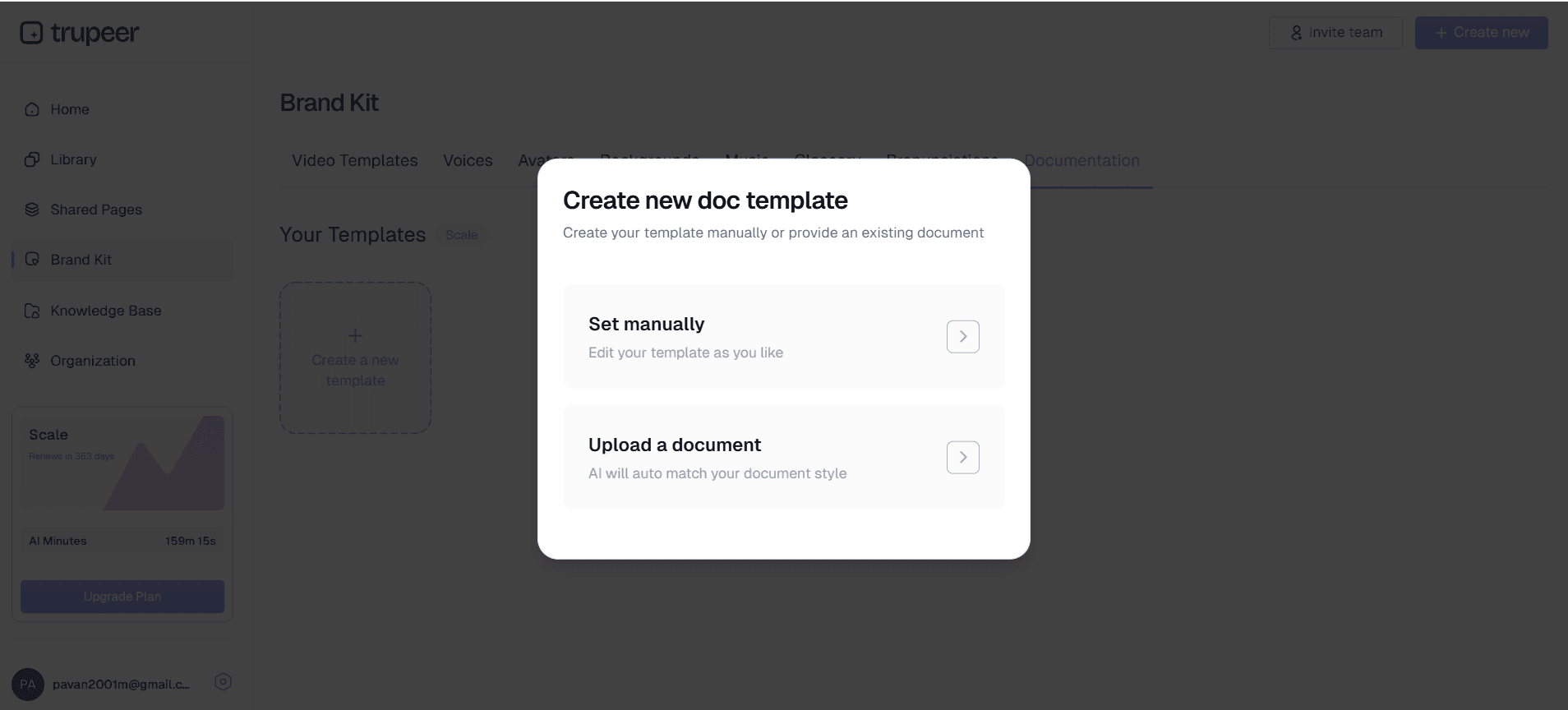
Apply your organization's brand kits to ensure consistent formatting across all SOPs. Choose from customizable templates that match your company's documentation standards, including specific formatting preferences, color schemes, and structural requirements. This ensures all procedures maintain professional consistency regardless of who creates them.
Step 5: Review, Share, and Update
Review the generated SOP, make any necessary adjustments, and share it with your team. The system provides easy sharing links and embed codes for internal knowledge bases. When processes change, simply record an updated version, and the AI will generate revised documentation while maintaining your established formatting and structure.
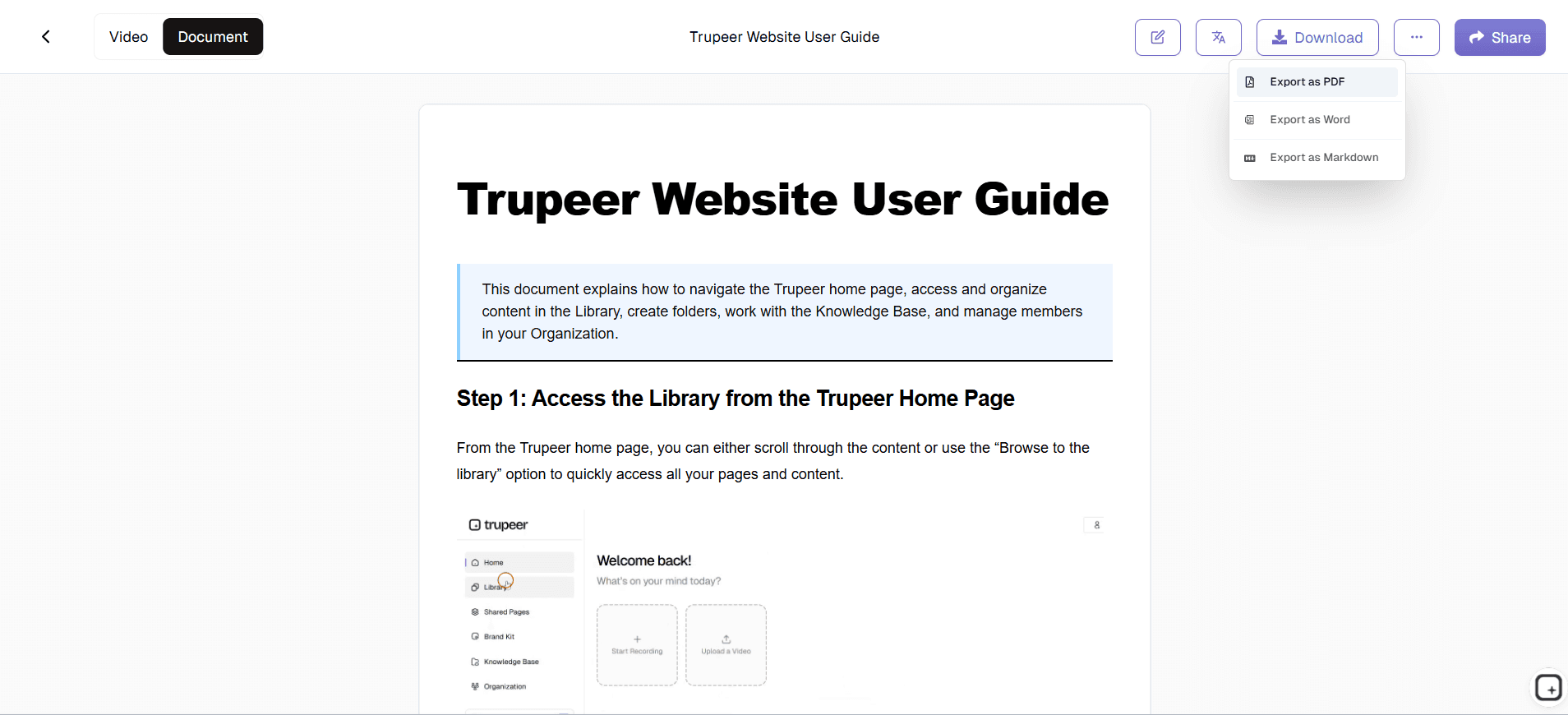
What a Generated SOP Looks Like
Generated output is more structured than a written draft usually ends up being, because the structure is applied consistently rather than depending on who was writing. A finished procedure contains:
A title and summary:
what the procedure covers, drawn from the process rather than typed in afterwardsNumbered steps in the order performed:
each one a discrete action, split where the process actually moved on rather than at arbitrary paragraph breaksA screenshot per step:
captured at the moment the action happened, so the reader sees the same screen state you didInstruction text for each step:
written from the observed action, and editable line by lineAnnotations where you add them:
zoom and text marking the exact field or control, plus blur over anything sensitive that appeared on screenA narrated video of the same process:
generated from the one recording, so the written and visual versions cannot drift apart
What it will not contain, and what you add during review: the reasoning behind a step, the exceptions, the escalation path, and anything that happened away from the screen. Generated output is a strong first draft, not a finished procedure.
Manual SOP Writing vs a Generated SOP
The same procedure, produced two ways.
Stage | Writing it manually | Generating it |
|---|---|---|
Capturing the process | Recalled from memory, steps get skipped | Recorded as performed |
Screenshots | Captured, cropped and pasted one at a time | Captured automatically per step |
Step text | Typed from scratch | Drafted from the observed actions, then edited |
Formatting and branding | Applied by hand, varies by author | Applied from a template |
A video version | A separate project, if it happens at all | Produced from the same recording |
Updating after a change | Reopen, rewrite, re-screenshot, re-share | Re-record the changed part and regenerate |
Other languages | A translation project per document | Published from the same source |
The row that matters most over time is updating. It sets how accurate your library is a year from now, because a procedure that is expensive to revise simply does not get revised.
How Long Does It Take to Generate an SOP?
Three separate things get bundled together when people ask this, and separating them makes the answer more useful.
Recording:
as long as the task takes. A ten-minute process is a ten-minute recording, and there is no way around thatGeneration:
around thirty seconds once you choose your output options and start it. This is the part that used to be hours of writingReview:
the variable, and usually the majority. Correcting misread steps, adding the context that was not on screen, and getting sign-off from the process owner
End to end, most procedures land in the 15 to 30 minute range from opening the recorder to a document you would put in front of a new starter. The gain is not that generation is fast in isolation. It is that revision is cheap afterwards, which is what determines whether the procedure is still right in six months.
Export and Sharing Options
A generated procedure is only useful where people will actually meet it, so the output needs to leave the tool in more than one shape.
PDF and Word:
download from the Documentation tab when a quality system, an audit file, or a client expects a controlled documentShare by link:
the fastest route for a one-off, with visibility set per item rather than open by defaultEmbed:
place the procedure inside a tool your team already opens, so nobody has to remember a second destinationPublish to a knowledge base:
the right option once you have more than a handful, since it adds search and lets people ask a question in plain language instead of guessing a document titleOther languages:
publish the same procedure across 65+ languages rather than maintaining a separate document per language
Once you are generating procedures regularly, the question shifts from producing them to keeping the library trustworthy. That is a different job, covered on SOP management software, and the wider category sits on SOP software.
Key Features and Capabilities
Trupeer's SOP generator offers comprehensive features designed to handle every aspect of procedure documentation, from initial capture to ongoing maintenance and team collaboration.
Dual-Format Output: Every recording generates both a polished video tutorial and detailed written documentation, maximizing accessibility for different learning styles. The video serves as a visual guide while the written SOP provides quick reference material. This approach ensures comprehensive coverage without duplicate effort, making your training videos and documentation work together seamlessly.
Intelligent Content Recognition: The AI understands context within popular software applications, automatically generating accurate descriptions for common interface elements and actions. Instead of generic "click here" instructions, you get specific guidance like "select the Export option from the File menu" that helps users navigate confidently through complex workflows.
Template Customization: Create and save documentation templates that reflect your organization's standards and preferences. Templates can include specific formatting requirements, approval workflows, section structures, and compliance elements. Once established, these templates ensure consistency across all SOPs regardless of who creates them.
Multi-Language Support: Generate SOPs in multiple languages using Trupeer's translation capabilities, making procedures accessible to global teams. The system maintains formatting and structure while adapting content to different languages, ensuring international team members have clear guidance in their preferred language.
Version Control and Updates: Track changes to procedures over time and maintain historical versions for compliance or reference purposes. When processes evolve, simply record updated workflows and the system will generate revised documentation while highlighting what changed from previous versions.
Integration-Ready Export: Export SOPs in various formats compatible with popular knowledge management systems, learning management platforms, and documentation repositories. Whether your team uses Confluence, Notion, or custom internal systems, Trupeer's output integrates smoothly with existing infrastructure.
Why Should You Use SOP Generator?
Trupeer's SOP generator addresses critical business needs while delivering measurable improvements in efficiency, consistency, and knowledge retention across organizations of all sizes.
Dramatic Time Savings: Traditional SOP creation can take 4-8 hours per procedure when done manually. With Trupeer, the same process takes 15-30 minutes from recording to finished documentation. This 90% time reduction means teams can document processes as they work rather than treating documentation as a separate, time-intensive project. The efficiency gains compound as you build a comprehensive procedure library without overwhelming your team.
Improved Accuracy and Completeness: Recording actual workflows eliminates the guesswork and memory gaps that plague manually written procedures. When you document by doing, every click, selection, and decision point gets captured accurately. This approach ensures SOPs reflect real-world processes rather than idealized versions that may miss crucial details or exceptions.
Enhanced Team Training and Onboarding: New team members benefit from both visual demonstrations and written references, accelerating their learning curve and reducing the burden on experienced staff. The combination of video tutorials and detailed written steps accommodates different learning preferences while providing comprehensive coverage of complex procedures. This dual approach significantly improves training effectiveness and retention rates.
Consistent Documentation Standards: Brand kits and templates ensure all procedures follow your organization's formatting and style guidelines, creating a professional, cohesive knowledge base. Consistency isn't just about appearance it also means users know where to find specific information across different procedures, reducing confusion and improving adoption rates.
Reduced Knowledge Risk: Critical processes no longer exist only in individual employees' experience. By making procedure documentation quick and easy, organizations can capture institutional knowledge before it walks out the door. This systematic approach to knowledge preservation protects against disruptions caused by staff turnover or unexpected absences.
Scalable Documentation Process: As your team and processes grow, the SOP generator scales with you. Whether you need to document five procedures or fifty, the time investment per procedure remains minimal. This scalability means documentation can keep pace with business growth rather than becoming a bottleneck that slows expansion or process improvement initiatives.
Who Can Use Automatic SOP Generator?
Trupeer's SOP generator serves diverse users across industries and organizational roles, each finding unique value in the platform's ability to transform demonstrations into comprehensive documentation.
Operations Teams: Document complex workflows, quality control procedures, and administrative processes that require precise execution. Operations managers can ensure consistency across shifts and locations by providing clear, visual guidance for critical procedures. The AI Screen Recorder applications include documenting support workflows, escalation procedures, and client onboarding processes that require consistent execution across team members.
Training and Development Professionals: Create comprehensive training materials that combine visual demonstration with detailed written procedures. L&D teams can rapidly build course content that addresses different learning styles while maintaining consistency across training programs. The ability to update documentation quickly means training materials stay current with evolving processes and software updates.
Software and SaaS Companies: Generate user documentation, help articles, and tutorial content directly from product demonstrations. Product teams can create AI Video Editor and accompanying written guides that help customers understand complex features. This approach ensures documentation accurately reflects the current software interface and functionality.
Quality Assurance and Compliance Teams: Document testing procedures, audit processes, and compliance workflows that require detailed tracking and verification. QA teams can create step-by-step testing protocols that include both visual confirmation points and written checklists. The version control capabilities help maintain audit trails and demonstrate compliance with industry standards.
Sales and Marketing Teams: Create enablement materials, demo scripts, and customer-facing tutorials that support the sales process. AI Screen Recorder applications include documenting product presentations, objection-handling procedures, and customer onboarding workflows that help close deals and ensure successful implementations.
IT and Technical Teams: Document system administration procedures, troubleshooting workflows, and software deployment processes. IT teams can create comprehensive runbooks that include both visual troubleshooting guides and detailed technical procedures. This documentation proves invaluable during system outages, staff transitions, or vendor escalations where precise execution is critical.
Small Business Owners and Entrepreneurs: Systematize business operations and create scalable processes that don't depend on founder involvement. Small businesses can document everything from customer service procedures to financial workflows, creating the systematic approach needed to scale operations or train new employees effectively.
Educational Institutions: Create instructional materials, administrative procedures, and faculty guidelines that ensure consistent delivery across programs and departments. Educators can document complex software tutorials, research procedures, and administrative workflows that help students and staff navigate institutional systems effectively.
Best Practices for Using SOP Generator
Maximizing the value of Trupeer's SOP generator requires strategic planning and consistent execution that builds comprehensive, maintainable documentation over time.
Plan Your Recording Sessions: Before starting, outline the complete process you're documenting and gather any necessary materials or access credentials. A well-planned recording session captures the entire workflow in one take, reducing editing needs and ensuring comprehensive coverage. Consider edge cases, error conditions, and decision points that users might encounter in real-world scenarios.
Speak Clearly and Deliberately: Since the AI transcribes your narration to generate written procedures, clear speech directly impacts documentation quality. Explain your reasoning for specific steps and highlight critical decision points that users need to understand. Your verbal explanations become the foundation for written guidance, so comprehensive narration produces better documentation.
Use Consistent Terminology: Establish standard terminology for common actions and interface elements, then use these terms consistently across all recordings. This consistency helps users navigate between different procedures and builds familiarity with your organization's documentation style. Consider creating a glossary of terms for complex software or industry-specific language.
Leverage Template Power: Invest time in creating comprehensive documentation templates that reflect your organization's needs and standards. Well-designed templates ensure consistency while reducing review time for completed procedures. Include sections for prerequisites, troubleshooting tips, and related procedures that help users understand context and find additional resources.
Test Your Documentation: Have team members who weren't involved in creating the SOP follow the generated procedures to identify gaps or unclear instructions. This validation step ensures your documentation serves its intended purpose and highlights areas that might need additional explanation or visual confirmation.
Maintain Version Control: Establish a regular review schedule for critical procedures and update documentation when processes change. The ease of regenerating SOPs with Trupeer means keeping documentation current doesn't require significant time investment, but consistent maintenance ensures accuracy and user confidence in your procedure library.
Explore Related Tools
Why Choose Trupeer's SOP Generator
Dual-Format Output
Generate both video tutorials and written procedures from single recording session
Smart AI Processing
Automatic noise removal, filler word elimination, and intelligent content formatting
Custom Templates
Create branded templates that ensure consistent formatting across all documentation
Create Your First SOP in Minutes
Step 1
Record your workflow process
Step 2
Let AI generate documentation
Step 3
Apply branding and share
Frequently Asked Questions
What is an SOP generator?
An SOP generator is a tool that automatically creates standard operating procedures from screen recordings. Instead of writing procedures manually, you record your workflow and the system generates both video tutorials and written documentation automatically.
How long does it take to create an SOP with Trupeer?
Creating an SOP with Trupeer typically takes 15-30 minutes from recording to finished documentation. This includes the time to record your process and the automated AI processing that generates both video and written procedures.
Can I customize the format of generated SOPs?
Yes, Trupeer offers customizable templates that let you define formatting preferences, section structures, and branding elements. You can create templates that match your organization's documentation standards and apply them consistently across all procedures.
Do I need special software or technical skills?
No special software or technical skills are required. Trupeer works through your web browser and includes a built-in screen recorder. You can also upload existing recordings if you prefer to use other recording software.
Can the SOP generator work with any type of software or process?
Yes, Trupeer's SOP generator works with any software or digital process you can record on your screen. The AI recognizes common interface elements and can generate accurate documentation for various applications and workflows.
More Tools



