4.8/5
Demo Maker
Turn screen recordings into polished demo videos with AI-powered editing, voiceovers, and visuals.
Get started for free

Trupeer's Demo Maker transforms raw screen recordings into professional product demonstration videos with AI-powered editing, voiceovers, annotations, and branding. This platform creates engaging demos for sales pitches, customer onboarding, and marketing without requiring video production expertise.
Why Demo Maker is required?
SaaS teams spend weeks coordinating screen captures, voiceovers, captions, and editing across multiple tools for basic product demos. Manual demo creation doesn't scale for feature updates, language localization, or personalized client versions. Inconsistent demo quality across sales reps damages credibility and conversion rates. This is why it pairs well with the demo software the demo and the documentation come from the same source.
Startups lack budgets for professional video agencies while needing polished demos for investors and early customers. Support teams recreate identical demos repeatedly without standardization. Marketing campaigns miss deadlines waiting for video production cycles that take days instead of minutes. If the demo changes often, the sales demo software is easy to keep current because it's built from the recording rather than written by hand.
What this Demo Maker does
Trupeer's Demo Maker analyzes screen recordings to automatically detect key interactions, generate natural voiceovers, add smart zooms and annotations, and apply professional transitions. The AI identifies the most important UI elements, creates explanatory captions, and produces broadcast-ready demos complete with your branding and call-to-action overlays.
Core Capabilities
Transform raw recordings into polished product demonstration videos
Generate context-aware voiceovers and step-by-step annotations
Create multilingual demos for global sales and support teams
Export interactive, branded videos optimized for all platforms
Make SaaS and Product Demo Videos in Minutes
A demo video is one of the highest-leverage assets a software team has, and usually the slowest to produce. Trupeer works as a demo video maker built for exactly that problem: record your product walkthrough once, and the AI turns it into a polished demo with voiceover, smart zoom, annotations, and your branding. Because it starts from a simple screen recording, you can spin up a fresh SaaS demo video for every feature release, sales call, or onboarding flow without a production cycle. If you want a version tailored to a specific product or launch, the Product Demo Video Maker focuses on that, and the Auto Video Editor handles deeper edits on any recording. For anyone comparing demo video software, the difference is that there is no separate editor to learn and no studio to book. You upload, and the AI produces the finished video.
Demo Video vs Interactive Demo: Which Do You Need?
These two get searched together but solve different jobs. A demo video is a guided, narrated walkthrough that plays start to finish, which suits sales outreach, onboarding, marketing pages, and investor decks. An interactive demo lets a viewer click through the product themselves. Trupeer makes demo videos, the narrated, branded, shareable kind you can send, embed, or post. If your goal is a polished video your audience watches rather than clicks through, this is the right tool.
How Trupeer’s Demo Maker works
Step 1: Upload Your Recording
Capture your workflow using the Chrome extension or upload existing video.

Step 2: Enhance & Customize
AI automatically adds voiceovers, zooms, captions, and branding elements.
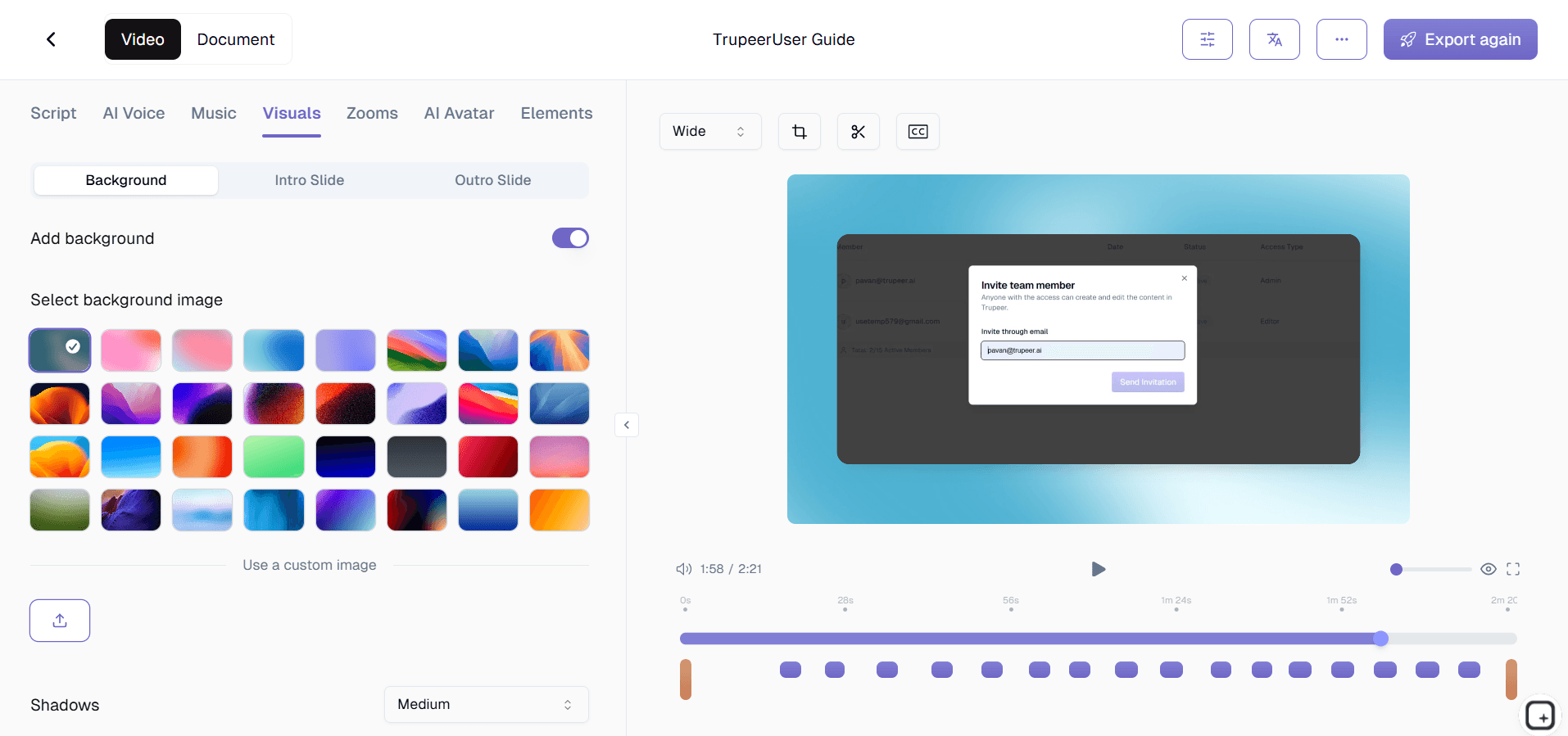
Step 3: Download & Share
Review, make final tweaks, then export your professional demo instantly.

Who this Trupeer’s Demo Maker is for
Perfect for SaaS teams, sales professionals, and support specialists who need high-quality demonstration videos without production overhead or technical expertise.
SaaS Founders & Product Marketers:
Create investor-ready demos and feature highlight videos that showcase functionality without hiring video teams or learning complex editing software, saving thousands in production costsSales Development Representatives:
Generate personalized client demos in seconds for discovery calls, proposals, and follow-ups, enabling reps to focus on relationship building rather than video creationCustomer Success & Support Teams:
Produce standardized onboarding walkthroughs and troubleshooting videos that reduce support tickets by 40% through clear visual explanationsTechnical Content Creators:
Convert complex workflows into digestible demos with automatic annotations and voiceovers, eliminating hours of manual editing and screenshot managementMarketing Agencies & Growth Consultants:
Deliver client-ready demo videos across multiple projects with consistent branding and professional polish, meeting tight campaign deadlines
Key Features of Trupeer’s Demo Maker
Transform unpolished screen captures into studio-quality demonstration videos through intelligent AI automation that handles every aspect of production.
AI-Powered Auto-Editing:
Intelligently detects key actions, applies dynamic zooms to UI elements, removes awkward pauses, and creates smooth transitions that maintain viewer attention throughout complex workflowsRealistic Voiceover Generation:
Produces natural, human-like narration in 30+ languages with context-aware emphasis on important features, eliminating the need for voice actors or manual audio editingSmart Annotations & Highlights:
Automatically identifies and labels buttons, menus, and interactions with numbered callouts, animated pointers, and explanatory captions that guide viewers through functionalityBrand Consistency Templates:
Applies your logos, colors, fonts, and style guides across every demo while maintaining professional layouts optimized for websites, emails, and sales presentationsInteractive Export Options:
Generates standard MP4 videos plus clickable hotspots, embedded CTAs, and analytics tracking so demos become active sales tools rather than passive view-only content
Explore Related Tools
Benefits of Using Trupeer’s Demo Maker
AI-Powered Editing & Annotations
Trupeer automatically detects key actions in your video and adds annotations, step highlights, and voiceovers for clear and concise explanations.
Realistic Voiceovers & Avatars
Enhance your demo with human-like voiceovers and avatars that bring explanations to life without sounding robotic.
Easy Customization & Branding
Edit scripts, visuals, and effects to match your brand’s tone and style, ensuring your demos are professional and aligned with your message.
Create Demo Videos with Trupeer
Step 1
Upload Your Recording
Step 2
Enhance & Customize
Step 3
Download & Share
Frequently Asked Questions
Is this Demo Maker free?
Yes, core demo creation features available without upfront costs for essential video generation.
What inputs does Demo Maker support?
Screen recordings, workflow captures, or existing videos for automatic enhancement.
What formats can Demo Maker export?
MP4, WebM, GIF, interactive HTML embeds optimized for all platforms.
How do I make a demo video?
Record a screen walkthrough of your product, upload it, and Trupeer's AI adds voiceover, smart zoom, annotations, and your branding to produce a finished demo video. No separate editor or studio is needed, and most demos are ready in minutes.
Can I customize Demo Maker outputs for branding?
Full control over logos, colors, fonts, voice styles, and visual annotations.
More Tools


