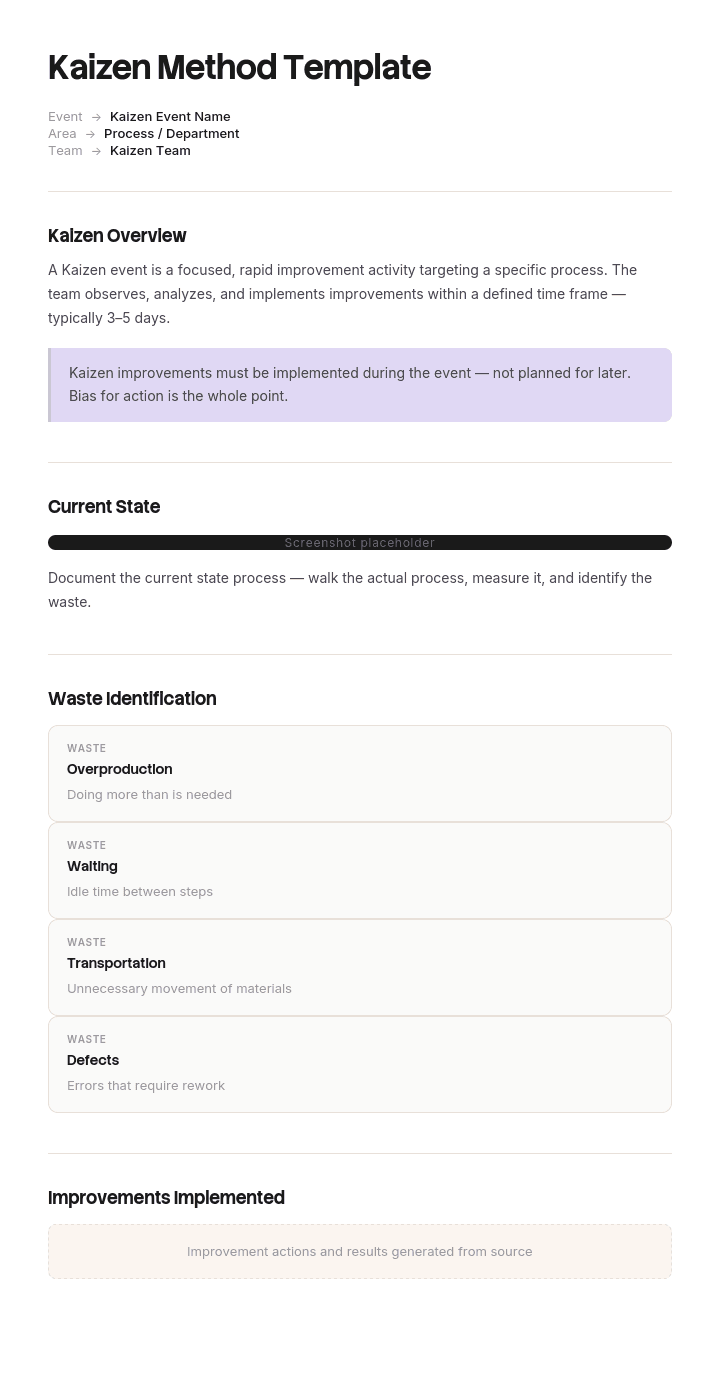
Use this template
Kaizen has driven some of the world's most successful operational transformations. With Trupeer, you can save hours on Kaizen documentation by starting with a free Kaizen method template, customizing it with your brand guidelines, and turning Kaizen outcomes into video updates that drive adoption across the team.
What is the kaizen method, and what does a kaizen template do?
Kaizen is continuous improvement made of small changes, proposed and carried out by the people doing the work rather than by a project team. The scale is deliberate: a kaizen is something one person or one shift can change this week, not a programme with a budget.
A kaizen template is the form that captures those changes. Its job is narrow. Make an improvement visible in about five minutes of writing, so it can be copied to other lines, shifts or sites, and so the person who made it gets credit.
If the form takes longer to complete than the improvement took to make, it will not be completed. That constraint explains most of what follows.
Why most kaizen programmes collapse around month six
The pattern is consistent enough to predict. A launch with posters. A flood of ideas in month one. A committee meeting monthly and working through a handful each time. A backlog growing faster than it is cleared. Submissions falling away from month four, and by month nine a programme that technically exists and receives nothing.
The usual diagnosis is that people lost interest or the reward was too small. Both are wrong. People watch their idea sit, conclude that submitting is pointless, and stop. The constraint was never idea generation. It was closure.
This matters for template design, because most kaizen forms are built to be judged. They ask for estimated savings, a supervisor signature and a category, all before anything has happened, and a form built to be judged creates the queue that kills the programme.
How to customize this template in Trupeer
Step 1: Open the Templates Section
Go to the Templates section from the main navigation.

Step 2: Select and Open a Template
Click on any template you want to work with to open it.

Step 3: Expand the Template View
If needed, expand the template view to see the full layout and details clearly.

Step 4: Edit the Template
Click on Edit to start modifying the selected template.

Within the editor, you can:
Add new sections
Define or update formatting rules
Add a logo and adjust its position and related settings
Step 5: Save Your Customized Template
After making all necessary changes, click Save to store the updated template as your own.

Step 6: Preview and Fine-Tune the Template
When you want to see how your customized template looks, open the Preview.

From the preview screen, you can continue to make adjustments directly if needed, ensuring the template appears exactly as you want.
With a Kaizen method template you can:
Save hours on facilitation: Skip the blank page with a structure built for Kaizen.
Drive small wins fast: Built-in fields capture and track every improvement.
Stay on-brand: Apply your logo, fonts and colors using Trupeer's brand kit.
Compound improvements: Convert Kaizen outcomes into video updates that share learnings.
Standardize across teams: Use the same template for every Kaizen event.
Reach global teams: Translate Kaizen documentation into 65+ languages with one click.
The kaizen template rule: record a change, do not request one
The single decision that determines whether a kaizen programme survives is whether the form is filled in before or after the change.
Filled in before, the form is a request. It creates a decision, a queue, a wait and a rejection rate. What you have built is a suggestion box.
Filled in after, the form is a record. The improvement already exists, nobody is waiting, and the form's job becomes copying a good idea sideways rather than deciding whether it is allowed.
Most improvements on any shop floor or in any office are small enough, cheap enough and reversible enough that permission is a formality nobody would refuse. Making people queue for that formality is where the energy goes.
So this template has two forms. A record card for changes already made, which is where the large majority should sit, and a proposal form for the minority that genuinely need a decision, kept deliberately small so it moves fast.
How to set the do-it-now threshold in your kaizen template
The record card only works if people know exactly when they may use it. Vague permission is the same as no permission, and the first time someone is told off for acting without asking, the lane closes for everyone.
Write the threshold as conditions that must all be true, publish it, and have it signed by the person who would otherwise be approving.
A workable starting set: costs less than [50] in materials, takes less than [2] hours of one person's time, can be undone within a shift, affects only your own area, and touches nothing on the exclusion list below. The precise figures matter less than the fact that they are written down and that supervisors agreed to them in advance.
Anything failing one of those conditions goes to the proposal form. That is not a punishment, just a different lane at a different speed.
What must never go in the do-it-now lane
This list is not optional and it is the reason the rest of the approach is safe.
Nothing touching machine guarding, isolation and lockout, personal protective equipment, emergency stops, or any control named in a risk assessment. Nothing that changes a product specification, a validated process, a calibration, or anything covered by a customer or regulatory approval. Nothing affecting fire, electrical or pressure systems. Nothing that changes what another team receives from you.
Improvements in these areas are still welcome. They go through the proposal form and your existing change control, because the point of a do-it-now lane is that it covers changes where being wrong is cheap.
If your site operates under a regulated quality system, have your quality manager and your safety lead approve both the threshold and this exclusion list in writing before the programme launches. A kaizen scheme that quietly bypasses change control will be found at your next audit.
Free kaizen template: the four-field record card to copy
For changes already made under the threshold. Four fields, filled in standing up, in under five minutes.
What it was. One sentence on how the work was done before. A photograph is better than a sentence and takes less time.
What it is now. One sentence on what changed. Again, a photograph.
Why it is better. Choose one: safer, faster, less walking, less waiting, fewer errors, less material, easier to learn. Do not ask for a savings figure. Operators cannot compute one, invented numbers are worse than none, and the field exists to rank a queue you are trying not to create.
Who and when. Name and date. This is the credit, and it matters more than any reward scheme.
That is the whole card. Add a line for area or line number if you run several, then stop. Every field added reduces submissions, and the card's value is volume and visibility rather than the completeness of any one entry.
The kaizen proposal form for changes above the threshold
For anything failing the threshold or landing on the exclusion list. Six fields.
The problem, as an observation. What happens, how often, and how you know. Not a solution wearing a problem's clothing.
Current condition. What the work looks like today, with a number if one exists.
Proposed change. What you want to do.
Target condition. What the work would look like afterwards, and how you would tell whether it worked.
What it needs. Cost, time, downtime, who else is affected, and which approvals it triggers.
Owner and decision date. A named person and the date they will answer by, agreed at submission.
That last field is the one people leave out and the one that keeps the lane honest. A proposal with no decision date rejoins the backlog that killed the last programme.
Kaizen template formats compared: record card, A3 and kaizen board
Artefact | What it is for | Right size | When it is the wrong choice |
|---|---|---|---|
Record card | Capturing a change already made | Four fields, one card | When the change needs a decision first |
Proposal form | Changes above the threshold | Six fields, one page | For small reversible fixes, where it adds delay for nothing |
A3 | Structured problem solving on something genuinely unclear | One A3 sheet, worked over weeks | When the cause is already known, which is most of the time |
Kaizen board | Making the queue and the closures visible in the area | Physical, in the workspace | As a digital board nobody walks past |
Kaizen event | A focused multi-day push on one process with the line stopped | Two to five days | As a substitute for daily improvement rather than an addition to it |
The common error is reaching for A3 by default. A3 is a thinking tool for problems where the cause is contested. Most kaizens are not that, and forcing a four field improvement through an A3 is how a five minute record becomes a two week project nobody finishes.
A kaizen example: the programme that stopped after 214 ideas
Arclow Components, a tier two automotive supplier with two plants and four hundred and twenty staff, launched a kaizen programme in January.
The form had eleven fields, required a supervisor signature and an estimated annual saving before submission, and fed a Kaizen Committee that met monthly. Two hundred and fourteen submissions arrived in the first month.
The committee got through about fifteen per meeting. By April the backlog stood at just over a hundred and eighty and the median time from submission to any answer was seventy one days. Submissions fell to nineteen in June and four in September.
The post-mortem found two things. The first was the wait. Asked why they had stopped, operators did not mention the reward at all. They described watching their card sit on the board for two months and drawing the obvious conclusion.
The second was the savings field. Around sixty percent of forms had it blank or filled with an invented figure, because a machine operator has no way to calculate the annual value of moving a bin three metres. The committee used that field to prioritise, so ideas with no number sank, and those were disproportionately the small ergonomic and walking-distance fixes that cost nothing and would have taken an afternoon.
The relaunch split the lanes. Under fifty dollars in materials, under two hours, reversible, own area only, nothing on the exclusion list: make the change, then fill in the four field card. Everything else went to the proposal form, with the committee's open queue capped at twelve items, meaning nothing new was accepted until something closed.
In the second year they recorded three hundred and forty kaizens. Three hundred and six of those were made and then recorded, never touching the committee at all. The remaining thirty four went through the proposal lane at a median of nine days to decision, which the cap alone achieved. Monthly submissions stayed roughly flat instead of collapsing.
Nothing about the ideas changed. What changed was that most of them stopped needing anyone's permission.
What are the 5 main kaizen principles?
They are usually given as know your customer, let it flow, go to gemba, empower people, and be transparent. Stated that way they are slogans, so here is what each one asks of a template. Know your customer means the record card names who benefits. Let it flow means improvements target waiting and walking before they target speed. Go to gemba means the form is filled in where the work happens, not at a desk. Empower people is the do-it-now threshold. Be transparent is the board on the wall showing what was recorded and what was closed.
If your template supports none of these, you have a suggestion form.
How to run a kaizen event using this template
A kaizen event is a concentrated push on one process, typically two to five days, with a cross-functional group and the authority to change things during the week rather than afterwards.
Use the proposal form once at the start to define the target condition for the process as a whole, then run the event itself on record cards, because inside the event the threshold is effectively lifted. Collect the cards on the wall as you go.
The failure mode is treating events as the programme rather than as an accelerator. A site running four events a year and nothing in between is doing project work with a kaizen label on it. If the daily rate returns to its previous level within a month, the event changed the process but not the habit.
Closure rate: the one number that tells you kaizen is alive
Count two things monthly. Recorded, meaning cards submitted for changes already made. Closed, meaning proposals decided either way.
A healthy programme has a large recorded number and a small, fast-moving proposal queue. An unhealthy one has a growing queue and a falling recorded number, and that pattern shows two to three months before submissions visibly collapse, which makes it the earliest warning you will get.
Do not measure savings. Figures on small improvements are estimates layered on estimates, they take longer to produce than the improvements did, and collecting them reintroduces the field that suppressed submissions. Measure participation and closure, and audit a sample of changes for durability instead.
Can I get a kaizen template in Excel, Word or PDF?
Excel is the right tool for the log, meaning the running list of every recorded and proposed kaizen with dates, owners and status, which is what makes the closure rate calculable. Word or a printed card is the right tool for the record card itself, because it gets filled in by hand at the machine.
PDF is right for the version pinned to the board, and wrong for anything you expect to be completed digitally. The most common structural mistake is running the whole programme inside one spreadsheet, which quietly pushes submission back to a desk and away from where the work is.
How to standardise a kaizen improvement so it sticks
An improvement not written into the standard reverts, usually within about six weeks and always when the person who made it goes on leave. This is the step most programmes skip, and it is the difference between three hundred recorded kaizens and three hundred improvements.
Standardising means the new way replaces the old way in whatever document people are actually trained against: the work instruction, the SOP, or the job aid at the station. If the improvement changes how a task is done and no document changed, the kaizen is not finished.
Trupeer AI makes that step fast enough to actually happen. Record the new method once and you get a step-by-step guide, a video for the shift briefing and a document for your knowledge base, all in your own branding, so updating a standard takes minutes rather than becoming the job nobody has time for.
Record it. Brand it. Translate it. Trupeer it.
For multilingual sites this matters more than it sounds. Translation means the updated standard reaches every shift in the language they read, which is often where a good improvement stops spreading. Guides and training videos cover the briefing side. Setup instructions are in the document template setup guide.
What to leave out of a kaizen template
Estimated savings, for the reasons above. If finance needs numbers, have finance value a sample quarterly rather than asking every operator to guess.
Categories and classification codes. They help someone analyse the programme later and they cost submissions now. Add them at the log stage instead.
Approval signatures on the record card. A signature turns a record back into a request, which is the thing this template exists to avoid.
Root cause analysis fields. If a problem needs root cause work it is not a kaizen, it is an A3 or a corrective action, and mixing them means both are done badly.
Frequently Asked Questions
Is there a free kaizen method template in Excel?
Excel suits the log rather than the card. Build one sheet with columns for date, name, area, lane, one line description, status and closure date. That sheet is what produces your closure rate. Keep the record card itself on paper at the workstation, because a card that requires walking to a computer is a card that does not get filled in.
What is a kaizen format, and is there a kaizen format in Excel for free download?
Kaizen format is the common shop floor name for the one page form itself, particularly in manufacturing. What people usually want is the record card, and the four field version above is the whole thing. Build it in Excel or Word at whatever size prints well for your board, and print it rather than distributing a file.
Is there a free kaizen method template in Word?
The record card and the proposal form above are written to be pasted straight into Word and printed. There is no gated download, which also means no form between you and the structure. Keep the card to one side of A5 if you can, because size signals how long it should take to complete.
Is there a kaizen format PDF free download?
Export your own once you have set your threshold numbers and your exclusion list, because those are site specific and a generic PDF cannot carry them. PDF is the right format for the copy pinned to the kaizen board and the wrong one for anything still being adjusted.
Can I download kaizen templates for free?
The record card, the proposal form, the threshold conditions and the exclusion list are free and unrestricted. Use them, change the numbers, and put them in your own system under your own name with no attribution needed.
What is the difference between kaizen and 5S?
5S is a specific method for organising a workspace, sort, set in order, shine, standardise and sustain, and it is usually where a site starts. Kaizen is the broader habit of continuous small improvement, of which 5S work is one kind. Many sites run 5S audits and call the resulting fixes kaizens, which is fine as long as the improvement log stays one list. Our 5S process improvement template covers that method specifically.
How is a kaizen different from a corrective action?
A corrective action responds to something that went wrong and is usually mandatory, traceable and closed out formally. A kaizen improves something that is working adequately and is voluntary. Keep them in separate systems. Recording corrective actions as kaizens inflates the numbers and, more seriously, means a required fix can be quietly deprioritised.
How many kaizens should a team submit?
A common target is one per person per month, which is achievable once the do-it-now lane exists and unrealistic before it. Treat participation rate, meaning the proportion of people who submitted anything at all this quarter, as the better measure. Ten people submitting one each is a healthier programme than one person submitting ten.
Who approves a kaizen under this template?
Under the threshold, nobody. That is the point. Above it, the named owner on the proposal form, working to the decision date agreed at submission. If your organisation cannot accept a lane with no approver, start the threshold very low, run it for a quarter, and show the results before raising it.

