Use this template
Lean Coffee turns meetings from one-way broadcasts into focused, participant-driven conversations. With Trupeer, you can save hours on facilitation prep by starting with a free Lean Coffee method template, customizing it with your brand guidelines, and turning session outcomes into video summaries the team can revisit.
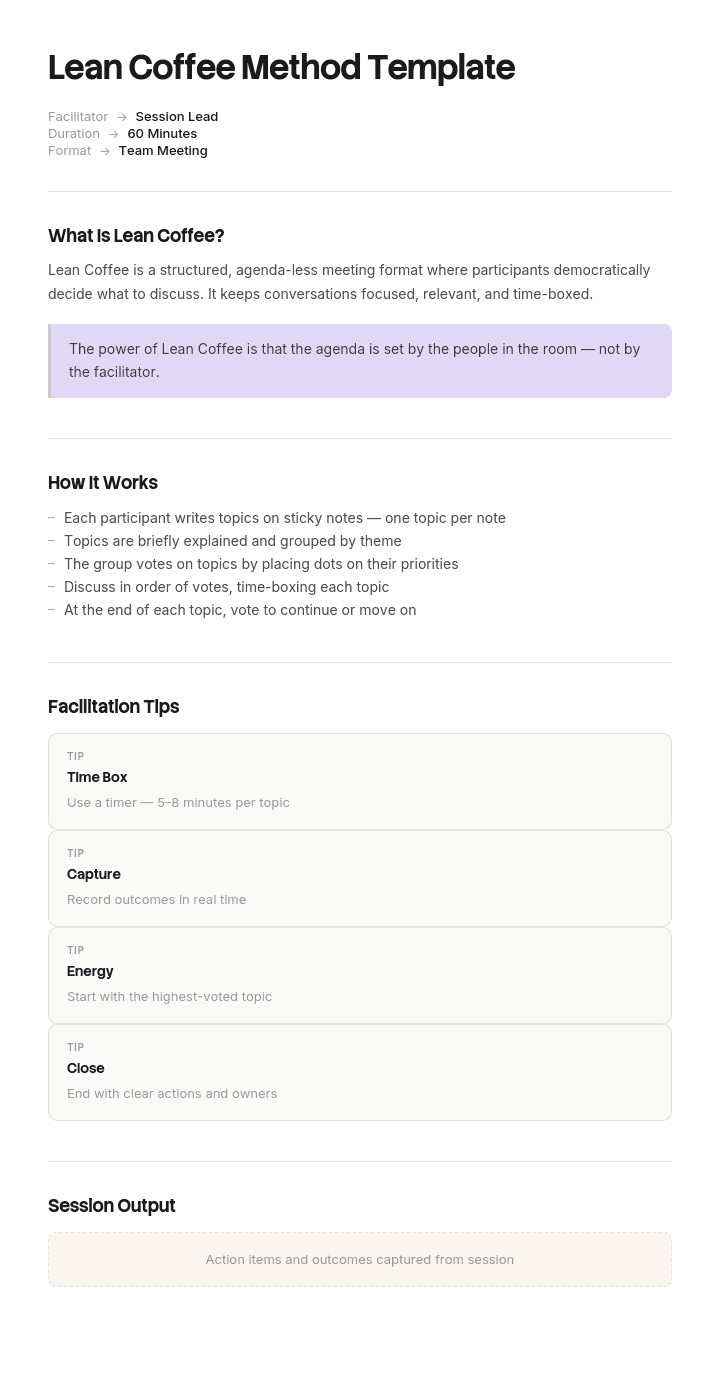
This Lean Coffee method template provides a structured framework to capture session purpose, participants, topic backlog, voting process, time-boxed discussion and action items - useful for team retros, leadership offsites, knowledge sharing and community meetups. Pair it with our training videos use case, generate AI video summaries, and translate into 65+ languages for global teams.
How to customize this template in Trupeer
Step 1: Open the Templates Section
Go to the Templates section from the main navigation.

Step 2: Select and Open a Template
Click on any template you want to work with to open it.

Step 3: Expand the Template View
If needed, expand the template view to see the full layout and details clearly.

Step 4: Edit the Template
Click on Edit to start modifying the selected template.

Within the editor, you can:
Add new sections
Define or update formatting rules
Add a logo and adjust its position and related settings
Step 5: Save Your Customized Template
After making all necessary changes, click Save to store the updated template as your own.

Step 6: Preview and Fine-Tune the Template
When you want to see how your customized template looks, open the Preview.

From the preview screen, you can continue to make adjustments directly if needed, ensuring the template appears exactly as you want.
With a Lean Coffee method template you can:
Save hours on facilitation: Skip the blank page with a proven Lean Coffee structure.
Drive engaged discussion: Built-in voting and time-boxing keep sessions focused.
Stay on-brand: Apply your logo, fonts and colors using Trupeer's brand kit.
Capture insights: Convert session outcomes into video summaries for absent stakeholders.
Standardize across teams: Use the same template for every Lean Coffee session.
Reach global teams: Translate session summaries into 65+ languages with one click.
The Lean Coffee method turns meetings into conversations people actually want to attend. Use this template to facilitate sessions that drive engagement and action.
Frequently Asked Questions
What is the Lean Coffee method?
Lean Coffee is a structured but agenda-less meeting format. Participants brainstorm topics, vote on which to discuss, then have time-boxed conversations on the most-voted topics. It's designed to drive engaged discussion on what people actually care about - rather than a fixed agenda.
How do you run a Lean Coffee session?
Start by inviting participants to brainstorm topics on sticky notes (5-10 minutes). Group similar topics. Vote on what to discuss (each person gets 2-3 votes). Discuss the highest-voted topic for a fixed time (5-8 minutes). Vote to extend, change, or end the topic. Move to the next. Capture action items.
How long should a Lean Coffee session last?
Most sessions run 60-90 minutes total: 10 minutes for brainstorm and voting, then 5-8 minute discussions for each topic. Shorter sessions (30 minutes) work for quick check-ins; longer (2-3 hours) work for deeper offsites. The format scales well to most timeframes.
When should you use Lean Coffee?
Lean Coffee works well for retros, team building, leadership offsites, community meetups, knowledge-sharing and any meeting where engagement matters more than a fixed agenda. It's less suited for decision-making meetings or status updates - those need traditional structures.
What's the difference between Lean Coffee and a traditional retro?
A traditional retro typically uses a fixed prompt structure (what went well, what didn't, what to change). Lean Coffee lets participants surface and prioritize whatever's on their minds - more flexible, less structured. Many teams blend both approaches based on what the team needs.

