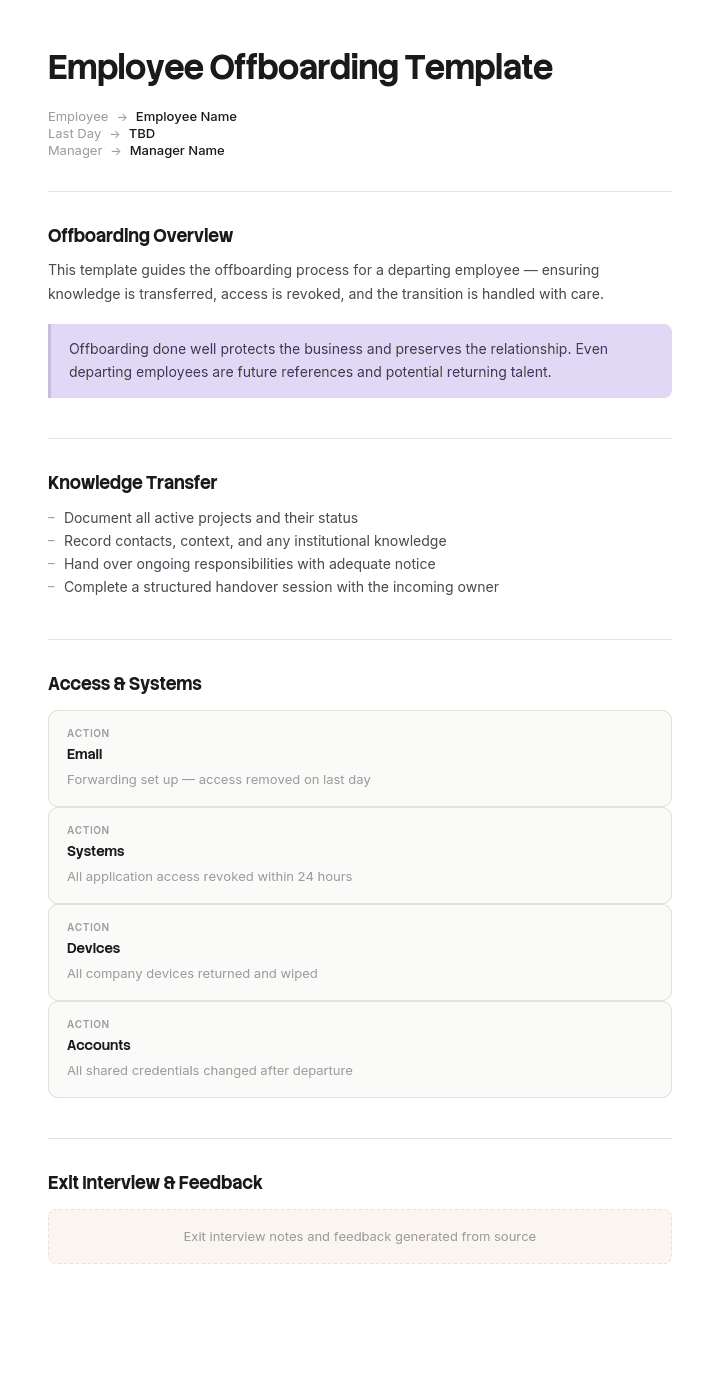
Use this template
How an employee leaves matters as much as how they joined. With Trupeer, you can save hours on offboarding documentation by starting with a free employee offboarding template, customizing it with your brand guidelines, and turning the offboarding process into video walkthroughs for HR, IT and managers.
Offboarding fails in one of two directions. Either access gets cut on day one and nobody can find out how the month-end process works, or the person keeps full access for six weeks and walks out with everything still open.
The problem is that three separate deadlines run simultaneously and pull in different directions. This template treats them as three tracks rather than one list.
Download the offboarding template
Format | Best for |
|---|---|
Excel (.xlsx) | The checklist with owners, dates and status, plus the access revocation register |
Word (.docx) | The handover document the leaver completes |
Printable checklist and the exit interview form | |
Google Sheets | Shared tracking across HR, IT and the manager |
Google Docs | The handover document, edited collaboratively |
Free, editable, no watermark. Excel is the working file, because offboarding is a coordination problem across three teams.
How to customize this template in Trupeer
Step 1: Open the Templates Section
Go to the Templates section from the main navigation.

Step 2: Select and Open a Template
Click on any template you want to work with to open it.

Step 3: Expand the Template View
If needed, expand the template view to see the full layout and details clearly.

Step 4: Edit the Template
Click on Edit to start modifying the selected template.

Within the editor, you can:
Add new sections
Define or update formatting rules
Add a logo and adjust its position and related settings
Step 5: Save Your Customized Template
After making all necessary changes, click Save to store the updated template as your own.

Step 6: Preview and Fine-Tune the Template
When you want to see how your customized template looks, open the Preview.

From the preview screen, you can continue to make adjustments directly if needed, ensuring the template appears exactly as you want.
With an employee offboarding template you can:
Save hours on coordination: Skip the blank page with a structure built for HR transitions.
Protect company knowledge: Built-in knowledge transfer steps prevent loss when employees leave.
Stay on-brand: Apply your logo, fonts and colors using Trupeer's brand kit.
Reduce security risk: Clear access removal procedures protect company systems.
Standardize across exits: Use the same template for every type of departure.
Reach global teams: Translate offboarding documentation into 65+ languages with one click.
The three clocks
Clock | Deadline | Owner | Conflict |
|---|---|---|---|
Access | Revoked by the final hour, or immediately for a dismissal | IT and security | Cutting early blocks knowledge transfer |
Knowledge | Needs weeks, not the last afternoon | Manager | Requires the access you want to remove |
Legal and payroll | Fixed statutory deadlines | HR and payroll | Depends on data the leaver may need to confirm |
The access and knowledge clocks are in direct tension. The resolution is not to compromise on either but to sequence them: front-load knowledge capture into the first half of the notice period, then step access down in stages rather than switching it off at the end.
The legal clock is the one with actual legal consequences for missing it, and the one most likely to be forgotten when the departure is amicable.
The access clock
The highest-risk part of offboarding and the reason a security company holds position one for this keyword.
What has to be revoked. Email and calendar. Single sign-on and directory account. Every SaaS tool, including ones IT does not manage. VPN and remote access. Building access, keys and passes. Shared and service account passwords the person knew. Admin rights on any system. Company devices, laptop, phone, hardware keys. Cloud storage and any personal-drive syncing. Code repositories, deployment access and production credentials. Payment cards, expense accounts and purchasing authority. Customer systems and any client-side accounts. Physical documents and anything in a locked drawer.
The two that get missed. Shadow IT, meaning tools the person signed up for with a company card that IT never knew about. And shared credentials, where revoking one person's access means rotating a password several people use, which nobody wants to do on a Friday.
Stepped revocation. Rather than one switch at the end, remove in stages: admin rights and production access early, since those carry the most risk and are rarely needed for handover. Customer-facing systems next. General tools and email last, on the final day.
For an involuntary exit, all of this happens immediately and usually before the conversation. That is not paranoia, it is standard practice, and the checklist has a separate path for it.
The knowledge clock
The clock that needs the most time and gets the least.
Knowledge transfer done in the leaver's final week produces a document written under time pressure by someone who has mentally left. Start it in the first week of the notice period, when they still care and still remember.
What actually needs capturing, in order of how badly it hurts to lose it:
The undocumented processes. Things only they do, usually monthly or quarterly, that nobody has ever written down.
The relationships. Which client contact actually decides, which supplier will bend on a deadline, who to call at the bank.
The exceptions. The account that gets invoiced differently, the report that needs manual correction, the system that fails on the last working day of the month.
In-flight work. What is open, what state it is in, what happens next.
Access and credentials to anything the team will need.
Where things are. Files, folders, systems, the spreadsheet on their desktop that the whole process depends on.
The last one is more common than it should be. Ask directly: is there anything the team relies on that lives on your machine rather than somewhere shared?
The legal and payroll clock
Fixed deadlines, real consequences, and the track most likely to be treated casually when the departure is friendly.
Final pay, including outstanding salary, accrued and untaken leave, any contractual bonus or commission, and deductions where lawful. Timing is set by law and varies by jurisdiction, and in some places by state.
Statutory documents. In the UK this includes a P45. In the US it includes final wage statements and COBRA notification where applicable. Elsewhere the requirements differ again, which is why this section needs local checking rather than a template answer.
Benefits termination and any continuation rights. Pension notifications. Return of any relocation or training costs where a repayment clause applies and is enforceable. Restrictive covenants confirmed in writing where they exist. Reference policy explained.
Get payroll's deadline in writing at the start. Payroll cut-offs are unforgiving, and missing one turns a clean exit into a complaint.
Voluntary or involuntary
The single biggest branch in the process, and most templates ignore it.
Resignation | Dismissal or redundancy | |
|---|---|---|
Access | Stepped down over the notice period | Revoked immediately, usually before the conversation |
Knowledge transfer | Weeks available, use them | Often none. Plan for this in advance, not on the day |
Announcement | Agreed with the leaver | Prepared before, delivered same day |
Exit interview | Usually valuable | Usually not, and may be inappropriate |
Tone | Collaborative | Formal, documented, HR-led |
Legal exposure | Low | Significant. Follow your process precisely |
Handover | With the leaver | Reconstructed from documentation and colleagues |
The lesson from the right-hand column is that involuntary exits give you no knowledge transfer window at all. The only defence is documentation that already exists, which is an argument for capturing critical processes continuously rather than at departure.
The offboarding checklist
On notice received
# | Task | Owner | When |
|---|---|---|---|
1 | Acknowledge resignation in writing, confirm last working day | HR | Same day |
2 | Confirm notice period, garden leave, and any handover expectations | HR and manager | Day 1 |
3 | Notify IT, payroll, facilities and the leaver's team | HR | Day 1 |
4 | Agree the announcement wording and timing with the leaver | Manager | Day 1 to 2 |
5 | Confirm payroll cut-off and final pay date | Payroll | Day 1 |
6 | Start the handover document | Manager and leaver | Week 1 |
7 | Identify successor or interim owner for each responsibility | Manager | Week 1 |
During the notice period
# | Task | Owner | When |
|---|---|---|---|
8 | Record undocumented processes | Leaver | Weeks 1 to 2, not the last week |
9 | Introduce successor to key contacts, internal and external | Leaver and manager | Weeks 1 to 3 |
10 | Transfer ownership of files, folders, boards and tickets | Leaver | Ongoing |
11 | Reassign in-flight work with status notes | Manager | Ongoing |
12 | Remove admin rights and production access | IT | Once handover of those areas is complete |
13 | Rotate any shared credentials the leaver knew | IT | Before final week |
14 | Cancel or reassign recurring meetings and calendar ownership | Leaver | Final two weeks |
15 | Client and supplier notifications where relevant | Manager | Final two weeks |
16 | Book the exit interview | HR | Final two weeks |
Final week
# | Task | Owner | When |
|---|---|---|---|
17 | Conduct the exit interview | HR | Final week |
18 | Complete and sign off the handover document | Leaver and manager | Final week |
19 | Confirm final pay figure, including accrued leave | Payroll | Final week |
20 | Confirm return of equipment, keys, passes, cards | Facilities and IT | Final day |
21 | Set up email forwarding or auto-response, and agree duration | IT | Final day |
22 | Revoke remaining system access | IT | Final day, at end of day |
23 | Remove from distribution lists, shared drives, group chats | IT | Final day |
24 | Update org chart, phone lists, website, signatures | HR | Final day |
25 | Confirm restrictive covenants and reference policy in writing | HR | Final day |
After departure
# | Task | Owner | When |
|---|---|---|---|
26 | Verify all access revoked, using the register | IT | Within 24 hours |
27 | Issue statutory documents and final payslip | Payroll | Per legal deadline |
28 | Terminate benefits, notify pension provider | HR | Per scheme rules |
29 | Archive personnel file per retention policy | HR | Within 30 days |
30 | Disable or archive email after the agreed forwarding period | IT | Per policy |
31 | Review exit interview themes with the manager | HR | Within 30 days |
32 | Add to alumni list if appropriate | HR | Within 30 days |
A worked timeline
Scenario. Operations analyst resigns with four weeks' notice. Sole owner of the monthly reconciliation process and the main contact for two suppliers.
Week | Access track | Knowledge track | Payroll track |
|---|---|---|---|
1 | Admin rights on the finance system removed after handover session | Record the monthly reconciliation end to end. Draft handover doc | Confirm cut-off, calculate accrued leave |
2 | Production database access removed | Run reconciliation with successor watching. Introduce both suppliers | Confirm final pay figure |
3 | Supplier portal access transferred to successor | Successor runs reconciliation with leaver watching. Document the two exceptions | Benefits termination scheduled |
4 | Email and general tools remain until final day | Handover signed off. Exit interview held | Final payslip prepared |
Final day | All remaining access revoked at 17:00. Equipment returned | Forwarding set for 30 days to the manager | Statutory documents issued |
Week 5 | Access register verified. Shared credentials rotated | Successor runs reconciliation alone | Payment made on the normal cycle |
Note week three. The successor runs the process while the leaver watches, not the other way round. Watching someone do a task teaches far less than doing it with them available to correct you, and it is the last week where that correction is possible.
The handover document
What the leaver produces, and the artifact most likely to be rushed.
Section | Contents |
|---|---|
Role summary | What the job actually involves, as distinct from the job description |
Responsibilities and successor | Each area, who takes it, whether they have been briefed |
Recurring tasks | Daily, weekly, monthly, quarterly, annual, with timing and what triggers them |
Undocumented processes | Anything only they do, with a link to the recording or written procedure |
In-flight work | Item, status, next action, deadline, who is picking it up |
Key contacts | Internal and external, what each relationship is for, and any context |
Systems and access | What they use, what level of access, who needs it next |
Files and locations | Where things live, including anything local rather than shared |
Known issues and exceptions | The workarounds, the awkward accounts, the things that break |
Open questions | Things they never resolved, so the successor is not surprised |
The exceptions section is the most valuable and the one most likely to be omitted, because it feels like an admission that things are untidy. Ask for it directly.
The exit interview
Worth doing, and worth doing properly rather than as a form.
Hold it in the final week, not the final day, when they are focused on leaving.
Have HR conduct it, not the manager. People will not tell their manager the manager is the reason.
Ask about the decision, not just the destination. When did you first start thinking about leaving, and what happened around then.
Ask what would have kept them. The answer is often smaller than people expect.
Ask what the next person should know. Often the most useful question in the whole conversation.
Do not defend. The purpose is information, not resolution.
Aggregate themes quarterly. One exit interview is an anecdote. Five with the same theme is a finding.
Skip it for dismissals, where it is usually inappropriate and occasionally legally unwise.
Offboarding emails
Four that most processes need.
Acknowledging the resignation. Confirms the last working day, the notice period, what happens next, and who they should speak to about pay and benefits. Warm and factual.
Internal announcement. Agreed with the leaver first. States that they are leaving, when, who is picking up their responsibilities, and thanks them. Does not state the reason unless they want it stated.
Client or supplier notification. Introduces the new contact by name, confirms continuity, and gives the handover date. Sent before the leaver goes, not after.
Final day note to the leaver. Confirms final pay date, what documents they will receive and when, equipment return, reference policy, and how to contact HR afterwards. This last one prevents most post-departure queries.
The template pack includes all four with placeholders.
Access revocation register
The single most important artifact, because the checklist tells you what to do and the register proves you did it.
One row per system: system name, access level held, owner, revoked by, date, verified by. Every system, including the ones IT does not manage.
Build the master list once from your tool inventory and reuse it. Building it per departure guarantees omissions, and the omissions are always the same ones: the SaaS tool bought on a card, the shared login, the customer's own system.
Verify within 24 hours of departure by someone other than whoever revoked. Unverified revocation is the second most common finding in access audits, after revocation that never happened at all.
Onboarding and offboarding together
Worth building as one process, because they use the same inventory from opposite ends.
Whatever gets provisioned at onboarding must get revoked at offboarding. If your onboarding checklist and your access revocation register do not match, one of them is wrong, and it is usually the offboarding one because provisioning is remembered and revoking is not.
Maintain a single list of systems, with who provisions and who revokes each. Then onboarding and offboarding are two views of the same document, and a new tool added to onboarding is automatically added to offboarding. The onboarding checklist and plans template is the other half.
Contractors and freelancers
Frequently missed entirely, and often higher risk than employees because access is granted informally and there is no HR process watching the end date.
Set an access expiry at the point of granting, tied to the contract end date, rather than relying on someone remembering. Include contractors in the access register. Confirm IP ownership and return of materials on exit. And check whether they were given access to anything under a shared account, which is more common with short engagements.
Alumni and rehire
Handled well, a departure is a future hire or a referral source.
Leave the door open explicitly if you would rehire them, because people rarely assume it. Keep an alumni list where appropriate and lawful under your data retention policy. Record rehire eligibility in the personnel file, with the reasoning. And be aware that how you handle the last two weeks is what the person tells other people about your organisation for years.
How to build your offboarding process
Build the system inventory first, from onboarding. It is the same list.
Split the checklist into the three tracks so the conflicts are visible.
Write the involuntary path separately. It is not the same process with different timing.
Move knowledge capture to the first half of the notice period.
Assign every task to a named role, across HR, IT, payroll, facilities and the manager.
Get payroll's deadlines in writing and put them on the checklist.
Build the access register and make verification someone's job.
Draft the four emails so they are not written under time pressure.
Run it, then debrief. The first three departures will find every gap.
Review annually and whenever you add a system.
Best practices
Knowledge capture in weeks one and two, never the last week.
Successor performs the task while the leaver watches, not the reverse.
Access stepped down in stages, admin and production first.
Access register verified by a second person within 24 hours.
Involuntary exits documented as a separate path.
Exit interviews conducted by HR, not the manager.
Themes aggregated quarterly rather than read individually.
Onboarding and offboarding built from one system inventory.
Contractors included, with expiry set at grant.
Announcement wording agreed with the leaver.
Common mistakes
All access cut on day one, making handover impossible.
All access left open until the final day, including production and admin.
Knowledge transfer attempted in the final week.
Handover document written but never read by the successor.
Shared credentials never rotated.
Shadow IT forgotten, because IT never knew it existed.
No revocation register, so nobody can prove access was removed.
Contractors excluded entirely.
Payroll deadline missed on an amicable departure because nobody was watching.
Exit interview conducted by the manager the person is leaving because of.
One process for resignations and dismissals.
Successor never introduced to key contacts, so relationships restart from zero.
Capture what they know before the notice period ends
Open the template in Trupeer AI, apply your brand kit so offboarding documents match your other HR materials, and edit any section directly. Setup is in the template guide.
The handover document is where offboarding usually breaks. Someone with four weeks left is asked to write down a process they have done monthly for three years, and what comes back is six bullet points that make sense only to them. Then they leave, and the first time anyone runs the process is the first time it fails.
Have them record it instead. Trupeer AI turns one screen recording into the written procedure and a narrated video walkthrough, captured in the order the work actually happens rather than the order they remember it. It takes less of their time than writing, which matters when they are already halfway out, and the successor can watch it again in month three when the quarterly version comes round.
Translate it into 65+ languages for distributed teams, and keep the set in your knowledge base so it survives the next departure too. The knowledge transfer SOP template covers the wider process.
Record it. Brand it. Translate it. Trupeer it.
Frequently Asked Questions
Is there a free offboarding checklist template in Excel?
Yes, and Excel is the version most teams use, because offboarding is a coordination problem across HR, IT, payroll and the manager. It includes the full checklist with owners and dates, plus the access revocation register on a separate tab.
Is there a free offboarding checklist template in Excel, free to download?
Yes. Every format is a free download with no account required and no watermark.
Is there an offboarding checklist template in Word?
Yes. Word suits the handover document the leaver completes, and the printable checklist. The Excel version is better for tracking, the Word version for anything someone writes into.
Is there a free offboarding checklist template?
Yes, everything on this page is free, including the checklist, the handover document, the exit interview form, the access register and the four email templates.
Is there an offboarding checklist in PDF?
Yes, as a printable checklist and as the exit interview form. The completed worked timeline is also included as a PDF so you can see how the three tracks run in parallel.
Is there an onboarding and offboarding checklist template?
Yes, and they should be built together. Both use the same system inventory from opposite ends, so whatever gets provisioned at onboarding must get revoked at offboarding. If the two lists do not match, the offboarding one is usually the incomplete one. See the onboarding checklist and plans template for the other half.
Is there an offboarding handover template?
Yes. It covers role summary, responsibilities and successors, recurring tasks with their triggers, undocumented processes, in-flight work, key contacts, systems and access, where files live, and known exceptions. That last section is the most valuable and the most often left blank.
Is there an offboarding email to employee sample?
Yes, four are included: acknowledging the resignation, the internal announcement, client and supplier notification, and the final day note confirming pay date, documents, equipment return and reference policy. That last one prevents most post-departure queries.
What is employee offboarding?
The process of managing an employee's departure: transferring their knowledge and responsibilities, revoking their access, returning company property, completing final pay and statutory documents, and closing the employment relationship properly.
What should an offboarding checklist include?
Tasks across three tracks. Access revocation covering every system, device and credential. Knowledge transfer including the handover document and successor briefing. Legal and payroll covering final pay, statutory documents, benefits and covenants. Plus the exit interview, announcements and post-departure verification.
How long should offboarding take?
Start on the day notice is received and run it across the whole notice period. Knowledge capture belongs in the first two weeks, not the last. Post-departure tasks including access verification, statutory documents and file archiving continue for up to 30 days afterwards.
What is the difference between offboarding a resignation and a dismissal?
Almost everything except the paperwork. A dismissal usually means immediate access revocation, often before the conversation, no knowledge transfer window, a pre-prepared announcement, no exit interview, and significantly more legal exposure. Treating them as one process is a mistake in both directions.
When should you revoke system access?
In stages rather than all at once. Admin rights and production access early, as soon as those areas are handed over. Customer-facing systems next. Email and general tools on the final day at end of day. For involuntary exits, everything immediately. Then verify against a register within 24 hours, by someone other than the person who revoked.
What should be in a handover document?
Role summary, each responsibility with its successor, recurring tasks and what triggers them, undocumented processes, in-flight work with status and next actions, key contacts with context, systems and access levels, where files live including anything stored locally, and known exceptions and workarounds.
Should you do an exit interview?
For resignations, yes, in the final week and conducted by HR rather than the manager. Ask when they first started thinking about leaving and what would have kept them. Aggregate themes quarterly, since one interview is an anecdote. Skip it for dismissals, where it is usually inappropriate.
Do contractors need offboarding?
Yes, and they are often higher risk because access is granted informally and no HR process is watching the end date. Set access expiry at the point of granting, tied to the contract end, and include contractors in the access register.
Can I customise this offboarding template?
Yes, every version is fully editable. The system inventory is the part that must be yours, and building it from your onboarding checklist is the fastest route. In Trupeer AI you can also apply your brand kit so offboarding documents match your other HR materials.

