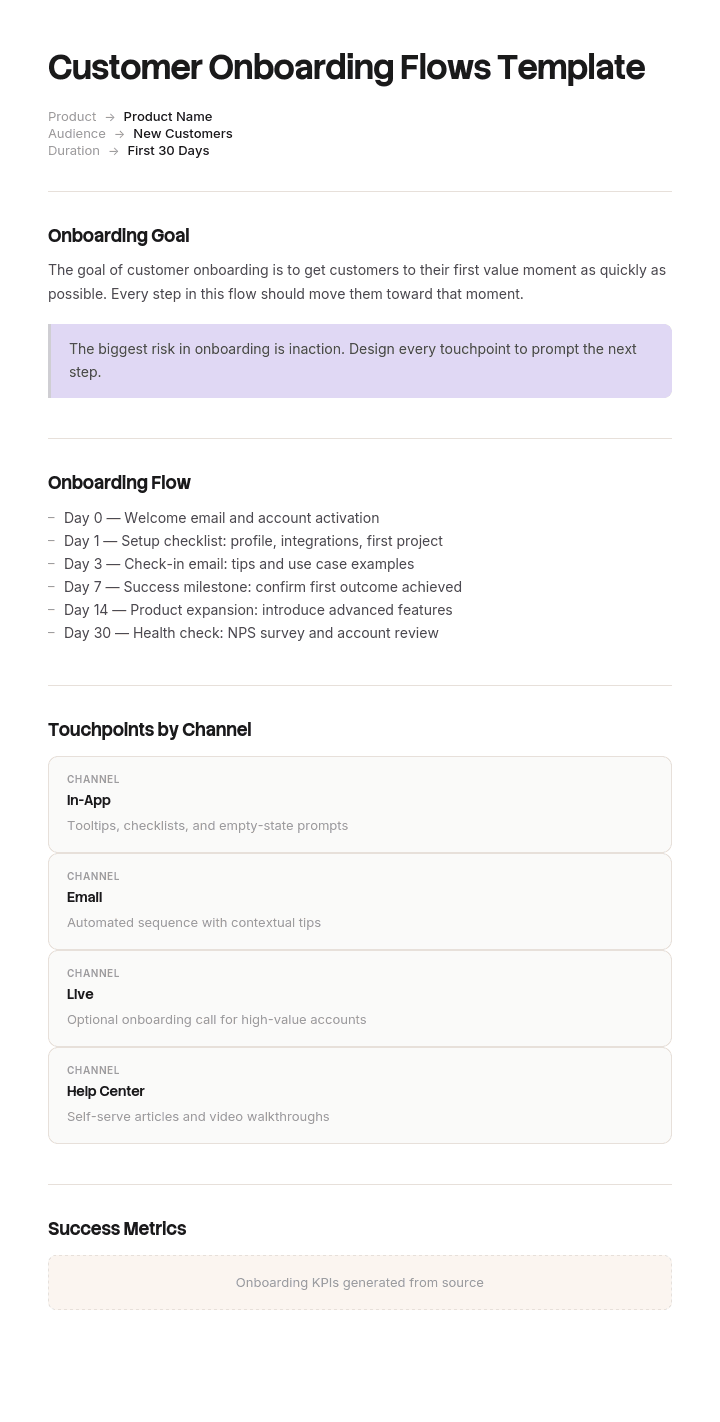
Use this template
The first 30 days determine whether a customer stays for years or churns in weeks. With Trupeer, you can save hours on onboarding design by starting with a free customer onboarding flows template, customizing it with your brand guidelines, and turning the flow into engaging video walkthroughs that drive activation.
A checklist tells you what your team has to do. A flow tells you what the customer experiences, in what order, and what moves them from one state to the next.
That distinction matters because onboarding rarely fails at the task level. It fails between states, where a customer who signed up never reaches setup, or reaches setup and never comes back. This template maps those transitions so you can see where people stop.
Download the customer onboarding flow template
Format | Best for |
|---|---|
Excel (.xlsx) | The flow itself: states, triggers, branches, drop-off per step |
Word (.docx) | The written flow for internal alignment and handover |
The approved version, and printing for workshops | |
Google Sheets | Live tracking with conversion rates per state |
PowerPoint (.pptx) | Presenting the flow to product, sales or leadership |
Free, editable, no watermark. Excel is what most teams work from, because a flow with drop-off rates attached is more useful than a diagram.
What a customer onboarding flow is
The mapped sequence of states a new customer passes through from signup to habitual use, including what triggers each transition, what they receive at each point, and where the path branches for different customer types.
It answers a different question from a checklist. A checklist asks what has to be done and by whom. A flow asks what happens to the customer and what causes it. You need both, and they are different documents.
The five states of customer onboarding
Every onboarding flow moves through the same five states regardless of product. Naming them gives you somewhere to attach drop-off numbers.
Signed up. They have an account and have done nothing with it. The largest population and the one most companies never look at again.
Set up. The minimum configuration is complete. Data connected, team invited, whatever your product needs to be usable at all.
Activated. They have experienced the core value once. This is the most important state to define precisely, because everything upstream exists to reach it.
Habitual. They use it on a repeating cadence without prompting. The point at which churn risk drops sharply.
Expanded. More users, more use cases, or more spend.
Most onboarding analysis stops at signed up and jumps to retained. The three states in between are where the actual losses happen.
How to customize this template in Trupeer
Step 1: Open the Templates Section
Go to the Templates section from the main navigation.

Step 2: Select and Open a Template
Click on any template you want to work with to open it.

Step 3: Expand the Template View
If needed, expand the template view to see the full layout and details clearly.

Step 4: Edit the Template
Click on Edit to start modifying the selected template.

Within the editor, you can:
Add new sections
Define or update formatting rules
Add a logo and adjust its position and related settings
Step 5: Save Your Customized Template
After making all necessary changes, click Save to store the updated template as your own.

Step 6: Preview and Fine-Tune the Template
When you want to see how your customized template looks, open the Preview.

From the preview screen, you can continue to make adjustments directly if needed, ensuring the template appears exactly as you want.
With a customer onboarding flows template you can:
Save hours on design: Skip the blank page with a proven onboarding structure.
Drive activation: Built-in milestone fields ensure customers reach value fast.
Stay on-brand: Apply your logo, fonts and colors using Trupeer's brand kit.
Engage customers: Pair flows with video tutorials for every key feature.
Standardize across personas: Customize flows for different customer segments.
Reach global customers: Translate onboarding flows into 65+ languages with one click.
The customer onboarding flow template
State | Entry trigger | What the customer does | What we send or show | Owner | Exit trigger | Target time in state | Drop-off |
|---|---|---|---|---|---|---|---|
Eight columns. The two that make it a flow rather than a list are entry trigger and exit trigger, because they force you to state what actually moves someone forward rather than what you hope they do.
Filled-in customer onboarding flow example
Product: Operations reporting platform. Segments: self-serve, assisted, enterprise. Defined activation: first report run on the customer's own data.
State | Entry trigger | Customer action | We send or show | Exit trigger | Target | Drop-off |
|---|---|---|---|---|---|---|
Signed up | Account created | None yet | Welcome email, setup checklist in product | Data source connected | 2 days | 41% |
Connecting | Setup started | Connects a data source | Setup wizard, 3 min video, chat prompt at 5 min idle | Connection verified | 1 day | 18% |
Set up | Connection verified | Invites team, sets first dashboard | Templated dashboards, invite prompt | First report run | 3 days | 22% |
Activated | First report run | Runs a report on own data | Confirmation, next-step suggestions | 3 reports in 14 days | 14 days | 27% |
Habitual | 3 reports in 14 days | Uses weekly without prompting | Weekly digest, feature nudges | 60 days active | 60 days | 12% |
Expanded | 60 days active | Adds users or use cases | Expansion conversation, case studies | Second team onboarded | Ongoing |
What the numbers say. The 41% who never connect a data source are the biggest single loss, and they leave before any human contact. That is a product and messaging problem, not a customer success one, and no amount of improving the kickoff call reaches them.
The 27% who set up but never run a report is the second problem, and it is different in kind. Those people invested effort and stopped anyway, which usually means the path from setup to value was unclear rather than too hard.
Where the flow branches
A single flow for all customers fits none of them. Branch early, on a criterion you actually know at signup.
Segment | Branch criterion | Path | Human touch |
|---|---|---|---|
Self-serve | Under 10 users, no enterprise domain | Fully in-product, no scheduled contact | Chat only, reactive |
Assisted | 10 to 100 users, or a paid plan above threshold | In-product plus a check-in at day 7 | One CSM touchpoint |
Enterprise | Over 100 users, or contract signed | Full assisted onboarding with kickoff, plan and training | Named CSM throughout |
The common mistake is branching on revenue alone. The better criterion is complexity of setup, because a small customer with a difficult integration needs more help than a large one with none.
State clearly what happens at each branch and what causes someone to move between branches, since a self-serve customer who stalls at connection should be picked up by a human rather than left in the flow.
Triggers, and what actually moves people
Every transition needs a trigger, and triggers come in three kinds.
Customer action. They did something: connected a source, invited a colleague, ran a report. The strongest trigger, because it reflects real intent.
Time elapsed. Three days passed with no progress. Useful for catching stalls, dangerous as the only trigger, because time-based sequences fire at people who have already moved on.
Internal action. A CSM completed setup on their behalf, or a contract was countersigned.
Write the trigger as an observable event, not an intention. "Customer is ready to invite their team" is not a trigger. "Customer has run one report" is.
The diagnostic value comes from pairing each trigger with a stall rule: what happens if the exit trigger has not fired within the target time. Most flows have no stall rules at all, which is why customers go quiet and nobody notices for a month.
Defining activation
The single most valuable definition in your flow, and the one most teams get wrong by making it too easy.
Activation is the first moment the customer experiences the value they bought, on their own data, doing their own work. Not completing a tour. Not logging in twice. Not finishing setup.
Test your definition three ways. Would a customer who reached this point describe the product as useful? Does reaching it correlate with retention in your data? Could someone reach it without getting any value, and if so it is too weak.
Then sequence everything before it to reduce the distance. If activation requires four steps, ask which of the four you can remove, pre-fill or do on the customer's behalf.
In-product, email and human touch
Three delivery channels, and most flows use the wrong one at the wrong moment.
In-product works when the customer is already there and the guidance concerns what is on screen. Setup wizards, empty states, contextual tooltips. It is the only channel that reaches self-serve customers reliably.
Email works for bringing someone back who has left. It is poor at instruction and good at prompting. An email explaining how to configure something will not be followed at the desk. An email saying you are one step from your first report, with a link, will.
Human works for complexity, negotiation and reassurance. It does not scale, it introduces scheduling delay, and it is wasted on tasks a customer could complete unaided.
The practical rule: in-product for anything on screen, email to return people to the screen, human for the parts requiring judgement. Enterprise onboarding uses all three. Self-serve should use the first two only, and if it requires a human to succeed, the flow has a design problem.
Onboarding emails inside the flow
Five that carry most of the weight. Each tied to a trigger, not a calendar.
Welcome, on signup. One action, not a feature tour.
Stall recovery, when an exit trigger has not fired within target. Names the specific next step, not a general nudge.
Activation confirmation, when they first reach value. Marks it explicitly, because customers rarely notice their own milestones.
Habit reinforcement, during the activated state. Shows them what they have accomplished with real numbers.
Expansion prompt, once habitual. Based on usage signals rather than time.
Anything beyond these five needs to justify itself. Sequences that run to fourteen emails have usually replaced flow design with volume.
Where onboarding flows break
Between signup and first action. The biggest loss in almost every flow, and the least examined because those customers never speak to anyone.
At any step requiring something from another person. Inviting a colleague, getting IT approval, obtaining credentials. Each dependency introduces a delay you do not control.
After setup, before value. People who did the work and stopped short. Usually a clarity problem rather than an effort one.
At the handoff from onboarding to ongoing support. The customer notices the drop in attention.
When the champion leaves. Nobody tells you, and adoption decays quietly.
Measuring the flow
Conversion rate between each pair of states. The core measure. One number per transition tells you where to work.
Time in state versus target. Slow is a different problem from stalled and needs a different fix.
Activation rate. Percentage of signups reaching genuine first value.
Time to activation. Should fall as you improve the flow.
Stall recovery rate. How many stalled customers your interventions actually recover.
Retention by activation status. If activated and non-activated customers retain equally, your activation definition is wrong.
Track conversion between states before anything else. It localises the problem, which is most of solving it.
Flow, checklist, journey map and playbook
Onboarding flow | Onboarding checklist | Journey map | Playbook | |
|---|---|---|---|---|
Describes | States and transitions | Tasks to complete | The customer's whole experience | How your team should act |
Perspective | The customer's path | Your team's work | The customer's, including feelings | The team's |
Scope | Signup to habitual use | One account's onboarding | Awareness to advocacy | A situation or role |
Used by | Product and CS teams | The person doing the onboarding | Product and marketing | CS teams |
Answers | Where do people stop | What do I do next | What is this like for them | How should I handle this |
For the per-account task list, use the client onboarding checklist and plans. This page is the flow behind it.
How to build your onboarding flow
Define activation precisely. Everything else depends on it, so do this first and test it against retention data.
List the states between signup and activation as the customer experiences them, not as your team does.
Write the entry and exit trigger for each state as observable events.
Find your branch point and the criterion you can actually evaluate at signup.
Assign a channel to each state: in-product, email or human.
Set a target time in state and a stall rule for exceeding it.
Instrument it. You cannot improve transitions you are not measuring.
Find the largest drop-off and work only on that one.
Change one thing and measure it, because changing five things tells you nothing.
Review quarterly, since product changes invalidate flows faster than anything else.
Best practices
Define activation before designing anything.
Write triggers as observable events.
Branch on setup complexity rather than revenue.
Give every state a stall rule.
Use in-product for anything on screen.
Reduce steps before activation rather than explaining them better.
Measure transitions, not totals.
Fix the biggest drop-off, one change at a time.
Have a path for a self-serve customer who stalls.
Rebuild the flow when the product changes materially.
Common mistakes
A single flow for every customer type.
Activation defined as something too easy, so it correlates with nothing.
Time-based email sequences with no action triggers.
No stall rules, so quiet customers go unnoticed.
Human touch used for tasks the customer could do alone.
Optimising the assisted flow while ignoring the self-serve drop-off, which is usually larger.
Measuring only signup to retained, hiding everything in between.
Fourteen-email sequences substituting for flow design.
No handoff defined from onboarding to ongoing support.
The flow never updated after the product changed.
Show them the step instead of explaining it
Open the template in Trupeer AI, apply your brand kit so onboarding materials match your product, and edit any section directly. Setup is in the template guide.
The two states where flows leak most are connecting and setup, and both fail for the same reason: a written instruction describing an interface is always more ambiguous than watching someone use it. That is why a three-minute walkthrough placed at the connection step often moves conversion more than a rewritten email sequence.
Record the setup path once and Trupeer AI produces the written guide and a narrated video walkthrough together, so you can drop the right clip into the exact state where people stall. Translate it into 65+ languages so international customers get the same flow. Keep the set in your knowledge base so it doubles as self-serve support, and see how teams use this in customer success.
Record it. Brand it. Translate it. Trupeer it.
Frequently Asked Questions
Is there a free customer onboarding template in Excel?
Yes. The Excel version holds the flow with states, triggers, branches, target times and drop-off rates per transition. It is the format most teams work from, since a flow with conversion data attached tells you where to act.
Is there a free client onboarding template?
Yes, and it is a different document from this one. For the per-account task list with owners and dates, use the client onboarding checklist and plans. Use this page for the flow behind it, meaning the states every customer passes through and where they stop.
Is there a client onboarding template in Word?
Yes. The Word version of the checklist and plan is on the client onboarding page, and the Word version of the flow document is on this page. The first is for running one account, the second for designing the process.
Is there a client onboarding form in PDF?
Yes. The onboarding questionnaire and intake form are included on the client onboarding page as fillable PDFs, along with the kickoff agenda.
Is there a client onboarding template for Canva or Notion?
Not directly. These are Word, Excel, PDF and Google formats, which paste cleanly into Notion as tables if that is where your team works. For a designed onboarding portal or a visual journey map, a tool built for that will serve you better. What these templates give you is the underlying flow logic, which you can rebuild in whichever tool you prefer.
Is there a free employee onboarding template in Word or Excel?
Yes, though that is a different process entirely. Employee onboarding covers a new hire's first ninety days, and the templates for it are the onboarding checklist and plans template and the 30-60-90 day plan.
What is a customer onboarding flow?
The mapped sequence of states a customer moves through from signup to habitual use, with the trigger that moves them between each state, what they see or receive at each point, and where the path branches by customer type.
What is the difference between an onboarding flow and an onboarding checklist?
A checklist lists the tasks your team completes for one account, with owners and dates. A flow describes the states the customer passes through and what causes each transition. The checklist runs an account. The flow tells you where accounts get stuck.
What should a customer onboarding flow include?
Defined states from signup to habitual use, an entry and exit trigger for each, what the customer does and receives at each point, the branch criteria for different segments, target time in each state, a stall rule, and a drop-off measure per transition.
What is activation in customer onboarding?
The first moment a customer experiences the value they bought, using their own data or work. Not completing a tour or finishing setup. If your definition of activation does not correlate with retention in your own data, it is too weak and should be redefined.
How long should customer onboarding take?
Time to activation should be days rather than weeks for self-serve products, and under thirty days for most assisted onboarding. Full onboarding through to habitual use commonly runs sixty to ninety days. The number that matters is time to activation, since that is what predicts retention.
Where do most customers drop off during onboarding?
Between signup and their first meaningful action. It is typically the largest single loss and the least examined, because those customers never speak to anyone and do not appear in any conversation your team has. The second largest is usually between completed setup and first value.
Should customer onboarding be automated or human-led?
Both, split by segment and setup complexity rather than by revenue. Self-serve should succeed without a human, and if it cannot, that is a flow design problem. Enterprise needs human involvement for the parts requiring judgement. The useful middle ground is an automated flow with a stall rule that brings in a person when someone gets stuck.
How do you measure a customer onboarding flow?
Conversion rate between each pair of states first, since it localises the problem. Then activation rate, time to activation, time in state against target, stall recovery rate, and retention split by whether the customer activated.
Can I customize this customer onboarding flow template?
Yes, every version is fully editable. Rename the states to match your product, add branches, and adjust the target times. In Trupeer AI you can also apply your brand kit so anything customer-facing matches your product.


