Use this template
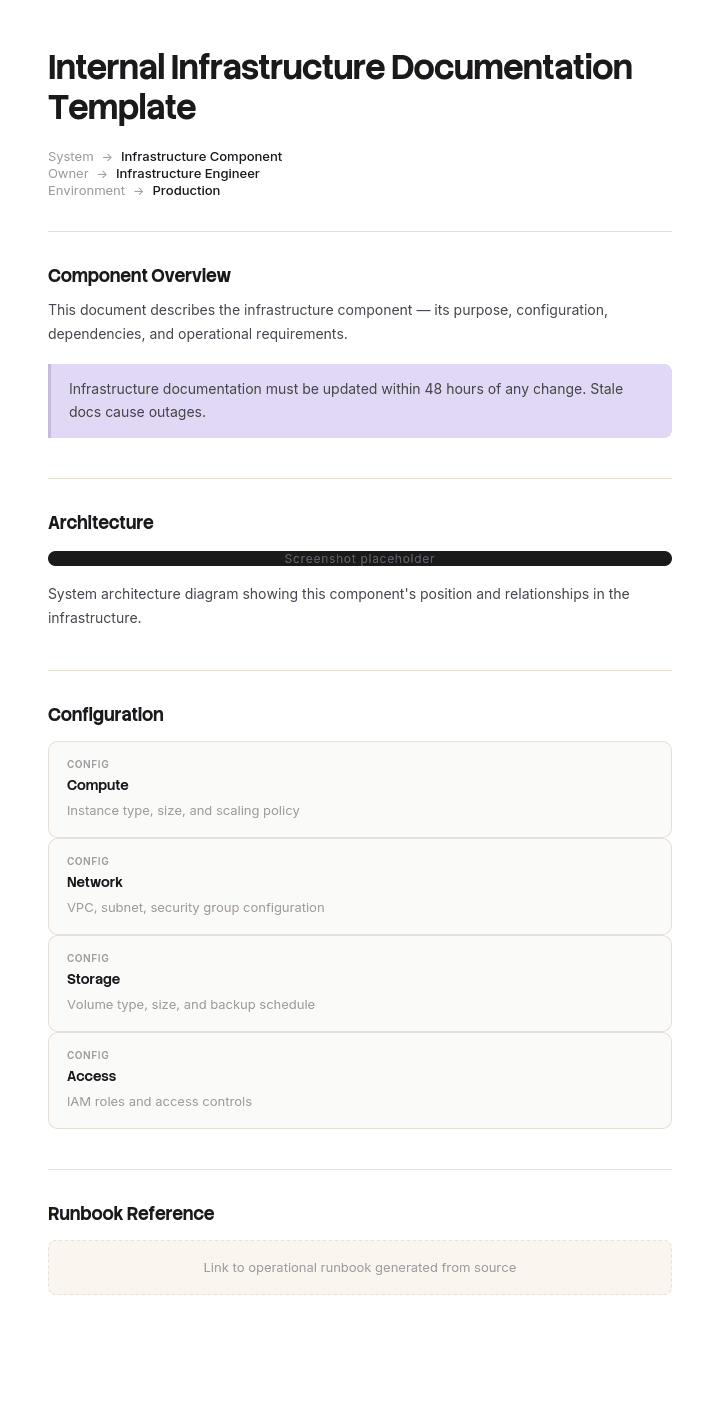
Strong internal infrastructure documentation protects your company from outages, audits and security incidents. With Trupeer, you can save hours on infrastructure documentation by starting with a free template, customizing it with your brand guidelines, and turning documentation into video walkthroughs for IT teams and MSPs.
Most infrastructure documentation is written once, during a project, and is wrong within six months. It stays on the wiki, nobody trusts it, and during the next incident someone reads it, hesitates, and phones the person who actually knows.
The fix is not more documentation. It is less documentation that is kept true, chosen by asking what someone would actually need at three in the morning.
Download the infrastructure documentation template
Format | Best for |
|---|---|
Excel (.xlsx) | The inventory, dependency matrix, network details and review tracker |
Word (.docx) | Runbooks, architecture overview and the DR plan |
Approved versions, and anything auditors ask for | |
Google Sheets | A shared inventory the team maintains |
Google Docs | Runbooks that get edited during and after incidents |
Free, editable, no watermark. Excel does most of the work here, because infrastructure documentation is largely structured data pretending to be prose.
Which documentation do you need?
You need to document | Use |
|---|---|
What infrastructure exists and how it connects | This template |
IT processes, policies and how-tos generally | |
A specific project | |
A software product for its users | |
An IT procedure | |
Software architecture and design |
How to customize this template in Trupeer
Step 1: Open the Templates Section
Go to the Templates section from the main navigation.

Step 2: Select and Open a Template
Click on any template you want to work with to open it.

Step 3: Expand the Template View
If needed, expand the template view to see the full layout and details clearly.

Step 4: Edit the Template
Click on Edit to start modifying the selected template.

Within the editor, you can:
Add new sections
Define or update formatting rules
Add a logo and adjust its position and related settings
Step 5: Save Your Customized Template
After making all necessary changes, click Save to store the updated template as your own.

Step 6: Preview and Fine-Tune the Template
When you want to see how your customized template looks, open the Preview.

From the preview screen, you can continue to make adjustments directly if needed, ensuring the template appears exactly as you want.
With an internal infrastructure documentation template you can:
Save hours on writing: Skip the blank page with a structure built for IT infrastructure.
Improve security posture: Built-in fields enforce safe credential handling practices.
Stay on-brand: Apply your logo, fonts and colors using Trupeer's brand kit.
Reduce downtime: Clear documentation cuts MTTR during incidents.
Stay audit-ready: Aligned with SOC 2, ISO 27001 and similar frameworks.
Reach global teams: Translate documentation into 65+ languages with one click.
The 3am test
The only test that matters for infrastructure documentation.
Imagine an incident at three in the morning. The person who built the system is on a plane. Someone competent but unfamiliar is looking at your documentation. Can they work out what is broken, what depends on it, what happens if they restart it, and who to escalate to?
Everything that helps with that is worth writing. Everything else is optional, and optional documentation is what dilutes the useful parts and consumes the maintenance budget.
Apply it ruthlessly. A detailed history of why a technology was chosen in 2021 does not pass. A note saying this service must be started after the database and before the API gateway does.
What passes the 3am test
What exists. Systems, servers, services, with what each one does in one sentence.
Where it lives. Cloud provider and region, or physical location and rack.
What depends on it, and what it depends on. The single most valuable thing in infrastructure documentation.
How to reach it. Hostnames, addresses, consoles, though never credentials.
What normal looks like. So an unfamiliar person can tell whether something is actually wrong.
What breaks it. Known failure modes and their symptoms.
How to restart it safely, including order and anything that must be done first.
Who owns it, and the escalation path with real contact details.
What the blast radius is. What goes down if this does.
What usually does not pass
Written for completeness rather than use, and therefore not worth maintaining.
Full configuration dumps that are stale the day after export. Detailed rationale for past decisions, which belongs in an architecture decision record rather than operational documentation. Every parameter of every system when only a handful matter operationally. Screenshots of consoles, which age badly and rarely help. And anything that duplicates a source of truth elsewhere, since two copies means one is wrong and you cannot tell which.
The general principle: if it can be discovered from the system faster than it can be read from a document, do not document it.
The infrastructure inventory
The foundation. One row per system or service.
Field | Enter |
|---|---|
Name | As it appears in monitoring and in conversation |
Purpose | One sentence, in plain language |
Type | Server, service, database, network device, SaaS |
Environment | Production, staging, development |
Location | Cloud provider and region, or site and rack |
Owner | Team, and a named escalation contact |
Criticality | Tier 1 to 3, defined below |
Depends on | What it needs to function |
Depended on by | What breaks if it stops |
Access method | Console, SSH bastion, VPN. Not credentials |
Monitoring | Where its alerts go |
Backup | Frequency, location, last verified restore |
Runbook | Link |
Last verified | Date someone confirmed this row is true |
The last field is the one most inventories omit and the one that determines whether anybody trusts the document. A row nobody has checked in two years should be visibly untrusted rather than silently wrong.
Criticality tiers
Define them, because they drive how much documentation each system deserves.
Tier | Means | Documentation expected |
|---|---|---|
1 | Outage stops the business | Full runbook, tested DR, dependency map, reviewed quarterly |
2 | Outage degrades a function | Runbook, dependencies, reviewed twice yearly |
3 | Outage is tolerable for a day | Inventory entry and owner only |
Most organisations document tier 3 to the same depth as tier 1, run out of energy, and end up with everything half-documented. Do tier 1 properly and let tier 3 be a single row.
Dependencies
The most valuable and most neglected part of infrastructure documentation.
During an incident, the question is rarely what is broken. It is what else is affected, and what this thing needs in order to come back. Neither is discoverable from a server list.
Document dependencies in both directions:
System | Depends on | Depended on by | Startup order | Fails if dependency down |
|---|---|---|---|---|
Order API | Postgres primary, Redis, Auth service | Web app, mobile app, partner integrations | After Postgres and Auth | Yes, immediately |
Reporting service | Postgres replica | Internal dashboards only | Any | Degrades, serves cached |
Two things make this useful. Startup order, because restarting things in the wrong sequence turns a short incident into a long one. And whether the dependency is hard or soft, since a service that degrades gracefully is a very different problem from one that fails immediately.
Include external dependencies. Payment providers, identity providers, DNS, certificate authorities and SaaS APIs cause outages you cannot fix, and knowing that quickly is worth a lot at 3am.
Network documentation
Element | Document |
|---|---|
Network segments | Purpose, address range, VLAN |
Routing | Between segments, and to the internet |
Firewalls | Where they sit, who manages rules, how to request a change |
VPN | Endpoints, who has access, how to request |
DNS | Zones, where they are hosted, who can change them |
Load balancers | What sits behind each, health check behaviour |
Certificates | What they cover, expiry, renewal owner and method |
External connectivity | ISPs, circuits, contacts, contract references |
Certificate expiry deserves its own attention. It causes outages that are entirely predictable, entirely preventable, and disproportionately likely to happen on a weekend. Document what expires when, who renews it, and whether renewal is automated.
Runbooks
The document someone actually opens during an incident.
Section | Contents |
|---|---|
System and owner | With escalation contact |
What this system does | One paragraph |
What normal looks like | Metrics, expected behaviour, typical load |
Common alerts | What each one means and what to do |
How to restart safely | Steps, order, prerequisites |
Known failure modes | Symptom, cause, fix |
What not to do | The actions that make things worse |
Escalation | When, and to whom |
Related runbooks | Dependencies |
The "what not to do" section is rare and valuable. Every mature system has an action that seems reasonable and makes the incident worse: restarting in the wrong order, clearing a cache that takes six hours to rebuild, failing over when the secondary is behind.
Write runbooks for tier 1 systems and for anything that has caused an incident. Not for everything.
Access and credentials
The section where documentation causes harm rather than preventing it.
Never put credentials in documentation. Not passwords, not API keys, not connection strings with embedded secrets, not private keys. Not in the wiki, not in the Excel file, not "temporarily".
Do document the access method. Which system holds the credential, who can grant access, and how someone requests it at 3am. That is what the person actually needs, and it is safe to write down.
Instead of | Document |
|---|---|
The admin password | Credentials in [vault], accessible to the platform team, break-glass procedure in [runbook] |
An API key | Key stored in [secrets manager] as [name], rotated quarterly by [owner] |
A shared login | Access via SSO group [name], request through [process] |
Then document the break-glass procedure properly, because emergency access being unavailable during an emergency is a common and avoidable failure.
Disaster recovery
What DR documentation must contain to be worth anything.
Recovery time and recovery point objectives per tier 1 system, agreed with the business rather than assumed by IT. What the recovery procedure actually is, step by step. Where backups are, and critically when a restore was last tested successfully. Who declares a disaster and who invokes the plan. How the team communicates when normal systems are down, since a DR plan stored only on the systems that are down is a familiar embarrassment.
The single most important line in any DR document is the date of the last successful restore test. A backup that has never been restored is a hypothesis.
Diagrams
Infrastructure benefits from diagrams more than most documentation, and they go stale faster.
One high-level diagram showing the main components and how they connect. This is the one people actually use.
Network topology, where the environment is complex enough to need it.
Data flow, particularly where it crosses trust boundaries or jurisdictions.
Keep them simple. A diagram nobody can read at a glance during an incident is decoration.
Date them, and put the owner on them.
Prefer diagrams-as-code where your team will maintain it, since a diagram in a version-controlled text format gets updated with the change rather than afterwards.
A wrong diagram is worse than no diagram, because people trust pictures more than prose.
Keeping it accurate
The whole problem, and the reason most infrastructure documentation fails.
Document less. Accuracy scales inversely with volume. Fifteen accurate pages beat two hundred stale ones.
Attach documentation updates to the change process. A change that alters infrastructure is not complete until the documentation reflects it. This is the only mechanism that reliably works.
Automate what can be discovered. Inventory, addresses, configurations and topology can often be generated. Generated documentation cannot go stale in the way handwritten documentation does.
Hand-write only what cannot be discovered. Purpose, ownership, criticality, dependencies, known failure modes, what not to do. Machines cannot infer any of these.
Date everything, and show the date prominently. A visible last-verified date lets readers calibrate their trust.
Review on a schedule by tier, quarterly for tier 1.
Fix it during incidents. The moment someone discovers the documentation is wrong is the moment they have the knowledge to fix it. Make that a five-minute task, not a ticket.
Automation and discovery
Worth investing in, because it removes the largest failure mode.
Configuration management databases, cloud provider inventories, infrastructure-as-code repositories and network discovery tools can all generate accurate current-state information continuously. Anything they can produce should not be maintained by hand.
The split that works: machines document what exists, humans document what it means. An auto-generated inventory tells you a server exists and what is installed on it. Only a person can tell you it is the one that must not be rebooted between 2am and 4am because of the batch run.
Where infrastructure is defined as code, the code is the documentation of what exists. What remains to be written is the intent, the operational knowledge and the failure modes.
Who owns it
Assign ownership per system rather than making documentation one person's job, which never survives that person's departure.
The team that operates a system owns its documentation. A named individual owns the overall standard, the templates and the review cadence. And the change process enforces updates, because ownership without a mechanism is an intention.
The failure pattern is a documentation owner who chases everyone else. That works for about two months.
Testing the documentation
The equivalent of a restore test, and equally neglected.
Take someone who did not build the system, give them only the documentation, and ask them to complete a routine operational task. A controlled restart, a failover, a restore to a test environment.
Everything they cannot do from the documentation is a gap. Everything they get wrong is a defect. This is uncomfortable and it is the only reliable way to know whether the documentation would work at 3am, since the person who wrote it can always fill the gaps from memory.
Do this for tier 1 systems at least annually, ideally as part of a game day or DR exercise.
Best practices
Apply the 3am test to everything before writing it.
Document tier 1 properly and tier 3 minimally.
Dependencies in both directions, with startup order.
Never credentials, always access methods.
Last-verified date on every record.
Automate anything discoverable, hand-write only intent and operational knowledge.
Documentation updates enforced by the change process.
Runbooks include what not to do.
Restore tests dated in the DR plan.
Test the documentation with someone unfamiliar, annually.
Common mistakes
Credentials in the wiki.
Everything documented to the same depth, so nothing is maintained.
Dependencies documented in one direction only.
No startup order, so recovery takes longer than the outage.
Configuration dumps that are stale on arrival.
Diagrams undated and unowned, trusted long after they stopped being true.
Documentation as a project deliverable, never updated afterwards.
One person nominally responsible for all of it.
DR plans stored on the infrastructure they cover.
Backups documented, restores never tested.
No last-verified date, so readers cannot judge what to trust.
Written by the person who built it, tested by nobody.
Capture what only the person who built it knows
Open the templates in Trupeer AI, apply your brand kit so documentation matches your standards, and edit any section directly. Setup is in the template guide.
Automation covers what exists. What it cannot capture is the operational knowledge: the order things come back in, the check you do before failing over, the reason nobody restarts that service on a Tuesday.
That knowledge lives with one or two people and leaves when they do. Have them walk through a failover or a restore while recording, and Trupeer AI produces the written runbook and a narrated video walkthrough from the same pass, in the order they actually do it rather than the order they would remember writing it.
It also takes less of their time than writing, which matters, because the reason operational knowledge stays undocumented is that the people who hold it are the busiest. Translate it into 65+ languages for distributed teams, and keep the set in your knowledge base beside the runbooks.
Record it. Brand it. Translate it. Trupeer it.
Frequently Asked Questions
Is there a free infrastructure documentation template in Word?
Yes. Word holds the runbooks, architecture overview and DR plan, the parts that are genuinely narrative. Free download, no sign-up, no watermark.
Is there a free infrastructure documentation template in Excel?
Yes, and Excel does most of the work. It includes the system inventory with criticality tiers and last-verified dates, the dependency matrix in both directions, network details, certificate expiry tracking and the review schedule.
Is there a free infrastructure documentation template in PDF?
Yes, as approved versions and for anything an auditor or client asks to see. Keep the working copies editable, since infrastructure documentation that cannot be updated quickly does not get updated.
Can I download a free infrastructure documentation template?
Yes, every format is a free download with no account required and no attribution.
Are there free IT documentation templates?
Yes. This page covers infrastructure specifically. For IT documentation more broadly, including processes, policies and how-to material, see IT documentation examples and templates, and for IT procedures the IT SOP template.
Is there an IT documentation template in Word?
Yes, on the IT documentation examples and templates page. This page is narrower, covering the systems, networks and dependencies that make up your infrastructure.
Is there a project documentation template in Word, free to download?
Yes, on the project documentation template page. Project documentation covers a project's scope, plan and deliverables, while infrastructure documentation covers what exists in production regardless of which project built it.
What is IT infrastructure documentation?
A record of the systems, networks, services and dependencies that make up your environment, together with the operational knowledge needed to run and recover them. It covers what exists, what depends on what, what normal looks like, and how to respond when something breaks.
What should infrastructure documentation include?
A system inventory with owners and criticality, dependencies in both directions with startup order, network and connectivity details, runbooks for critical systems, access methods but never credentials, backup and disaster recovery details including the last successful restore test, and a last-verified date on everything.
How do you keep infrastructure documentation up to date?
Document less, automate anything discoverable, and attach documentation updates to your change process so a change is not complete until the documentation reflects it. Put a visible last-verified date on every record, review by criticality tier, and let anyone fix errors immediately rather than raising a ticket.
Should credentials be stored in documentation?
No. Not passwords, API keys, connection strings or private keys, in any system, temporarily or otherwise. Document instead which vault or secrets manager holds the credential, who can grant access, and the break-glass procedure for emergencies. That is what someone actually needs during an incident and it is safe to write down.
How much infrastructure should you document?
Enough to pass the 3am test for critical systems, and very little for the rest. Tier 1 systems need full runbooks, dependency maps and tested DR. Tier 3 systems need one inventory row and an owner. Documenting everything to the same depth is why most infrastructure documentation ends up stale.
What is a runbook?
An operational document for one system covering what normal looks like, what common alerts mean, how to restart it safely including order and prerequisites, known failure modes, what not to do, and when to escalate. It is what someone opens during an incident, and it should be written for a competent person who is unfamiliar with that specific system.
How do you document dependencies?
In both directions, since during an incident you need to know both what this system requires and what breaks if it stops. Include startup order, whether each dependency is hard or soft, and external dependencies such as identity providers, DNS and payment processors, which cause outages you cannot fix yourself.
How often should infrastructure documentation be reviewed?
By criticality tier: quarterly for tier 1, twice yearly for tier 2, and on change for tier 3. Beyond scheduled reviews, the change process should force updates, and anyone who discovers an error during an incident should be able to fix it immediately.
How do you know if your documentation actually works?
Test it. Give someone who did not build the system only the documentation, and ask them to perform a routine operational task such as a controlled restart or a restore to a test environment. Whatever they cannot do is a gap. Doing this annually for tier 1 systems is the equivalent of a restore test, and equally often skipped.
Can I customise this infrastructure documentation template?
Yes, every version is fully editable. Adjust the criticality tiers and fields to your environment. The two worth keeping are the last-verified date and the two-way dependency mapping, since those are what determine whether the documentation is trusted and whether it helps during an incident.

