4.8/5
Free Technical Manual Creator
Professional Technical Documentation Made Effortless
Create Technical Manuals Now

Trupeer's technical manual creator revolutionizes how organizations produce professional technical documentation. Instead of spending hours writing complex procedures from scratch, you simply record your screen or upload existing recordings, and our AI automatically generates comprehensive technical manuals alongside polished instructional videos. The traditional approach to creating technical manuals involves tedious documentation processes, multiple rounds of editing, and constant updates as products evolve.
What sets Trupeer apart from conventional documentation tools is our dual-output approach. While other platforms focus solely on written content or video creation, our technical documentation solution delivers both formats simultaneously. You record your process once, and AI handles the heavy lifting of creating detailed written manuals while enhancing your video with professional editing features. Our AI technology goes beyond simple transcription. It understands context, identifies key steps, and structures information logically.
How Does Technical Manual Creator Work?
The technical manual creation process with Trupeer is designed for maximum efficiency and minimal complexity. Our streamlined workflow ensures that anyone can produce professional-grade technical documentation regardless of their writing background or technical communication experience.
Step 1: Capture Your Process
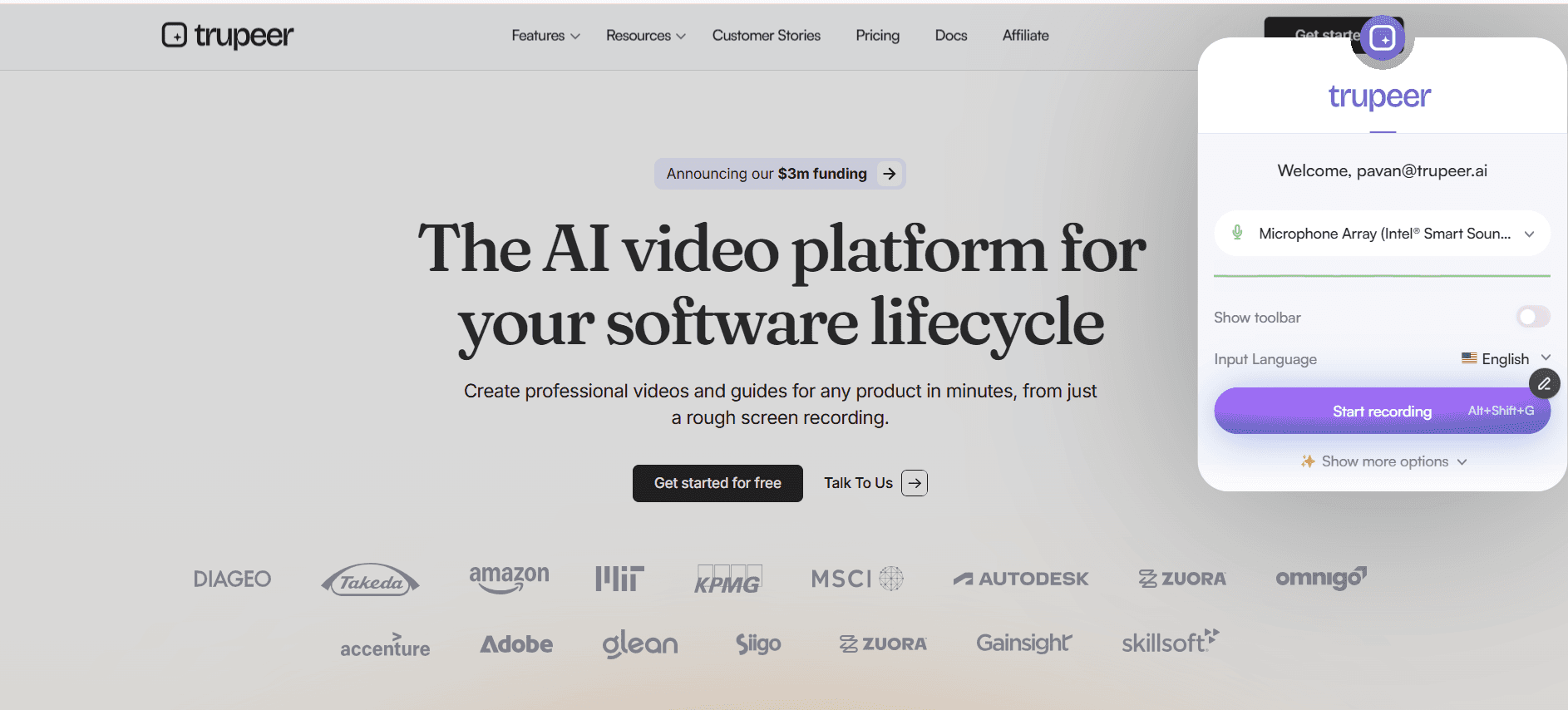
Start by recording your screen using Trupeer's built-in AI screen recorder or upload an existing recording. The platform supports various file formats, so you can work with footage captured from any device or software. Simply walk through your technical process as you normally would, explaining steps verbally as you demonstrate them on screen.
Step 2: AI Analysis and Processing
Once your recording is uploaded, Trupeer's AI engine analyzes every aspect of your demonstration. The system identifies distinct steps, recognizes interface elements, and processes your narration to understand the technical context. This analysis forms the foundation for both video enhancement and documentation generation.

Step 3: Automated Video Enhancement
The AI automatically improves your raw footage by removing background noise, eliminating filler words, and adding professional zoom effects to highlight important interface elements. These enhancements ensure your technical demonstrations are clear and professional without requiring video editing expertise.
Step 4: Documentation Generation
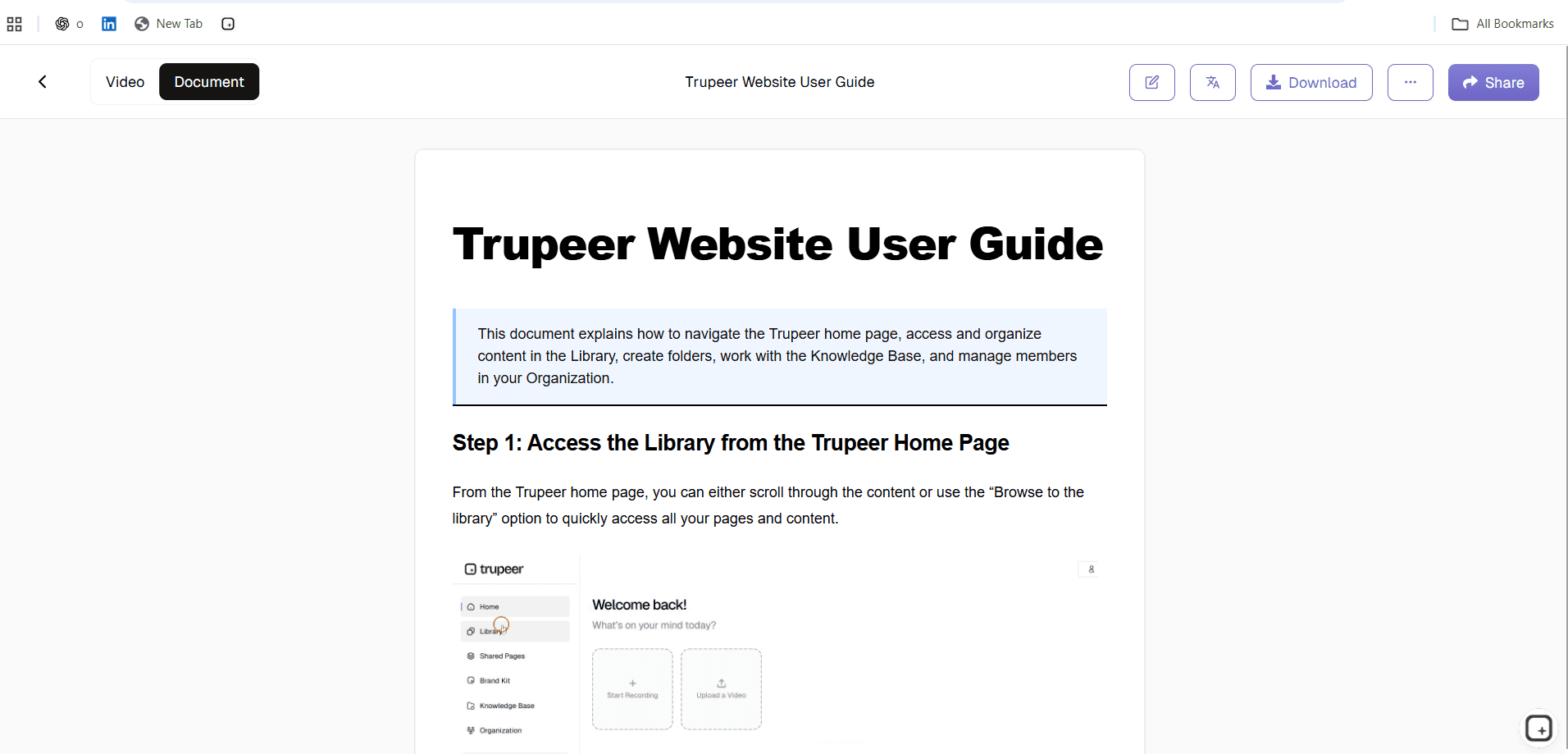
Simultaneously, the AI creates comprehensive written documentation based on your recording. The system structures information into logical sections, captures technical details, and formats content according to professional technical writing standards. This automated process produces drafts that often require minimal editing.
Step 5: Customization and Branding
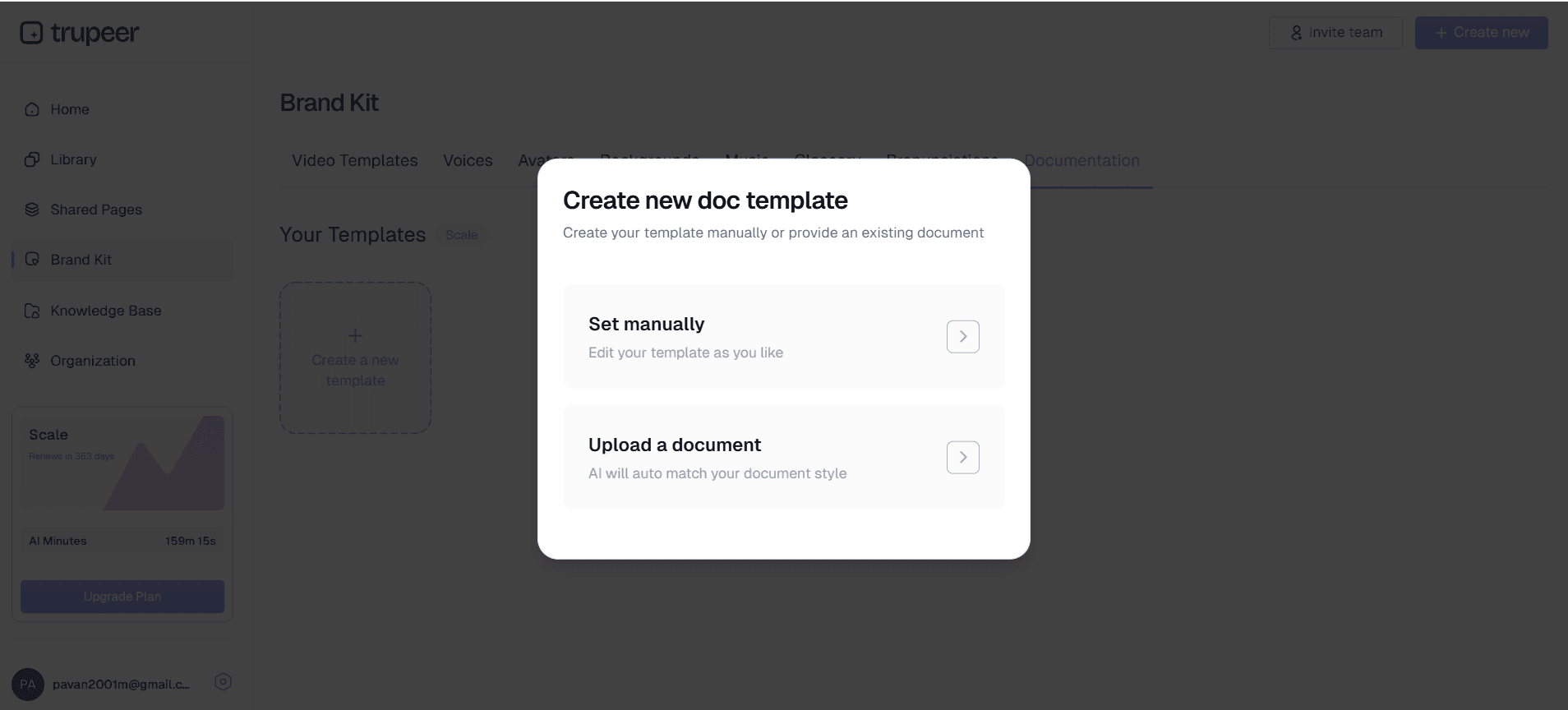
Apply your organization's brand kits to ensure consistent presentation across all materials. Customize documentation templates with your preferred formatting, styling, and structural elements. These templates can be saved and reused for future manuals, maintaining consistency across your technical documentation library.
Key Features and Capabilities
Trupeer's technical manual creator includes powerful features designed specifically for technical documentation needs. These capabilities ensure that your manuals meet professional standards while reducing creation time significantly.
AI-Powered Content Structuring: The platform automatically organizes your content into logical sections with clear headings, numbered procedures, and properly formatted technical details. This intelligent structuring eliminates the guesswork involved in manual organization and ensures consistent formatting across all documentation.
Multi-Format Export Options: Generate your technical manuals in multiple formats simultaneously. Export as comprehensive written documentation, professional instructional videos, or both formats together. This flexibility allows you to serve different learning preferences and distribution requirements without additional work.
Template Customization: Create and save documentation templates with your organization's preferred formatting, color schemes, and structural elements. These reusable templates ensure brand consistency and accelerate future manual creation by providing standardized starting points.
Advanced Video Enhancement: Beyond basic editing, the AI applies sophisticated enhancements including automatic zoom effects on cursor movements, noise reduction for clear audio, and professional transitions between sections. These features ensure your instructional videos maintain broadcast quality without manual editing.
Global Accessibility: Built-in video translation capabilities allow you to create technical manuals in multiple languages automatically. This feature is invaluable for organizations with global teams or international user bases, eliminating the need for separate translation services.
Integration-Ready Output: Export manuals in formats compatible with knowledge bases, learning management systems, and documentation platforms. Whether you're updating internal wikis or customer-facing help centers, the output integrates seamlessly with existing systems.
Why Should You Use Technical Manual Creator?
The benefits of using Trupeer's technical manual creator extend far beyond simple time savings. Organizations that adopt this approach see improvements in documentation quality, consistency, and team productivity that compound over time.
Dramatic Time Reduction: Traditional technical manual creation can take days or weeks depending on complexity. With Trupeer, you can produce comprehensive documentation in hours. This time savings allows technical experts to focus on their core responsibilities rather than spending extensive time on documentation tasks that often get delayed or deprioritized.
Enhanced Accuracy and Completeness: When subject matter experts demonstrate processes while creating documentation, they're less likely to skip steps or omit important details. The screen recording approach captures every click, menu selection, and interface interaction, ensuring your manuals reflect actual procedures rather than idealized descriptions.
Consistent Professional Quality: AI-generated documentation maintains consistent formatting, tone, and structure across all manuals. This consistency improves user experience and reflects positively on your organization's attention to detail. Manual writing often results in style variations between different authors, but AI processing eliminates these inconsistencies.
Scalable Documentation Processes: As your technical products evolve, updating documentation becomes straightforward. Record the updated procedures and generate new manuals using your established templates and branding. This scalability is particularly valuable for software companies, IT departments, and organizations with frequently changing procedures.
Multi-Modal Learning Support: By providing both video demonstrations and detailed written instructions, you accommodate different learning preferences within your audience. Some users prefer visual demonstrations, while others need written references they can follow step-by-step. Delivering both formats simultaneously maximizes comprehension and user satisfaction.
Who Can Use Technical Manual Creator?
Trupeer's technical manual creator serves diverse professional contexts where clear, accurate documentation is essential. The platform's flexibility makes it valuable across industries and organizational sizes.
Software Development Teams: Create comprehensive user guides, API documentation, and system administration manuals for complex software products. Development teams can demonstrate features while explaining technical concepts, producing documentation that serves both end-users and technical implementers. Integration with existing product marketing workflows ensures consistency across all product communications.
IT Departments and System Administrators: Document network configurations, security procedures, troubleshooting workflows, and system maintenance protocols. IT professionals can record their screen while performing routine tasks, creating permanent documentation that enables knowledge transfer and reduces dependency on individual expertise.
AI Screen Recorder Professionals: Transform complex technical concepts into accessible learning materials. Training specialists can create comprehensive curricula that combine visual demonstrations with detailed written materials, improving learning outcomes and reducing training delivery time.
Customer Success Teams: Develop detailed onboarding materials, troubleshooting guides, and feature explanations that help customers achieve success with technical products. Documentation Generator teams can create self-service resources that reduce support ticket volume while improving customer satisfaction.
Manufacturing and Engineering: Document assembly procedures, quality control processes, equipment operation instructions, and safety protocols. Engineering teams can create visual guides that combine technical specifications with step-by-step procedures, ensuring consistent execution across shifts and locations.
Healthcare and Laboratory Settings: Create protocol documentation, equipment operation guides, and compliance procedures that meet regulatory requirements. Healthcare professionals can document complex procedures while maintaining the detailed accuracy required for patient safety and regulatory compliance.
Educational Institutions: Develop technical curricula, laboratory guides, and student resources that combine theoretical knowledge with practical applications. Educators can create comprehensive learning materials that serve multiple course sections and learning modalities.
AI Video Editor Teams: Produce technical demonstration materials and customer-facing documentation that support complex sales processes. Sales teams can create AI Screen Recorder alongside detailed technical specifications that address customer questions and concerns.
Best Practices for Using Technical Manual Creator
Maximizing the effectiveness of your technical manual creation requires strategic approach and attention to detail. These proven practices help ensure your documentation meets professional standards and serves your audience effectively.
Plan Your Recording Session: Before starting, outline the key steps and prepare your demonstration environment. Clear your screen of distractions, ensure your software is updated, and have any necessary files or data ready. This preparation results in cleaner recordings that require less post-processing and produce more polished final documentation.
Speak Clearly and Deliberately: Your narration becomes the foundation for written documentation, so articulate key points clearly and use consistent terminology throughout. Avoid industry jargon when possible, and define technical terms when first introduced. This practice ensures your AI-generated documentation remains accessible to your intended audience.
Use Consistent Navigation Patterns: When demonstrating software or web-based processes, follow logical navigation paths that users would naturally take. Avoid jumping between sections unnecessarily, as this can confuse both the AI processing and your final audience.
Leverage Brand Kits for Professional Consistency: Establish organization-wide templates and branding elements that maintain visual consistency across all technical documentation. This investment in standardization pays dividends as your documentation library grows.
Review and Refine Generated Content: While AI processing produces high-quality drafts, human review ensures accuracy and completeness. Focus your editing efforts on technical accuracy and audience-specific considerations rather than basic formatting and structure, which AI handles effectively.
Create Template Libraries: Develop standardized templates for different types of technical documentation needs. Whether documenting software features, hardware procedures, or troubleshooting workflows, having established templates accelerates creation and ensures consistency across your organization.
Consider Your Audience's Technical Level: Adjust your explanation depth and terminology based on whether you're creating documentation for technical experts, end-users, or mixed audiences. The platform's flexibility allows you to create multiple versions from the same source recording when needed.
Explore Related Tools
Why Choose Technical Manual Creator
Instant Documentation Generation
Transform screen recordings into comprehensive technical manuals automatically using advanced AI
Professional Video Enhancement
AI removes noise, eliminates filler words, and adds zoom effects for polished demonstrations
Customizable Brand Templates
Apply consistent branding and save reusable templates for streamlined future documentation
How to Use Trupeer's Technical Manual Creator
Step 1
Record screen or upload footage
Step 2
AI processes and enhances content
Step 3
Customize and export documentation
Frequently Asked Questions
What types of technical processes can I document with this tool?
You can document any screen-based technical process including software workflows, system configurations, troubleshooting procedures, and equipment operations. The AI adapts to various technical contexts automatically.
How accurate is the AI-generated documentation compared to manual writing?
AI-generated documentation captures every step shown in your recording with high accuracy. Most users find the generated content requires minimal editing, primarily for organization-specific terminology or formatting preferences.
Can I create technical manuals in multiple languages?
Yes, Trupeer includes automatic translation capabilities that can convert your technical manuals into multiple languages while preserving technical accuracy and formatting.
What file formats can I export my technical manuals in?
You can export documentation in various formats including PDF, Word documents, and web-ready formats. Videos can be exported in standard formats compatible with most platforms and systems. Have older manuals that only exist as PDFs? Use the PDF to video converter to turn them into narrated videos.
How long does it take to generate a technical manual from a recording?
Processing time depends on recording length, but most technical manuals are generated within minutes of uploading. The AI works automatically, requiring no manual intervention during processing.
More Tools


