4.8/5
Free AI Study Guide Maker
Turn Screen Recordings Into Professional Study Guides Instantly
Create Study Guides Now

Trupeer's AI study guide maker revolutionizes how students, educators, and professionals create comprehensive learning materials. Unlike traditional study guide creation that requires hours of manual note-taking and formatting, Trupeer transforms screen recordings into structured, professional study guides automatically. Whether you're recording a lecture, capturing a software tutorial, or documenting a complex process, our AI technology extracts key information and organizes it into digestible study materials. The core purpose of our AI study guide maker extends beyond simple transcription. It intelligently analyzes your screen recordings to identify important concepts, create logical flow structures, and format content for optimal learning retention.
What sets Trupeer's approach apart is the seamless integration between screen recording and documentation generation. Our aiscreen recorder captures not just video and audio, but also contextual information that feeds into the study guide generation process. This means your study guides aren't just text dumps but intelligently structured learning resources with proper headings, bullet points, and logical organization that mirrors effective study methodologies. The technology behind our AI study guide maker leverages advanced natural language processing and machine learning algorithms specifically trained on educational content. It recognizes different types of learning materials, from mathematical concepts to historical narratives, and adapts the study guide format accordingly.
How Does AI Study Guide Maker Work?
Creating study guides with Trupeer follows a streamlined process that transforms raw recordings into polished learning materials. The workflow accommodates both live recording and existing content, making it versatile for various educational scenarios and learning preferences. The same process can feed straight into the ai study guide maker, so you're not putting it together separately.
Step 1: Record or Upload Your Content
Start by either using Trupeer's built-in screen recorder to capture live content or upload existing recordings. You can record lectures, online courses, software demonstrations, or any educational content displayed on your screen. The system supports various file formats and automatically optimizes the content for processing. This flexibility means you can work with content from different sources, whether it's a Zoom lecture, YouTube tutorial, or your own recorded study session.

Step 2: AI Analysis and Content Processing
Once your recording is uploaded, Trupeer's AI begins analyzing the content across multiple dimensions. The system processes audio transcription, identifies visual elements on screen, and maps the relationship between spoken content and displayed information. This comprehensive analysis ensures that important details aren't missed, whether they're mentioned verbally, shown in slides, or demonstrated through screen actions.

Step 3: Intelligent Content Extraction
The AI identifies key learning elements including definitions, important concepts, procedural steps, examples, and supporting details. It distinguishes between primary information that should be prominently featured in the study guide and supplementary information that provides context. The system also recognizes different content types such as mathematical formulas, historical dates, scientific processes, or technical procedures, adapting its extraction approach accordingly.
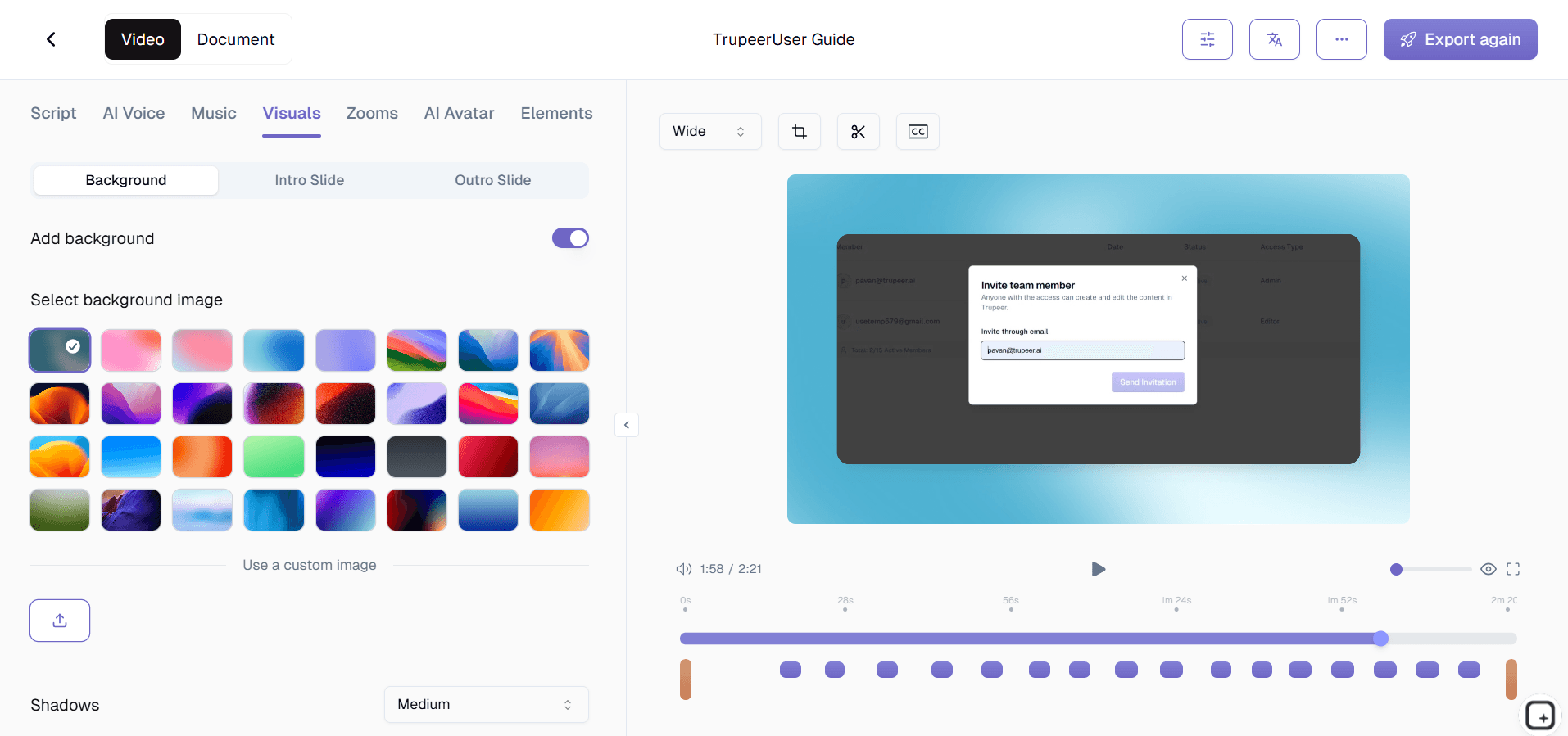
Step 4: Structure Generation and Formatting
Based on the analyzed content, the AI creates a logical study guide structure with appropriate headings, subheadings, and organizational flow. It applies proven educational formatting principles to enhance readability and retention. The system generates bullet points for key concepts, numbered lists for procedures, and clearly separated sections for different topics or themes covered in the recording.

Step 5: Customization and Enhancement
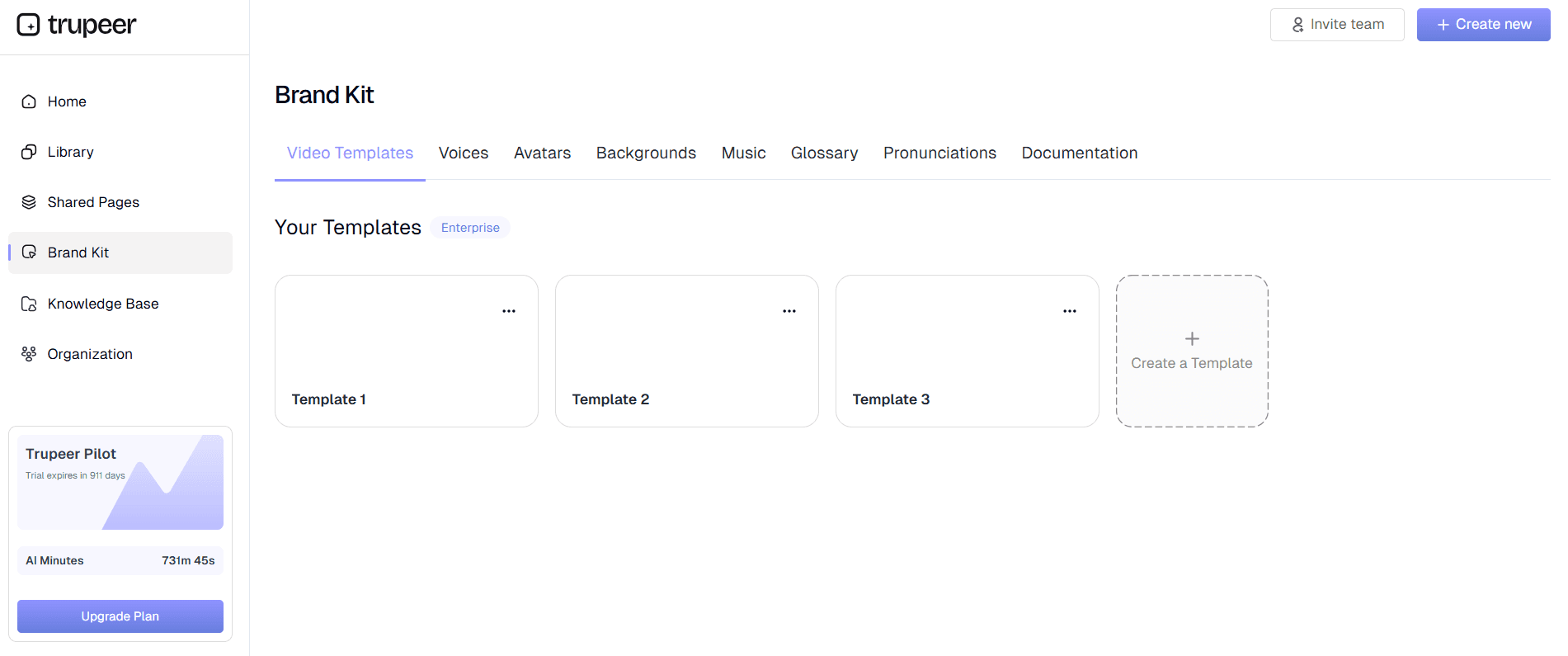
The final step involves applying your preferred formatting through Trupeer's customizable templates. You can adjust the study guide structure, add your brand kits for consistent styling, and modify the organization to match your learning preferences. The system also allows for manual edits and additions, giving you full control over the final study guide while maintaining the AI-generated foundation.
Key Features and Capabilities
Trupeer's AI study guide maker combines multiple advanced features to deliver comprehensive learning materials from screen recordings. Each capability is designed to address specific challenges in study guide creation while maintaining the quality and organization that effective learning requires.
Intelligent Content Recognition: The AI distinguishes between different types of educational content, from lecture slides to software demonstrations to procedural tutorials. It understands context and adapts the study guide format accordingly. When combined with our AI script generator, you can also create accompanying scripts for presentations or study sessions based on your generated guides.
Multi-Modal Processing: Unlike simple transcription tools, Trupeer analyzes both audio and visual elements simultaneously. This means important information displayed on slides, diagrams, or software interfaces gets captured alongside spoken explanations, creating more comprehensive study materials that don't miss crucial visual learning elements.
Automatic Formatting and Organization: The system applies educational best practices for study guide formatting, creating clear hierarchies of information with appropriate headings, bullet points, and logical flow. The AI understands that effective study guides need structure that supports memory retention and quick reference during review sessions.
Customizable Templates: Create and save study guide templates that match your learning style or institutional requirements. Whether you prefer Cornell note format, outline structure, or topic-based organization, the system adapts to your preferences. These templates integrate with our broader documentation capabilities used for AI Screen Recorder and professional content creation.
Language Translation Support: Generate study guides in multiple languages automatically, making content accessible to diverse learners or helping with language learning objectives. This feature connects with Trupeer's broader translation capabilities for global educational applications.
Export and Sharing Options: Study guides can be exported in various formats including PDF, Word documents, or shared online through Trupeer's platform. The system maintains formatting consistency across different export options, ensuring your study materials look professional regardless of how they're accessed or shared with study groups or classmates.
Why Should You Use AI Study Guide Maker?
The benefits of using Trupeer's AI study guide maker extend far beyond simple time savings, fundamentally changing how you approach learning and knowledge retention. Traditional study guide creation often becomes a time-consuming process that takes away from actual studying, but our AI solution flips this paradigm by making guide creation effortless and highly effective.
Massive Time Savings: Instead of spending hours rewatching recordings and manually taking notes, you can generate comprehensive study guides in minutes. Students report saving 3-4 hours per lecture when using AI-generated study guides compared to manual note-taking. This time can be redirected toward active studying, practice problems, or reviewing additional materials, ultimately improving learning outcomes.
Enhanced Learning Retention: AI-generated study guides follow proven educational formatting principles that support memory retention and comprehension. The structured approach with clear headings, bullet points, and logical organization helps your brain process and store information more effectively. Research shows that well-organized study materials improve retention rates by up to 40% compared to unstructured notes.
Comprehensive Content Capture: Human note-taking inevitably misses important details, especially during fast-paced lectures or complex demonstrations. Trupeer's AI captures every significant piece of information, ensuring your study guides are complete and thorough. This is particularly valuable for technical subjects where missing a single step or concept can impact understanding of subsequent material.
Consistency and Quality: Every study guide generated maintains the same high standard of organization and formatting. Unlike manual notes that might vary in quality depending on your attention level or understanding during the recording session, AI-generated guides provide consistent, professional-quality study materials. This consistency extends to our user guides creation capabilities for professional applications.
Accessibility and Inclusion: The AI study guide maker supports different learning styles by presenting information in multiple formats within the same guide. Visual learners benefit from clear formatting and structure, while text-based learners get comprehensive written content. The Guide Generator also make content accessible to non-native speakers or support language learning objectives.
Professional Applications: Beyond academic use, professionals can create study materials for certification exams, training programs, or knowledge sharing within organizations. The same technology that powers our Training Manual Generator creation also ensures that professional study guides maintain appropriate formatting and organization standards.
Who Can Use AI Study Guide Maker?
Trupeer's AI study guide maker serves diverse user groups, each finding unique value in transforming screen recordings into structured learning materials. The versatility of the platform accommodates different educational contexts, professional development needs, and learning objectives across various industries and academic levels.
Students and Academic Learners: College students, graduate researchers, and online learners can transform lecture recordings, webinar content, and educational videos into structured study materials. Whether you're preparing for finals, comprehensive exams, or professional certifications, the AI study guide maker ensures you have organized, comprehensive materials for review. The system works particularly well with recorded lectures from platforms like Zoom, Canvas, or Blackboard, turning hours of video content into focused study guides that highlight key concepts and important information.
Educators and Academic Professionals: Teachers, professors, and instructional designers can create study guides for their students automatically. Instead of manually preparing study materials for each lecture or course module, educators can record their presentations or upload existing content to generate student-friendly study guides. This approach ensures consistency across course materials and provides students with high-quality review resources. The integration with training videos makes it particularly valuable for educators who blend video content with traditional instruction.
Professional Development Learners: Working professionals pursuing certifications, attending training seminars, or learning new software can benefit significantly from AI-generated study guides. Whether you're studying for AWS certification, learning new SOP Generator strategies, or attending professional development workshops, the study guide maker helps consolidate complex information into reviewable formats that fit busy professional schedules.
Corporate Training Teams: Companies can use the AI study guide maker to create supplementary materials for employee training programs. When combined with Trupeer's Documentation Generator tools, training teams can develop comprehensive learning resources that support both video-based training and traditional study materials, ensuring employees have multiple ways to engage with and retain important information.
Online Course Creators and EdTech Professionals: Instructional designers and online course developers can enhance their offerings by providing AI-generated study guides alongside video content. This adds value to course packages and supports different learning preferences among students. The study guides can complement existing course materials and provide students with structured review resources that improve course completion rates and learning outcomes.
Research Students and Academic Researchers: Graduate students and researchers can use the AI study guide maker to process recorded interviews, conference presentations, or research seminars. The system helps organize complex academic content into reviewable formats that support literature reviews, thesis preparation, and comprehensive exam studying. This is particularly valuable when dealing with interdisciplinary research where multiple complex topics need to be synthesized and understood.
Best Practices for Using AI Study Guide Maker
Maximizing the effectiveness of Trupeer's AI study guide maker requires understanding how to optimize both your input content and the AI processing capabilities. These proven strategies help ensure you get the most comprehensive and useful study guides from your recorded content.
Optimize Your Recording Quality: Clear audio and visual content significantly improve the AI's ability to generate accurate study guides. When using Trupeer's AI Screen Recorder, ensure your microphone levels are appropriate and screen content is visible. For uploaded content, higher resolution recordings with clear audio produce better results. Consider recording in quiet environments and speaking clearly when creating your own study content.
Structure Your Original Content: When possible, organize your recording sessions with clear topic transitions and logical flow. This helps the AI identify natural break points and creates more organized study guides. If you're recording lectures or presentations, noting when speakers transition between topics or concepts helps the AI create better section divisions in the final study guide.
Leverage Template Customization: Create and save study guide templates that match your learning style or course requirements. Whether you prefer detailed outlines, concept mapping formats, or question-and-answer structures, customized templates ensure consistency across your study materials. This connects well with our broader guides creation capabilities for various documentation needs.
Review and Enhance Generated Content: While AI-generated study guides are comprehensive, adding your own annotations, examples, or connections between concepts can enhance their value. Use the generated guide as a foundation and supplement it with your own insights, additional examples, or connections to other course materials. This active engagement with the AI-generated content actually improves learning retention.
Combine with Other Trupeer Features: Integrate study guide creation with other Trupeer capabilities for a complete learning solution. Use AI Screen Recorder for multilingual study materials, apply consistent formatting with templates, or create accompanying video summaries alongside your written study guides. This comprehensive approach addresses different learning modalities and preferences.
Explore Related Tools
Why Choose Trupeer's AI Study Guide Maker
Intelligent Content Extraction
AI identifies key concepts, definitions, and important information automatically
Professional Formatting
Creates structured study guides with proper headings and organization
Multi-Language Support
Generate study guides in multiple languages for global accessibility
Create Study Guides in 3 Easy Steps
Step 1
Record screen or upload content
Step 2
AI analyzes and processes information
Step 3
Download formatted study guide
Frequently Asked Questions
How accurate are AI-generated study guides compared to manual notes?
Trupeer's AI study guides are typically more comprehensive and consistent than manual notes, capturing 95%+ of important content that humans often miss during live note-taking. The AI doesn't get tired or distracted, ensuring complete information capture.
Can I customize the format and style of my study guides?
Yes, Trupeer offers customizable templates where you can adjust formatting, organization style, and visual elements. You can create templates that match your learning preferences or institutional requirements and reuse them across different content.
What types of educational content work best with the AI study guide maker?
The AI works excellently with lectures, online courses, software tutorials, webinars, and any educational screen content. It's particularly effective with structured presentations, demonstrations, and content that combines visual and audio elements.
How long does it take to generate a study guide from a recording?
Most study guides are generated within 2-5 minutes, depending on the length and complexity of your original recording. A typical 60-minute lecture produces a comprehensive study guide in under 3 minutes.
Can I edit the AI-generated study guides after they're created?
Absolutely. Trupeer allows full editing capabilities so you can add personal notes, modify organization, highlight specific sections, or incorporate additional information. The AI-generated content serves as a comprehensive foundation that you can enhance based on your specific needs.
More Tools


