4.8/5
Free Step By Step Guide Generator
Transform Screen Recordings into Professional Step-by-Step Guides

Trupeer's free step by step guide generator revolutionizes how you create instructional content by automatically converting screen recordings into comprehensive written guides. Unlike traditional documentation tools that require you to write everything from scratch, our AI-powered platform watches your screen activity and generates detailed, step-by-step instructions that match your exact workflow. The core problem most teams face is the time-consuming nature of creating both video content and written documentation. You typically need to record a video, then separately write out all the steps, format the content, add screenshots, and ensure consistency across different formats.
Our AI screen recorder changes this entirely. When you record your screen or upload an existing recording, Trupeer's AI analyzes every action, click, and navigation to automatically generate written step-by-step guides. The technology recognizes interface elements, user interactions, and workflow patterns to create documentation that reads naturally and includes all necessary details. What sets Trupeer apart from other documentation tools is our dual-output approach. You're not just getting a screen recording or just a written guide, you get both, perfectly synchronized.
How Does Our Free Step by Step Guide Generator Work?
Creating professional step-by-step guides with Trupeer follows a streamlined process that eliminates the traditional hassles of documentation creation. Our AI-powered system handles the complex work of analyzing your screen activity and converting it into readable, actionable guides.
Step 1: Record or Upload Your Content
Start by either recording your screen directly through Trupeer's built-in screen recorder or uploading an existing recording you've already created. Our platform supports various video formats and can process recordings made with other tools, giving you flexibility in how you capture your content.

Step 2: AI Analysis and Processing
Once your recording is uploaded, Trupeer's AI analyzes every frame, identifying user interface elements, clicks, navigations, and actions. The system recognizes different software interfaces, web applications, and desktop environments to understand the context of each step in your process.

Step 3: Automatic Guide Generation
The AI converts your recorded actions into written instructions, automatically creating numbered steps, identifying important interface elements, and describing each action in clear, concise language. This process includes recognizing when to group related actions and when to break complex procedures into smaller, manageable steps.

Step 4: Content Enhancement and Editing
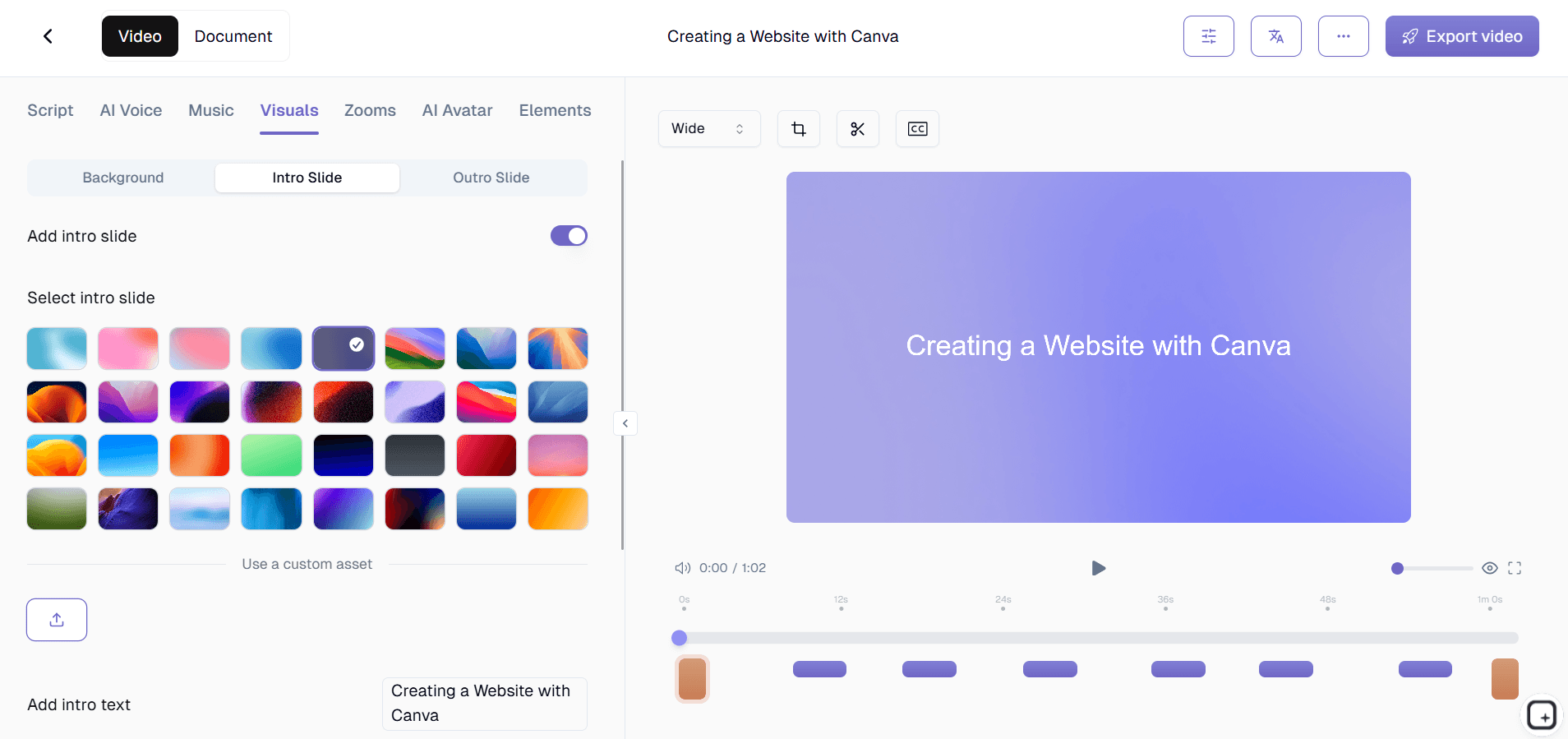
Our AI video editing capabilities simultaneously improve your video content, removing background noise, eliminating filler words, and adding professional zoom effects to highlight important areas. This ensures your video and written guide work together seamlessly.
Step 5: Customization and Branding
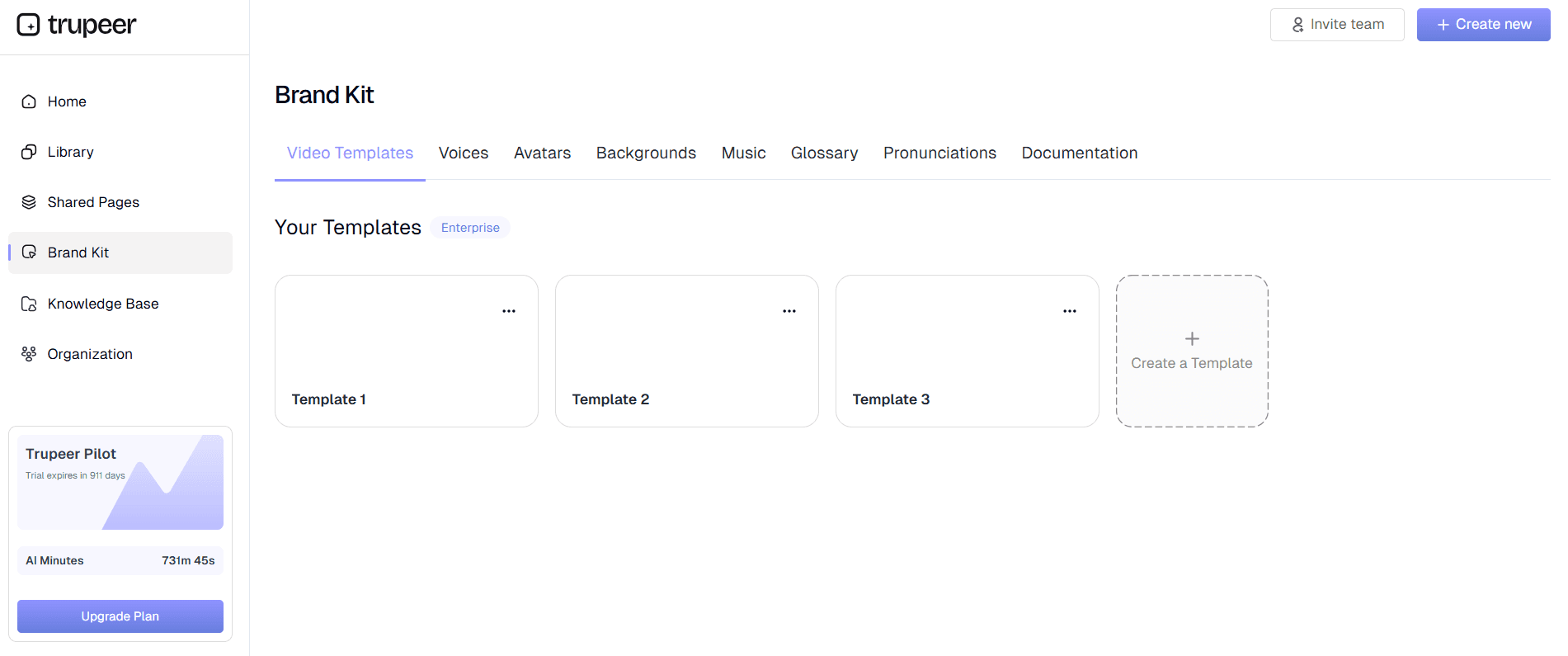
Apply your brand kits to maintain consistency across all your documentation. Customize formatting, add your logo, adjust colors, and ensure your guides match your organization's style guidelines. You can save these preferences as templates for future use.
Key Features and Capabilities
Our free step by step guide generator offers comprehensive functionality designed to streamline your documentation workflow while maintaining professional quality across all outputs.
Dual-Format Output: Every recording generates both a polished video tutorial and a detailed written guide, giving you maximum versatility for different audiences and use cases. This eliminates the need to create separate content for visual and text-based learners.
Smart Action Recognition: The AI identifies and describes specific user interface interactions, from button clicks to form submissions, ensuring your guides include all necessary details. This level of precision means your documentation accurately reflects every step of your process.
Customizable Documentation Templates: Save time with reusable templates that maintain consistent formatting, styling, and structure across all your guides. Whether you're creating training videos or standard operating procedures, templates ensure professional consistency.
Multi-Language Support: Reach global audiences by automatically translating your guides and videos into multiple languages. Our translation feature maintains context and technical accuracy across different languages.
Professional Video Enhancement: Beyond written guides, your recordings receive automatic improvements including noise reduction, filler word removal, and intelligent zoom effects that highlight important screen areas during key actions.
Flexible Export Options: Export your guides in various formats including PDF documents, web-ready HTML, or embedded content for your knowledge base. Share via direct links or embed guides directly into your existing documentation systems.
Why Should You Use Our Free Step by Step Guide Generator?
Traditional documentation creation requires significant time investment and often results in incomplete or inconsistent guides. Trupeer's approach eliminates these pain points while delivering professional results that enhance your team's productivity and knowledge sharing.
Time Efficiency: Create both video tutorials and written guides simultaneously instead of producing each format separately. Teams report saving 60-80% of their documentation time by recording once and receiving multiple content formats automatically.
Consistency Across Formats: Your video content and written guides remain perfectly synchronized, ensuring users receive the same information regardless of their preferred learning format. This consistency builds trust and reduces confusion in your documentation.
Enhanced Learning Experience: Support different learning preferences by providing both visual demonstrations and detailed written steps. Research shows that multi-modal learning approaches improve comprehension and retention, making your AI Screen Recorder and guides more effective.
Professional Quality: AI-powered editing ensures your content meets professional standards without requiring video editing expertise. Automatic enhancements like noise removal and smart zooming create polished results that reflect well on your organization.
Scalable Documentation: As your processes evolve, updating documentation becomes simple. Record new versions of your workflows and instantly generate updated guides that maintain formatting consistency and professional appearance.
Cost-Effective Solution: Eliminate the need for separate screen recording software, video editing tools, and documentation platforms. Our integrated approach reduces software costs while improving output quality and team efficiency.
Who Can Use Our Free Step by Step Guide Generator?
Trupeer's free step by step guide generator serves diverse professionals and organizations who need to create clear, actionable documentation for various audiences and purposes.
Content Creators and Educators: Transform complex tutorials into accessible multi-format content that reaches learners with different preferences. Whether you're creating online courses, software tutorials, or educational content, the dual-output approach ensures maximum engagement and comprehension.
Marketing and Sales Teams: Develop compelling AI Video Editor paired with detailed written guides that prospects can reference during their evaluation process. This comprehensive approach supports both live presentations and self-guided exploration of your product's capabilities.
Training and Development Professionals: Create comprehensive training videos alongside detailed written procedures that new employees can reference during onboarding. The combination helps accommodate different learning styles while ensuring consistent training delivery across your organization.
Product Teams and Technical Writers: Streamline the creation of user manuals, feature documentation, and technical documentation by recording product walkthroughs and automatically generating corresponding written guides. This approach ensures accuracy while significantly reducing documentation maintenance overhead.
Customer Success Teams: Empower your AI Screen Recorder initiatives with both video demonstrations and written step-by-step guides that customers can reference when implementing your solutions. The dual format supports both synchronous and asynchronous customer support strategies.
Small Business Owners and Entrepreneurs: Create professional documentation for internal processes, customer onboarding, and product instructions without investing in expensive video production or technical writing resources. The automated approach delivers enterprise-quality results accessible to smaller organizations.
Best Practices for Using Our Free Step by Step Guide Generator
Maximize the effectiveness of your generated guides by following proven strategies that enhance clarity, engagement, and usability across different audiences and use cases.
Plan Your Recording Session: Before starting, outline the key steps you'll demonstrate and ensure your screen is clean and organized. This preparation results in clearer AI-generated guides and more professional video content that reflects well in your final documentation.
Speak Clearly During Recording: Even though our AI removes filler words and enhances audio, speaking clearly and at a moderate pace helps generate more accurate written guides. The AI uses audio cues to better understand step transitions and important information.
Use Consistent Navigation Patterns: When demonstrating software or web applications, follow logical navigation paths that users would naturally take. This consistency helps the AI generate how to guides that feel intuitive and easy to follow.
Leverage Documentation Templates: Take advantage of customizable templates to maintain consistent formatting across all your guides. This feature is particularly valuable when creating multiple guides for the same audience or purpose, ensuring professional consistency.
Review and Customize Generated Content: While our AI generates accurate guides automatically, reviewing and adding context-specific information enhances the final result. Consider adding tips, warnings, or additional explanations that benefit your specific audience.
Explore Related Tools
Why Choose Trupeer's Guide Generator
Dual Format Output
Get both professional video tutorials and detailed written guides from single recording
AI-Powered Accuracy
Smart recognition captures every click, navigation, and action automatically
Professional Enhancement
Automatic noise removal, zoom effects, and branding create polished results
Create Your Step-by-Step Guide in Minutes
Step 1
Record screen or upload video
Step 2
AI generates written guide automatically
Step 3
Customize, brand, and share
Frequently Asked Questions
How does a free step by step guide generator work?
A free step by step guide generator analyzes your screen recordings and automatically converts your actions into written instructions. Trupeer's AI watches your clicks, navigations, and interactions to create detailed, numbered steps that match your exact workflow.
Can I upload existing recordings to generate guides?
Yes, Trupeer accepts existing screen recordings in various formats. You don't need to record fresh content – simply upload your existing videos and our AI will process them to generate comprehensive written guides automatically.
What file formats can I export my guides in?
You can export your generated guides in multiple formats including PDF, HTML, and direct sharing links. The platform also supports embedding guides into existing knowledge bases or documentation systems for seamless integration.
Do I need video editing experience to create professional guides?
No video editing experience is required. Trupeer's AI automatically enhances your recordings with noise removal, filler word elimination, and professional zoom effects while generating written guides, creating polished results without technical expertise.
Can I customize the appearance and branding of my guides?
Yes, you can apply custom brand kits including your logo, colors, and formatting preferences. Save these settings as templates to maintain consistent branding across all your guides and documentation.
More Tools


