4.8/5
Free Technical Design Document Generator
Transform Screen Recordings into Professional Technical Design Documents
Generate Technical Docs Now

Trupeer's technical design document generator revolutionizes how teams create comprehensive technical documentation. Instead of starting from scratch with blank documents, you can record your screen while demonstrating a process, system, or workflow, and our AI automatically transforms that recording into a structured technical design document. This innovative approach ensures your documentation captures every detail of your actual implementation, making it more accurate and useful than traditional written-from-memory documentation.
Our technical design document generator stands apart because it works with both live recordings and existing footage. Whether you want to record a fresh demonstration of your system architecture or upload an existing screen recording from a design review meeting, Trupeer's AI processes the visual and audio content to create structured technical documentation. The system recognizes technical processes, identifies key decision points, and organizes information into logical document sections that follow industry-standard technical documentation formats.
How Does Technical Design Document Generation Work?
The technical design document generation process transforms your visual demonstrations into structured written documentation through a sophisticated AI-powered workflow. Unlike traditional documentation tools that require manual writing, our system extracts technical information directly from your screen recordings to create comprehensive design documents.
Step 1: Capture Your Technical Process
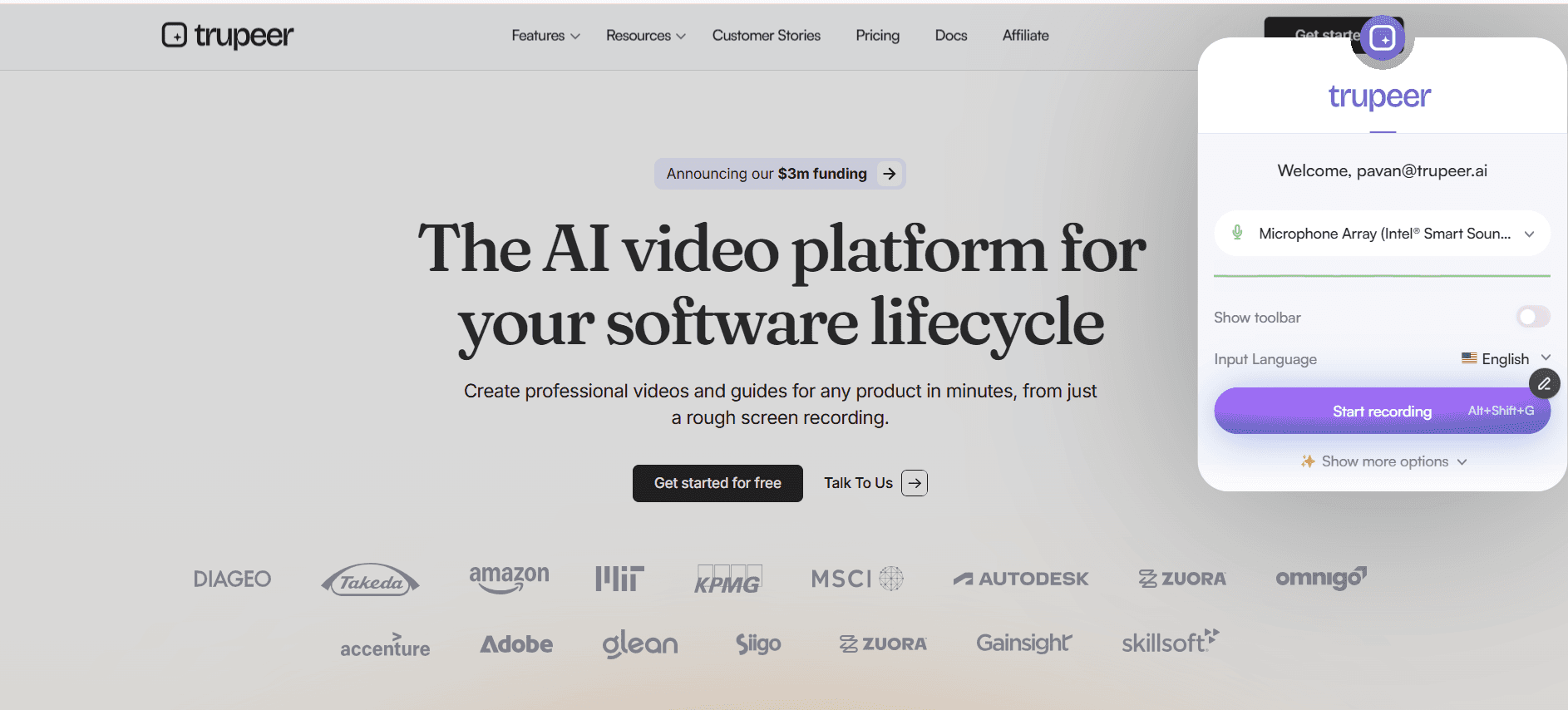
Start by recording your screen while demonstrating your technical design, system architecture, or implementation process. You can use Trupeer's built-in screen recorder to capture everything from code walkthroughs to system design presentations. Alternatively, upload an existing recording from design meetings, code reviews, or technical presentations.
Step 2: AI Analysis and Content Extraction
Once your recording is uploaded, our AI analyzes every frame to identify technical elements like code snippets, architectural diagrams, user interface mockups, and workflow sequences. The system transcribes any spoken explanations and correlates them with the visual content to understand context and technical decisions.

Step 3: Document Structure Generation
The AI organizes extracted information into a logical technical document structure, following industry standards for technical design documentation. This includes sections like system overview, architectural decisions, implementation details, dependencies, and technical specifications. The system recognizes different types of technical content and places information in appropriate sections while maintaining coherent flow and technical accuracy.
Step 4: Content Enhancement and Formatting
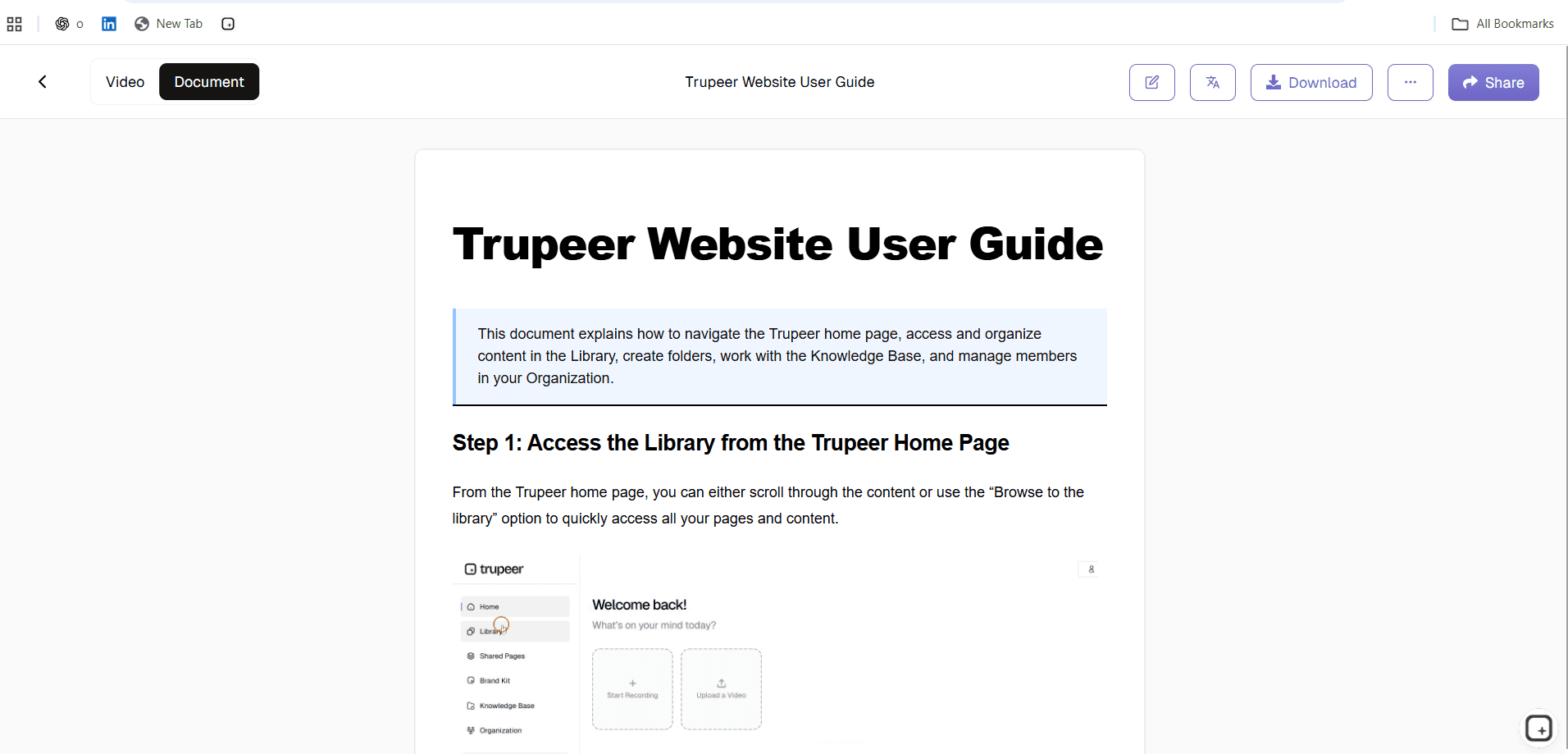
After generating the initial document structure, the AI enhances the content with detailed explanations, technical context, and clear descriptions of processes shown in the recording. The system adds technical terminology where appropriate, creates numbered steps for procedures, and generates clear headings and subheadings that make the documentation easy to navigate.
Step 5: Customization and Branding
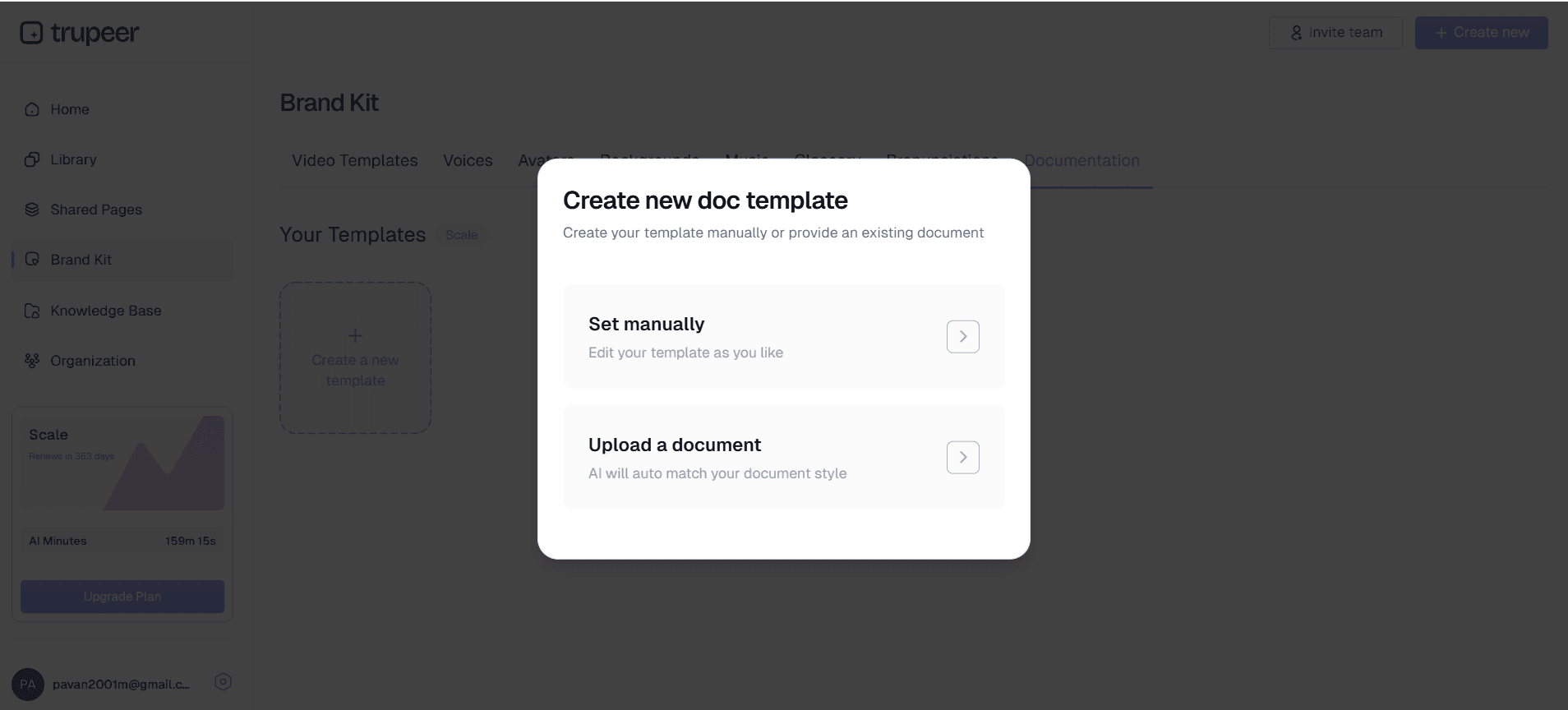
Apply your organization's documentation templates to ensure consistent formatting and branding across all technical documents. You can customize sections, adjust technical detail levels, and add company-specific formatting requirements. The system maintains your preferred documentation style while ensuring all technical content remains accurate and comprehensive.
Key Features and Capabilities
Our technical design document generator includes powerful features specifically designed for technical teams who need accurate, comprehensive documentation without the traditional time investment. These capabilities ensure your technical documentation matches your actual implementation while maintaining professional standards and organizational consistency.
AI-Powered Content Recognition: The system identifies and processes technical elements including code snippets, architectural diagrams, API endpoints, database schemas, and system workflows. Our AI video editor technology recognizes technical content across different programming languages, frameworks, and design tools, ensuring comprehensive coverage regardless of your technology stack.
Flexible Input Options: Record new demonstrations of your technical processes or upload existing recordings from design meetings, code reviews, or system walkthroughs. The generator processes recordings from various sources including screen captures, meeting recordings, and presentation videos, giving you maximum flexibility in how you create documentation.
Structured Document Templates: Generate documents that follow industry-standard technical documentation formats including system design documents, API documentation, architectural decision records, and technical specifications. Templates can be customized for your organization's specific requirements while maintaining consistent structure and formatting across all technical documentation.
Multi-Language Code Support: The AI recognizes and properly formats code in multiple programming languages, ensuring syntax highlighting, proper indentation, and accurate technical terminology. Whether you're documenting Python APIs, JavaScript frameworks, or database queries, the system maintains technical accuracy and readability.
Collaborative Documentation Workflow: Generated documents integrate with your existing documentation workflow, allowing team members to review, edit, and enhance the AI-generated content. The system creates a solid foundation that technical writers and subject matter experts can refine and expand as needed.
Version Control Integration: Track changes to your technical documentation as your systems evolve, with the ability to regenerate updated documentation from new recordings when implementations change. This ensures your technical documentation stays current with actual system implementations rather than becoming outdated artifacts.
Why Should You Use Technical Design Document Generation?
Technical design document generation addresses the persistent challenge of creating accurate, comprehensive technical documentation without diverting engineering resources from development work. Traditional documentation approaches often result in incomplete or outdated documents that don't reflect actual implementations, leading to confusion and inefficiency across technical teams.
Eliminate Documentation Debt: Stop accumulating documentation debt by creating comprehensive technical documents as you build and design systems. Recording your implementation process and generating documentation simultaneously ensures you capture technical decisions, architectural choices, and implementation details while they're fresh and accurate. This approach prevents the common scenario where teams launch products with minimal documentation and struggle to recreate the original technical context months later.
Improve Technical Communication: Bridge the gap between technical implementation and stakeholder understanding with clear, detailed documentation that explains both what was built and why specific technical decisions were made. Generated documents include context from your narration and visual demonstrations, creating comprehensive resources for training videos and technical onboarding programs.
Accelerate Team Onboarding: New team members can understand complex systems quickly with documentation that includes visual context and detailed explanations of technical processes. Instead of deciphering incomplete written specifications, new engineers can review comprehensive documents that show actual implementations and explain the reasoning behind architectural decisions.
Maintain Technical Accuracy: Generated documentation reflects actual implementations rather than theoretical designs, reducing discrepancies between documentation and reality. When you record real system demonstrations, the resulting documentation captures edge cases, implementation details, and practical considerations that often get overlooked in traditional documentation approaches.
Scale Documentation Efforts: Create multiple technical documents efficiently by recording different aspects of your system and generating targeted documentation for specific audiences. Generate API documentation from endpoint demonstrations, create system architecture documents from design presentations, and produce troubleshooting guides from problem-solving sessions, all using the same streamlined recording-to-documentation workflow.
Who Can Use Technical Design Document Generation?
The technical design document generator serves diverse roles across technology organizations, from individual developers documenting personal projects to enterprise teams managing complex distributed systems. Each user type benefits from the ability to transform demonstrations into comprehensive technical documentation without traditional writing overhead.
Software Engineers and Developers: Document code architecture, API implementations, and system integrations by recording walkthroughs of your development work. Create comprehensive technical specifications for AI Screen Recorder and generate detailed implementation guides that help other developers understand complex codebases. Whether you're building microservices, designing database schemas, or implementing third-party integrations, screen recordings of your development process become structured technical documentation.
System Architects and Technical Leads: Transform architectural presentations and system design sessions into detailed technical specifications that teams can reference throughout development cycles. Record design decisions, system trade-offs, and architectural patterns, then generate documentation that captures both technical details and strategic reasoning. This approach ensures architectural knowledge gets preserved and shared effectively across technical teams.
DevOps and Infrastructure Engineers: Document deployment processes, infrastructure configurations, and operational procedures by recording actual system administration tasks. Create comprehensive runbooks and troubleshooting guides from real problem-solving sessions, ensuring operational knowledge gets captured and shared. Generate documentation for infrastructure as code implementations, monitoring setups, and disaster recovery procedures.
Technical Product Managers: Bridge the gap between technical implementation and business requirements with documentation that explains how technical decisions support product goals. Record technical review meetings and generate documents that help stakeholders understand system capabilities, limitations, and development trade-offs. Create technical specifications that support AI Video Editor efforts and customer communication.
QA Engineers and Technical Writers: Generate testing documentation and technical guides by recording testing procedures, bug reproduction steps, and quality assurance processes. Transform recorded testing sessions into comprehensive test documentation and create technical guides that help users understand complex system behaviors and troubleshooting procedures.
Best Practices for Using Technical Design Document Generation
Maximize the effectiveness of your technical design document generation by following proven practices that ensure comprehensive, accurate, and useful documentation. These approaches help you create professional technical documents that serve both immediate project needs and long-term organizational knowledge management.
Plan Your Recording Structure: Before recording, outline the key technical topics you want to cover and organize them in logical sequence. Start with system overview and high-level architecture, then drill down into specific implementation details. This structured approach ensures your generated documentation follows a clear narrative that readers can easily follow and understand.
Include Context and Reasoning: While demonstrating technical implementations, explain the reasoning behind design decisions, trade-offs considered, and alternative approaches evaluated. This contextual information becomes valuable content in the generated documentation, helping future readers understand not just what was built, but why specific technical choices were made.
Leverage Multiple Recording Sessions: Create targeted recordings for different aspects of your technical system rather than trying to cover everything in a single session. Generate focused documentation for API endpoints, database design, frontend architecture, and deployment procedures separately, then combine them into comprehensive technical documentation suites.
Use Consistent Technical Terminology: Maintain consistent vocabulary and naming conventions throughout your recordings to ensure generated documentation uses standardized terminology. This consistency improves document quality and makes it easier for teams to understand and maintain technical documentation across different system components.
Review and Enhance Generated Content: While AI-generated documentation provides an excellent foundation, review the output to add additional technical details, correct any misinterpretations, and enhance sections that need more depth. Use our technical documentation templates to maintain consistent formatting and ensure all generated documents meet your organization's standards.
Create Documentation Hierarchies: Generate different levels of technical documentation for different audiences by varying the depth and focus of your recordings. Create high-level overview documents for stakeholders, detailed implementation guides for developers, and troubleshooting resources for support teams, all from targeted recordings of the same technical system.
Explore Related Tools
Why Choose Technical Design Document Generation
AI Content Recognition
Automatically identifies code, diagrams, and technical elements from recordings
Structured Templates
Generates industry-standard technical documentation formats and layouts
Multi-Language Support
Processes technical content across programming languages and frameworks
How to Use Trupeer's Technical Design Document Generator
Step 1
Record screen or upload video
Step 2
AI processes technical content
Step 3
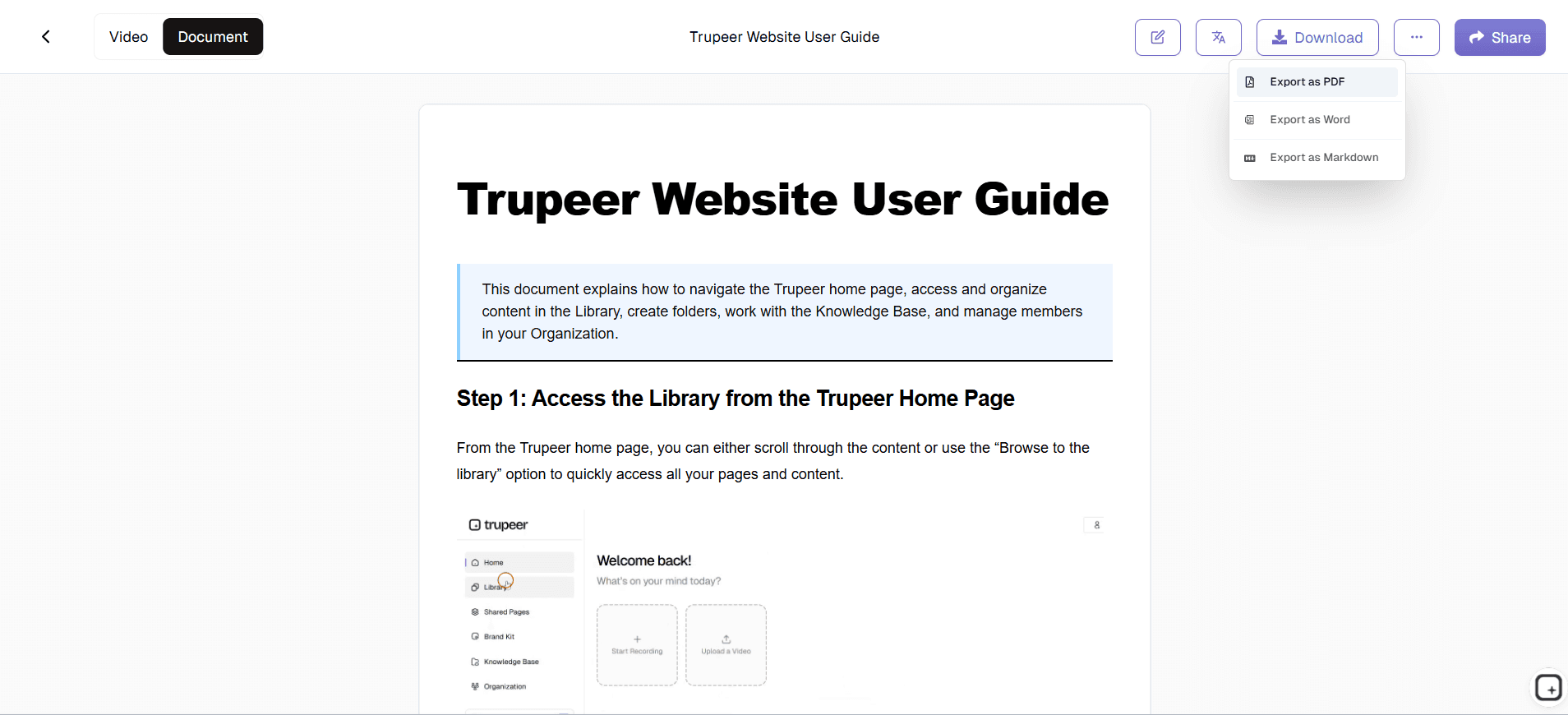
Download structured documentation
Frequently Asked Questions
What types of technical content can the generator document?
The generator processes code walkthroughs, system architecture presentations, API demonstrations, database designs, and any technical process you can record on screen. It recognizes multiple programming languages and technical frameworks.
Can I upload existing recordings instead of recording new content?
Yes, you can upload existing screen recordings, meeting recordings, or presentation videos. The AI processes any video content that shows technical processes or system demonstrations.
How accurate is the generated technical documentation?
The AI generates highly accurate documentation by analyzing both visual content and audio narration from your recordings. You can review and edit the generated content to ensure it meets your specific technical requirements.
Can I customize the documentation format and structure?
Yes, you can use customizable templates to match your organization's documentation standards. The system supports various technical document formats and can be tailored to your specific requirements.
Does the generator work with different programming languages?
The AI recognizes and properly formats code in multiple programming languages including Python, JavaScript, Java, C++, and many others. It maintains syntax highlighting and technical accuracy across different technology stacks.
More Tools


