4.8/5
SOP Builder
Build visual SOPs the way your team needs them. Control the structure, edit every step, and apply your own screenshots, formatting, and branding.
Try for Free

An SOP builder is where you shape a standard operating procedure: set its sections, edit each step, choose which screenshots explain what, and apply the formatting your team expects. Generating a draft is the fast part. Building is what turns that draft into a procedure somebody can actually follow.
Reorder, merge, and split steps until the sequence matches how the work is really done.
Rewrite step text, adjust wording, and set the terminology your team uses.
Crop, annotate, and replace screenshots, or add your own images.
Apply a template so every procedure carries the same sections.
Add your logo, colours, and fonts so output looks the same whoever built it.
Trupeer gives you a generated draft to build from, so you start by editing something rather than staring at a blank page. Free to start.
What Is an SOP Builder?
An SOP builder is a tool for constructing and customising a standard operating procedure: its structure, its step content, its visuals, and its presentation. Where a generator answers "produce a procedure from this process", a builder answers "make this procedure right".
That distinction matters because a first draft is rarely publishable as-is, whether it was generated or typed. Steps land in the wrong order because the process doubled back. Two actions belong in one step. A screenshot caught a loading state instead of the finished screen. The wording says "click here" where the reader needs the field name. None of that is a failure of the draft; it is the normal gap between a recording of work and a document about work, and closing it is the builder's job.
A builder is also what makes a library look like one company produced it. Left to their own devices, five authors will write five different shapes of document. A builder with templates and branding removes that variation without requiring anybody to memorise a style guide.
What Is a Visual SOP Builder?
A visual SOP builder is one where the images carry the instruction rather than decorating it. Every step has a screenshot of the actual screen at that moment, annotated to show the exact control, with video where a still cannot capture the action. The written words are there to confirm what the reader is already looking at.
That is a different thing from a document editor you can paste pictures into. In a text-first tool the images are optional, so they get skipped when someone is in a hurry, and a procedure ends up as nine paragraphs describing buttons. In a visual builder the screenshot for each step is captured automatically as part of the process, so the visual version is the default and the effort runs the other way.
Why it matters in practice:
People scan procedures, they do not read them:
someone mid-task is looking for the next thing to click. A cropped, annotated screenshot answers that in a second; a paragraph does notScreens are easier to match than to describe:
"the amber banner at the top of the Billing tab" takes a sentence to write and a glance to recogniseVisuals survive skill gaps:
a new starter who does not yet know your terminology can still follow a screenshotIt works across languages:
the annotated image reads the same in every translation, so only the step text needs converting
The trade-off is maintenance. Visual procedures go stale more visibly than text ones, because an out-of-date screenshot is obvious the moment the interface changes. That is an argument for a builder where re-capturing is cheap, not an argument for text.
SOP Builder vs SOP Generator
These are two stages of the same job, and most teams need both. The difference is which problem you are solving right now.
SOP generator | SOP builder | |
|---|---|---|
The question it answers | "Produce a procedure from this process" | "Make this procedure right" |
Starting point | A recording or video | A draft, a template, or a blank structure |
What you control | Input and output options | Sections, step order, wording, images, formatting |
Time it takes | Around thirty seconds to generate | As long as the procedure deserves |
Best for | Getting a first draft of many procedures quickly | Procedures that are read often, or that have to look a certain way |
In practice you generate the draft and build from there. That combination is what people mean by an AI SOP builder: automation handles the first pass so your effort goes into the parts that need judgement, rather than into typing steps you just performed. If all you need is the automatic route, the SOP generator covers it. If you want the whole create-and-manage picture, that sits on SOP software.
How to Build an SOP, Step by Step
Building is a different sequence from recording. These six stages are roughly the order that produces the least rework.
1. Decide Where You Are Starting From
Three options, and the choice sets how much work is ahead. Build from a generated draft when you have a recording of the process, which is the fastest route and the most accurate. Build from a template when the structure matters more than the specifics, for instance a set of procedures that must all carry the same sections. Build from a blank structure when the process is not screen-based or does not exist yet.
2. Fix the Step Structure Before the Wording
Get the sequence right first, because rewriting text you are about to delete is wasted effort. Reorder steps that came out of sequence. Merge two steps that are really one action. Split a step that quietly contains three. Remove the dead ends where somebody clicked the wrong thing and backed out. A procedure with twelve correct steps beats one with twenty accurate but badly divided ones.
3. Edit the Step Text
Now the wording, which is where a builder doubles as an SOP editor. Each step should be one instruction, in the imperative, naming the thing being acted on rather than its position on screen. "Open the Billing tab" survives a redesign; "click the third tab" does not. This is also where you add what the recording could not see: why the step exists, what happens if it is skipped, and what to do when the expected screen does not appear.
4. Make the Screenshots Do Work
A screenshot that shows the whole screen shows the reader nothing in particular. Crop to the relevant region, annotate the exact control, and blur anything sensitive that appeared. Where the captured frame was wrong, replace it with your own image. This is the work that makes the difference between a procedure with pictures in it and a genuinely visual SOP.
5. Add Video Where Text Is Not Enough
Some steps are genuinely hard to describe: a drag interaction, a timing-dependent sequence, a judgement call about what a screen is showing. Those are worth a clip alongside the written step rather than a longer paragraph. Keep the written version complete anyway, because people scan procedures far more often than they watch them.
6. Apply the Template and Branding Last
Formatting is the final pass, not the first. Once the content is settled, apply the template that sets your standard sections and the brand elements that make it look like your company's document. Doing this last means you are not reapplying formatting every time the content shifts.
The Anatomy of a Well-Built SOP
Most procedures that get ignored are missing the same few parts. This is the structure worth enforcing through a template, so no author has to remember it.
Title and purpose:
what the procedure covers, and why it exists. A reader who cannot tell within one line whether this is the right document will go and ask a colleague insteadScope:
which situations this applies to, and explicitly which it does not. Unscoped procedures get applied where they should notOwner:
the named person responsible for keeping it accurate. Procedures without an owner are the ones that go stalePrerequisites:
access, permissions, tools, or information needed before starting. Discovering at step 7 that you lack a login is the most common reason a procedure gets abandoned mid-wayNumbered steps, one action each:
in the order performed, each with the screenshot that makes it unambiguousExceptions and edge cases:
what to do when reality diverges from the happy path. This is the section that separates a procedure someone wrote from a procedure someone usesEscalation:
who to contact when the procedure runs out. Without it, the answer defaults to whoever has been there longestRevision record:
when it last changed and what changed, so a reader can judge whether to trust it
If you want ready-made structures to start from rather than building your own, there is a free SOP template and a wider set of SOP templates by department. For the writing craft behind these sections, SOP best practices goes deeper.
Who Builds SOPs
Building tends to sit with a different person than generating, and it is worth knowing which you are.
The person who does the work:
generates the draft from their own process, then builds it into something a colleague could follow. Fastest route to an accurate procedureA documentation or enablement owner:
takes drafts from across the business and builds them to one standard. This is the role templates and branding exist forA team lead or supervisor:
builds the handful of procedures their team depends on, and cares most about exceptions and escalationQuality and compliance:
builds to a required structure where the sections themselves are the deliverable
How Trupeer's SOP Builder Works
Start From a Draft
Record the process, or upload a video you already have, and Trupeer generates a first draft with ordered steps and a screenshot for each one. You begin by editing rather than by writing.

Edit the Content
Open Edit to work on the document. Format text with bold, italic, and underline, change fonts, and rewrite any step. Reorder, merge, or split steps so the sequence matches the real process.

Work on the Images
Use Add Image to insert a frame from the screenshot picker or upload an external file of your own. Crop in the image editor to the region that matters, and annotate with shapes such as circles and rectangles to point at the exact control. Save the image once you are done.

Apply Your Brand Kit
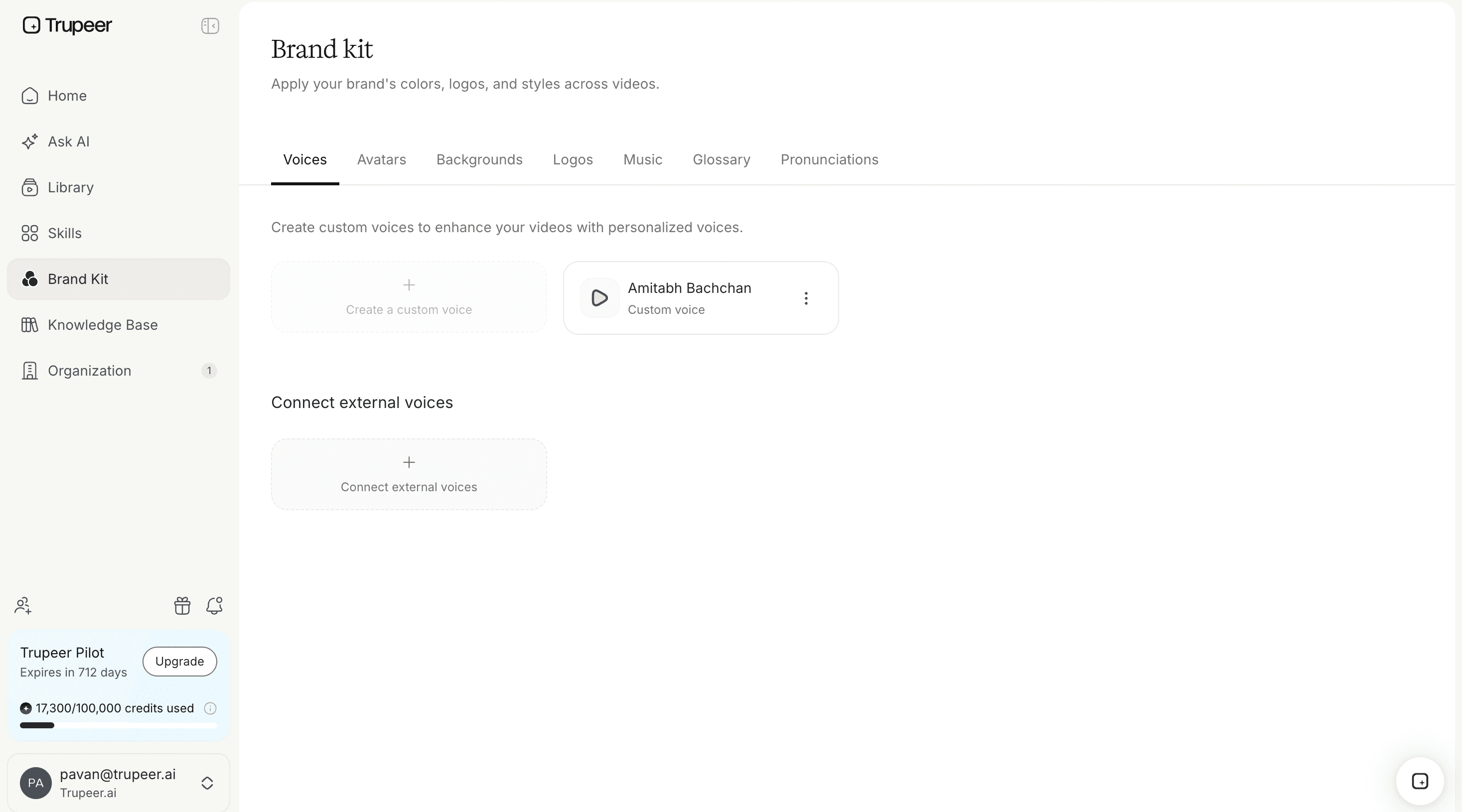
Open Add Your Brand Kit to upload a logo and choose a banner colour, then click Update Format to apply it to the document. Set it once and every procedure your team builds carries the same look. There is more on what you can standardise on the brand kit page.
Publish or Export
Share the finished procedure by link, embed it where your team works, publish it to a searchable knowledge base, or download it as PDF or Word from the Documentation tab when a controlled file is required. Translate it into your teams' languages from the same source.

Why Use Trupeer as Your SOP Builder?
You edit instead of writing:
the draft arrives with steps and screenshots already in place, so building starts from something rather than from nothingFull control over structure:
reorder, merge, split, and rewrite freely. Nothing about the generated draft is fixedImages you can actually fix:
crop, annotate with shapes, blur what should not be shown, or swap in your own fileOne house style across authors:
templates and brand kit mean five people produce five procedures that look like one setRebuilding is cheap:
when the process changes, re-record the affected part and build again rather than editing around the difference
Explore Related Tools
Why Teams Choose Trupeer's SOP Builder
Visual SOPs by Default
Every step arrives with a screenshot of the real screen. Crop it, annotate the exact control with shapes, blur what should not be shown, or swap in your own image.
Structure You Control
Reorder, merge, and split steps, and set the sections every procedure must carry, instead of accepting whatever the draft gave you.
One House Style, Every Author
Apply a logo, banner colour, and fonts once so procedures look the same whoever built them.
How to Build an SOP
Step 1
Set your section structure
Step 2
Write and refine each step
Step 3
Apply your template and branding
Frequently Asked Questions
What is an SOP builder?
An SOP builder is a tool for constructing and customising a standard operating procedure: its sections, its step order, its wording, its screenshots, and its formatting. A generator produces a draft from a process. A builder is where you make that draft correct and presentable, which is the part that decides whether anyone actually follows it.
What is a visual SOP builder?
A visual SOP builder is one where the screenshots carry the instruction rather than decorating it. Each step shows the actual screen at that moment, cropped and annotated to point at the exact control, with video where a still image cannot capture the action. The difference from a document editor you can paste images into is that the visuals are captured automatically as part of the process, so the visual version is the default rather than extra work somebody skips.
What is the difference between an SOP builder and an SOP generator?
A generator answers "produce a procedure from this process" and takes around thirty seconds. A builder answers "make this procedure right" and takes as long as the procedure deserves. Most teams use both: generate the draft from a recording, then build it into something publishable. That combination is what people usually mean by an AI SOP builder. If you only need the automatic route, the SOP generator covers it.
Can I change the structure and steps of a generated SOP?
Yes, and you usually should. Nothing about a generated draft is fixed. You can reorder steps that came out of sequence, merge two that are really one action, split a step that contains three, and delete the dead ends where somebody clicked the wrong thing. Fix the structure before the wording, since rewriting text you are about to delete is wasted effort.
Can I add my own screenshots and annotations to an SOP?
Yes. Use Add Image to insert a frame from the screenshot picker or upload an external file of your own. You can crop in the image editor to the region that matters and annotate with shapes such as circles and rectangles to point at the exact control. That is worth doing on any step where the captured screen showed everything and therefore explained nothing.
More Tools


