4.8/5
Best Enterprise Training Video Platform
The enterprise training video platform multiple teams use to produce training videos and written guides at the volume the business needs, with brand consistency, translation across 65+ languages, and production analytics.
Try the Platform Free

Trupeer AI is the enterprise training video platform for organizations producing training video content across multiple teams, regions, and languages. HR, L&D, IT, sales enablement, customer success, and operations teams use one Trupeer workspace to generate training videos and matching written guides from screen recordings, AI avatar scripts, or uploaded footage. Brand kits enforce visual consistency across every output, the custom glossary handles internal product names and acronyms the AI wouldn't otherwise spell right, and the produced content ships as MP4 ready for upload to whatever LMS the company already runs. Most enterprise training operations have plenty of subject experts willing to share knowledge on camera, but the post-production time per video traditionally takes a video editor and a writer working in parallel for one to three weeks, and that production tax is what caps how much training content actually ships.
One workspace serves HR, L&D, IT, sales enablement, customer success, and operations producing training videos in parallel.
Brand kits enforce visual consistency across every output, regardless of which team recorded it or where the recorder sits.
AI avatars deliver training videos without filming, useful when executive presenters can't or won't sit for shoots.
Translation across 65+ languages applied to both the training video voiceover and the written companion guide in the same job.
Production analytics show how many videos, guides, and Shared Pages each team has shipped, plus total AI minutes consumed.
What this enterprise training video platform produces
An employee in any of those teams (HR onboarding lead, IT trainer, sales enablement manager, product educator, ops director) opens the tool and starts a screen recording. Or, if recording isn't an option, types a script and picks an AI avatar from the catalog. Trupeer AI handles post-production. Filler words get cut, zoom and cursor effects highlight what the trainee needs to see, and a draft training video plus a draft written training guide arrive in the editor together. The brand kit applies automatically: corporate logo, brand colors, intro and outro slides match whatever standard the brand team set globally.
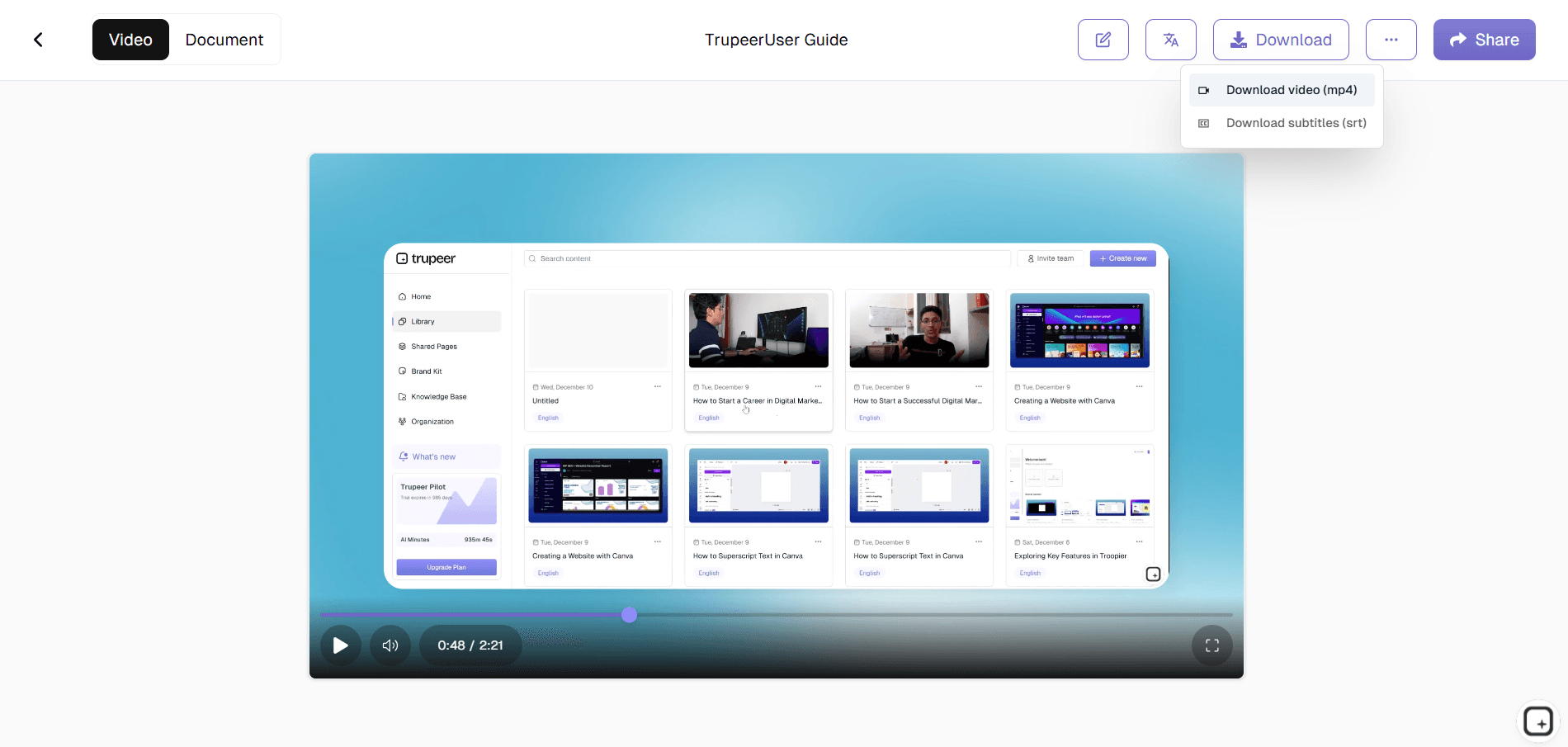
Video output is MP4, ready for upload to any LMS the enterprise already runs (Cornerstone, Docebo, TalentLMS, Workday Learning, Absorb, 360Learning, Saba, SAP SuccessFactors, Oracle Learning, and the rest). Document output is PDF or Word with screenshots inline, ready for the employee handbook or the SharePoint training portal. A Shared Page link wraps both into one shareable URL the L&D team can paste into Slack, embed in SharePoint or Confluence, or send via email. Custom voice cloning keeps the corporate trainer's voice consistent across the whole library, so the experience feels unified even when 12 different people recorded the source footage.
How the enterprise training video platform works in three steps
The flow takes one input, one approval pass, and one share action. Same flow whether the team is producing 5 training videos a month or 500 across regions.
Step 1: Record the walkthrough or use an AI avatar
Start a screen recording in the browser, on any of the corporate-issued laptops a subject expert is already working on. Or skip the recording entirely: type a script and pick an AI avatar from the catalog (or use a custom avatar trained on a specific trainer's likeness via the HeyGen integration). The avatar route is what most enterprises actually need at this volume, since most subject experts aren't willing to sit for video shoots and most executive presenters don't have the calendar time for it.

Step 2: Trupeer AI generates the training video and written guide
Post-production runs automatically. Filler words and pauses get removed. Zoom effects highlight the part of the screen the trainee needs to follow. The brand kit applies automatically (intro slide, outro slide, lower-third graphics, color palette). The custom glossary catches internal product names, acronyms, and competitor names before they get transcribed wrong. A draft training video and a draft written guide show up in the editor together.
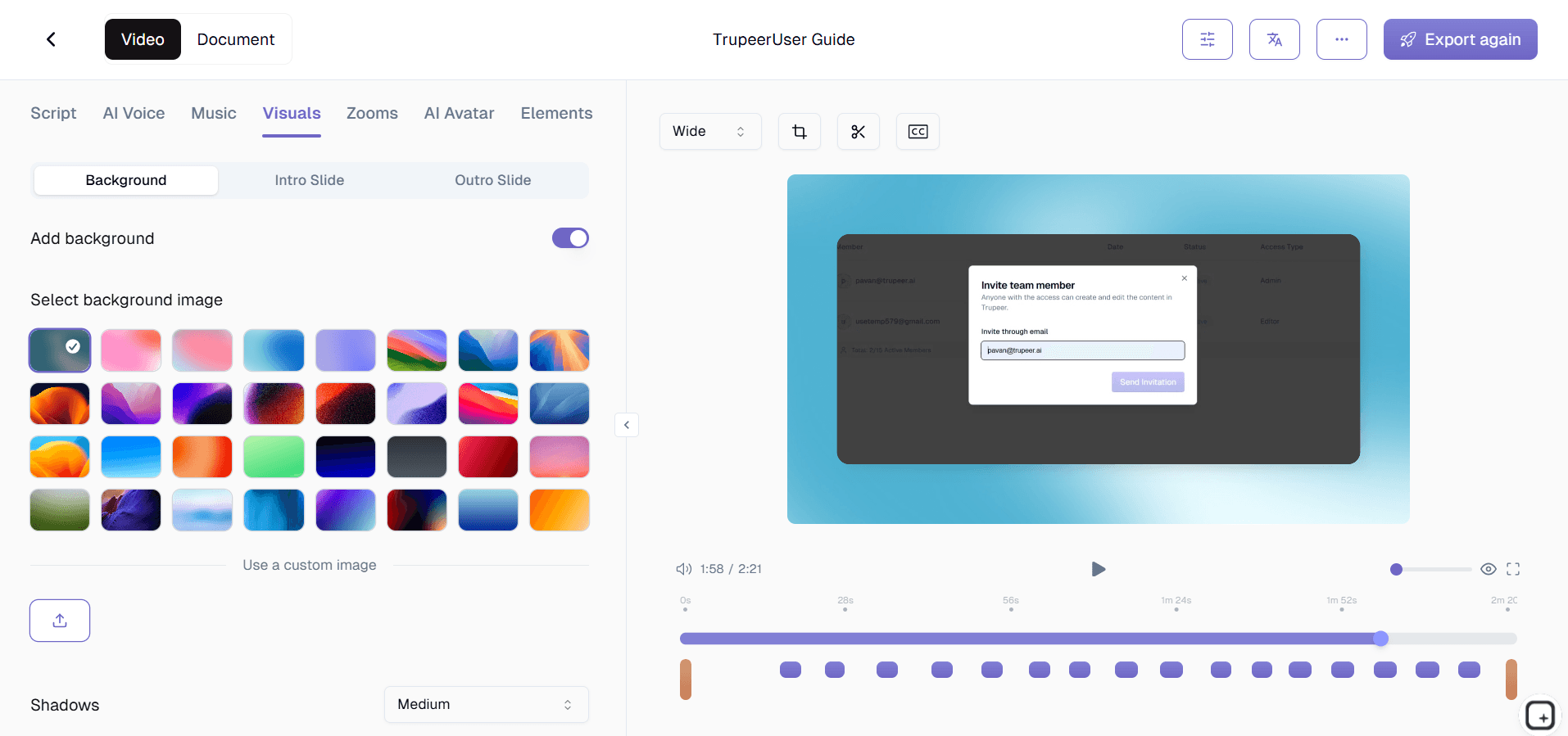
Step 3: Brand, translate, and ship organization-wide
Apply any region-specific brand kit variations (Spanish-language regional logo, German subsidiary colors, APAC office intro slide). Translate into Spanish, Portuguese, Hindi, Mandarin, Japanese, French, German, Arabic, or any of 65+ languages the workforce speaks. Then publish via Shared Page link, upload the MP4 to the LMS, post the PDF to the employee handbook, or embed in SharePoint and Confluence. The Knowledge Base visibility settings (public, organization-only, selected domains, invite-only) handle which audiences see what.
Who runs this platform inside the enterprise
The person who runs this platform inside an enterprise is usually a head of L&D, a director of organizational development, a VP of HR, or a chief learning officer with a small team and a large corporate training mandate. They have between 5,000 and 50,000 employees to train on something specific within a defined window: a new HRIS rollout, a compliance refresh, an annual product training cycle, a post-merger integration program. They open the tool when the existing production capacity (a couple of L&D specialists plus an outside video vendor) physically cannot ship the volume of training assets the business has asked for in the time allowed.
Around them, individual teams use the same workspace for their own work. HR produces new-hire onboarding modules and benefits enrollment walkthroughs. IT training produces system rollout videos for the new ERP, the new CRM, the new SSO flow. Sales enablement produces product knowledge updates and competitor positioning refreshers. Customer success produces internal tool training for customer-facing roles. Operations produces SOP-style process training. Production analytics in the admin view show how many videos, guides, and Shared Pages each team has shipped, plus total AI minutes consumed, so the head of L&D can see actual content velocity per function.
Enterprise training video content types this generator handles
The content types that come up most often in enterprise training video production: new-hire onboarding modules (the system tour, the policies overview, the first-week orientation), system rollout training (the new HRIS, the new CRM, the migration to a new tool stack), compliance refresher training (annual data privacy, the security training, the harassment prevention update), change management content (the post-merger integration, the org restructure, the new operating model), and skills development modules (the new analytics dashboard rollout, the new sales methodology). One enterprise typically produces all of these from the same workspace, by different teams, under the same brand standard.
For enterprises running training video production at this volume, the platform's value compounds across departments. A single L&D specialist working with Trupeer can produce the per-video output that previously required a small in-house video team or an ongoing relationship with a corporate video agency. Across a 5,000-employee enterprise running 15 to 20 active training campaigns per quarter, the production cost per corporate training video typically drops from $3,000 to $8,000 (agency model) down to under $200 in tool cost plus the subject expert's time, while the production calendar drops from one to three weeks per video down to an afternoon. As an enterprise training platform optimized for training content production rather than delivery, Trupeer pairs with the LMS that handles the actual learner-facing course assignments. Teams looking for the lighter-weight transactional version of this workflow can use the employee training generator or the AI powered training program generator.
Where Trupeer fits next to LMS platforms, course authoring suites, and video hosting tools
Trupeer AI is not an LMS. Cornerstone, Docebo, TalentLMS, Workday Learning, Absorb, 360Learning, Saba, SAP SuccessFactors, and Oracle Learning all handle the delivery layer (enrollment, course assignments, completion tracking, transcripts, learner-side analytics, certificate generation). Trupeer AI sits at the content production layer behind those systems. The L&D team produces training videos in Trupeer and uploads them to whichever LMS the enterprise already runs. The LMS provides the learner-side completion tracking and reporting that compliance, legal, and audit functions actually require for documentation. For the written side of that requirement, see our enterprise documentation software.
Trupeer AI is also not a course authoring suite. Articulate Storyline, Articulate Rise, iSpring, and Adapt Learning build interactive courses with branching scenarios, complex quizzes, and SCORM-packaged outputs. Trupeer AI doesn't build branching scenarios, doesn't generate quizzes or test banks, and doesn't export SCORM packages. What it covers, faster than either authoring tool can, is the linear training video plus matching written guide, which is the format the bulk of any enterprise training library actually uses. Enterprises typically keep an authoring suite for the small fraction of training that requires branching (some compliance, some technical certifications) and use Trupeer for the much larger volume of standard training assets.
Trupeer AI is also not a video hosting and analytics platform. Vimeo Enterprise, Brightcove, Kaltura, and Panopto handle private video hosting with viewer-side analytics (who watched, when, for how long, where they dropped off). Trupeer AI exports MP4 files that the L&D team uploads to whichever video hosting or LMS the enterprise uses. Production analytics inside Trupeer cover the content-creation side (how many videos were produced, by which team, how many AI minutes consumed) but not the learner consumption side, which is what hosting platforms and LMS systems are designed to measure.
Translation, updates, and the global workforce
Enterprise training rots fastest in the regional layer: the headquarters L&D team ships an updated training video in English, regional teams either translate manually (slow, expensive, inconsistent) or skip translation entirely and lose engagement among non-English-speaking employees. Trupeer AI handles translation as part of the same job that produced the original. The training video and matching guide reach employees in Madrid in Spanish, São Paulo in Portuguese, Tokyo in Japanese, Mumbai in Hindi, Berlin in German, Paris in French, Dubai in Arabic, all from the same source recording, in the same release cycle. Voice cloning carries the original presenter's voice across translated versions, so the experience feels intentional rather than dubbed.
Updates work the same way: re-record just the changed step, the AI re-processes only that segment, and both the video and the written guide update in place. The training module gets re-uploaded to the LMS as a new version, employees see the current process, and the regional translation pass runs against just the updated segment instead of the entire video. Pairing this enterprise training video platform with the Trupeer AI SOP builder covers both the employee-facing training videos and the standard operating procedures sitting under them.
People also ask for
Enterprise Documentation & Knowledge Base Platform
Enterprise Training Video Software
Free Training Video Creation Software
Free Operations Process Documentation Software
Free IT Documentation Software
Free AI Instructional Video Generator
Free GitBook Alternative for SaaS Documentation
Why enterprises run training video production on Trupeer AI
One workspace, all training-producing teams
HR, L&D, IT, sales enablement, customer success, and operations all produce training videos and matching written guides from the same Trupeer workspace, under one set of brand standards. Production analytics show velocity per team.
Brand and presenter consistency across the global library
Brand kits enforce visual standards on every output. Custom voice cloning preserves the corporate trainer's voice across the library. AI avatars give the enterprise a consistent presenter face without filming executives.
65+ languages for the global workforce
Translation applies to both the training video voiceover and the written guide in the same job. One source recording reaches Madrid, Mumbai, São Paulo, and Berlin in the same release cycle.
Produce enterprise training videos in three steps
Step 1
Subject expert records the walkthrough, or uses an AI avatar with a typed script
Step 2
Trupeer AI generates the training video and written guide with brand kit applied
Step 3
Translate, then ship to the LMS, SharePoint, intranet, or Shared Page link
Frequently Asked Questions
Is the enterprise training video platform free to use?
The core flow is free: record a training walkthrough or use an AI avatar, generate the video and written guide, share via a Shared Page link. Enterprise tiers add team workspaces with multiple seats, brand kit management, custom voice cloning, AI avatars from the full catalog, translation across 65+ languages, knowledge base visibility controls, production analytics in the admin view, and seat-based licensing scaled to the organization. Pricing and enterprise terms on the pricing page or via book a demo.
Does Trupeer integrate with our LMS (Cornerstone, Docebo, Workday Learning, SAP SuccessFactors)?
Not natively. Trupeer AI exports training videos as MP4 and matching guides as PDF or Word, which the L&D team uploads to whichever LMS the enterprise runs. Every LMS named here accepts MP4 and PDF uploads through the standard course-creation flow. The Shared Page link option also works for content the enterprise wants outside the LMS (the SharePoint training portal, the Confluence internal wiki, the cross-functional Slack channel). Trupeer doesn't generate SCORM packages, doesn't push content directly into the LMS, and doesn't sync completion data back from the LMS.
How do brand standards work across multiple teams and regional offices?
Brand kits hold the corporate logo, color palette, intro and outro slides, and font selection. The kit applies automatically to every training video produced in the workspace, regardless of which team or which person recorded the source footage. Enterprises with regional brand variations (a Spanish-language subsidiary logo, a German market color variant, an APAC office intro slide) maintain multiple kits within the same workspace and apply the relevant one per video.
What analytics does the platform provide?
Trupeer's analytics cover the content production side: total AI minutes consumed, videos created, guides developed, Shared Pages generated, and usage trends across teams and individual users. This is production analytics for the L&D function (how much content the team has shipped, by which team, at what pace), not learner-side completion or engagement tracking. Learner-side tracking (who watched, who completed, certification status) comes from the LMS where the training videos get hosted and assigned. Trupeer integrates with the LMS via MP4 upload, not native data sync.
Does the platform handle role-based permissions and content governance?
Trupeer's admin view handles member management (invite, revoke, remove), seat allocation, brand kit governance, and Knowledge Base visibility settings (public, organization-only, selected domains, invite-only). Granular role-based access control across content libraries works through workspace and visibility controls rather than traditional RBAC. Enterprises with strict content governance requirements (specific approval workflows, customer data restrictions, regional access rules) usually pair Trupeer's visibility controls with their existing LMS's permission structure for compounded control. Security and data handling details on the trust center.
More Tools



