4.8/5
Free Employee Training Generator
The employee training generator that turns one screen recording (or one AI avatar script) into a training video plus a written training guide, in the same job.
Generate Employee Training Free

Trupeer AI is the employee training generator that turns one screen recording (or one AI avatar script) into an employee training video plus a written training guide, in the same job. An L&D specialist, manager, or subject expert records the walkthrough or types a script for the avatar to deliver, and Trupeer AI produces both the MP4 training video and the PDF or Word training guide together. The video lives in the LMS, the guide lives in the employee handbook or wiki, both stay in sync. Most L&D teams have more training topics queued than they can produce, since the production time per training asset usually runs two to three weeks from idea to published video, and the AI-assisted alternative cuts that to roughly an afternoon.
One screen recording or AI avatar script generates a training video plus a written training guide in the same job.
AI avatars deliver training without anyone needing to film themselves or appear on camera.
Translate training assets into 65+ languages for the workforce wherever it sits.
Update by re-recording just the changed step. Compliance and process changes propagate without rebuilding the whole module.
Output ships as MP4 for the LMS, PDF or Word for the handbook, and a Shared Page link for everywhere else.
What Trupeer AI produces for L&D teams
An L&D specialist, manager, or subject expert opens the tool. They have two paths. Path one: record a screen walkthrough of the system, process, or workflow the employee needs to learn. Path two: type a script and have an AI avatar deliver the training as a talking-head video, no filming required. Both paths produce the same pair of outputs at the end: a polished employee training video and a written training guide with screenshots and numbered steps.
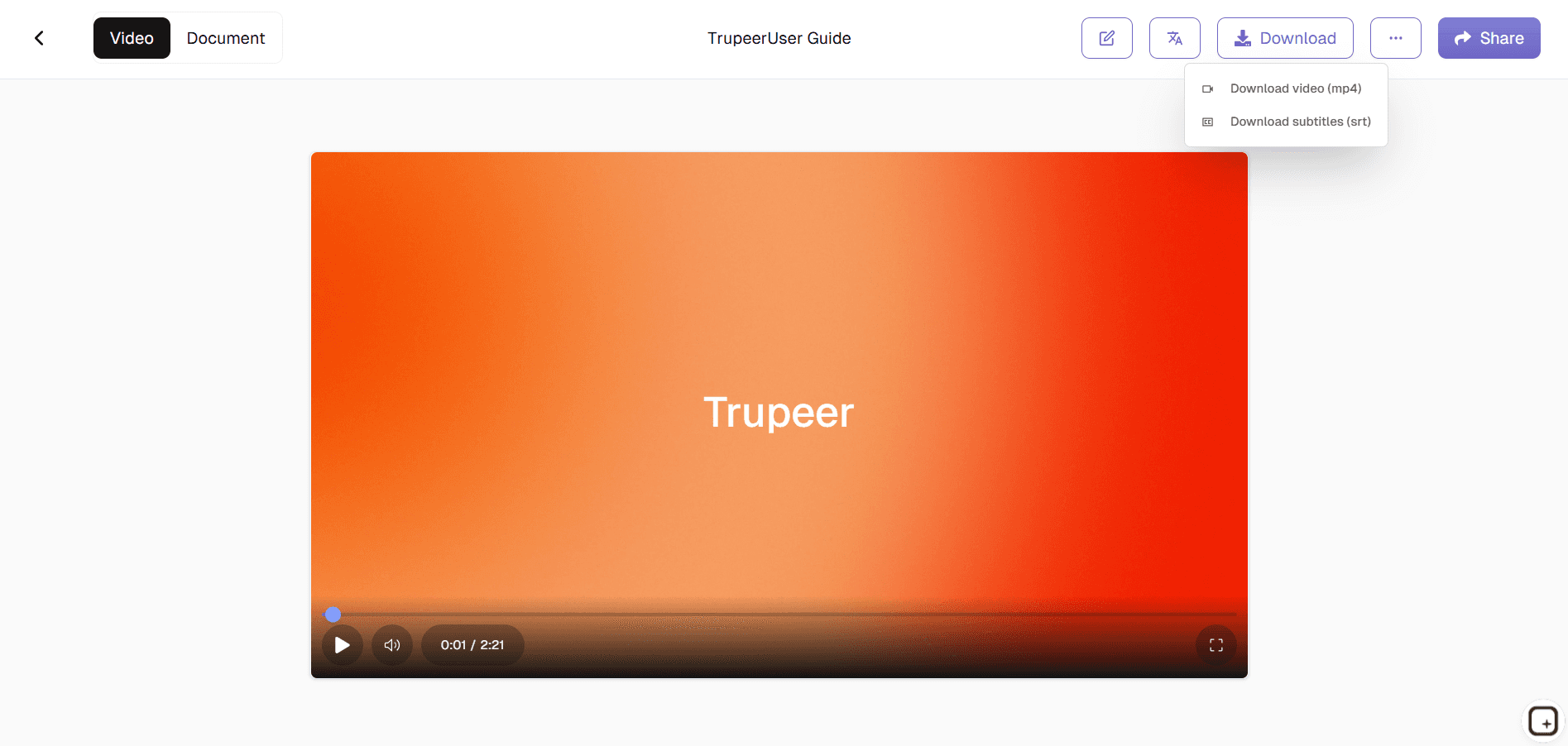
Video output is MP4, ready for any LMS that accepts MP4 uploads (Cornerstone, Docebo, TalentLMS, Workday Learning, Absorb, 360Learning, and basically every other system). Document output is PDF or Word with screenshots inline, ready for the employee handbook, the Notion workspace, or the printed onboarding packet. Brand kit applies automatically: company logo, colors, intro and outro slides match the rest of the L&D library. Voiceover handles dozens of voices and accents, and custom voice cloning lets the company use a specific trainer's voice across the whole library so the experience feels consistent for new hires.
How the employee training generator works in three steps
The recording-to-published-training flow takes one input, one approval pass, and one share action. No video editor, no separate writer, no third tool to assemble the materials.
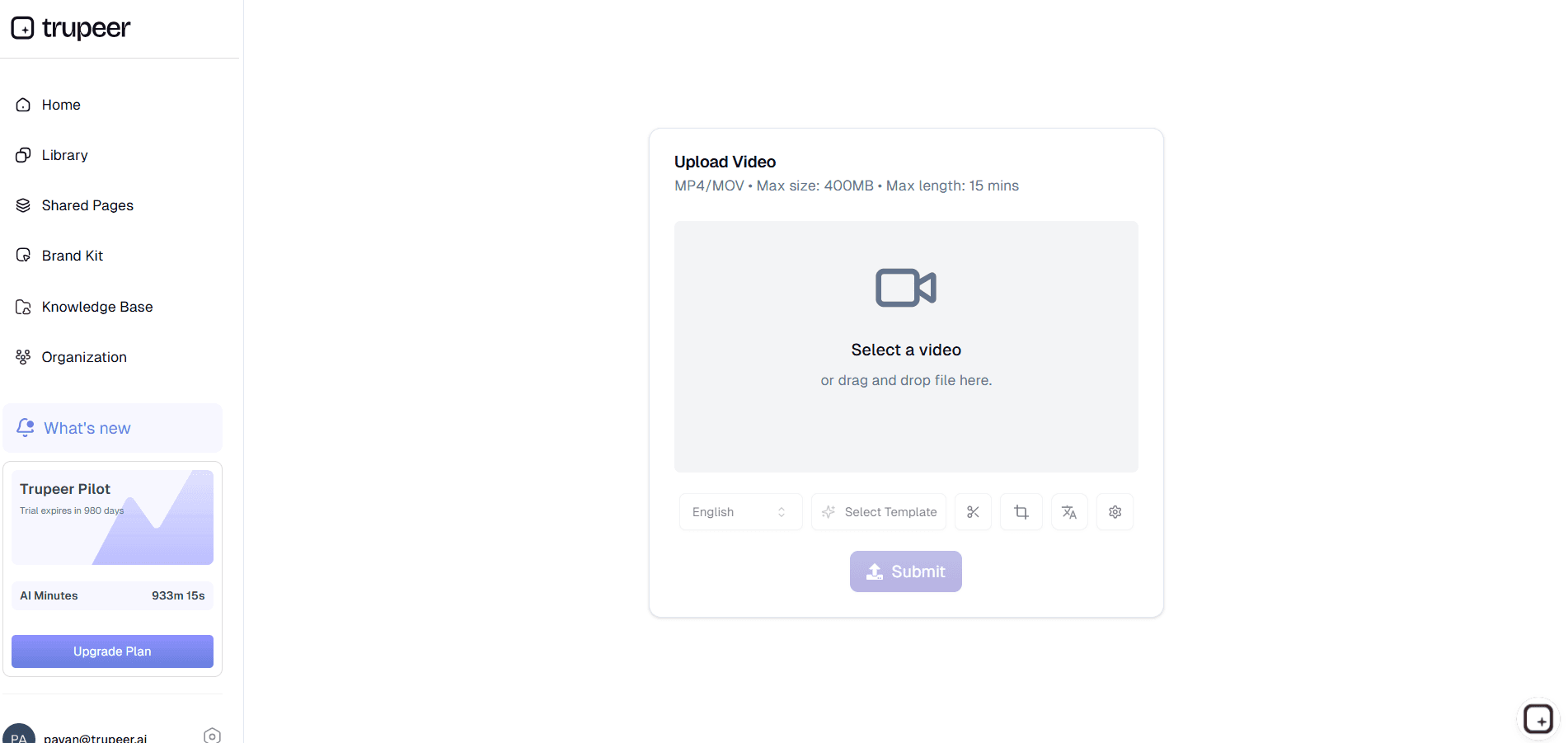
Step 1: Record the walkthrough or use an AI avatar
Start a screen recording in the browser to walk through the system, process, or workflow the employee needs to learn. Or skip the recording entirely: type a script and pick an AI avatar from the catalog (or use a custom avatar trained on a real trainer's likeness, via the HeyGen integration). The avatar delivers the training as a talking-head video, no camera or microphone needed.
Step 2: Trupeer AI generates the training video and written guide
Filler words and pauses get removed. Zoom and cursor effects highlight the part of the screen the trainee needs to see. A draft training video and a draft written training guide arrive in the editor together. The custom glossary handles internal system names, product names, and acronyms the AI wouldn't otherwise know how to spell correctly.

Step 3: Brand, translate, share
Apply the brand kit so the training video matches the rest of the L&D library's look and feel. Translate into Spanish, Portuguese, Hindi, Mandarin, French, or any of 65+ languages employees actually work in. Upload the MP4 to the LMS, post the PDF to the handbook, and share a Shared Page link for the cross-functional Slack channel that announces new training.
Who opens this employee training generator
The person who opens this tool is usually an L&D specialist, an HR business partner, a department head, or a subject expert who got pulled into building a training module because they're the only person who knows how the thing actually works. They open it when a new system rolls out and 200 employees need to learn it before quarter end, when a process changes and the existing training is now wrong, when a new hire training cohort joins and the employee onboarding video needs an update, or when compliance changes and a refresher training has to ship in 10 days.
The same workflow shows up across corporate training functions in different departments. HR teams produce new-hire onboarding modules. IT rolls out system training for new platforms, the new VPN, the new SSO flow. Operations handles SOP-style process training. Sales enablement ships product knowledge updates and competitor positioning refreshers. Customer success teams need tool training for customer-facing roles before they can talk to customers about new features. Finance covers expense policy and quarterly close walkthroughs.
Employee training materials this generator handles
The training types that come up most often: new-hire onboarding modules (the system stack walkthrough, the first-week orientation, the company-tools tour), system rollout training (here's the new tool, here's how to use it), process-change training (the new approval workflow, the updated expense policy), compliance refresher training (the annual data privacy update, the security training), and skills-development modules (the new analytics dashboard, the new design system). Trupeer AI handles all of them from the same recording-to-doc flow. The format adjusts to fit the channel: an LMS module wants a 5 to 10 minute MP4 with a downloadable guide, a Slack announcement wants a 90 second highlight clip linking to the full training, an in-handbook reference wants the written guide with embedded video.
For broader employee training programs, Trupeer AI handles the per-asset production. The L&D team still sequences modules, defines learning objectives, and decides what training each role needs. Trupeer AI handles the time-consuming production part (recording, editing, doc generation, translation) that traditionally constrains how much training the team can actually ship. A typical L&D function with one or two specialists can usually triple or quadruple their training output, since the per-asset production time drops from one to three weeks down to an afternoon.
Where Trupeer fits next to LMS platforms and course authoring suites
Trupeer AI is not an LMS or a full-stack employee training software platform. Cornerstone, Docebo, TalentLMS, Workday Learning, Absorb, 360Learning, and the rest of the LMS and employee training tools market handle the delivery, enrollment, completion tracking, and reporting layers. Trupeer AI sits at the content production layer behind them. The company's L&D team uses Trupeer to make the training videos and matching written guides, then uploads them to whichever LMS the company already runs. The MP4 and PDF formats work with every LMS and every other online employee training environment, so the choice of platform doesn't constrain the tool.
Trupeer AI is also not a course authoring suite. Articulate Storyline and Articulate Rise handle interactive course builds with branching scenarios, complex quizzes, and SCORM-packaged outputs. Trupeer AI doesn't build interactive courses with branching, doesn't generate quizzes or test banks, and doesn't export SCORM packages. What it does cover, faster than either authoring tool can, is the linear training video plus the matching written guide, which is the format most actual employee training consumption uses in practice. Companies that need branching interactive courses keep their authoring suite for those modules and use Trupeer AI for the larger volume of "here's how this works, here's how to use it" training assets that make up the bulk of any training library.
Updates and translation for global workforces
Employee training rots fast because the underlying systems, processes, and policies it documents change quarterly. A UI update breaks last quarter's system training, a process change makes the existing module misleading, a policy update makes the compliance training out of date. Most L&D teams handle this by re-recording entire modules from scratch, which is why training libraries usually drift two to three releases behind reality. Trupeer AI handles updates by re-recording just the changed step. The AI re-processes only that segment, and both the video and the written guide update in place. Once the new MP4 ships to the LMS as a new version, trainees see the current process automatically.
For global workforces, translation closes the language gap that usually limits how broadly a training module can roll out. The same training video and matching guide reach employees in Madrid in Spanish, Tokyo in Japanese, Mumbai in Hindi, and Berlin in German, from the same source recording, in the same week. Translation applies to both the video voiceover (using the original speaker's voice if voice cloning is set up) and the written guide, with brand kit, glossary, and on-screen text carried through. Pairing the employee training generator with the Trupeer AI SOP builder covers both the employee-facing training assets and the standard operating procedures that sit alongside them.
Why L&D teams use Trupeer AI as their employee training generator
Video plus written training guide in one pass
One recording (or one AI avatar script) generates both the MP4 training video and the PDF or Word training guide together. No second pass, no separate writer.
AI avatars for trainings nobody wants to film
Pick an avatar from the catalog or use a custom avatar trained on a real trainer. The avatar delivers the training as a talking-head video. No camera, no microphone, no on-camera recording session required.
Translation for global workforces
65+ languages applied to both the training video voiceover and the written guide in the same job. With voice cloning enabled, the original trainer's voice carries through every translated version.
Generate employee training in three steps
Step 1
Record the walkthrough or type a script for an AI avatar to deliver
Step 2
Trupeer AI generates the training video and written guide
Step 3
Brand, translate, share to the LMS or wherever employees consume training
Frequently Asked Questions
Is the employee training generator free to use?
Yes for the core flow. Record an employee training walkthrough or generate one from an AI avatar script, produce the video plus written guide, and share via a Shared Page link without paying. Paid tiers add brand kits, custom voice cloning, AI avatars from the full catalog, team workspaces, translation across 65+ languages, and longer recording limits. Pricing details on the pricing page.
Does Trupeer integrate with my LMS (Cornerstone, Docebo, TalentLMS, Workday, etc.)?
Not natively. Trupeer AI exports the training video as MP4 and the training guide as PDF or Word, which the L&D team uploads to whichever LMS the company runs (Cornerstone, Docebo, TalentLMS, Workday Learning, Absorb, 360Learning, and others all accept MP4 and PDF). The Shared Page link option lives outside the LMS and works for the cross-functional Slack channel, the company wiki, or anywhere else the team shares training. Trupeer doesn't push content directly into the LMS or generate SCORM packages.
Can an AI avatar deliver employee training without me being on camera?
Yes. Pick an AI avatar from the catalog, type the training script, and Trupeer AI generates a talking-head training video with the avatar delivering the content. Custom avatars trained on a specific trainer's likeness are available via the HeyGen integration, useful when the company wants a consistent presenter face across the training library. The avatar route also handles cases where the subject expert can't or won't be filmed.
Can I translate employee training videos into other languages?
Yes. Translation covers 65+ languages and applies to both the video voiceover and the written training guide in the same job. A company with employees in Madrid, Mumbai, São Paulo, and Berlin can ship the same training in Spanish, Hindi, Portuguese, and German from one source recording. Voice cloning (paid tier) preserves the original trainer's voice across all translated versions, so the experience feels consistent.
Does Trupeer generate quizzes, assessments, or SCORM courses?
No. Trupeer AI doesn't generate quizzes, test banks, or assessments, and doesn't export SCORM-packaged courses. Course authoring tools like Articulate Storyline, Articulate Rise, iSpring, and Adapt Learning handle interactive course builds with branching scenarios and SCORM output. Trupeer AI handles the linear training video plus matching written guide, which is the format most actual training consumption uses. Companies that need both typically keep an authoring suite for branching modules and use Trupeer for the larger volume of standard training assets.
More Tools


