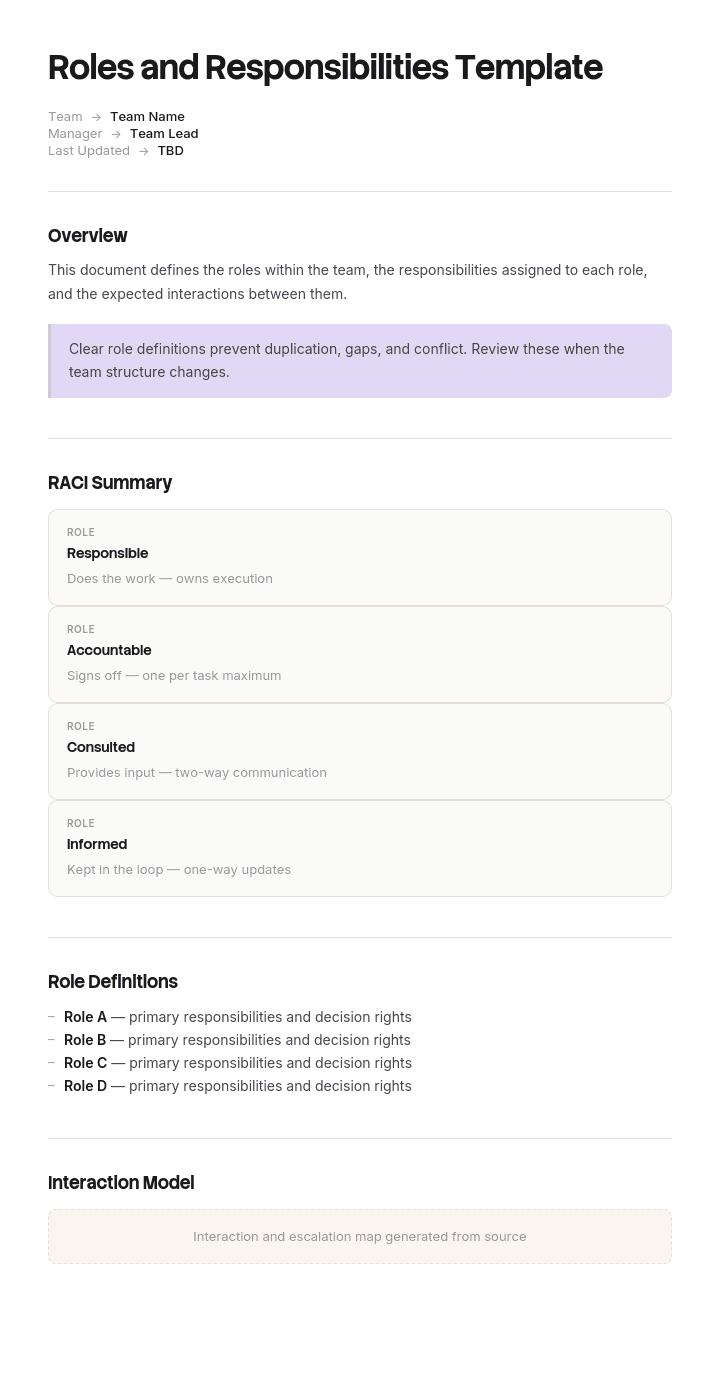
Use this template
Confusion about who owns what is one of the biggest hidden drains on team performance. With Trupeer, you can save hours on team alignment by starting with a free roles and responsibilities template, customizing it with your brand guidelines, and turning role definitions into video summaries every team member can watch in 5 minutes.
What is a free roles and responsibilities template?
A free roles and responsibilities template is a reusable structure for recording who does what within a team, a project or an organisation.
Almost every version of this document does the first half of that job well and the second half not at all. It records what each role does, in activities, and it stops. What it does not record is who is allowed to decide, and the decisions are where roles actually collide.
The template is not the document. It supplies a table with a column for role and a column for responsibilities, which takes two minutes to build. What determines whether the finished thing prevents an argument is whether the contested items appear in it, and by definition the contested items are not the obvious ones.
Format follows use. A free roles and responsibilities template Word doc suits a document that gets read and agreed. A roles and responsibilities template Excel free version suits a matrix across many roles at once. A free roles and responsibilities template PPT suits presenting a structure to a team. A free roles and responsibilities template PDF is the agreed and circulated version.
Why roles and responsibilities documents fail
Read one and notice the verbs.
Owns. Oversees. Manages. Ensures. Supports. Coordinates. Liaises with. Is responsible for.
Every one of those is elastic. Two people can each believe they own something, both act accordingly, and neither be wrong by the wording. Two people can each believe the other ensures something, and both be equally supported by the text.
That elasticity is why these documents are easy to agree and useless in a dispute. Everybody reads their own understanding into the same sentence, exactly as happens with an ambiguous scope line, and nobody discovers the disagreement until the moment it costs something.
The deeper problem is that activities are the wrong unit. Activities are naturally shared. Several people contribute to quality, to the client relationship, to the budget. Writing down that three roles are involved in quality is true and tells nobody anything.
Decisions are not shared. Either you can approve something or you cannot. Either you can commit the organisation to a cost or you must ask. That binary quality is what makes decisions the useful unit, and it is why a document listing twenty activities per role can leave the actual allocation of authority entirely unstated.
How to customize this template in Trupeer
Step 1: Open the Templates Section
Go to the Templates section from the main navigation.

Step 2: Select and Open a Template
Click on any template you want to work with to open it.

Step 3: Expand the Template View
If needed, expand the template view to see the full layout and details clearly.

Step 4: Edit the Template
Click on Edit to start modifying the selected template.

Within the editor, you can:
Add new sections
Define or update formatting rules
Add a logo and adjust its position and related settings
Step 5: Save Your Customized Template
After making all necessary changes, click Save to store the updated template as your own.

Step 6: Preview and Fine-Tune the Template
When you want to see how your customized template looks, open the Preview.

From the preview screen, you can continue to make adjustments directly if needed, ensuring the template appears exactly as you want.
With a roles and responsibilities template you can:
Save hours on alignment: Skip the blank page with a structure built for clarity.
Cut confusion: Built-in fields for ownership, decision rights and accountability eliminate ambiguity.
Stay on-brand: Apply your logo, fonts and colors using Trupeer's brand kit.
Communicate clearly: Convert role docs into video walkthroughs everyone can absorb fast.
Standardize across projects: Use the same template for every team and initiative.
Reach global teams: Translate role definitions into 65+ languages with one click.
Allocate decisions, not activities
The change is to build the document from a list of decisions rather than a list of people.
Start by writing down every decision and every deliverable that has caused, or could cause, a disagreement about who owns it. Not the whole job. Just the contested surface. In most teams this is somewhere between fifteen and thirty items.
Then, for each one, record four things. Who decides. Up to what limit. Who must be consulted first. Who is told afterwards.
Two failure patterns show up immediately when you do this, and both are common enough to expect.
Items with no owner. Nobody has been given authority, so in practice it is decided by whoever notices first, or it waits. These are the ones that get dropped.
Items with two owners. Both people believe they hold the decision, so both act, and they conflict at the point where the two actions meet. These are the ones that cause the arguments people remember.
A useful diagnostic before you start. Take your existing document and, for each responsibility line, ask what happens if this person says no. If the answer is that it stops, the line describes real authority. If the answer is that somebody else does it anyway, or that it goes to a meeting, then the line describes involvement rather than responsibility, and involvement is not what the document is for.
The elastic verbs are the tell. Any line built on oversees, supports, ensures or coordinates is almost always describing involvement. Those lines can stay, but they are context. The decisions are the document.
What a roles and responsibilities template must contain
Seven components. The decision table is the one that does the work.
Component | What it does |
|---|---|
Scope | Which team, project or function this covers, and what it does not. |
Roles, not people | Named by role with the current holder in a separate column, so a departure does not obsolete the document. |
Purpose per role | One sentence on why the role exists. Longer than one sentence usually means two roles. |
Decision table | Each contested decision, who decides, up to what limit, who is consulted, who is informed. |
Activities | What each role does day to day. Useful context, and not the part that resolves disputes. |
Escalation | Where a decision goes when it is above someone's limit or genuinely contested. |
Review and version | When this was agreed, by whom, and when it is next revisited. |
The limit column is worth its space. Authority is rarely unlimited, and "approves scope changes" means something different at two thousand pounds and at fifty thousand. Stating the number removes an entire class of argument.
Naming roles rather than people is the other quiet improvement. Documents written around individuals go out of date on the first departure, and rewriting them is enough work that most organisations simply stop maintaining them.
Free roles and responsibilities template: the structure to copy
Filled with a real example rather than placeholders. The setting is a client engagement in a consultancy.
Copy from here.
Scope. Covers roles on client engagements in the data practice. Does not cover internal projects, line management or performance review, which are governed separately.
Roles.
Role | Current holder | Why this role exists |
|---|---|---|
Engagement Lead | R Castellan | Owns the commercial outcome of the engagement and the client relationship |
Delivery Manager | P Osei | Owns the plan, the team and delivery to the agreed scope |
Practice Lead | J Marchetti | Owns technical standards across all engagements |
Decision table. The part that matters.
Decision | Decided by | Up to | Consulted first | Informed after |
|---|---|---|---|---|
Accept a scope change from the client | Engagement Lead | 8 hours of effort | Delivery Manager | Practice Lead |
Accept a scope change above that | Practice Lead | No limit | Engagement Lead and Delivery Manager | Finance |
Commit to a date with the client | Delivery Manager | Any | Engagement Lead | Client, by Engagement Lead |
Add a person to the team | Delivery Manager | Within approved budget | Practice Lead for skills fit | Finance |
Deviate from a technical standard | Practice Lead | No limit | Delivery Manager | Engagement Lead |
Pause work for non payment | Engagement Lead | Any | Finance | Delivery Manager |
Approve a deliverable as complete | Delivery Manager | Any | Practice Lead where a standard applies | Engagement Lead |
Escalate to the client's sponsor | Engagement Lead | Any | Delivery Manager | Practice Lead |
Activities. Context rather than resolution. Engagement Lead runs the client relationship, forecasts revenue and handles renewals. Delivery Manager runs the plan, the stand ups and the risk log. Practice Lead reviews technical approach at kickoff and at each major deliverable.
Escalation. Anything above a stated limit, or contested between two roles, goes to the Practice Director within two working days. Nothing waits for the monthly meeting.
Review. Agreed 4 April by all three role holders and the Practice Director. Reviewed every six months, and immediately whenever a role changes hands or a decision is found to have no clear owner.
Copy to here.
Eight decisions. That is usually enough, and it is the eight that were previously argued about.
Roles and responsibilities example: three people who all owned it
Ashgrove Analytics, a data consultancy of about a hundred and forty people, had a roles and responsibilities document that everyone had read and nobody disputed.
It said the Engagement Lead owns the client relationship and the commercial outcome. The Delivery Manager manages delivery and ensures quality. The Practice Lead oversees standards across engagements.
Owns, ensures, oversees. Three elastic verbs, and no statement anywhere about who could approve a change to what had been sold.
On one engagement the client asked mid project for an additional data source to be included. The Engagement Lead agreed on the call, reasonably, because protecting the relationship was explicitly her responsibility. The Delivery Manager absorbed the work into the plan, reasonably, because he assumed anything agreed with the client had been priced. The Practice Lead found out at month end.
It had not been priced. Three hundred and forty hours, about seventy one thousand pounds, delivered and unbilled.
The uncomfortable part of the review was that this had happened four times that year in smaller amounts, and nobody had connected them, because each looked like an individual lapse rather than a pattern. The annual figure was closer to a hundred and ninety thousand pounds of unbilled scope.
Nobody had acted outside their responsibilities. All three had acted precisely within the document, which is what made it possible.
The rewrite took an afternoon and produced twenty two decisions rather than three role descriptions. Writing them down surfaced two things immediately. Five decisions had no owner at all, including who could pause work for non payment, which had simply never been allocated. Three had two owners, including the one that had cost them the seventy one thousand.
In the following year, unbilled scope came to twenty four thousand pounds. The document did not become longer. It became specific about eight or nine things that had previously been elastic.
How to define roles and responsibilities in six steps
List the decisions, not the people. Everything contested, everything that has caused a disagreement, everything that would stop if nobody decided it. Fifteen to thirty items for most teams.
Assign exactly one decider to each. Not a committee. If two names feel necessary, the item is two decisions and should be split.
Add the limit. Up to what value, what scale, or what risk. Unlimited is a valid answer and should be written rather than implied.
Add consulted and informed. These are not the same thing, and confusing them is how people end up feeling excluded from decisions they never actually held.
Look for the gaps and the doubles. Every item with no owner or two owners is a future argument you can have cheaply now.
Agree it with the role holders in the same room. A document circulated for comment gets no comments. A document read aloud in a room produces the objections that matter.
Step six is not optional. The value of this exercise is largely in the disagreement it surfaces, and disagreement does not surface over email.
Roles and responsibilities template versus RACI
These get compared constantly and they answer different questions.
A RACI matrix maps activities against roles, marking each as responsible, accountable, consulted or informed. Its strength is coverage. Laying out thirty activities across eight roles shows you at a glance where nobody is accountable and where three people are.
A roles and responsibilities document describes each role in its own terms, with purpose, activities and authority. Its strength is that a person can read their own row and understand their job.
They work well together and badly as substitutes. A RACI is hard to read as an individual, since your row is scattered across a wide grid. A role description is hard to check for gaps, since you have to hold every role in your head at once.
The practical approach is to build the RACI to find the gaps, then write the role document so that people can actually use it. Where they disagree, the RACI is usually right about coverage and the role document is usually right about nuance.
One caution about RACI specifically. The accountable letter is the one that carries authority, and it is the one most often assigned to whoever is most senior rather than whoever should decide. If your matrix has the same name accountable for everything, it has recorded a hierarchy rather than an allocation.
Employee roles and responsibilities versus team roles and responsibilities
Two related documents with different purposes, and the distinction decides which template you need.
An employee roles and responsibilities template Word document describes one person's job. It sits close to the job description, is used in recruitment, induction and performance conversations, and is written per role holder.
A team roles and responsibilities template describes how several roles fit together. It is used to remove overlap and gaps, and its value comes from seeing the roles side by side rather than from the depth of any one of them.
Writing the second when you need the first produces summaries too shallow to induct anyone with. Writing the first when you need the second produces a stack of documents that each look complete and collectively leave four things unowned.
If a piece of work spans several people and something keeps falling between them, you need the team version. If somebody is joining, or a job is being evaluated, you need the individual one.
A note worth taking seriously. A roles and responsibilities document is not an employment contract, and changing someone's duties can have contractual and legal implications depending on jurisdiction and on what their contract says. Treat this document as an operational clarification, and involve HR or a qualified adviser before using it to alter anyone's terms.
Examples of roles and responsibilities in three settings
Project team. The decisions that matter are who approves a change to scope, who can commit a date externally, who accepts a deliverable as done, and who can stop the work. Those four cover most project role conflict, and detailed sequencing belongs in the project scope rather than here.
Department or function. The decisions concern budget authority, hiring, approving external spend, and signing off work that leaves the department. Limits matter more here than anywhere, since the same decision recurs at very different values.
Cross functional process. Customer complaints, incidents, procurement. The characteristic failure is that responsibility passes between functions and nobody owns the handover, so the useful items are who owns it at each stage and who owns the transition between stages.
In all three, the items worth writing down are the ones somebody has previously got wrong. A document listing thirty uncontested responsibilities and omitting the two contested ones has spent its effort in the wrong place.
Keeping it current when people leave
Roles documents decay in a specific way. They are written around the people currently in post, so the first departure makes a section wrong, the rewrite is deferred, and within a year the whole document has quietly become historical.
Three habits prevent it. Name roles in the structure and people in a single separate column, so a departure changes one cell. Attach a review to the event rather than the calendar, meaning the document is revisited whenever a role changes hands. And record the date and the names of everyone who agreed it, since an undated document with no signatories carries no weight in the argument it was written to settle.
The strongest trigger for review is the one Ashgrove found. Any time a decision turns out to have had no clear owner, that is evidence about the document, and the fix is to add the item rather than to remember the conclusion.
What a free roles and responsibilities template cannot fix
A structure that genuinely does not work. If two roles are in permanent conflict, sometimes the design is wrong rather than the documentation. Writing it down clearly will make that visible, which is useful, and it will not resolve it.
Authority nobody will use. A person given a decision who does not feel able to make it will refer it upwards anyway. That is a management issue rather than a documentation one.
Seniority overriding the document. If a senior person routinely decides things allocated to someone else, the document describes an intention rather than a practice, and the people around it will learn to ignore it quickly.
Vagueness inherited from a download. No free roles and responsibilities template free download contains your contested items, because they are specific to your organisation. The template gives you a grid, and the grid is not the difficult part.
Show how the work is done, not just who does it
A roles and responsibilities document says who owns a piece of work. It does not say how that work is performed, and the two get confused when somebody new takes a role over.
That gap is where handovers fail. The new holder knows they own approving deliverables and has no idea what the previous holder actually checked before approving one. Written procedures rarely close it, because the reader has to rebuild a sequence of steps from prose and gives up.
Trupeer AI closes it. Whoever holds the role records the task once, and the output is a written walkthrough with screenshots already captured and placed, alongside a video, in your own branding. The role document says what you own. The recording shows how the person before you did it.
Record it. Brand it. Translate it. Trupeer it.
That pairing matters most at handover, which is exactly when a roles document is reread and exactly when the undocumented half is lost. Where teams span several languages, the same recording produces the same walkthrough in each, so a role performed in three countries is genuinely the same role.
The walkthroughs sit in your knowledge base and double as training material for whoever takes the role next. Task level detail belongs in the work instructions underneath. Consistency with your other documents is a matter of setting the brand kit once, and setup is covered in the document template setup guide.
Frequently Asked Questions
Is there a free roles and responsibilities template Word doc version?
Word suits this document, because it is read, discussed and agreed, and because the decision table sits comfortably inside a page of context. Build the free roles and responsibilities template Word doc with roles in one table and decisions in another, and keep the decision table on the first or second page.
Put the current role holders in a single column rather than throughout the text. That one choice means a departure updates one cell instead of triggering a rewrite, which is the difference between a document that stays current and one that quietly becomes historical.
Is there a free roles and responsibilities template Word free version?
Most of what a free roles and responsibilities template Word download offers is a two column grid of role and responsibilities, which is the half that does not resolve anything.
Add two things to whichever template you use. A decision column stating who can approve what, and a limit column stating up to what value. Those two additions take ten minutes and are what turn a description into something that settles an argument.
Is there a roles and responsibilities template Excel free version?
Excel is the right choice when you are looking across many roles at once, which is when you are hunting for gaps and overlaps. A roles and responsibilities template Excel free layout lets you put decisions down the rows and roles across the columns and see immediately where a row has no owner or two.
Do that analysis in a spreadsheet, then write the readable version in a document. A grid is excellent for finding problems and poor for helping an individual understand their own job.
Is there a free roles and responsibilities template PPT version?
Slides suit presenting a structure to a team, particularly at a reorganisation or a project kickoff where the point is for everyone to see how the pieces fit together. A free roles and responsibilities template PPT deck does that well.
It cannot carry the decision table with limits and consultation, which is the part that prevents disputes. Present the shape on slides, then circulate the document. A structure agreed only in a meeting is remembered differently by everyone who was there.
Is there a free roles and responsibilities template PDF?
PDF is the agreed version. Once the role holders have discussed it and settled the contested items, export a free roles and responsibilities template PDF with the agreement date and the names of everyone who agreed it.
That record matters more than it sounds. The document exists to settle disagreements, and a version with no date and no signatories is easy to dismiss as somebody's draft at exactly the moment it is needed.
Is there a free roles and responsibilities template free download worth using?
The grid takes about two minutes to build, so a free roles and responsibilities template free download is saving you very little. What it cannot supply is your list of contested decisions, and that list is the entire value of the exercise.
If you adopt one, check whether it has any column for authority. Almost none do. Every published template I have seen asks what each role does and none asks what each role can approve.
Is there an employee roles and responsibilities template Word version?
Yes, and it is a different document from the team version. An employee roles and responsibilities template Word file covers one person's job: purpose, main activities, decisions they hold, who they report to, and how their work is judged.
Use it for induction, for performance conversations and alongside recruitment. Be aware that it sits close to the job description and therefore close to the employment contract, so involve HR before using it to change what somebody is expected to do.
What is a team roles and responsibilities template?
A team roles and responsibilities template sets several roles side by side so that overlaps and gaps become visible, which is something no individual role description can do.
Use it when work keeps falling between people, when two people are duplicating effort, or at the start of a project when nobody has worked together before. The output that matters is not the descriptions but the short list of decisions that turned out to have no owner.

