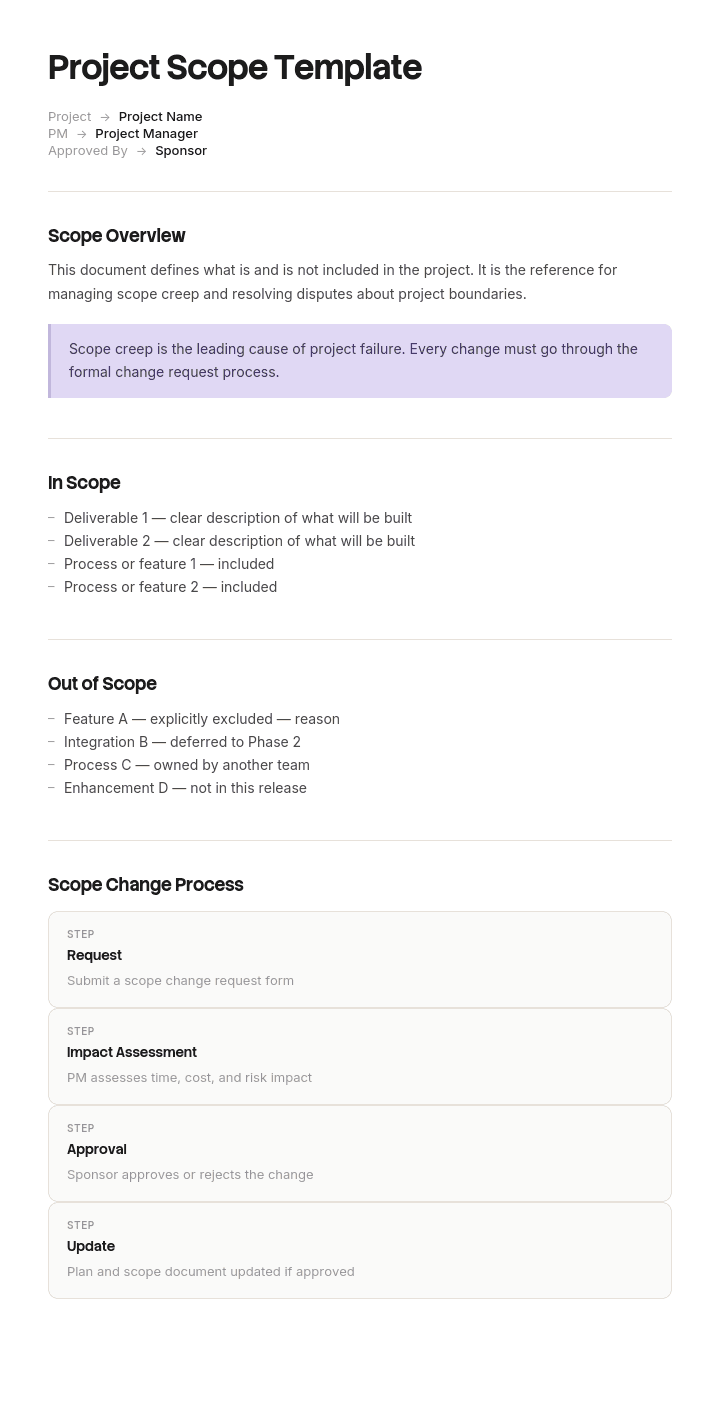
Use this template
Unclear scope is the #1 reason projects miss deadlines and blow budgets. With Trupeer, you can save hours on scope documentation by starting with a free project scope template, customizing it with your brand guidelines, and turning the scope into video summaries that align stakeholders before work begins.
What is a free project scope template?
A free project scope template is a reusable structure for recording what a project will deliver, what it will not deliver, and what has not been decided yet.
Most templates cover the first of those three properly, treat the second as a short afterthought, and have no place at all for the third. That omission is where almost all scope disputes come from, because arguments are rarely about work that was clearly promised or clearly excluded. They are about the items nobody wrote down either way.
The template is not the scope. It is an empty structure that becomes a scope document once it is filled in, agreed by both sides, and signed. Until it is signed it is a draft, and a draft has no authority in a dispute.
Format follows from that. A project scope template Word free download suits the drafting and review, because this is prose that two organisations comment on before signature. A free project scope template Excel version suits the open items and acceptance tables and little else. A free project scope template PDF is the signed copy, valuable precisely because it cannot quietly change. For short engagements a simple project scope template Word file of two pages carries the same nine components at lower detail.
Why free project scope templates fail to prevent scope creep
Scope creep gets described as though it were an outside force, with clients requesting extras and teams saying yes too often.
That happens, and it is not where most of the damage comes from. Most scope creep is already inside the document on the day it is signed, sitting in lines that both parties read differently and neither thought to question. Nobody argues about the clear lines. They argue about the nine word ones.
A scope document only settles a dispute if a disputed item can be resolved by pointing at a line. That means every item a reasonable person might raise in month three has to return one of three answers today: in, out, or not yet decided, by a named person, by a date.
Most free project scope templates offer two of those three states. Losing the third is the expensive part, because an undecided item with no owner and no deadline does not stay undecided. It gets assumed, differently, by each side.
How to customize this template in Trupeer
Step 1: Open the Templates Section
Go to the Templates section from the main navigation.

Step 2: Select and Open a Template
Click on any template you want to work with to open it.

Step 3: Expand the Template View
If needed, expand the template view to see the full layout and details clearly.

Step 4: Edit the Template
Click on Edit to start modifying the selected template.

Within the editor, you can:
Add new sections
Define or update formatting rules
Add a logo and adjust its position and related settings
Step 5: Save Your Customized Template
After making all necessary changes, click Save to store the updated template as your own.

Step 6: Preview and Fine-Tune the Template
When you want to see how your customized template looks, open the Preview.

From the preview screen, you can continue to make adjustments directly if needed, ensuring the template appears exactly as you want.
With a project scope template you can:
Save hours on writing: Skip the blank page with a structure built for scope statements.
Prevent scope creep: Built-in fields for in-scope and out-of-scope set clear boundaries.
Stay on-brand: Apply your logo, fonts and colors using Trupeer's brand kit.
Align stakeholders: Convert scope docs into video summaries everyone can absorb fast.
Standardize across projects: Use the same template for every initiative.
Reach global teams: Translate scope statements into 65+ languages with one click.
What a project scope template must contain
Nine components, and the order matters more than most templates suggest.
Component | What it does |
|---|---|
Objective | One paragraph on why the project exists, in the buyer's terms rather than the delivery team's. |
Out of scope | The explicit exclusions. Written first, for reasons covered below. |
In scope | Deliverables, each specific enough to be verified as done or not done. |
Open items | Anything undecided, with a named decider and a decide-by date. |
Acceptance criteria | How each deliverable will be judged complete, agreed before work starts. |
Assumptions | Numbered, and specifically the ones the other party controls. |
Constraints | Fixed dates, budgets, technical or regulatory limits, with their source. |
Dependencies | What you need from the other side, by when, and what happens if it is late. |
Change process | How a scope change is raised, priced and agreed, named before anyone needs it. |
The last one gets left out most often and is the one that decides how the first dispute goes. Agreeing a change process while everyone is calm costs ten minutes. Agreeing one during an argument costs a relationship.
Write the exclusions first
This is the single change that improves a scope document most, and it costs nothing.
Open the template, go to the out of scope section, and fill that in before you write a word of the deliverables. Aim for twenty exclusions before you allow yourself to describe what you are delivering.
It feels wrong and it works, for three reasons.
Writing exclusions forces you to think about the edges of the work, which is where every dispute lives. Describing what you are delivering keeps you in the comfortable middle of it.
It surfaces disagreement while disagreement is still cheap. If the other party reads your exclusions list and objects to item fourteen, you have found a genuine gap in week one rather than month four.
It reads as confidence rather than hedging. A supplier who can state precisely what they are not doing has usually thought about the work harder than one who cannot.
The exclusions that matter are the plausible ones. "We will not be building a mobile app" is useful if a mobile app is conceivable and pointless if it never came up. Excluding the absurd wastes the reader's attention and hides the exclusions that count.
Free project scope template: the structure to copy
Filled with a real example rather than placeholders. The project is a warehouse management system replacement.
Copy from here.
Header. Project name. Version. Date. Client signatory and supplier signatory by name and role. Status, which is either draft or signed, with no third option.
Project: Warehouse management system replacement. Version 3. Signed 14 February. Client: D Whitfield, Operations Director. Supplier: R Mensah, Delivery Lead.
Objective. One paragraph, in the buyer's language.
Replace the existing warehouse system before its support contract ends in November, without interrupting outbound despatch for more than one working day.
Out of scope. Written first. Numbered, so a change request can point at one.
No changes to the finance system or its interfaces.
No migration of supplier records older than three years.
No de-duplication or cleansing of migrated data. Records transfer as they are.
No barcode hardware supply, installation or maintenance.
No training beyond the two named sessions in the deliverables below.
No out of hours support during the pilot.
No changes to existing warehouse layout or racking.
No integration with the customer portal. Considered and deferred to a later phase.
In scope. Each deliverable specific enough to be verified.
Configuration of the standard product for two despatch sites. Migration of stock records and of supplier records from the last three years. Two training sessions of half a day each, for a maximum of twelve people per session. One week of on-site support at go live. A written runbook covering daily operation.
Open items. The section most templates omit.
Item | Who decides | Decide by |
|---|---|---|
Whether site two goes live simultaneously or two weeks later | D Whitfield | 3 March |
Which of the four legacy stock reports are rebuilt | Warehouse supervisors, via D Whitfield | 10 March |
Whether the client or the supplier cleanses supplier records before migration | Joint, escalate to steering group if unresolved | 17 March |
Acceptance criteria. How each deliverable is judged done. Migration is accepted when record counts reconcile to within one percent and ten sampled records match the source exactly. Training is accepted on attendance and a completed feedback form, not on competence, which cannot be assessed on the day.
Assumptions, numbered. The ones the other party controls.
Client provides a full data extract by 1 March.
Client makes warehouse supervisors available for two half days during configuration.
Existing barcode scanners are compatible and in working order.
No changes to despatch processes are introduced during the project.
Constraints. Support contract on the existing system ends 30 November, source being the vendor's written notice. Budget approved to a fixed figure with no contingency.
Dependencies. What you need from them, by when, and the consequence. Data extract by 1 March, and each week of delay moves go live by one week.
Change process. Any change raised in writing to the delivery lead. Priced within five working days. No work begins on a change until both signatories agree in writing. Changes under a stated threshold are logged and absorbed rather than priced, which prevents the process collapsing under trivial requests.
Copy to here.
Project scope example: the nine words that cost twenty eight thousand pounds
Ashcombe Foods, a food manufacturer of about three hundred and forty people, replaced its warehouse management system.
The scope document was eleven pages, professionally produced, and signed by both parties. The line that caused the problem was nine words long.
Migration of existing stock and supplier data from Navision.
Neither party misread it. Both read it perfectly clearly, and differently. The supplier read existing as current, meaning live records, transferred as they stood, with any cleaning done by the client. The client read existing as everything in the system, meaning seven years of history, arriving clean, because why would anyone migrate data in a state they could not use.
Nobody asked, because neither side experienced the line as ambiguous. It only becomes ambiguous when the two readings meet.
They met in user acceptance testing, in week fourteen. Eleven thousand duplicate supplier records appeared in the new system, along with four years of history the supplier had not planned to move.
The change request came to forty seven thousand pounds and six weeks. It settled, after three uncomfortable meetings, at twenty eight thousand pounds split between them, and the project went live four weeks late into the November deadline it had been comfortable against.
What made the debrief useful was that nobody had behaved badly. There was no scope creep in the usual sense, no client asking for extras and no supplier padding a change request. The document had simply given both parties a place to record what they had agreed and no place at all to record what they had not yet worked out.
On the next project, a labelling system across the same two sites, they wrote the scope document exclusions first. Twenty three exclusions were drafted before a single deliverable, and nine of them prompted questions from the client during review, which is nine gaps found in week one.
The open items table carried nine entries at signature, each with a named decider and a date. All nine closed within three weeks. None became a change request.
The labelling project ran to its original date and its original price. The delivery lead's view was that the exclusions list had done most of that work, and specifically that the arguments it caused in week one were the arguments that would otherwise have happened in month four at ten times the cost.
Project scope template variants: software, construction, IT and website
The variants offered across the web are largely the same document with different exclusion lists, which is a useful way to think about choosing one.
Software project scope template. The exclusions do the heavy lifting. Browser and device support, data migration depth, integrations, environments, and who writes the test data. Most software scope disputes are integration disputes.
Construction project scope template. Heavier on drawings, specifications and standards, with the scope document usually referencing them rather than restating them. Reference documents need version numbers, because a specification that changes silently changes the scope silently. Construction scope also carries statutory health and safety duties in most jurisdictions, so have the document reviewed by someone qualified rather than treating it purely as a commercial exercise.
IT project scope template. The distinguishing exclusions are environments, licensing, existing technical debt, and support after go live. The last of those causes more disputes than the rest combined, because the transition from project to support is rarely written down.
Website project scope template. Content is the exclusion that matters. This is the variant where a free project scope template Word doc is most often shared directly with a client, so keep the language plain enough for a non-technical signatory. Who writes it, who supplies images, how many rounds of revision, and what happens when content arrives late. A website scope document without a content clause is an argument waiting to happen.
ERP and CRM project scope template. The largest and the most exposed to the data question that caught Ashcombe Foods. Say how many years, say which entities, say who cleans the data, and say it in numbers.
Pick the variant that matches your work, then rewrite its exclusion list from scratch. The exclusions are the part that cannot be inherited from a template, because they are specific to what your buyer might reasonably assume.
How to write a project scope statement in six steps
Write the objective in the buyer's words. If it only makes sense to your delivery team, it will not survive a dispute.
Draft the exclusions. Twenty of them, before any deliverable.
Write the deliverables. Each one specific enough that both parties would agree on whether it is done.
List everything still undecided. Give each a named decider and a date. Do not resolve them yet.
Agree acceptance criteria before work starts. Criteria agreed afterwards are negotiations, not criteria.
Name the change process, then sign. An unsigned scope document has no authority, and an unsigned one that work has already started against has less than none.
Step four is the one people skip because it feels like admitting the document is incomplete. Every scope document is incomplete at signature. The only question is whether the gaps are visible.
Project scope, product scope and statement of work
Three terms used interchangeably in conversation and meaning quite different things in a contract.
Project scope is the work. What will be done, by whom, and what is excluded from that work.
Product scope is the thing. The features and characteristics of what gets delivered. A project can be perfectly in scope and still produce a product the buyer did not want, which is usually a requirements failure rather than a scope failure.
Statement of work is the contractual instrument. A statement of work template typically contains the project scope alongside commercial terms, payment schedule, and legal provisions. In many organisations the scope document is drafted first and then becomes a section of the statement of work.
A project charter sits earlier still. It authorises the project and names the sponsor, before the scope has been worked out in detail, which is why a project charter template free download will look sparse next to a scope document and should.
Two more sit downstream. The project schedule template turns agreed deliverables into dates, and it cannot be built honestly until the scope is settled. A project tracking Excel template reports progress against both, and is a reporting artefact rather than an agreement.
If you are being asked for a scope document and what is actually wanted is a statement of work, the difference is the commercial and legal sections, and those belong to whoever owns contracts in your organisation rather than to the delivery team. This page is not legal advice, and a statement of work that will be signed should be reviewed by someone qualified before it goes out.
How to stop scope creep with an open items table
The open items table is three columns and it does more work than the rest of the document.
Item, who decides, decide by. Nothing else, because adding status columns turns it into a project tracker and it stops being read.
Two rules make it function. Every item has one named decider, never a committee and never a department. And every item has a date, because an open item without a deadline is a decision that will be made by default, late, by whoever is standing closest to it.
Review the table weekly until it is empty. It usually empties within a month, and the items that refuse to close are worth escalating early, since an item nobody will decide is usually an item nobody has the authority to decide.
When something new arrives after signature, it goes to the change process rather than the open items table. Open items are things you knew you had not decided. Changes are things that were decided and are now being revisited, and mixing the two lets changes enter as though they had always been open.
Who owns the project scope and when to update it
One named person on each side signs it, and those two people are the only ones who can agree a change.
The scope document is not a living document in the way a schedule is. A schedule changes weekly and that is healthy. A scope document that changes weekly indicates the scope was never agreed. It should change only through the change process, and every change should be numbered, priced and signed by the same two people.
Reread it at three points. When something feels like it might be a change, before the argument. At the start of user acceptance testing, since acceptance criteria written months earlier are frequently forgotten by the people applying them. And at handover, where the exclusions decide what the receiving team is inheriting.
Do AI project management tools help define scope?
They help with the draft and not with the judgement, and the split is worth understanding before relying on them.
AI project management tools are genuinely useful for producing a first list of deliverables from a description of a project, for suggesting exclusions you had not considered, and for spotting vague language in a draft. That third use is the strongest one. Asking a model to identify every line in your scope document that two reasonable parties could read differently is a fast and unusually effective review.
What they cannot do is know what your buyer assumes. The Ashcombe Foods line would pass any automated check for vagueness, because it is grammatically clear and commercially specific. It failed because two people brought different assumptions to the word existing, and no tool has access to those assumptions.
Use them to draft and to challenge. Do not use them to decide what is out of scope, because that decision is commercial rather than linguistic.
What a free project scope template cannot fix
A buyer who has not decided what they want. No document structure resolves this. It shows up as open items that will not close, and the honest response is to raise it early rather than to write a scope document around a gap.
Work that has already started. Scope agreed after work begins is a negotiation conducted from a weak position. If work has started, write the document anyway and date it honestly.
A relationship with no trust in it. Scope documents settle disputes between parties who want them settled. Where the relationship has broken down, the document becomes ammunition rather than a reference, and no template improves that.
Nobody reading it after signature. The most common failure. A scope document read once and filed does nothing in month four, when the argument arrives and neither party can remember what clause six said.
Show your scope method rather than describing it
The part of scope management that does not survive a written handover is how it is actually done. How a change request gets raised in your system. Where the open items table lives and who updates it. What the delivery lead checks before signing.
Written procedures for this decay quickly, because the reader has to reconstruct a sequence of steps from prose, gives up, and asks a colleague instead.
Trupeer AI closes that gap. Whoever runs the process records it once, and the output is a written walkthrough with screenshots and a video, in your own branding, ready to sit in your knowledge base alongside the scope template itself. Where a project spans several languages or several suppliers, the same recording produces the same walkthrough in each language, so both sides of a contract are working from one procedure rather than two translations of it.
Record it. Brand it. Translate it. Trupeer it.
It earns its keep twice. The recording that taught the team to run the change process becomes the training material for whoever inherits the project, which is exactly the point at which scope discipline is usually lost. Consistency with your other project documents is a matter of setting the brand kit once, and setup is covered in the document template setup guide.
Frequently Asked Questions
Is there a project scope template Word free download?
Word is the right format for this document, which is not true of every project template. A scope document is prose with structure, it goes through several rounds of comment between two organisations, and it gets signed. A project scope template Word free download will usually give you a usable skeleton.
Check one thing before you adopt it. Look at how much space the file gives to exclusions. If out of scope is a single bullet list of three items near the end, the template is built around the wrong half of the document and you will be rewriting that section anyway.
Is there a free project scope template Word doc version?
Yes, and the structure above pastes directly into one. Build it as a free project scope template Word doc with each of the nine components as a heading, keep the exclusions numbered so a change request can cite a number, and put the open items table on page two rather than in an appendix where nobody reads it.
Use track changes during review between the two parties, then produce a clean signed version. A scope document with visible revision marks is a draft, and drafts do not settle arguments.
Is there a simple project scope template Word version for small projects?
For work under a few weeks, a simple project scope template Word file of two pages is enough. Objective, exclusions, deliverables, open items, price, and how a change gets agreed.
Do not drop the exclusions to save space, because they are the part that earns its place on a small project too. Drop the constraints and dependencies sections instead if the project genuinely has none worth stating.
Is there a free project scope template Excel version?
Excel suits the tables rather than the document. A project scope template Excel file works well for the open items table and for a deliverables list with acceptance criteria against each row, since both are genuinely tabular.
The objective, the exclusions and the change process are prose and belong in a document. Splitting them across two files means one of them stops being maintained, so if you must pick one, pick the document and paste the tables into it.
Is there a free project scope template PDF?
PDF is for the signed version. Once both parties have agreed, export a free project scope template PDF, have it signed, and circulate that as the reference copy with a version number on every page.
Do not draft in PDF and do not treat a PDF as editable. The value of the signed copy comes precisely from the fact that it cannot quietly change.
Where can I find a project scope example PDF?
University and public sector procurement sites publish real scope statements as PDFs, and a project scope example PDF from one of those sources currently ranks on the first page for this term, which tells you something about how useful real examples are compared with blank templates.
Read a project scope example PDF for the exclusions rather than the deliverables. The deliverables are specific to that project and will not transfer. The exclusions show you what an experienced buyer thought worth ruling out, and those transfer well.
Is a statement of work template the same as a project scope template?
No. A statement of work template contains the scope alongside commercial terms, payment milestones and legal provisions, so it is a contractual document where the scope document is a working one.
In practice the scope is drafted first and becomes a section of the statement of work. If someone has asked you for a statement of work and you produce only a scope document, the commercial and legal sections will be missing, and those are the sections that need review by whoever handles contracts in your organisation.
Where can I get a project charter template free download?
A project charter is a different document at a different stage. It authorises the project, names the sponsor, and states the business case at a high level, usually before the scope has been worked out in any detail.
If you are being asked for a charter, the scope document is premature. If you are being asked for a scope document and no charter exists, it is worth checking that the project has actually been authorised before writing eleven pages about it.
What are the best AI project management tools for scope definition?
The category changes too quickly for a list here to stay accurate, so the useful thing is what to use them for.
They are strong at drafting deliverables from a description, at suggesting exclusions you have not thought of, and above all at reviewing a draft for ambiguity. Ask one to flag every line two reasonable parties could read differently and it will find things you missed. They cannot tell you what your buyer assumes, which is where scope actually fails.
What is the difference between a project scope and a project schedule?
The scope answers what and what not. The schedule answers when. The scope is agreed once and changes only through a formal process, while the project schedule template changes weekly as work progresses.

